
WordPress
Webhook Watchdog for WooCommerce
Free + Pro
990 UAH/year
v1.0.0
 All Access4 990 ₴ / year
 Website auditA PDF report by email in 3 minutesCheck a website
Everyday tasks
Image compressorSize, quality and WebP in bulkQR generatorLink, Wi-Fi, payment to IBANVAT calculator20, 14, 7% and amount in wordsTransliterationOfficial Ukrainian standardWebsite checks
PHP and pluginsPHP version, WordPress, pluginsGoogle Merchant feedFields, prices, GTIN, imagesDomain emailSPF, DKIM, DMARC, blacklistsAI search readinessllms.txt, bots, markupAll 9 toolsEnter at least 2 characters

WooCommerce disables a webhook after 5 failed deliveries and gives no warning. This plugin finds those webhooks, keeps an incident log, and sends a digest. Pro re-enables them after checking the endpoint.
Clear even without sound: Ukrainian subtitles
The free version works with no time limit. Pro adds the rest of the features in the table.



A fresh install is the free version, nothing switches on by itself. The “Try Pro for 7 days” button → e-mail → the key right in the window and by e-mail.

Moving the store? Unbind the licence on the old domain and activate it on the new one yourself.
 WordPress 6.2+ (tested on 7.1).WooCommerce 6.0+ (tested on 10.7).PHP 7.4+.Works with HPOS (custom order tables) and the block cart/checkout — compatibility explicitly declared.Checking an endpoint requires outbound HTTP requests from the site (standard WP HTTP API).
Scheduled scan, incident log, email digest, manual scan, automatic restore with a prior endpoint probe, failure counter reset, flapping protection, retention.
4 modules in one order — 40% cheaper than separately



WooCommerce keeps a counter of failed deliveries on every webhook. After the fifth failure in a row, it sets the webhook’s status to disabled — and tells no one. No email, no admin notice, no record anywhere the store owner would normally look.
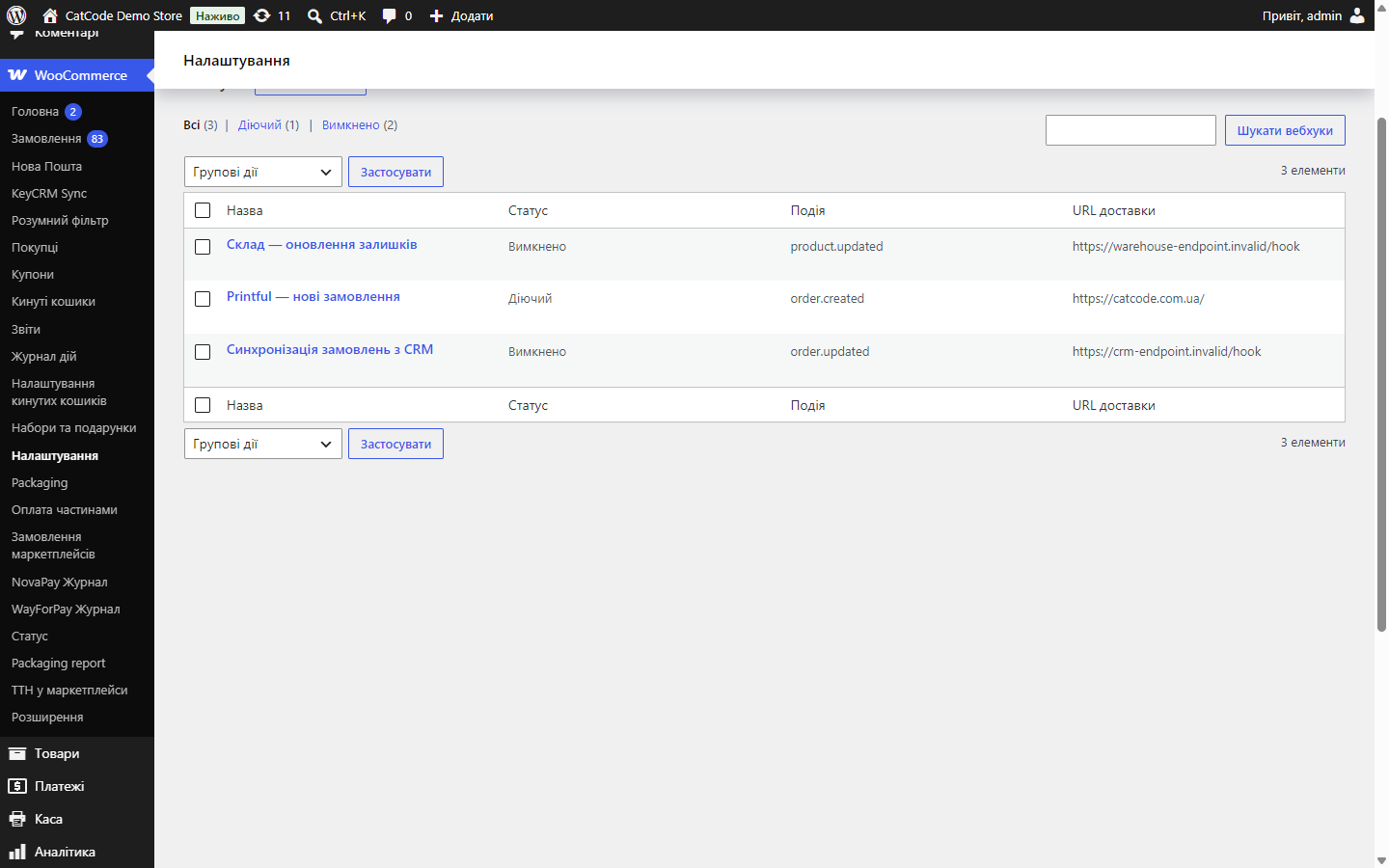
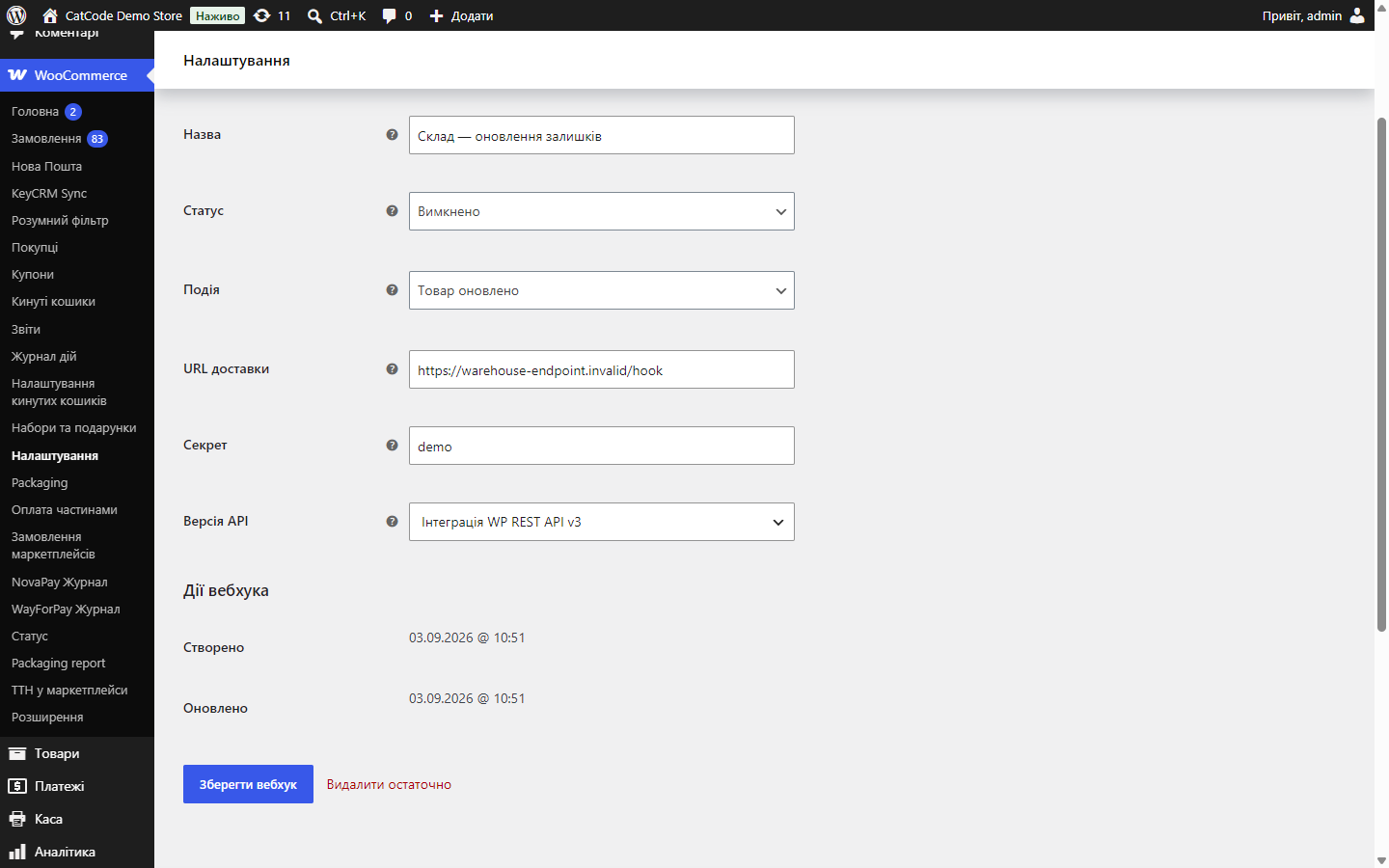
The story is always the same: the integration on the other end — Printful, a CRM, a warehouse, accounting — simply stops receiving orders, and the store finds out days later from a customer or an undelivered parcel. The webhooks screen says “Disabled”, with no explanation of when, why, or how many times this has already happened.
This module is that missing half.
Nothing — and that’s correct. The module adds nothing to the storefront, doesn’t touch the cart, checkout, or customer emails, and doesn’t slow down any store page. It only works in the admin and on a schedule.
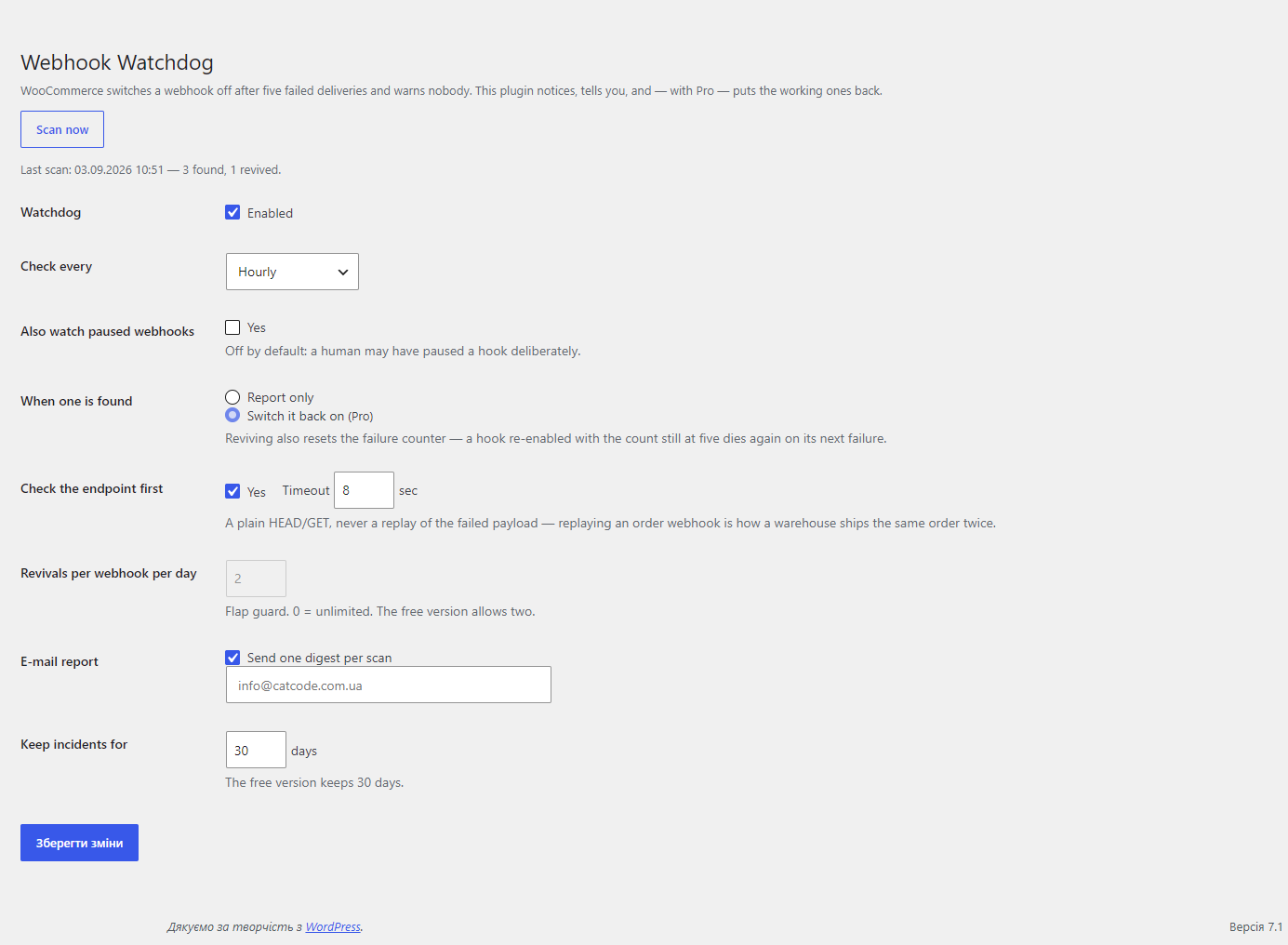
Scheduled webhook checks — every 15 minutes, hourly, twice a day, or once a day, your choice. Plus a “Scan now” button for when you need a check right away.
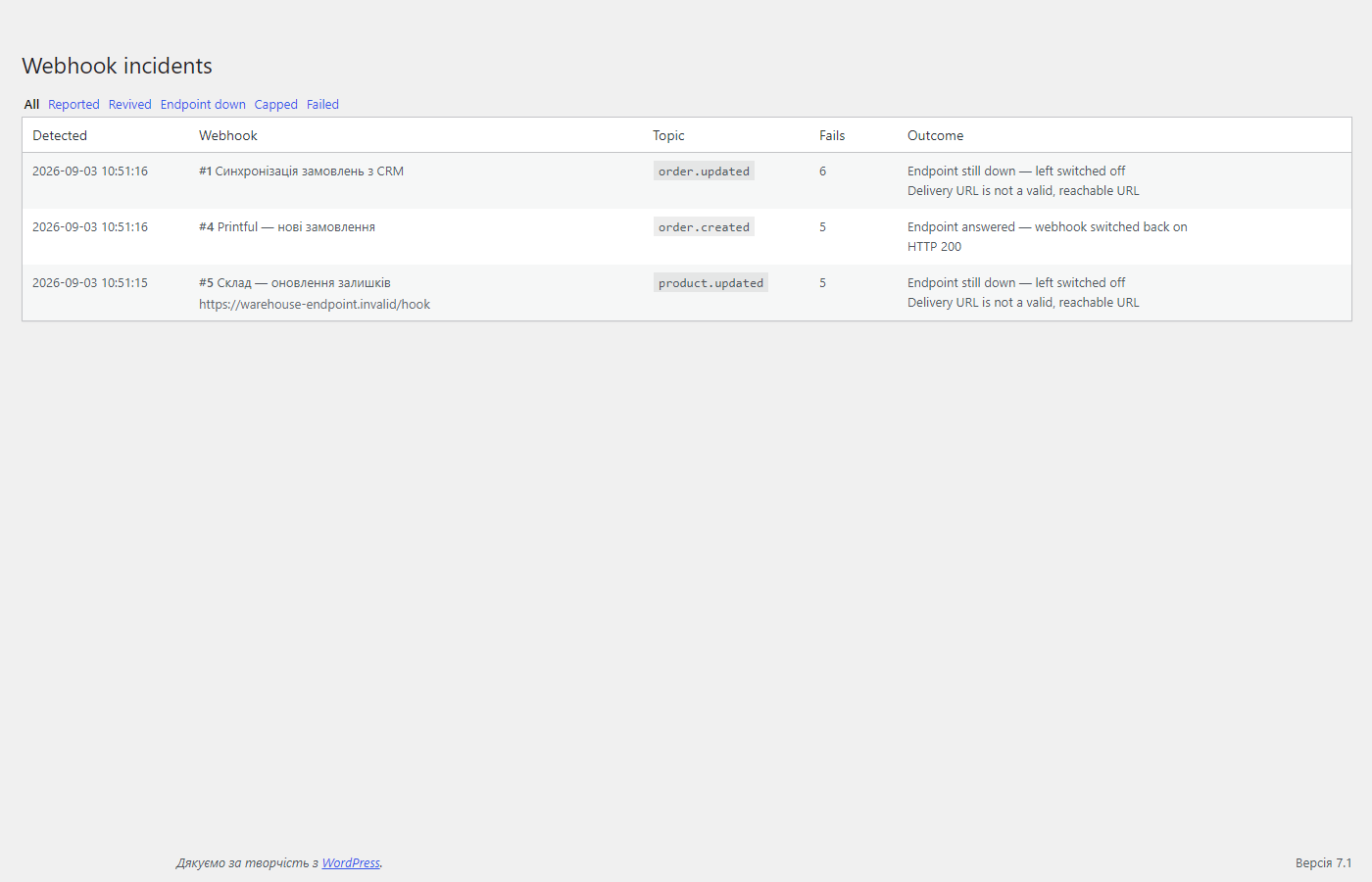
Incident log — a separate screen with its own table: when found, which webhook, topic, delivery URL, how many deliveries failed, what was done, and the endpoint’s response. Filters by result: notified only, restored, endpoint down, limit reached, failed.
The log answers a question neither WooCommerce nor the integration’s own panel answers: how long has this integration been failing, and how often.
Emails are one digest per scan, not one email per webhook. When an endpoint goes down, it takes all its webhooks with it at once, and twelve identical emails at 3 a.m. teach people to filter the sender rather than fix the endpoint.
disabled (optionally also paused).The probe deliberately never replays the payload that failed to deliver. Resending a real order webhook to an endpoint whose state is unknown is exactly how a warehouse ends up shipping the same order twice. The probe only answers “is anyone listening at this address at all”, and that’s what decides whether it’s worth trying to re-enable.
Any HTTP response, including 4xx, counts as a sign of life: an endpoint that rejects a bare GET but accepts a signed POST is entirely normal, and it’s still proof the host is up.
A dedicated incidents table — one row for every time a webhook was found disabled, with what was done about it. That’s something neither WooCommerce nor the integration’s panel has: a history that shows recurrence.
Resetting failure_count on restore isn’t cosmetic. WooCommerce compares the current counter against the threshold, so a webhook re-enabled with a counter still sitting at five dies again on the very next failure. That’s the exact mistake people make when they re-enable a webhook by hand.
Flapping protection counts actual restores, not mentions: a webhook that’s been reported ten times hasn’t used up any of its quota. Without this limit, a webhook whose endpoint is broken in a way the probe can’t see would keep resurrecting forever — in batches of five real requests each time.
The scan is wrapped so that a failure inside it doesn’t take down the WordPress task queue: a watchdog that dies with a fatal error would take every other scheduled store task down with it.
The module doesn’t touch order tables and sends nothing anywhere except an email to your own address and a probe to the delivery URL you set in WooCommerce yourself.
Didn't find the answer? Message us on Telegram and we'll reply within a business day.
 @catcode_support
Setup, compatibility, activation
@catcode_support
Setup, compatibility, activation
WooCommerce increments a failure counter on every delivery without a 2xx, and after the fifth sets the status to "disabled". A short outage on the receiving end is enough.
No. WooCommerce doesn't store the payload of failed deliveries, and inventing a replacement is worse than a gap.
No. A manually set paused status is left alone by default — that's a separate switch.
One indexed query plus one lightweight HTTP probe per broken webhook. When healthy, there are no probes at all.
The log is only deleted on full deletion, not on deactivation.
No reviews yet. Be the first.
No questions yet. Ask one — we answer within 24 hours.
We build custom modules for WordPress, WooCommerce, OpenCart and Shopify. Tell us about the task and we'll prepare an estimate.
Order a custom module
—

CatCode assistant
Just now


CatCode assistant
Online

I’ll help with your website task
Describe your website task — I’ll find a ready-made module or pass it to a developer for an estimate. Modules, custom features, layout, integrations, speed, migration, technical SEO.
