Integrating Rozetka, KeyCRM and Nova Poshta Fulfilment
A Python service: a Rozetka order reaches the Nova Poshta Fulfilment warehouse with its waybill and label from one KeyCRM status, plus Viber messages for the warehouse, prepayment by pickup rate and stock analytics.
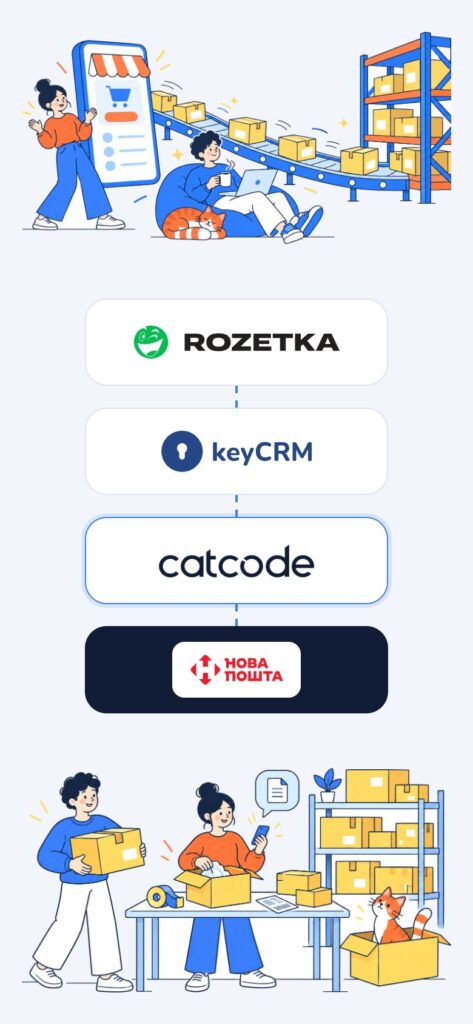
The shop sells on Rozetka, manages orders in KeyCRM and keeps its stock in Nova Poshta Fulfilment warehouses. The warehouse only packs an order against the carrier’s label, but KeyCRM’s built-in integration sent orders to fulfilment without one. So managers created Rozetka Delivery and Meest waybills by hand in the Rozetka seller account and forwarded labels separately. We wrote a service that does it on its own: the manager changes a status in KeyCRM, and the order reaches the warehouse with its waybill and PDF label. The service has been running on the client’s server since 12 October 2026 and sent more than 170 orders to the warehouse in its first two and a half weeks.
Technology stack
Python 3.12 + FastAPI on the client’s server, KeyCRM webhooks and triggers, the Rozetka seller API (Rozetka Delivery, Meest and Nova Poshta waybills, labels, statuses), the Nova Poshta Fulfilment warehouse SOAP API and Green API for the pickup rate. Stock analytics run in SQLite on a systemd timer.
One status instead of manual work
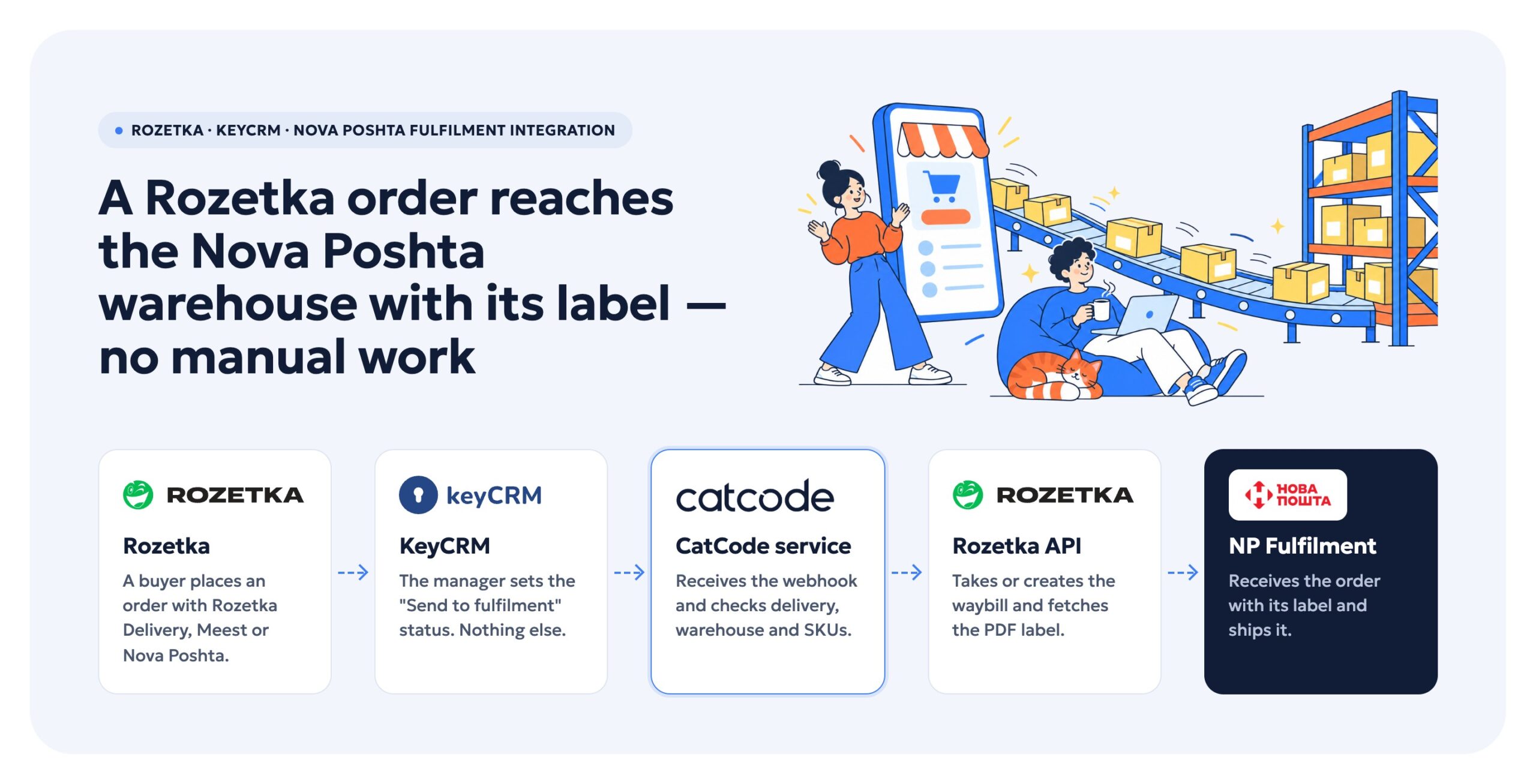
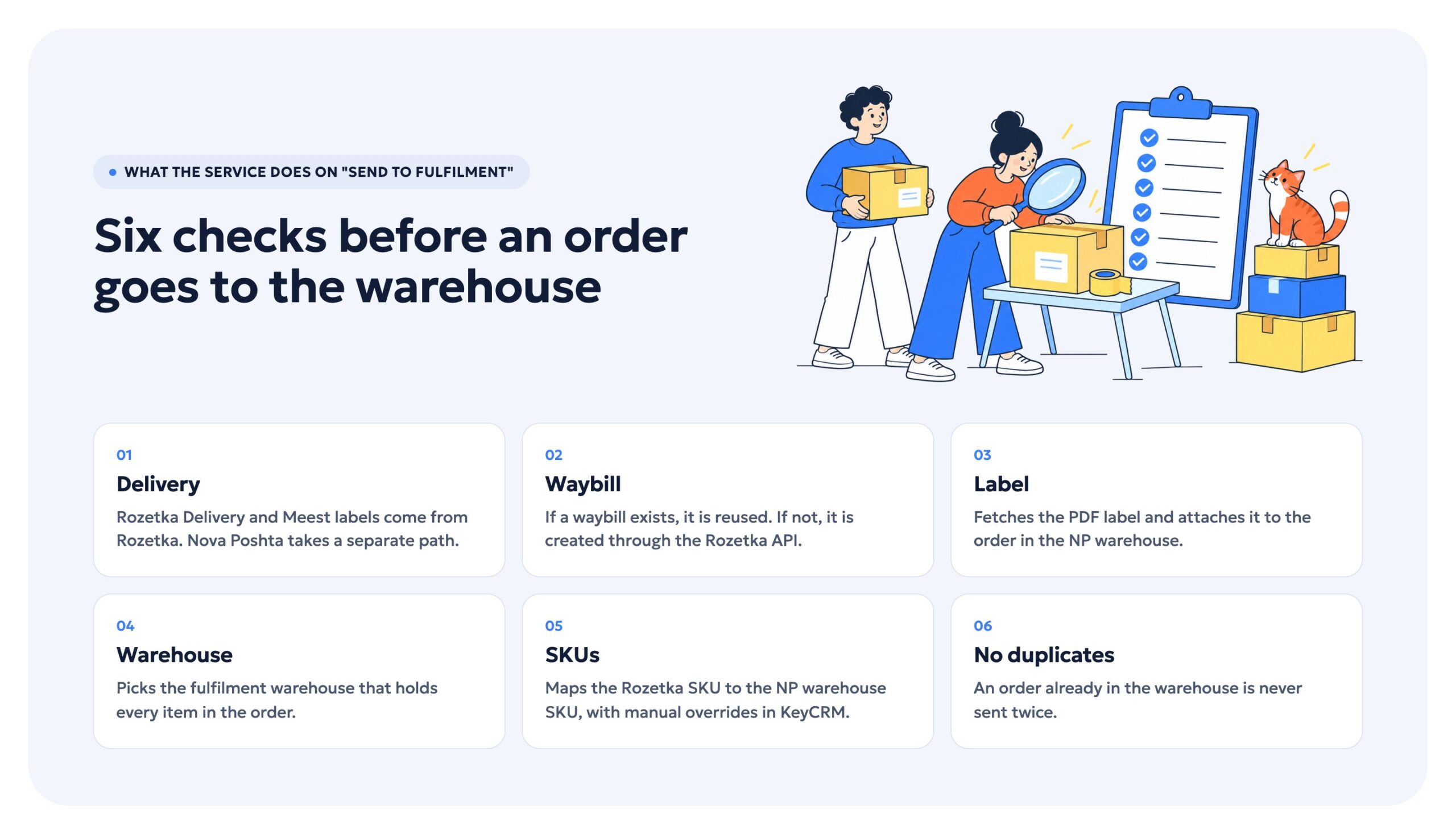
The manager sets the “Send to fulfilment” status in KeyCRM, and a KeyCRM trigger sends a webhook to the service. The service checks the delivery method, takes the existing waybill or creates one through the Rozetka API, fetches the PDF label and creates the order in the NP warehouse with the label attached and the Rozetka order number. It picks the warehouse that holds every item. The Rozetka SKU is mapped to the warehouse SKU, and when a different one is needed, the manager enters an override in an order or product field in KeyCRM. An order already in the warehouse is never sent twice. The first real shipment went out on 7 October, and the client confirmed the label reached the warehouse correctly.
Statuses on Rozetka
Rozetka’s commission depends on order statuses, and KeyCRM could roll a status back and drop a waybill already created. We worked through Rozetka’s status transitions and agreed with the client which KeyCRM statuses go where. We set up the rules in KeyCRM, and the “send to fulfilment” status is not passed to Rozetka at all.
Goods from the seller’s own stock
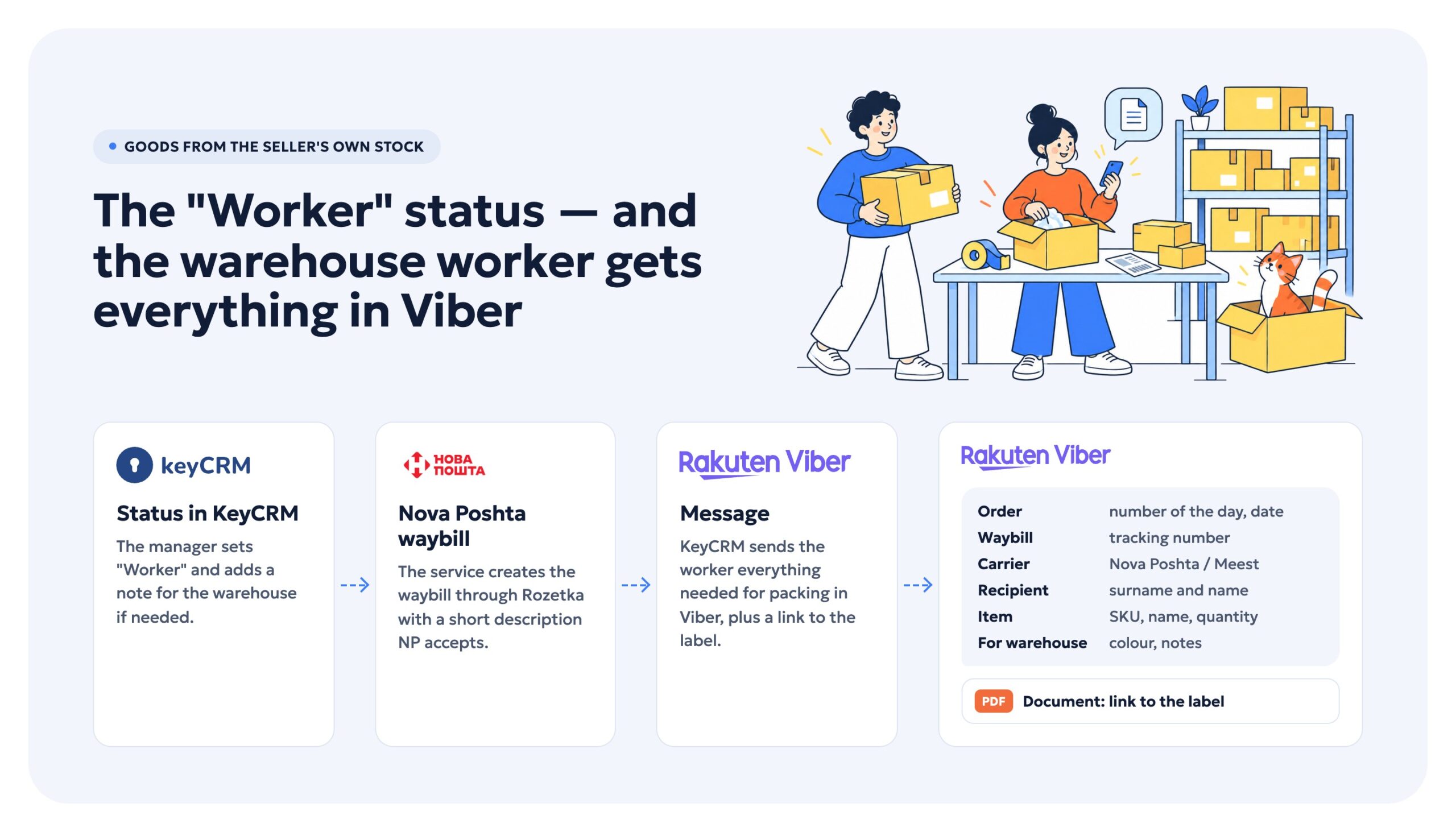
Some goods ship from the seller’s own stock rather than fulfilment, using a “Worker” status in KeyCRM. KeyCRM’s automatic Nova Poshta waybills had never worked once, because the carrier used the full product name as the description and NP rejected it as too long. Now the service creates the waybill through Rozetka with a short description. The warehouse worker gets a Viber message in the same format they used to type by hand: number of the day, waybill, carrier, recipient, SKU, warehouse note, quantity and a link to the label.
Prepayment for risky buyers
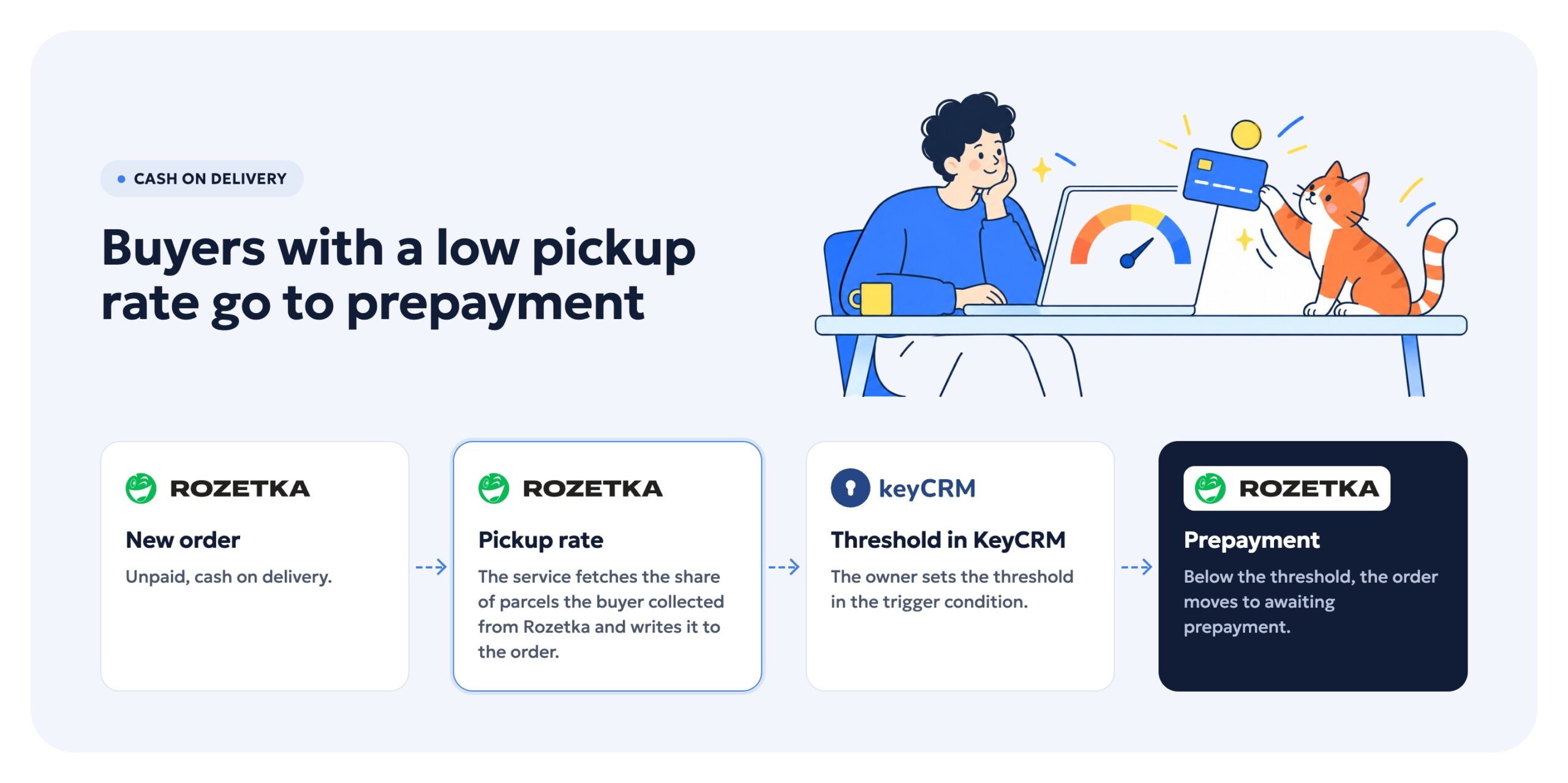
For unpaid cash-on-delivery orders, the service fetches the buyer’s pickup rate from Rozetka’s Green API and writes it to the order. If it is below the threshold, the order on Rozetka moves to awaiting prepayment. The owner sets the threshold in the KeyCRM trigger condition.
Stock analytics
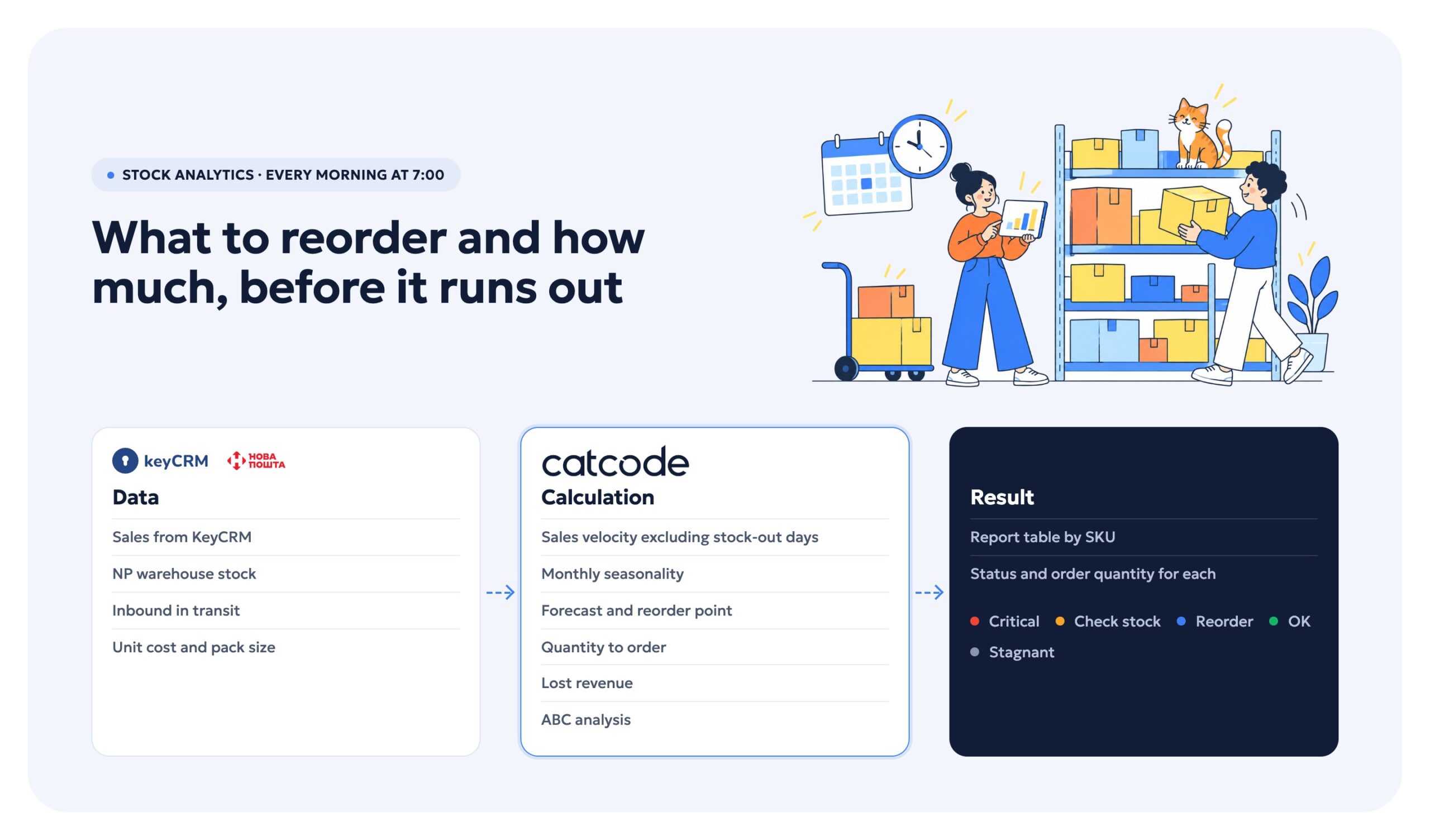
As a second stage we built stock analytics. Every morning at 7:00 the service collects sales from KeyCRM plus stock and inbound deliveries from the NP warehouses, and calculates sales velocity excluding days the item was out of stock, seasonality, a forecast, the reorder point, the quantity to order in pack multiples, lost revenue and ABC. Each SKU gets a status: critical, check stock, reorder, OK or stagnant. The result is a report table covering every SKU.
Security and personal data
The client asked for no public browser access to the service and no leaks of buyers’ personal data. The service runs on the client’s server under a separate user with no login. Only the webhook with its secret and temporary label links are reachable from outside; any other address just has its connection closed.
Summary
We delivered one-status hand-off of Rozetka orders to Nova Poshta Fulfilment with a waybill and label, warehouse and SKU selection, KeyCRM ↔ Rozetka status rules, waybills and messages for the seller’s own stock, prepayment based on the pickup rate, daily stock analytics, and the launch on the client’s server.