
WordPress
IBAN Smart Invoice — QR + Monobank auto-detect for WooCommerce
Free + Pro
890 UAH/year
v1.0.5
 All Access4 990 ₴ / year
 Website auditA PDF report by email in 3 minutesCheck a website
Everyday tasks
Image compressorSize, quality and WebP in bulkQR generatorLink, Wi-Fi, payment to IBANVAT calculator20, 14, 7% and amount in wordsTransliterationOfficial Ukrainian standardWebsite checks
PHP and pluginsPHP version, WordPress, pluginsGoogle Merchant feedFields, prices, GTIN, imagesDomain emailSPF, DKIM, DMARC, blacklistsAI search readinessllms.txt, bots, markupAll 9 toolsEnter at least 2 characters
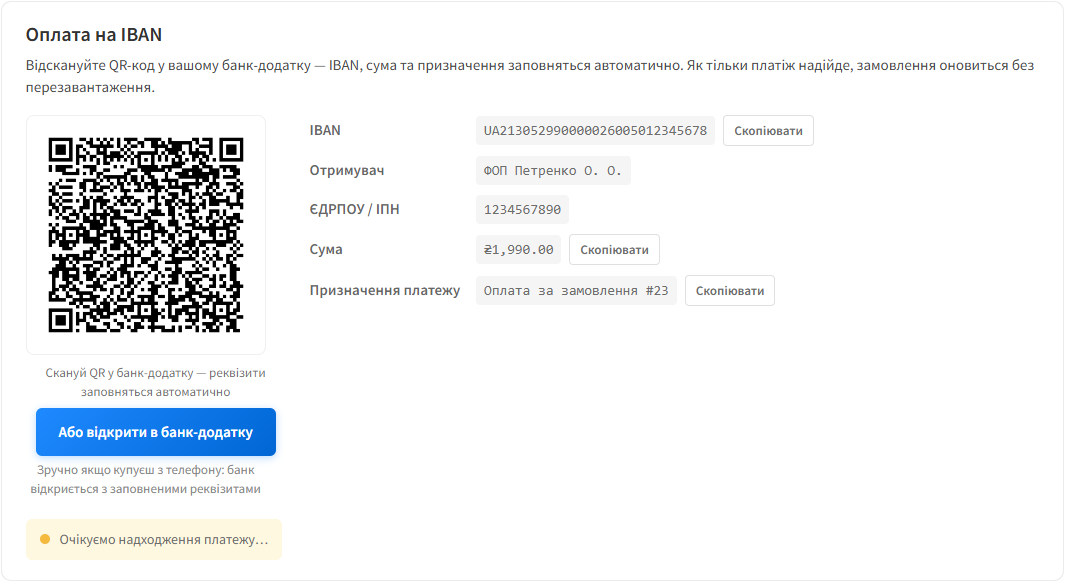
Pay-to-IBAN plugin for WooCommerce: an EPC QR code and Monobank/Privat24 buttons on the Thank You page. Pro detects the incoming payment itself and closes the order.
Clear even without sound: Ukrainian subtitles
The free version works with no time limit. Pro adds the rest of the features in the table.



A fresh install is the free version, nothing switches on by itself. The “Try Pro for 7 days” button → e-mail → the key right in the window and by e-mail.

Moving the store? Unbind the licence on the old domain and activate it on the new one yourself. For studios — keys for 5 or 25 sites, or unlimited.
 WordPress 6.5+, WooCommerce 8.0+PHP 8.2+ (required by the QR-code generation library)A Ukrainian IBAN (UA format)For Pro — a Monobank Personal API token, obtained for free in the Monobank app
The licence description in the plugin: one key covers two sites, your store and a staging copy.
An amount with kopiykas in the payment QR code now always has two digits after the point (99.50, not 99.5), as the National Bank of Ukraine rules require.
Premium now activates next to the free copy from WordPress.org without a fatal error (both used to load the same library autoloader).
The payment method now shows in the WooCommerce block checkout under the same conditions as in the classic one.
A purchased license stays yours: the Pro features keep working after the license term ends — the term covers updates and support.
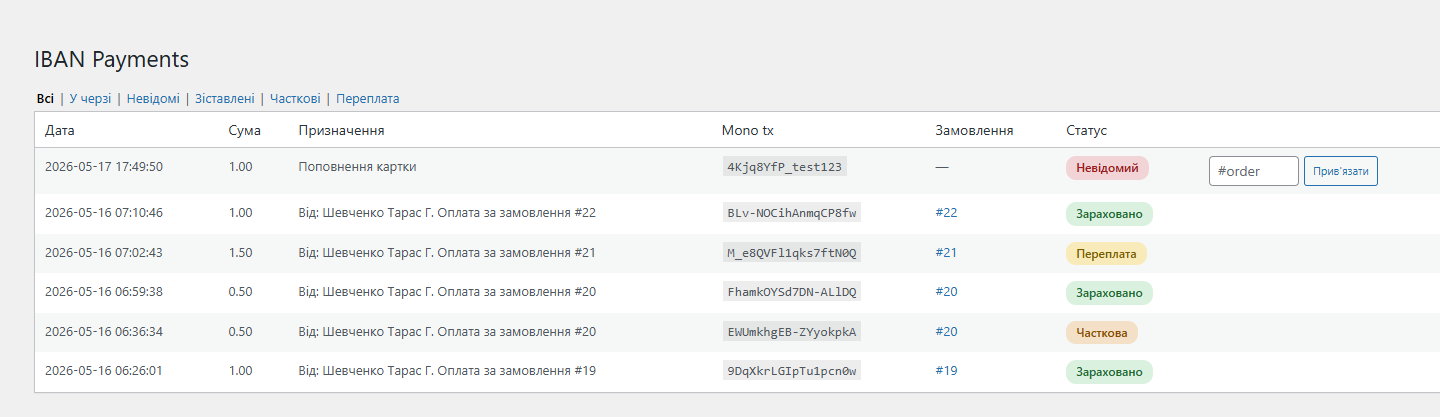
The Premium build: automatic payment detection, the “IBAN Payments” log, partial payments and overpayments, and a live status on the thank-you page are now in one plugin instead of a separate add-on.
A full Ukrainian interface translation added to the package (114 strings, uk locale).
The plugin was published in the official WordPress.org directory under the slug catcode-iban-smart-invoice.
The Pro line: a Monobank webhook + Order Matcher (matching by reference and amount), an admin “IBAN Payments” log with tabs and one-click linking, handling partial payments with a hint on…
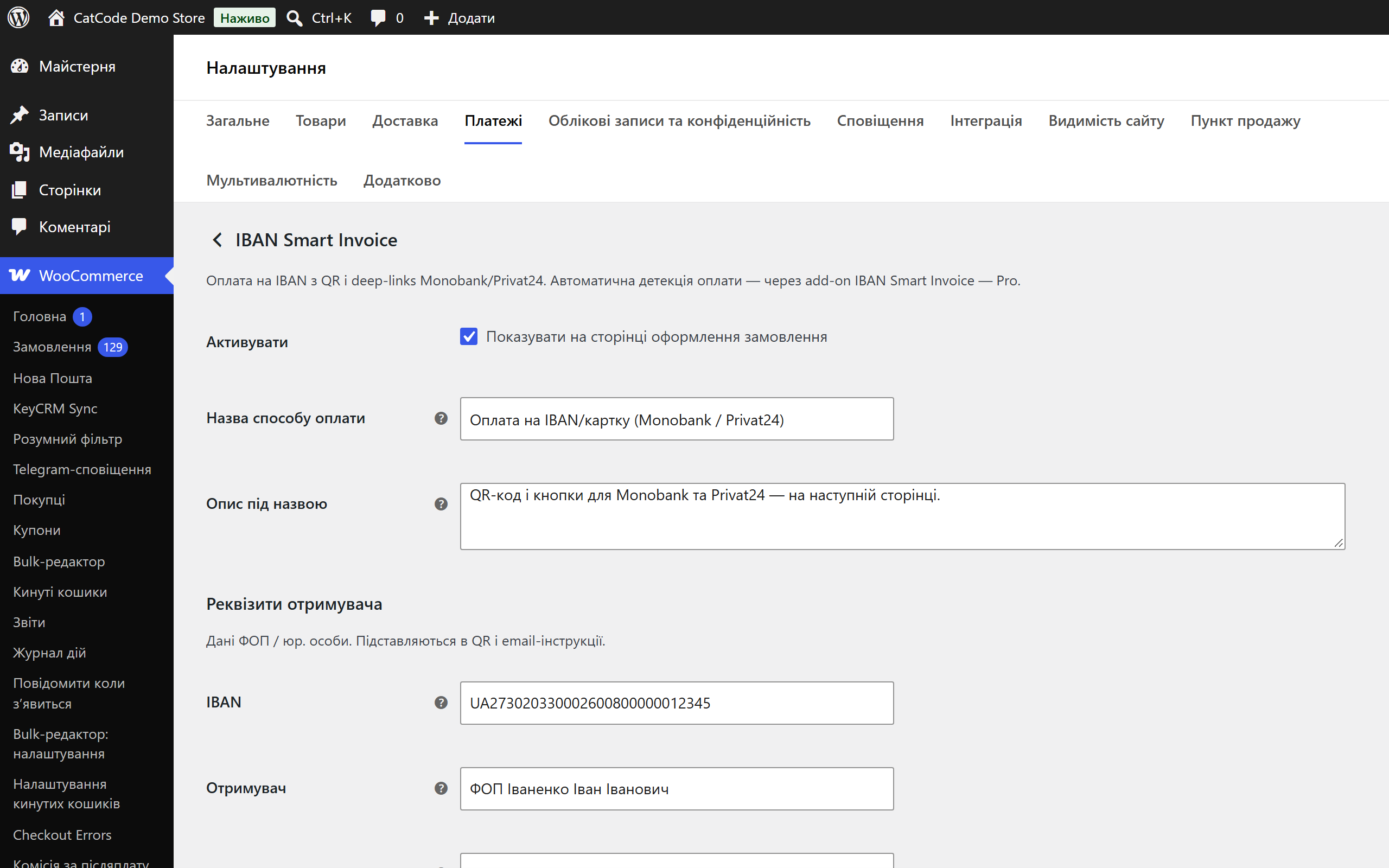
Initial release: a QR code to the NBU standard (EPC SCT, BCD v002), Monobank/Privat24 deep-link buttons, copy buttons for the payment details, a WC payment gateway, Cart/Checkout Blocks,…
4 modules in one order — 40% cheaper than separately



IBAN Smart Invoice is a WooCommerce plugin that shows an EPC QR code for payment and Monobank/Privat24 deep-link buttons right on the Thank You page. The customer scans the QR code in their banking app — the payment details fill in by themselves. The Pro version also automatically detects the incoming payment via the Monobank Personal API and closes the order itself.
It can be downloaded for free. It’s a single build: the QR invoice, payment details, bank buttons and the customer e-mail all work with no key, and Pro features are visible in place — greyed out, with an explanation of what they give you. There’s a separate, simplified version in the WordPress.org directory: wordpress.org/plugins/catcode-iban-smart-invoice — it has no automatic detection at all.
sodium_secretbox with a key derived from wp_salt('auth') — it’s never stored in the database in plain text.$wpdb->prepare(), escaped admin output, nonce checks; the free version of the plugin has been approved by WordPress.org reviewers.iban-smart-invoice-1.0.3.zip → Install → Activate.Didn't find the answer? Message us on Telegram and we'll reply within a business day.
 @catcode_support
Setup, compatibility, activation
@catcode_support
Setup, compatibility, activation
Yes. The token is encrypted via sodium_secretbox with a key derived from wp_salt('auth'). The admin field only shows that a token is set, without revealing its value.
Pro: an overpayment is recorded in meta with a note to check, and a partial payment is accumulated — the order waits for the remainder, and the customer sees "Received N UAH of M UAH". Free: you handle it manually from the bank statement.
Pro: the payment lands in the "Unmatched" tab on the IBAN Payments page — you link it to the order with one click. Free: you reconcile the bank statement manually.
Yes. On staging, click "Deactivate on this site" — the slot frees up instantly, and you enter the key on production. No need to contact support.
There's a 7-day free Pro trial before you buy — you test every feature and only then decide. Details are in the Refund Policy.
No reviews yet. Be the first.
No questions yet. Ask one — we answer within 24 hours.
We build custom modules for WordPress, WooCommerce, OpenCart and Shopify. Tell us about the task and we'll prepare an estimate.
Order a custom module
—

CatCode assistant
Just now


CatCode assistant
Online

I’ll help with your website task
Describe your website task — I’ll find a ready-made module or pass it to a developer for an estimate. Modules, custom features, layout, integrations, speed, migration, technical SEO.
