OpenCart
WayForPay — card payments for OpenCart 2.3, 3.x and 4.x
Free + Pro
1 490 UAH
v1.1.1
 All Access4 990 ₴ / year
 Website auditA PDF report by email in 3 minutesCheck a website
Everyday tasks
Image compressorSize, quality and WebP in bulkQR generatorLink, Wi-Fi, payment to IBANVAT calculator20, 14, 7% and amount in wordsTransliterationOfficial Ukrainian standardWebsite checks
PHP and pluginsPHP version, WordPress, pluginsGoogle Merchant feedFields, prices, GTIN, imagesDomain emailSPF, DKIM, DMARC, blacklistsAI search readinessllms.txt, bots, markupAll 9 toolsEnter at least 2 characters
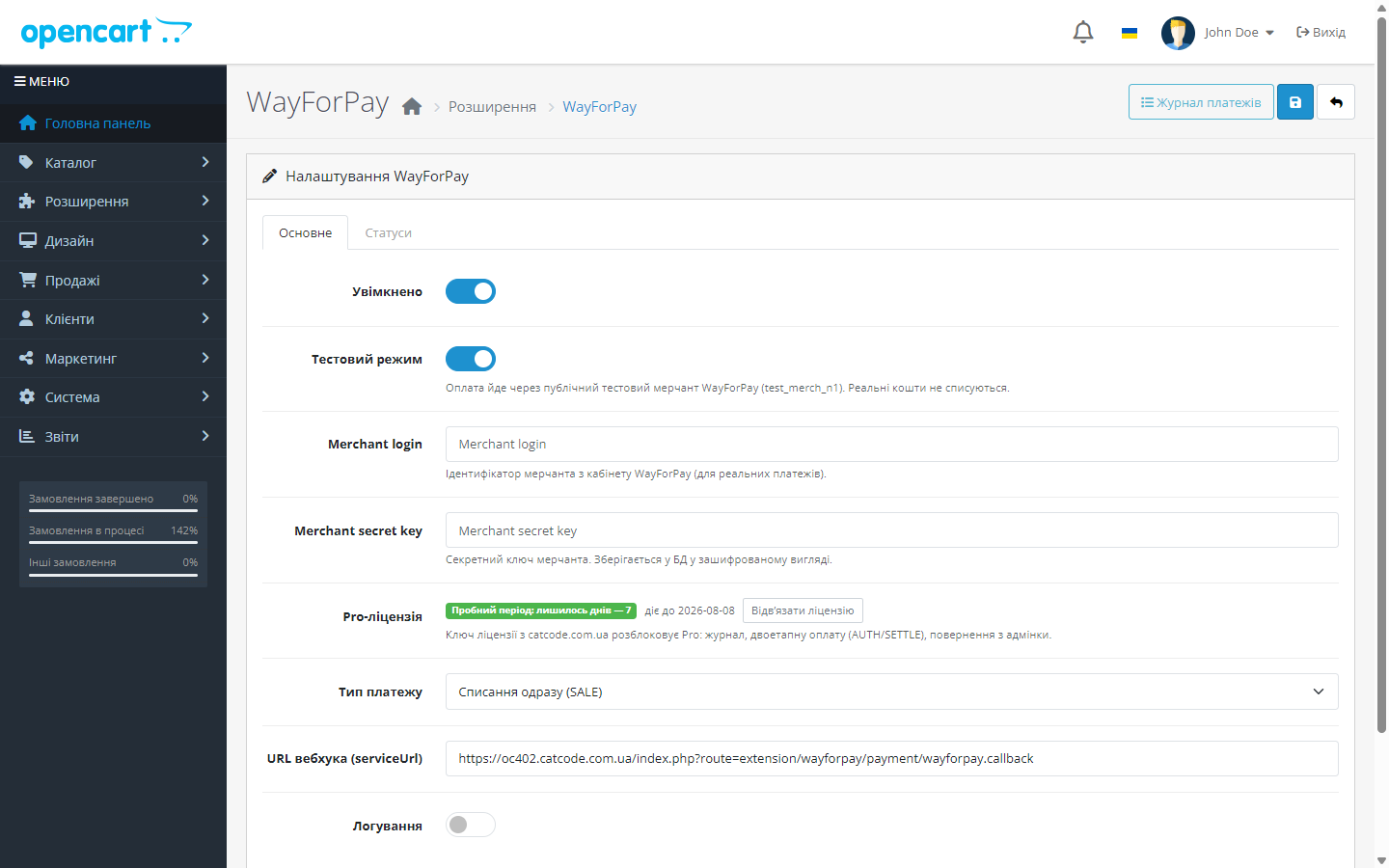
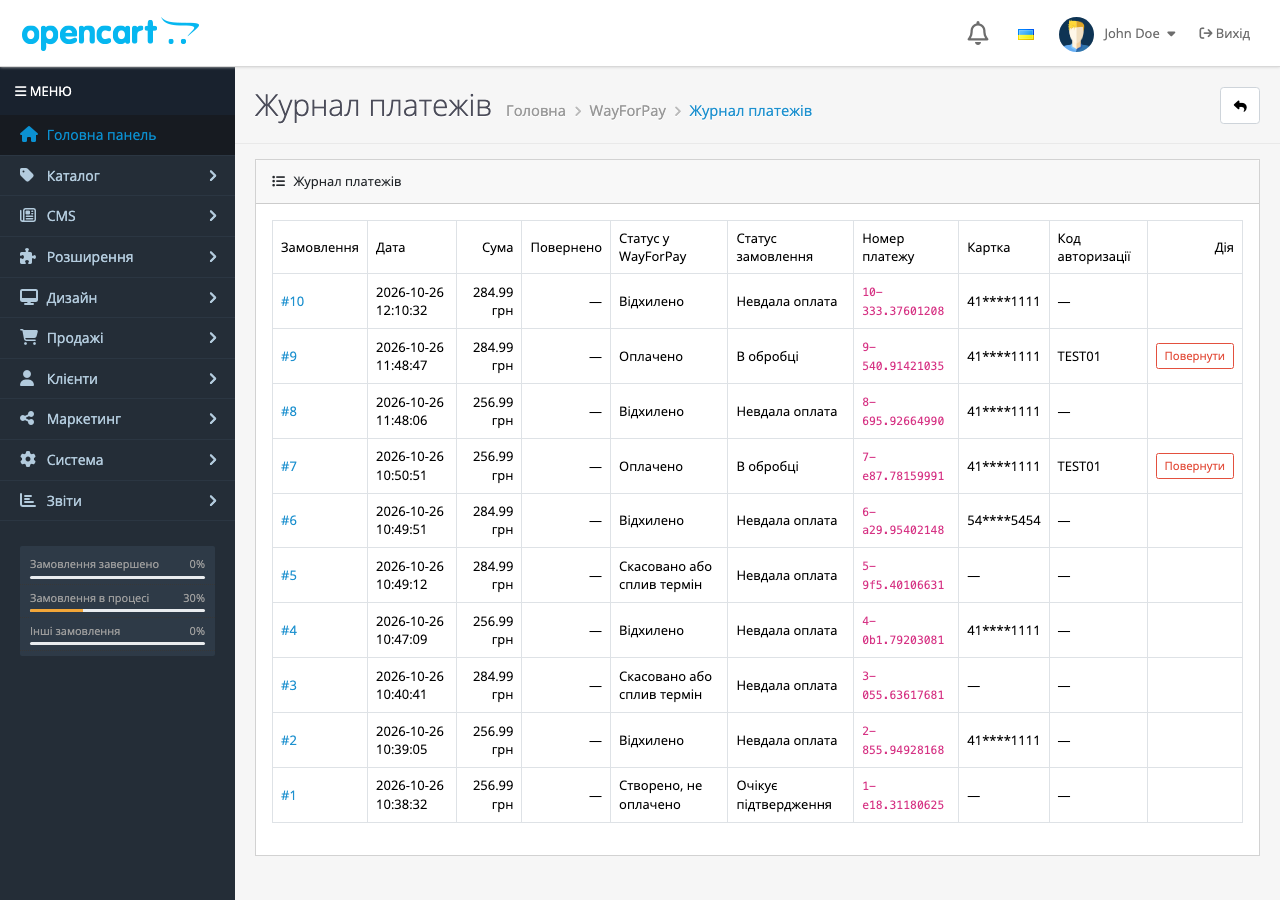
Free WayForPay module for OpenCart 3 and 4: Visa/Mastercard payment on the WayForPay page, auto-confirmation via signed webhook. Pro — log, hold, refunds.
Clear even without sound: Ukrainian subtitles
The free version works with no time limit. Pro adds the rest of the features in the table.



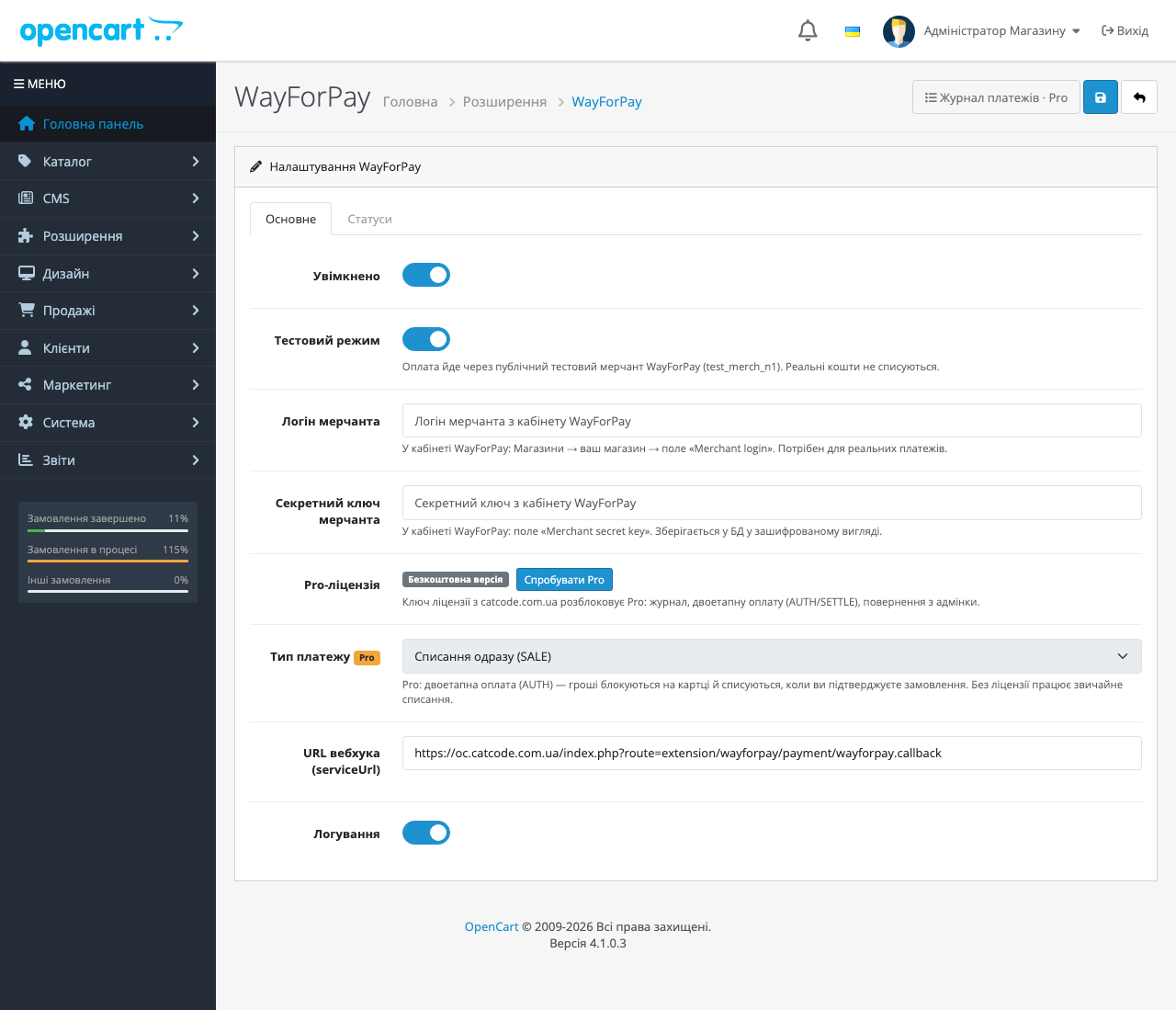
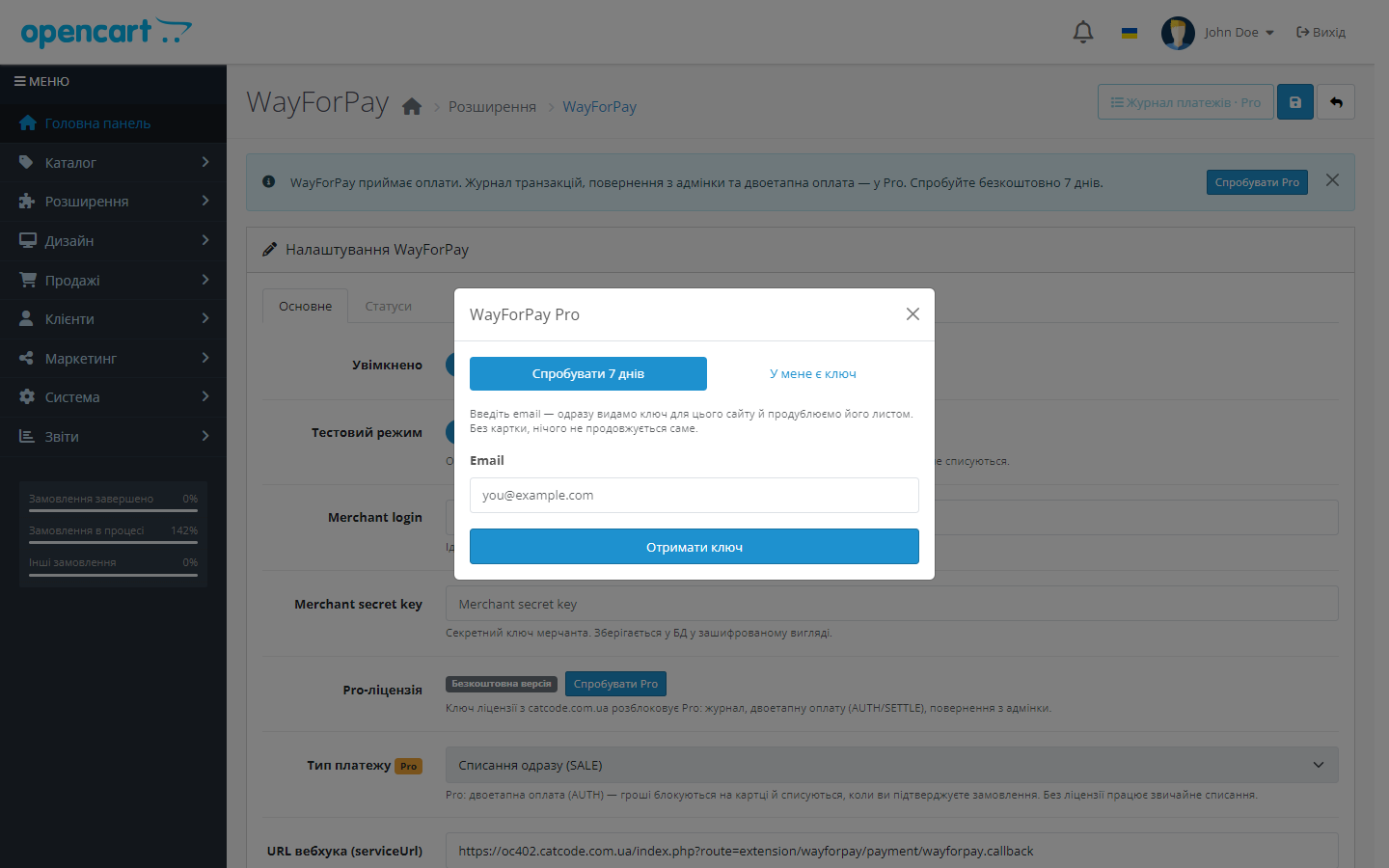
A fresh install is the free version, nothing switches on by itself. The “Try Pro for 7 days” button → e-mail → the key right in the window and by e-mail.

Moving the store? Unbind the licence on the old domain and activate it on the new one yourself. For studios — keys for 5 or 25 sites, or unlimited.
 OpenCart 4.0.2 – 4.1.x (native build), with separate builds for OpenCart 3.0.2 – 3.0.5.0 and OpenCart 2.3.0.xPHP 8.0+ for OpenCart 4; the OpenCart 2.3 build is tested on PHP 5.6 and 7.0Merchant login and secret key from the WayForPay account — only for live mode; test mode works right away without an agreement
A purchased licence for OpenCart now works without expiry.
After a bank refusal or “Cancel payment” on the WayForPay page the buyer comes back to the cart with the items still in it and a clear message.
OpenCart 4.1: the bank was sent the total of an earlier render. 4.1 begins editOrder() with addHistory(config_void_status_id), so an order that has not been placed yet is set to “Voided”…
Admin refunds finally work as intended in these two builds.
Fixed underpayment: a callback for an amount lower than the order is no longer stored as Approved.
Fixed a conflict at checkout on OpenCart 4.0.2.x.
First public release: card payment via a secure WayForPay page, a serviceUrl webhook with HMAC-MD5 signature verification, CHECK_STATUS reconciliation on return, test mode on a public…
4 modules in one order — 40% cheaper than separately



WayForPay for OpenCart is a payment extension that connects WayForPay acquiring to a shop on OpenCart 2.3, 3.x or 4.x. The customer pays by Visa or Mastercard on a secure WayForPay page, and everything after that is automatic: WayForPay sends a serviceUrl webhook, the module verifies the HMAC-MD5 signature and changes the order status itself. The manager doesn’t need to reconcile payments in the bank’s account against orders in the admin every morning.
1,490 UAH — one-off purchase. The licence is perpetual: you pay once, updates and technical support are included in the price. One key covers two sites: your store and a staging copy.
Moving the shop to another domain — deactivate the licence on the old one and activate it on the new one yourself in the account.
The licence is perpetual — nothing expires or switches off. One key — two sites: your store and a staging copy; moving the shop, deactivate the licence on the old domain and activate it on the new one yourself.
One key — two sites: your store and a staging copy. Moving the shop, deactivate the licence on the old domain and activate it on the new one yourself, without contacting support.
Trial first, then payment. A fresh install is the free version: Pro doesn’t switch itself on, and nothing expires after a week. When you want to see Pro — click “Try Pro” in the module’s settings, enter your email and get a 7-day key (also sent by email). So you get to check the payment log, AUTH/SETTLE and refunds on your own shop before you buy — that’s exactly why refunds after purchase aren’t offered.
wayforpay.ocmod.zip. For OpenCart 3.0.x use the wayforpay-oc3-1.1.3.ocmod.zip build, for OpenCart 2.3 — wayforpay-oc2-1.1.3.ocmod.zip from the product downloads (on 2.3 the contents of the upload/ folder go to the shop root over SFTP, since that version’s stock installer only copies files via FTP).Didn't find the answer? Message us on Telegram and we'll reply within a business day.
 @catcode_support
Setup, compatibility, activation
@catcode_support
Setup, compatibility, activation
No. The module registers as a standard OpenCart payment method — your theme and checkout stay yours.
Yes, two builds are included: native for OC 4.0.2–4.1.x and a separate port for OC 3.0.2–3.0.5.0. One licence per product.
Yes. In test mode the module works through the public merchant test_merch_n1 — no real money is charged; an agreement and your own merchant are only needed for live payments.
The order simply doesn't get a paid status. Confirmation only arrives via a signed webhook from WayForPay, and on return the status is checked again via CHECK_STATUS.
Yes. The licence works on one active domain, and you can transfer it yourself: in the module's settings on the old domain, click "Deactivate" — the slot frees up instantly, then activate the same key on the new domain. No extra charge; if you no longer have access to the old site — write to us and we'll free the slot manually.
The module keeps accepting payments for free with no time limit. Pro only concerns the log, two-step payment and admin refunds.
No reviews yet. Be the first.
No questions yet. Ask one — we answer within 24 hours.
We build custom modules for WordPress, WooCommerce, OpenCart and Shopify. Tell us about the task and we'll prepare an estimate.
Order a custom module
—

CatCode assistant
Just now


CatCode assistant
Online

I’ll help with your website task
Describe your website task — I’ll find a ready-made module or pass it to a developer for an estimate. Modules, custom features, layout, integrations, speed, migration, technical SEO.
