
WordPress
Catcode PRRO Connector — fiscal receipts (Vchasno.Kasa, Checkbox) for WooCommerce
Free + Pro
1 490 UAH/year
v1.2.3
 All Access4 990 ₴ / year
 Website auditA PDF report by email in 3 minutesCheck a website
Everyday tasks
Image compressorSize, quality and WebP in bulkQR generatorLink, Wi-Fi, payment to IBANVAT calculator20, 14, 7% and amount in wordsTransliterationOfficial Ukrainian standardWebsite checks
PHP and pluginsPHP version, WordPress, pluginsGoogle Merchant feedFields, prices, GTIN, imagesDomain emailSPF, DKIM, DMARC, blacklistsAI search readinessllms.txt, bots, markupAll 9 toolsEnter at least 2 characters

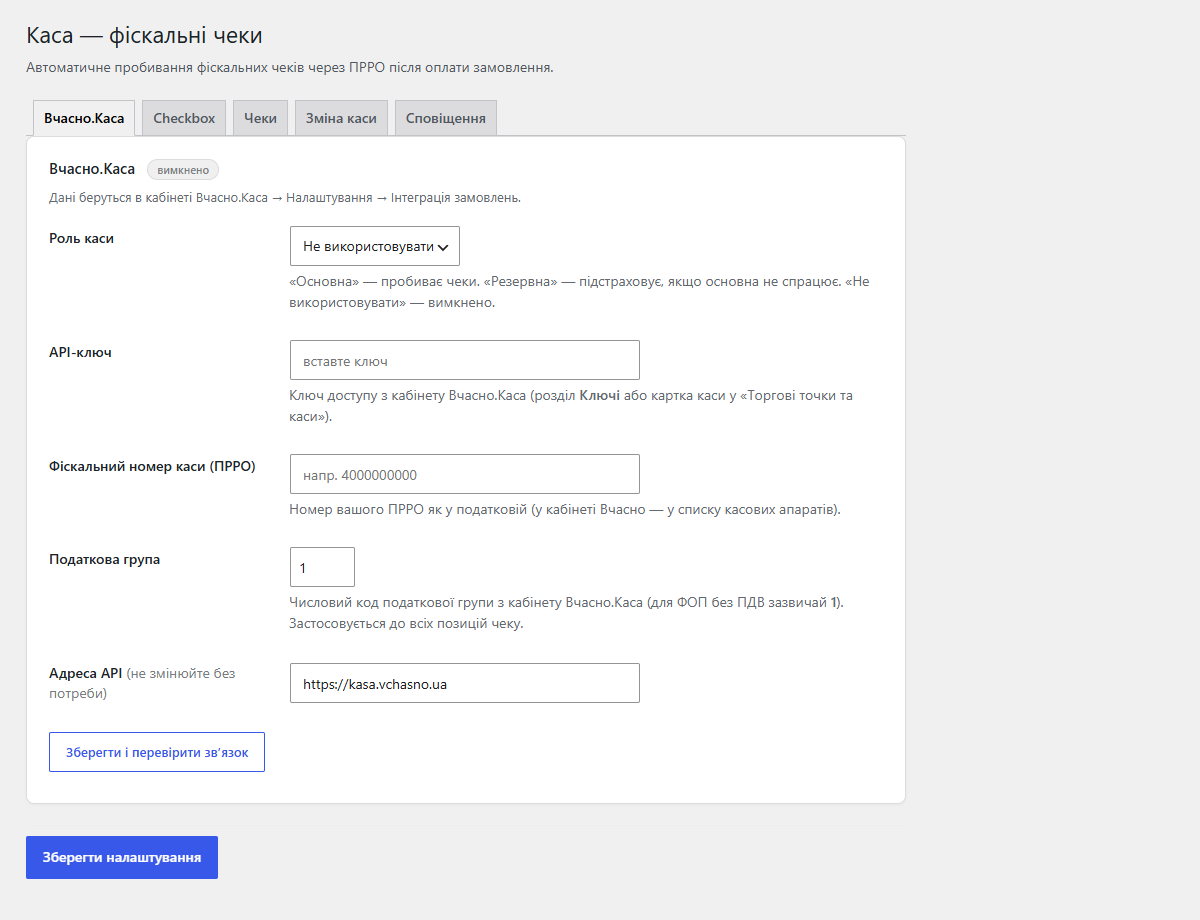
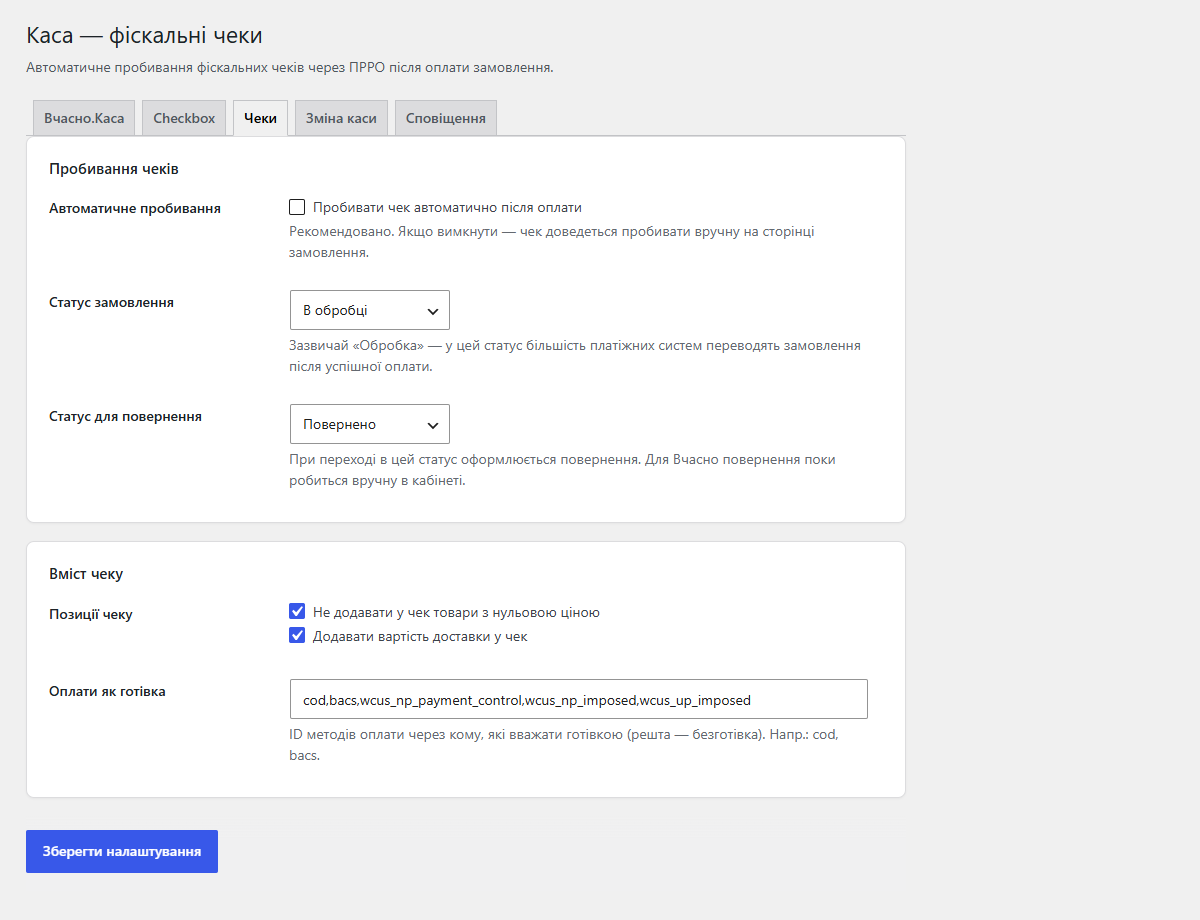
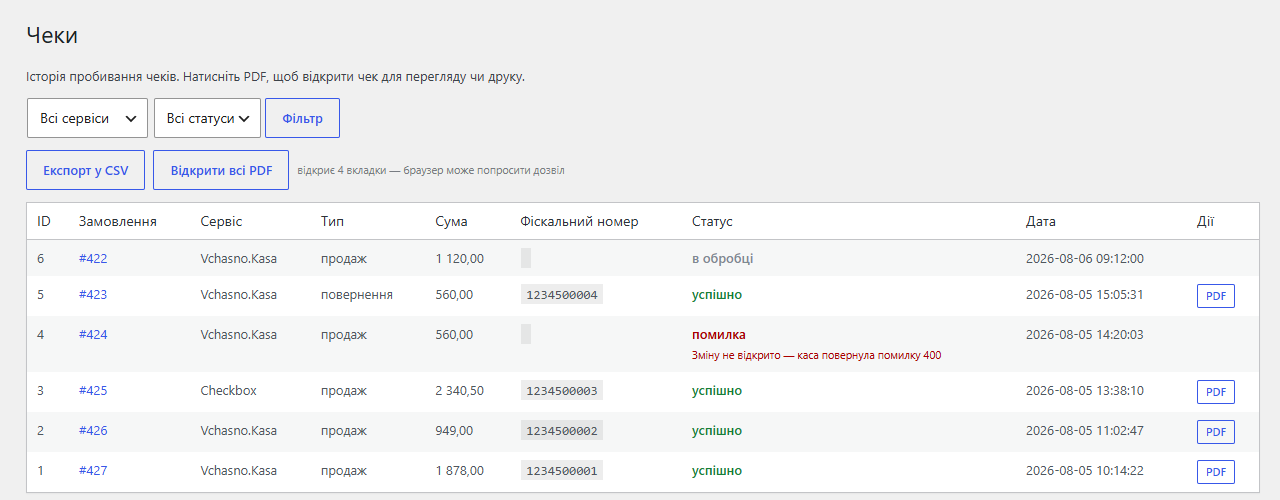
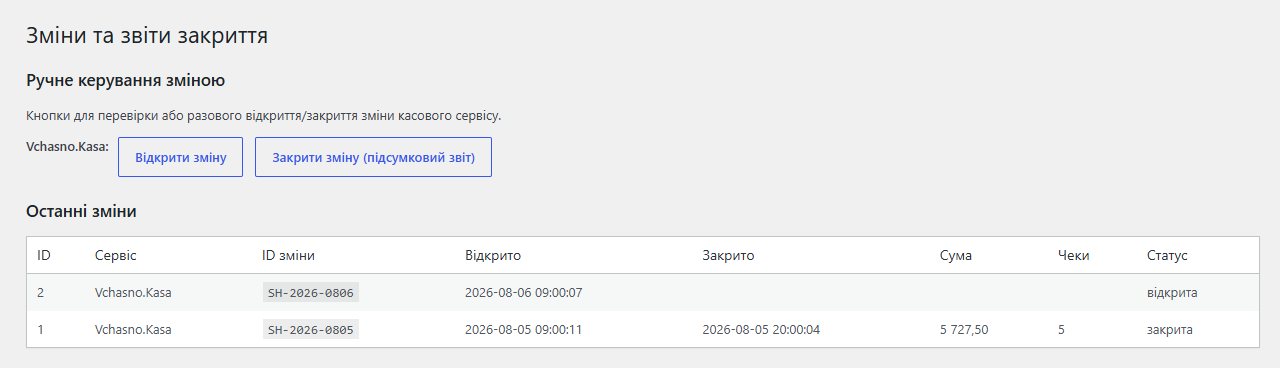
Fiscalising WooCommerce orders through a Ukrainian PRRO: Vchasno.Kasa and Checkbox. The receipt is issued automatically by order status, with fallback between services and delivery to the customer.
The free version works with no time limit. Pro adds the rest of the features in the table.


Since version 0.5.0 the plugin fiscalises more than WooCommerce orders: it pulls paid orders from KeyCRM (an aggregator for Rozetka, Prom, Instagram and your own sites) and issues receipts for them through the same PRRO services.

A shop with a counter and a website sells the same shelf twice. The jacket was rung up at the till an hour ago, yet the website still shows it in stock — and the owner finds out once an online customer has already paid.

The free version is 0 UAH, forever and without registration. Pro is 1,490 UAH a year for two sites (your store and a staging copy): a year of updates and support.

A fresh install is the free version, nothing switches on by itself. The “Try Pro for 7 days” button → e-mail → the key right in the window and by e-mail.

Moving the store? Unbind the licence on the old domain and activate it on the new one yourself. For studios — keys for 5 or 25 sites, or unlimited.
 WordPress 6.4+ / WooCommerce 6.0+ (HPOS compatible, tested up to WC 10.7)PHP 7.4+A PRRO registered with the tax authority — through the dashboard of your chosen service (Vchasno.Kasa, Checkbox)An API key from the PRRO service dashboard, with the VAT rate configured there
Fixed saving the order: with the module active, the “Update” button on the WooCommerce order screen did not save a status change or other edits.
Fixed return receipts through Vchasno.Kasa (Pro).
Pro updates no longer come from wordpress.org, so WordPress will not offer to replace the Pro build with the free copy that shares its plugin name.
Pro: offline sales from a Checkbox register reduce website stock.
A Pro tier appeared; the free part did not change.
Upgrading from builds before 1.0.0 now migrates the receipt log, the shift log and the KeyCRM order map into the renamed tables.
Updated Ukrainian translation; shift statuses on the “Shifts” screen became translatable.
The first public release in the WordPress.org directory.
Escaping for all output: the receipt link and extra text in the plain-text email, generated form elements and badges on the settings page (wp_kses with an explicit allow-list of tags).
A single catcodeprro_ prefix for all options, hooks, meta fields and tables.
A built-in KeyCRM source: fiscalising paid orders from Rozetka/Prom/Instagram through the KeyCRM Open API (the “Register → KeyCRM” menu).
A new settings screen: one wizard instead of tabs, a “working / needs attention” status box, and a “Save and test connection” button.
Automatic register shift control on a schedule (cron twice a day), auto-opening the shift when a receipt arrives, and manual buttons on the “Shifts” page.
Real Vchasno.Kasa endpoints, a coupon fix (sum(items) == total), duplicate receipt protection, UKTZED codes, phone normalisation, an “Issue receipt” button, CSV export, an email receipt…
The first release: 4 PRRO adapters and basic auto-fiscalisation on order status change.
4 modules in one order — 40% cheaper than separately



Catcode PRRO Connector is a fiscalisation plugin for WooCommerce that links your shop to Ukrainian software cash registers (PRRO) and issues a fiscal receipt automatically the moment an order moves into a chosen status (for example “processing” after a LiqPay or Monobank payment). One plugin covers several PRRO services with fallback between them, manages the register shift and sends the receipt to the customer by email and SMS.
You can assign a primary service and a backup (fallback): if the primary does not answer, the receipt automatically goes through the spare.
woocommerce_order_status_changed) and sends the receipt data to the PRRO; if the register shift is closed, it opens the shift first and retries.Separately: an “Issue receipt” button on the order screen, a list of payment methods fiscalised as cash (cash on delivery with Nova Poshta or Ukrposhta), shipping included in the receipt, skipping zero lines, and a UKTZED code per product plus a default one.
Since version 0.5.0 the plugin fiscalises more than WooCommerce orders: it pulls paid orders from KeyCRM (an aggregator for Rozetka, Prom, Instagram and your own sites) and issues receipts for them through the same PRRO services. The menu is “Register → KeyCRM orders”: API key, polling interval, trigger, a run log, and an optional write-back of the receipt link into the KeyCRM order. Each order is fiscalised exactly once.
A shop with a counter and a website sells the same shelf twice. The jacket was rung up at the till an hour ago, yet the website still shows it in stock — and the owner finds out once an online customer has already paid. Since 1.2.0 Pro closes that gap: every fiscalised receipt on the Checkbox register in the shop takes the same product off the WooCommerce stock, and a return receipt puts it back.
Receipts the website issued for its own online orders are skipped — WooCommerce has already reduced stock for them. Checkbox retries deliveries for hours, but the same receipt never changes anything twice, even when copies arrive at the same moment. A product that was not found, or one without stock tracking, shows up in the log as its own line — so you know exactly which code to fix in the register.
catcodeprro_after_fiscalize hook — for your own integrations after a successful receipt.WordPress.org directory, or upload it under “Plugins → Add New → Upload Plugin”, and activate.Didn't find the answer? Message us on Telegram and we'll reply within a business day.
 @catcode_support
Setup, compatibility, activation
@catcode_support
Setup, compatibility, activation
Register a PRRO with the tax authority through the Vchasno dashboard, set the VAT rate (VAT-exempt for a sole trader on the simplified system, or 20% for VAT payers) and open a shift — without an open shift the API returns an error. That said, the plugin can open the shift itself, on a schedule or on the first sale.
No. It works only in the admin and on order hooks — it adds nothing to the storefront or the checkout.
Yes. In the free version Checkbox issues a full-amount refund receipt, while for Vchasno an order with the “refunded” status gets a reminder to issue the receipt in the dashboard. Pro issues the refund receipt itself — including partial refunds (one line, shipping only or an arbitrary amount) and, for Vchasno, through the API.
For Vchasno it is the PRRO dashboard (the plugin does not send VAT in the payload). For Checkbox/Cashalot you can set a UKTZED code in the product editor.
The full order amount, as the customer paid it. That is required by the Ukrainian cash register law.
WooCommerce orders are unchanged — fiscal numbers stay in the order notes, and receipts already issued live in your PRRO service's dashboard.
No reviews yet. Be the first.
No questions yet. Ask one — we answer within 24 hours.
We build custom modules for WordPress, WooCommerce, OpenCart and Shopify. Tell us about the task and we'll prepare an estimate.
Order a custom module
—

CatCode assistant
Just now


CatCode assistant
Online

I’ll help with your website task
Describe your website task — I’ll find a ready-made module or pass it to a developer for an estimate. Modules, custom features, layout, integrations, speed, migration, technical SEO.
