

All to Lat — Latin Slugs by Transliteration for WordPress and WooCommerce
Latin slugs by transliteration for WordPress and WooCommerce: Cyrillic in links is replaced automatically, with rollback and 301 redirects from old addresses.
- Compatibility
- WordPress 6.2+ · WooCommerce · PHP 7.2+
What the module does

What it looks like
Key points

Nothing 404s after conversion
A renamed post is redirected by WordPress itself — via _wp_old_slug.

What to know before turning it on
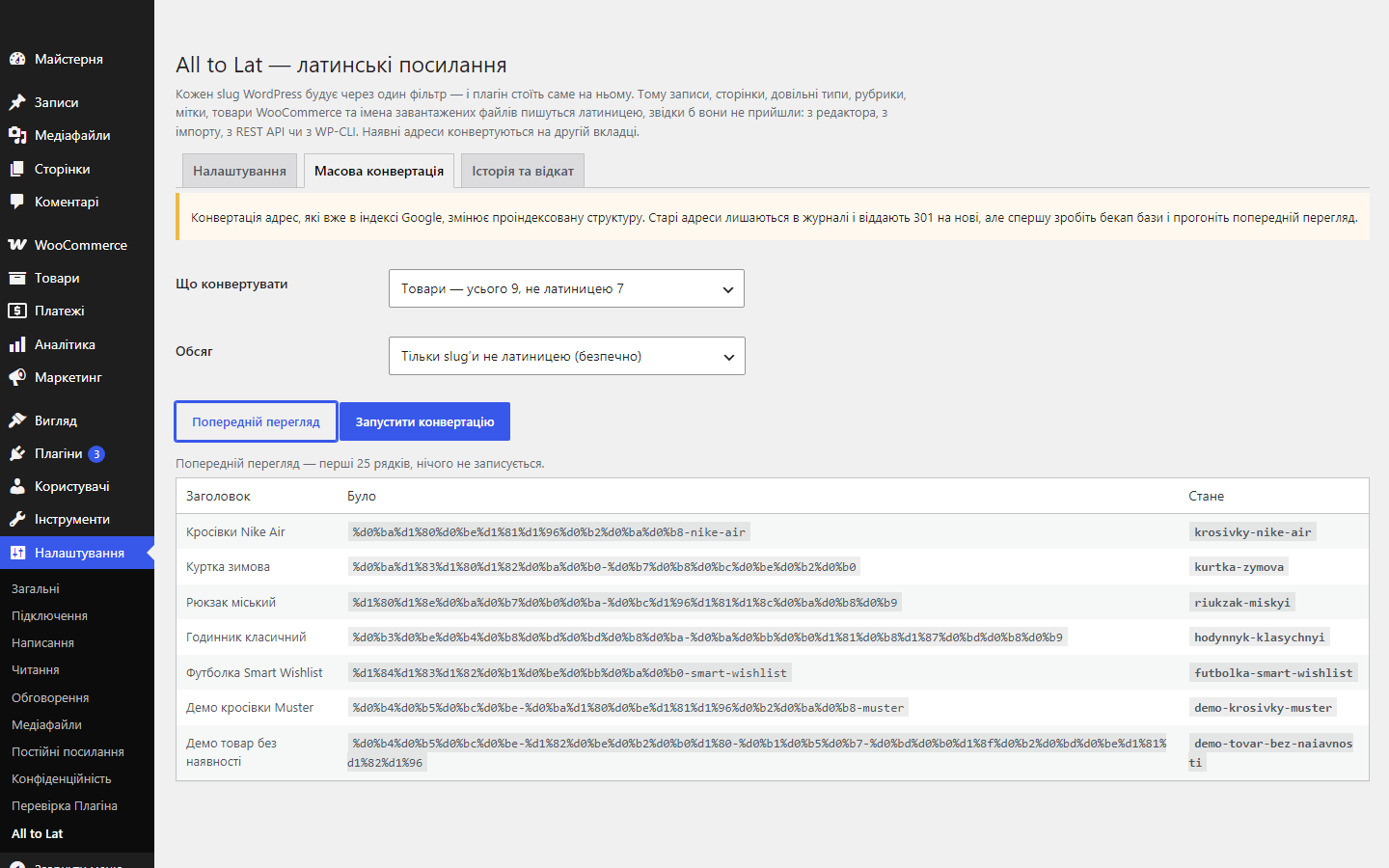
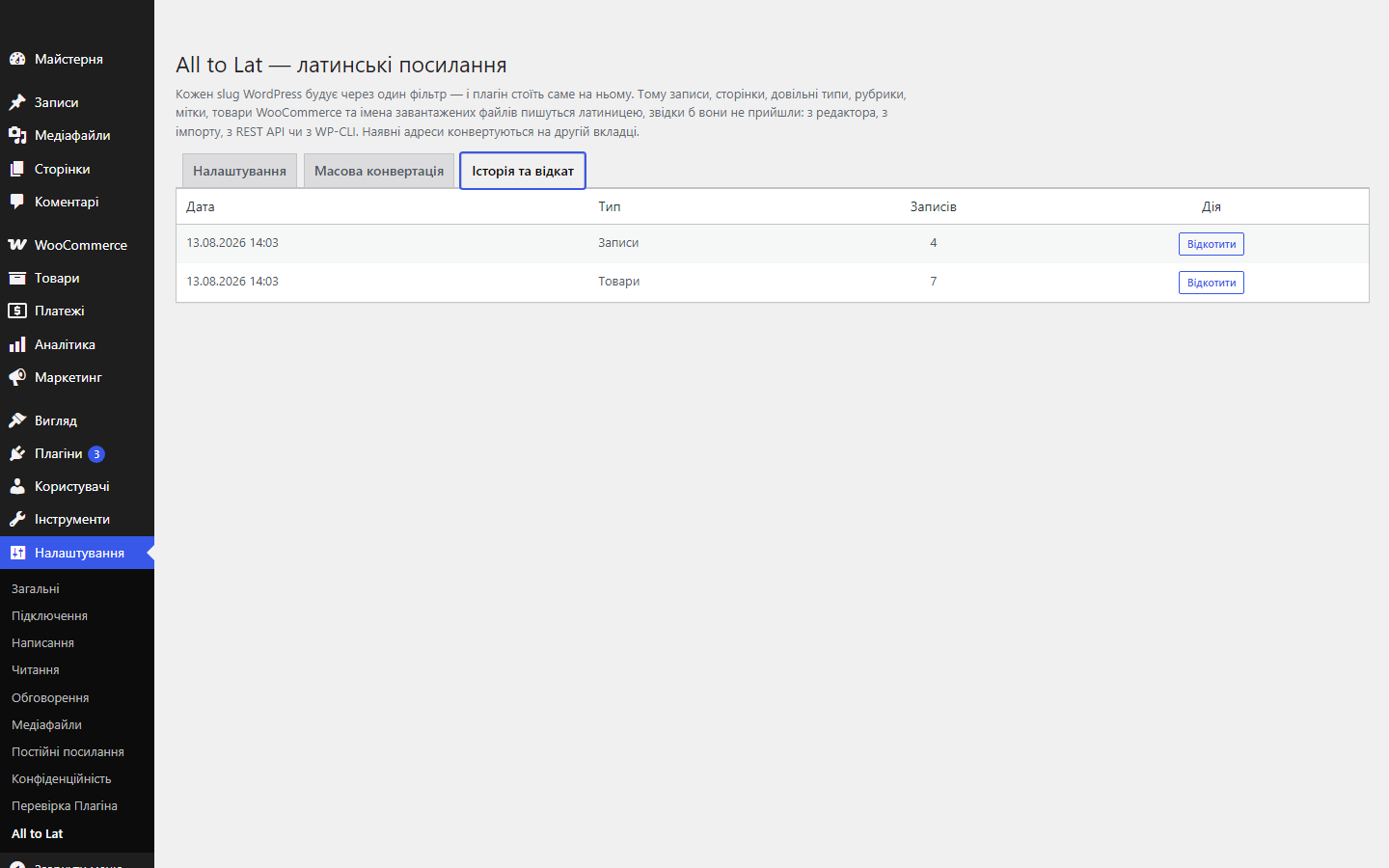
Turning it on only affects slugs created from this moment on. Existing addresses only change once you run the bulk conversion yourself — it warns you, shows a preview, and leaves a log you can roll back.

What the plugin doesn’t do
It doesn’t touch drafts.
Technical requirements
 WordPress 6.2 or newer, PHP 7.2 or newer. WooCommerce isn’t required: the plugin works on a plain blog too, and with Woo it also covers products, categories and attributes.
Version history
The preview only searched the first rows and, on a site with fresh Latin content, said “nothing to change” while the counter nearby showed hundreds; the converter was writing slugs to…
Full module description
All to Lat makes every link on the site Latin. WordPress builds a slug from the title — and with a Ukrainian title, the address ends up carrying %d0%b0%d0%b1%d0%b2: in search results it looks spammy, it breaks when copied into a messenger or an email, and it tells the reader nothing. The plugin transliterates the title first, so the address reads upravlinnia-nerukhomistiu.
Nothing 404s after conversion
A renamed post is redirected by WordPress itself — via _wp_old_slug. A renamed category or tag is not redirected that way: the core simply has no such mechanism for taxonomy terms, and a category that used to answer to the old address starts returning 404, along with every link pointing to it. This 301 is sent by the plugin itself, from its own log, and only for a request that has already found nothing — a live handler page is never touched.
The plugin’s interface is in Ukrainian: the translation ships in the build, nothing extra to install.
What to know before turning it on
Turning it on only affects slugs created from this moment on. Existing addresses only change once you run the bulk conversion yourself — it warns you, shows a preview, and leaves a log you can roll back.
What the plugin doesn’t do
It doesn’t touch drafts. WordPress deliberately keeps a draft’s slug empty and fills it in from the title on publish — if the address were set now, it would freeze on the unfinished title, with nowhere to roll back to: there simply is no previous value. That’s why bulk conversion only works on items that already have an address.
Why a shop needs this
WordPress takes the slug from the title, and if the title is in Cyrillic, the slug gets Cyrillic in it. In the browser such an address looks fine, but the moment it’s copied anywhere, it turns into %D0%BA%D1%83%D0%BF%D0%B8%D1%82%D0%B8, a full screen wide.
This hits in three places at once: a link in a messenger looks like spam, analytics show unreadable URLs, and some external services (aggregators, marketplaces, some mail clients) simply cut such addresses short.
How it works, step by step
1. The plugin is enabled and from then on silently intercepts the moment WordPress builds a slug.
2. The title is transliterated using the Ukrainian table (the default standard, which can be changed in the settings) — specifically Ukrainian, not “Russian for everyone”: і, ї, є, ґ are handled correctly, and щ becomes shch, as in the passport standard.
3. A new post, product, category or tag gets a Latin slug straight away. Nothing needs clicking.
4. For what’s already published, there’s bulk conversion — in one pass over the whole catalogue.
5. Old Cyrillic addresses get a 301, so search rankings and external links aren’t lost.
What the admin gets
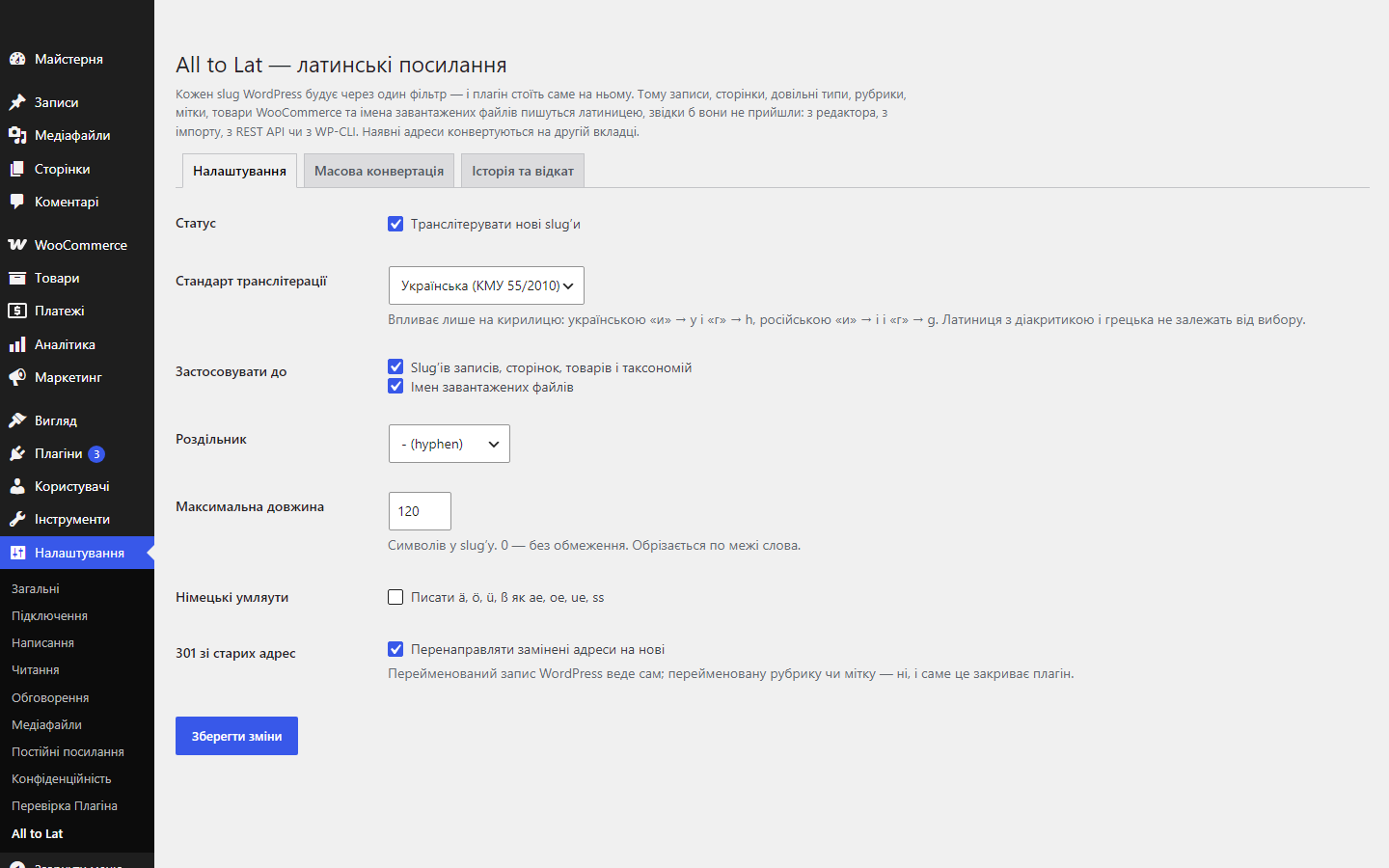
The settings screen is minimal: transliteration standard, separator, length, what to apply it to (slugs, file names), and a separate bulk conversion tab where you choose what exactly to convert. The plugin doesn’t add any widgets, blocks or anything to the front end.
The slug stays an ordinary WordPress field — it can be edited by hand, and the plugin respects that instead of overwriting it on the next save.
Under the hood
Transliteration hooks into WordPress’s standard slug filter, not into JavaScript in the editor form. This matters: the slug comes out Latin even when the post is created by an import, the REST API, or another plugin — exactly where a JS-based solution wouldn’t work at all.
301 redirects are stored separately and don’t depend on the theme. Disable the plugin and old category and tag addresses stop redirecting (posts are still redirected by WordPress itself), but nothing breaks.
How to install
1. Upload the archive under “Plugins → Add New → Upload Plugin” and activate it.
2. Check on one new post that the slug came out Latin.
3. If the catalogue is already in Cyrillic, back up the database and run the bulk conversion.
4. Confirm old addresses return a 301 to the new ones.
Questions
about the module
Didn't find the answer? Message us on Telegram and we'll reply within a business day.
 @catcode_support
Setup, compatibility, activation
@catcode_support
Setup, compatibility, activation
Will my current addresses change after activation?
No. Turning it on only affects slugs created from this moment on. Existing addresses only change once you run the bulk conversion yourself — it warns you, shows a preview, and leaves a log you can roll back.
Will old links still work after conversion?
Yes. Posts are tracked by WordPress itself via the _wp_old_slug meta the plugin adds; categories and tags are tracked by the plugin from its own log. Both cases use a 301 — exactly what search engines need to carry rankings over to the new address.
Why doesn't WordPress track a renamed category itself?
There's simply no such mechanism in the core for taxonomy terms — it only exists for posts. So a category renamed without the plugin starts returning 404, along with every link pointing to it.
Does it work with WooCommerce?
Yes. A product is a post type, and product categories are a taxonomy, so both go through the same filter and both are on the bulk conversion list.
What about a multilingual site?
Yes. The plugin transliterates whatever text it's given, so each language produces its own slug. The standard is chosen to match your script — it only affects Cyrillic.
What happens to file names in the media library?
New uploads are saved in Latin: "Звіт.pdf" becomes "zvit.pdf", the extension stays the same. Already-uploaded files aren't renamed by the plugin — that would break links already in your content.
How much does it cost?
Free, with no limits on the number of posts or runs.
Does conversion touch drafts?
No. WordPress deliberately keeps a draft's slug empty and builds it from the title on publish. If the plugin set the address now, it would freeze on the unfinished title, with nowhere to roll back to — there simply is no previous value.
What happens to old addresses if transliteration is turned off after conversion?
Nothing — the 301 is controlled by its own "301 from old addresses" switch. Turning off transliteration only affects slugs created from then on; already-redirected addresses keep working as long as the redirect is enabled.
No reviews yet. Be the first.
No questions yet. Ask one — we answer within 24 hours.
Not quite what you are looking for?
We build custom modules for WordPress, WooCommerce, OpenCart and Shopify. Tell us about the task and we'll prepare an estimate.
Order a custom module
Buying the module
—



