
OpenCart
Nova Poshta Premium — a Nova Poshta module for OpenCart 2.3, 3.x and 4.x
Free + Pro
2 490 UAH
v1.2.29
 All Access4 990 ₴ / year
 Website auditA PDF report by email in 3 minutesCheck a website
Everyday tasks
Image compressorSize, quality and WebP in bulkQR generatorLink, Wi-Fi, payment to IBANVAT calculator20, 14, 7% and amount in wordsTransliterationOfficial Ukrainian standardWebsite checks
PHP and pluginsPHP version, WordPress, pluginsGoogle Merchant feedFields, prices, GTIN, imagesDomain emailSPF, DKIM, DMARC, blacklistsAI search readinessllms.txt, bots, markupAll 9 toolsEnter at least 2 characters
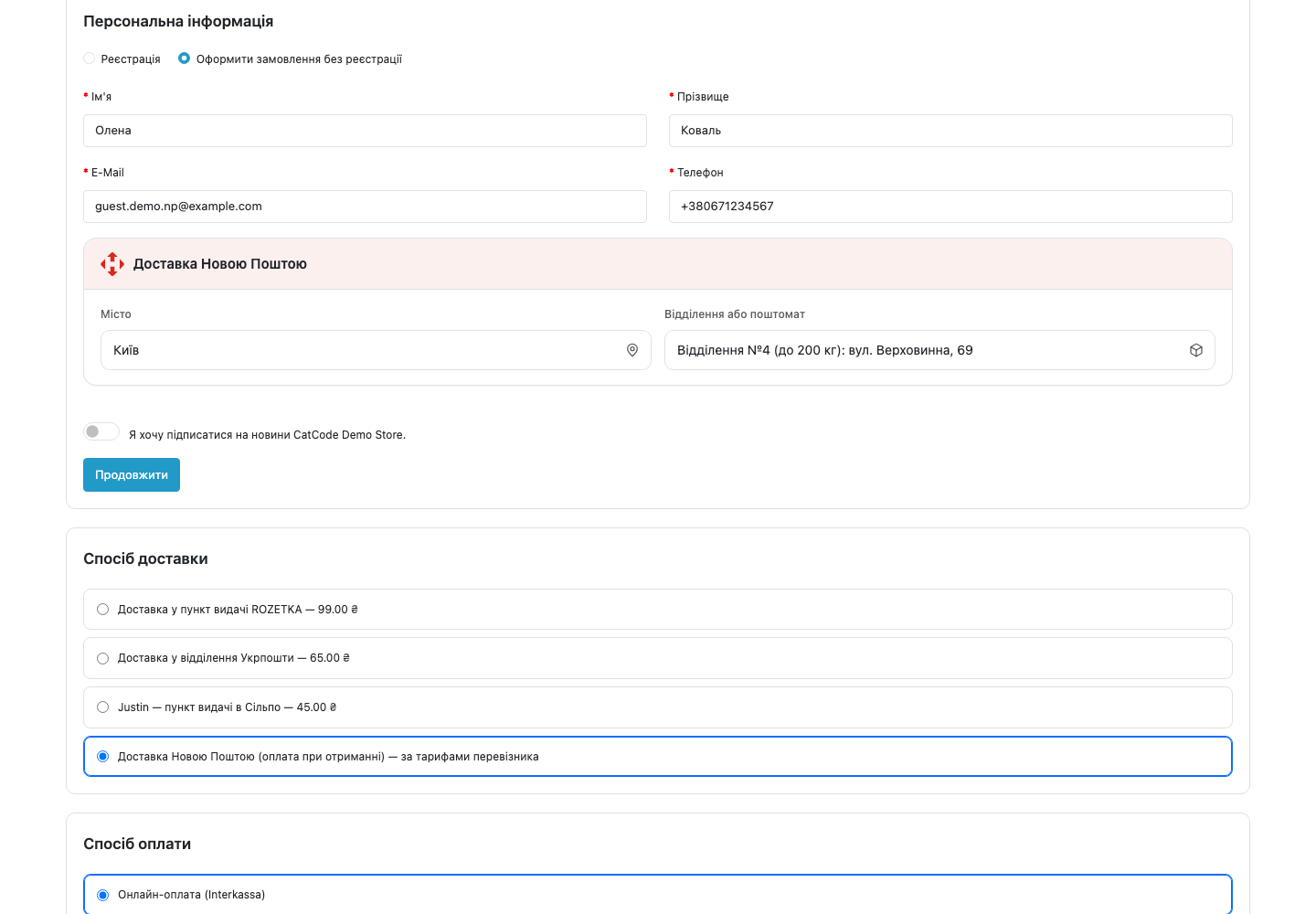
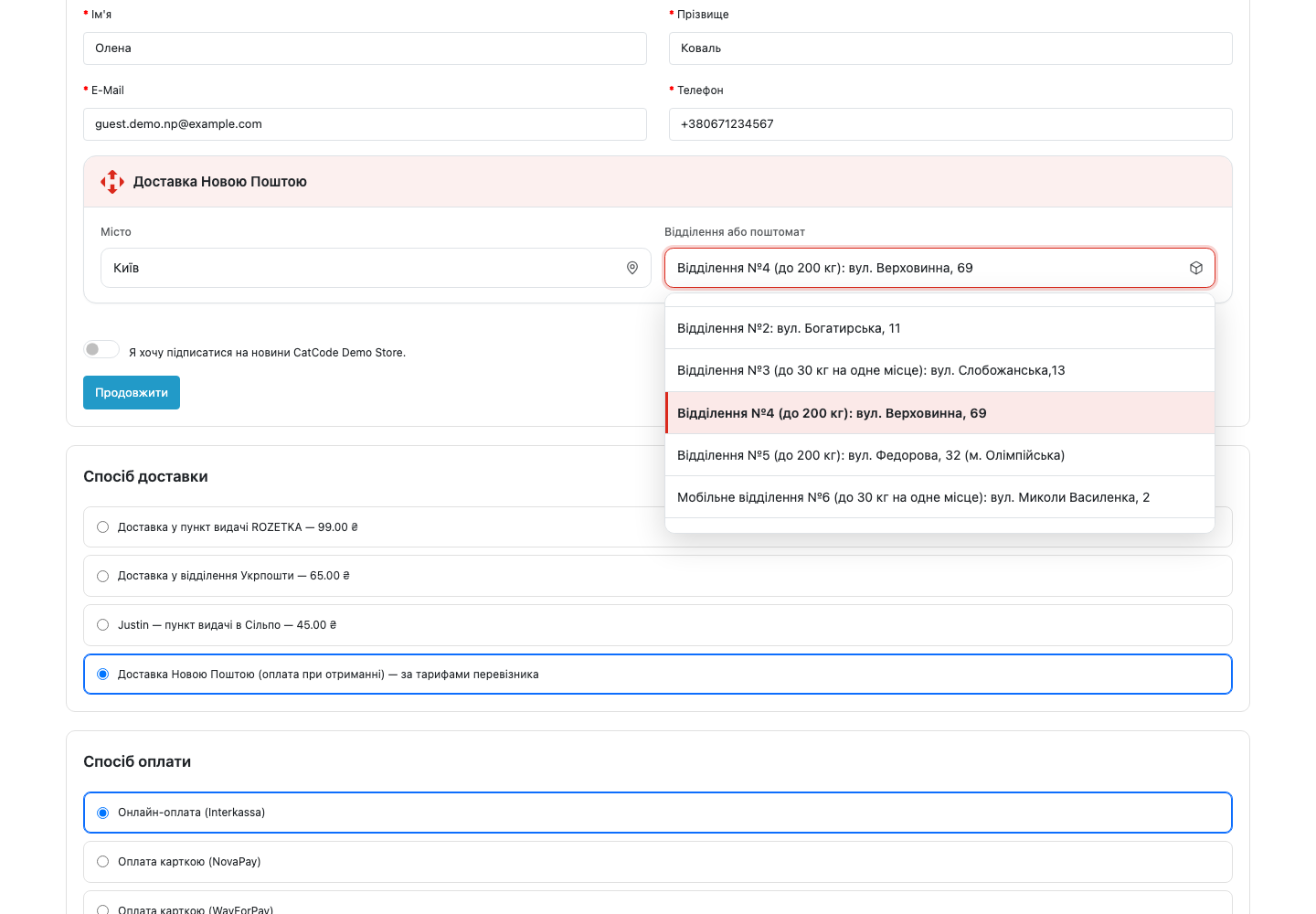
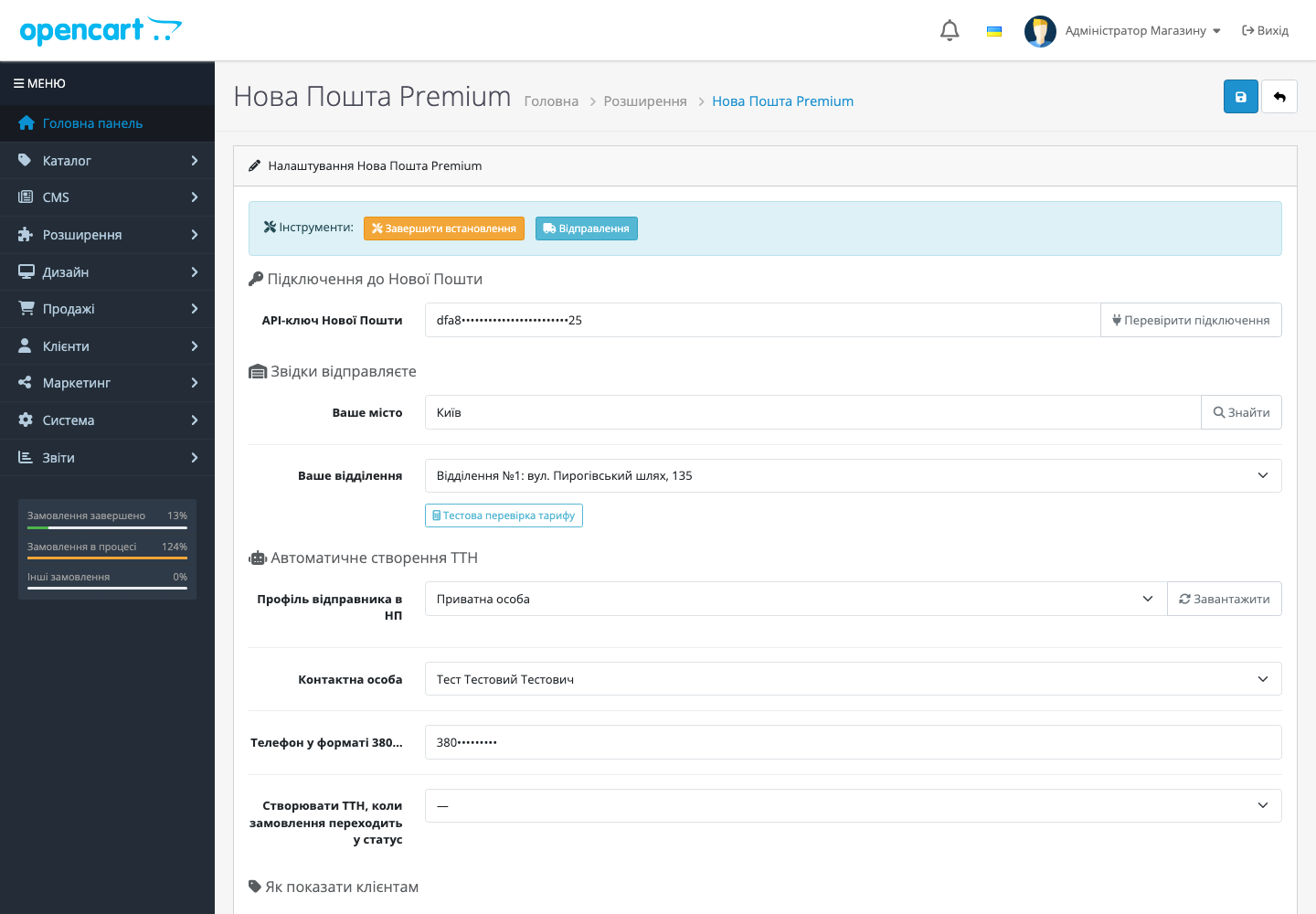
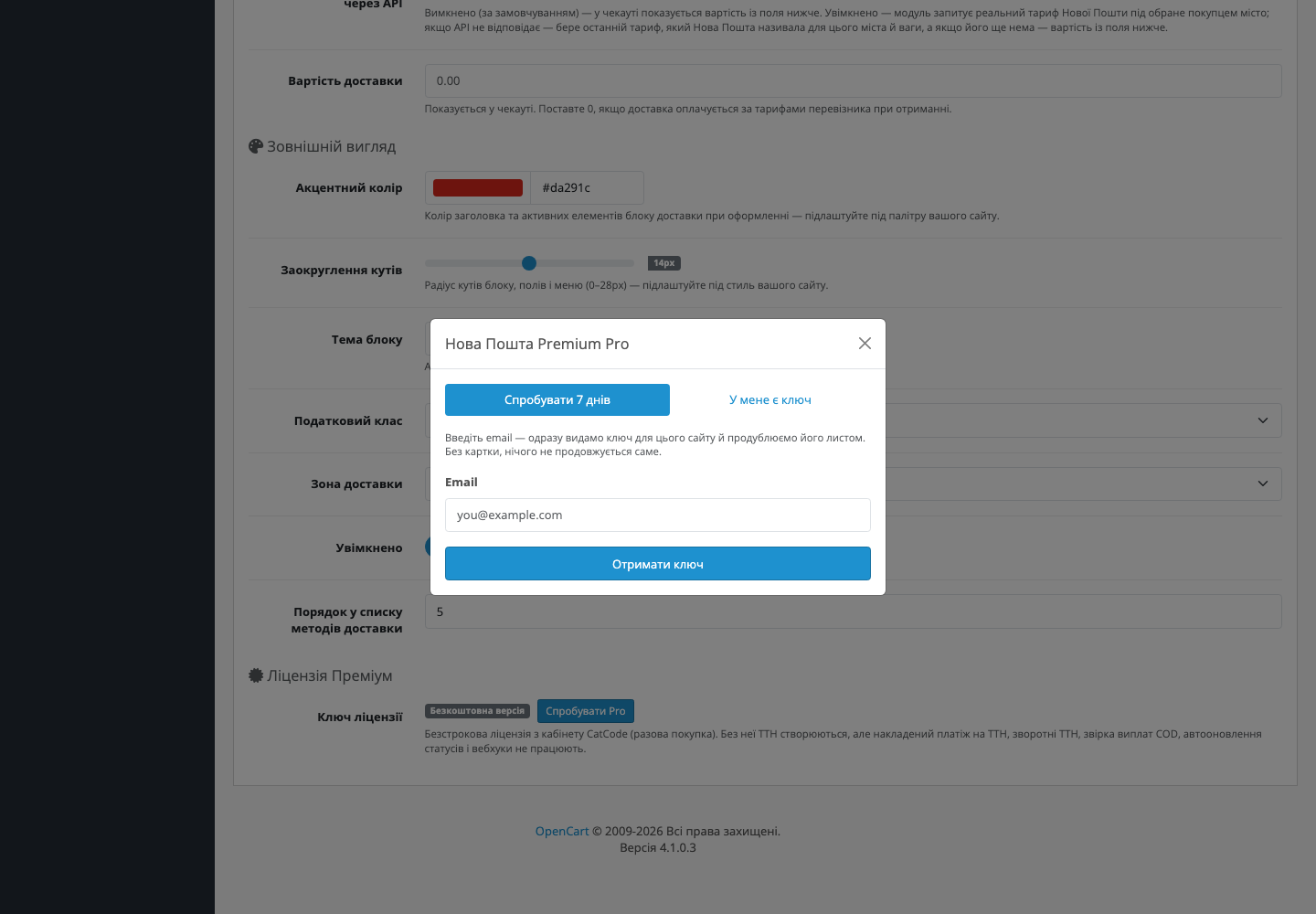
Nova Poshta module for OpenCart 3 and 4: branch selection in the cart, automatic waybill creation, a city cache. Pro — cash on delivery, return waybills, auto statuses, webhooks.
Clear even without sound: Ukrainian subtitles
The free version works with no time limit. Pro adds the rest of the features in the table.



A fresh install is the free version, nothing switches on by itself. The “Try Pro for 7 days” button → e-mail → the key right in the window and by e-mail.

Moving the store? Unbind the licence on the old domain and activate it on the new one yourself. For studios — keys for 5 or 25 sites, or unlimited.
 OpenCart 4.0.2 – 4.1.x (4.2+ also works) — or a separate build for OpenCart 3.0.2 – 3.0.5.0 or OpenCart 2.3.0.xPHP 8.1+ (tested on 8.5 — protection against new deprecation warnings inside JSON endpoints); the OpenCart 2.3 build runs on PHP 5.6 and newerMySQL 5.7+ / MariaDB 10.3+A Nova Poshta API key — free in your account: my.novaposhta.ua → Settings → Security → APIOne registered sender profile in the Nova Poshta business cabinet — most merchants already have one (without it, Nova Poshta doesn’t allow waybills to be created from any source)OpenCart 4.1.0.3 · oc.catcode.com.uaOpenCart 2.3.0.2 · oc23.catcode.com.ua
The «Nova Poshta delivery» block header now shows the Nova Poshta sign instead of a truck icon.
Simple checkout support.
The store no longer goes down with the Nova Poshta API.
A branch list that arrives after the customer has started typing the branch number now shows up in the open menu right away.
Fixed a licence module error on the OpenCart storefront.
CatCode One Page Checkout: the widget sometimes did not appear — Nova Poshta ticked, but no city and branch selector.
The hidden address form no longer gets the dummy postcode «00000».
The order region is now set by the server.
The module now also works on the one-page checkout (CatCode One Page Checkout).
The API key and the licence key in the settings are now encrypted with AES-256 and an HMAC check instead of XOR.
Fixed creating a return waybill.
Calculating cost via the Nova Poshta API is now a separate option and is disabled by default.
Fixed a fatal error in the shipping-method calculation.
Fixed the tools in the module settings working before the first save.
Fixed city search on stores where OpenCart runs on the PDO database driver (DB_DRIVER = pdo).
Fixed city search on hosting where the PHP mbstring extension isn’t enabled.
Minor admin-panel fixes and updated screenshots.
A separate build for OpenCart 3.0.2 – 3.0.5.0 — a full port of the 4.x version (non-namespaced classes, OC3 events, a Bootstrap 3 admin panel).
Customisable checkout-block appearance.
Production-ready release: the licence is checked on the CatCode server, plain-language localisation with no jargon, a merge fix in the save handler.
Cash on delivery (BackwardDelivery + payout sync), return waybills via AdditionalServiceGeneral.save with the reason “refusal to receive”, Latin → Cyrillic transliteration of the…
City and branch cache: the np_cities + np_warehouses tables, a weekly syncCities cron, a lazy warehouse cache with a 7-day TTL.
Actual waybill creation: setting up the Counterparty sender in the admin panel + a two-step createTTN (Counterparty.save → InternetDocument.save).
First full MVP: an install hook creating database tables, a storefront picker in the cart, a draft waybill on a new order, an hourly status cron, a webhook system, API-key encryption via…
4 modules in one order — 40% cheaper than separately


Nova Poshta Premium is a module for OpenCart 2.3, 3.x and 4.x that connects your store to Nova Poshta in 10 minutes. The customer picks a city and branch right in the cart, and the waybill is created automatically when the order moves to the status you chose in the settings (for example, “Processing”). No third-party iframes, no rewriting the checkout, no daily copying of data into the Nova Poshta account.
X-NP-Signature header.nova_poshta_premium.ocmod.zip via Extensions → Installer in your OC admin panel. For OpenCart 3.0.x, use the nova-poshta-premium-oc3-1.3.14.ocmod.zip build (available in the product’s downloads); for OpenCart 2.3, use nova-poshta-premium-oc2-1.3.11.ocmod.zip.Didn't find the answer? Message us on Telegram and we'll reply within a business day.
 @catcode_support
Setup, compatibility, activation
@catcode_support
Setup, compatibility, activation
No. The module inserts its own block via an event in the footer, without changing your theme. If you ever decide to remove the module, the checkout stays exactly as it was.
The shipment log, the city cache and already-created waybills stay in the database (in case of an audit). They can be cleared manually via SQL — see the instructions in the documentation.
No. For OpenCart the licence is perpetual: one payment, and the Pro features stay with you. Only the 7-day trial ends — after it Pro switches off and the free version keeps working.
Yes. In the settings, click "Deactivate licence" on the old domain — the slot frees up, and you can paste it in on the new one.
No. Just the API key from the standard business cabinet. It's free for every Nova Poshta customer.
Yes. For now we maintain compatibility with 4.0.2–4.1.x (that's 90% of current stores). As soon as 4.2 / 5.0 reach stability, we'll add them to the test matrix. Updates are free for all customers with an active licence — no extra charges.

Перший раз бачу безкоштовну версію з таким функціоналом ДЯКУЮ!!!!
Дякуємо за відгук, Олексію! Безкоштовна версія й далі отримуватиме оновлення — якщо чогось бракуватиме, напишіть у вкладці «Питання», врахуємо.
No questions yet. Ask one — we answer within 24 hours.
We build custom modules for WordPress, WooCommerce, OpenCart and Shopify. Tell us about the task and we'll prepare an estimate.
Order a custom module
—

CatCode assistant
Just now


CatCode assistant
Online

I’ll help with your website task
Describe your website task — I’ll find a ready-made module or pass it to a developer for an estimate. Modules, custom features, layout, integrations, speed, migration, technical SEO.
