

KeyCRM Sync — CRM for WooCommerce
KeyCRM integration for WooCommerce: orders go to the CRM automatically after checkout. Free plugin with deduplication, retries and HPOS support.
- Compatibility
- WordPress 6.2+, WooCommerce 6.0+
- PHP
- 7.4 or newer
- Updated
- 27 August 2026
The module in action — 39 sec
Clear even without sound: Ukrainian subtitles
What the module does

What it looks like
Technical requirements
 WordPress 6.2+
- WooCommerce 6.0+
- PHP 7.4+
- A KeyCRM API key — your KeyCRM account → Settings → API
Version history
A “Settings” link in the plugins list — after activation the plugin was buried in a WooCommerce submenu, so it looked like nothing had installed.
Fixed the “Resend” button in the order metabox.
Updating from versions before 0.1.1 no longer “loses” the store.
All versions (7)
The description and keywords in the WordPress.org directory, in Ukrainian.
Source code strings moved to English (a WordPress.org directory requirement), a full built-in Ukrainian translation added.
Published in the official WordPress.org directory.
First public release: exporting orders to KeyCRM (checkout and trigger statuses), deduplication via source_uuid, retries at 5 min / 30 min / 2 hours, a metabox on the order with a resend…
Full module description
KeyCRM Sync for WooCommerce is a plugin that automatically sends every WooCommerce order into KeyCRM: with the customer, products, shipping and payment. The send fires right after checkout (classic checkout and Checkout Blocks) or when the order reaches a status you choose. Managers work in the CRM instead of switching between the store’s admin panel and spreadsheets — and there’s no manual transfer of orders at all.
The plugin is published in the official WordPress.org directory — install it right from the admin panel: wordpress.org/plugins/catcode-order-sync-with-keycrm-for-woocommerce.
The plugin is completely free. The code is open on GitHub: github.com/catcodestudio/wp-keycrm-sync. No limit on the number of orders, no monthly charges and no dependence on third-party services — all you need is an API key from your KeyCRM account.
How it works, step by step
- The customer places an order in your store — through the classic checkout or Checkout Blocks.
- The plugin builds the payload: customer, products, shipping, payment. The phone number is normalised into the +380 format, and zero-value line items are skipped.
- Sent to KeyCRM via POST /order — right after checkout, or when the order reaches a status you’ve chosen (for example, “Processing”).
- KeyCRM returns the order ID, which is stored in the
_catcode_keycrm_order_idmeta field, so there won’t be duplicates even if the trigger fires again. - If the CRM is unavailable, the plugin retries itself after 5 min / 30 min / 2 hours via WP-Cron, with no cron setup needed on your hosting.
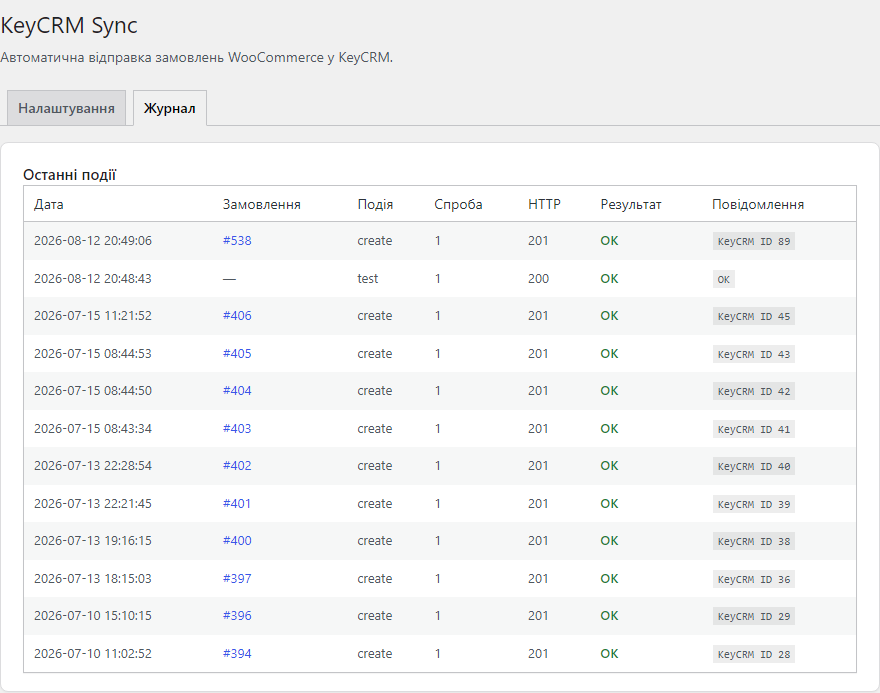
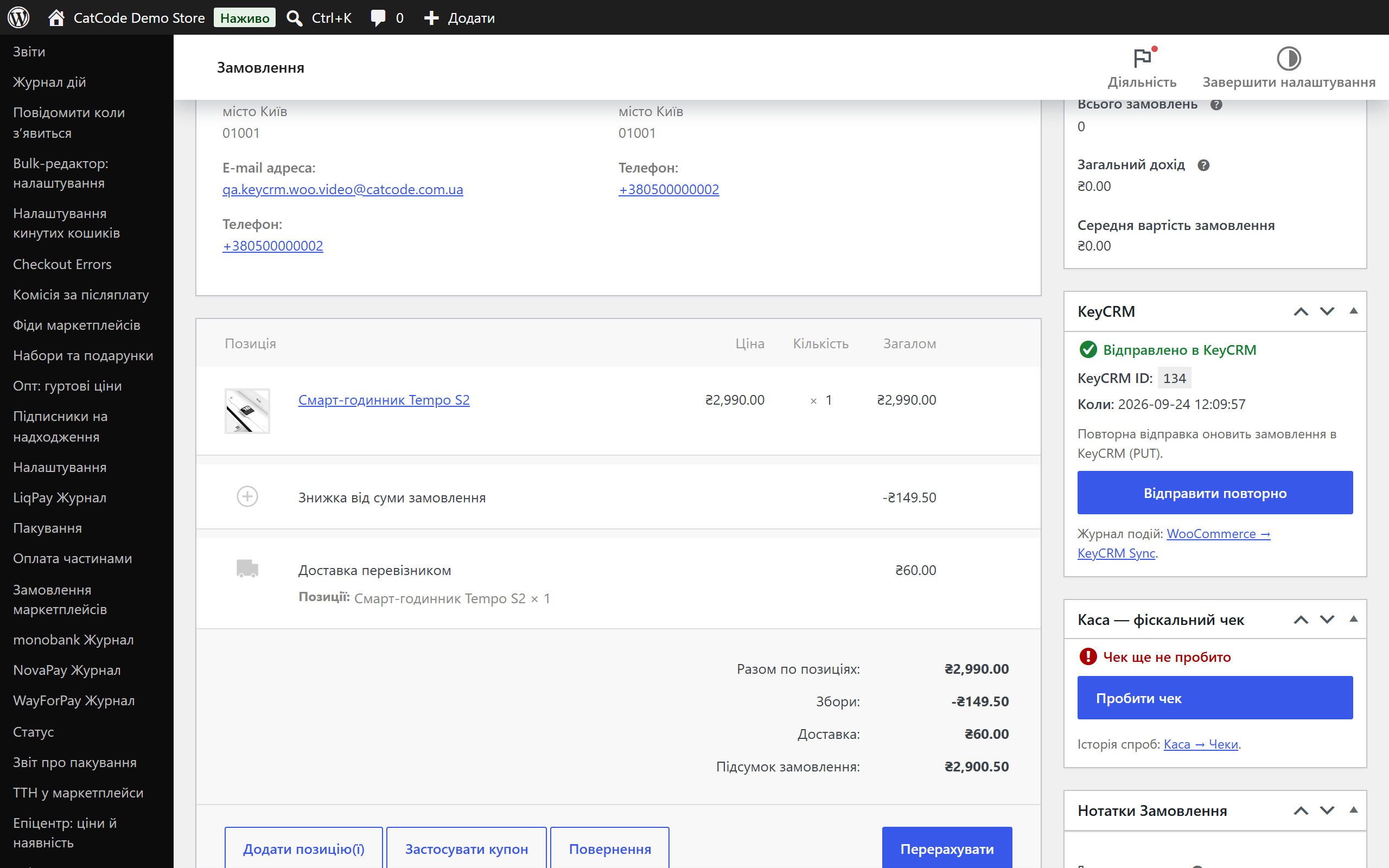
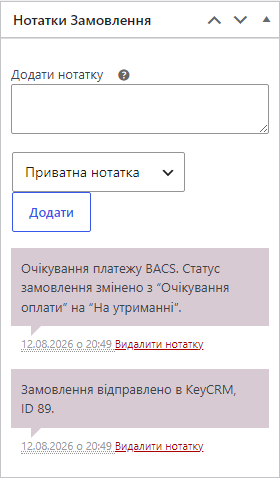
- The manager sees the result in the order’s metabox and in the event log.
Under the hood
- Two-level deduplication: the plugin passes
source_uuid = wc-{id}and stores the KeyCRM ID in the order’s meta — no duplicates are created on either the plugin’s side or the CRM’s. - The API key is encrypted in the database — libsodium with an HMAC fallback; the key is never stored in plain text.
- HPOS compatibility (High-Performance Order Storage) — orders are handled exclusively through the WC_Order CRUD API.
- Payment status transfer: a paid order is created in the CRM straight away with a “paid” payment record (optional).
- Hooks for developers: the
catcode_keycrm_order_payloadfilter (modify the data before sending) and thecatcode_keycrm_order_sentaction (third-party integrations).
How to install
- In the admin panel: Plugins → Add New → find “CatCode Order Sync with KeyCRM” and click “Install”. Or download
catcode-order-sync-with-keycrm-for-woocommerce-0.1.7.zipmanually. - Activate the plugin in the plugin list.
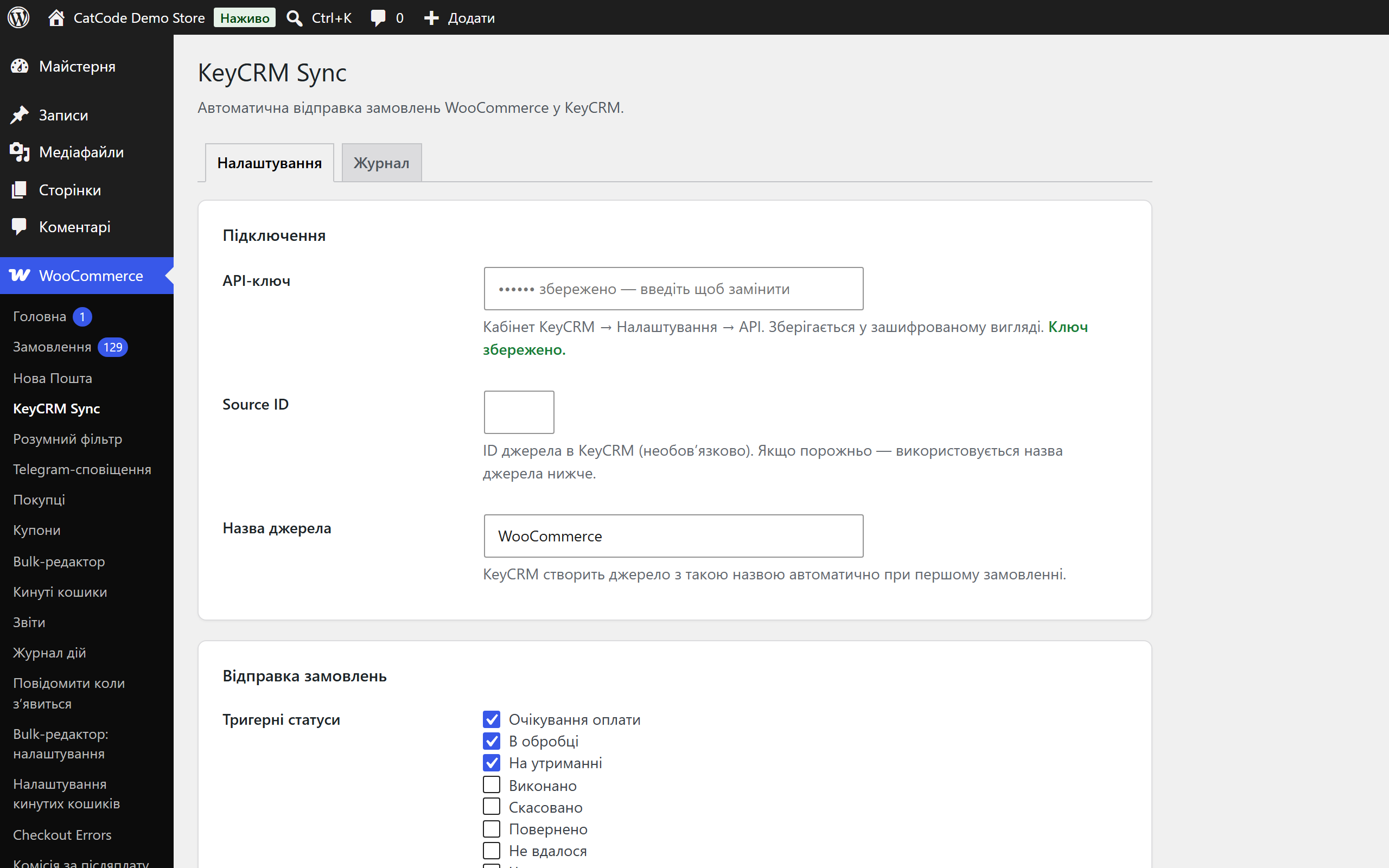
- Go to WooCommerce → KeyCRM Sync and paste in the API key from your KeyCRM account.
- Click “Test connection” — make sure the link to the CRM works.
- Choose the send trigger (right after checkout, or specific statuses) and save the settings.
Questions
about the module
Didn't find the answer? Message us on Telegram and we'll reply within a business day.
 @catcode_support
Setup, compatibility, activation
@catcode_support
Setup, compatibility, activation
Does the plugin change my checkout or theme?
No. The plugin works with order events "behind the scenes" — the checkout and theme's appearance don't change. Both the classic checkout and Checkout Blocks are supported.
Is it really free with no limits?
Yes. The plugin is free and open source, with no limit on the number of orders and no monthly charges.
Will duplicates appear if the order status changes again?
No. The KeyCRM ID is stored in the order's meta, and a source_uuid is passed to the CRM — a repeated trigger updates the existing order rather than creating a new one.
What happens if KeyCRM is temporarily unavailable?
The order won't be lost: the plugin automatically retries after 5 min / 30 min / 2 hours (up to 3 attempts). The status is visible in the metabox, from where you can send it manually.
What does the "Resend" button do?
If the order isn't in KeyCRM yet, it creates it. If it's already been sent, it partially updates it with fresh data via PUT /order/{id}.
What's left after removing the plugin?
The settings are removed, while the sync log and the KeyCRM IDs on orders are kept — in case of an audit. Orders in the CRM itself aren't touched.
No reviews yet. Be the first.
No questions yet. Ask one — we answer within 24 hours.
Not quite what you are looking for?
We build custom modules for WordPress, WooCommerce, OpenCart and Shopify. Tell us about the task and we'll prepare an estimate.
Order a custom module
Buying the module
—



