OpenCart
One-Click Order — Quick Order for OpenCart 2.3, 3.x and 4.x
Free + Pro
1 290 UAH
v1.1.4
 All Access4 990 ₴ / year
 Website auditA PDF report by email in 3 minutesCheck a website
Everyday tasks
Image compressorSize, quality and WebP in bulkQR generatorLink, Wi-Fi, payment to IBANVAT calculator20, 14, 7% and amount in wordsTransliterationOfficial Ukrainian standardWebsite checks
PHP and pluginsPHP version, WordPress, pluginsGoogle Merchant feedFields, prices, GTIN, imagesDomain emailSPF, DKIM, DMARC, blacklistsAI search readinessllms.txt, bots, markupAll 9 toolsEnter at least 2 characters
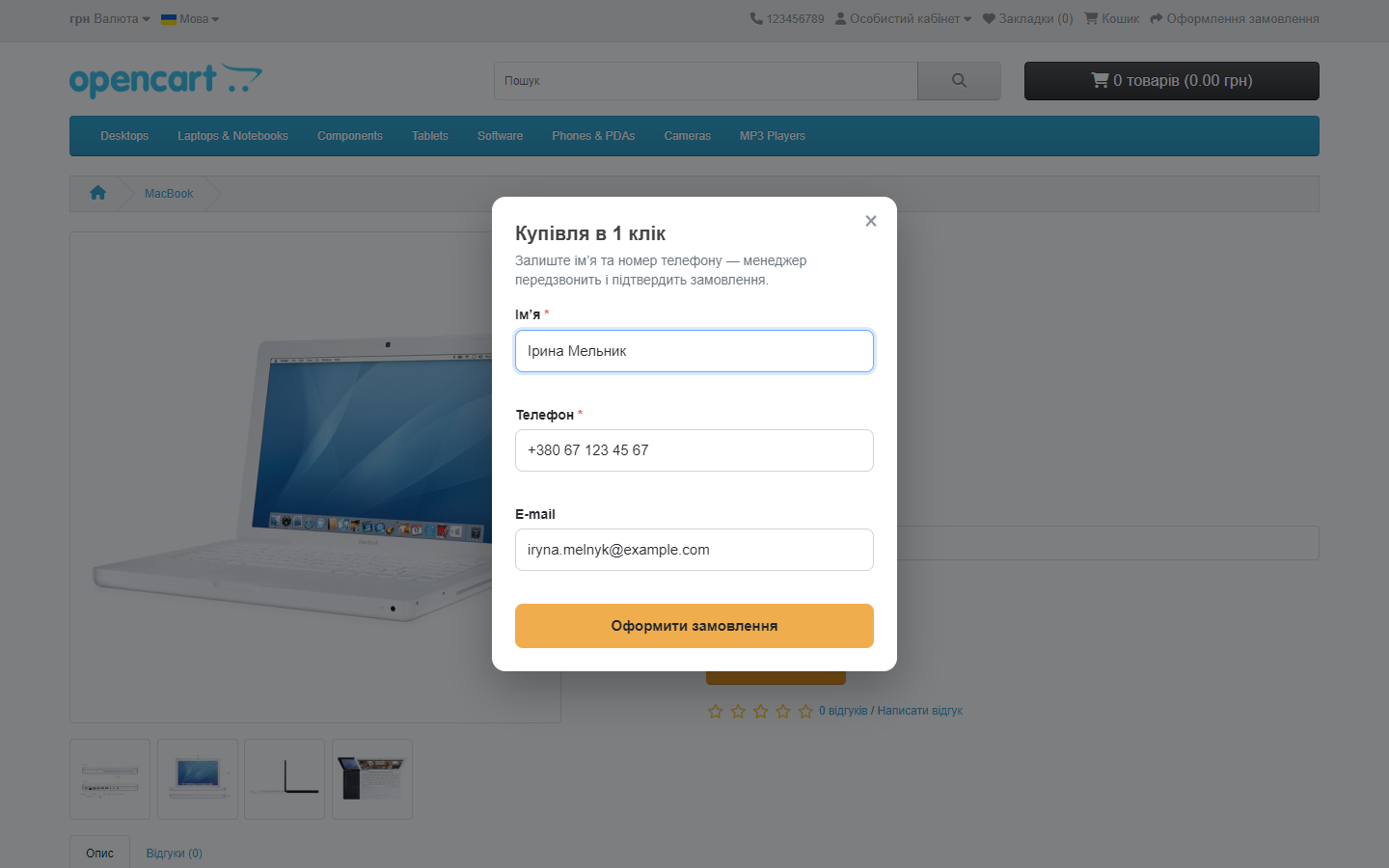
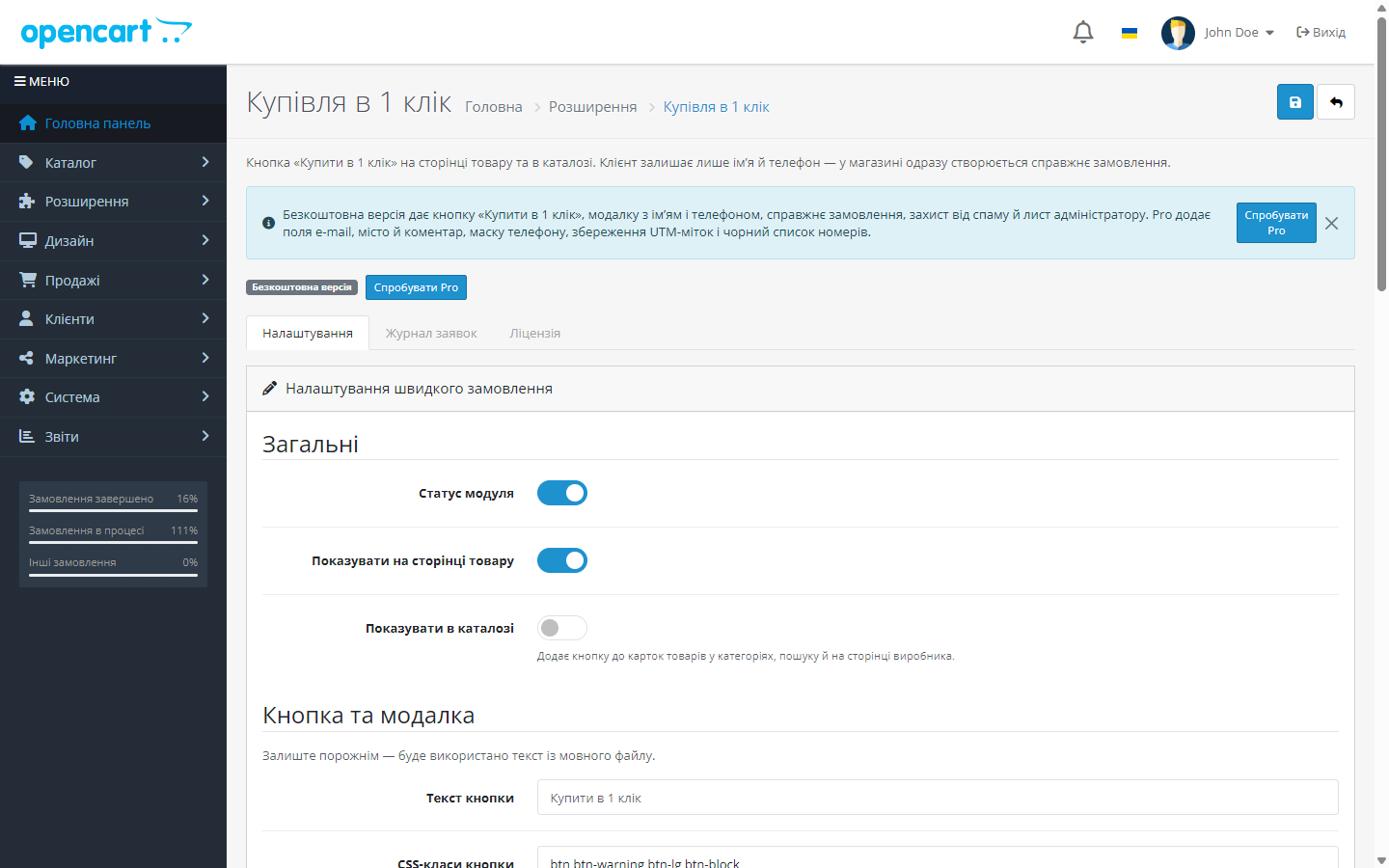
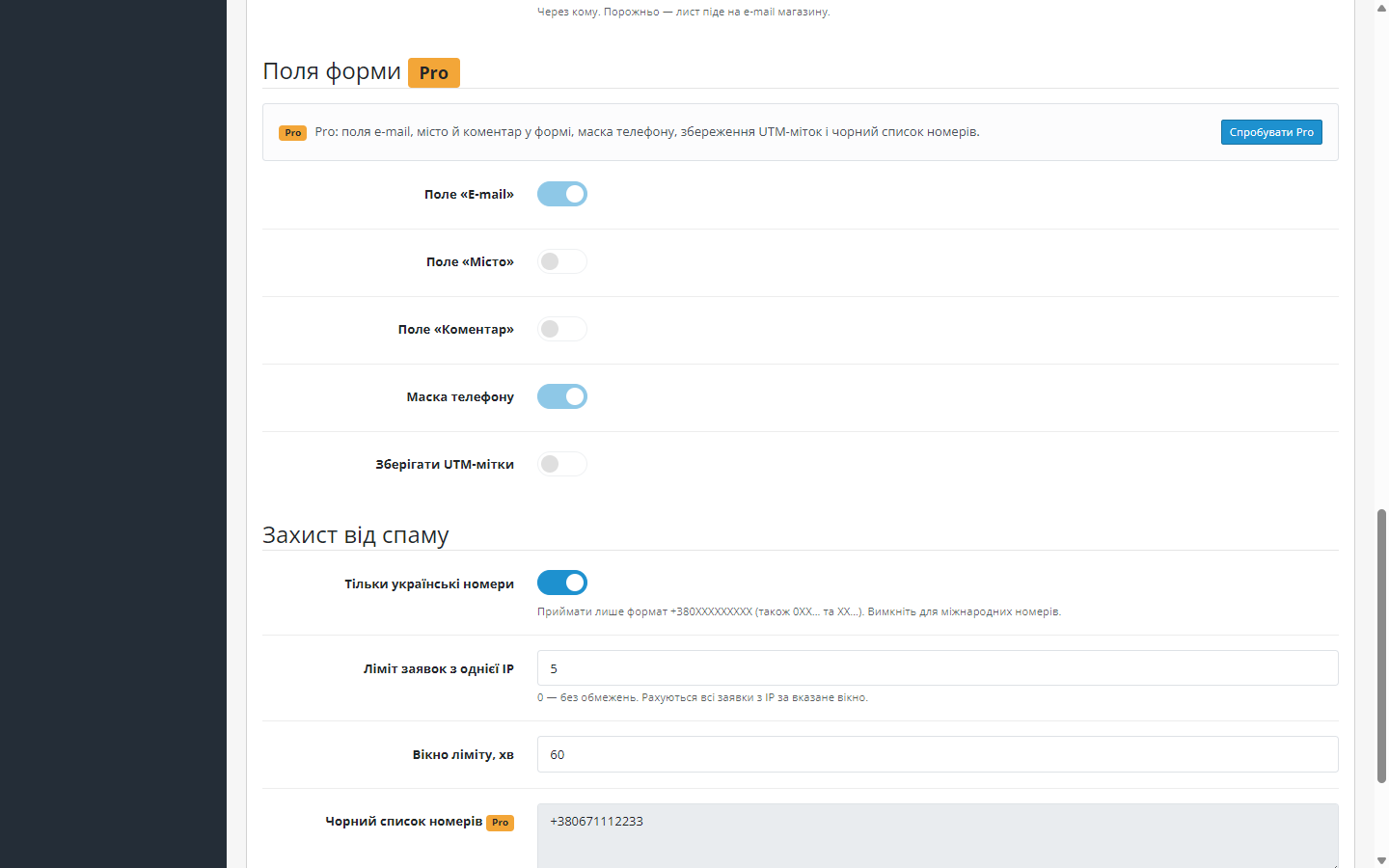
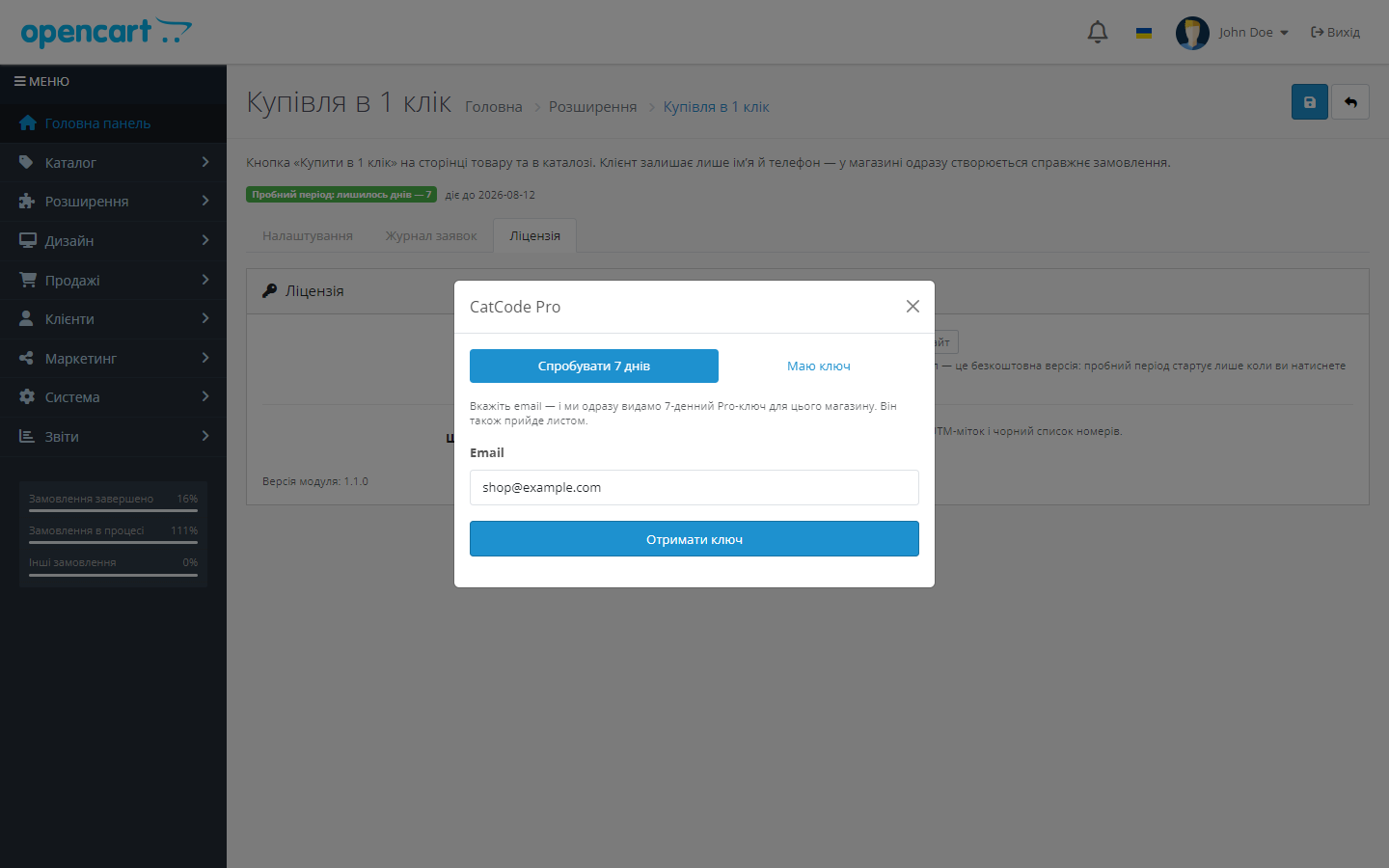
Free "One-Click Order" module for OpenCart 3 and 4: a "name + phone" modal creates a real order. Pro adds a phone mask, full cart, UTM, Telegram.
Clear even without sound: Ukrainian subtitles
The free version works with no time limit. Pro adds the rest of the features in the table.



A fresh install is the free version, nothing switches on by itself. The “Try Pro for 7 days” button → e-mail → the key right in the window and by e-mail.

Moving the store? Unbind the licence on the old domain and activate it on the new one yourself. For studios — keys for 5 or 25 sites, or unlimited.
 OpenCart 4.0.2 – 4.1.x — build cc_quickorder.ocmod.zip v1.1.1OpenCart 3.0.2 – 3.0.5.0 — separate build cc_quickorder-oc3.ocmod.zip v1.1.0OpenCart 2.3.0.0 – 2.3.0.2 — separate build cc_quickorder-oc2.ocmod.zip v1.0.0PHP 7.4+ for the OC3 and OC4 builds (tested on 8.1–8.3); the 2.3 build still runs on PHP 5.6 and 7.0No external services or API keys: everything runs inside your own store; the only outgoing request is the licence-key check on catcode.com.ua once Pro is activated
A purchased licence for OpenCart now works without expiry.
Fixed the link to the module page in the admin.
The admin page of an order placed through «Buy in 1 click» opens again on OpenCart 4.1.
On OpenCart 4.1 the «Place order» button in the «Buy in 1 click» window creates the order again.
A purchased OpenCart licence works with no time limit.
The OpenCart 3.0.x build has moved to server-side licensing.
Fixed the phone mask: the number 0670001122 was turning into +380 06 700 01 12, because the mask kept re-printing the prefix into the field and the next keystroke read it back as part of the number.
A separate build for OpenCart 2.3.0.0–2.3.0.2, PHP 5.6 and 7.0.
Rebuilt Free/Pro model for the OpenCart 4.x build.
Of both builds.
4 modules in one order — 40% cheaper than separately



One-Click Order is a module that puts a second button next to “Add to cart”: the customer enters just their name and phone number, clicks “Order” — and a real order appears in the store straight away, which the manager confirms by phone. No registration, no address, no choosing shipping or payment method.
addHistory() into the status set in the settings — so it lands in every report and CRM integration. The payment method is a pseudo-method, “Manager call”, with no payment gateway involved.0 means no limit.0XXXXXXXXX, 380XXXXXXXXX and +380XXXXXXXXX are all accepted, with spaces, dashes and brackets — the order always stores a single consistent format.system/library/cc_quickorder/); OC3 — a port with an install.xml and a Bootstrap 3 admin; OC 2.3 — a port for PHP 5.6/7.0, where the button and modal are inserted via standard view events, with no core edits at all. The logic, anti-spam and Pro gate are identical across all three branches.upload/ folder to the store root via FTP or your hosting’s file manager. The stock 2.3 Installer only copies files over FTP and doesn’t work on most hosting, so installation is manual. Then go to “Extensions → Modules → Quick Order” → “Install” → “Edit”. The core isn’t patched: the install.xml in the archive only registers the extension in the modifications list.Didn't find the answer? Message us on Telegram and we'll reply within a business day.
 @catcode_support
Setup, compatibility, activation
@catcode_support
Setup, compatibility, activation
A real one. The order goes through the standard checkout model followed by addHistory() into the status set in the settings, so it lands in "Orders", in reports and in your CRM integrations.
0XXXXXXXXX, 380XXXXXXXXX and +380XXXXXXXXX — with spaces, dashes and brackets. Everything is normalised to a single +380XXXXXXXXX format.
Four independent layers: a one-time token, a hidden honeypot field, a minimum form-fill time and a per-IP request counter. Pro adds a per-minute limit and a phone blacklist.
No, it's two separate ports in one package: cc_quickorder.ocmod.zip for 4.0.2–4.1.x and cc_quickorder-oc3.ocmod.zip for 3.0.2–3.0.5.0. Settings, the request log and anti-spam are the same.
No. The button is added via an event, and the modal is rendered in the footer only after the click. Theme files aren't edited, so once the module is removed the product page stays exactly as it was.
The module's admin has a "Request log" tab: the last 100 requests with date, name, phone, IP, the created order number and the processing result.
No. For OpenCart the licence is perpetual: one payment, and the extra fields, the mask, UTM and the "whole cart" button stay with you. Only the 7-day trial ends — after it Pro switches off and the free version keeps working.
No reviews yet. Be the first.
No questions yet. Ask one — we answer within 24 hours.
We build custom modules for WordPress, WooCommerce, OpenCart and Shopify. Tell us about the task and we'll prepare an estimate.
Order a custom module
—

CatCode assistant
Just now


CatCode assistant
Online

I’ll help with your website task
Describe your website task — I’ll find a ready-made module or pass it to a developer for an estimate. Modules, custom features, layout, integrations, speed, migration, technical SEO.
