
OpenCart
Telegram notifications and Viber/SMS for customers for OpenCart
Free + Pro
990 UAH
v1.1.2
 All Access4 990 ₴ / year
 Website auditA PDF report by email in 3 minutesCheck a website
Everyday tasks
Image compressorSize, quality and WebP in bulkQR generatorLink, Wi-Fi, payment to IBANVAT calculator20, 14, 7% and amount in wordsTransliterationOfficial Ukrainian standardWebsite checks
PHP and pluginsPHP version, WordPress, pluginsGoogle Merchant feedFields, prices, GTIN, imagesDomain emailSPF, DKIM, DMARC, blacklistsAI search readinessllms.txt, bots, markupAll 9 toolsEnter at least 2 characters

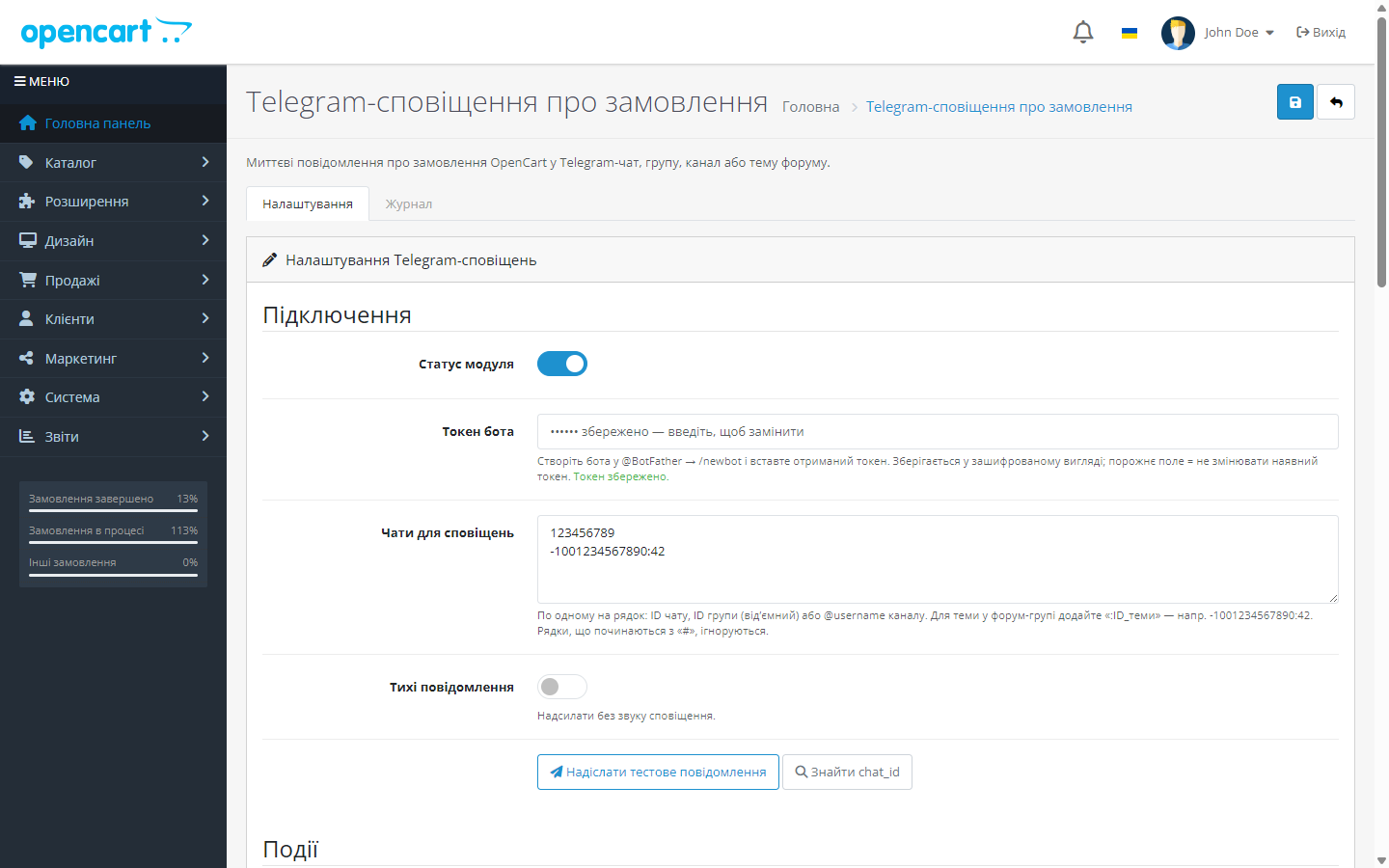
OpenCart order notifications in your Telegram — free. Pro: Viber and SMS messages to customers about order status through TurboSMS, Alpha SMS, or SMS-Fly.
Clear even without sound: Ukrainian subtitles
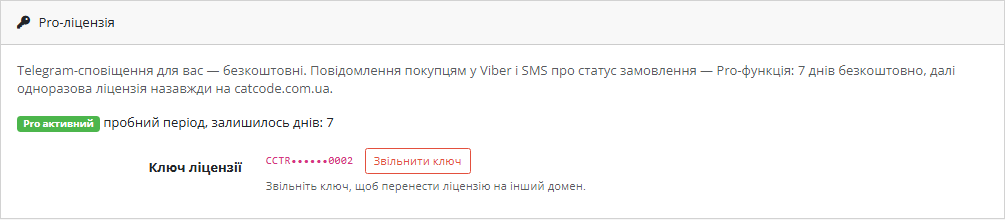
The free version works with no time limit. Pro adds the rest of the features in the table.



A fresh install is the free version, nothing switches on by itself. The “Try Pro for 7 days” button → e-mail → the key right in the window and by e-mail.

Moving the store? Unbind the licence on the old domain and activate it on the new one yourself. For studios — keys for 5 or 25 sites, or unlimited.
 OpenCart 4.0.2 – 4.1.x or 3.0.2 – 3.0.5.0; PHP 7.4+ with cURLOpenCart 2.3.0.x — a separate build, 1.0.4, Telegram notifications only (tested on PHP 5.6 and 7.0)Viber / SMS to customers — in the OpenCart 4.x and 3.0.x builds, from version 1.1.0For Viber / SMS: a TurboSMS, Alpha SMS, or SMS-Fly account with a registered sender name (for Viber, an approved sender)The “Telephone” field must be enabled at checkout — without a number there’s nowhere to message the customerOutbound access to api.telegram.org and to the API of the chosen SMS service
Messages are no longer lost on hosts whose web PHP is built without sodium (OpenCart 4) or openssl (OpenCart 3 and 2.3).
Fixed the status change message: the previous status is now read from the order right before the change.
Pro: Viber and SMS messages to customers about order status through TurboSMS, Alpha SMS, or SMS-Fly.
Scheduled resending of failed messages, low-stock notifications no more than once per product per day.
PHP 7.4 support (string function polyfills).
Fixed: on OpenCart 4.0.2.x notifications weren’t sent because the model event name format differs between minor versions.
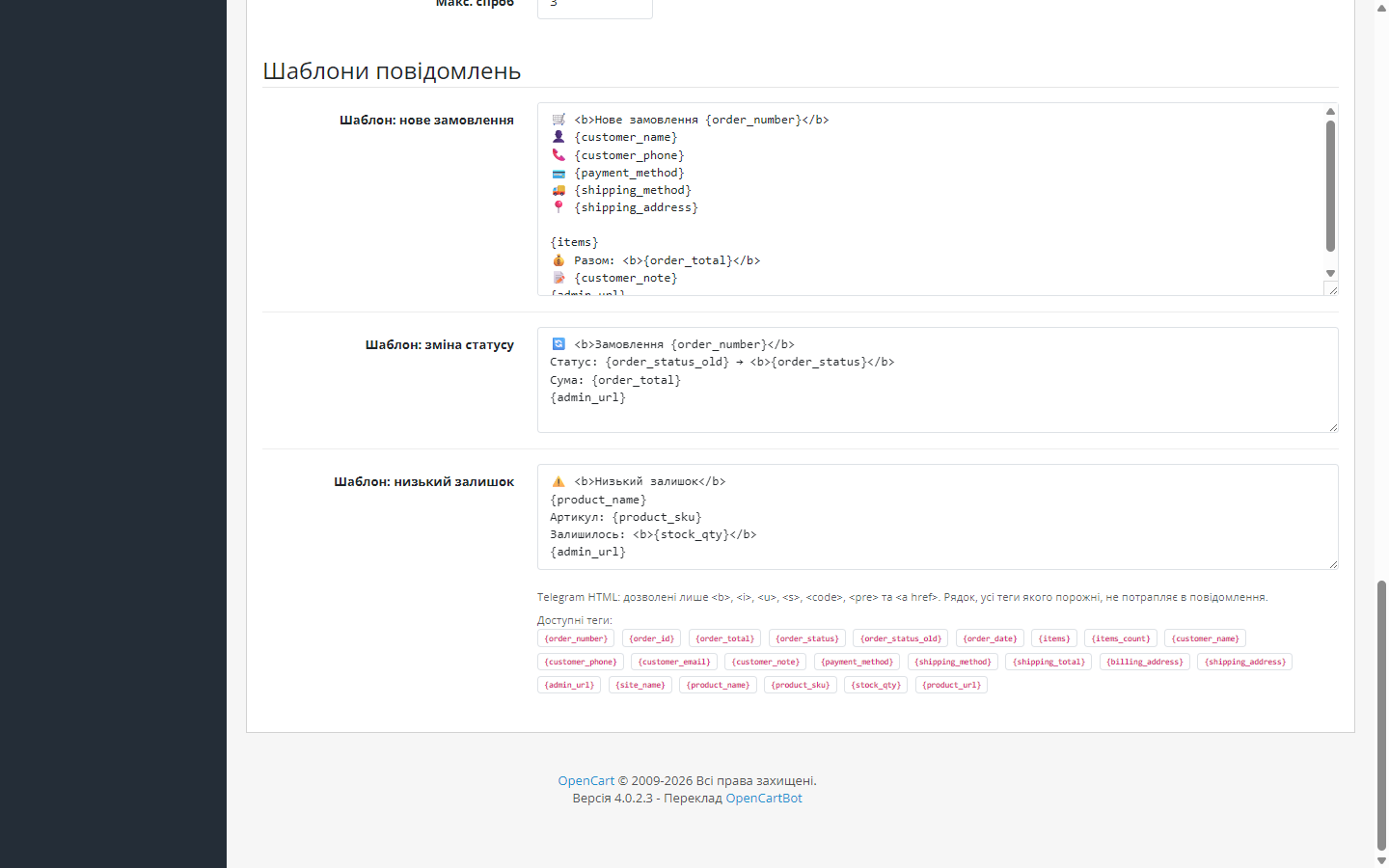
New orders, status changes, and low stock in Telegram; custom templates, multiple chats and forum-group topics, silent mode, log, retry, encrypted token.
4 modules in one order — 40% cheaper than separately


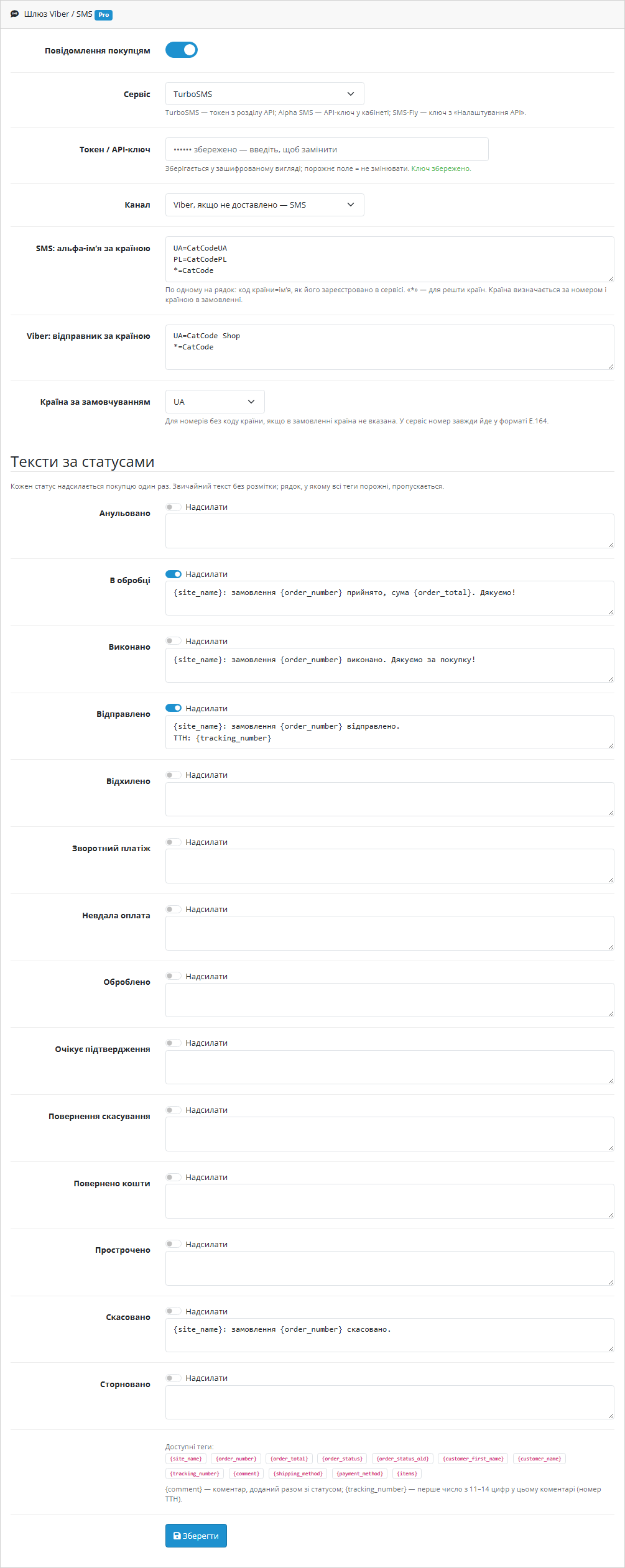
The module does two things. It sends your OpenCart store events to you in Telegram — a new order, a status change, a product’s stock dropping. And, since version 1.1.0, it messages the customer on Viber or by SMS when their order changes status: “received”, “shipped, tracking number 2045…”, “cancelled”.
Telegram notifications for you stay free, as before. Viber and SMS messages to customers are a Pro feature: they go through your own TurboSMS, Alpha SMS, or SMS-Fly account, and the first 7 days of Pro unlock with a button in the module settings, no payment needed.
The customer checks out as usual, with nothing extra to fill in — the module uses the phone number they already enter at checkout. As soon as a manager moves the order to a status you enabled messages for, the customer gets a short Viber message from your store’s name. If the number has no Viber or the message isn’t delivered, the service sends the same text by SMS on its own.
Each status is sent to a customer only once: if the order is moved back to “Processing” and forward again, or the manager clicks “Add history” twice, there won’t be a second paid message.
093 123 45 67 in an order from Ukraine becomes 380931234567, +48 731 234 567 becomes a Polish number, and a number without a code is read as a number from the order’s address country rather than guessed from the first digits.*= line covers all other countries.{tracking_number} is the first 11–14 digit number in the status comment, {comment} is the comment itself. A line where every tag is empty is simply dropped.message/send.json, Viber+SMS hybrid), Alpha SMS (JSON protocol, type viber+sms), SMS-Fly (REST API v2, channels ["viber","sms"]).+38093***4567).utf8mb4, so emoji in Telegram templates don’t turn into “?”.cc_telegram.ocmod.zip, version 1.1.1cc_telegram-oc3-1.1.2.ocmod.zip, version 1.1.2cc_telegram-oc2-1.0.4.ocmod.zip, version 1.0.4, Telegram notifications only (no Viber / SMS)UA=MyStore, *=MyStore), tick the statuses and adjust the texts if needed. Click “Check key and balance”, then send a test to your own number.Didn't find the answer? Message us on Telegram and we'll reply within a business day.
 @catcode_support
Setup, compatibility, activation
@catcode_support
Setup, compatibility, activation
Your service's rates (TurboSMS, Alpha SMS, or SMS-Fly). The module takes no commission and doesn't sit between you and the service — requests go straight to it with your key.
In "Viber, SMS if not delivered" mode the service sends an SMS with the same text on its own.
From the comment the manager adds along with the status change: the first 11–14 digit number fills the {tracking_number} tag.
Customer messages stop, while Telegram notifications for you keep working. Once you buy a licence, Pro switches back on and the settings are kept.
No. Your own bot sends messages straight to the Telegram API. There's no server of ours between your store and Telegram — we never see the orders or the token.
Nothing. There's no limit on the number of messages, chats, or orders — the only limits are Telegram's own (roughly 30 messages per second per bot).
Enter several IDs in the "Notification chats" field, one per line. You can mix a personal chat, group, and channel. For a specific topic in a forum group, add the topic number after a colon, e.g. -1001234567890:42.
Add the bot to the group and give it permission to send messages (for a channel, make it an admin). Then send any message in the group and click "Find chat_id": a group ID is always negative.
That means the template contains a disallowed or unclosed tag. Telegram only understands <b>, <i>, <u>, <s>, <code>, <pre> and <a href>. Check the template and save it again.
Yes, enable "Silent notifications" — Telegram will deliver them without a sound alert, though the message still appears in the chat.
The failed attempt is logged with a response code, and the module resends the message. The order itself isn't affected — checkout is never blocked.
No reviews yet. Be the first.
No questions yet. Ask one — we answer within 24 hours.
We build custom modules for WordPress, WooCommerce, OpenCart and Shopify. Tell us about the task and we'll prepare an estimate.
Order a custom module
—

CatCode assistant
Just now


CatCode assistant
Online

I’ll help with your website task
Describe your website task — I’ll find a ready-made module or pass it to a developer for an estimate. Modules, custom features, layout, integrations, speed, migration, technical SEO.
