WordPress
Order Archive for WooCommerce — archive old orders and keep reports, search and one-click restore
Free + Pro
990 UAH/year
v1.0.0
 All Access4 990 ₴ / year
 Website auditA PDF report by email in 3 minutesCheck a website
Everyday tasks
Image compressorSize, quality and WebP in bulkQR generatorLink, Wi-Fi, payment to IBANVAT calculator20, 14, 7% and amount in wordsTransliterationOfficial Ukrainian standardWebsite checks
PHP and pluginsPHP version, WordPress, pluginsGoogle Merchant feedFields, prices, GTIN, imagesDomain emailSPF, DKIM, DMARC, blacklistsAI search readinessllms.txt, bots, markupAll 9 toolsEnter at least 2 characters
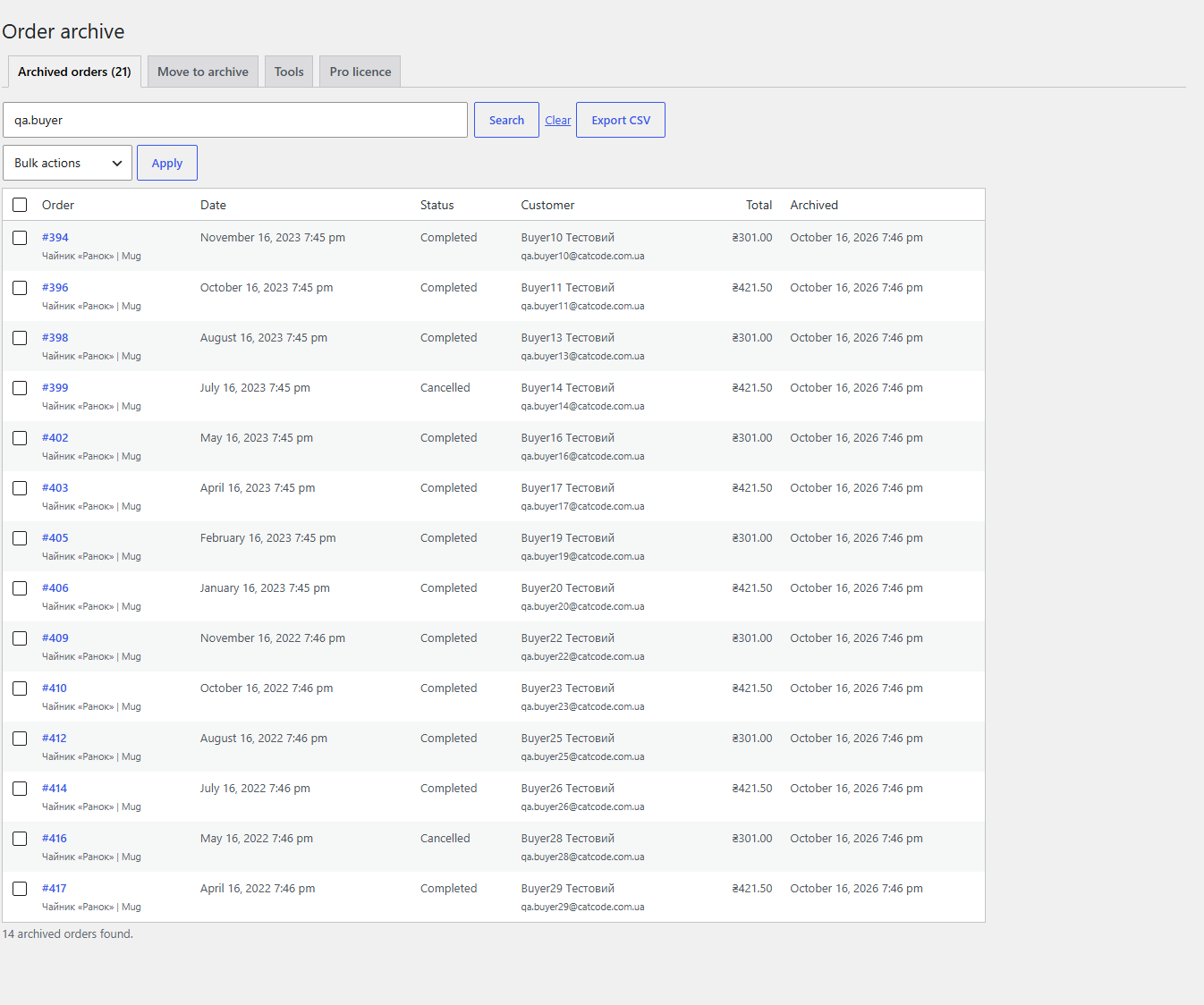
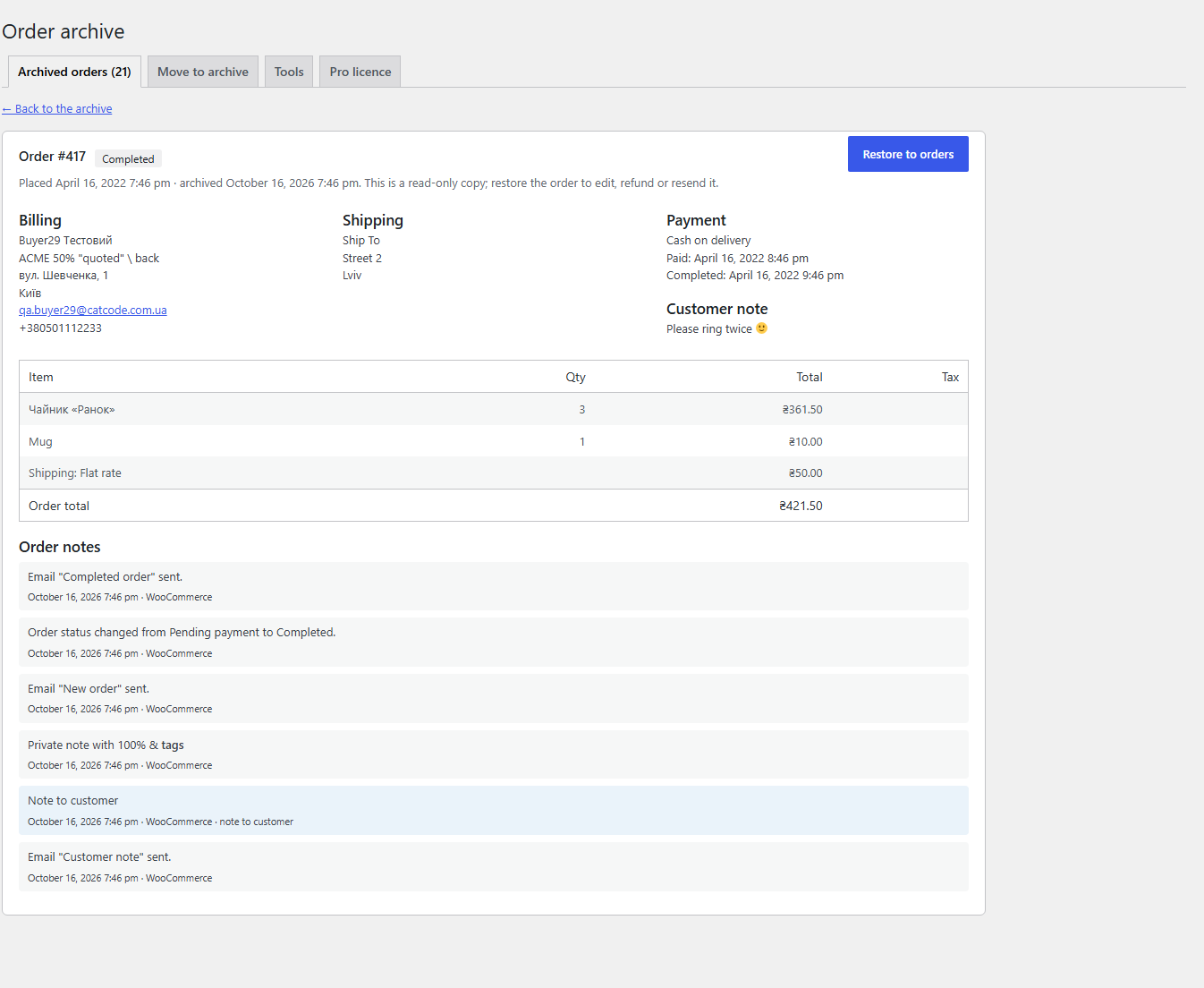
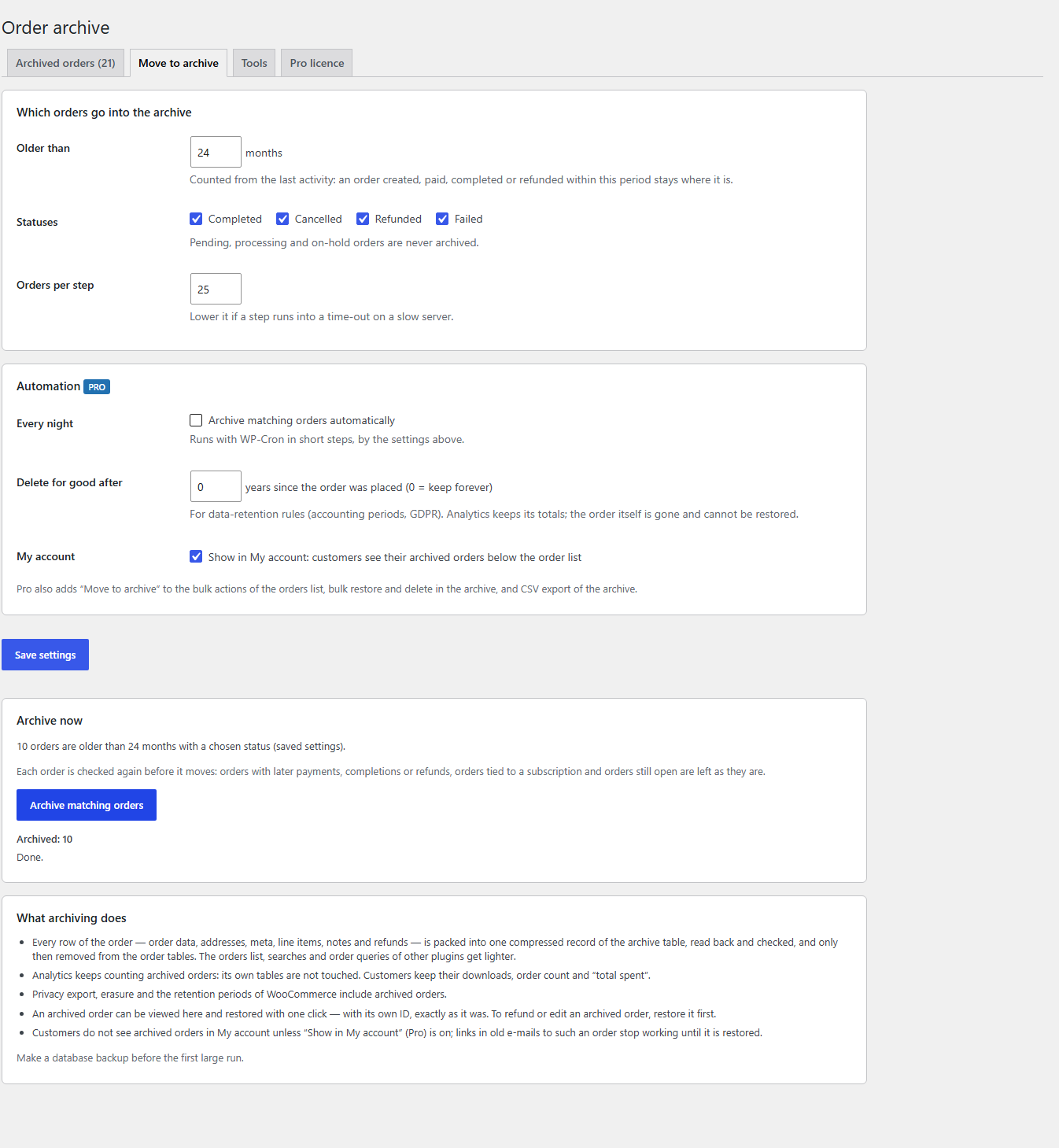
Old orders go into a compressed archive and the orders screen and search are fast again. Analytics, customer totals and privacy include the archive; search, view and one-click restore.
The free version works with no time limit. Pro adds the rest of the features in the table.



A fresh install is the free version, nothing switches on by itself. The “Try Pro for 7 days” button → e-mail → the key right in the window and by e-mail.

Moving the store? Unbind the licence on the old domain and activate it on the new one yourself. For studios — keys for 5 or 25 sites, or unlimited.
 WordPress 6.2+ · WooCommerce 8.2+ · PHP 7.4+; tested on WordPress 7.1 and WooCommerce 11.2, PHP 8.3 and 7.4.Order storage: HPOS, the classic posts storage and compatibility mode; if WooCommerce is switched between them after archiving, a restored order is copied into the storage in use at that moment.Database: MariaDB and MySQL 8.0 (tested), InnoDB tables for transactions.Checkout: block and classic — the plugin does not touch new orders.Together with our modules: tested with Nova Poshta (waybills), PRRO fiscal receipts, KeyCRM and SalesDrive sync, Returns & Exchanges and LiqPay — after a restore the waybills, receipts, CRM IDs and return requests are in place, and nothing is sent to the CRM twice.Interface languages: English, Ukrainian, Russian.
Archiving old orders from HPOS and posts into a compressed, verified archive and restoring them byte for byte; Analytics, customer totals, personal data export, erasure and retention count…
4 modules in one order — 40% cheaper than separately



Order Archive for WooCommerce moves old orders out of the WooCommerce order tables into a separate compressed archive — and brings them back with one click. After a few years a shop has tens of thousands of orders: the orders screen opens slower, searches take longer, backups grow and every plugin that queries orders gets heavier. Deleting them is not an option — you would lose reports, customer history and records you have to keep.
The plugin does it differently: orders older than the age you choose (for example 24 months) and in the statuses you choose are packed into one compressed archive record and removed from the order tables. WooCommerce Analytics, customers’ order count and “total spent”, personal data export and erasure keep counting the archived orders. The archive has its own search and order view, and restore puts back the very same rows with the same IDs.
The core version is free. Archiving by age and status, search and order view in the archive, restoring one or all orders, and the Analytics, customer totals and privacy support work without a licence and without a time limit. Pro adds a nightly automatic run, a “Move to archive” bulk action in the orders list, CSV export, deletion after N years and “Earlier orders” in the customer’s account.
There is a separate version for OpenCart — Order Archive for OpenCart.
{prefix}catcode_oarc_orders: a compressed snapshot of every row of the order with a checksum, plus columns for search (number, status, total, e-mail, name, phone, company, products and SKUs, dates).wc_order_stats and the lookup tables are not touched. If you press “Delete previously imported data” under Analytics → Settings, archived orders leave Analytics too, and Tools → “Put archived orders back into Analytics” returns them.catcode_oarc_can_archive filter (keep an order out of the archive), the actions catcode_oarc_archived, catcode_oarc_restored, catcode_oarc_purged.Didn't find the answer? Message us on Telegram and we'll reply within a business day.
 @catcode_support
Setup, compatibility, activation
@catcode_support
Setup, compatibility, activation
No. WooCommerce Analytics counts archived orders exactly as before; the legacy WooCommerce → Reports do not show them.
Yes: "Restore to orders" with one click, then refund as usual.
Not in Free. Pro shows an "Earlier orders" block in the account, every customer sees only their own.
Records of other plugins stay; after a restore everything is in place. Handle a late refund notification from the payment provider after restoring the order.
The archive table stays so nothing is lost. Leaving the plugin? Use Tools → "Restore all archived orders" first.
No reviews yet. Be the first.
No questions yet. Ask one — we answer within 24 hours.
We build custom modules for WordPress, WooCommerce, OpenCart and Shopify. Tell us about the task and we'll prepare an estimate.
Order a custom module
—

CatCode assistant
Just now


CatCode assistant
Online

I’ll help with your website task
Describe your website task — I’ll find a ready-made module or pass it to a developer for an estimate. Modules, custom features, layout, integrations, speed, migration, technical SEO.
