
WordPress
Product bundles and gift with purchase for WooCommerce
Free + Pro
990 UAH/year
v1.3.0
 All Access4 990 ₴ / year
 Website auditA PDF report by email in 3 minutesCheck a website
Everyday tasks
Image compressorSize, quality and WebP in bulkQR generatorLink, Wi-Fi, payment to IBANVAT calculator20, 14, 7% and amount in wordsTransliterationOfficial Ukrainian standardWebsite checks
PHP and pluginsPHP version, WordPress, pluginsGoogle Merchant feedFields, prices, GTIN, imagesDomain emailSPF, DKIM, DMARC, blacklistsAI search readinessllms.txt, bots, markupAll 9 toolsEnter at least 2 characters

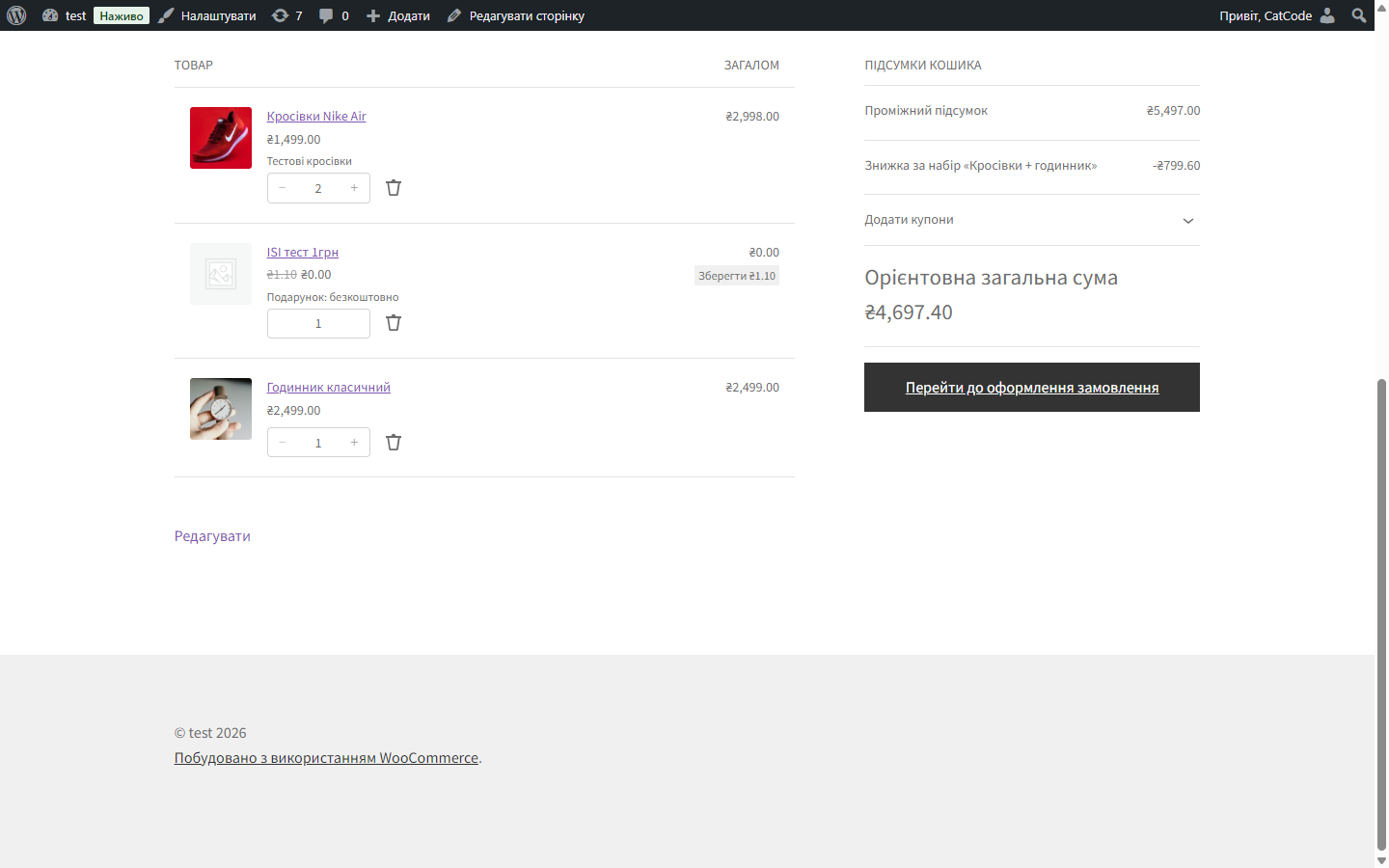
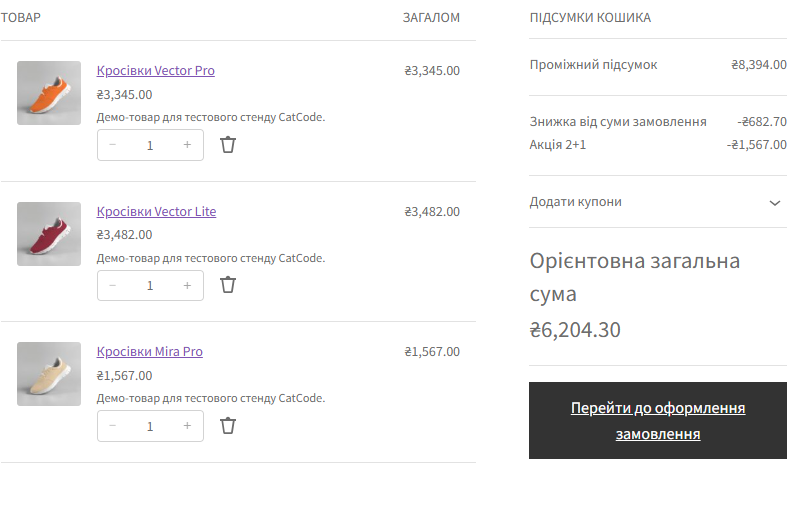
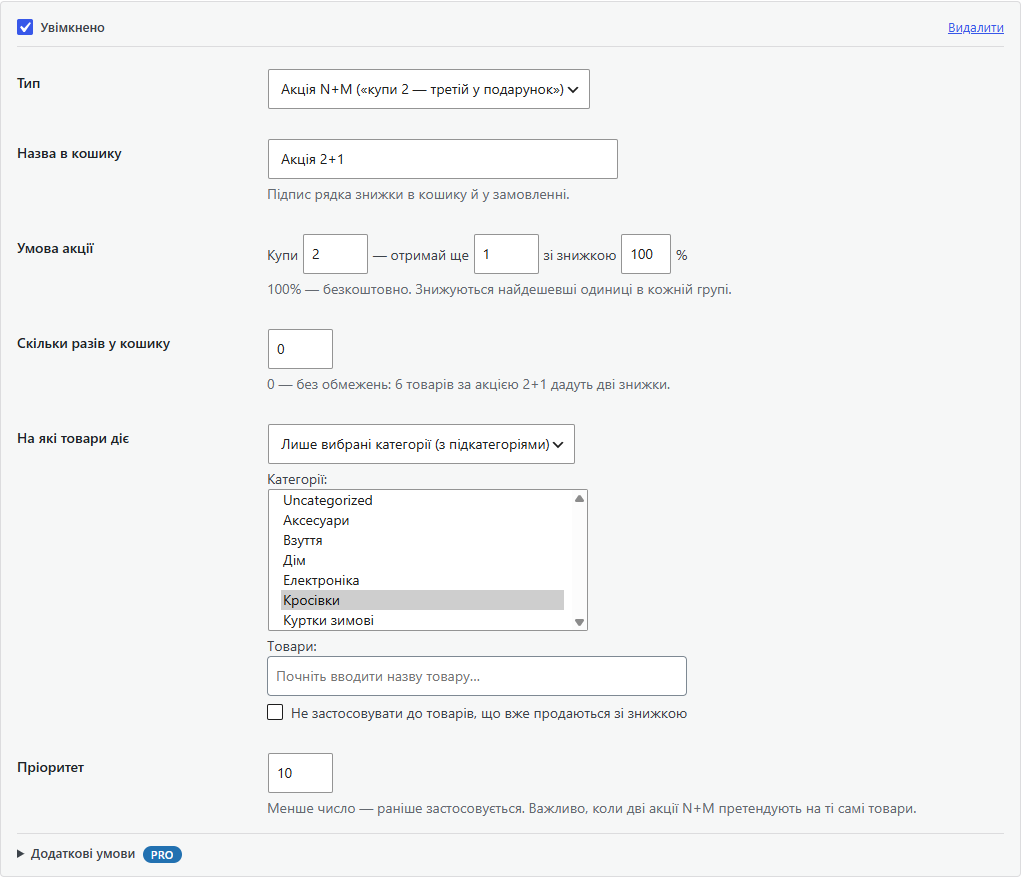
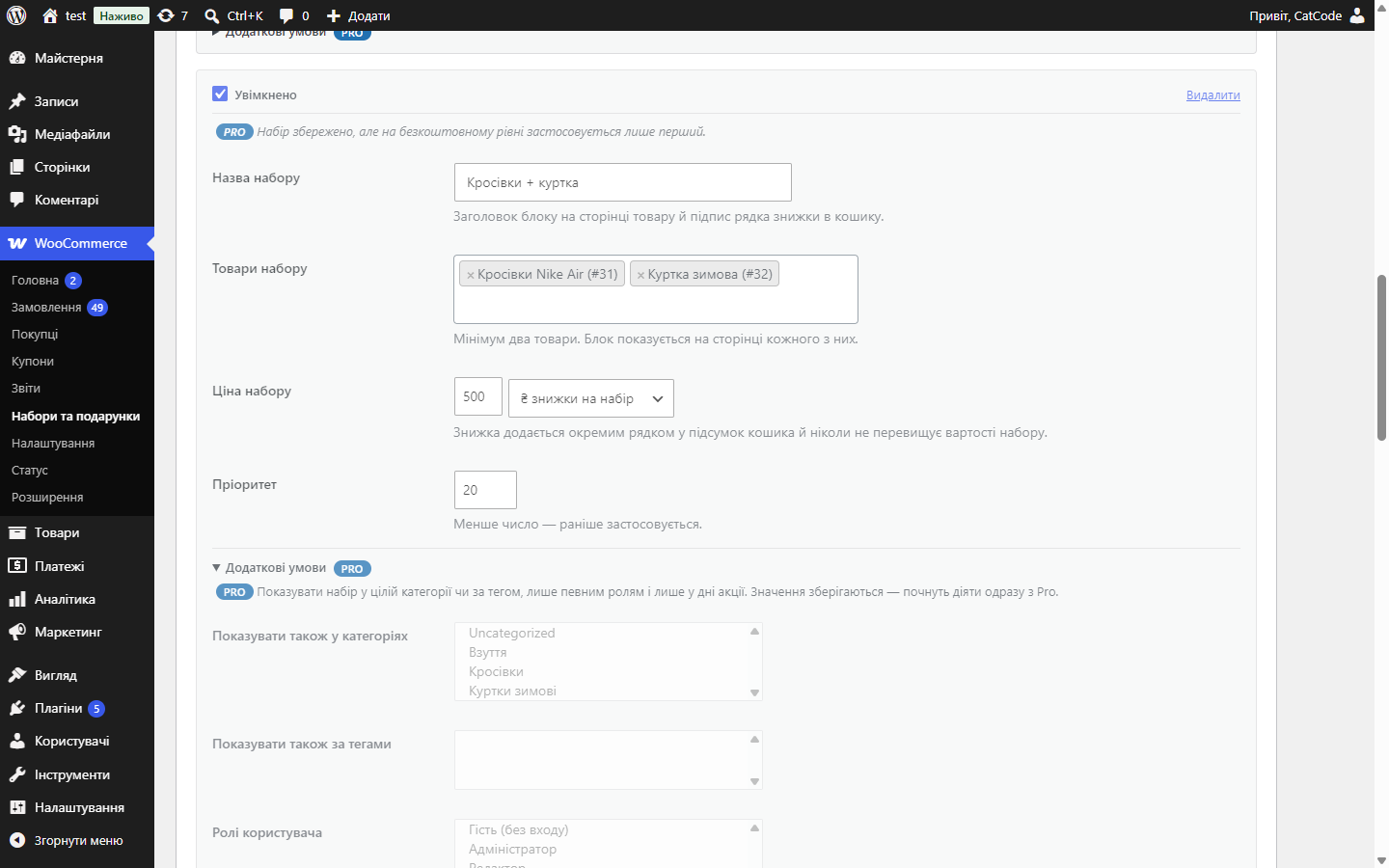
Product bundles at a special price, a "Frequently bought together" block on the product page, and a gift automatically added to the cart above a set total. Plus tiered order-total discounts and 2+1 deals right in the cart.
Clear even without sound: Ukrainian subtitles
The free version works with no time limit. Pro adds the rest of the features in the table.


A set of two or more products with a special price, a percentage, or a fixed discount amount.

A cart total threshold above which a gift product is added automatically. Quantity is fixed at 1, the line can’t be removed by hand, and as soon as the total drops below the threshold, the gift disappears on its own.

A tiered discount on the order total: “from 2000 ₴, 5% off; from 5000 ₴, 10% off”.

A fresh install is the free version, nothing switches on by itself. The “Try Pro for 7 days” button → e-mail → the key right in the window and by e-mail.

Moving the store? Unbind the licence on the old domain and activate it on the new one yourself. For studios — keys for 5 or 25 sites, or unlimited.
 WooCommerce 6.0+ · WordPress 5.6+
4 modules in one order — 40% cheaper than separately



Product bundles and gift with purchase for WooCommerce — two proven ways to raise average order value: selling in bundles and gifting a product above a set amount. Both work without a separate “bundle” product type and without rewriting the theme.
A set of two or more products with a special price, a percentage, or a fixed discount amount. A “Frequently bought together” block appears on the page of every product in the bundle: images, names, prices, the total before and after the discount — and a button that adds the whole bundle to the cart in one click. The discount shows as a separate line in the cart and order totals, so the buyer sees exactly what they saved.
A bundle triggers as soon as all its products are in the cart, no matter how they got there. Two full bundles give a double discount, and the discount never exceeds the bundle’s value.
A cart total threshold above which a gift product is added automatically. Quantity is fixed at 1, the line can’t be removed by hand, and as soon as the total drops below the threshold, the gift disappears on its own. The cart shows a hint like “add N more and get …”, and a “Gift” tag appears on the cart line and in the order.
A tiered discount on the order total: “from 2000 ₴, 5% off; from 5000 ₴, 10% off”. The highest tier the cart has reached applies, lower tiers are not added on top; the discount is a percentage or a fixed amount. The cart shows a hint like “add 340 ₴ more and get 10% off”.
“Buy N, get M” deals: 2+1, 3+1, the second item at 50% off. Units are lined up from the most expensive down, and the cheapest one in each group is discounted, so an expensive jacket never goes free next to a pair of socks. A rule covers the whole catalogue, chosen categories (subcategories included) or chosen products; it can skip products already on sale and cap how many times it fires per cart. Deals and the order-total discount can stack, or only the single biggest saving applies.
Classic and block cart and checkout (Store API) recalculate the bundle discount, the gift, the order-total discount and N+1 deals the same way. HPOS (its own order tables) is supported.
Didn't find the answer? Message us on Telegram and we'll reply within a business day.
 @catcode_support
Setup, compatibility, activation
@catcode_support
Setup, compatibility, activation
No. A bundle is a rule layered over ordinary products: no separate product type is created, and there's no need to rewrite the theme.
As soon as all the bundle's products are in the cart, no matter how they got there. Two full bundles give a double discount, and the discount never exceeds the bundle's value.
As soon as the total drops below the threshold, the gift disappears from the cart on its own. While the threshold is met, gift quantity is fixed at 1 and the line can't be removed by hand.
Yes. Classic and block cart and checkout (Store API) recalculate the discount and the gift the same way, and HPOS is supported.
Yes, in Pro: a schedule for when it runs, rule priority, conditions by category, tag and buyer role, and a choice of several gifts.
A bundle is specific products together at a special price. A 2+1 deal covers any products from the catalogue, a category or a list: out of every three units the cheapest one is free, and an expensive item never goes free next to a cheap one.
Your choice. By default N+M deals apply first and the order-total discount is calculated on what is left. You can switch to "only one, the biggest saving".
No reviews yet. Be the first.
No questions yet. Ask one — we answer within 24 hours.
We build custom modules for WordPress, WooCommerce, OpenCart and Shopify. Tell us about the task and we'll prepare an estimate.
Order a custom module
—

CatCode assistant
Just now


CatCode assistant
Online

I’ll help with your website task
Describe your website task — I’ll find a ready-made module or pass it to a developer for an estimate. Modules, custom features, layout, integrations, speed, migration, technical SEO.
