

KeyCRM Sync — CRM for OpenCart 2.3, 3.x & 4.x
Free CRM module for OpenCart 2.3, 3 and 4: automatic order sync to KeyCRM. No duplicates, a retry queue, a log. No licence keys.
- Compatibility
- OpenCart 2.3.0.0 – 2.3.0.2 · 3.0.0 – 3.0.5 · 4.0.2 – 4.1.x
- PHP
- 7.4 or newer
- Version
-
v1.1.4 (OpenCart 4)
v1.1.3 (OpenCart 3.x)
v1.0.1 (OpenCart 2.3)
The module in action — 36 sec
Clear even without sound: Ukrainian subtitles
What the module does

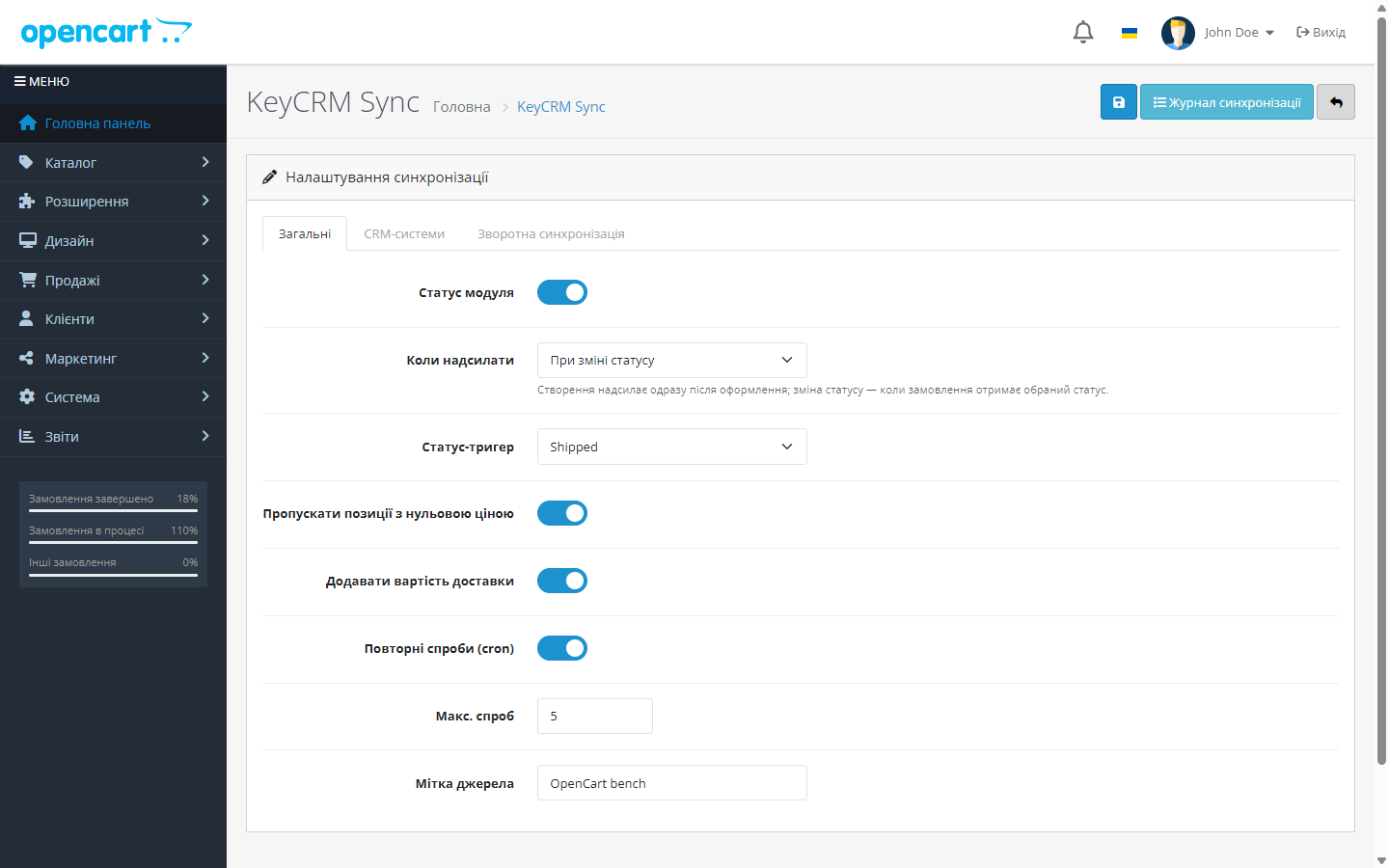
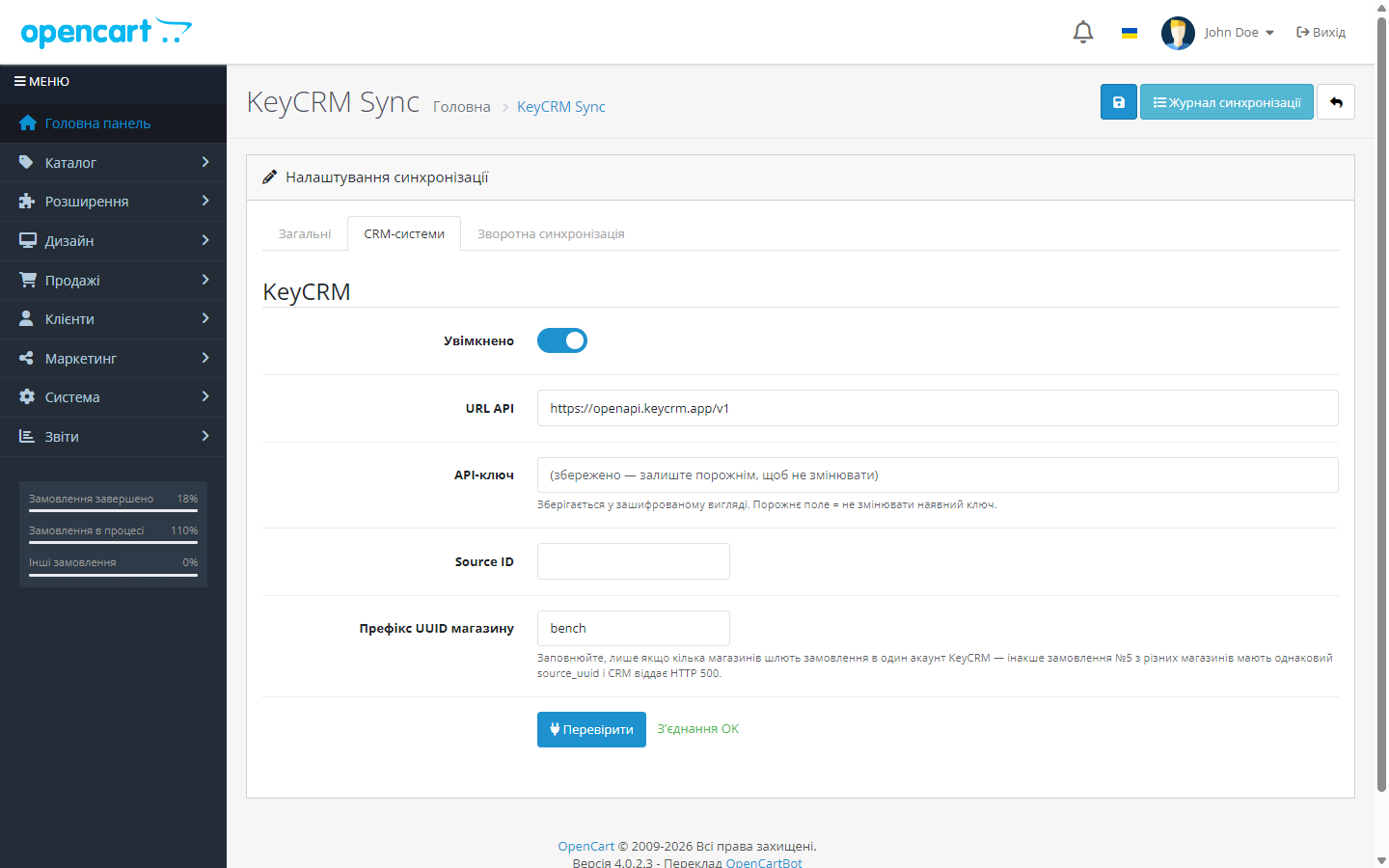
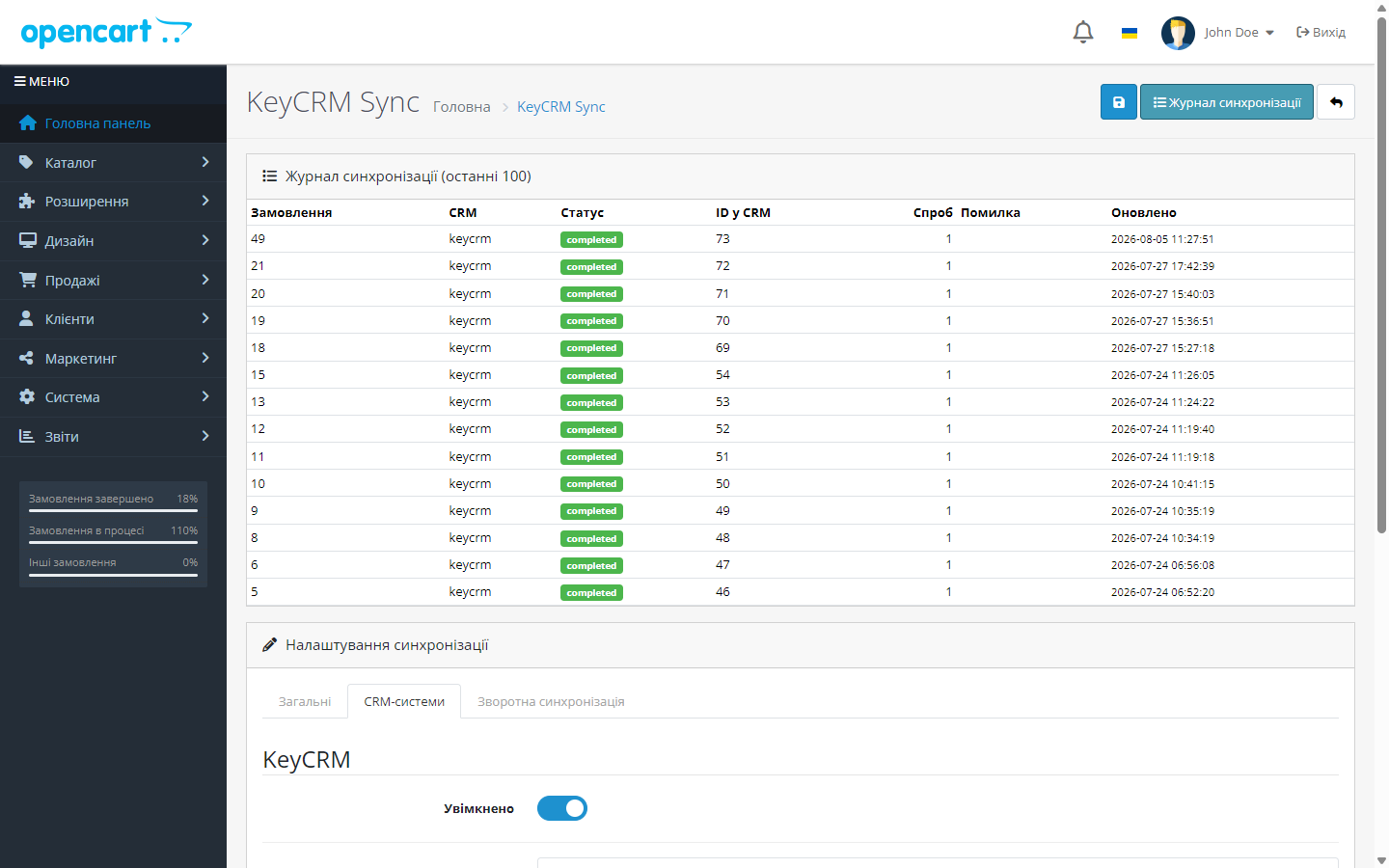
What it looks like
Technical requirements
 OpenCart 4 4.0.2 – 4.1.x, PHP 7.4+
- OpenCart 3 3.0.0 – 3.0.5, PHP 5.6 – 8.2 — a separate cc_crm-oc3.ocmod.zip build
- OpenCart 2.3 2.3.0.0 – 2.3.0.2, PHP 5.6+ — a separate cc_crm-oc2.ocmod.zip build
- A KeyCRM API key — your KeyCRM account → Settings → General → API key
- Cron on your hosting — for the retry queue and reverse sync (direct order sending works without cron too)
Version history
A cron token with a special character (&, quotes) is no longer rejected.
A currency fix release: amounts are now sent to KeyCRM in the order’s currency (at the order’s exchange rate) instead of the store’s base currency.
The 3.x build has been brought up to the level of 2.3 and 4.x.
All versions (8)
A separate build for OpenCart 2.3: the same order sync, log, retry queue and reverse sync, but with PHP 5.6-compatible code and Bootstrap 3 templates.
Fixed PHP 7.4 compatibility: the event handler was declared with a mixed type hint (which only exists from PHP 8.0), so on 7.4 sync didn’t work at all.
Fixed the order event on OpenCart 4.0.2.x (the method separator) and the waybill-duplicate check on the PDO database driver.
Reverse sync KeyCRM → OpenCart.
Sending orders to KeyCRM at checkout or on a status change, duplicate-free idempotency, a retry queue via cron, a field and payment mapper, API key encryption, a sync log, automatic source…
Full module description
KeyCRM Sync for OpenCart 2.3, 3.x and 4.x is a module that keeps your store in two-way sync with KeyCRM. In the forward direction, every OpenCart order is automatically created in the CRM — with the customer, products, shipping and payment method. In the reverse direction (optional), the module pulls order statuses, waybill numbers and even stock levels from KeyCRM back into OpenCart. Managers run sales from a single CRM window, and the store stays up to date with no manual work.
The module is completely free. The code is open on GitHub: github.com/catcodestudio/opencart-keycrm-sync. All you need is an API key from your KeyCRM account — no subscriptions and no extra services.
How it works, step by step
- The customer places an order in the OpenCart store.
- The module builds the data for the CRM: contacts, products, shipping and payment. The phone number is normalised into the +380 format, and zero-price line items are skipped.
- The order is sent to KeyCRM — right at checkout or when it reaches the configured status. The order source is created in the CRM automatically on the first send.
- Duplicate protection: a unique key,
UNIQUE(order_id, target), in the log guarantees the order won’t be duplicated even if the event fires again. - Failed sends go into a retry queue — a separate cron task keeps retrying them, up to a limited number of attempts.
- Reverse sync (if enabled): a second cron task periodically pulls updated statuses from KeyCRM (according to your “KeyCRM status → OpenCart status” mapping), adds a comment with the waybill to the order history, and, with a separate checkbox, updates product stock by SKU.
Under the hood
- Database-level idempotency —
UNIQUE(order_id, target)in the log table: a duplicate is impossible even if an OpenCart event fires twice. - The API key is encrypted in the database — sodium with an HMAC fallback, never stored in plain text.
- A sync log with a per-status record for every order and fragments of the API request/response — handy for figuring out why a particular order didn’t go through.
- Reverse sync with no loops: it reads from KeyCRM only to fetch data, and while writing the order history it suppresses the forward-sync event — nothing is sent back to the CRM. Every run rescans a 10-minute overlap so no borderline update is missed; times are in UTC.
- Adapter architecture — the order mapper and the dispatcher are decoupled from any specific CRM, with KeyCRM implemented as an adapter.
How to install
- Download
cc_crm.ocmod.zipvia Extensions → Installer in the OpenCart admin panel. For OpenCart 3.x, use thecc_crm-oc3.ocmod.zipbuild.
For OpenCart 2.3, take thecc_crm-oc2.ocmod.zipbuild. The 2.3 built-in installer only copies files over FTP, so if FTP isn’t set up, unpack the archive and upload the contents of theupload/folder to the store’s root. - Go to Extensions → Modules, find KeyCRM Sync and click “Install”.
- Open the module’s settings and paste in the API key from your KeyCRM account.
- Enable sending and choose the trigger: right at checkout, or on a status change.
- If needed, enable reverse sync on the “Reverse sync” tab: set up the status mapping (the list of KeyCRM statuses loads right in the admin panel) and add the cron tasks.
- OpenCart 2.3 and 3.x: these versions have no scheduler at all, so both cron URLs (retry queue and reverse sync) are simply shown in the module settings — add them to the system crontab. There’s also a “Cron token” field next to them: fill it in so no one else can trigger these URLs.
Questions
about the module
Didn't find the answer? Message us on Telegram and we'll reply within a business day.
 @catcode_support
Setup, compatibility, activation
@catcode_support
Setup, compatibility, activation
Does the module change the store's checkout or theme?
No. The module listens for order events on the server side — the customer won't see any changes in the storefront or checkout.
Will duplicate orders be created in the CRM?
No. Idempotency is guaranteed by a unique database key on the "order + CRM" pair, and KeyCRM additionally receives source_uuid = oc-{order_id}.
What happens if KeyCRM is temporarily unavailable?
The order goes into a retry queue — a cron task will send it later. The result of every attempt is visible in the sync log.
Is reverse sync mandatory?
No, it's disabled by default. Forward order sending to KeyCRM works on its own; statuses, waybills and stock are a separate option for those who need it.
How does the module update product stock?
Through KeyCRM's GET /offers/stocks: offers are matched to OpenCart products by SKU, quantities are updated, and a summary of the run is written to the log. The option is switched on with its own checkbox.
Do I need to set anything up in KeyCRM itself?
Barely anything: just the API key. The module creates the order source automatically on the first send, unless you specify a Source ID manually.
No reviews yet. Be the first.
No questions yet. Ask one — we answer within 24 hours.
Not quite what you are looking for?
We build custom modules for WordPress, WooCommerce, OpenCart and Shopify. Tell us about the task and we'll prepare an estimate.
Order a custom module
Buying the module
—



