WordPress
Instalment Payments with PrivatBank, monobank and A-Bank for WooCommerce
Free + Pro
990 UAH/year
v1.1.6
 All Access4 990 ₴ / year
 Website auditA PDF report by email in 3 minutesCheck a website
Everyday tasks
Image compressorSize, quality and WebP in bulkQR generatorLink, Wi-Fi, payment to IBANVAT calculator20, 14, 7% and amount in wordsTransliterationOfficial Ukrainian standardWebsite checks
PHP and pluginsPHP version, WordPress, pluginsGoogle Merchant feedFields, prices, GTIN, imagesDomain emailSPF, DKIM, DMARC, blacklistsAI search readinessllms.txt, bots, markupAll 9 toolsEnter at least 2 characters
An instalment payment plugin for WooCommerce: PrivatBank, monobank and A-Bank in one payment method, buyer's choice of bank, signature verification, reconciliation with the bank, an applications log and refunds.
Clear even without sound: Ukrainian subtitles
The free version works with no time limit. Pro adds the rest of the features in the table.


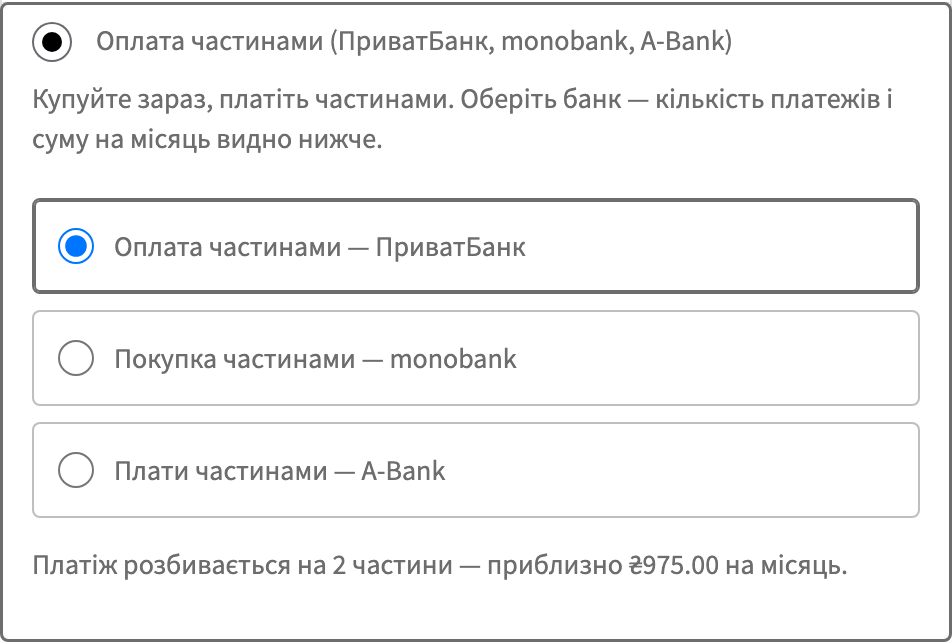
A single payment method, “Pay in instalments”, appears at checkout. Choosing it shows the buyer a choice of bank: PrivatBank, monobank or A-Bank.

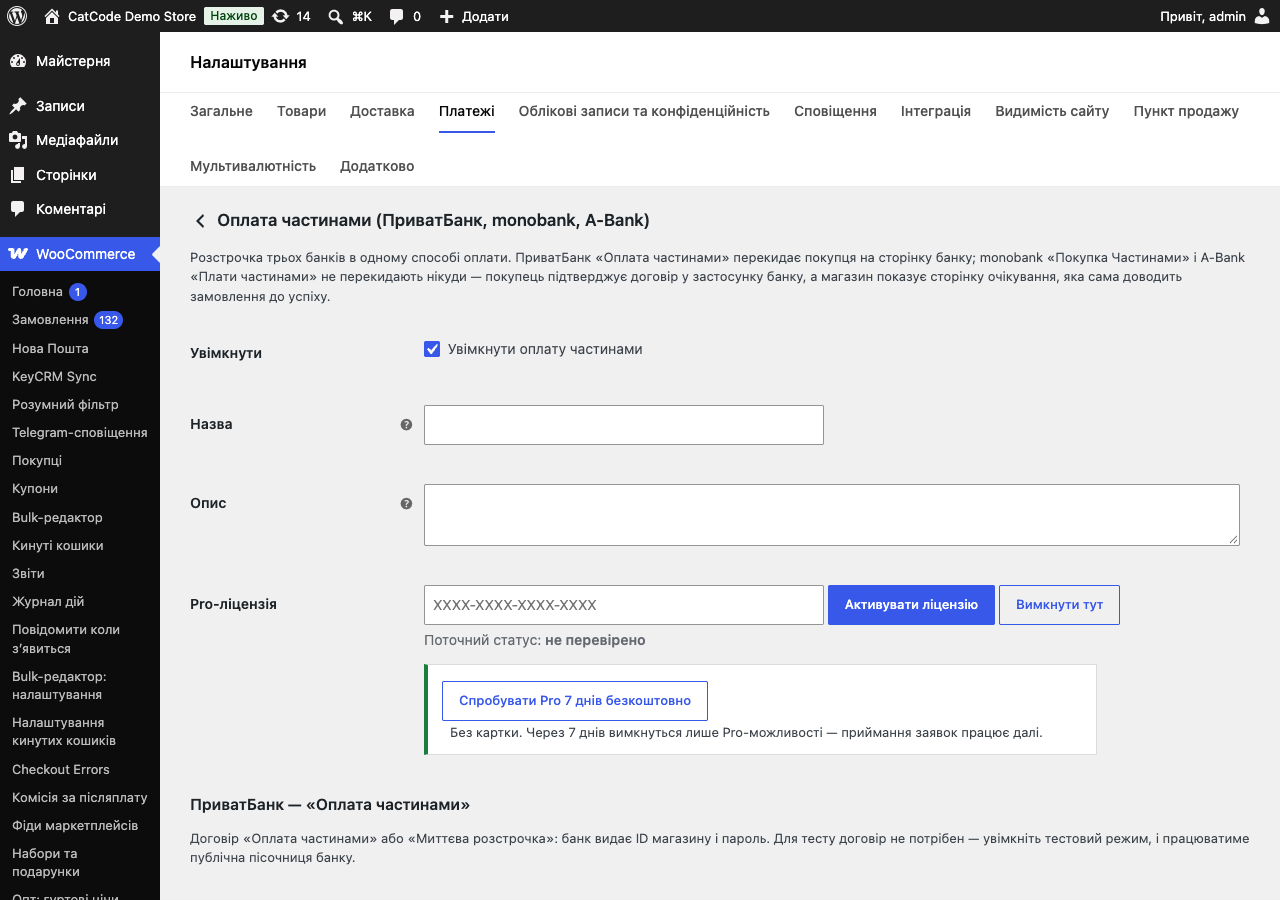
The payment method’s settings let you enable the banks you need. You can leave one bank, two or all three — the buyer will see exactly what you’ve enabled.

An agreement is required. For PrivatBank that’s “Instalment Payment” or “Instant Instalment” — the bank issues a store ID and password.

A fresh install is the free version, nothing switches on by itself. The “Try Pro for 7 days” button → e-mail → the key right in the window and by e-mail.

Moving the store? Unbind the licence on the old domain and activate it on the new one yourself. For studios — keys for 5 or 25 sites, or unlimited.
 WordPress 6.2 or newer, WooCommerce, PHP 7.4 or newer. HTTPS is mandatory — without it, the banks won’t accept the address for notifications.The module is compatible with HPOS (WooCommerce’s separate order tables) and works with both the legacy storage and the new one. Blocks checkout is supported on equal footing with the classic one.
Monobank and A-Bank show the number of payments and the monthly amount at checkout the way PrivatBank does, also without Pro; in the block checkout the figure follows the live cart total,…
On sites where every language has a URL prefix (Polylang), the PrivatBank, monobank and A-Bank notifications, the checks of the waiting screen and the buyer’s return from PrivatBank landed…
The “Buy a licence” button and the admin links now open the WooCommerce module page instead of the OpenCart one.
PrivatBank no longer rejects an application when the order has a discount (a coupon or a negative fee from another plugin).
Fixed the PrivatBank programme labels in the settings: the fee payer was shown the wrong way round.
Bank credentials in the settings are now encrypted with libsodium instead of XOR.
A-Bank instalments added as the third bank: application approved in the Abank24 app, waiting page, status reconciliation with the bank.
PrivatBank (programmes II, PP, IA, PB, 2–25 instalments) and monobank (3–25 instalments, in-app confirmation with no redirect) as one payment method, buyer’s choice of bank, monthly-payment…
4 modules in one order — 40% cheaper than separately



Instalment Payments with PrivatBank, monobank and A-Bank is a single WooCommerce payment method in which the buyer picks the bank themselves. PrivatBank takes them to its own page and offers 2–25 instalments; monobank doesn’t redirect anywhere at all — a push notification in the app, a confirmation, and the buyer is already on the thank-you page. The store extends no credit: the bank pays the full amount — at once, or in parts over the term with the PrivatBank PB programme (“funds over the term”).
This isn’t an “instalments button” off a banner. It’s a full cycle: signature verification of PrivatBank and monobank notifications, status reconciliation with the bank, a hold-and-capture flow, confirmation of goods handed over, and refunds.
Instalments are the cheapest way to raise the average order value in categories where price makes people hesitate: appliances, furniture, bicycles, tools, children’s goods. Instead of “too expensive, I’ll think about it”, the buyer sees “about 1,200 UAH a month” and buys today.
The store isn’t lending anything and takes on no risk: the bank pays out the full order amount at once, and the buyer’s ongoing payments are then a matter between the buyer and the bank.
The usual problem isn’t wanting instalments — it’s that PrivatBank and monobank have different APIs, different flows and different commission logic. So stores end up either setting up just one, or running two separate modules that don’t know about each other. Here, all three banks are one payment method with one log.
A single payment method, “Pay in instalments”, appears at checkout. Choosing it shows the buyer a choice of bank: PrivatBank, monobank or A-Bank. Next to it is a hint, “about N UAH a month”, calculated from the order total, not from a single item’s price.
PrivatBank. After placing the order, the buyer is redirected to the bank’s page, chooses the number of instalments there, and confirms. They then return to the store.
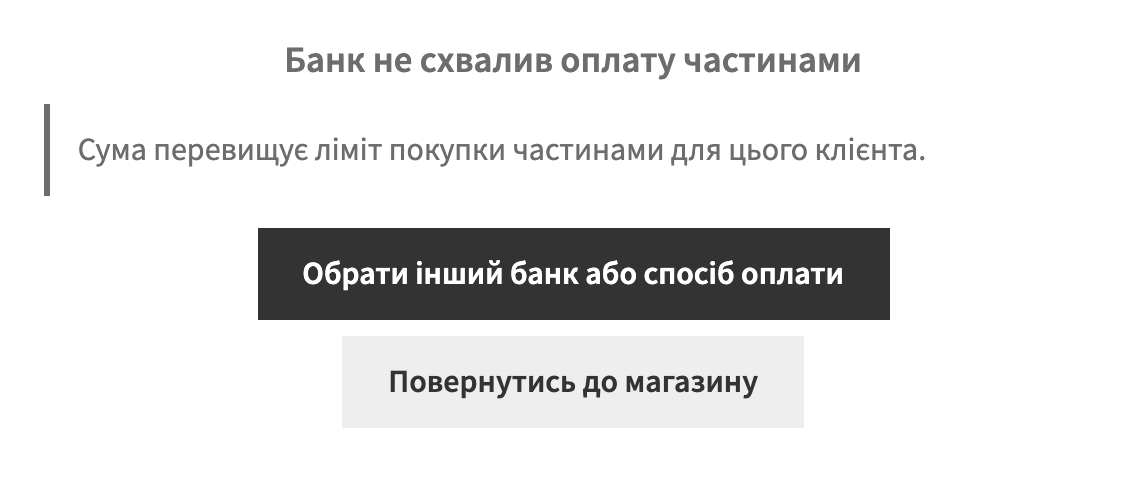
monobank. No redirect at all. The buyer gets a push notification in the monobank app and confirms there, while the store shows a waiting page that brings the order to success on its own as soon as the bank responds. To the buyer, it looks as if payment happened right on the site.
Both the classic checkout and the block-based checkout work — no separate setup is needed for blocks.
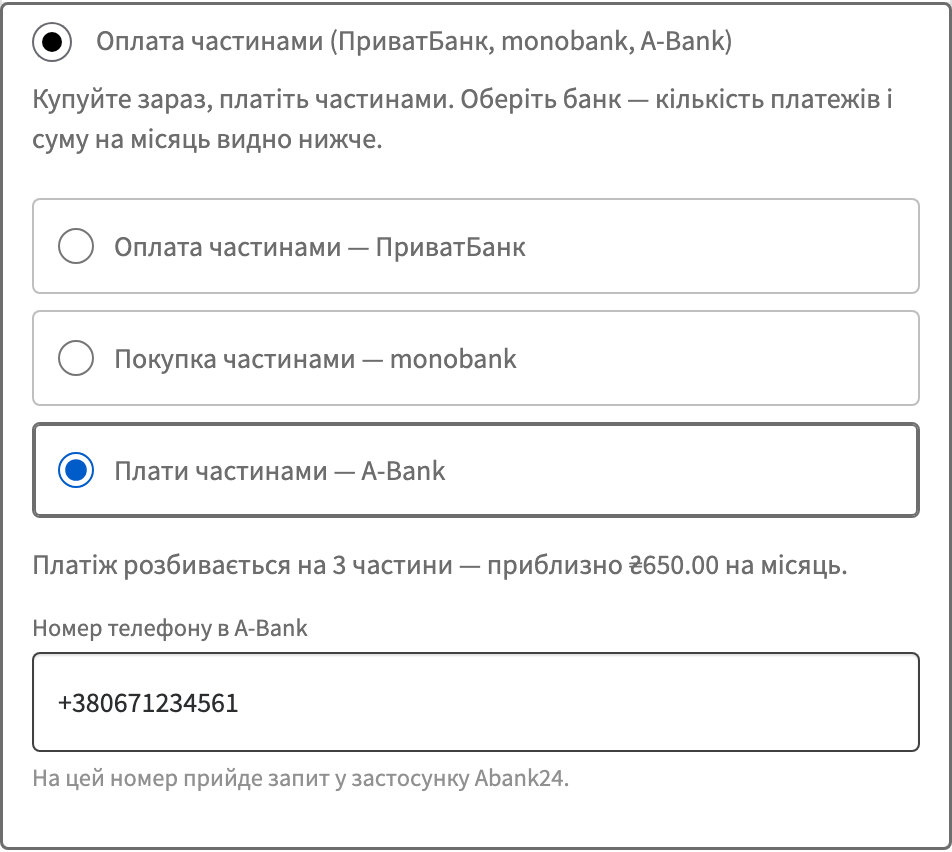
A-Bank. Like monobank, no redirect: the buyer enters a phone number, gets a request in the Abank24 app and approves it there, while the store waits on its own page and completes the order by itself. A-Bank notifications are not signed, so the plugin changes the order only based on the bank’s answer to a status request.
The payment method’s settings let you enable the banks you need. You can leave one bank, two or all three — the buyer will see exactly what you’ve enabled.
For PrivatBank, you choose the programme matching your agreement: II, PP, IA or PB. The programme determines who pays the bank’s commission: with II (Instant Instalment) it’s the buyer; with PP (Instalment Payment) and PB (Instalment Payment with funds credited over the term) it’s the store; with IA (promotional Instant Instalment) the store and the buyer split it 50/50. The module doesn’t decide this for you — it simply works according to whichever programme is in your agreement.
For monobank, you set the store ID and secret key, and choose the range of instalments within 3–25.
In the Pro version, this is joined by a log of applications across all banks: who, when, how many instalments, the application’s current state, and the bank’s reply.
A bank’s notification can fail to arrive: the site was down for a minute, the host returned a 502, a firewall dropped the request. A module that relies solely on the notification leaves the order at “Awaiting payment” in that case, even though the money has already been charged.
Here it’s different. After the buyer returns (PrivatBank) or while they’re waiting (monobank), the module itself asks the bank about the application’s status. So the order closes out even when the notification got lost along the way.
A repeated notification duplicates nothing: if the bank sends the same result twice, the module processes it once. And a paid order can’t be sent to the bank a second time — an application for an already-paid order simply isn’t created.
An agreement is required. For PrivatBank that’s “Instalment Payment” or “Instant Instalment” — the bank issues a store ID and password. For monobank, it’s the “Purchase in Instalments” agreement, under which a store ID and secret key are issued. For A-Bank, it’s the “Plati chastynamy” agreement: a store ID, a secret key and a point of sale.
No agreement is needed for testing: PrivatBank and monobank have public sandboxes, and the module has test modes for them. So you can run the whole checkout, notifications and reconciliation before signing anything, and approach the bank with an already-working store. A-Bank has a test contour with a test store, but it works with the real Abank24 app, so the buyer’s number must belong to an A-Bank customer.
PrivatBank pays out the order amount once the application is approved, under your programme’s terms.
monobank charges the first instalment and pays the store the full amount right after approval. The instalment plan itself becomes active once the store confirms the goods have been handed over — in Pro this is done by a button in the log or automatically on a chosen order status.
A-Bank pays out under the terms of your “Plati chastynamy” agreement; the instalment plan becomes active once the store confirms the goods have been handed over.
Every PrivatBank and monobank notification’s signature is verified before the module does anything to the order — this isn’t an option that can be switched off; A-Bank notifications carry no signature and only trigger reconciliation with the bank. Keys are stored encrypted in the database.
Only a result reconciled with the bank changes the order status. A notification, to the module, is a signal to “go and check”, not a command to “mark as paid”.
The module doesn’t touch other payment methods and doesn’t override checkout: it registers as an ordinary WooCommerce payment gateway and lives alongside the rest.
1. Upload the archive via “Plugins → Add New → Upload Plugin” and activate it.
2. WooCommerce → Settings → Payments → “Pay in Instalments”.
3. Enable the banks you need and enter the credentials: for PrivatBank — store ID, password and programme; for monobank — store ID and secret key; for A-Bank — store ID, key and point of sale.
4. Turn on test mode and run an order through each bank’s test mode.
5. Turn off test mode — and you’re ready to accept payments.
Didn't find the answer? Message us on Telegram and we'll reply within a business day.
 @catcode_support
Setup, compatibility, activation
@catcode_support
Setup, compatibility, activation
Yes. For PrivatBank — the "Instalment Payment" or "Instant Instalment" agreement (the bank issues a store ID and password); for monobank — the "Purchase in Instalments" agreement (store ID and secret key). No agreement is needed for the test modes: both banks have public sandboxes.
PrivatBank redirects the buyer to its own page. monobank doesn't redirect anywhere: the buyer gets a push notification in the app, while the store shows a waiting page that brings the order to success on its own as soon as the bank responds.
Right after the application is approved — the bank charges the first instalment and the full amount is paid to the store. The instalment plan becomes active once the store confirms the goods have been handed over: by a button in the log, or automatically on a chosen order status.
For PrivatBank it depends on the programme: with II (Instant Instalment) it's the buyer; with PP (Instalment Payment) and PB (Instalment Payment, funds over the term) it's the store; with IA (promotional Instant Instalment) it's split 50/50. With monobank the store pays the commission and the buyer pays nothing extra; the bank charges the buyer a fee only if they choose more instalments than the store offers.
The module doesn't rely on notifications: after the buyer returns (PrivatBank) or while waiting (monobank), it asks the bank about the application's state itself, so a paid order won't stay stuck at "awaiting payment".
No. PrivatBank signs notifications with the store's password, monobank with HMAC-SHA256 using the secret key. A notification with an invalid signature is rejected with a 400 code and changes nothing.
Yes. Choosing the bank, the number of instalments and the monobank phone field all work in both the classic checkout and the blocks checkout.
For PrivatBank — no, that's the bank's own limit, and the module simply doesn't show that bank. monobank has no upper limit; the ceiling is set by the bank for the specific buyer.
Like monobank: the buyer enters a phone number and approves the request in the Abank24 app while the store waits on its own page. You need an A-Bank instalments contract; the bank issues a store ID, a secret key and a point of sale.
No reviews yet. Be the first.
No questions yet. Ask one — we answer within 24 hours.
We build custom modules for WordPress, WooCommerce, OpenCart and Shopify. Tell us about the task and we'll prepare an estimate.
Order a custom module
—

CatCode assistant
Just now


CatCode assistant
Online

I’ll help with your website task
Describe your website task — I’ll find a ready-made module or pass it to a developer for an estimate. Modules, custom features, layout, integrations, speed, migration, technical SEO.
