WordPress
Hutko — card payments and PUMB instalments for WooCommerce
Free + Pro
890 UAH/year
v1.2.2
 All Access4 990 ₴ / year
 Website auditA PDF report by email in 3 minutesCheck a website
Everyday tasks
Image compressorSize, quality and WebP in bulkQR generatorLink, Wi-Fi, payment to IBANVAT calculator20, 14, 7% and amount in wordsTransliterationOfficial Ukrainian standardWebsite checks
PHP and pluginsPHP version, WordPress, pluginsGoogle Merchant feedFields, prices, GTIN, imagesDomain emailSPF, DKIM, DMARC, blacklistsAI search readinessllms.txt, bots, markupAll 9 toolsEnter at least 2 characters
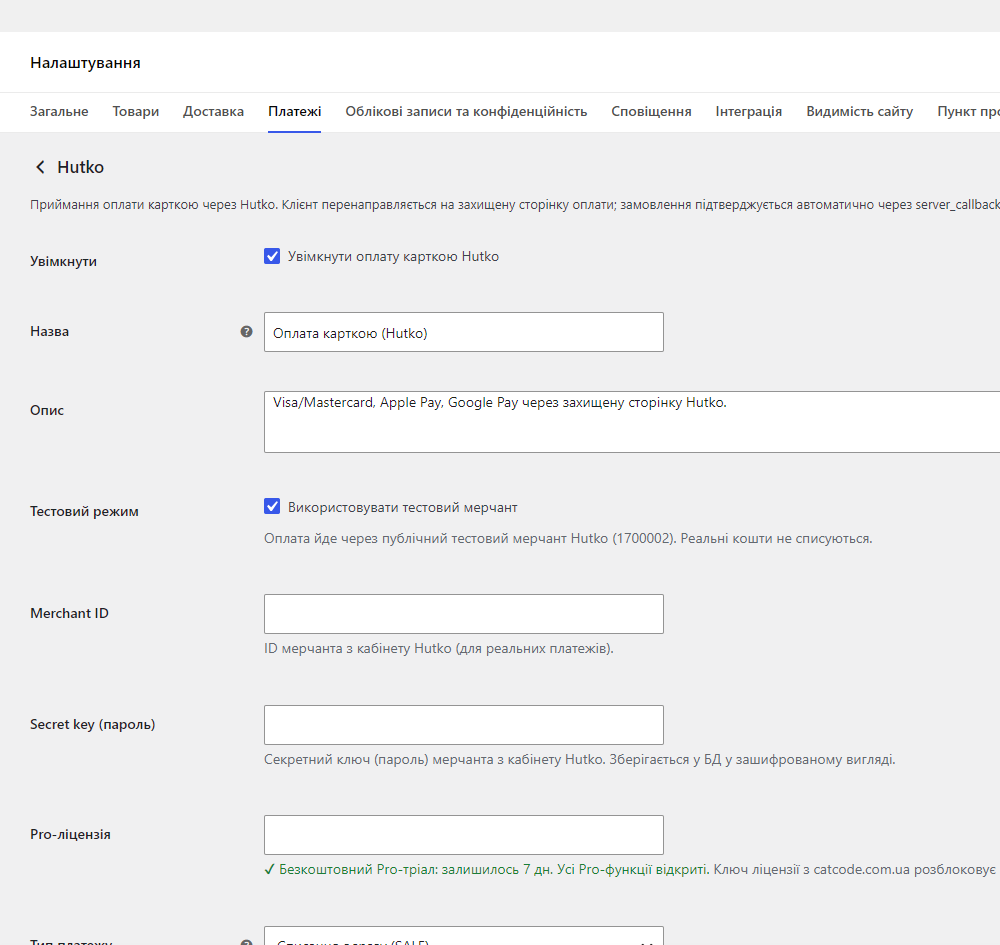

Accept Visa/Mastercard, Apple Pay, Google Pay and PUMB instalments (up to 24 payments) through Hutko in WooCommerce. Orders are auto-confirmed by a REST webhook with SHA1 signature verification. Pro — payment log, two-step payment and refunds from the admin.
The free version works with no time limit. Pro adds the rest of the features in the table.



A fresh install is the free version, nothing switches on by itself. The “Try Pro for 7 days” button → e-mail → the key right in the window and by e-mail.

Moving the store? Unbind the licence on the old domain and activate it on the new one yourself. For studios — keys for 5 or 25 sites, or unlimited.
 WooCommerce 6.0+ · WordPress 5.8+PHP 7.4+Merchant ID and secret key from the Hutko account — for live payments; test mode works right away, no agreement neededFor instalments — a PUMB business account, the service enabled on the Hutko merchant, and hryvnia as the shop currency
Sites where every language has a URL prefix (Polylang): after paying, the buyer comes back to the thank-you page instead of “Page not found”.
New “PUMB instalments” payment method via Hutko.
Fixed: on shops with HPOS (typical for modern WooCommerce), a simultaneous callback and customer return could still process the payment twice.
Free is genuinely free: a fresh install no longer turns Pro on by itself, and the 7-day trial only starts on a click (email → real licence key).
First public release: Visa/Mastercard, Apple Pay, Google Pay payment via the Hutko page; a server callback with SHA1 signature verification on a REST route; reconciliation via the Status…
4 modules in one order — 40% cheaper than separately



Hutko for WooCommerce is a payment plugin for accepting Visa/Mastercard, Apple Pay and Google Pay payments through Hutko acquiring. Payment happens on a secure Hutko page, and the order is confirmed without any action on your part: Hutko sends a server callback to the shop’s REST webhook, the plugin verifies the SHA1 signature and moves the order to “Processing” or “Completed”. An order is closed as paid only once the money has actually gone through.
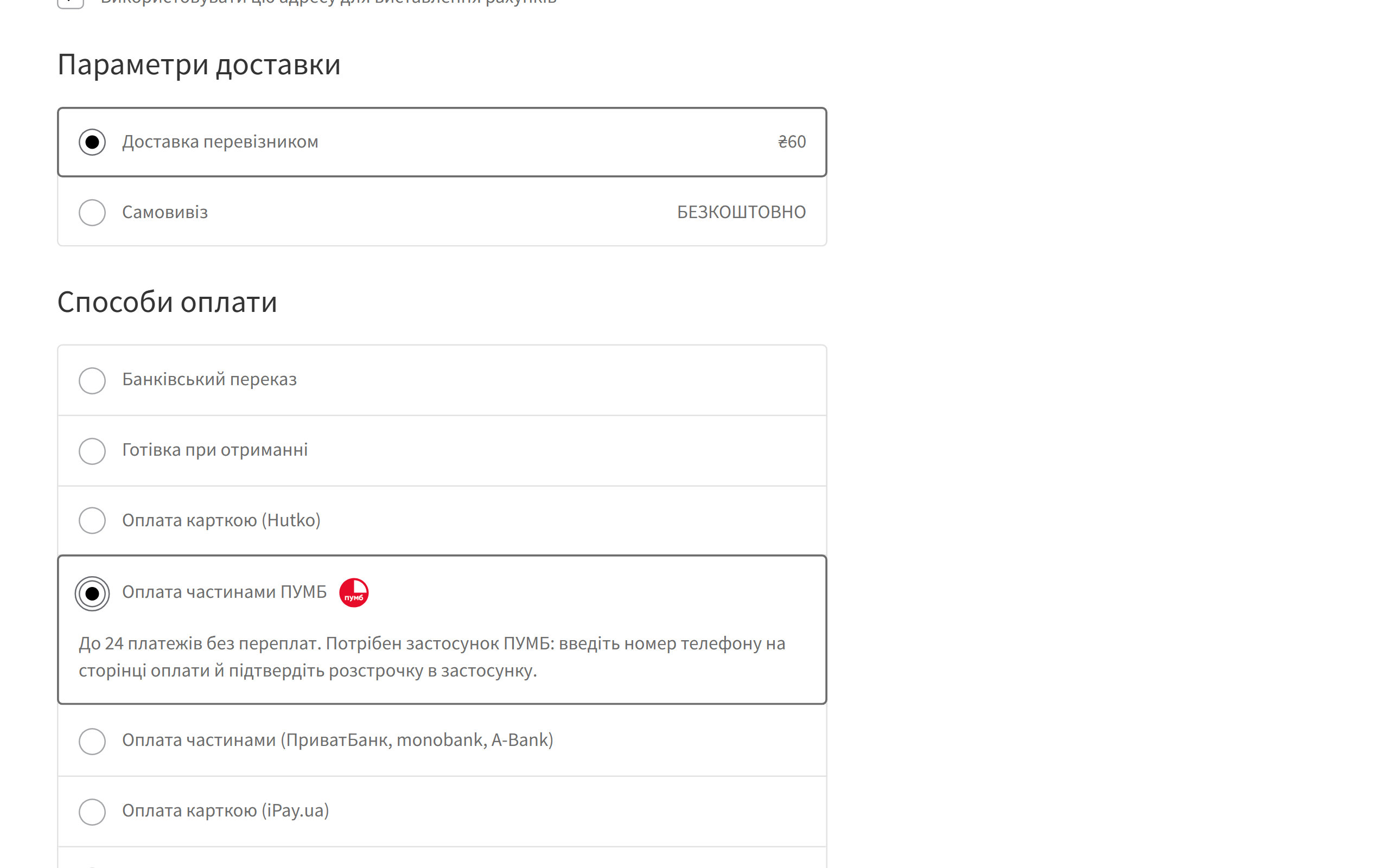
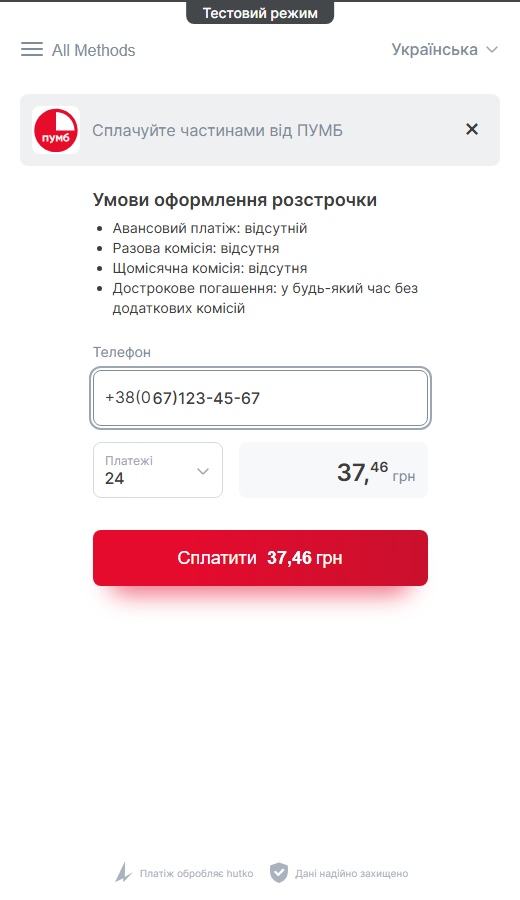
Since version 1.2.0 — PUMB instalments too. PUMB has no separate API for online instalments: the bank sells them through its own hutko service. The plugin adds a separate payment method at checkout, and the customer lands straight on the Hutko page with PUMB instalments — up to 24 payments, confirmed in the bank’s app. The shop receives the full amount at once, and the bank carries the risk of non-repayment.
wc-hutko/v1/webhook REST route.890 UAH — a one-year licence. A year of updates, technical support and access to all Pro features. No auto-charges: renewal is always manual, and we never store card details.
You can take a longer term straight away — the longer it is, the cheaper each year works out:
Once the term expires, only updates and new features stop — Pro features keep working, the free version keeps running, and your settings and data don’t go anywhere. To reopen Pro, simply renew the licence in your account. We’ll remind you by email 14, 7, 3 and 1 day before it ends.
One key — two sites: your store and a staging copy. Moving the shop, deactivate the licence on the old domain and activate it on the new one yourself, without contacting support.
Trial first, then payment. A fresh install is a plain free version: nothing Pro switches itself on. When you want to see Pro, the gateway settings have a “Try Pro free for 7 days” button — enter your email and get a key for 7 days straight away (no card needed). The payment log, preauth/capture and refunds can be tested on your own shop before you buy. That’s exactly why refunds after purchase aren’t offered — you see the module at work before you pay.
wc-hutko/v1/webhook; every request goes through SHA1 signature verification before any change is made to the order.payment_systems=installments, so the payment page opens straight on PUMB instalments. The callback, SHA1 signature and status reconciliation are the same as for cards; the order stores which Hutko method the payment went through.hutko-for-woocommerce-1.2.2.zip and activate the plugin.Didn't find the answer? Message us on Telegram and we'll reply within a business day.
 @catcode_support
Setup, compatibility, activation
@catcode_support
Setup, compatibility, activation
No. Hutko is added as a regular WooCommerce payment method — no theme or template changes. Works with both the classic and block checkout.
On a secure Hutko page. The card number never reaches your server — you only receive a signed result.
Preauth holds the amount on the customer's card, and the capture happens when you actually fulfil the order. Handy when stock needs checking first.
Nothing in our plugin: they're part of the free version. The bank's instalment fee and the hutko rate are set by PUMB and hutko in your agreement.
A PUMB business account, a Hutko merchant and a request to hutko support to enable the service. After that, just enable "Hutko — PUMB instalments" in the WooCommerce payment settings.
All orders and their statuses are standard WooCommerce data — they stay put. Only the payment method disappears.
The licence works on one active domain, and you can transfer it yourself: in the module's settings on the old domain, click "Deactivate" — the slot frees up instantly, then activate the same key on the new domain. No extra charge; if you no longer have access to the old site — write to us and we'll free the slot manually.
The free version keeps working permanently. The Pro features — the log, preauth/capture and refunds — keep working too; only updates and support stop, and renewing with the same key brings updates back. We'll remind you by email 14, 7, 3 and 1 day before it ends.
No reviews yet. Be the first.
No questions yet. Ask one — we answer within 24 hours.
We build custom modules for WordPress, WooCommerce, OpenCart and Shopify. Tell us about the task and we'll prepare an estimate.
Order a custom module
—

CatCode assistant
Just now


CatCode assistant
Online

I’ll help with your website task
Describe your website task — I’ll find a ready-made module or pass it to a developer for an estimate. Modules, custom features, layout, integrations, speed, migration, technical SEO.
