
WordPress
Bulk price and stock editor for WooCommerce
Free + Pro
990 UAH/year
v1.1.0
 All Access4 990 ₴ / year
 Website auditA PDF report by email in 3 minutesCheck a website
Everyday tasks
Image compressorSize, quality and WebP in bulkQR generatorLink, Wi-Fi, payment to IBANVAT calculator20, 14, 7% and amount in wordsTransliterationOfficial Ukrainian standardWebsite checks
PHP and pluginsPHP version, WordPress, pluginsGoogle Merchant feedFields, prices, GTIN, imagesDomain emailSPF, DKIM, DMARC, blacklistsAI search readinessllms.txt, bots, markupAll 9 toolsEnter at least 2 characters

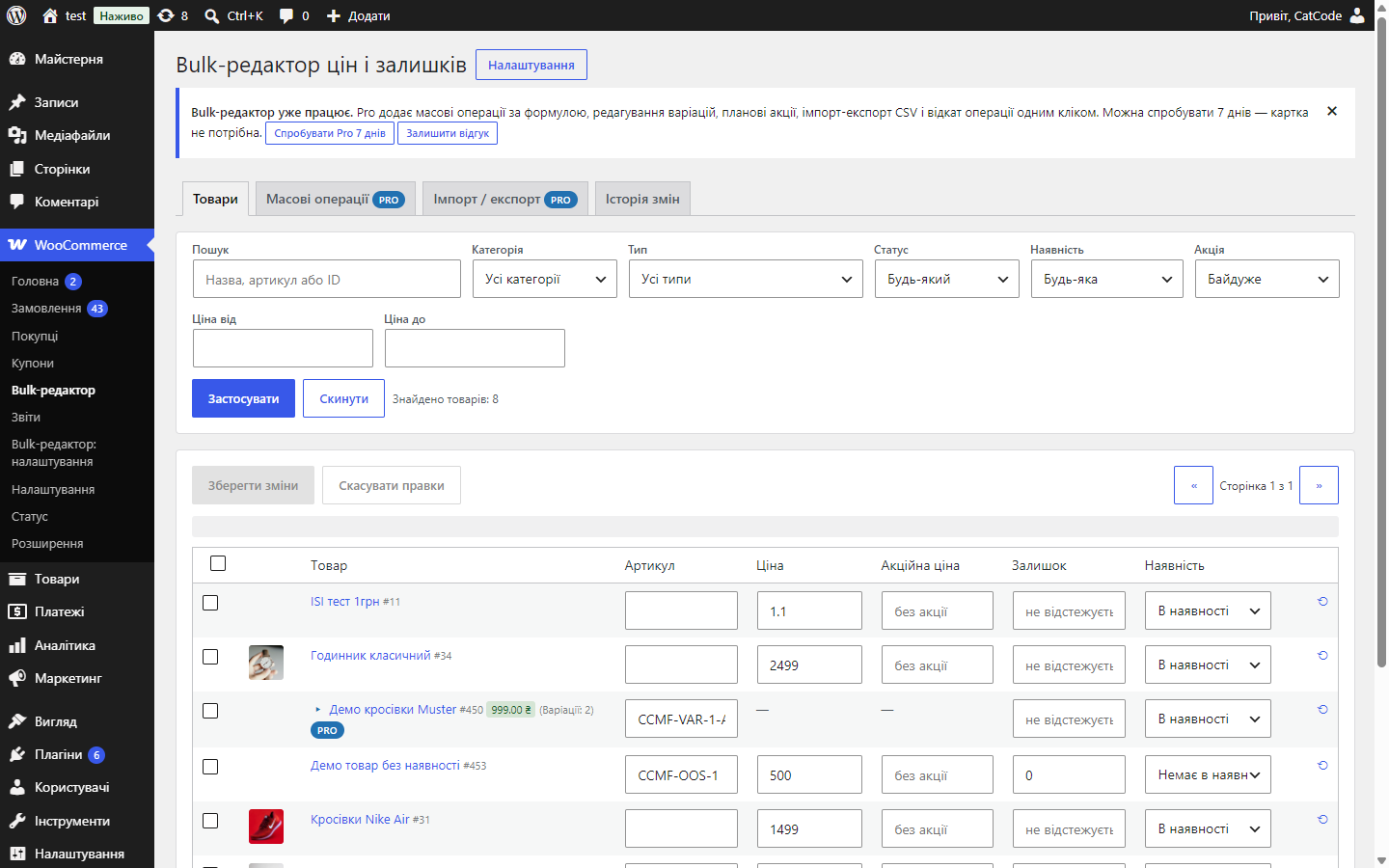
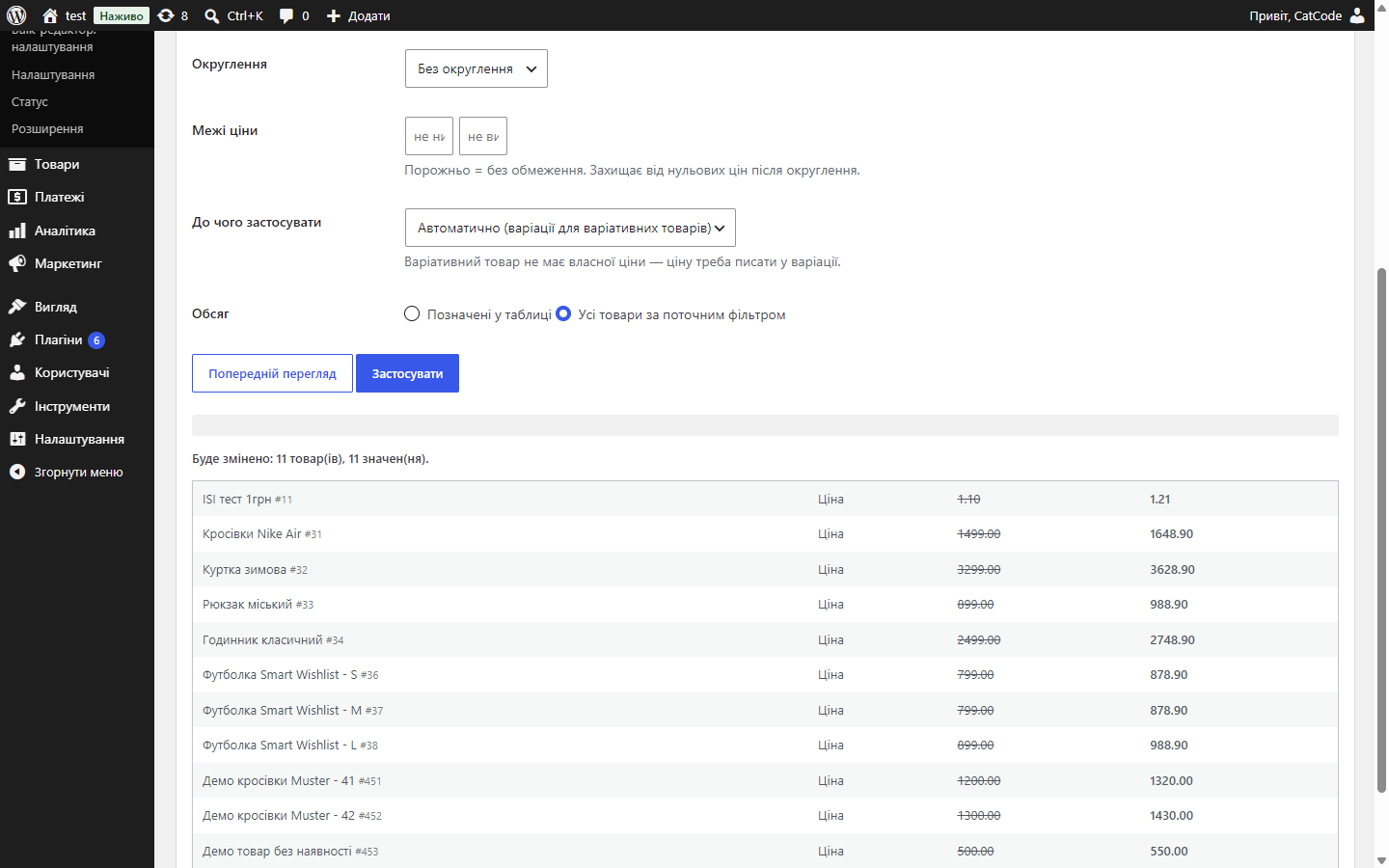
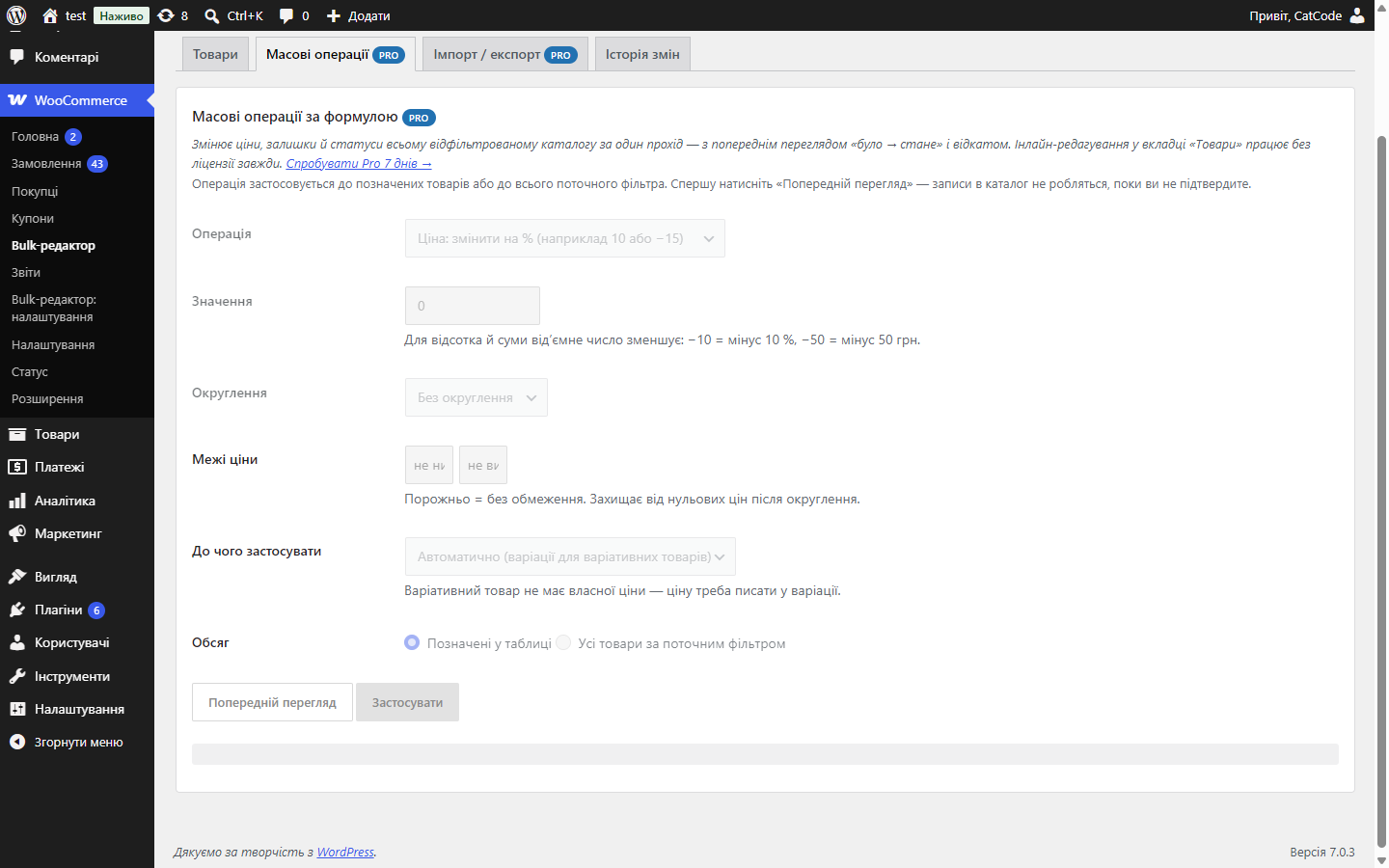
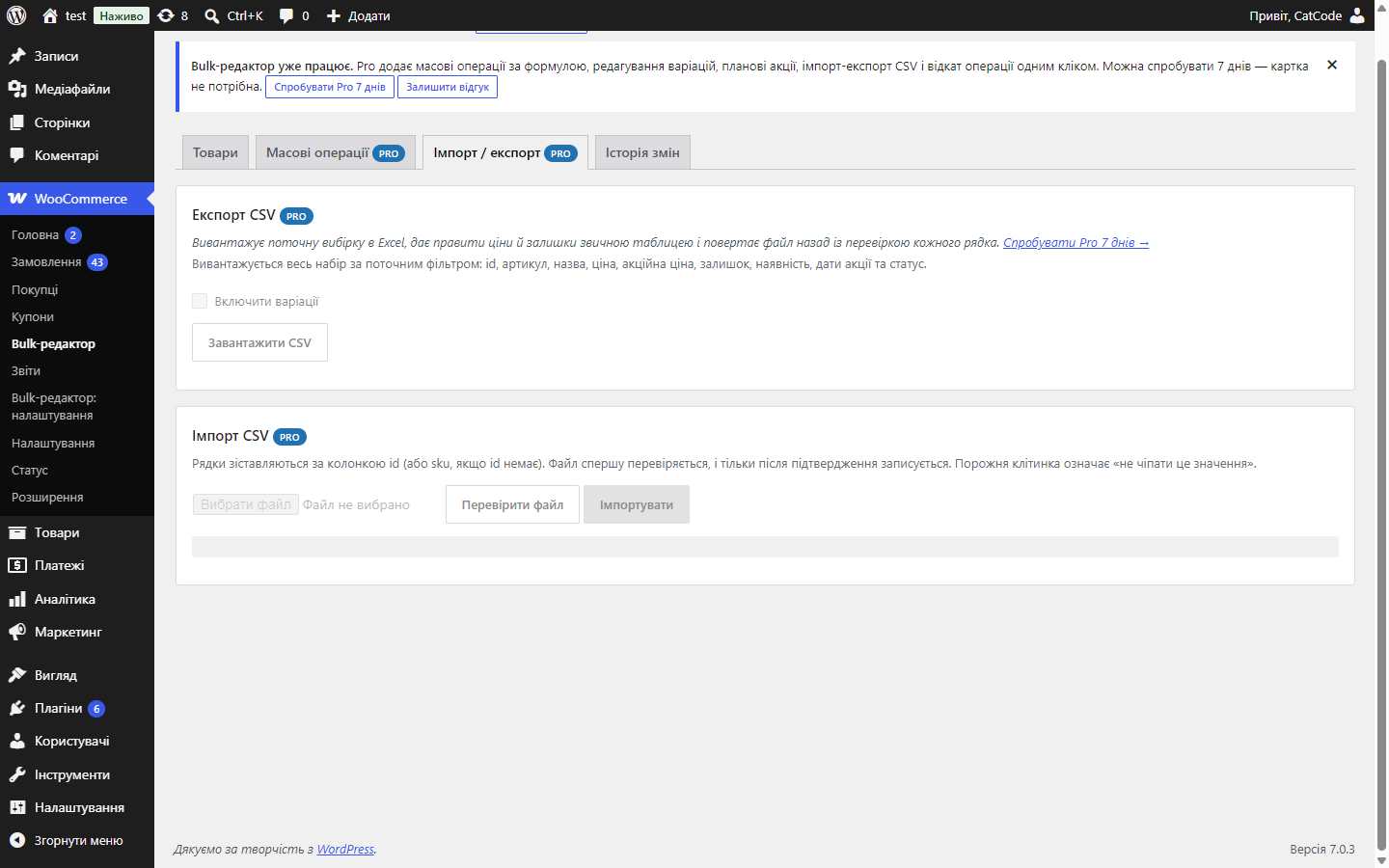
Bulk editing of WooCommerce prices and stock on one screen: edits right in the table row, batch saving via AJAX, and a change log with rollback.
Clear even without sound: Ukrainian subtitles
The free version works with no time limit. Pro adds the rest of the features in the table.


Search by name, SKU or ID, filters by category, product type, status, stock state (including “low stock”), sale participation and a price range.

The plugin never writes prices straight into the database.

Every change lands in a separate log: what changed, from what value to what, when, by whom, and from which source.

A fresh install is the free version, nothing switches on by itself. The “Try Pro for 7 days” button → e-mail → the key right in the window and by e-mail.

Moving the store? Unbind the licence on the old domain and activate it on the new one yourself. For studios — keys for 5 or 25 sites, or unlimited.
 WordPress 6.2 or newer, PHP 7.4+WooCommerce 7.0 or newer; HPOS (separate order tables) and classic storage work the same wayIts own log tables; uninstalling the plugin keeps price history unless you’ve explicitly asked for it to be erased
Pro no longer switches on by itself: a fresh install is the free version until the owner starts a trial or activates a key.
An editor screen with inline editing, filters and sorting, batch saving via AJAX, a change log; Pro.
4 modules in one order — 40% cheaper than separately



Bulk editor for WooCommerce is a dedicated screen where price, sale price, stock, availability status and SKU are edited right in the table row, and all edits are saved in one batch via AJAX with a progress bar. Changing the price on a few hundred products in the standard admin means opening a few hundred product pages.
Search by name, SKU or ID, filters by category, product type, status, stock state (including “low stock”), sale participation and a price range. Sorting by name, SKU, price and stock, with pagination. The page doesn’t reload — you see how many products were found and edit them in place.
The plugin never writes prices straight into the database. Every value goes through the WooCommerce CRUD (wc_get_product() → set_*() → save()), so _price, availability status, the lookup tables (wc_product_meta_lookup) and a variable product’s price range stay consistent, and third-party extensions get the hooks they expect.
Every change lands in a separate log: what changed, from what value to what, when, by whom, and from which source. History reads both by a specific product and across the whole catalogue — handy when “someone” changed a price yesterday evening. The log runs on the free tier too.
Price ±%, ±amount, set price, rounding (0.01 / 0.10 / 0.50 / …,95 / …,99 / whole / tens / hundreds) with a lower and upper bound. Sales in bulk: a percentage or amount off the regular price, a fixed sale price, or clearing the sale, with start and end dates — WooCommerce then switches it on and off itself. Plus bulk operations on stock quantity, stock status and publication status.
Didn't find the answer? Message us on Telegram and we'll reply within a business day.
 @catcode_support
Setup, compatibility, activation
@catcode_support
Setup, compatibility, activation
No. The plugin never writes prices straight into the database: every value goes through the WooCommerce CRUD (wc_get_product() → set_*() → save()), so _price, availability status, the lookup tables and a variable product's price range stay consistent, and third-party extensions get the hooks they expect.
The table is paginated and saving runs in AJAX batches with a progress bar, so catalogue size doesn't run into a PHP timeout.
Yes, in Pro: history restores a single value, or the whole bulk operation or import can be cancelled.
Field, previous and new value, source of the change, author, date and IP — both per product and across the whole catalogue.
Yes. In Pro variations expand right in the table, and bulk operations work on variations too.
No reviews yet. Be the first.
No questions yet. Ask one — we answer within 24 hours.
We build custom modules for WordPress, WooCommerce, OpenCart and Shopify. Tell us about the task and we'll prepare an estimate.
Order a custom module
—

CatCode assistant
Just now


CatCode assistant
Online

I’ll help with your website task
Describe your website task — I’ll find a ready-made module or pass it to a developer for an estimate. Modules, custom features, layout, integrations, speed, migration, technical SEO.
