
OpenCart
Wholesale — tiered pricing by customer group for OpenCart 2.3, 3.x and 4.x
Free + Pro
1 290 UAH
v1.1.2
 All Access4 990 ₴ / year
 Website auditA PDF report by email in 3 minutesCheck a website
Everyday tasks
Image compressorSize, quality and WebP in bulkQR generatorLink, Wi-Fi, payment to IBANVAT calculator20, 14, 7% and amount in wordsTransliterationOfficial Ukrainian standardWebsite checks
PHP and pluginsPHP version, WordPress, pluginsGoogle Merchant feedFields, prices, GTIN, imagesDomain emailSPF, DKIM, DMARC, blacklistsAI search readinessllms.txt, bots, markupAll 9 toolsEnter at least 2 characters

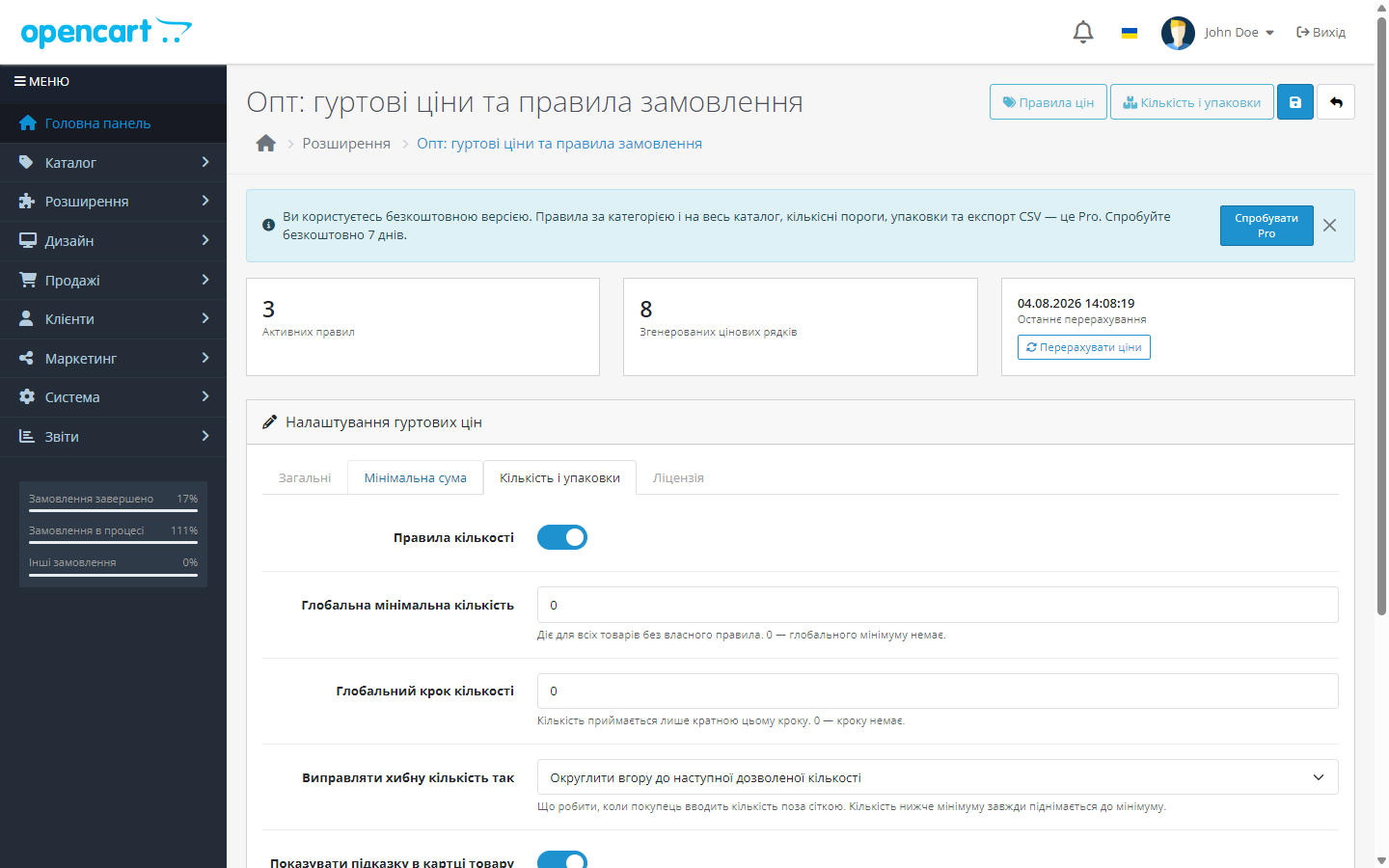
Wholesale pricing by customer group in OpenCart 3 and 4: minimum order amount, quantity step and selling in packs of N units. Price recalculates in the cart.
Clear even without sound: Ukrainian subtitles
The free version works with no time limit. Pro adds the rest of the features in the table.


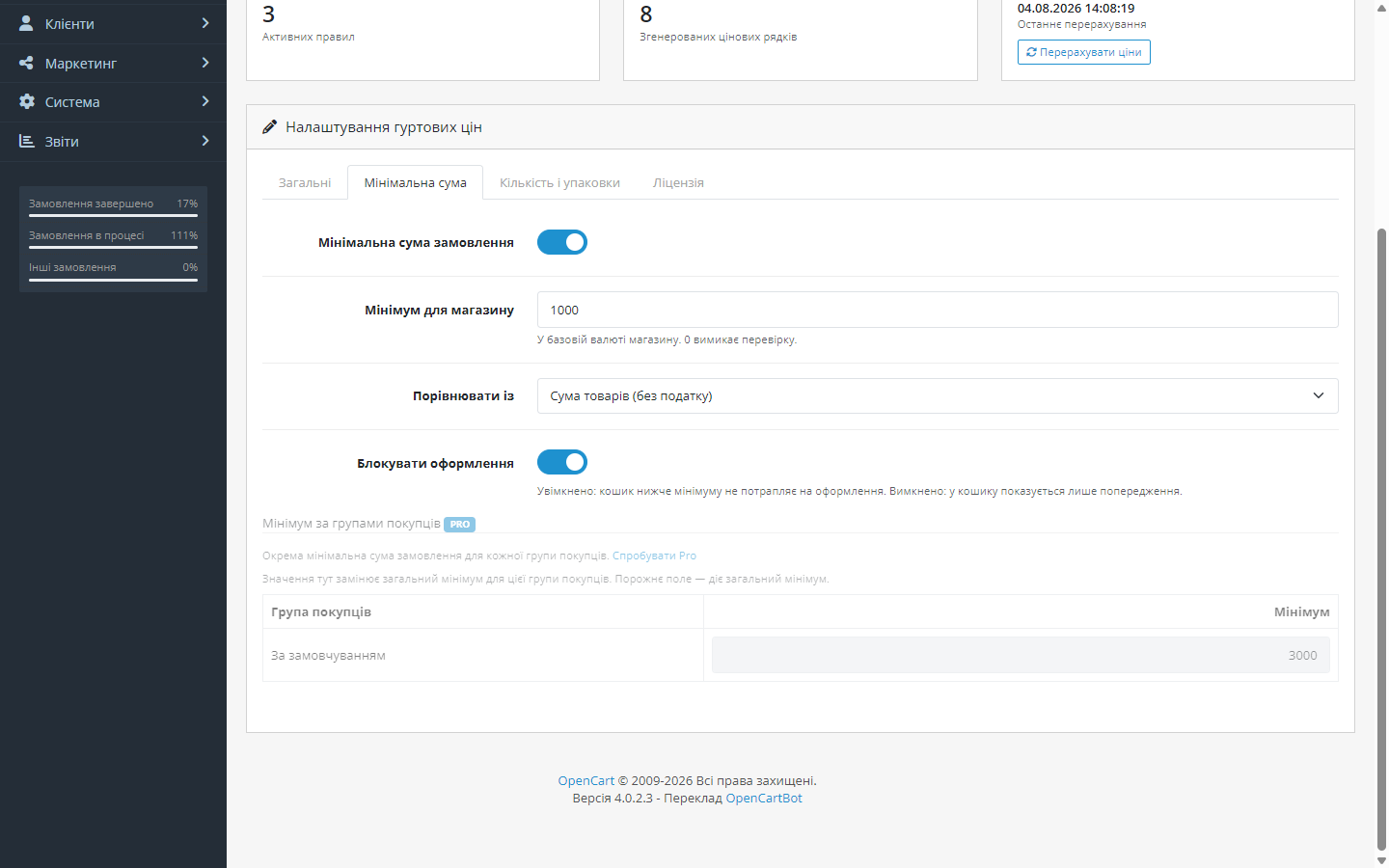
Set globally, or separately for each customer group.

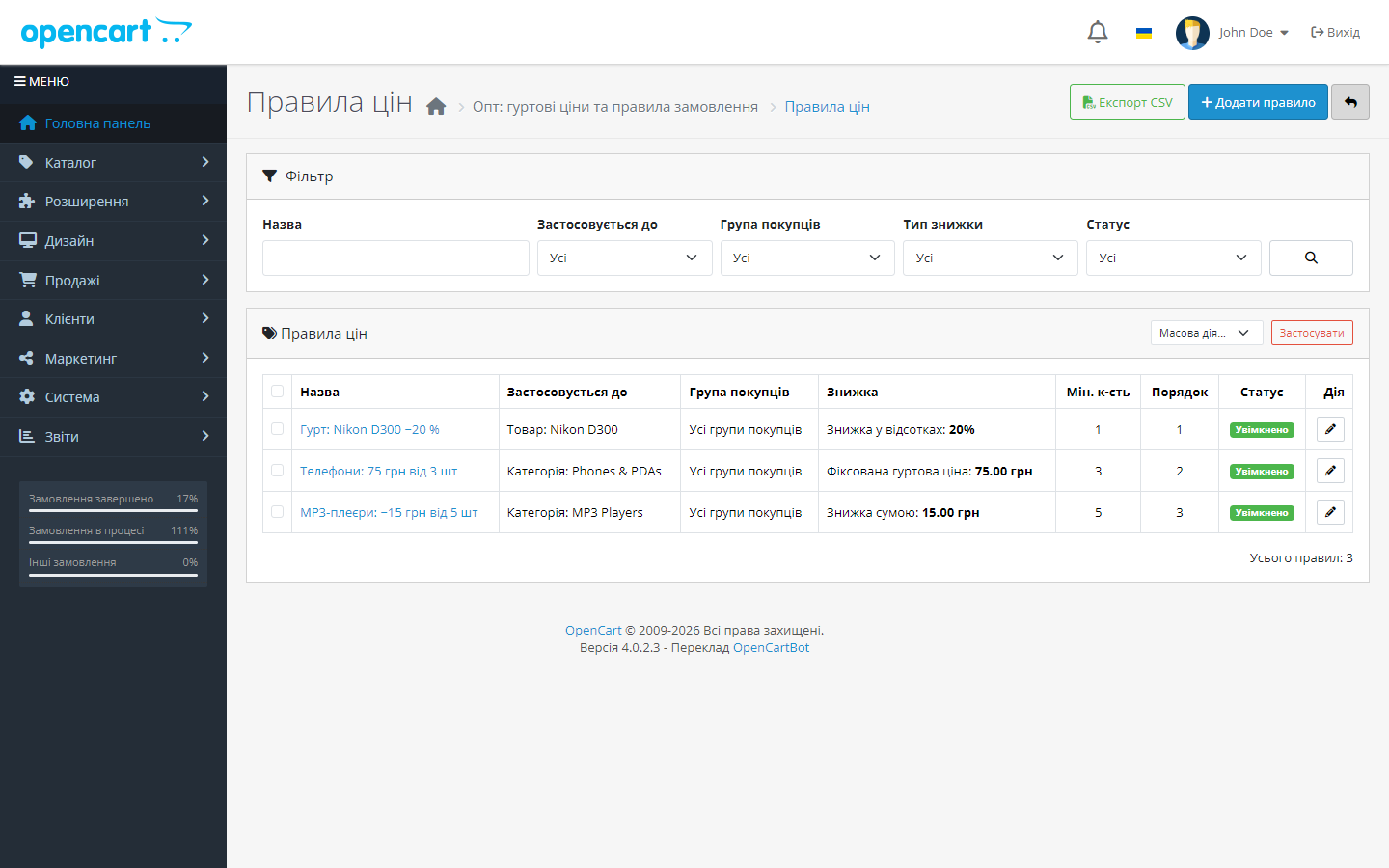
A dedicated screen with a rule list: filters, pagination, bulk actions (enable, disable, delete), CSV export.

A fresh install is the free version, nothing switches on by itself. The “Try Pro for 7 days” button → e-mail → the key right in the window and by e-mail.

Moving the store? Unbind the licence on the old domain and activate it on the new one yourself. For studios — keys for 5 or 25 sites, or unlimited.
 OpenCart 2.3.0.x, 3.0.2 – 3.0.5.0 and 4.0.2 – 4.1.x
A purchased licence for OpenCart now works without expiry.
The rule and packaging lists with a name filter open again on the PDO database driver.
The OpenCart 3.0.x build moved to server-side licensing.
A separate build for OpenCart 2.3.0.x: the same wholesale rules, minimum order amount, quantity step and packaging.
(04.08.2026) — the licence is verified on the CatCode server, the trial only starts on a click (previously it switched on by itself after installation).
(28.07.2026) — first release.
4 modules in one order — 40% cheaper than separately



Wholesale for OpenCart 2.3, 3.x and 4.x is a module for stores that sell to both retail and wholesale buyers at the same time. It adds what’s missing from OpenCart’s core: separate prices for customer groups by flexible rules, a minimum order amount, a quantity step, and selling in packs of N units.
Set globally, or separately for each customer group. The buyer sees a clear message in the cart about how much more they need to add, and checkout (when blocking is on, which is the default) is held until the condition is met — on the cart page, at checkout, and at order confirmation, so it can’t be bypassed with a direct request.
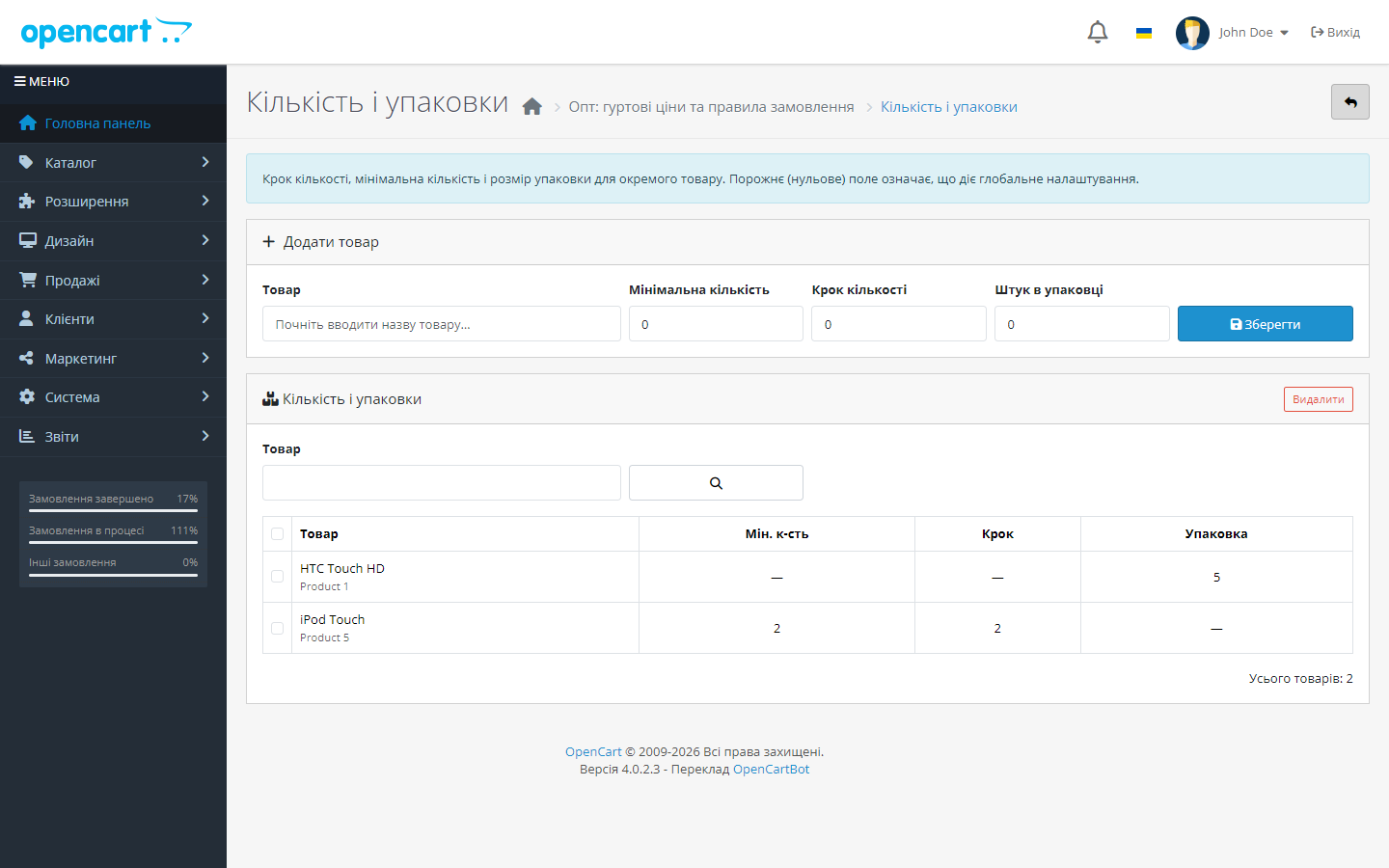
Minimum quantity and step are set globally or for an individual product: if the step is 5, the buyer can’t put 3 or 7 units in the cart — the quantity adjusts automatically, with a message about it. Pack mode shows on the product card how many units are in a pack, and only allows whole packs to be bought.
A dedicated screen with a rule list: filters, pagination, bulk actions (enable, disable, delete), CSV export. Rules recalculate automatically — including after saving a product card and on a schedule via cron (which also picks up bulk imports).
Trial — only on your click. A fresh install switches nothing on by itself: the module works as the free version until you click “Try Pro” yourself. Then a 7-day key arrives at your e-mail. No card, no auto-renewal: once the week is up, the free part just keeps working, and prices already generated stay in place.
Didn't find the answer? Message us on Telegram and we'll reply within a business day.
 @catcode_support
Setup, compatibility, activation
@catcode_support
Setup, compatibility, activation
No. A rule is tied to a customer group, and the price is only shown to buyers in that group.
No. The module marks its own discount rows and only works with those — your promotions stay untouched, including after uninstalling.
Percentage rules recalculate automatically, since they're stored as a percentage rather than a pre-computed amount.
Yes. Set the quantity step equal to the pack size — quantity rounds up to a multiple automatically.
Yes, the check is in place at the cart, at checkout, and at order confirmation.
No reviews yet. Be the first.
No questions yet. Ask one — we answer within 24 hours.
We build custom modules for WordPress, WooCommerce, OpenCart and Shopify. Tell us about the task and we'll prepare an estimate.
Order a custom module
—

CatCode assistant
Just now


CatCode assistant
Online

I’ll help with your website task
Describe your website task — I’ll find a ready-made module or pass it to a developer for an estimate. Modules, custom features, layout, integrations, speed, migration, technical SEO.
