
WordPress
Payments with Viva.com for WooCommerce — Smart Checkout that does not lose paid orders
Free + Pro
990 UAH/year
v1.0.0
 All Access4 990 ₴ / year
 Website auditA PDF report by email in 3 minutesCheck a website
Everyday tasks
Image compressorSize, quality and WebP in bulkQR generatorLink, Wi-Fi, payment to IBANVAT calculator20, 14, 7% and amount in wordsTransliterationOfficial Ukrainian standardWebsite checks
PHP and pluginsPHP version, WordPress, pluginsGoogle Merchant feedFields, prices, GTIN, imagesDomain emailSPF, DKIM, DMARC, blacklistsAI search readinessllms.txt, bots, markupAll 9 toolsEnter at least 2 characters
A Viva.com Smart Checkout gateway for WooCommerce: cards, Apple Pay, Google Pay and the local methods of your Viva account. Payments are confirmed through the Viva API on the buyer's return, by webhook and by a background check every 15 minutes. Pro: refunds from the order, authorise now and capture later, card instalments for Greece, a payment journal.
The free version works with no time limit. Pro adds the rest of the features in the table.


The checkout gets a “Card, Apple Pay, Google Pay (Viva.com)” method; its title and description can be changed.

An order changes status only after the Viva API has confirmed the transaction. The amount, the currency and the order match are checked; if something differs, the order goes On hold with a note instead of being shipped.

The base version costs 0 UAH, with no limit on time or payments: Smart Checkout, every way of confirming a payment, webhooks, check buttons, block and classic checkout.

A fresh install is the free version, nothing switches on by itself. The “Try Pro for 7 days” button → e-mail → the key right in the window and by e-mail.

Moving the store? Unbind the licence on the old domain and activate it on the new one yourself. For studios — keys for 5 or 25 sites, or unlimited.
 WordPress 6.2+ · PHP 7.4+ (tested on 7.4 and 8.3).WooCommerce 7.0+ (tested with 11.2.1): HPOS and classic storage, block and classic checkout.A Viva.com account with a Smart Checkout Client ID and Secret, a Merchant ID and an API Key.Shop currency — EUR, GBP, RON, PLN, CZK, HUF, SEK or DKK.Server — outgoing HTTPS requests to Viva, and Viva must be able to reach the webhook URL.
Viva.com Smart Checkout, payment confirmed through the Viva API on return, verified webhooks, a background check every 15 minutes, a check before auto-cancel, amount and currency control,…
4 modules in one order — 40% cheaper than separately



Payments with Viva.com for WooCommerce takes payments through Viva Smart Checkout: the buyer pays on the secure Viva page by card, Apple Pay, Google Pay or a local method of their bank. The plugin is built around one rule: when the buyer has paid, the order must say so, even if they closed the browser and the webhook never arrived.
The checkout gets a “Card, Apple Pay, Google Pay (Viva.com)” method; its title and description can be changed. After placing the order the buyer goes to Smart Checkout in their language, with name, e-mail, phone and country already filled in. They see the methods active in your Viva account.
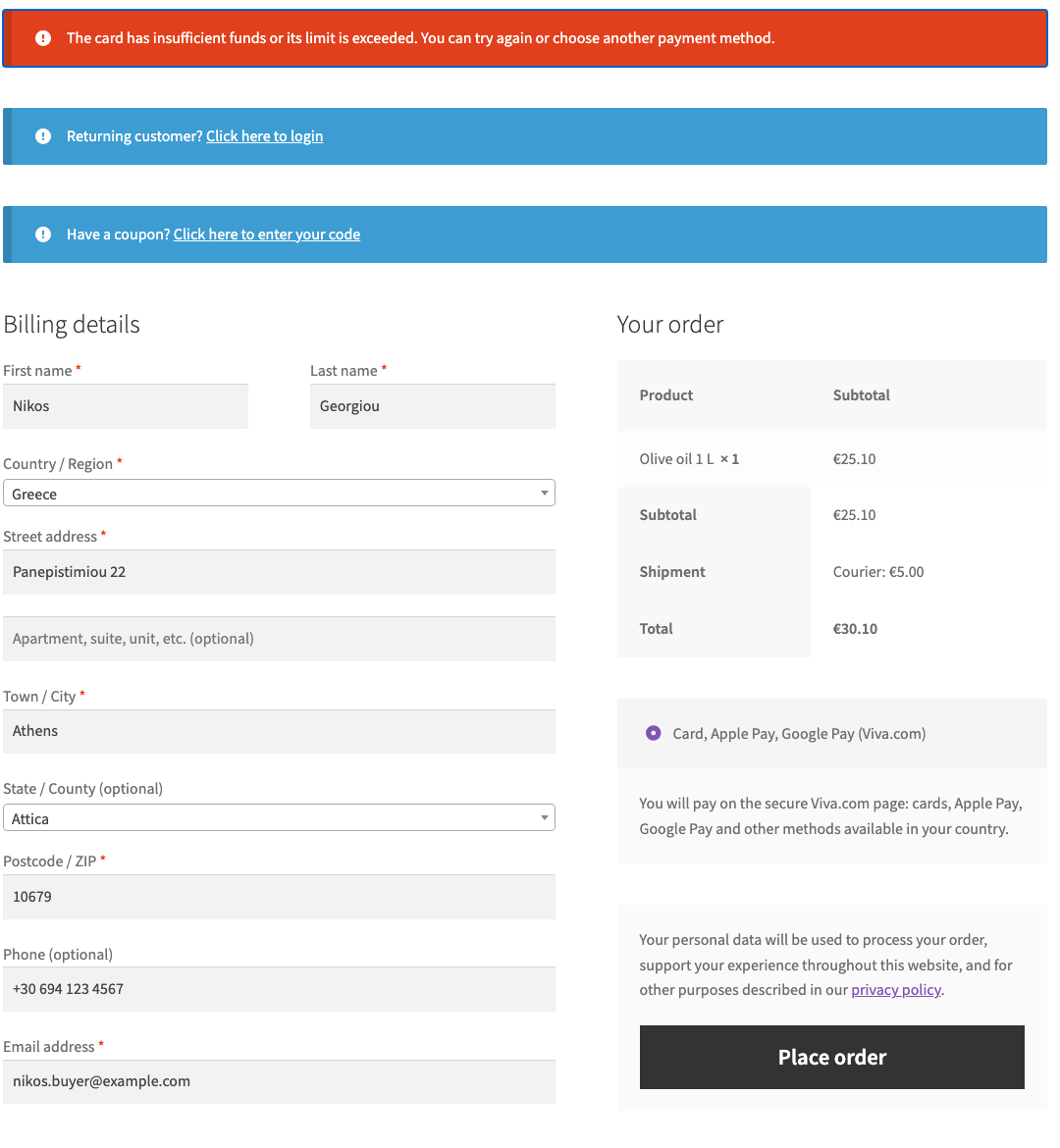
If the bank declines, the buyer returns to the checkout with a clear reason and the cart in place.
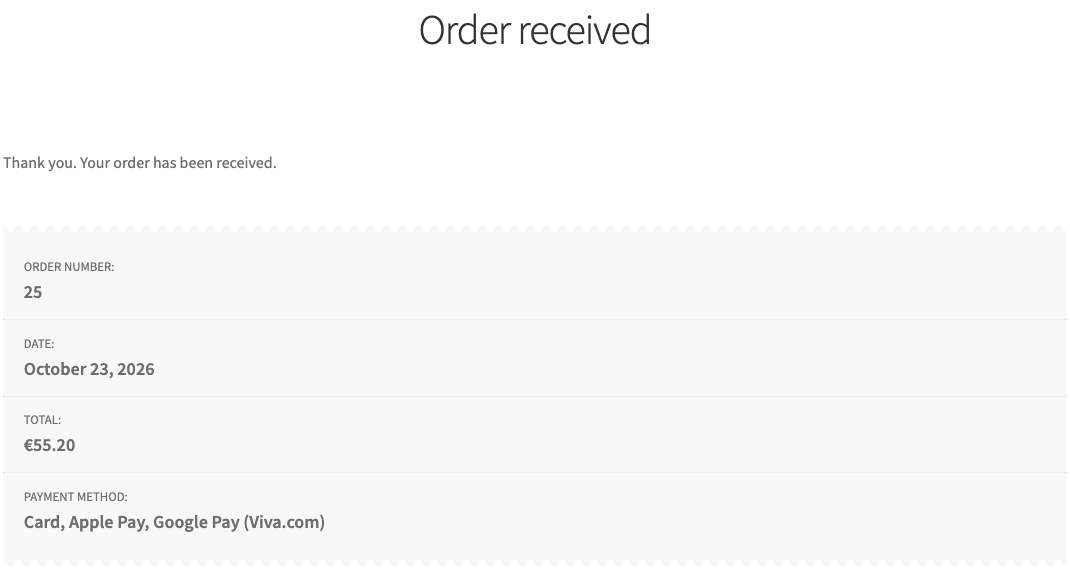
After a successful payment they get the usual thank-you page in the shop’s language, and the order is already paid.
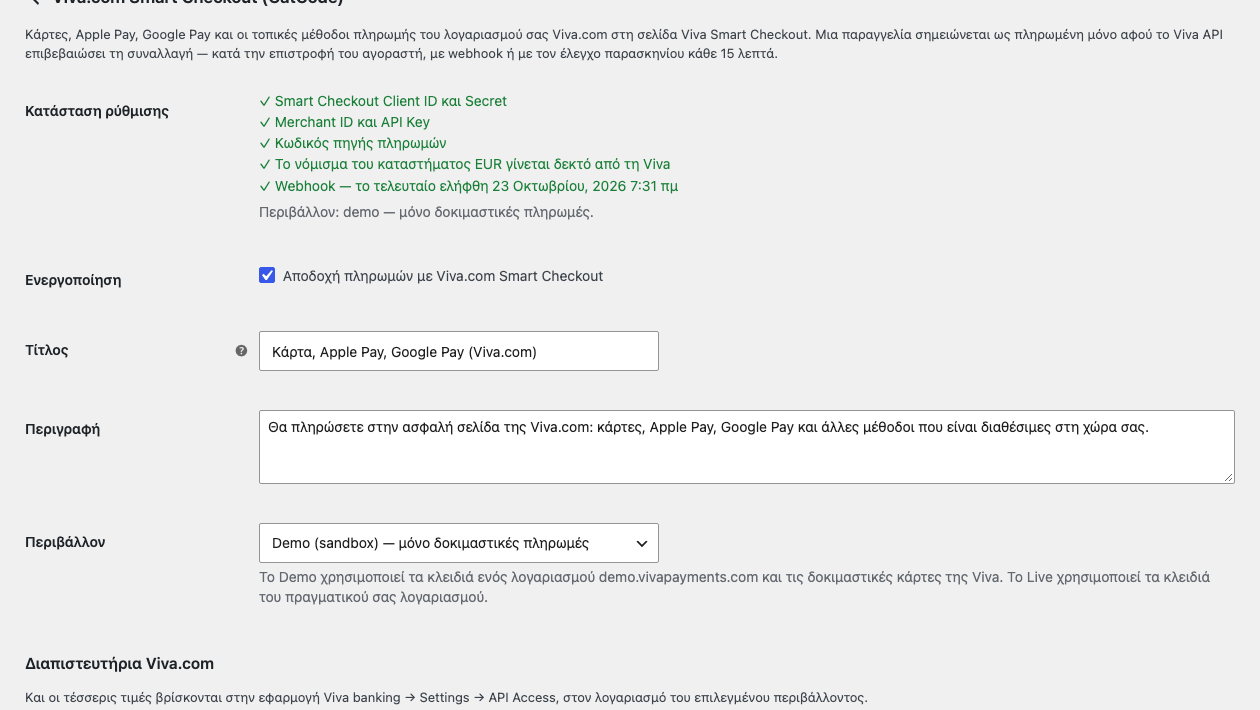
An order changes status only after the Viva API has confirmed the transaction. The amount, the currency and the order match are checked; if something differs, the order goes On hold with a note instead of being shipped. The settings show right away what is still missing.
In Pro the order has a Viva.com box: capture an authorised amount, release it, check the payment with Viva. Refunds use the standard WooCommerce button.
The journal puts every Viva payment into one list with a re-check.
Pro costs 990 UAH for a one-year licence. A year of updates, technical support and all Pro features: refunds, authorise and capture, instalments for Greece, refunds from Viva, the payment journal. You can try it free for 7 days, no card needed.
A longer term costs less per year:
There are no automatic charges: renewal is manual and reminders come by e-mail. A purchased licence keeps its Pro features after the term ends; the term covers updates and support.
catcode-payments-with-viva-com-for-woocommerce-1.0.0.zip and activate.Didn't find the answer? Message us on Telegram and we'll reply within a business day.
 @catcode_support
Setup, compatibility, activation
@catcode_support
Setup, compatibility, activation
Yes. A free demo account on demo.vivapayments.com is enough to test; live payments need a live account.
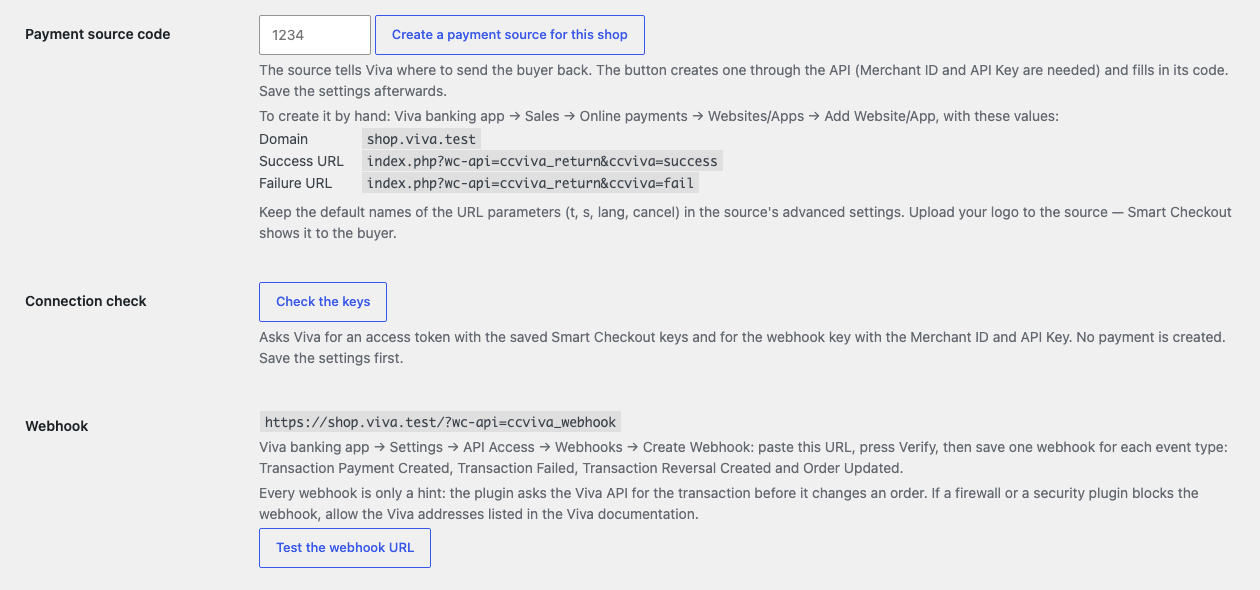
The Smart Checkout Client ID and Secret create payment orders and read transactions. The Merchant ID and API Key are needed for the webhook key, the payment-order checks, the payment source and refunds. Both are in Viva under Settings → API Access.
Yes. Payments are confirmed on the buyer's return and by the 15-minute check. Webhooks make the update instant and are needed for methods that confirm later.
Each plugin needs its own payment source and webhook URL. Keep the old plugin until its open orders are settled, but disable it as a payment method.
Either the payment is authorised and waits for capture, a method has not given its final answer yet, or the amount paid does not match the order. The order note says which.
EUR, GBP, RON, PLN, CZK, HUF, SEK and DKK. A currency other than your Viva account's own needs Viva's multicurrency enabled.
The paid copy runs; the free one stays switched off with a notice until you deactivate it. Settings are shared.
No. It is made by CatCode; Viva.com is a trademark of its owner.
No reviews yet. Be the first.
No questions yet. Ask one — we answer within 24 hours.
We build custom modules for WordPress, WooCommerce, OpenCart and Shopify. Tell us about the task and we'll prepare an estimate.
Order a custom module
—

CatCode assistant
Just now


CatCode assistant
Online

I’ll help with your website task
Describe your website task — I’ll find a ready-made module or pass it to a developer for an estimate. Modules, custom features, layout, integrations, speed, migration, technical SEO.
