OpenCart
Mail OAuth & Email Log for OpenCart 2.3, 3.x and 4.x — store emails through Microsoft 365 and Gmail, with an email log
Free + Pro
1 290 UAH
v1.0.0
 All Access4 990 ₴ / year
 Website auditA PDF report by email in 3 minutesCheck a website
Everyday tasks
Image compressorSize, quality and WebP in bulkQR generatorLink, Wi-Fi, payment to IBANVAT calculator20, 14, 7% and amount in wordsTransliterationOfficial Ukrainian standardWebsite checks
PHP and pluginsPHP version, WordPress, pluginsGoogle Merchant feedFields, prices, GTIN, imagesDomain emailSPF, DKIM, DMARC, blacklistsAI search readinessllms.txt, bots, markupAll 9 toolsEnter at least 2 characters
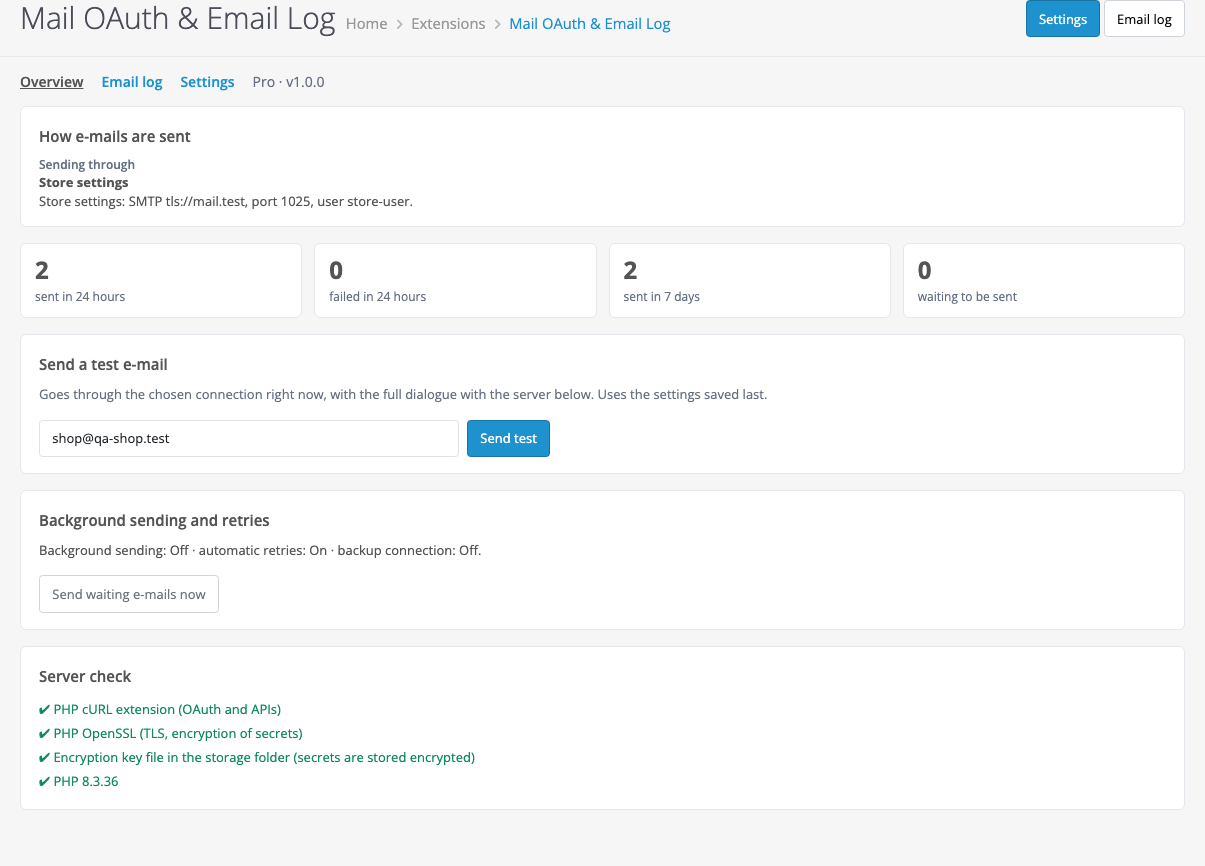
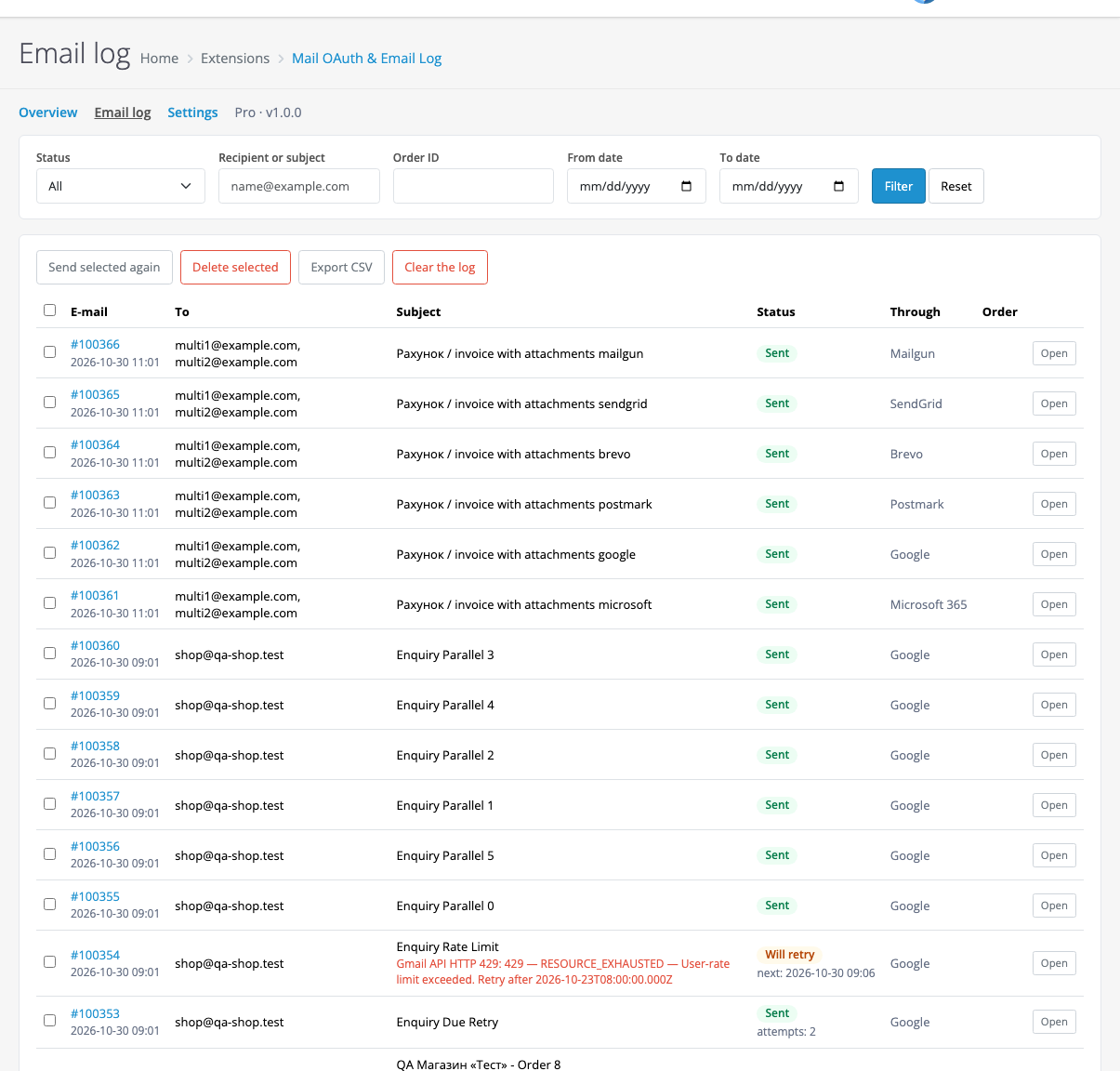
Your OpenCart store sends email through your Microsoft 365 / Outlook.com or Google Workspace / Gmail mailbox with OAuth sign-in and no password, or through any SMTP server. The log records every email with the server answer. Pro adds retries, background sending, a backup connection, resending, alerts, Brevo, Mailgun, Postmark and SendGrid. Perpetual licence.
The free version works with no time limit. Pro adds the rest of the features in the table.


All OpenCart email goes through the chosen connection: orders, registration, password reset, the contact form, email from the admin and other extensions.

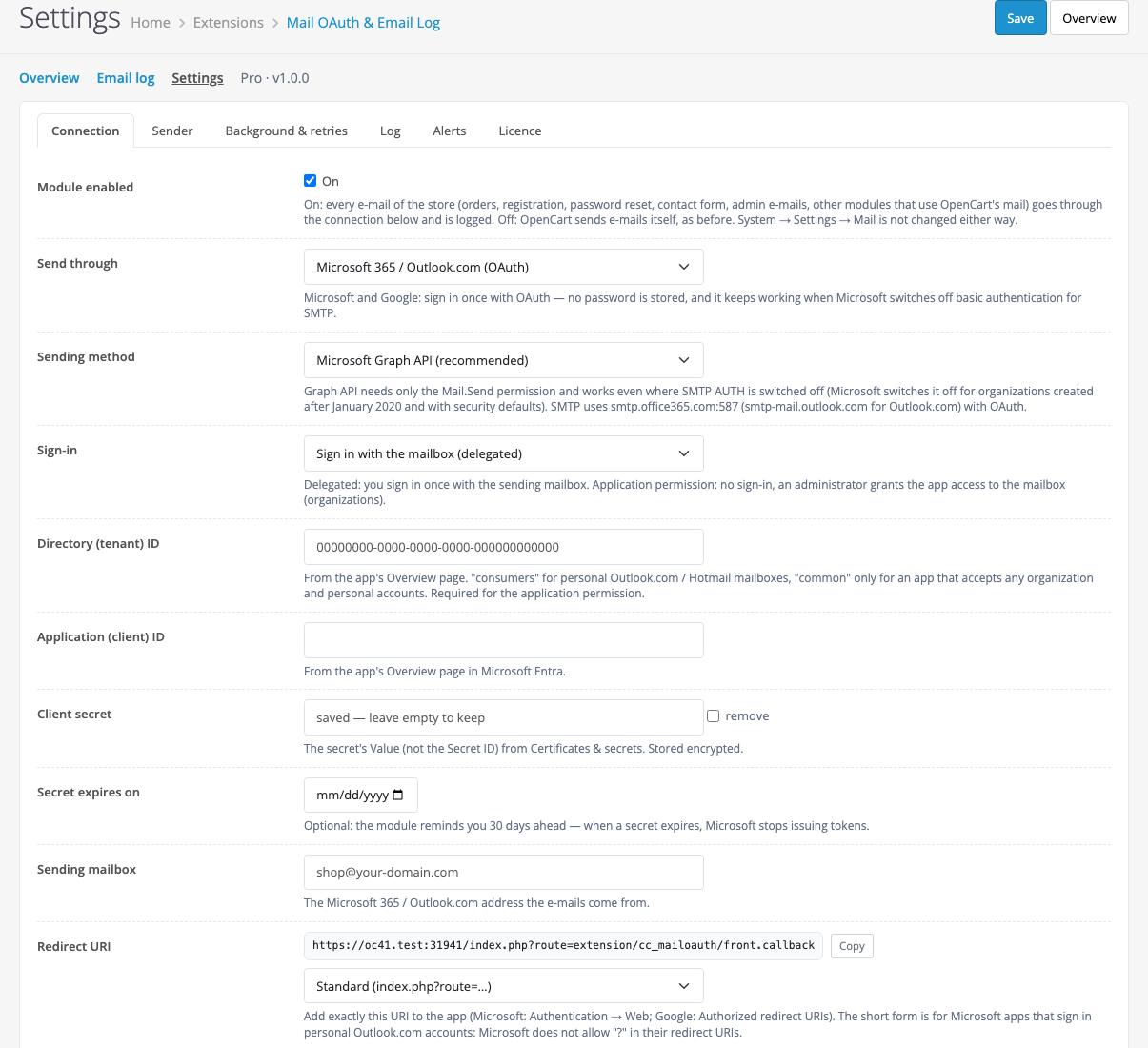
The app is created in your own Microsoft Entra or Google Cloud, with step-by-step instructions on the screen.

The log shows who an email went to, when and through what, whether the server accepted it and which order it belongs to.

A fresh install is the free version, nothing switches on by itself. The “Try Pro for 7 days” button → e-mail → the key right in the window and by e-mail.

Moving the store? Unbind the licence on the old domain and activate it on the new one yourself. For studios — keys for 5 or 25 sites, or unlimited.
 OpenCart 4.0.2.3+ and 4.1.x, 3.x or 2.3.0.2 · PHP 7.0+ with cURL and OpenSSL.Microsoft: an app in Microsoft Entra, sometimes with the consent of the organization admin.Google: a Google Cloud project with an OAuth app In production.Retries: add a hosting cron job every 5 minutes. Without it the queue is checked during site visits.
For OpenCart 4.x, 3.x and 2.3: Microsoft 365, Google, SMTP, email log, test email, connection health.
4 modules in one order — 40% cheaper than separately



Mail OAuth & Email Log for OpenCart sends your store email through your Microsoft 365 / Outlook.com or Google Workspace / Gmail mailbox with OAuth sign-in and no mailbox password, or through any SMTP server. Every email goes to the log together with the server answer.
All OpenCart email goes through the chosen connection: orders, registration, password reset, the contact form, email from the admin and other extensions. Nothing changes in the OpenCart mail settings. Turn the module off and the store sends mail as before.
The app is created in your own Microsoft Entra or Google Cloud, with step-by-step instructions on the screen. Then you press Connect and sign in to the mailbox. The module refreshes the sign-in itself and warns you ahead of a Microsoft client secret expiry.
The log shows who an email went to, when and through what, whether the server accepted it and which order it belongs to. You can search and filter by status, address, subject, order and date.
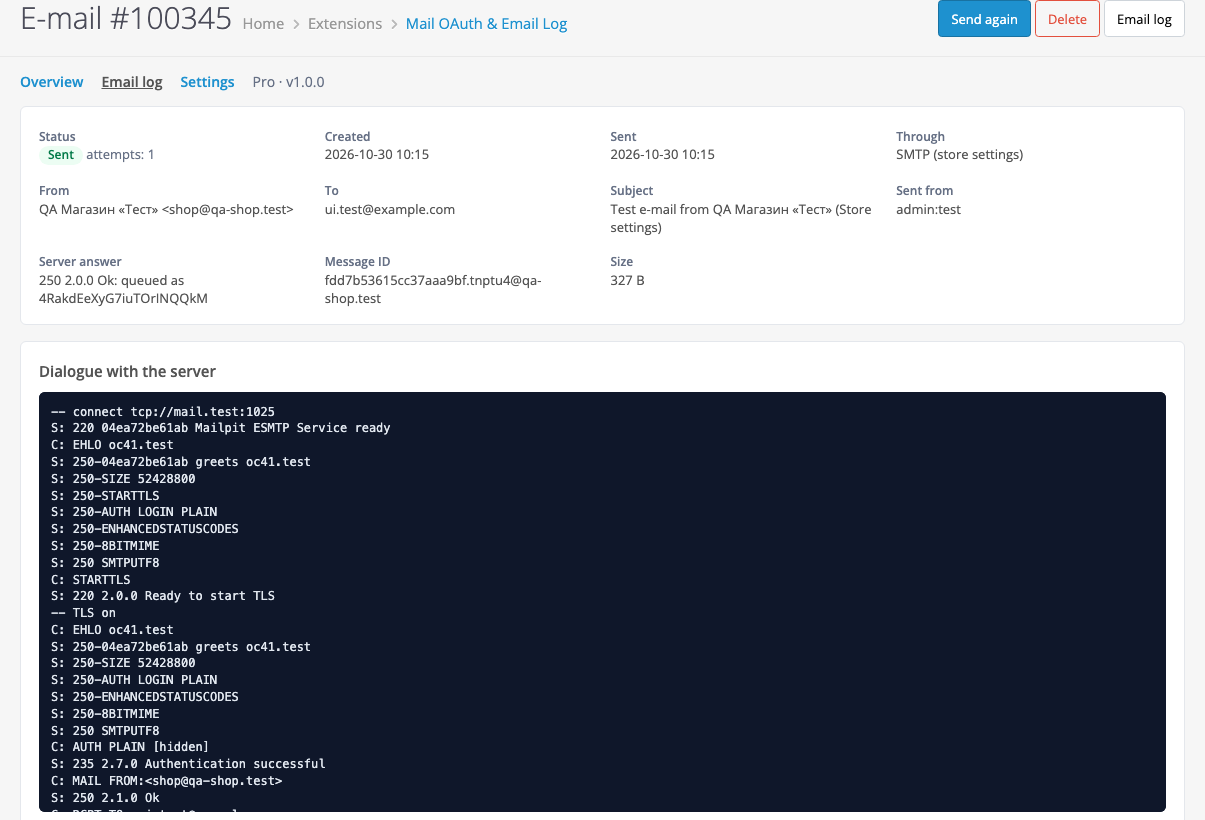
An opened email shows its content, attachments and the server answer. Test and failed emails also have the full server dialogue with passwords hidden. When an email did not go out, you see the exact reason.
On a temporary error the email is tried again after 5, 15, 60 minutes, 3 and 12 hours. If the mailbox lost its sign-in, emails wait up to 3 days and go out after you reconnect, with no attempts used. If the main connection is down, the email goes through the store mail settings. The owner gets a Telegram or email alert.
Didn't find the answer? Message us on Telegram and we'll reply within a business day.
 @catcode_support
Setup, compatibility, activation
@catcode_support
Setup, compatibility, activation
Microsoft has announced the retirement of password sign-in for SMTP AUTH in Exchange Online. Connect the same mailbox with OAuth sign-in: no password is needed or stored.
Graph is recommended: it only needs the Mail.Send permission. SMTP XOAUTH2 requires Authenticated SMTP to be enabled for the mailbox.
The Google Cloud app is in Testing: Google ends such a sign-in after 7 days. Move the app to In production and connect again.
It means the mail service accepted the email. The module cannot see whether it landed in spam. Errors the service returned right away are shown in the log with their exact text.
Only in your OpenCart database, for as many days as you set. You can turn content storage off, then only the address, subject and status are kept.
No. The module rewrites nothing in System → Settings → Mail. Turn the module off and OpenCart sends mail as before.
Two extensions should not manage mail at the same time. We have not tested it alongside other mail extensions, so keep one.
The 2.3 installer copies files over FTP. Without FTP, copy the upload/ folder from the archive to the store root. Refresh modifications after installing.
No. The module is made by CatCode studio; Microsoft and Google are trademarks of their owners.
No reviews yet. Be the first.
No questions yet. Ask one — we answer within 24 hours.
We build custom modules for WordPress, WooCommerce, OpenCart and Shopify. Tell us about the task and we'll prepare an estimate.
Order a custom module
—

CatCode assistant
Just now


CatCode assistant
Online

I’ll help with your website task
Describe your website task — I’ll find a ready-made module or pass it to a developer for an estimate. Modules, custom features, layout, integrations, speed, migration, technical SEO.
