OpenCart
Rozetka Delivery & Justin Shipping — ROZETKA and Justin pick-up points for OpenCart 2.3, 3.x and 4.x
Free + Pro
990 UAH
v1.1.8
 All Access4 990 ₴ / year
 Website auditA PDF report by email in 3 minutesCheck a website
Everyday tasks
Image compressorSize, quality and WebP in bulkQR generatorLink, Wi-Fi, payment to IBANVAT calculator20, 14, 7% and amount in wordsTransliterationOfficial Ukrainian standardWebsite checks
PHP and pluginsPHP version, WordPress, pluginsGoogle Merchant feedFields, prices, GTIN, imagesDomain emailSPF, DKIM, DMARC, blacklistsAI search readinessllms.txt, bots, markupAll 9 toolsEnter at least 2 characters
Shipping module for OpenCart 2.3, 3 and 4: customers pick a ROZETKA or Justin (Silpo) pick-up point right at checkout. ROZETKA waybills from the admin; Pro adds cash on delivery and auto status updates.
The free version works with no time limit. Pro adds the rest of the features in the table.


At the delivery step a ROZETKA pickup point selection block appears: the customer types a city name, picks it from the list, then picks a specific pickup point — from small branches to large electronics hypermarkets.

A separate “Justin” shipping method in the same package.

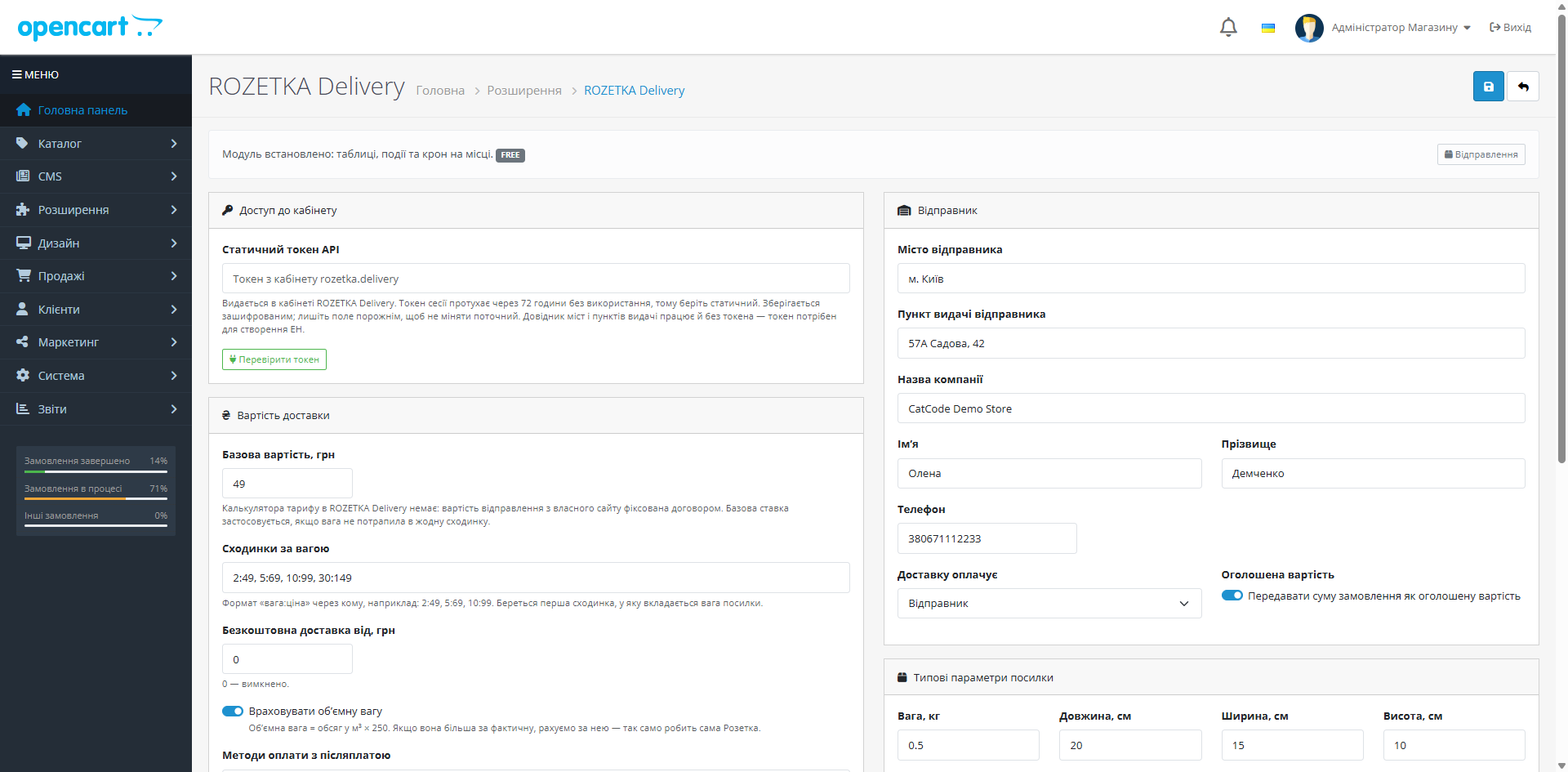
One settings page: a static API token, a rate (weight tiers, free-delivery threshold, volumetric weight), sender details (city and pickup point are pulled from your ROZETKA Delivery partner dashboard), geozone and tax class.

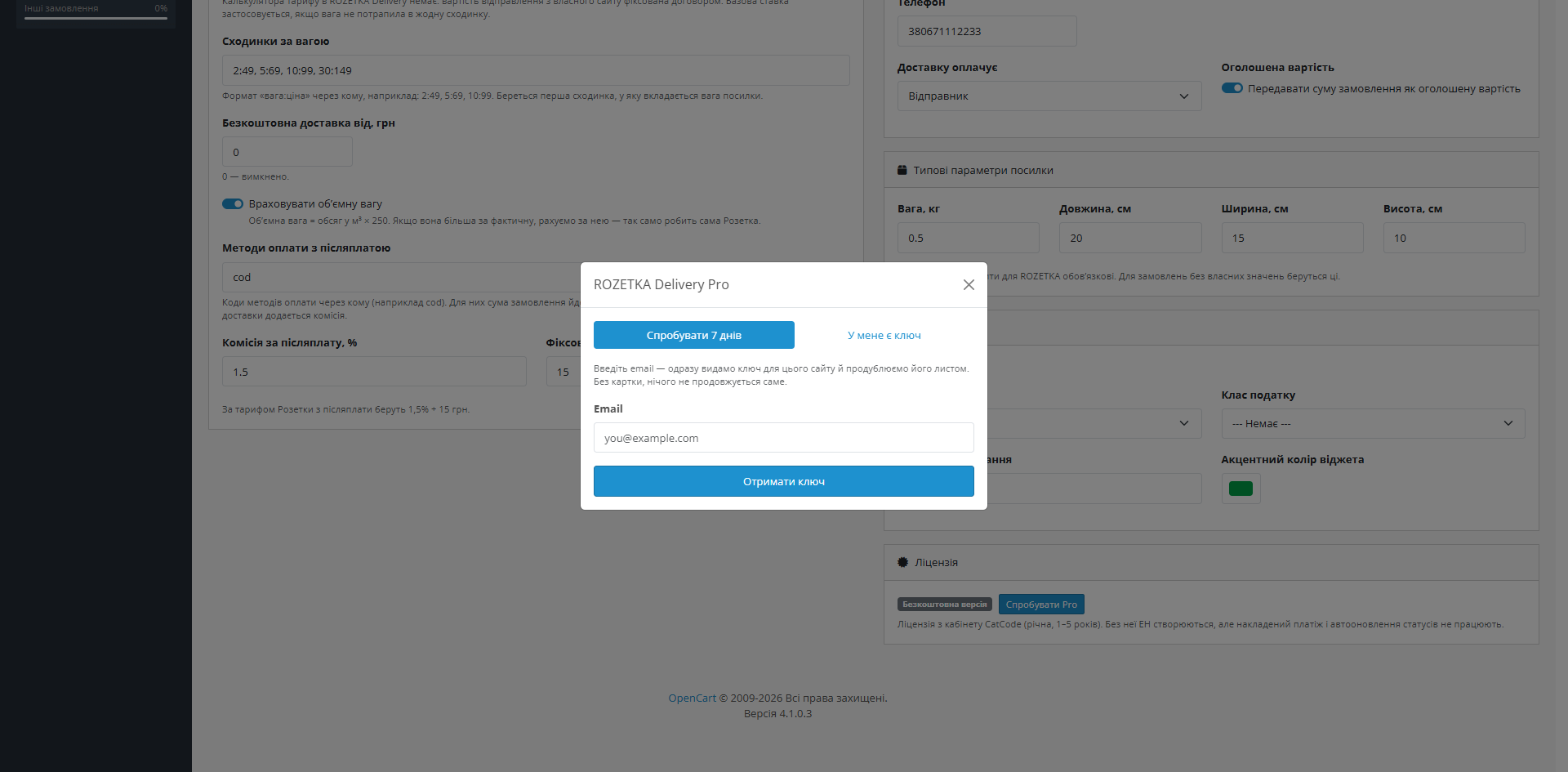
A fresh install is the free version, nothing switches on by itself. The “Try Pro for 7 days” button → e-mail → the key right in the window and by e-mail.

Moving the store? Unbind the licence on the old domain and activate it on the new one yourself. For studios — keys for 5 or 25 sites, or unlimited.
 OpenCart 4.0.2 – 4.1.x (4.2+ also works), OpenCart 3.0.2 – 3.0.5.0 or OpenCart 2.3.0.x — a separate build for each linePHP 8.1+ for the OC4 build, 7.x–8.x for OC3, 5.6+ for OC2.3 (a separate PHP 5.6-compatible syntax)MySQL 5.7+ / MariaDB 10.3+A static ROZETKA Delivery API token — issued in the rozetka.delivery partner dashboard. The city and pickup point directories on the storefront work without a token; the token is needed for creating waybills.
OpenCart 4 on the PDO database driver: an order with ROZETKA or Justin could not be placed.
Fixed a licence module error on the OpenCart storefront.
CatCode One Page Checkout: the widget sometimes did not appear — ROZETKA or Justin ticked, but no city and pick-up point selector.
The hidden address form no longer gets the dummy postcode «00000».
The order now carries the real oblast of the pick-up point.
Works on CatCode One Page Checkout (route extension/cc_onepage/checkout) exactly as on the stock checkout.
Settings, token, licence and Justin settings survive uninstalling and reinstalling the module through the Installer.
New Justin method with a Silpo pick-up point picker (list from justin.ua, refreshed daily); ROZETKA city search from 3 letters; point directory without the token, so a wrong token no longer…
City and pickup point search in the cart with the live ROZETKA Delivery API, a custom rate (weight tiers, volumetric weight, free-delivery threshold), waybill creation and label printing…
4 modules in one order — 40% cheaper than separately



Rozetka Delivery & Justin Shipping is a shipping module for OpenCart 2.3, 3.x and 4.x with two methods, ROZETKA Delivery and Justin. The customer picks a city and a pick-up point right in the cart and the order address is filled in automatically. For ROZETKA the module also creates the waybill and prints the label from the shipments list.
At the delivery step a ROZETKA pickup point selection block appears: the customer types a city name, picks it from the list, then picks a specific pickup point — from small branches to large electronics hypermarkets. The choice is saved in the session and written to the order automatically, together with the pickup point address.
A separate “Justin” shipping method in the same package. The customer picks a city from the list and a Justin pick-up point in a Silpo store; the module writes the point address into the order (“Justin: street, building” plus the spot inside the store). The list — about 300 points in ~80 cities — comes from justin.ua and is refreshed daily by cron; if justin.ua is down, the last good copy stays in use. The order cannot be placed with Justin until a point is chosen.
The module does not create Justin waybills: Justin has no public shipments API, so you create the shipment in your Justin account. Waybills from the admin are for ROZETKA Delivery only.
The Justin price is fixed (there is no rates API), plus a free-shipping threshold, geo zone, tax class and sort order. The method is installed, configured and switched off separately from ROZETKA; the settings show how many points are loaded and when, with a “Refresh the list now” button.
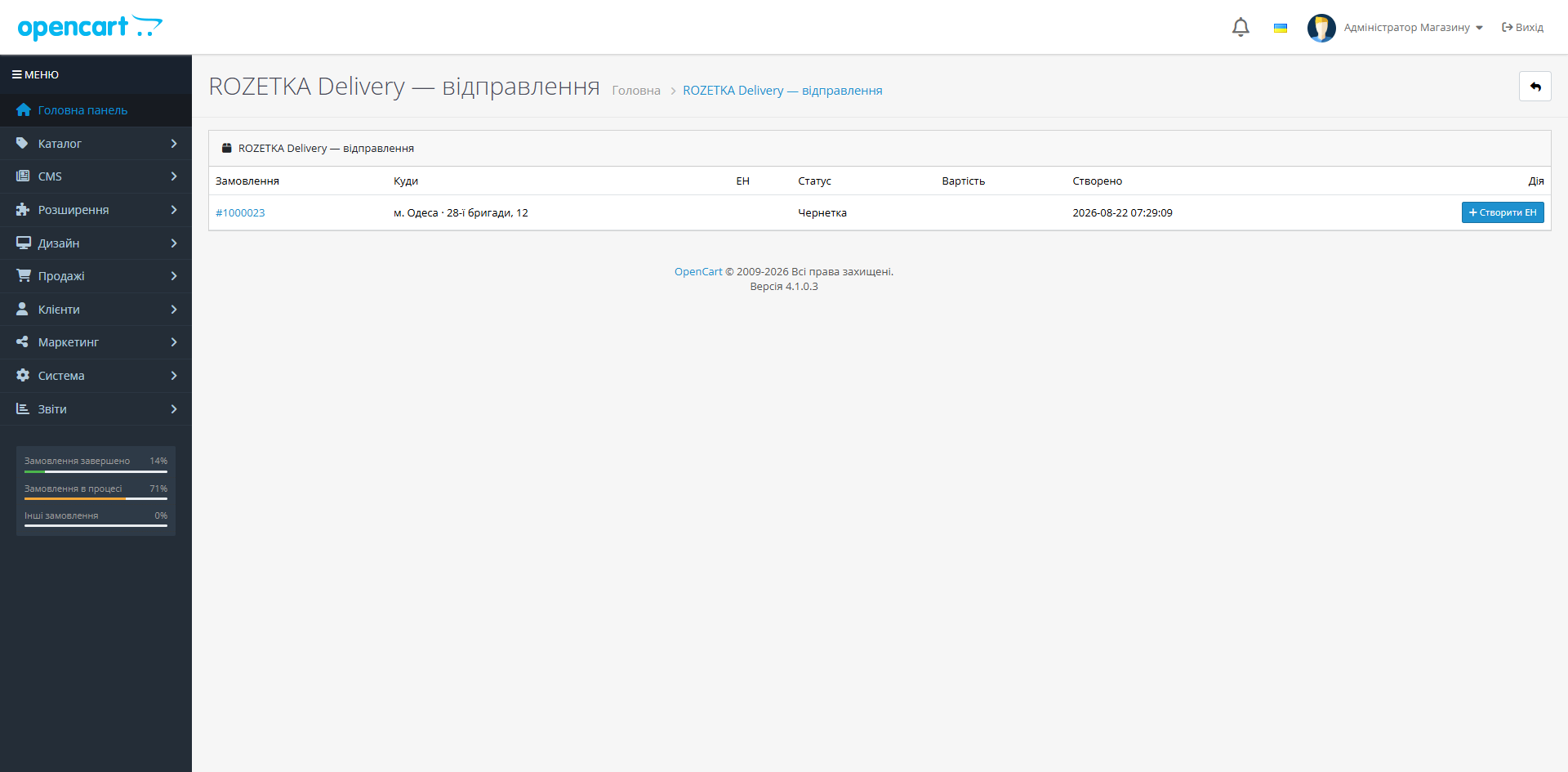
One settings page: a static API token, a rate (weight tiers, free-delivery threshold, volumetric weight), sender details (city and pickup point are pulled from your ROZETKA Delivery partner dashboard), geozone and tax class. A separate “Shipments” screen shows every order with its chosen pickup point and buttons for creating a waybill, updating status and cancelling.
rozetka_delivery.ocmod.zip for OpenCart 4.x, rozetka_delivery-oc3-1.1.3.ocmod.zip for OpenCart 3.x, rozetka_delivery-oc2-1.1.3.ocmod.zip for OpenCart 2.3.extension/rozetka_delivery/ — the settings stay; or reinstall the module through the Installer and configure it again (the token has to be entered again).upload/ folder over FTP (the 2.3 installer does not copy files without FTP) and click Modifications → Refresh.Didn't find the answer? Message us on Telegram and we'll reply within a business day.
 @catcode_support
Setup, compatibility, activation
@catcode_support
Setup, compatibility, activation
No: Justin has no public shipments API. The module lets the customer pick a Justin point, and you create the waybill in your Justin account.
No: the city and point directory works without a token (and with an expired token too). The token is only needed to create ROZETKA waybills.
No. The module inserts its block via an event in the footer, without changing your theme. If you ever remove the module, the checkout stays as it was.
The shipment log, city and pickup point cache, and already-created waybills stay in the database. Tables are deliberately not removed when the module is uninstalled.
No. For OpenCart the licence is perpetual: one payment, and the Pro features stay with you. Only the 7-day trial ends — after it Pro switches off and the free version keeps working.
Yes. In settings click “Deactivate” on the old domain — the slot frees up, and you can paste it on the new one.
Yes. Creating a waybill requires a static token from the rozetka.delivery partner dashboard. Without a token the city and pickup point directories on the storefront still work.
Yes. Updates for new OpenCart releases are free for all customers with an active licence — no extra payments.
No reviews yet. Be the first.
No questions yet. Ask one — we answer within 24 hours.
We build custom modules for WordPress, WooCommerce, OpenCart and Shopify. Tell us about the task and we'll prepare an estimate.
Order a custom module
—

CatCode assistant
Just now


CatCode assistant
Online

I’ll help with your website task
Describe your website task — I’ll find a ready-made module or pass it to a developer for an estimate. Modules, custom features, layout, integrations, speed, migration, technical SEO.
