Get in touch
Payments · WordPress

Portmone for WooCommerce — card, Apple Pay and Google Pay payments

Accept card, Apple Pay and Google Pay payments in WooCommerce through Portmone.com: an order is confirmed only after a server-side status check, with payment notifications and a connection check. Pro adds refunds, pre-authorisation and a payment journal.

Download for free
Version
v1.0.0
Compatibility
WooCommerce 6.0+ · WordPress 6.2+ · PHP 7.4+
Platform
WordPress
Portmone for WooCommerce — card, Apple Pay and Google Pay payments

What each licence includes

Feature Free Pro
Card, Apple Pay and Google Pay payments on the Portmone.com page
Order confirmation only after a server-side status check with Portmone
JSON and XML payment notifications, re-checked through the API
Paid amount checked against the order total
The previous bill is closed on a retry — no double payment
HMAC-SHA256 request signing and a one-click connection check
Password and signature key stored encrypted in the database
Classic and block WooCommerce checkout, HPOS compatible
Full and partial refunds from the order screen
Pre-authorisation: money blocked, captured on "Completed", released on cancel
Payment journal with the Portmone status and a one-click check

Portmone for WooCommerce is a payment plugin that accepts card, Apple Pay and Google Pay payments through Portmone.com. The customer goes to the Portmone payment page, pays, and the order in your shop confirms itself. The key difference from the usual “redirect and take their word for it”: the plugin trusts neither the customer’s return nor the notification — before marking an order as paid, it asks Portmone for the status itself and checks the amount.

The base version is free. Accepting payments, server-side status checks, payment notifications and the connection check work without a licence and without a time limit. Pro adds refunds from the order screen, two-stage payments with money blocked on the card (pre-authorisation) and a payment journal.

Live demo

The screenshots on this page come from a CatCode test shop: a payment from the mobile block checkout, a retry after a declined card in the classic checkout, pre-authorisation captured on “Completed”, a refund and a check from the journal. Want to see the plugin in your own shop before buying? Turn on the 7-day Pro trial with the button in the settings.

What the customer sees

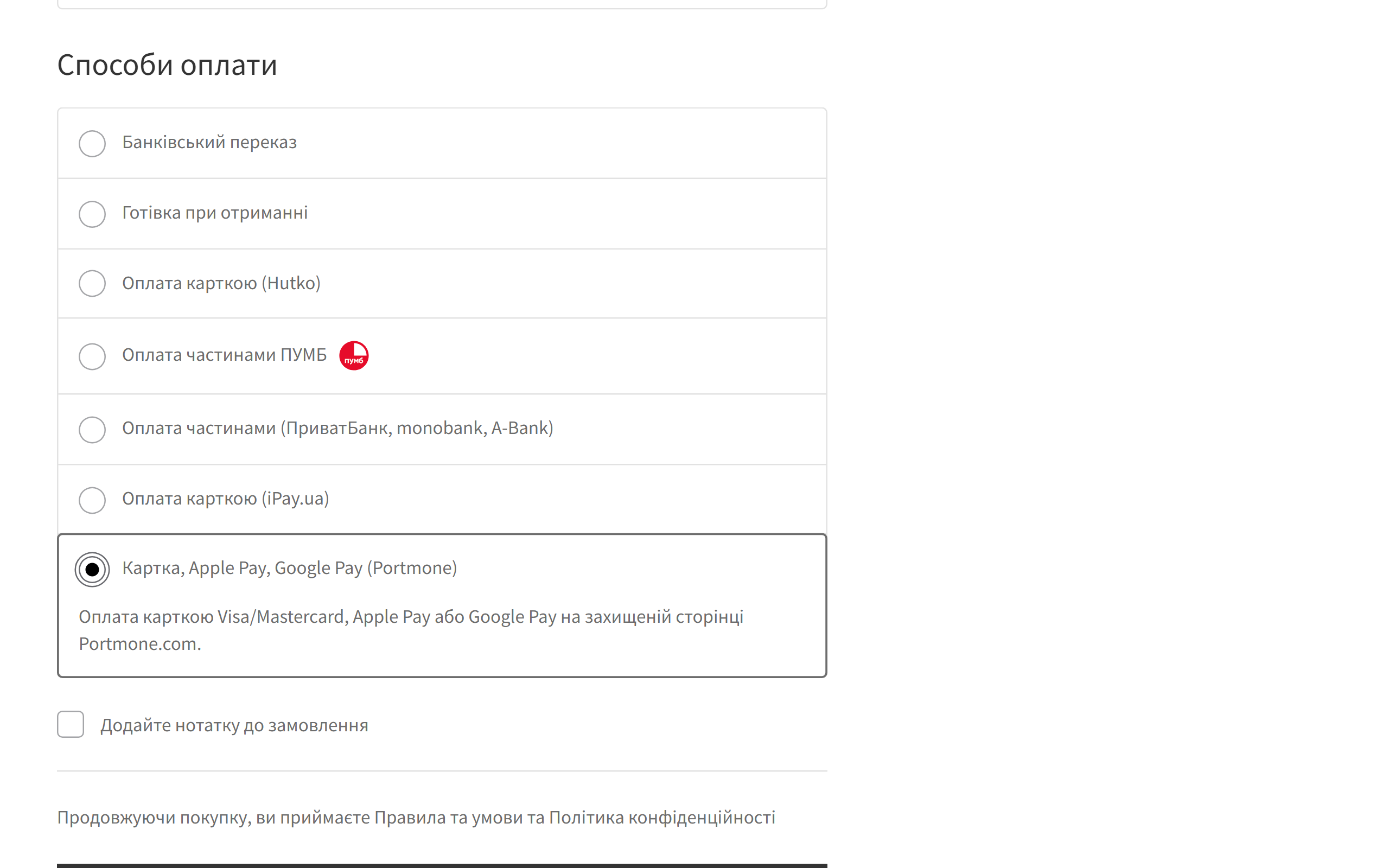
Portmone payment method on the WooCommerce block checkout on a phone
The checkout shows “Card, Apple Pay, Google Pay (Portmone)” with a short description. It works in both the block and the classic checkout, on phones too. The screenshot is from a shop with the Ukrainian interface.
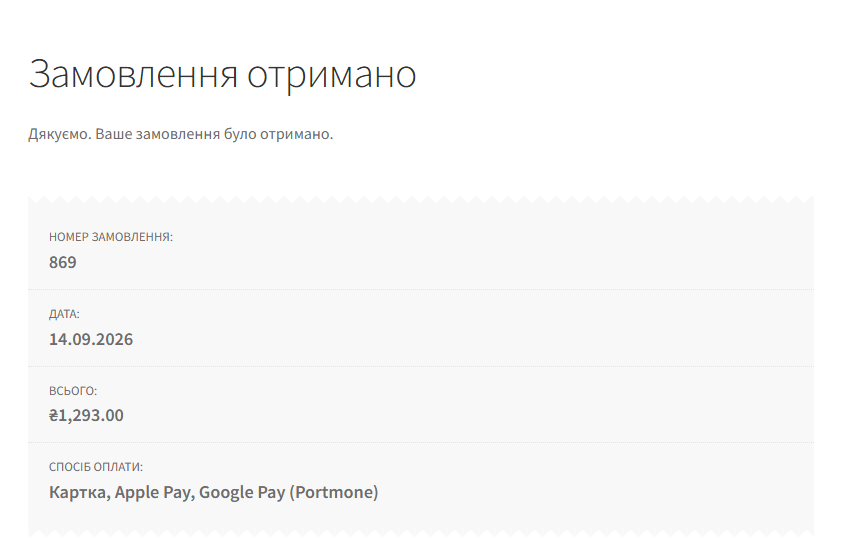
Order received page after paying with Portmone
After paying, the customer returns to “Order received”. By then the plugin has already checked the status with Portmone, so the order shows as paid only when the money has really gone through.

What the admin gets

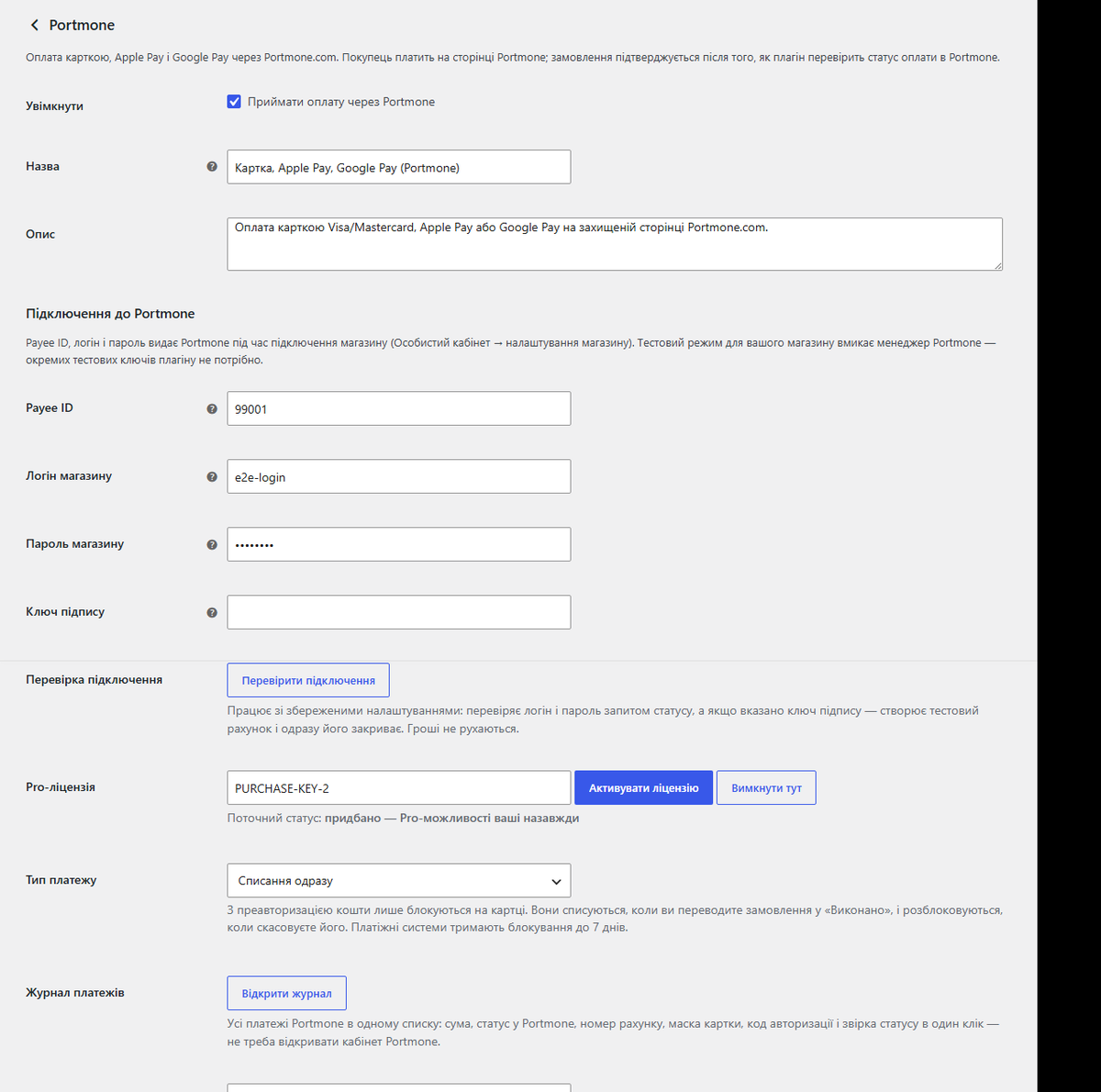
Portmone settings in WooCommerce
WooCommerce → Settings → Payments → Portmone: Payee ID, store login and password, signature key, connection check, Pro licence, payment type and the notification address.
  • Payee ID, store login and password from your Portmone account. The password and the signature key are stored encrypted in the database.
  • “Check connection” — the plugin requests a status with your credentials and, if a signature key is set, creates a 1 UAH test invoice and closes it straight away. A wrong password or key shows up in the admin, not in a customer complaint.
  • Order notes: the Portmone order number, bill number, masked card and the result of every check.
  • Time to pay — how many minutes the payment link stays valid.
  • Order status after payment — “Processing” or straight to “Completed”.
Order notes with the Portmone payment history
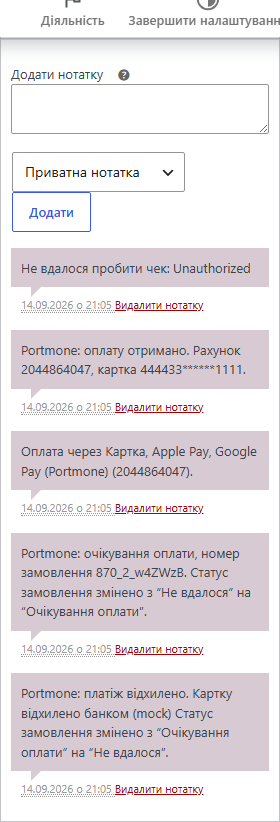
The order notes tell the story: card declined → a new attempt with a new number → payment received with the bill number and masked card.
Pro payment journal for Portmone
The Pro journal: every order sent to Portmone with its status in Portmone and in the shop, bill number, masked card, auth code and a “Check” button.

How it works, step by step

  1. At checkout the customer picks “Card, Apple Pay, Google Pay (Portmone)” and places the order. It works in both the classic and the block checkout.
  2. The plugin creates a payment link in Portmone with a unique attempt number and the order amount and currency. If Portmone gave you a signature key, the request is signed with HMAC-SHA256.
  3. The customer pays on the Portmone page — by card, Apple Pay, Google Pay or any other method enabled for your shop. Card details never pass through your site.
  4. The customer returns to the shop. The plugin ignores whatever came in the URL or POST and asks Portmone for the status using the store login and password.
  5. Amount check. If less was paid than the order costs, the order does not become paid; it goes “On hold” with a note for the manager.
  6. The order moves to “Processing” (or the status you chose), stock is reduced and the customer gets the WooCommerce email.
  7. If the customer closed the tab and never came back, the Portmone notification to the address in the settings fires, and the plugin checks the status through the API in the same way. As a fallback, the status is also pulled on the “Thank you” page.
  8. A retry (card declined, the customer clicked “Pay” again): the plugin first checks whether the previous link was paid and closes the old bill in Portmone, so one order can’t be paid twice.
  9. With Pro in pre-authorisation mode the money is only blocked on the card. Move the order to “Completed” and the money is captured; cancel it and the block is released. Card schemes hold a block for up to 7 days.

How much it costs

890 UAH — a one-year licence. A year of updates, technical support and all Pro features.

You can take a longer term straight away — the longer it is, the cheaper each year works out:

  • 1 year — 890 UAH
  • 2 years — 1,690 UAH (−5%, 845 UAH per year)
  • 3 years — 2,350 UAH (−12%, 783 UAH per year)
  • 4 years — 2,920 UAH (−18%, 730 UAH per year)
  • 5 years — 3,340 UAH (−25%, 668 UAH per year)

No auto-charges: renewal is manual, and reminders arrive by email. A purchased licence keeps the Pro features for good — when the term ends, the shop only stops getting new versions and support. Accepting payments works either way.

One key — one domain. Moving the shop? Deactivate the licence on the old domain with the “Deactivate here” button and activate it on the new one.

Trial first, then payment. The free 7-day Pro trial is turned on with a button in the plugin settings, no card needed. The trial never starts by itself: a fresh install is the plain Free version. After the trial only the Pro features switch off.

Technical requirements

  • WooCommerce 6.0+ with the classic or block checkout, HPOS compatible
  • WordPress 6.2+ · PHP 7.4+
  • Shop currency: UAH, USD, EUR, GBP, PLN or KZT — the currencies Portmone accepts. With any other currency the payment method hides itself.
  • An agreement with Portmone.com: Payee ID, store login and password. Test mode for the shop is enabled by your Portmone manager.

Under the hood

  • Status comes only from the Portmone API. The customer’s return, the notification and the check button all lead to one place: a result request with the store login and password. Faking a payment by sending a POST to the site won’t work.
  • Amount and ownership checks: the order number must have been issued to this very order, the Payee ID must be yours, and the amount must not be lower than the order total.
  • Protection against double confirmation: the customer’s return and the notification often arrive at the same moment. A database-level lock and a fresh re-read of the order (HPOS cache included) guarantee one “payment received” note and one stock reduction.
  • Late statuses don’t roll back a payment: a late “declined” from an old attempt won’t turn a paid order into a failed one.
  • Its own gateway ID: the plugin doesn’t clash with the official Portmone module if that one is installed too.
  • The password is masked in logs and stored encrypted in the database.
  • A Pro gate that doesn’t brick the shop: when the trial ends, only the Pro features stop. Money that was already blocked is still captured on “Completed”, so the customer’s funds don’t get stuck.

How to install

  1. Plugins → Add New → Upload Plugin: choose portmone-for-woocommerce-1.0.0.zip and activate it.
  2. WooCommerce → Settings → Payments → Portmone.
  3. Enter the Payee ID, store login and password (and the signature key, if Portmone gave you one), then save.
  4. Click “Check connection”.
  5. Send your Portmone manager the notification address — it is shown at the bottom of the settings page.
  6. For Pro: paste the licence key from the email you get after payment, or start the 7-day trial.

Version history

1.0.0 — September 2026
First release: Portmone payment link, order confirmation only after a server-side status check, JSON and XML notifications, amount check, closing the previous bill on a retry, HMAC-SHA256 request signing, connection check, classic and block checkout, HPOS, Ukrainian translation. Pro: refunds (full and partial), pre-authorisation captured on “Completed” or released on cancel, payment journal.

Frequently asked questions

Do I need an agreement with Portmone?

Yes. Portmone issues the Payee ID, login and password when it connects your shop. Test mode for the shop is enabled by your Portmone manager.

The customer paid, but the order is still "Pending payment".

The status is checked when the customer returns, on the "Thank you" page and on every notification. Make sure "Check connection" passes and that Portmone sends notifications to the address from the settings. With Pro you can check the status from the journal in one click.

Do card details pass through my site?

No. The card is entered on the Portmone page.

I already have the official Portmone module. Will they conflict?

No, the plugins use different IDs and settings. Show only one of them at checkout, though.

What if I don't want to pay for Pro?

Accepting payments, status checks and notifications are free with no time limit.

Questions about the module?

Message us on Telegram — we reply within the working day. We will help with setup, compatibility and key activation.

@catcode_support

Not quite what you are looking for?

We build custom modules for WordPress, WooCommerce, OpenCart and Shopify. Tell us about your task and we will prepare an estimate.

Order a custom module