OpenCart
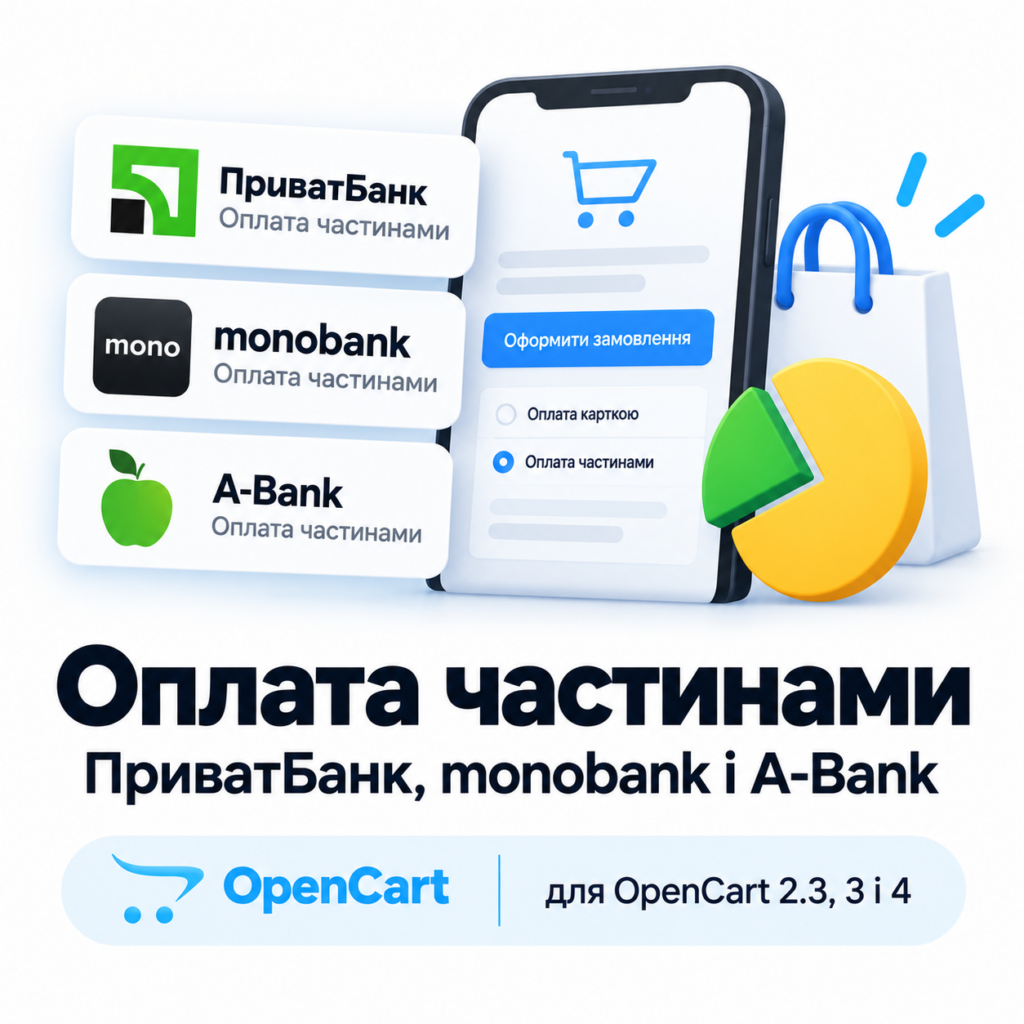
Instalment Payments — PrivatBank, monobank and A-Bank for OpenCart 2.3, 3 and 4
Free + Pro
1 490 UAH
v1.2.6
 All Access4 990 ₴ / year
 Website auditA PDF report by email in 3 minutesCheck a website
Everyday tasks
Image compressorSize, quality and WebP in bulkQR generatorLink, Wi-Fi, payment to IBANVAT calculator20, 14, 7% and amount in wordsTransliterationOfficial Ukrainian standardWebsite checks
PHP and pluginsPHP version, WordPress, pluginsGoogle Merchant feedFields, prices, GTIN, imagesDomain emailSPF, DKIM, DMARC, blacklistsAI search readinessllms.txt, bots, markupAll 9 toolsEnter at least 2 characters
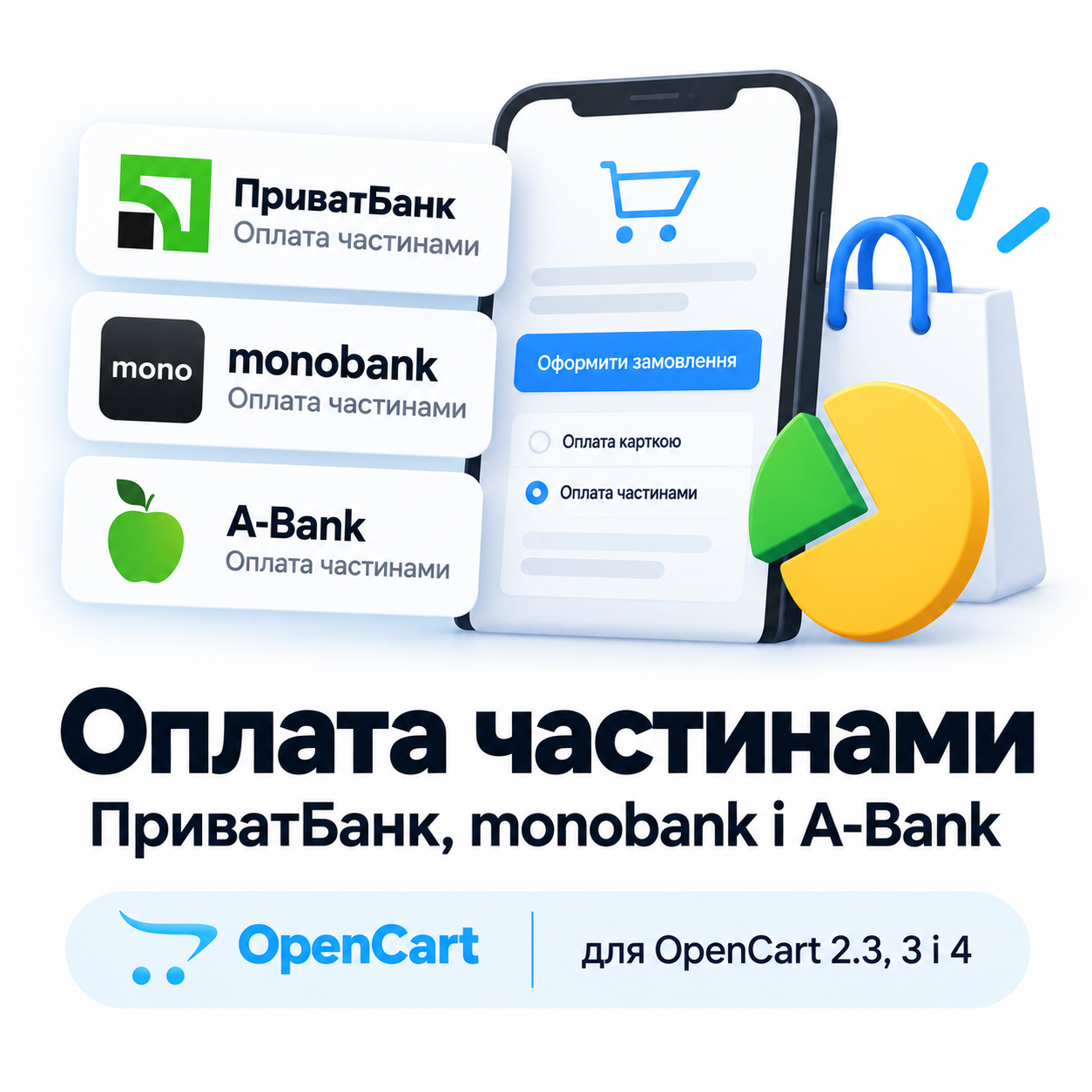
Instalment payment module for OpenCart 2.3, 3.0 and 4.x: PrivatBank, monobank and A-Bank in one payment method, the shopper picks the bank, signature verification, bank double-check, application log and refunds.
Clear even without sound: Ukrainian subtitles
The free version works with no time limit. Pro adds the rest of the features in the table.


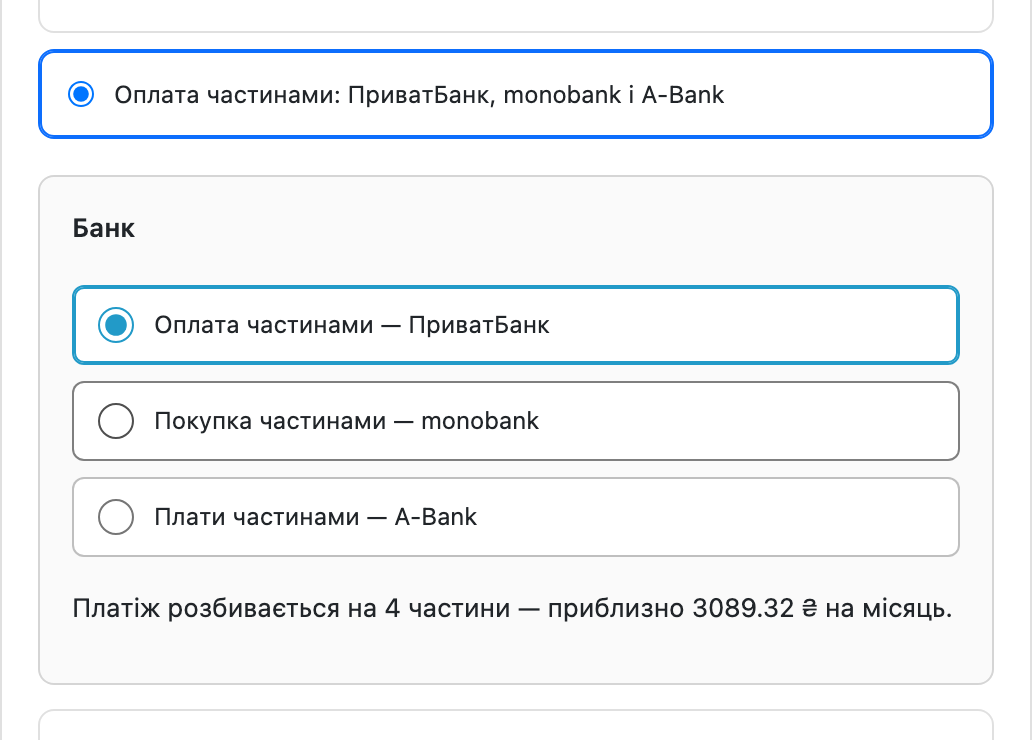
An instalment payment method appears in the list of payment methods, with the banks you enabled named in its title.

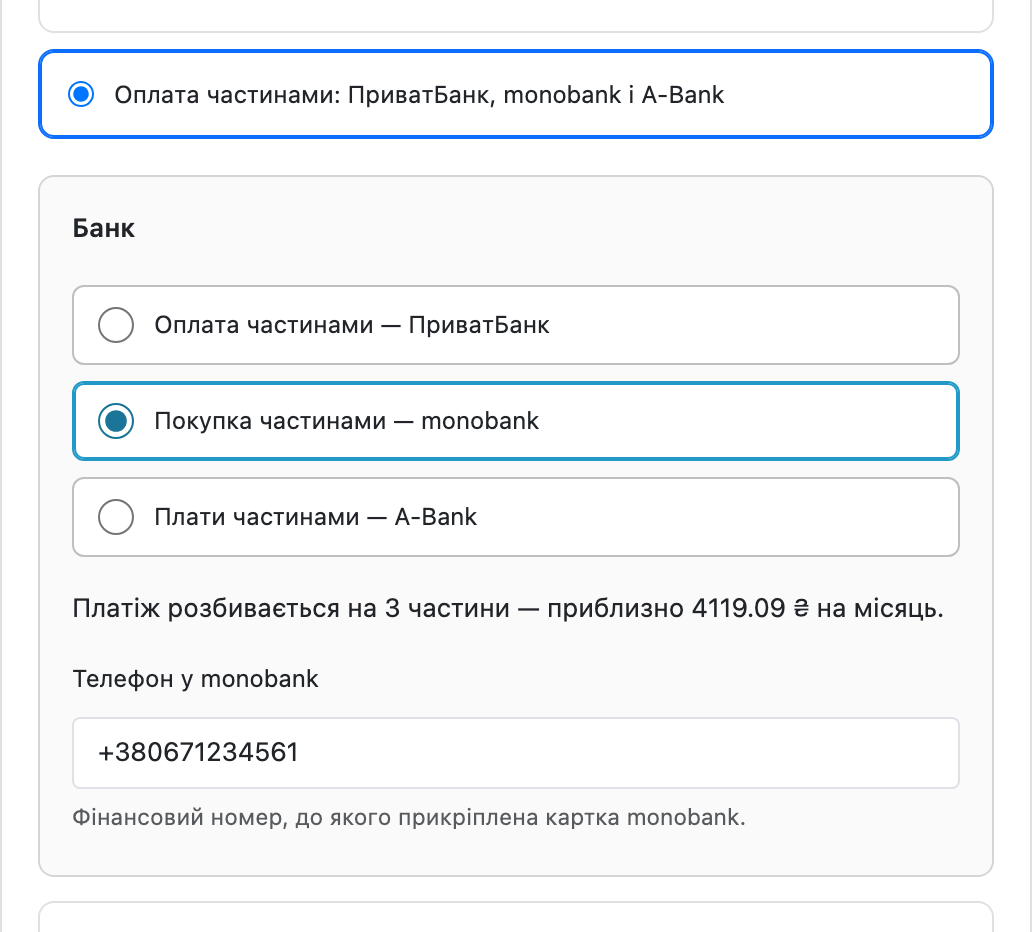
With monobank the buyer splits the order into 3–25 payments and confirms the purchase right in the app, without going to the bank’s page.

The third bank works like monobank: the buyer picks A-Bank, enters their phone number and approves the request in the Abank24 app.

A fresh install is the free version, nothing switches on by itself. The “Try Pro for 7 days” button → e-mail → the key right in the window and by e-mail.

Moving the store? Unbind the licence on the old domain and activate it on the new one yourself. For studios — keys for 5 or 25 sites, or unlimited.
 OpenCart 2.3.0.x, 3.0.2 – 3.0.5.0 or 4.0.2 – 4.1.x, PHP 7.0 – 8.3, cURL, a “Payment by Instalments” or “Instant Instalment” agreement with Privatbank (no agreement needed for test mode). Installation is standard: Admin → Extensions → Installer → Upload, then activation in the list of payment methods.
The licence description in the module archive: one key covers two sites, your store and a staging copy.
A purchased licence for OpenCart now works without expiry.
(1.2.4 for OpenCart 3 and 2.3).
OpenCart 4.1: the bank was sent the total of an earlier render. 4.1 begins editOrder() with addHistory(config_void_status_id), so an order that has not been placed yet is set to “Voided”…
PrivatBank no longer rejects an application when the order has a coupon or discount (“product price should be no less than 0.01”).
Fixed the Privatbank programme labels in the settings of every build (OpenCart 4, 3 and 2.3): the fee payer was shown the wrong way round.
Bank passwords and keys in the settings are now encrypted with AES-256 and an HMAC check instead of XOR.
A-Bank instalments added as the third bank in every build (OpenCart 4, 3 and 2.3).
Privatbank instalment payment with a choice of number of payments, signature verification, status double-check with the bank, reserve with confirmation, application log, test mode on the…
4 modules in one order — 40% cheaper than separately



Instalment Payments with PrivatBank, monobank and A-Bank adds a single payment method to OpenCart in which the buyer picks the bank themselves. PrivatBank takes them to its own page and offers 2–25 instalments; monobank does not redirect anywhere — a push notification in the app, a confirmation, and the buyer is already on the thank-you page. The shop receives the full amount from the bank — at once, or in parts over the term with the Privatbank PB programme (“funds over the term”). There are three builds: for OpenCart 4.0.2 – 4.1.x, 3.0.2 – 3.0.5.0 and 2.3.0.x; the functionality is identical, only the package differs.
An instalment payment method appears in the list of payment methods, with the banks you enabled named in its title. Next to it, the approximate monthly amount is shown — calculated from the order total including delivery, not from the product price alone. With PrivatBank, after confirming, the shopper lands on the bank’s page, logs into Privat24 and arranges the instalment plan; the result is returned to the shop.
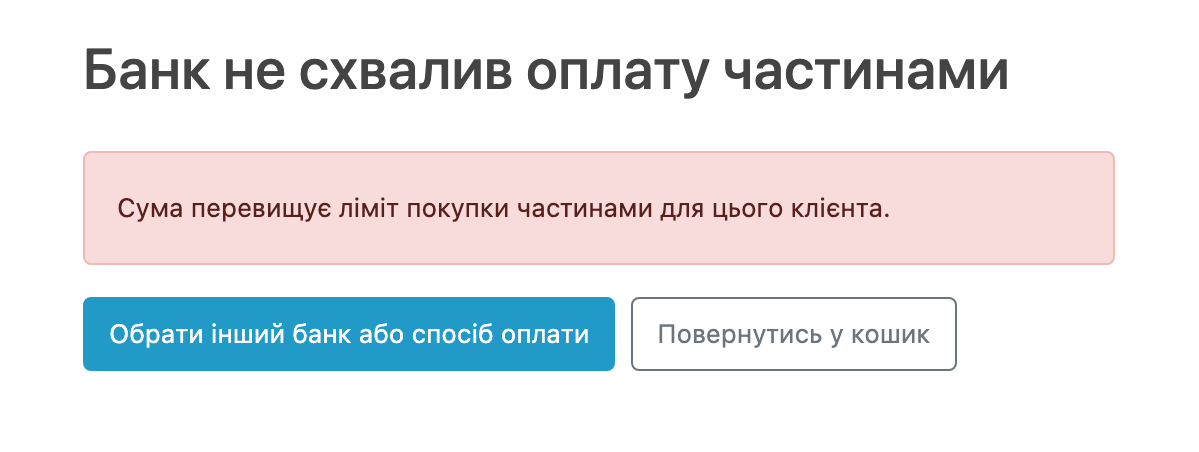
The payment method is only shown when the bank will actually accept it: the currency is hryvnia, and the order total is within the range at least one enabled bank accepts (PrivatBank — 300–50,000 UAH, monobank and A-Bank — from 1 UAH). If the cart falls outside those bounds, the method doesn’t appear at all — the shopper doesn’t waste time on a payment the bank would reject.
With monobank the buyer splits the order into 3–25 payments and confirms the purchase right in the app, without going to the bank’s page. Meanwhile the shop shows a waiting page that carries the order to its final status on its own — the buyer does not have to refresh anything by hand.
The signature of every PrivatBank and monobank notification is verified — a notification with a wrong signature is rejected. On top of that, the module asks the bank for the application state itself: for PrivatBank when the shopper returns to the shop, for monobank and A-Bank while the waiting page is open. A repeated notification duplicates nothing, and an order that has already been paid cannot be sent to the bank a second time.
The third bank works like monobank: the buyer picks A-Bank, enters their phone number and approves the request in the Abank24 app. The shop waits on its own page and completes the order by itself, and if the number is not an A-Bank customer or the request is declined, the buyer sees a clear reason right away.
A-Bank does not sign its notifications, so the module treats them only as a signal: on each notification it asks the bank for the application status itself and changes the order only based on that answer. A forged “paid” request changes nothing.
In the settings you choose the programme your agreement covers: II — instant instalment, the shopper pays the fee; PP — payment by instalments, the shop pays the fee and receives the amount at once; PB — payment by instalments with funds over the term, the shop pays the fee and receives the amount in parts; IA — promotional instant instalment, the fee is split 50/50 between the shop and the shopper. You also set a default number of payments, and in Pro, an upper limit within which the shopper picks the term themselves at checkout.
The bank reports the outcome two ways: a notification to your site, and the shopper’s return. The module doesn’t take either on trust — every PrivatBank and monobank notification is verified by its signature (A-Bank notifications carry no signature and only trigger a status request to the bank), and after the shopper returns, the application’s status is additionally requested from the bank. So a forged notification can’t mark an order as paid, and a lost one can’t leave a paid order stuck “awaiting payment”.
Order statuses are configured separately: awaiting payment, paid, amount reserved, declined. A repeated notification doesn’t duplicate anything, and an already-paid order can’t be sent to the bank a second time.
If a product still needs checking in stock, turn on reserve: the bank holds the amount and only charges it once you move the order to “paid” or click “Charge” in the log. If you don’t confirm, the reserve is released and the shopper pays nothing.
Every application is stored: the order, the bank’s application number, the amount, the number of payments, the bank’s status and message. From the log you can refresh the status from the bank, charge or cancel the reserve — without going into Privat24.
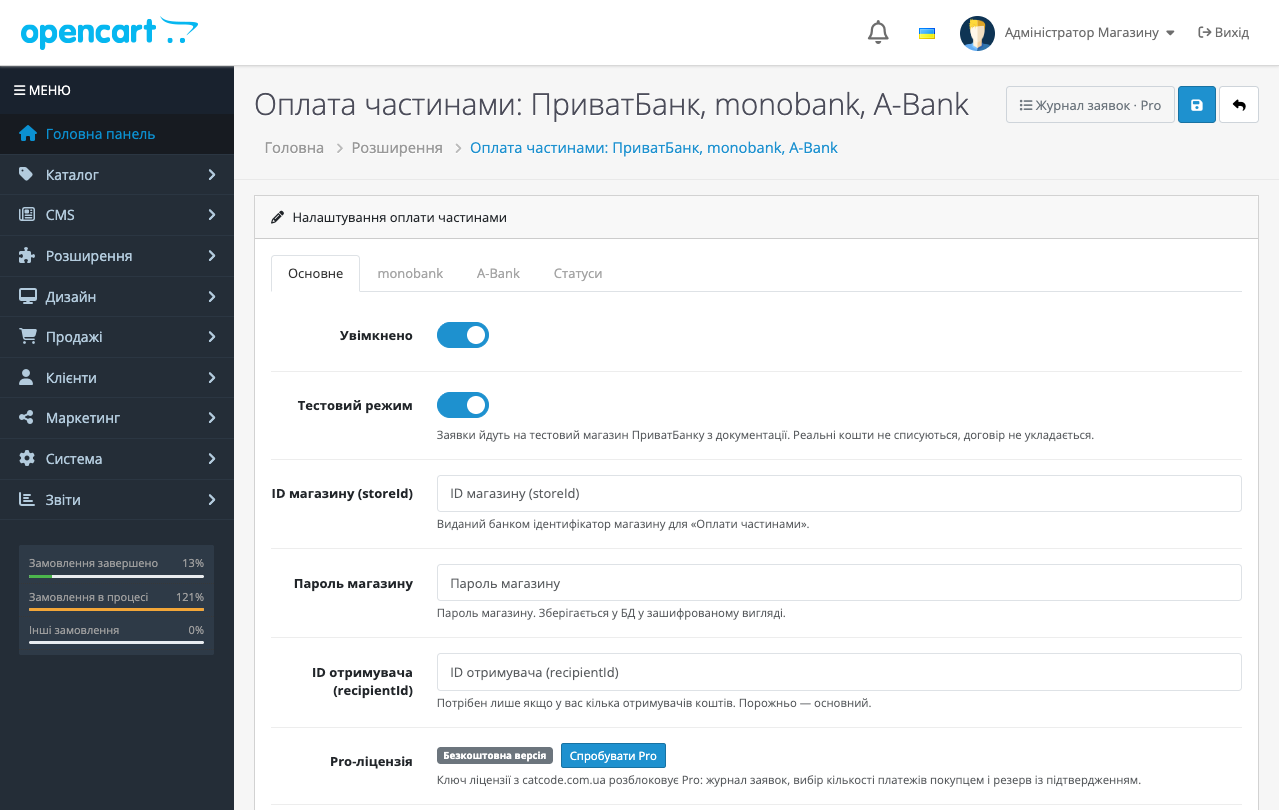
Turn on test mode, and applications go to Privatbank’s official test shop from the documentation. No real funds are taken and no agreement is required, but the whole path — creating the application, the bank page, notifications, statuses — is walked through in full. Handy for checking the integration before you’ve even signed the agreement with the bank.
Privatbank’s “Payment by Instalments” is the most familiar way for a Ukrainian shopper to buy something pricier than they’d planned today. The shop, meanwhile, extends no credit itself: the bank pays the full amount — straight away, or in parts over the term with the PB programme.
The complexity isn’t in the button itself, but in what happens after it: the bank’s notification might not arrive, the shopper might close the tab, and the order still needs to close correctly in any of these scenarios.
1. Upload the archive via “Extensions → Installer” and install the module.
2. Enter the shop ID and password from your agreement, and choose the programme.
3. Turn on test mode and run an order through the bank’s sandbox.
4. Turn test mode off — you’re ready to accept payments.
Didn't find the answer? Message us on Telegram and we'll reply within a business day.
 @catcode_support
Setup, compatibility, activation
@catcode_support
Setup, compatibility, activation
Yes. For Privatbank — a "Payment by Instalments" or "Instant Instalment" agreement (the bank issues a shop ID and password); for monobank — a "Purchase by Instalments" agreement (store ID and secret key). No agreement is needed for test mode: both banks have public sandboxes.
Privatbank redirects the shopper to its own page. monobank doesn't redirect anywhere: the shopper gets a push notification in the app, while the shop shows a waiting page that brings the order to success on its own as soon as the bank responds.
Right after the application is approved — the bank charges the first payment and the full amount is paid out to the shop. The instalment plan becomes active once the shop confirms the goods were handed over: with a button in the log, or automatically based on a chosen order status.
For Privatbank it depends on the programme: in II (Instant Instalment) — the shopper; in PP (Payment by Instalments) and PB (Payment by Instalments, funds over the term) — the shop; in IA (promotional Instant Instalment) — split 50/50. For monobank the shop pays the fee and the shopper pays nothing extra; the bank charges the shopper a fee only if they choose more payments than the shop offers.
The module doesn't rely on the notification: after the shopper returns (Privatbank) or while waiting (monobank), it requests the application's status from the bank itself, so a paid order won't stay stuck "awaiting payment".
No. Privatbank signs notifications with the shop's password, monobank with HMAC-SHA256 using the secret key. With an invalid signature, the notification is rejected with a 400 code and changes nothing.
Not for Privatbank — that's the bank's own limit, and the module simply doesn't show that bank. monobank has no upper limit; the bank sets the limit for a particular shopper.
Yes, the licence includes builds for all three OpenCart branches, and both banks in each.
The buyer enters a phone number and approves the request in the Abank24 app while the shop waits on its own page. You need an A-Bank instalments contract (store ID, secret key, point of sale). A-Bank notifications are not signed, so the module changes the order only based on the bank's answer to a status request.
No reviews yet. Be the first.
No questions yet. Ask one — we answer within 24 hours.
We build custom modules for WordPress, WooCommerce, OpenCart and Shopify. Tell us about the task and we'll prepare an estimate.
Order a custom module
—

CatCode assistant
Just now


CatCode assistant
Online

I’ll help with your website task
Describe your website task — I’ll find a ready-made module or pass it to a developer for an estimate. Modules, custom features, layout, integrations, speed, migration, technical SEO.
