
OpenCart
NovaPay for OpenCart — card payment via online acquiring
Free + Pro
990 UAH
v1.0.3
 All Access4 990 ₴ / year
 Website auditA PDF report by email in 3 minutesCheck a website
Everyday tasks
Image compressorSize, quality and WebP in bulkQR generatorLink, Wi-Fi, payment to IBANVAT calculator20, 14, 7% and amount in wordsTransliterationOfficial Ukrainian standardWebsite checks
PHP and pluginsPHP version, WordPress, pluginsGoogle Merchant feedFields, prices, GTIN, imagesDomain emailSPF, DKIM, DMARC, blacklistsAI search readinessllms.txt, bots, markupAll 9 toolsEnter at least 2 characters

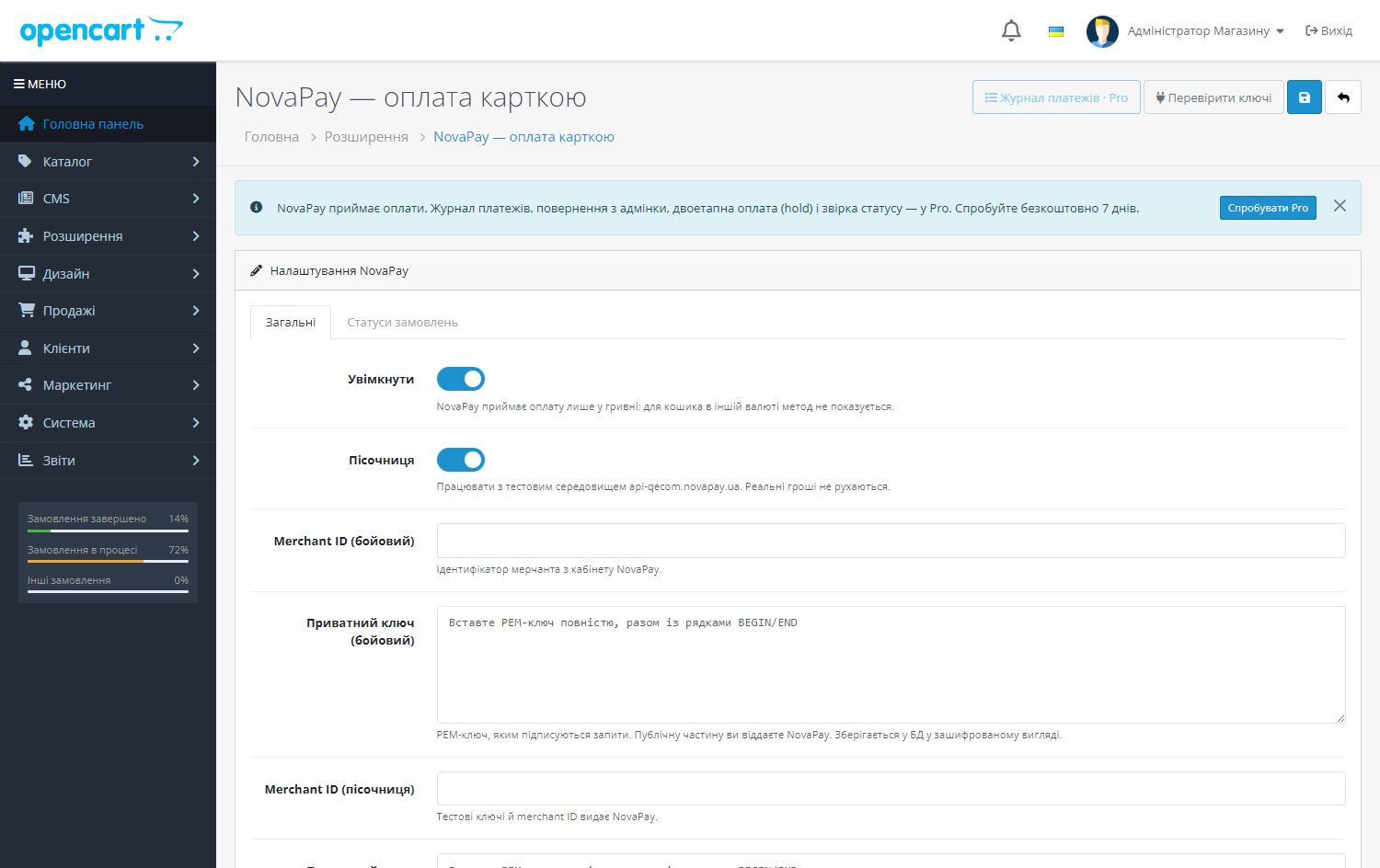
NovaPay module for OpenCart 2.3, 3 and 4: card payment on NovaPay's side, signed postbacks, underpayment protection. Free — accepting payments, Pro — hold, journal and refunds.
The free version works with no time limit. Pro adds the rest of the features in the table.


At the payment step the customer clicks “Pay by card” — the module opens a NovaPay payment session and takes them to the payment page with the order amount and cart.

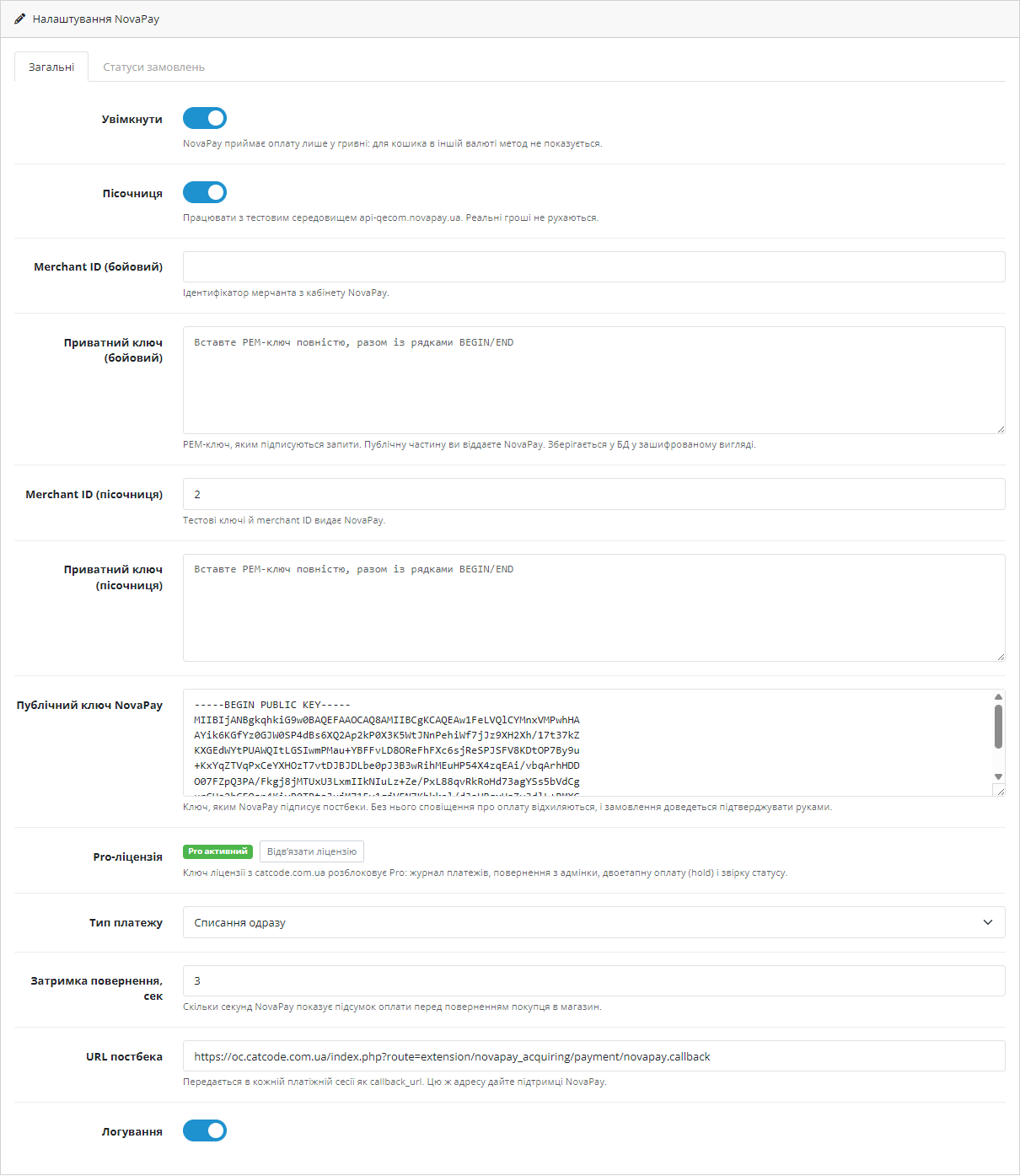
An online acquiring agreement with NovaPay: they issue a merchant ID and accept your public key part, and give you their public key for verifying postbacks.

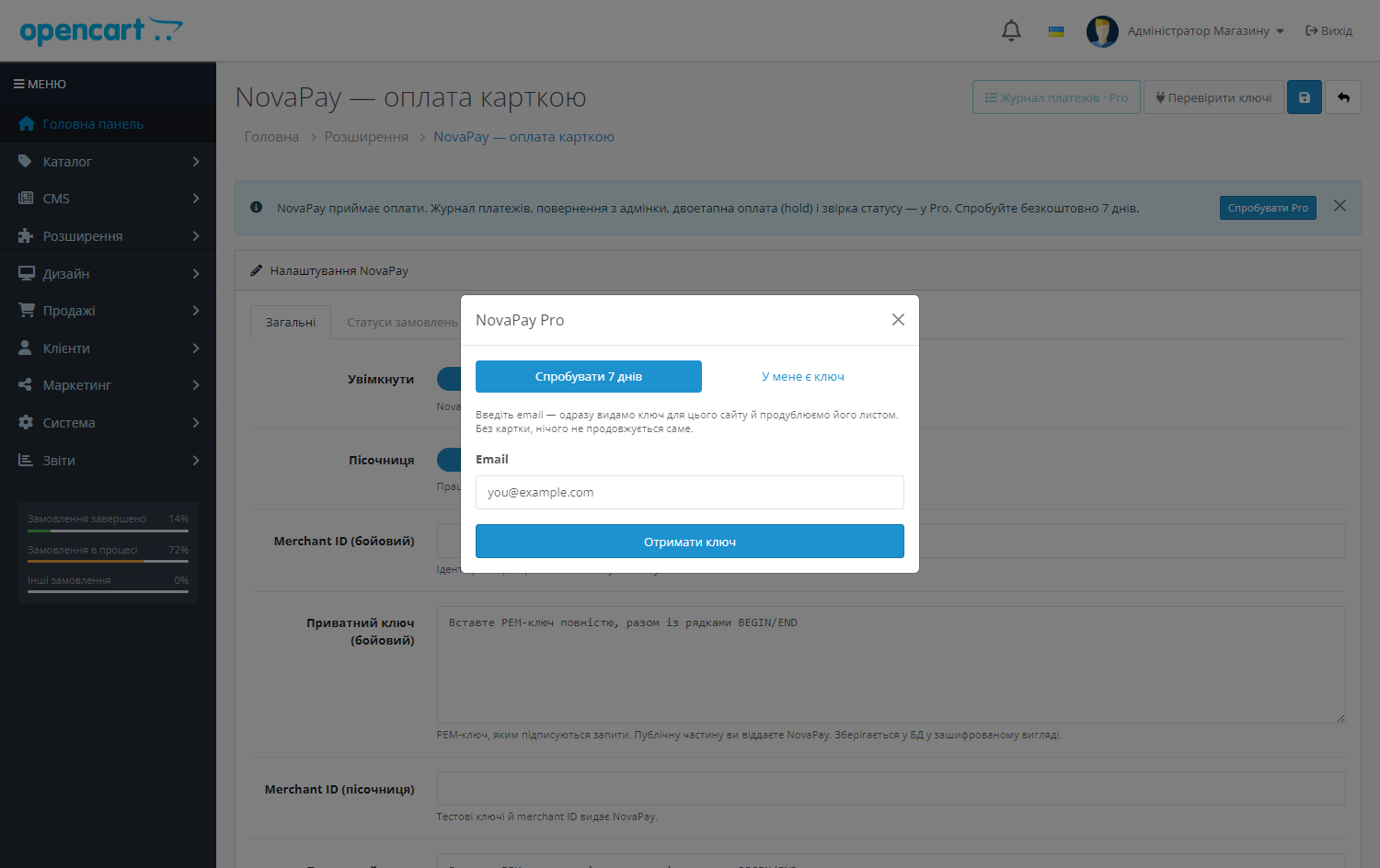
A fresh install is the free version, nothing switches on by itself. The “Try Pro for 7 days” button → e-mail → the key right in the window and by e-mail.

Moving the store? Unbind the licence on the old domain and activate it on the new one yourself. For studios — keys for 5 or 25 sites, or unlimited.
 OpenCart 2.3.0.x, 3.0.2 – 3.0.5.0 and 4.0.2 – 4.1.x
A purchased licence for OpenCart now works without expiry.
OpenCart 4.1: the bank was sent the total of an earlier render. 4.1 begins editOrder() with addHistory(config_void_status_id), so an order that has not been placed yet is set to “Voided”…
NovaPay private keys in the settings are now encrypted with AES-256 and an HMAC check instead of XOR.
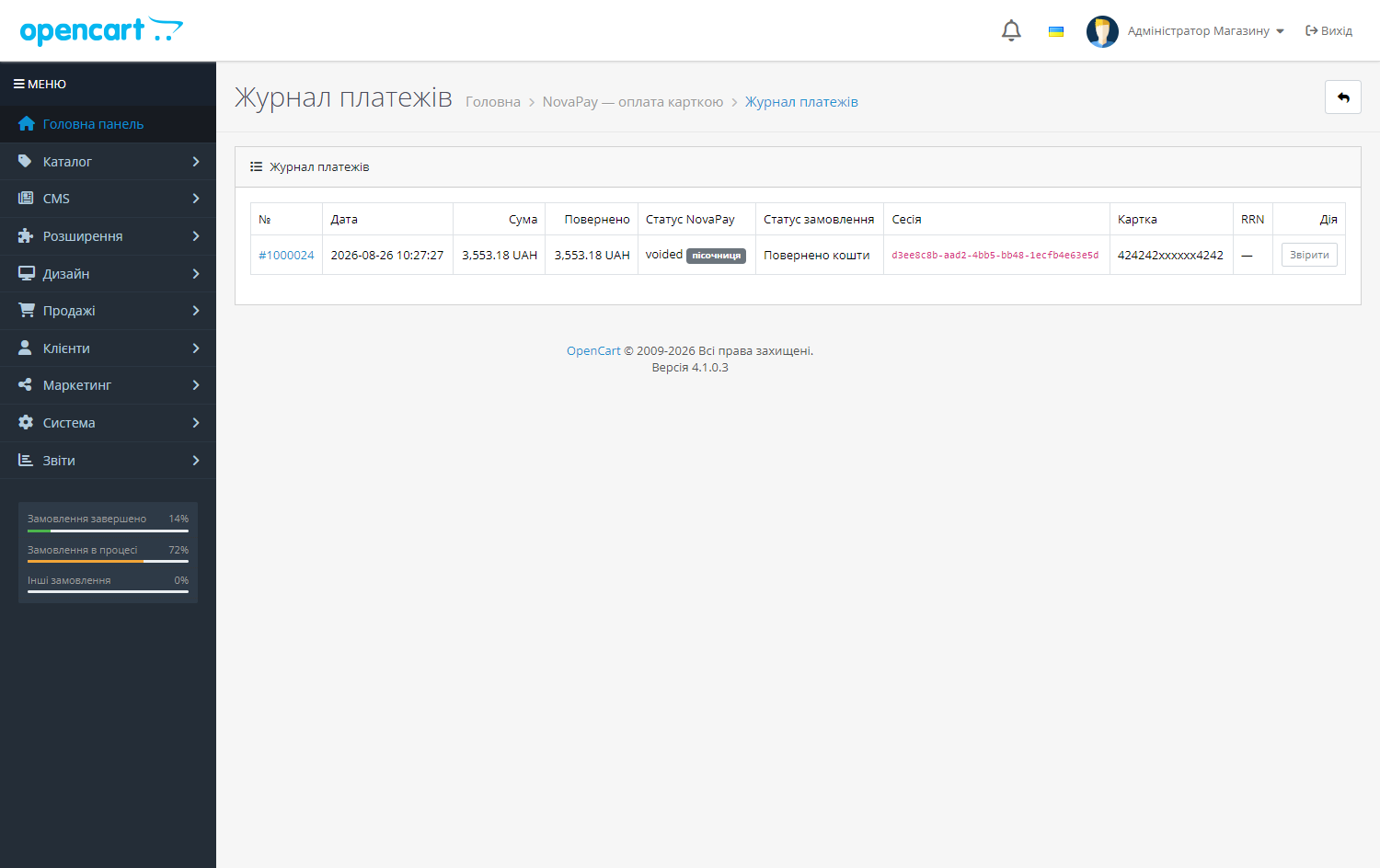
Card payment acceptance via NovaPay, postback signature verification, status reconciliation with the bank; in Pro.
4 modules in one order — 40% cheaper than separately



NovaPay Acquiring is a NovaPay online acquiring module for OpenCart 2.3, 3.x and 4.x. The customer pays by card on a secure NovaPay page, and the store receives a signed notification (postback) and moves the order to paid automatically — no manual statement reconciliation needed.
At the payment step the customer clicks “Pay by card” — the module opens a NovaPay payment session and takes them to the payment page with the order amount and cart. After payment, NovaPay sends a postback signed with its key; the module verifies the signature, checks the amount against the order and sets the status to “Paid”. If the postback doesn’t arrive (firewall, maintenance) the status is pulled as soon as the customer returns to the store, or via the “Reconcile” button in the journal.
An online acquiring agreement with NovaPay: they issue a merchant ID and accept your public key part, and give you their public key for verifying postbacks. Live and test keys are different. The module only accepts payment in UAH: if the cart is in another currency, the payment method simply isn’t shown, so the wrong amount is never charged.
OpenCart 4.x — Extensions → Installer → upload the zip, then Extensions → Payments → NovaPay → “Install” and “Edit”. OpenCart 3.x — the same way, via Extensions → Installer. OpenCart 2.3 — the built-in installer requires FTP to be enabled, so it’s simpler to unpack the contents of upload/ into the store root, then Extensions → Payments → NovaPay → “Install”.
NovaPay is Nova Poshta’s acquiring service, and for a store that already ships with Nova Poshta this is the shortest path: one counterparty for both delivery and payment, one reconciliation, one manager on the other end.
Technically it’s still a regular payment gateway, and it carries the usual risks: the postback may not arrive, the customer may close the tab on the bank’s page, and the order has to close correctly either way.
The postback signature is verified before the module does anything with the order — that’s not optional: without the NovaPay public key, postbacks are rejected. Next the module checks the amount: a smaller amount is not recorded as payment.
When the shopper returns to the shop, the module requests the status from NovaPay separately, so the order still closes when the postback gets lost along the way, and a repeated postback doesn’t create a duplicate.
The OpenCart core isn’t patched — everything runs through standard events, so store updates never overwrite the module.
No reviews yet. Be the first.
No questions yet. Ask one — we answer within 24 hours.
We build custom modules for WordPress, WooCommerce, OpenCart and Shopify. Tell us about the task and we'll prepare an estimate.
Order a custom module
—

CatCode assistant
Just now


CatCode assistant
Online

I’ll help with your website task
Describe your website task — I’ll find a ready-made module or pass it to a developer for an estimate. Modules, custom features, layout, integrations, speed, migration, technical SEO.
