
OpenCart
Double Opt-In Newsletter Subscription for OpenCart
Free + Pro
1 290 UAH
v1.0.3
 All Access4 990 ₴ / year
 Website auditA PDF report by email in 3 minutesCheck a website
Everyday tasks
Image compressorSize, quality and WebP in bulkQR generatorLink, Wi-Fi, payment to IBANVAT calculator20, 14, 7% and amount in wordsTransliterationOfficial Ukrainian standardWebsite checks
PHP and pluginsPHP version, WordPress, pluginsGoogle Merchant feedFields, prices, GTIN, imagesDomain emailSPF, DKIM, DMARC, blacklistsAI search readinessllms.txt, bots, markupAll 9 toolsEnter at least 2 characters

Double opt-in plugin for OpenCart: subscription only activates after clicking a link in the email. Consent record with IP and date, one-click unsubscribe, CSV export. Free up to 200 subscribers, Pro unlimited.
The free version works with no time limit. Pro adds the rest of the features in the table.



A fresh install is the free version, nothing switches on by itself. The “Try Pro for 7 days” button → e-mail → the key right in the window and by e-mail.

Moving the store? Unbind the licence on the old domain and activate it on the new one yourself.
 OpenCart 4.0.2 – 4.1.x (3.x and 2.3 versions are in development).PHP 7.4+ (also runs on 8.0–8.3).MySQL/MariaDB with InnoDB and utf8mb4 support.Store mail configured (System → Settings → Mail): the module sends emails through the same transport as the rest of the store — no separate credentials needed.
The subscriber list with a filter opens again on the PDO database driver.
The “confirm subscription” and “unsubscribe” links no longer fire for an e-mail scanner.
A purchased OpenCart licence works with no time limit.
Full double opt-in cycle, subordinating the stock tick box, four emails editable per language, subscriber grid with proof of consent, CSV export, scheduled reminders and retention, one-off…
4 modules in one order — 40% cheaper than separately



Stock OpenCart treats the tick box itself as consent. A customer ticks “Subscribe to newsletter” during registration, and customer.newsletter = 1 appears in the database immediately. No confirmation, no date, no trace of where that consent came from. An address someone typed into a stranger’s registration form can’t be removed from the list, and there’s nothing to prove the person actually agreed.
This module turns that tick box into a request. The flag only goes up after the person clicks a link from their own inbox — and that’s when a consent record appears in the database, complete with a timestamp, source, and IP.
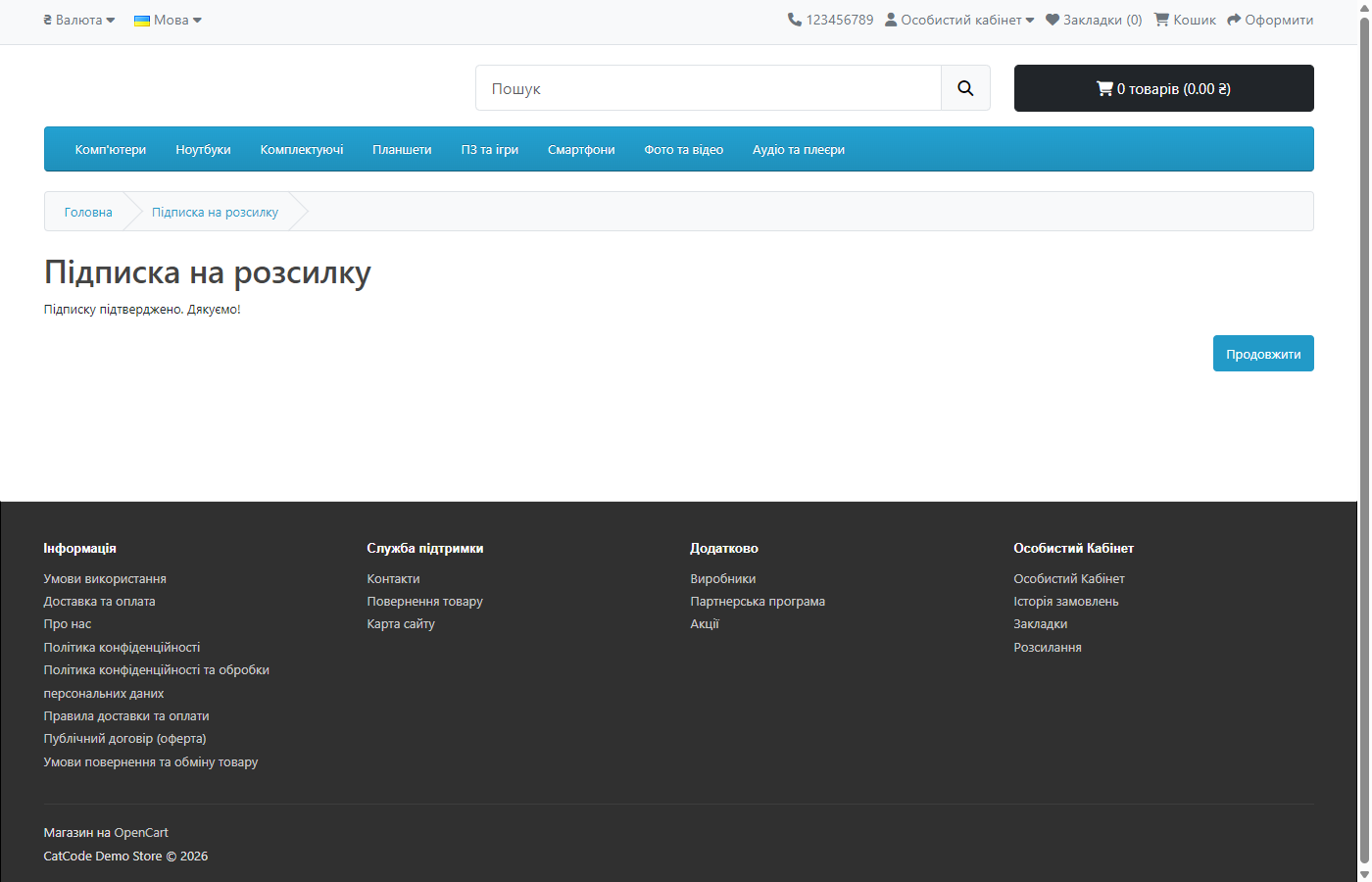
In the footer (or wherever you place the form) — an email field, optionally a name field, and a button. After submitting, the person immediately sees: “Almost done — check your inbox and follow the link in the email. We won’t send you anything until then.”
The email itself has one action — a confirmation link. Clicking it opens a store page in your theme (using the standard common/success template, so the look inherits from the theme) reading “Subscription confirmed”. A short welcome email follows, already containing a one-click unsubscribe link.
If someone enters an address that’s already confirmed, they see “This address is already subscribed” — and get no further email. That’s deliberate: otherwise anyone could flood a stranger’s inbox with “confirmations” just by typing their address into the form.
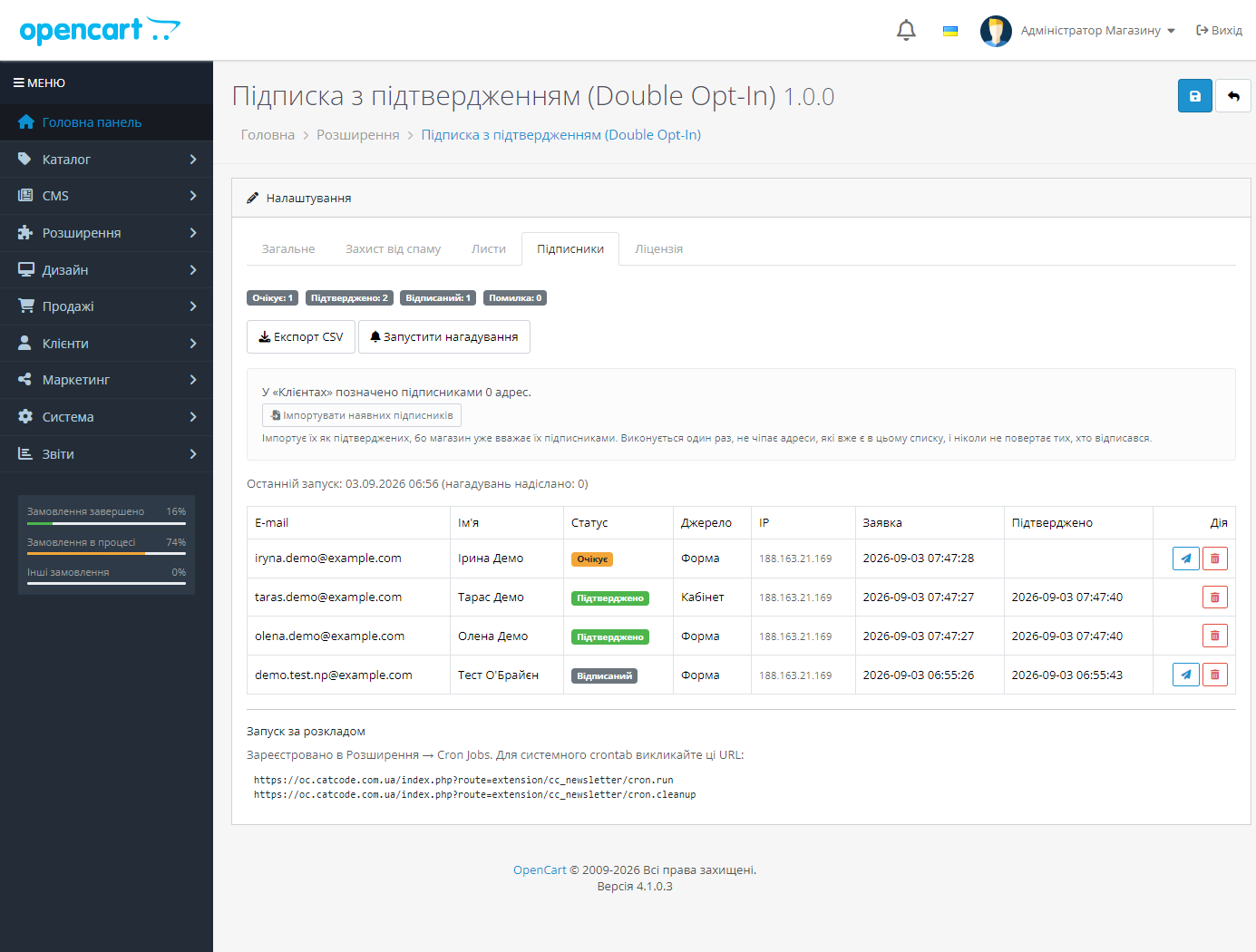
A dedicated subscriber grid in the module settings: address, name, status (pending / confirmed / unsubscribed / error), source (form, account, admin, import), language, IP, request date, and confirmation date. Filters by status, source, address, and period.
A “Resend” button for anyone who hasn’t confirmed. CSV export of all confirmed addresses — together with proof of consent (source, IP, both dates), in UTF-8 with BOM, so Excel doesn’t mangle names into garbled characters.
Per-status counters are always visible, so you see the real size of the list, not “how many people once ticked a box”.
customer.newsletter back to 0 — until there’s consent, there’s none in the database either.customer.newsletter flag, so the rest of the store sees the same picture.Unsubscribing works in one click from any email: following the link moves the row to “unsubscribed”, lowers the stock flag, and (optionally) sends a short confirmation, so the person keeps written proof.
A single dedicated table, cc_news_subscriber: one row per (store, address) pair, with status, token, and proof of consent. A unique key on the pair prevents duplicates, and a repeat request from the same address revives that same row with a new token — so the link from an old email stops working.
The token is 48 hexadecimal characters from random_bytes. The same token serves both confirmation and unsubscribing: once confirmed, it deliberately doesn’t change, because it’s exactly what the “unsubscribe” link in every future email relies on.
Form protection is a hidden honeypot, out of the document flow and off the tab order, plus a signed timestamp (an HMAC over the installation’s own parameters) that can’t be rewritten client-side. The stamp is valid for 24 hours, so the form survives full page caching. On top of that, there’s a per-IP hourly request limit and, optionally, the store’s own captcha.
Email texts live in a library rather than language files: an email is built from three different contexts (storefront, admin, scheduled run), and the email’s language is the subscriber’s language, not the language of the current request. An empty template field always falls back to the built-in text, and an unknown language falls back to English.
The module doesn’t touch a single core file: it works through OpenCart’s standard events and its own storefront routes.
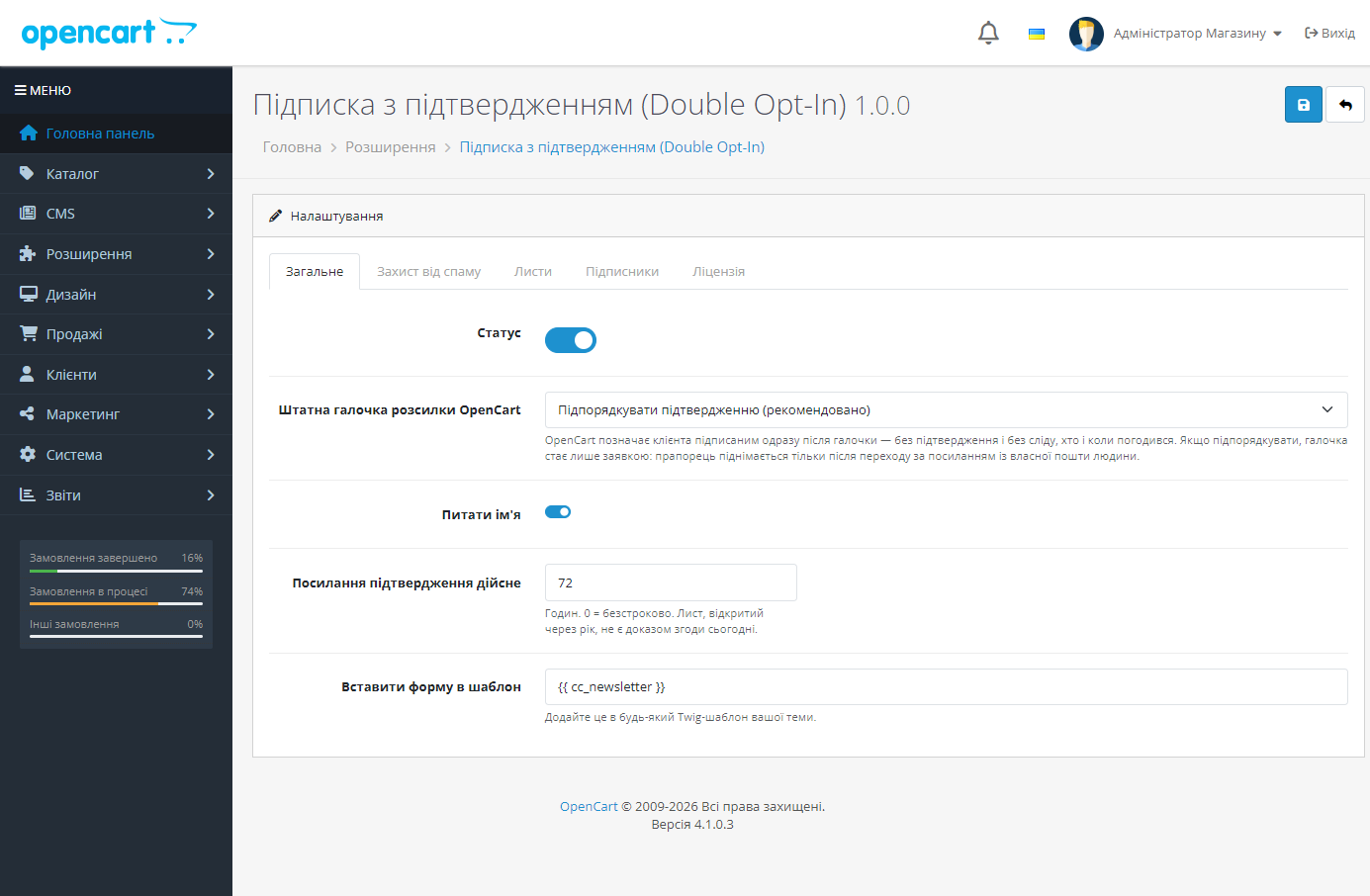
{{ cc_newsletter }} in any Twig template.Didn't find the answer? Message us on Telegram and we'll reply within a business day.
 @catcode_support
Setup, compatibility, activation
@catcode_support
Setup, compatibility, activation
No. The event handler is wrapped so that any error inside it never reaches the customer.
There's a "Don't touch" switch in settings — then only the module's own form is active.
Nothing, until you press the import button yourself. The module imports no one on installation.
72 hours by default, configurable.
No. The subscriber table is deliberately kept — it's proof of consent for every address.
No reviews yet. Be the first.
No questions yet. Ask one — we answer within 24 hours.
We build custom modules for WordPress, WooCommerce, OpenCart and Shopify. Tell us about the task and we'll prepare an estimate.
Order a custom module
—

CatCode assistant
Just now


CatCode assistant
Online

I’ll help with your website task
Describe your website task — I’ll find a ready-made module or pass it to a developer for an estimate. Modules, custom features, layout, integrations, speed, migration, technical SEO.
