
OpenCart
Multi PRRO Connector — fiscal receipts for OpenCart 2.3, 3.x & 4.x
Free + Pro
2 490 UAH
v1.2.5
 All Access4 990 ₴ / year
 Website auditA PDF report by email in 3 minutesCheck a website
Everyday tasks
Image compressorSize, quality and WebP in bulkQR generatorLink, Wi-Fi, payment to IBANVAT calculator20, 14, 7% and amount in wordsTransliterationOfficial Ukrainian standardWebsite checks
PHP and pluginsPHP version, WordPress, pluginsGoogle Merchant feedFields, prices, GTIN, imagesDomain emailSPF, DKIM, DMARC, blacklistsAI search readinessllms.txt, bots, markupAll 9 toolsEnter at least 2 characters

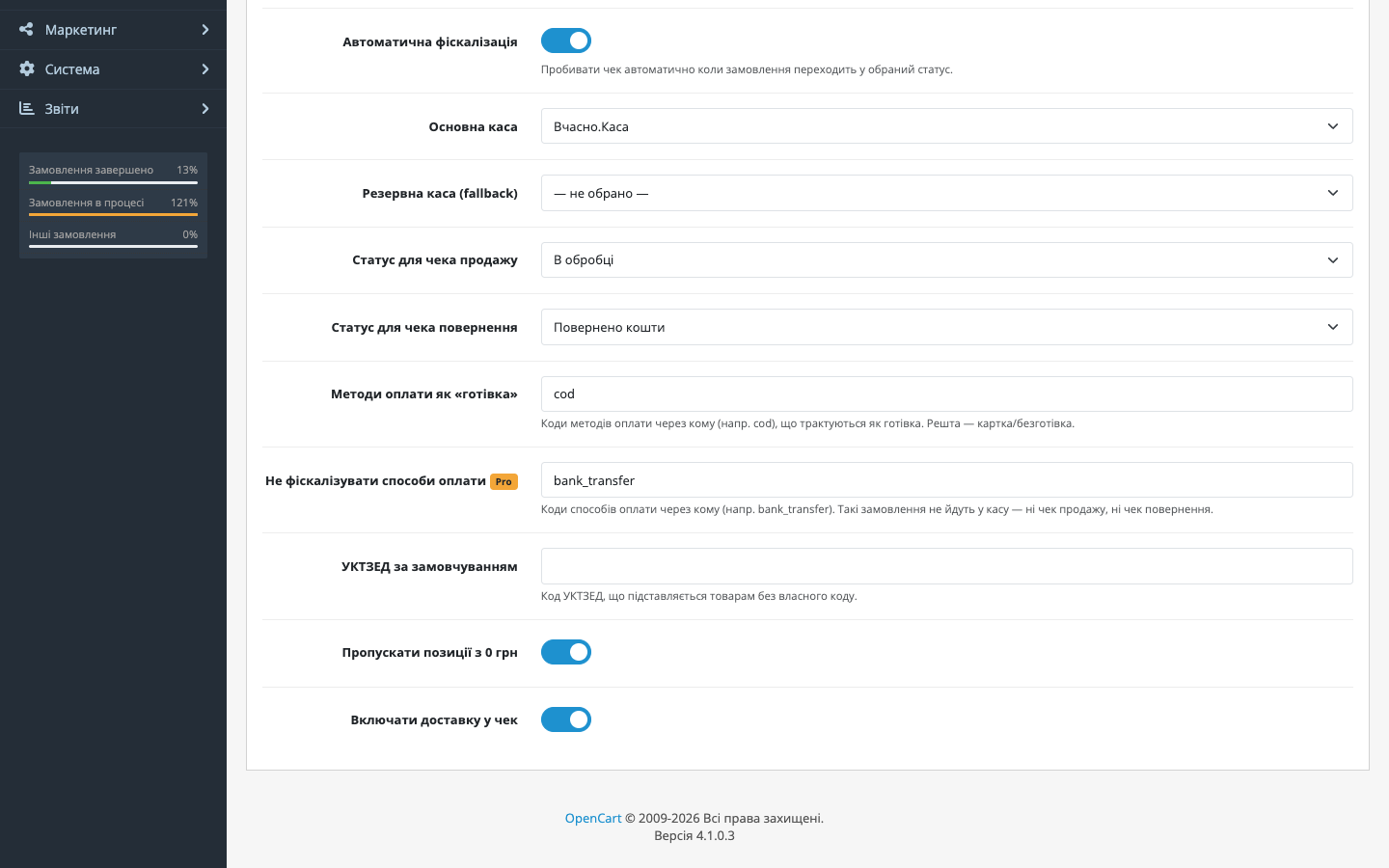
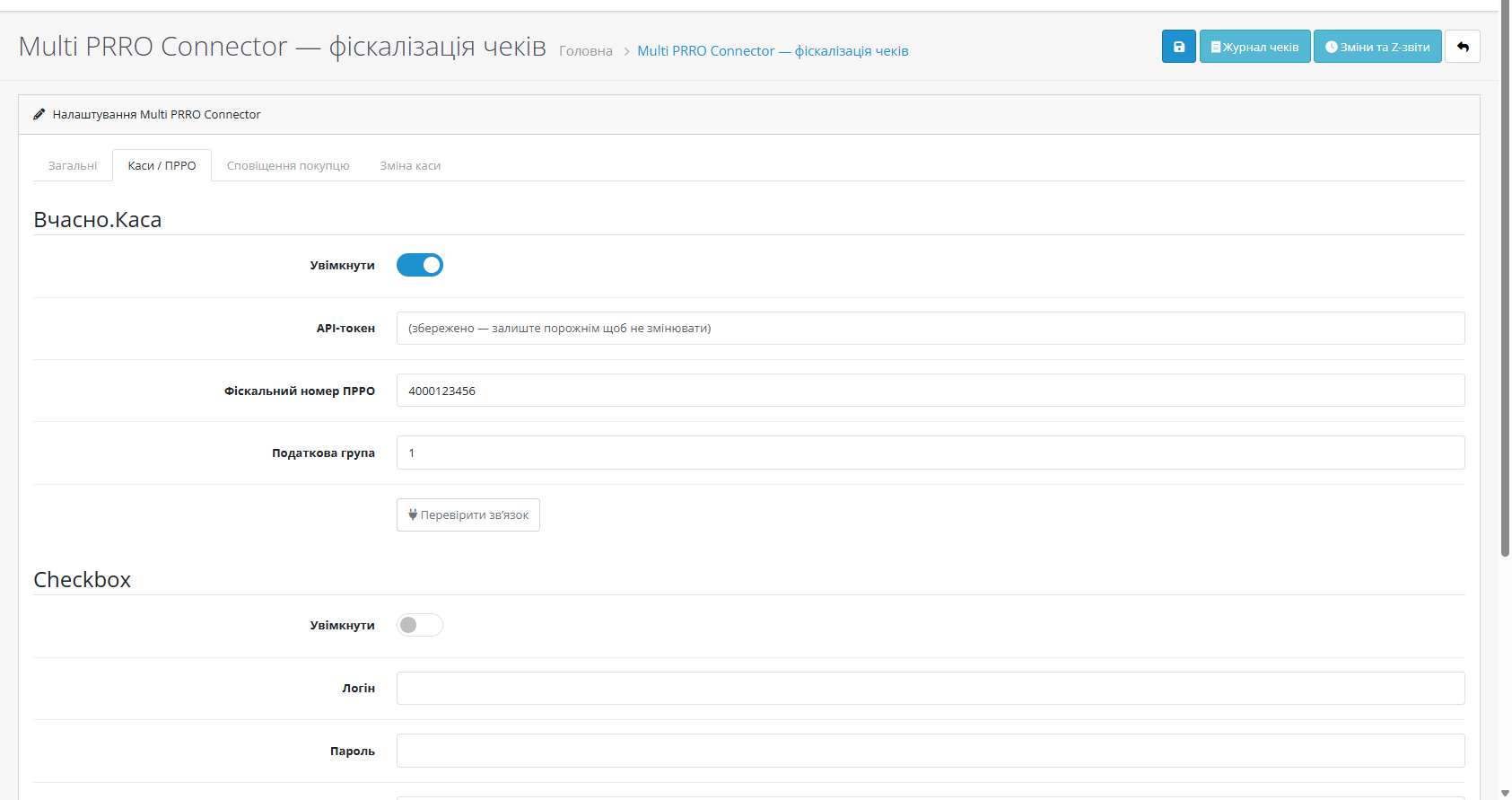
A free fiscalisation module for OpenCart 2.3, 3 and 4: an automatic receipt on status change, Vchasno.Kasa and Checkbox with fallback, register shifts, Z-reports, a log, email/SMS.
The free version works with no time limit. Pro adds the rest of the features in the table.


A shop that sells both at a counter and online can easily sell the same item twice: it was rung up at the till, yet OpenCart still shows it in stock.

2,490 UAH — a one-off purchase. The licence is perpetual: you pay once, and updates and technical support are included in the price.

A fresh install is the free version, nothing switches on by itself. The “Try Pro for 7 days” button → e-mail → the key right in the window and by e-mail.

Moving the store? Unbind the licence on the old domain and activate it on the new one yourself. For studios — keys for 5 or 25 sites, or unlimited.
 OpenCart 2.3.0.x, 3.0.2 – 3.0.5.0 (PHP 7.2+) and 4.0.2 – 4.1.x
A purchased Pro licence has no end date and does not depend on opening the admin; saving the settings no longer resets it. “Do not fiscalize payment methods” keeps working when Pro is not…
The OpenCart 3.x build runs on PHP 7.2 and 7.3.
Checkbox return receipts are now actually issued: the module sent returns to an API method Checkbox does not have.
Fixed return receipts through Vchasno.Kasa (Pro, OpenCart 4.x, 3.x and 2.3).
Pro: offline sales from a Checkbox register reduce website stock (OpenCart 4.x, 3.x and 2.3).
A Pro tier appeared; the free part did not change.
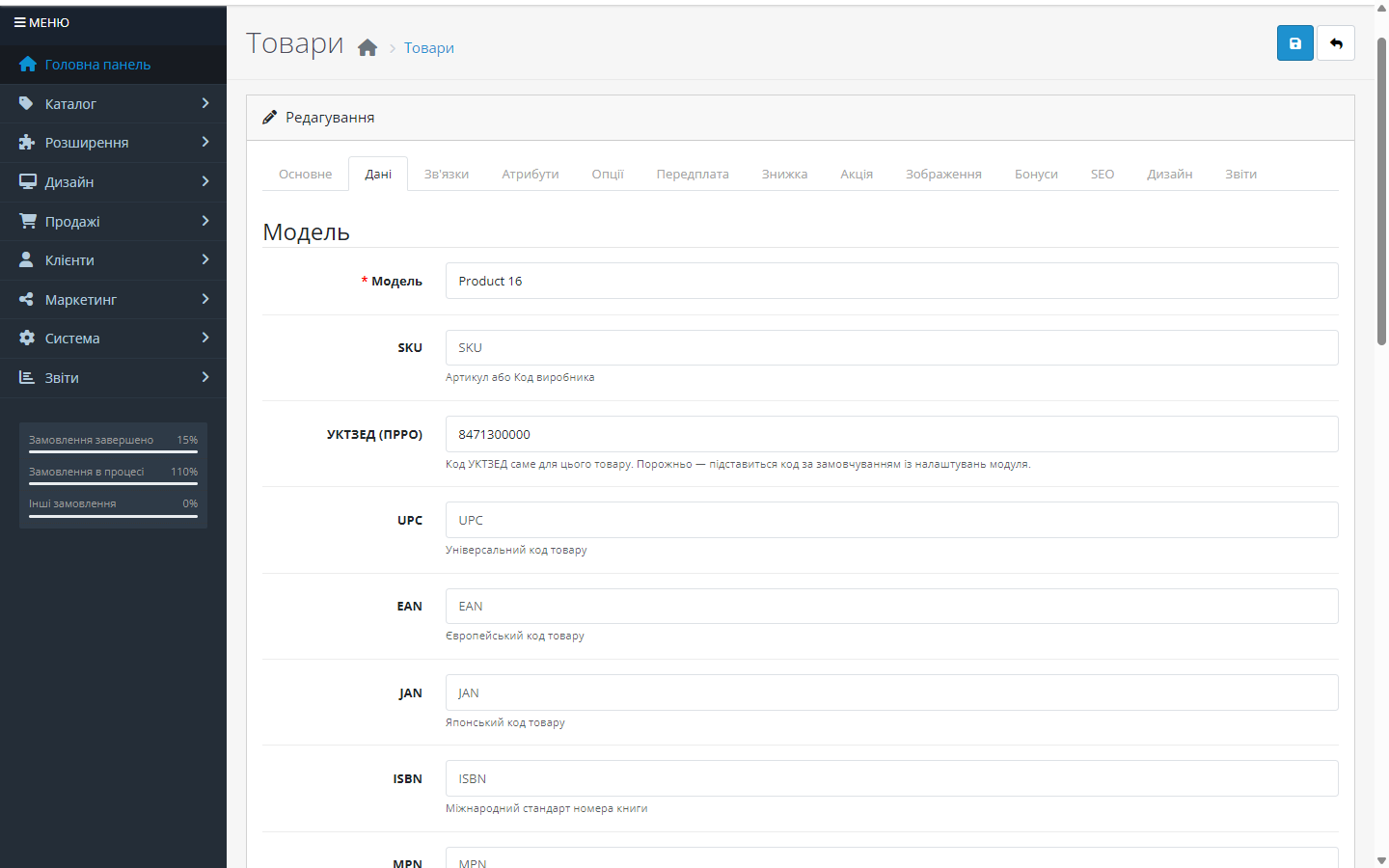
The UKTZED code is now set on the product (previously only the default code worked).
Fixed conversion of receipt amounts into hryvnia.
The OpenCart 3.0.x build was brought up to the level of the 4.x and 2.3 ones.
A separate build for OpenCart 2.3.0.0 – 2.3.0.2 with the same functionality.
The first public release for OpenCart.
4 modules in one order — 40% cheaper than separately



Multi PRRO Connector for OpenCart is a fiscalisation module for OpenCart 2.3, 3.x and 4.x that connects your shop to Ukrainian software cash registers (PRRO) and issues a fiscal receipt automatically when an order moves into a chosen status (for example “Processing” after an online payment). Receipts, register shifts, Z-reports and customer notifications all live in the OpenCart admin — no copying data by hand into the register’s own dashboard.
A primary register plus a backup one: if the primary is unavailable, the receipt automatically goes through the fallback — an order will not be left unfiscalised because one service had an outage.
A shop that sells both at a counter and online can easily sell the same item twice: it was rung up at the till, yet OpenCart still shows it in stock. Since 1.2.0 Pro closes that gap: every fiscalised sale receipt on the Checkbox register in the shop reduces the quantity of the same product in OpenCart, and a return receipt adds it back. It works in all three builds — OpenCart 4.x, 3.x and 2.3.
Receipts the module issued for online orders are skipped — OpenCart already reduced stock at checkout. A repeated or parallel delivery of the same receipt changes nothing a second time. If several products share a code, the line is skipped so the wrong stock is not reduced; a product with “Subtract Stock” turned off is left alone. All of this shows up in the “Receipts received” log, one line per item.
2,490 UAH — a one-off purchase. The licence is perpetual: you pay once, and updates and technical support are included in the price. One key covers two sites: your store and a staging copy.
Moving the shop to another domain? Deactivate the licence on the old one and activate it on the new one yourself from your account.
prro_connector.ocmod.zip through “Extensions → Installer”. For OpenCart 3.0.x use the prro_connector-oc3.ocmod.zip build, for 2.3 use cc_prro-oc2.ocmod.zip.upload/ folder from the archive go into the shop root manually, and then it is “Extensions → Modules → Install”.Didn't find the answer? Message us on Telegram and we'll reply within a business day.
 @catcode_support
Setup, compatibility, activation
@catcode_support
Setup, compatibility, activation
No. Everything happens in the admin and on order status change events. Your theme and checkout stay untouched.
The module can auto-open the shift on the first sale of the day, and open or close it on a schedule through the system cron. There are manual buttons on the “Shifts” page too.
In the settings you list the payment methods that are treated as cash (for example cod for cash on delivery) — everything else is fiscalised as card.
Yes, through both registers. When an order moves into the refund status, the module issues a full-amount refund receipt through the same register that issued the sale — Checkbox or Vchasno.Kasa. This works in the free version too.
Yes. There is a separate build for OpenCart 3.0.2 – 3.0.5.0 and another for 2.3.0.0 – 2.3.0.2 with the same functionality. 2.3 has no scheduler of its own, so scheduled shifts are opened by the system cron — the module shows the two ready-made URLs right in the settings.
Always hryvnia. If the shop's base currency is not UAH, the amounts are converted at that order's rate — so the receipt matches what the customer saw on the storefront.
OpenCart orders are unchanged, and every receipt and Z-report issued stays in your PRRO service's dashboard — no fiscal data is lost.
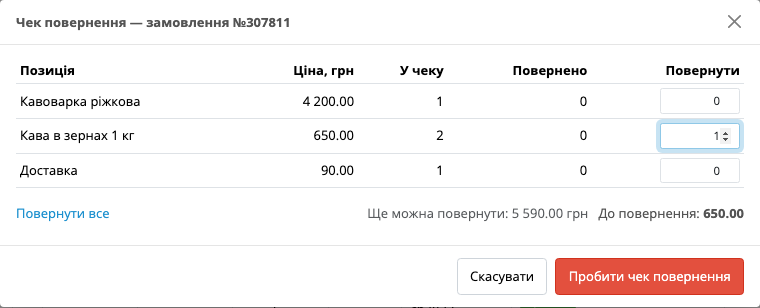
Yes. The free version issues a full-amount refund receipt on the “refunded” status — through both Checkbox and Vchasno.Kasa. Pro adds a refund receipt for chosen items of the sale receipt, with quantities, straight from the receipt log.
Yes, with Pro. In the “Do not fiscalize payment methods” setting list payment method codes separated by commas (for example, bank_transfer) — such orders are never sent to the register, neither as a sale nor as a refund.
The OpenCart 3.x build runs on PHP 7.2 to 8.4 (tested on OpenCart 3.0.3.3 with PHP 7.2). The 2.3 build runs on PHP 7.0 and newer, the 4.x build on whatever PHP OpenCart 4 itself requires.
No. A purchased OpenCart licence never expires and works without opening the admin and without renewals.
No reviews yet. Be the first.
No questions yet. Ask one — we answer within 24 hours.
We build custom modules for WordPress, WooCommerce, OpenCart and Shopify. Tell us about the task and we'll prepare an estimate.
Order a custom module
—

CatCode assistant
Just now


CatCode assistant
Online

I’ll help with your website task
Describe your website task — I’ll find a ready-made module or pass it to a developer for an estimate. Modules, custom features, layout, integrations, speed, migration, technical SEO.
