
WordPress
iPay.ua for WooCommerce — card payments via internet acquiring
Free + Pro
890 UAH/year
v1.0.2
 All Access4 990 ₴ / year
 Website auditA PDF report by email in 3 minutesCheck a website
Everyday tasks
Image compressorSize, quality and WebP in bulkQR generatorLink, Wi-Fi, payment to IBANVAT calculator20, 14, 7% and amount in wordsTransliterationOfficial Ukrainian standardWebsite checks
PHP and pluginsPHP version, WordPress, pluginsGoogle Merchant feedFields, prices, GTIN, imagesDomain emailSPF, DKIM, DMARC, blacklistsAI search readinessllms.txt, bots, markupAll 9 toolsEnter at least 2 characters

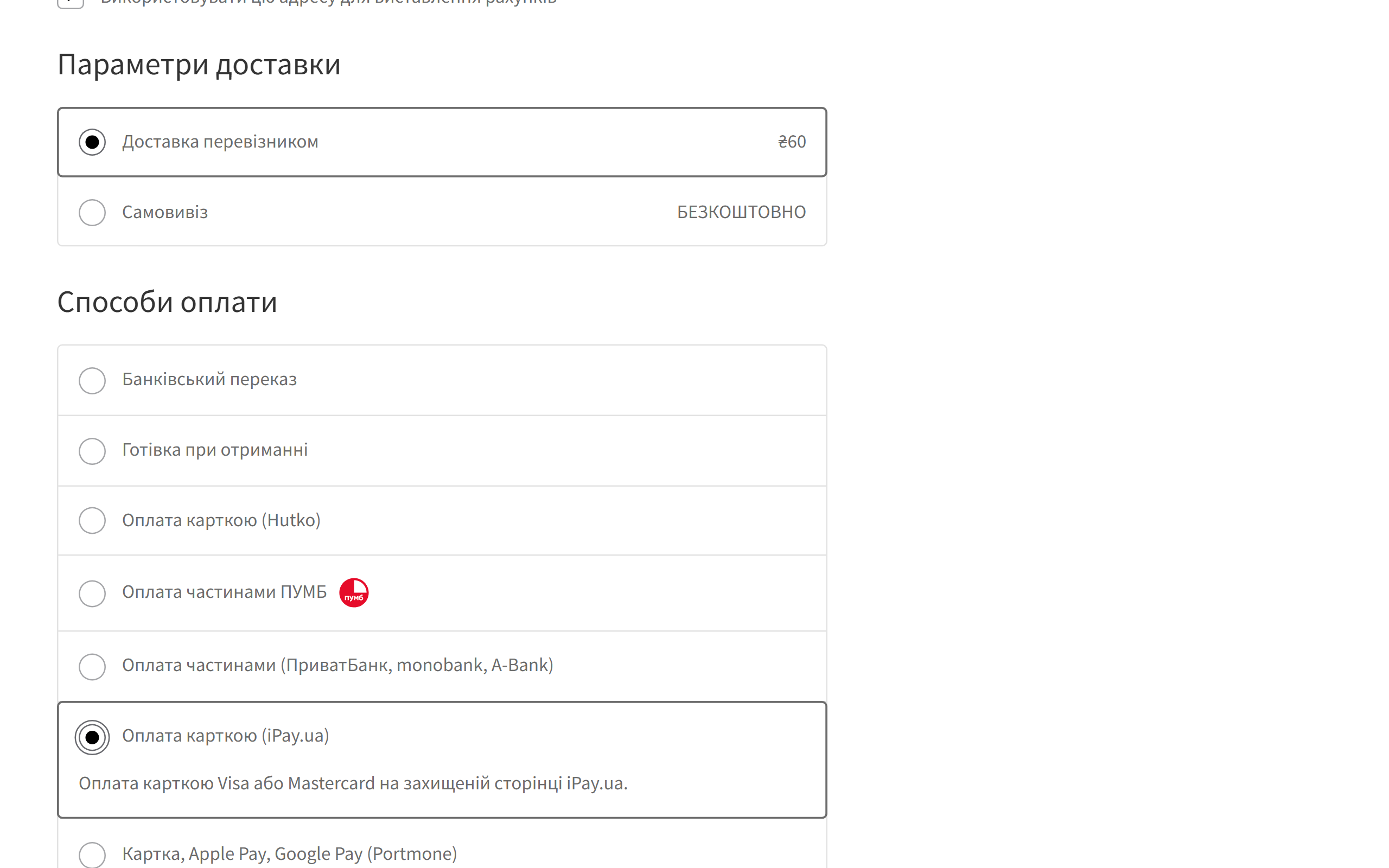
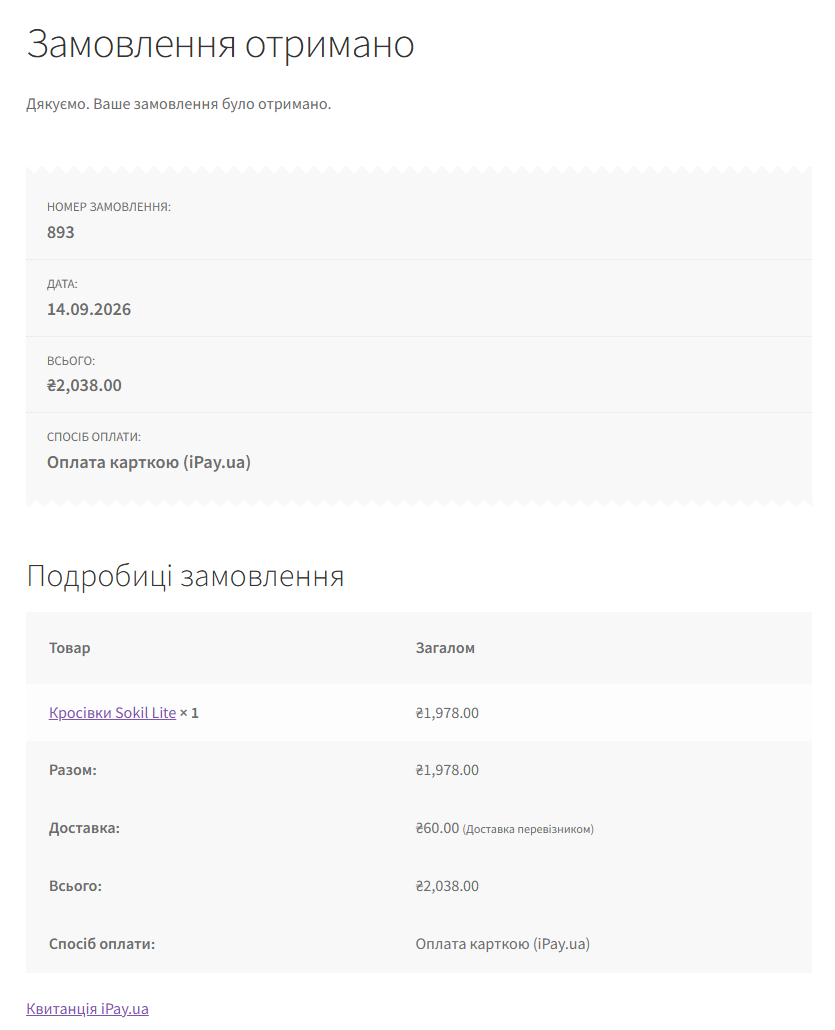
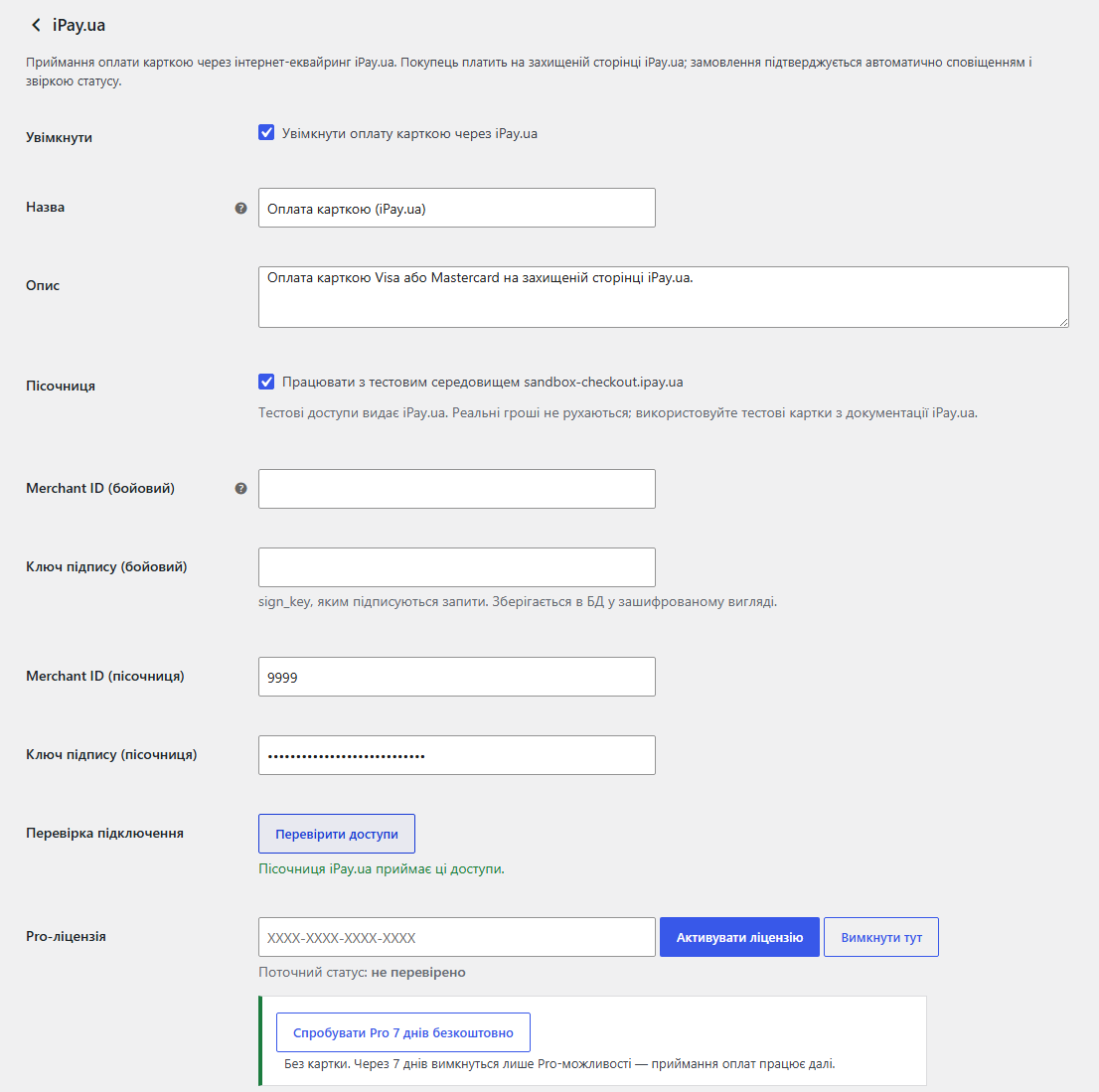
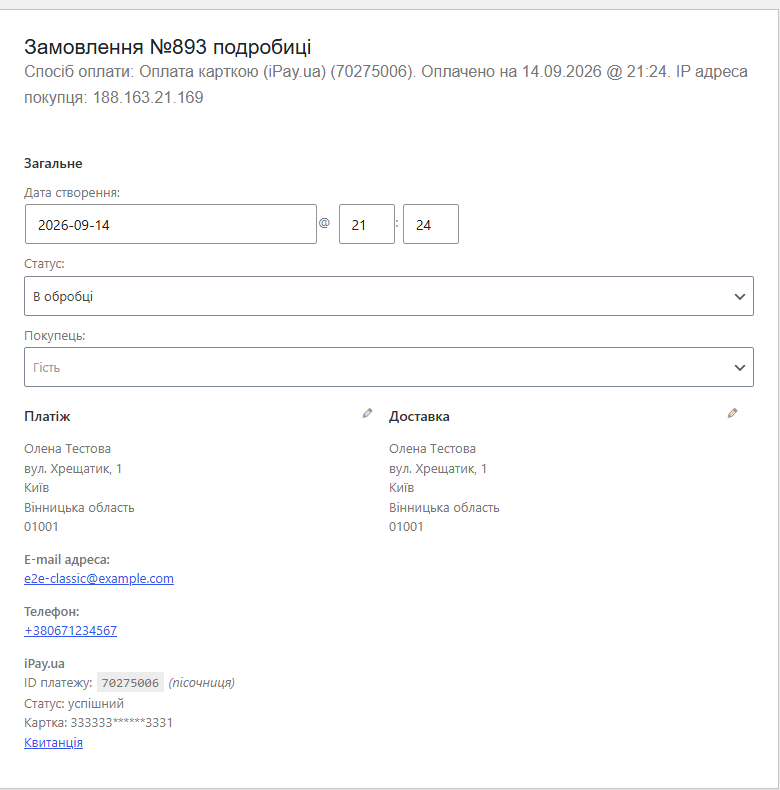
Accept card payments in WooCommerce through iPay.ua: secure payment page, automatic confirmation with status double-check, background reconciliation, sandbox. Pro — refunds, pre-authorisation, fiscal receipts and a payment log.
The free version works with no time limit. Pro adds the rest of the features in the table.



A fresh install is the free version, nothing switches on by itself. The “Try Pro for 7 days” button → e-mail → the key right in the window and by e-mail.

Moving the store? Unbind the licence on the old domain and activate it on the new one yourself. For studios — keys for 5 or 25 sites, or unlimited.
 WooCommerce 6.0+ with the classic or block checkout, HPOS compatibleWordPress 6.2+ · PHP 7.4+Store currency — Ukrainian hryvnia (UAH). With any other currency the payment method hides itself, so the customer is never charged the wrong amount.A contract with iPay.ua and Checkout API credentials: mch_id and sign_key. Sandbox test credentials are also issued by iPay.ua.For pre-authorisation — pre-authorisation mode enabled for your merchant in iPay.ua. For fiscal receipts — a cashier and a cash register connected in iPay.ua. For refunds on later days — access to Refund, which iPay.ua grants on request.
The fiscal receipt can no longer exceed the amount charged.
Stored access keys are now encrypted with AES-256-CBC and HMAC instead of the old XOR obfuscation, which some hosting antivirus scanners flagged and deleted.
IPay.ua payment creation with a redirect to the payment page, HMAC-SHA512 signed requests, notifications double-checked through Status, reconciliation on the customer’s return and in the…
4 modules in one order — 40% cheaper than separately



iPay.ua for WooCommerce is a payment plugin that accepts card payments through iPay.ua internet acquiring (Checkout API). The customer goes to the secure iPay.ua page, pays with a Visa or Mastercard card, and the order in your store confirms itself. The plugin doesn’t take a notification at its word: for every one it separately asks iPay.ua for the payment status and checks the amount, so nobody can “pay” an order with a forged request.
If the payment fails, the customer clicks “Return to the site” and lands on the order payment page with an explanation and the option to try again or pick another method. The order isn’t lost.
ipay-ua-for-woocommerce-1.0.2.zip and activate it.Didn't find the answer? Message us on Telegram and we'll reply within a business day.
 @catcode_support
Setup, compatibility, activation
@catcode_support
Setup, compatibility, activation
Yes. iPay.ua issues both live and test credentials (mch_id and sign_key).
Ukrainian hryvnia. If the store currency is different, the iPay.ua payment method isn't shown, so the customer is never charged the wrong amount.
Background reconciliation will pick up the payment within 10 minutes. If it keeps happening, check that iPay.ua has connected the notification URL from the plugin settings.
No. The card is entered on the iPay.ua page, and the plugin double-checks every payment notification with a request to iPay.ua.
Accepting payments, automatic confirmation, background reconciliation and the sandbox are free with no time limit.
No reviews yet. Be the first.
No questions yet. Ask one — we answer within 24 hours.
We build custom modules for WordPress, WooCommerce, OpenCart and Shopify. Tell us about the task and we'll prepare an estimate.
Order a custom module
—

CatCode assistant
Just now


CatCode assistant
Online

I’ll help with your website task
Describe your website task — I’ll find a ready-made module or pass it to a developer for an estimate. Modules, custom features, layout, integrations, speed, migration, technical SEO.
