
OpenCart
Flitt (Fondy) — card payments for OpenCart 2.3, 3.x and 4.x
Free + Pro
1 490 UAH
v1.1.1
 All Access4 990 ₴ / year
 Website auditA PDF report by email in 3 minutesCheck a website
Everyday tasks
Image compressorSize, quality and WebP in bulkQR generatorLink, Wi-Fi, payment to IBANVAT calculator20, 14, 7% and amount in wordsTransliterationOfficial Ukrainian standardWebsite checks
PHP and pluginsPHP version, WordPress, pluginsGoogle Merchant feedFields, prices, GTIN, imagesDomain emailSPF, DKIM, DMARC, blacklistsAI search readinessllms.txt, bots, markupAll 9 toolsEnter at least 2 characters
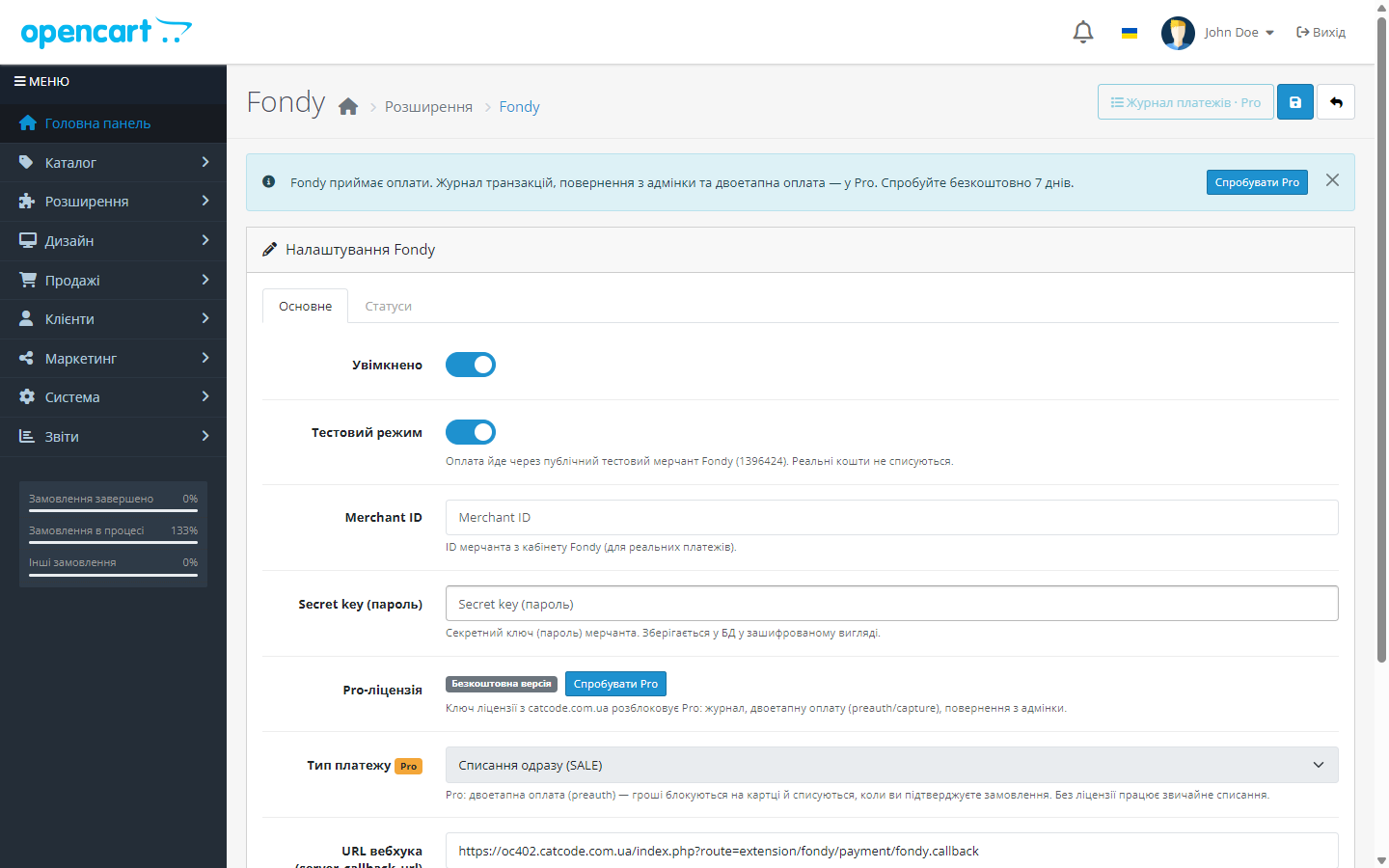
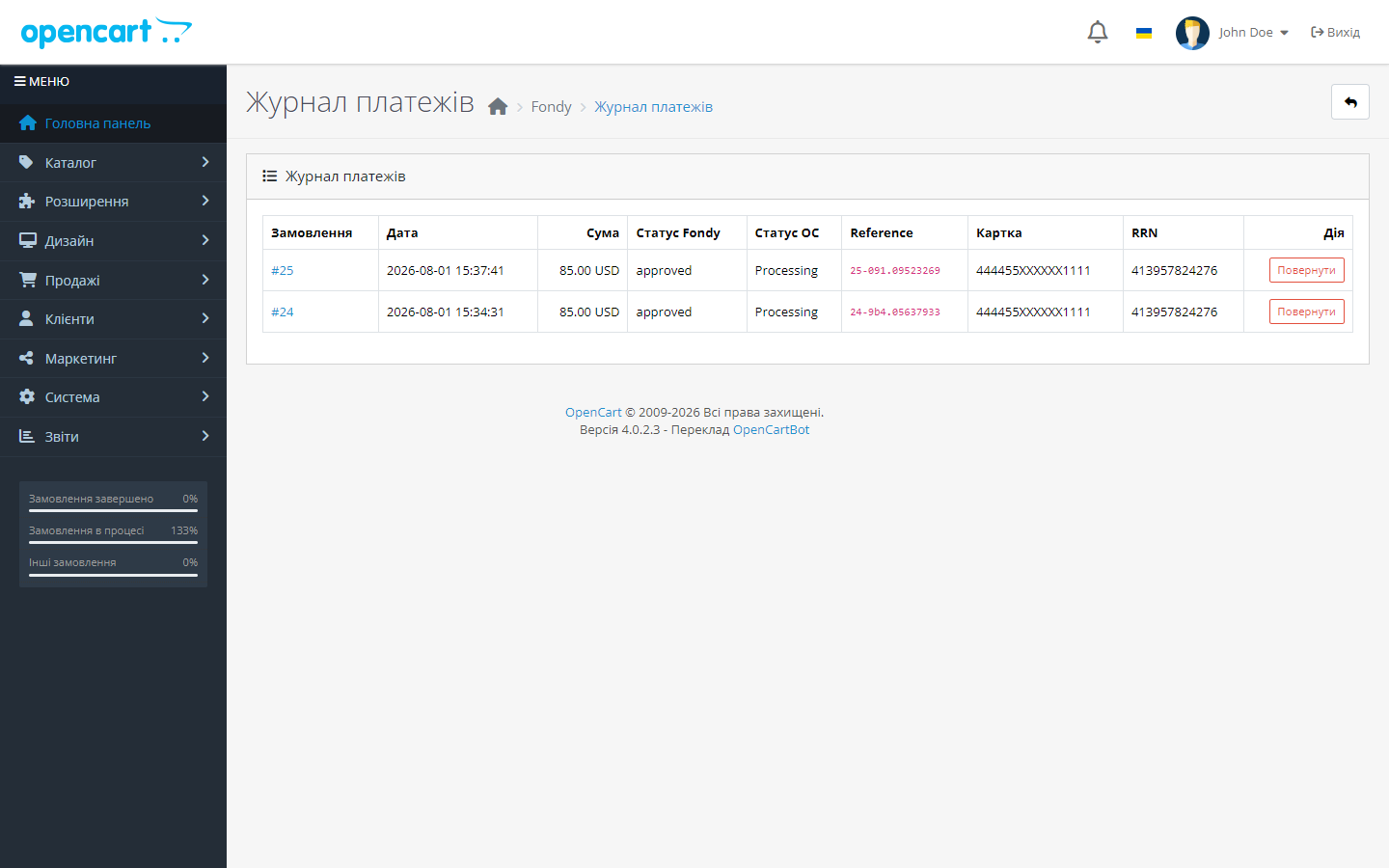
Free Flitt (Fondy) module for OpenCart 3 and 4: Visa/Mastercard payment on the Flitt page, auto-confirmation via signed callback. Pro — log, hold, refunds.
The free version works with no time limit. Pro adds the rest of the features in the table.



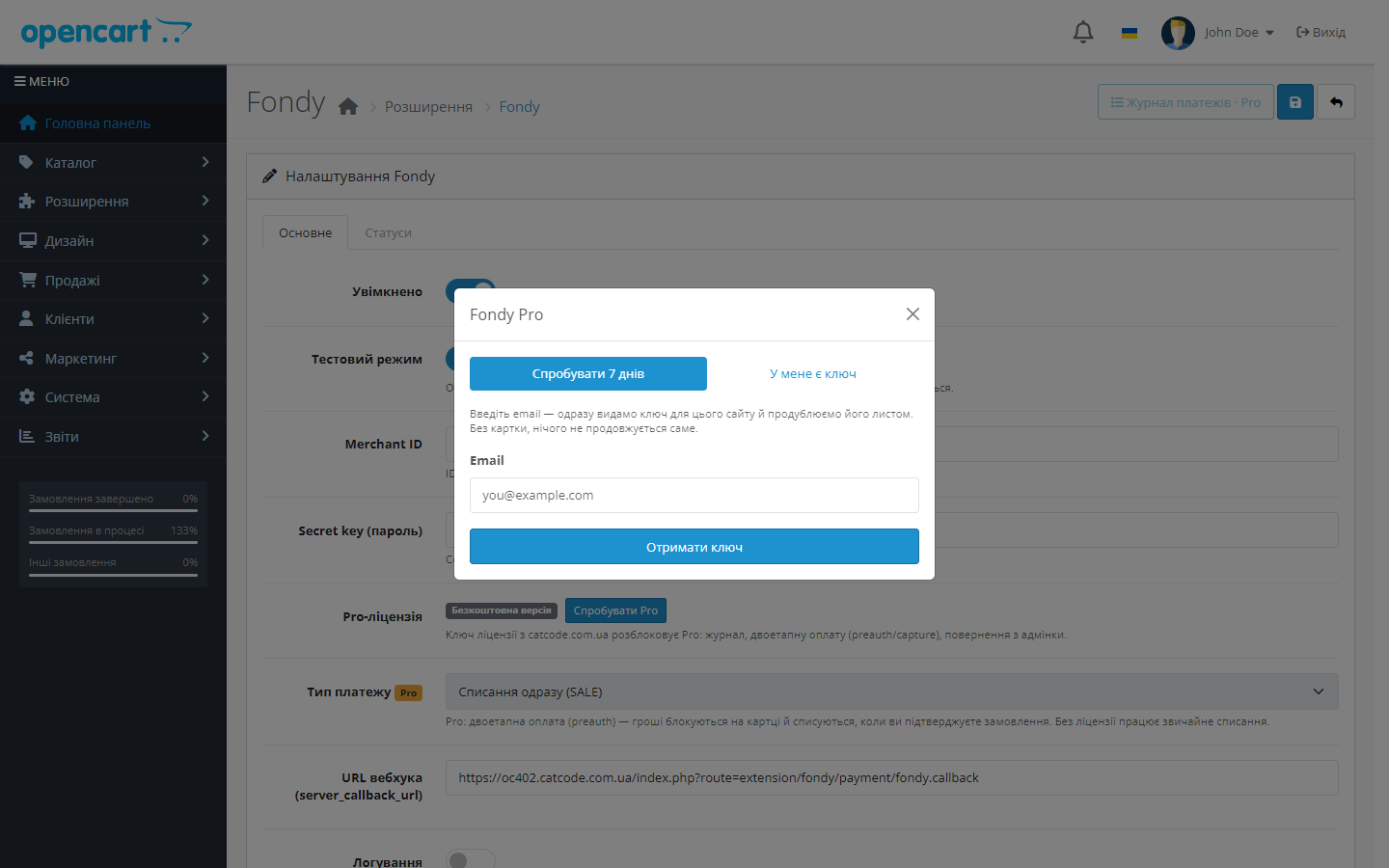
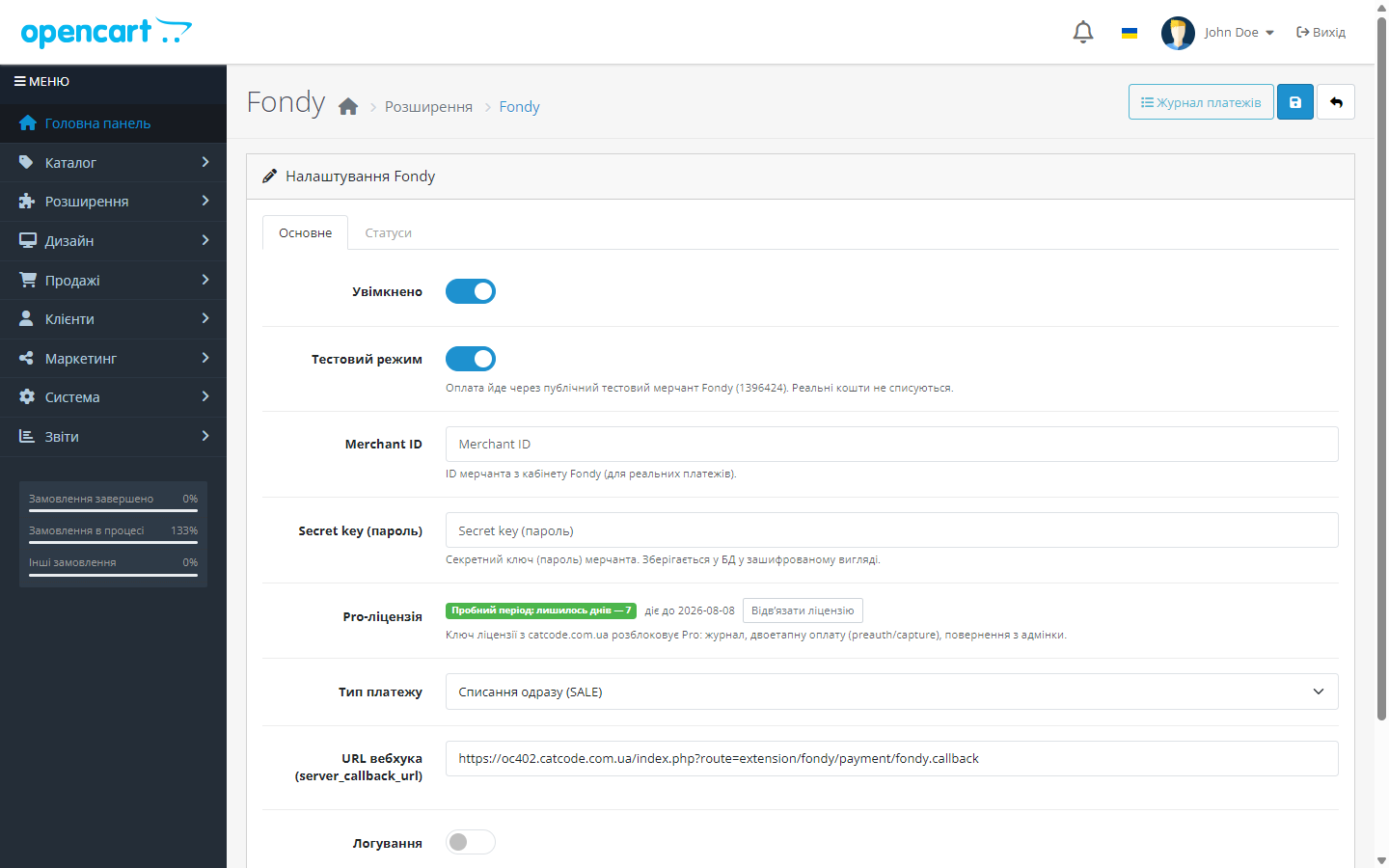
A fresh install is the free version, nothing switches on by itself. The “Try Pro for 7 days” button → e-mail → the key right in the window and by e-mail.

Moving the store? Unbind the licence on the old domain and activate it on the new one yourself. For studios — keys for 5 or 25 sites, or unlimited.
 OpenCart 4.0.2 – 4.1.x (native build), with separate builds for OpenCart 3.0.2 – 3.0.5.0 and OpenCart 2.3.0.xPHP 8.0+ for OpenCart 4; the OpenCart 2.3 build is tested on PHP 5.6 and 7.0Merchant ID and secret key from the Flitt (Fondy) account; not needed for test modeShop currency — one of the currencies supported by Flitt: GEL, USD, EUR, AMD, AZN, KZT, MDL, UZS
On OpenCart 4.1 the bank could receive the amount of an outdated order.
Fondy became Flitt: every request now goes to pay.flitt.com (the old pay.fondy.eu no longer responds), the public test merchant is 1549901, and the currency and payment-page language lists…
Fixed multi-store setups: the payment description and the Flitt account used to receive the main store’s domain, because it was taken from a constant shared across the whole install — it’s…
Fixed underpayment: a callback for an amount lower than the order is no longer stored as a successful payment.
Admin refunds no longer fail with an error (a missing catalog model was being loaded), partial refunds are now tracked cumulatively, and API errors are visible right in the log.
Fixed a conflict at checkout on OpenCart 4.0.2.x.
First public release: card payment via the Flitt page, a signed server callback with SHA1 verification, status reconciliation on return, a test merchant out of the box, builds for OpenCart…
4 modules in one order — 40% cheaper than separately



Flitt (formerly Fondy) for OpenCart is a payment module that connects Flitt (Fondy) acquiring to OpenCart 2.3, 3.x and 4.x. The customer pays by Visa or Mastercard on a secure Flitt page, and everything after that is automatic: Flitt sends a signed server callback, the extension verifies the SHA1 signature and sets the order to the right status itself. You don’t have to reconcile the Flitt account against your order list every morning.
Fondy is now Flitt. The acquirer changed its name and domain: the payment page runs on pay.flitt.com, while the old pay.fondy.eu no longer responds. The module has been moved to the new API, but the extension code, settings, licence key and payment log stayed the same — updating resets nothing.
Currencies. Flitt accepts GEL, USD, EUR, AMD, AZN, KZT, MDL and UZS — merchants in Georgia, Kazakhstan, Uzbekistan, Moldova and Armenia. The Ukrainian hryvnia is not on that list: if the shop currency is unsupported, the payment method simply is not shown at checkout. For Ukrainian shops we have a separate Hutko module.
1,490 UAH — one-off purchase. The licence is perpetual: you pay once, updates and technical support are included in the price. One key covers two sites: your store and a staging copy.
Moving the shop to another domain — deactivate the licence on the old one and activate it on the new one yourself in the account.
The licence is perpetual — nothing expires or switches off. One key — two sites: your store and a staging copy; moving the shop, deactivate the licence on the old domain and activate it on the new one yourself.
One key — two sites: your store and a staging copy. Moving the shop, deactivate the licence on the old domain and activate it on the new one yourself, without contacting support.
Trial first, then payment. A fresh install is the free version: Pro doesn’t switch itself on, and nothing expires after a week. When you want to see Pro — click “Try Pro” in the module’s settings, enter your email and get a 7-day key (also sent by email). So you get to check the payment log, preauth/capture and refunds on your own shop before you buy — that’s exactly why refunds after purchase aren’t offered.
fondy.ocmod.zip via “Extensions → Installer” in your admin. For OpenCart 3.0.x use the fondy-oc3-1.2.1.ocmod.zip build, and for OpenCart 2.3 the fondy-oc2-1.2.1.ocmod.zip one (its upload/ files are copied over FTP, because the 2.3 installer only works via FTP).admin/, catalog/, system/ from the archive) — the settings, licence and payment log stay in place. In OpenCart 4.1 the built-in Installer refuses to install over an already installed extension, and removing the payment method wipes its settings, so update by replacing files. In OpenCart 3.0.x the built-in Installer handles the update.Didn't find the answer? Message us on Telegram and we'll reply within a business day.
 @catcode_support
Setup, compatibility, activation
@catcode_support
Setup, compatibility, activation
No. Flitt becomes a regular payment method in the standard OpenCart checkout. Payment itself happens on the Flitt page — the shop's theme is unchanged.
Yes. In test mode the module uses Flitt's public test merchant — the payment cycle can be tested in full; an agreement and your own merchant are only needed for real money.
Only the Pro features close (log, preauth, refunds). Accepting card payments and auto-confirming orders remain free forever.
Yes. Deactivate the licence on the old domain — the slot frees up, and the key can be activated on the new one.
Yes, there's a separate build for OpenCart 3.0.2 – 3.0.5.0 with the same functionality. The licence key is shared between both builds.
No. For OpenCart the licence is perpetual: one payment, and the Pro features stay with you. Only the 7-day trial ends — after it Pro switches off and the free version keeps working.
No. The hryvnia is not in the Flitt documentation — the supported currencies are GEL, USD, EUR, AMD, AZN, KZT, MDL and UZS. If the shop currency is not on that list, the payment method is not shown at checkout. For Ukraine we built a separate Hutko module.
Update the module: the extension code, settings, licence key and payment log all stay the same. Older versions can no longer take payments because the pay.fondy.eu domain does not respond.
No reviews yet. Be the first.
No questions yet. Ask one — we answer within 24 hours.
We build custom modules for WordPress, WooCommerce, OpenCart and Shopify. Tell us about the task and we'll prepare an estimate.
Order a custom module
—

CatCode assistant
Just now


CatCode assistant
Online

I’ll help with your website task
Describe your website task — I’ll find a ready-made module or pass it to a developer for an estimate. Modules, custom features, layout, integrations, speed, migration, technical SEO.
