
WordPress
Deposit Return Fee for WooCommerce — bottle and can deposit (kaucja, SGR, Pfand) as a separate line
Free + Pro
1 290 UAH/year
v1.0.0
 All Access4 990 ₴ / year
 Website auditA PDF report by email in 3 minutesCheck a website
Everyday tasks
Image compressorSize, quality and WebP in bulkQR generatorLink, Wi-Fi, payment to IBANVAT calculator20, 14, 7% and amount in wordsTransliterationOfficial Ukrainian standardWebsite checks
PHP and pluginsPHP version, WordPress, pluginsGoogle Merchant feedFields, prices, GTIN, imagesDomain emailSPF, DKIM, DMARC, blacklistsAI search readinessllms.txt, bots, markupAll 9 toolsEnter at least 2 characters

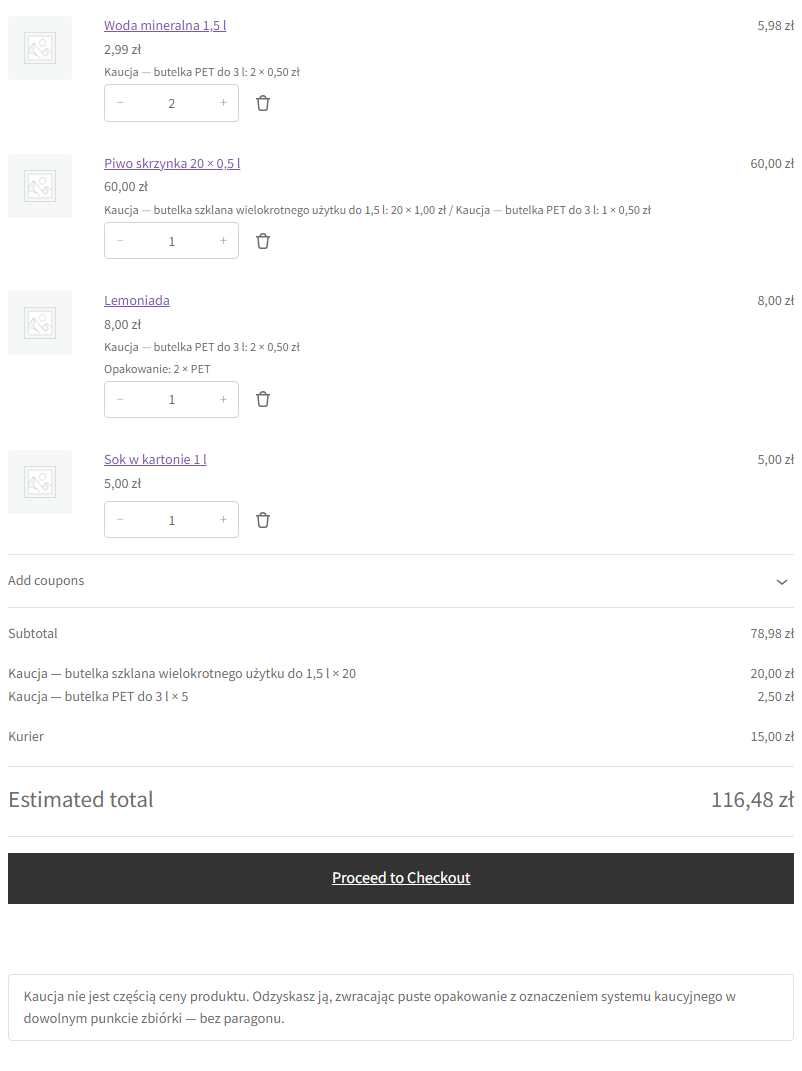
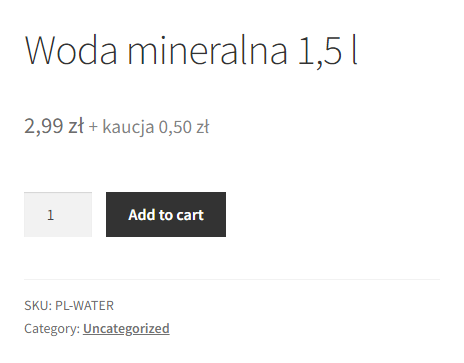
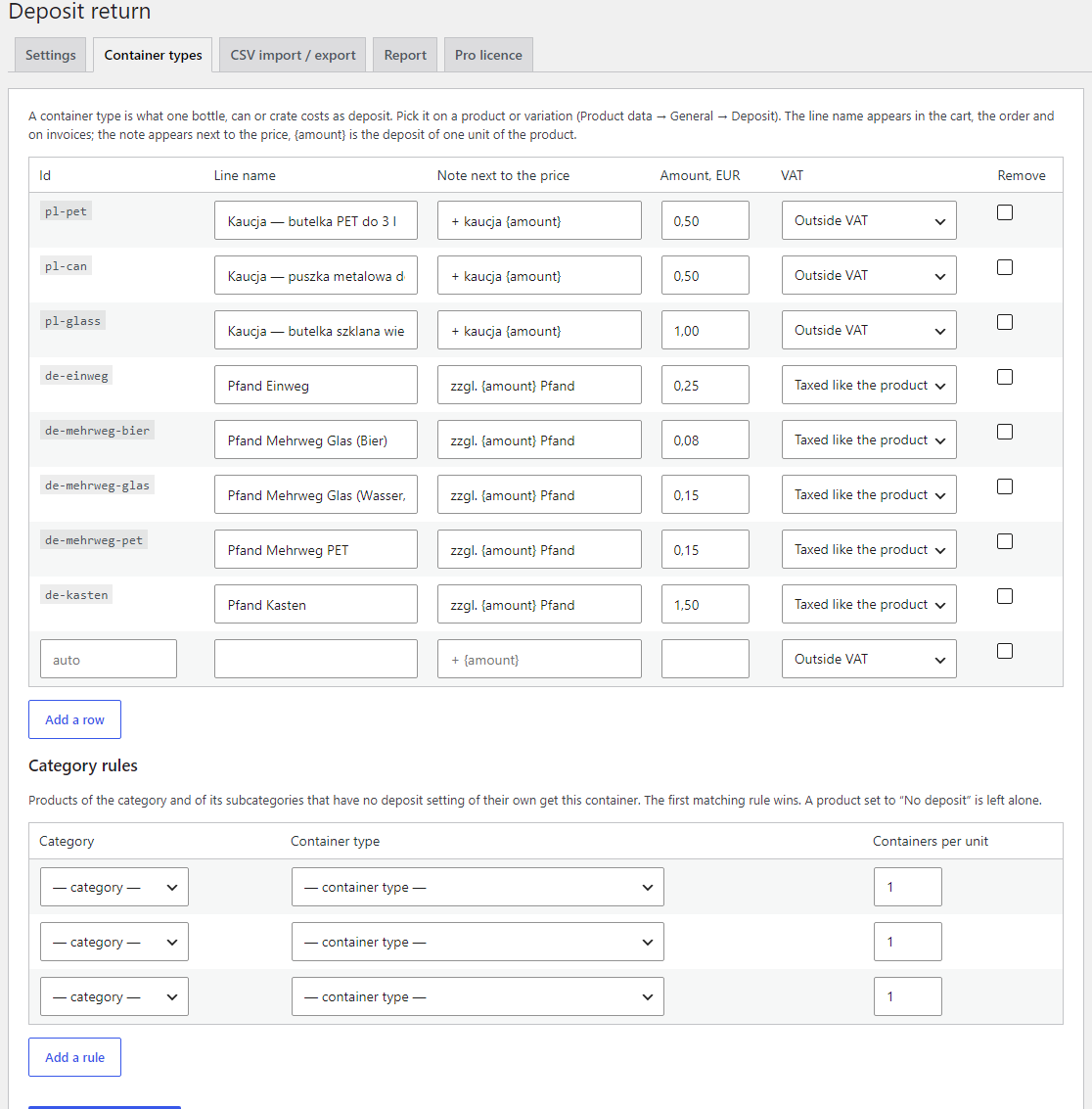
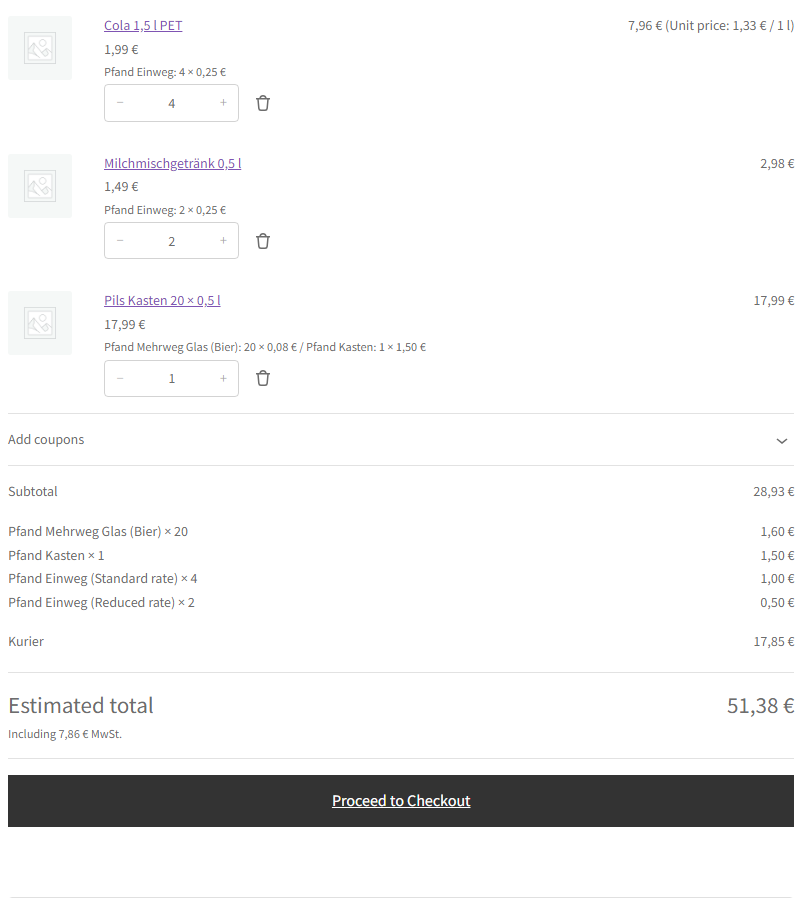
The deposit on bottles and cans as a separate line in the cart, order and invoice, not inside the product price. Ready-made sets for Poland (kaucja), Romania (SGR), Germany and Austria (Pfand) with VAT per container type.
The free version works with no time limit. Pro adds the rest of the features in the table.



A fresh install is the free version, nothing switches on by itself. The “Try Pro for 7 days” button → e-mail → the key right in the window and by e-mail.

Moving the store? Unbind the licence on the old domain and activate it on the new one yourself. For studios — keys for 5 or 25 sites, or unlimited.
 WordPress 6.2+ · WooCommerce 8.2+ · PHP 7.4+; tested on WordPress 7.1 and WooCommerce 11.2, PHP 8.3 and 7.4.Order storage: HPOS and the classic posts storage — the “Deposit” box and refunds work in both.Database: MariaDB and MySQL 8.0 (tested).Checkout and themes: classic and block cart/checkout; Storefront and the block theme Twenty Twenty-Five (Product Collection, Order confirmation).Currency: deposit amounts are in the shop currency; multi-currency plugins do not convert the deposit amount.Interface languages: English, polski, română, Deutsch. Line names, notes and return texts in the sets are in the scheme country’s language.Together with our Grundpreis plugin: the Pfand is not part of the unit price (tested).
Container types with sets for Poland (kaucja), Romania (SGR), Germany and Austria (Pfand); containers on products and variations; the deposit as separate lines in the classic and block cart…
4 modules in one order — 40% cheaper than separately



Deposit Return Fee for WooCommerce charges the deposit on bottles, cans and crates as a separate line in the cart, at checkout, in the order, e-mails and invoices — not inside the product price. Ready-made container sets cover the Polish system kaucyjny, the Romanian SGR and the German and Austrian Pfand. The presets use 0.50 zł per PET bottle and can and 1.00 zł per reusable glass bottle (Poland), 0.50 lei (Romania), 0.25 € per Einweg container (Germany, Austria). The deposit stays out of the shelf price, coupons do not reduce it, and it has its own VAT setting.
Put the deposit “into the price” or sell it as a separate product and everything breaks at once: the Grundpreis comes out wrong, a -50 % coupon cuts the deposit, the deposit lands in the VAT base together with the product, and the invoice has no separate line. The plugin solves it with WooCommerce’s own mechanism — a fee line: the classic and block cart, the order, e-mails, My account and invoice plugins all see it.
The core version is free. Container types with ready-made sets for Poland, Romania, Germany and Austria, containers on products and variations, deposit lines in the cart, checkout, order and e-mails, VAT per container type, price notes and the “how to get the deposit back” text work without a licence and without a time limit. Pro adds category rules, bulk edit, CSV import by SKU and GTIN, deposit refunds from the order, deposit lines for orders created in the admin and a report.
There is a separate module for OpenCart — Deposit Return Fee for OpenCart.
_ean), “,” or “;” separator (Excel), a dry run without changes.Rates and VAT here are presets, not tax advice. They are starting values from sources as of October 2026. The shop checks them itself — together with its accountant and the deposit system operator — and changes the amount, VAT and countries of each container type when needed.
ccdrf-<type>-<VAT>: both carts and checkouts (Store API), the order, e-mails and invoice plugins see them natively, while coupons and the free shipping threshold ignore them. Lines with different VAT are never merged._ccdrf_deposit, the types, the number of containers and the gross; a product line stores its containers. Invoice plugins can use ccdrf_is_deposit_item( $item ).ccdrf_product_components, ccdrf_default_rows, ccdrf_groups.Didn't find the answer? Message us on Telegram and we'll reply within a business day.
 @catcode_support
Setup, compatibility, activation
@catcode_support
Setup, compatibility, activation
Not of the price: it is a separate order line. VAT follows the container type: the Poland, Romania and Austrian Einweg presets have no VAT, the German Pfand and Austrian Mehrweg are taxed at the rate of the drink, and the plugin calculates that itself. The presets are starting values the shop checks with its accountant.
No. Coupons apply only to products, the deposit stays in full. It does not count towards the free shipping threshold either.
By returning the empty container to a collection point. The plugin shows this text in the cart, at checkout, on the thank-you page and in the e-mail. If containers are brought back to your shop, Pro has a "Refund the deposit" button in the order.
Up to 3 container rows on a product and on each variation: "20 × bottle + 1 × crate". A variation can take the parent's containers or have its own.
No. The sets are starting values from sources as of October 2026 (listed in the plugin readme). The shop chooses the container type, amount and VAT together with its accountant; all amounts can be changed.
No reviews yet. Be the first.
No questions yet. Ask one — we answer within 24 hours.
We build custom modules for WordPress, WooCommerce, OpenCart and Shopify. Tell us about the task and we'll prepare an estimate.
Order a custom module
—

CatCode assistant
Just now


CatCode assistant
Online

I’ll help with your website task
Describe your website task — I’ll find a ready-made module or pass it to a developer for an estimate. Modules, custom features, layout, integrations, speed, migration, technical SEO.
