OpenCart
Notify me when available — product subscriptions for OpenCart 2.3, 3.x and 4.x
Free + Pro
1 290 UAH
v1.1.3
 All Access4 990 ₴ / year
 Website auditA PDF report by email in 3 minutesCheck a website
Everyday tasks
Image compressorSize, quality and WebP in bulkQR generatorLink, Wi-Fi, payment to IBANVAT calculator20, 14, 7% and amount in wordsTransliterationOfficial Ukrainian standardWebsite checks
PHP and pluginsPHP version, WordPress, pluginsGoogle Merchant feedFields, prices, GTIN, imagesDomain emailSPF, DKIM, DMARC, blacklistsAI search readinessllms.txt, bots, markupAll 9 toolsEnter at least 2 characters
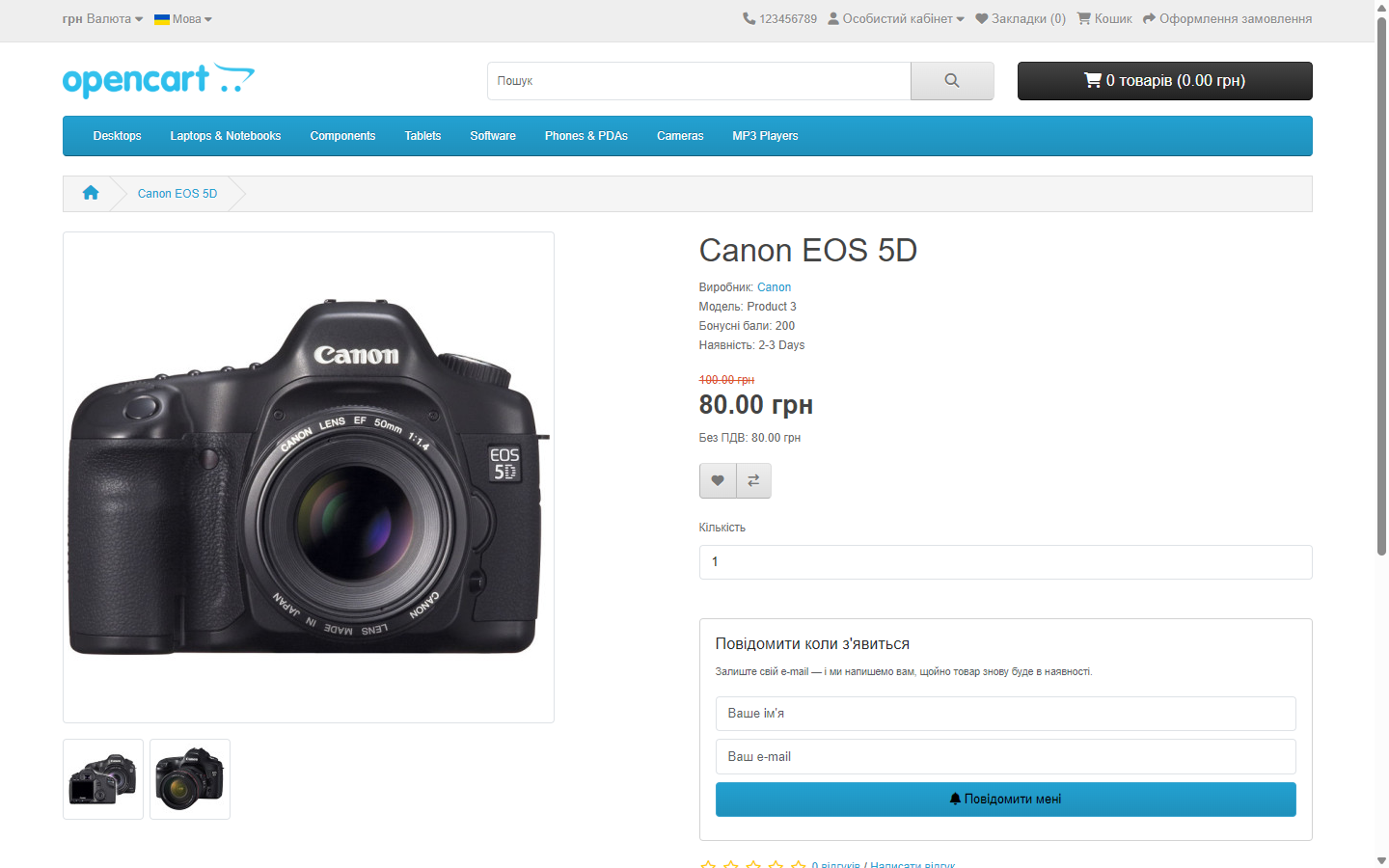
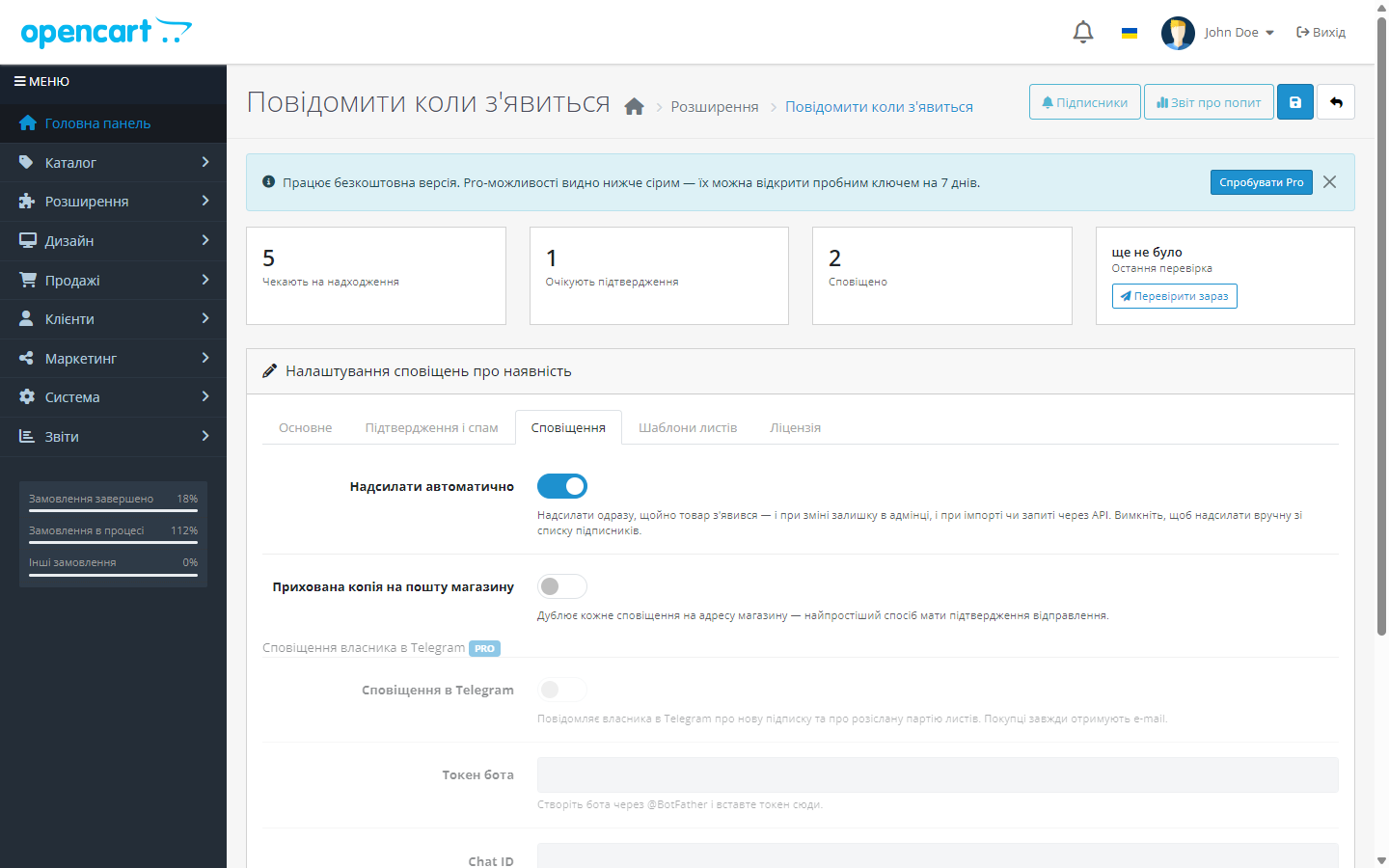
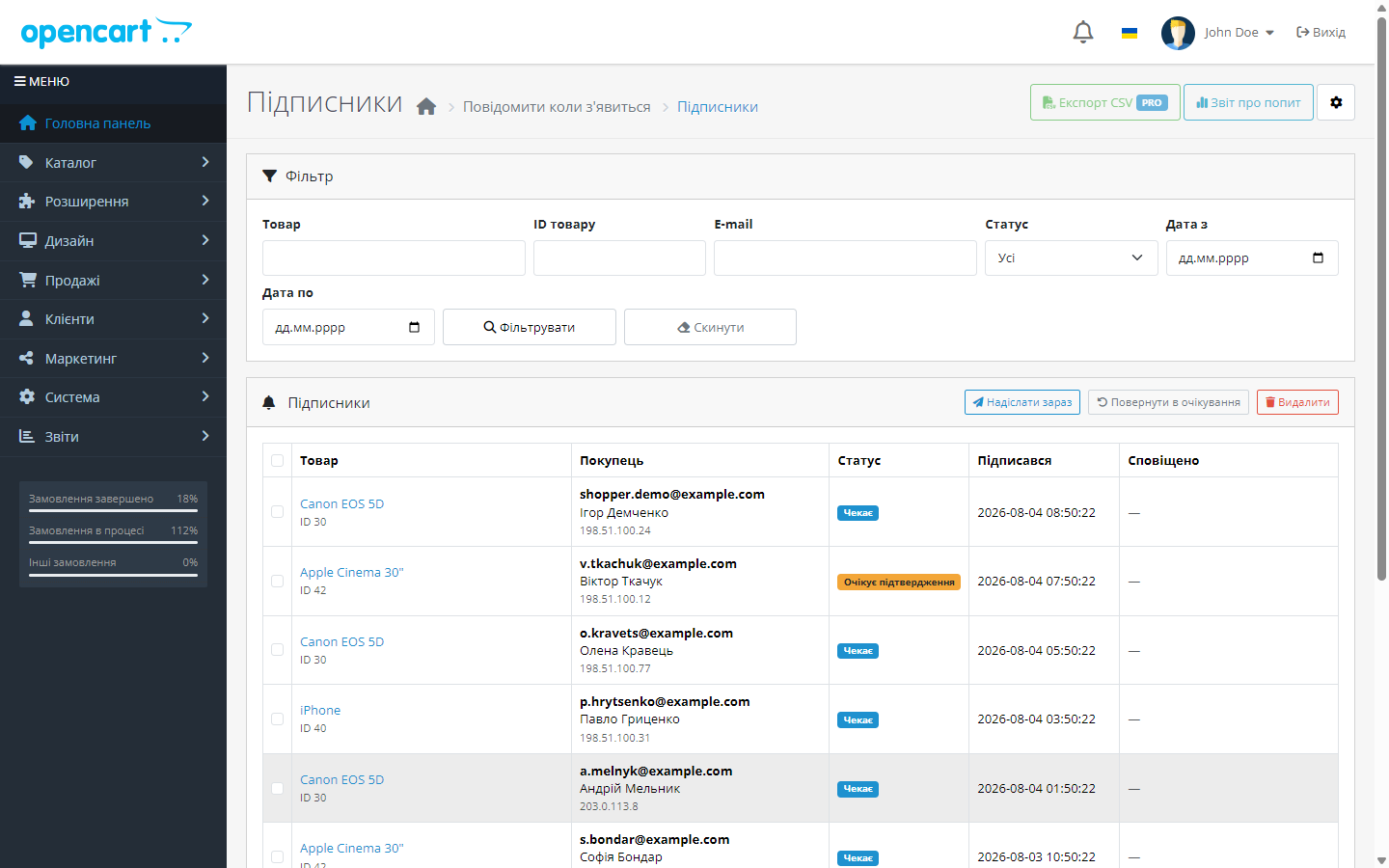
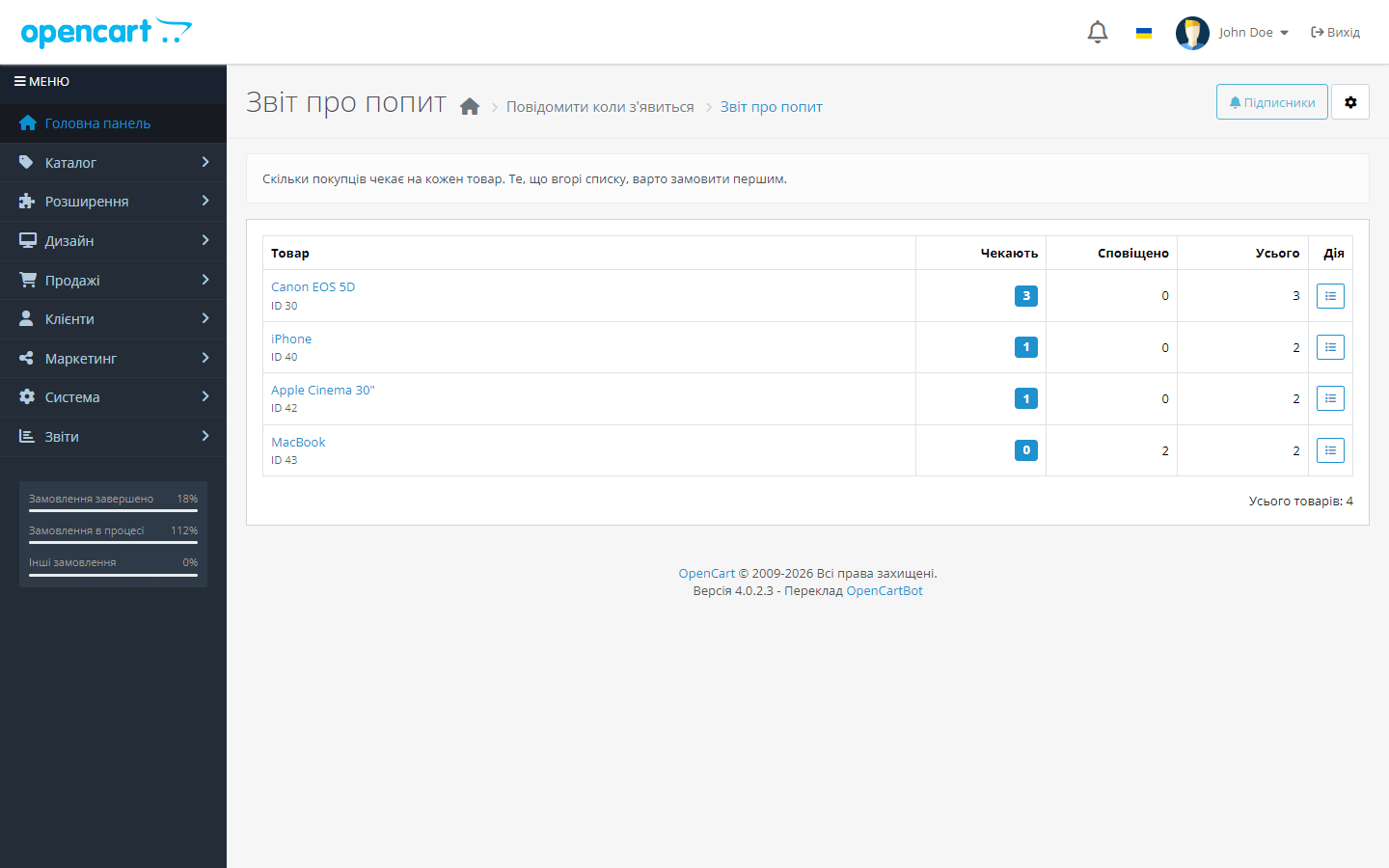
A subscription form for an out-of-stock product, and an auto e-mail to the buyer as soon as it's back. Subscriber list and demand report — what to restock first.
Clear even without sound: Ukrainian subtitles
The free version works with no time limit. Pro adds the rest of the features in the table.


This is the main difference from simple alternatives. The module doesn’t try to catch the “moment of change” in stock — it regularly checks which currently-purchasable products people are waiting for.

The form is protected from bots with a hidden field and a fill-time check, subscriptions from one address are rate-limited per hour, and e-mail subscription confirmation can be switched on (Pro).

The buyer gets an e-mail with the product name, the price in the currency they saw, a link to the product, and a one-click unsubscribe link.

A fresh install is the free version, nothing switches on by itself. The “Try Pro for 7 days” button → e-mail → the key right in the window and by e-mail.

Moving the store? Unbind the licence on the old domain and activate it on the new one yourself. For studios — keys for 5 or 25 sites, or unlimited.
 OpenCart 4.x, 3.x and 2.3 are supported, as well as ocStore builds based on them — three builds in one archive. The store needs working mail delivery.
A purchased licence for OpenCart now works without expiry.
The subscription list with a filter opens again on the PDO database driver.
The “confirm subscription” and “unsubscribe” links no longer fire for an e-mail scanner.
A purchased OpenCart licence works with no time limit.
Pro unlocks with a key, and the trial only starts on the owner’s own click.
The 3.0.x build moved to the same model as 4.x and 2.3: the licence is verified on the CatCode server, the trial is only issued on your own click.
A separate build for OpenCart 2.3.0.x: the same functionality, server-side licensing with a trial on click, compatible with PHP 5.6 and 7.0.
4 modules in one order — 40% cheaper than separately



Notify me when available turns a visitor who left empty-handed into an order. If a product is out of stock, instead of a “Buy” button the buyer sees a subscription form — and once the product is back, they get an e-mail automatically.
This is the main difference from simple alternatives. The module doesn’t try to catch the “moment of change” in stock — it regularly checks which currently-purchasable products people are waiting for. So the notification fires correctly whether stock was changed by hand in the admin, updated by a price list import, updated via the API, or even edited directly in the database — the exact cases where modules relying only on the product-save event usually break.
The form is protected from bots with a hidden field and a fill-time check, subscriptions from one address are rate-limited per hour, and e-mail subscription confirmation can be switched on (Pro). Fields are filled in automatically for logged-in customers.
The buyer gets an e-mail with the product name, the price in the currency they saw, a link to the product, and a one-click unsubscribe link. In Pro, e-mail templates can be edited in the admin for each store language, with placeholders, and Telegram notifications can be enabled too.
In the admin — a full subscription list with filters by product, e-mail, status and date, a manual “send now”, bulk delete and CSV export (Pro). A separate screen shows how many people are waiting for each product — a ready-made answer to what to order next.
Trial — only on your click. A fresh install is a clean free version: nothing Pro switches on by itself or goes dark after a week. When you want to look at Pro, click “Try Pro”, enter your e-mail, and get a 7-day key.
A product runs out — and traffic to its page keeps coming, but turns into zero. A customer sees “out of stock” and goes to a competitor, and you never find out there was demand for that item.
The subscription form turns that zero into two assets: a deferred sale and data on real demand — exactly what to restock first.
1. On a product with no stock, a subscription form shows instead of the “Buy” button.
2. The buyer leaves an email; the module filters out junk subscriptions before recording them.
3. As soon as stock returns, the trigger fires and every subscriber to that item gets a notification.
4. The subscriber list in the admin works as a demand report — you see what people are missing most.
A manual stock change in the admin is caught immediately, by a product model event. A price list import, an exchange with an accounting system or a direct database edit is picked up by a regular cron pass that checks who is waiting for a product that is in stock right now. On OpenCart 4 this job is registered under Cron Jobs automatically; on 3.x and 2.3 the cron link from the module settings has to be added on your hosting.
The core isn’t patched: everything runs through OpenCart’s standard events.
1. Upload the archive via “Extensions → Installer” and install the module.
2. Check that the form appeared instead of the “Buy” button on an out-of-stock product.
3. Subscribe yourself and restock the item — a notification should arrive.
4. If it doesn’t arrive, check the store’s mail settings — that’s the most common cause.
Didn't find the answer? Message us on Telegram and we'll reply within a business day.
 @catcode_support
Setup, compatibility, activation
@catcode_support
Setup, compatibility, activation
Yes. The module doesn't depend on the product-save event and regularly checks which products have become available.
No. The subscription closes right after the e-mail is sent.
With one click on a personal link in the e-mail.
Yes, a separate screen shows the subscription count per product — a ready-made demand report.
Yes: a hidden field, a fill-time check, a per-address limit, and optional e-mail confirmation.
No reviews yet. Be the first.
No questions yet. Ask one — we answer within 24 hours.
We build custom modules for WordPress, WooCommerce, OpenCart and Shopify. Tell us about the task and we'll prepare an estimate.
Order a custom module
—

CatCode assistant
Just now


CatCode assistant
Online

I’ll help with your website task
Describe your website task — I’ll find a ready-made module or pass it to a developer for an estimate. Modules, custom features, layout, integrations, speed, migration, technical SEO.
