OpenCart
B2B Order Import for OpenCart — turn a customer purchase order in Excel, CSV or PDF into an order
Free + Pro
1 290 UAH
v1.0.0
 All Access4 990 ₴ / year
 Website auditA PDF report by email in 3 minutesCheck a website
Everyday tasks
Image compressorSize, quality and WebP in bulkQR generatorLink, Wi-Fi, payment to IBANVAT calculator20, 14, 7% and amount in wordsTransliterationOfficial Ukrainian standardWebsite checks
PHP and pluginsPHP version, WordPress, pluginsGoogle Merchant feedFields, prices, GTIN, imagesDomain emailSPF, DKIM, DMARC, blacklistsAI search readinessllms.txt, bots, markupAll 9 toolsEnter at least 2 characters
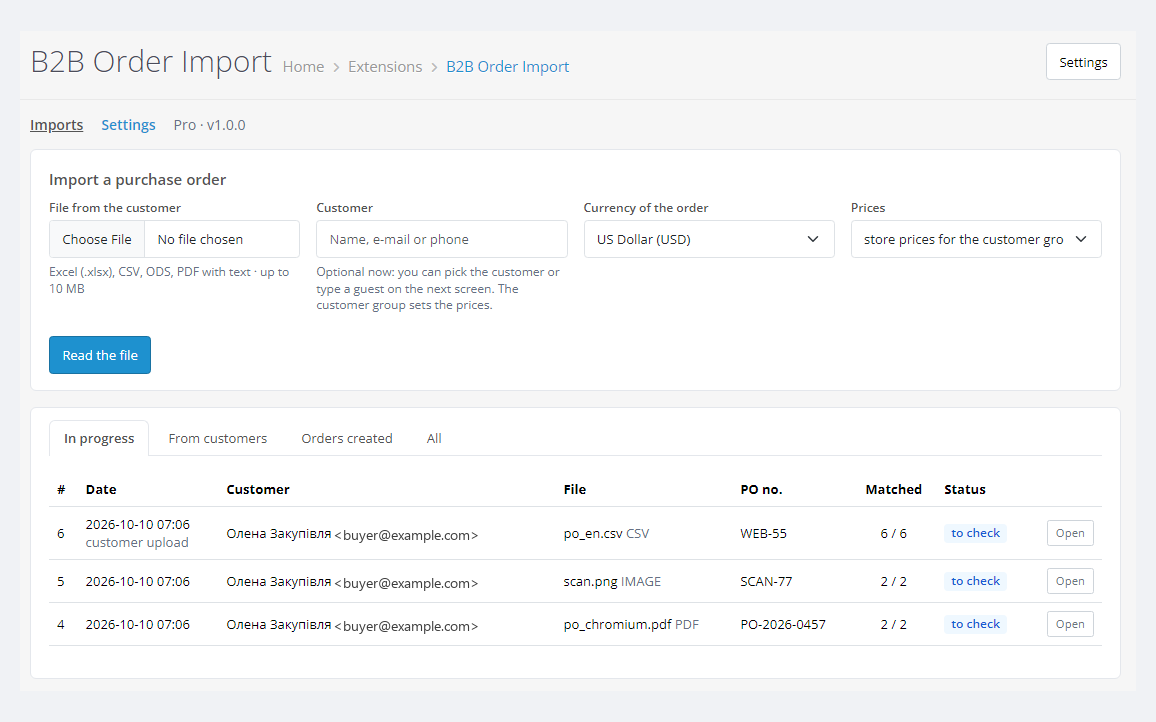
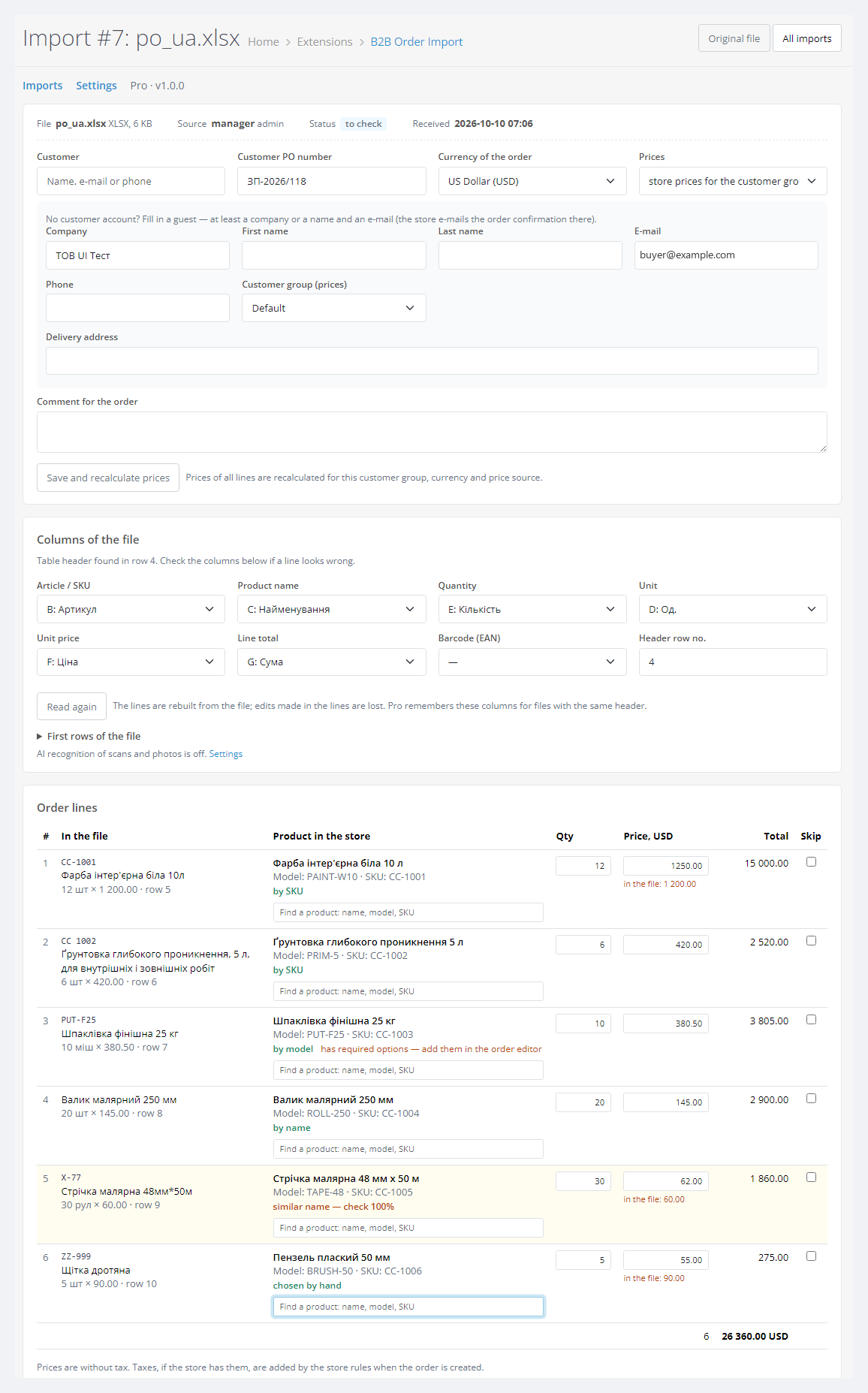
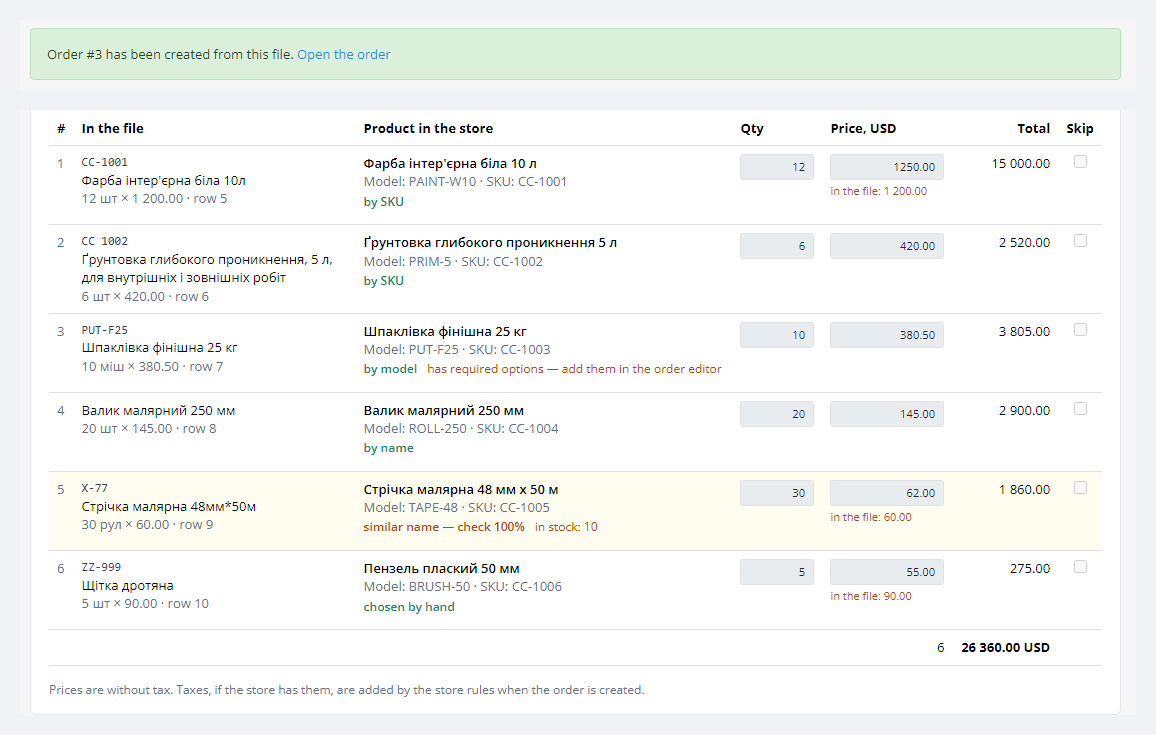
A module for OpenCart 4, 3 and 2.3 that turns a wholesale customer's purchase order file into a store order. A manager uploads Excel, CSV or ODS (in Pro also a PDF with a text layer), the module finds the item table, matches every line to your products by SKU, model, barcode or name and shows it all for review. The order is created only when the manager clicks Create order, and the store itself creates it: stock, e-mails and other modules work as for a checkout order.
The free version works with no time limit. Pro adds the rest of the features in the table.


Regular shoppers see no change: the module adds no scripts to the storefront and does not touch the checkout.

A menu item Sales > B2B Order Import with a counter of new customer uploads.

A fresh install is the free version, nothing switches on by itself. The “Try Pro for 7 days” button → e-mail → the key right in the window and by e-mail.

Moving the store? Unbind the licence on the old domain and activate it on the new one yourself. For studios — keys for 5 or 25 sites, or unlimited.
 OpenCart 4.0.2 – 4.1.x (tested on 4.1.0.3 and 4.0.2.3 with the mysqli and pdo database drivers), 3.0.x (tested on 3.0.5.0) or 2.3.0.2.PHP as required by your OpenCart version: the 2.3 build was tested on PHP 7.0, the others on PHP 8.x. The zlib extension; ZipArchive is welcome but not required. cURL for the licence and AI.Files: .xlsx, .xlsm, .csv, .txt, .tsv, .ods; in Pro also PDF with a text layer. No old .xls, no password-protected PDF.Write access to storage/upload, where the original files are kept.Database: tested on MariaDB 10.11.
For OpenCart 4.x, 3.x and 2.3: order import from Excel, CSV and ODS, table detection, matching by code, barcode and name, manual review, order creation by the store’s own order logic.
4 modules in one order — 40% cheaper than separately



B2B Order Import for OpenCart is a module for stores that sell wholesale. A wholesale customer rarely orders through the cart. They send the manager a file: an Excel sheet, a CSV export or a PDF from their accounting software, with their own item codes, names and quantities. The manager then looks up every line in the catalog by hand, copies quantities and prices into an order and makes a mistake on line twenty.
The module does that work for the manager. It reads the file, finds the item table, matches every line to a store product by SKU, model, barcode or name and shows the result for review. The manager fixes what the module did not recognise and clicks Create order. No order appears without that click: the module never orders anything automatically.
Free reads Excel (.xlsx), CSV and ODS and creates orders of up to 20 lines. Pro adds PDF with a text layer, orders of any size, similar names, memory of each customer’s codes and a page where wholesale customers upload their orders themselves. Scans and photos of orders are read only through an AI service with your own key: optional, off by default, and paid by you to your provider.
Other CatCode modules for OpenCart that help a wholesale store: Wholesale tiered pricing by customer group (B2B Order Import uses exactly these group prices), Supplier Price List Import, BAS Exchange to exchange orders with your accounting system and Stock Reserve & Reorder to reserve stock for orders.
Running WooCommerce? There is a separate B2B Order Import for WooCommerce plugin with the same approach: a purchase order in Excel, CSV or PDF, review by a manager, an order.
Regular shoppers see no change: the module adds no scripts to the storefront and does not touch the checkout. A wholesale customer gets the order just as after the cart, with the store’s standard confirmation e-mail, their PO number in the comment and the status history in their account.
In Pro you can give wholesale customers their own Upload an order page. A logged-in customer sends a file, a PO number and a comment and sees their recent orders with a status. The page is for logged-in customers only, optionally only for chosen customer groups, with a daily upload limit. The manager gets an e-mail and the order waits in the admin; nothing is ordered automatically.
A menu item Sales > B2B Order Import with a counter of new customer uploads.
The import gets the status order created and a link to the order, and its lines are locked. The customer’s original file stays in the history and can be downloaded at any time.
storage/upload and reads it without any outside service: Excel and ODS as XML archives, CSV with encoding and delimiter detection, PDF with its own text layer parser.storage/upload/cc_orderimport/ under random 32-character names with direct access denied.oc_cc_orderimport_* tables by hand.cc_orderimport.ocmod.zip (keep the file name) and click Install. OpenCart 3: Extensions > Installer, cc_orderimport-oc3.ocmod.zip. OpenCart 2.3: upload the contents of the upload/ folder from cc_orderimport-oc2.ocmod.zip to the store root (FTP or the hosting file manager).Didn't find the answer? Message us on Telegram and we'll reply within a business day.
 @catcode_support
Setup, compatibility, activation
@catcode_support
Setup, compatibility, activation
Free: Excel (.xlsx, .xlsm), CSV/TXT/TSV and ODS. Pro adds PDF with a text layer, that is a PDF you can select and copy text from: accounting software, Excel and Word produce those. The old Excel format (.xls) is not read; the module asks to save the file as .xlsx or CSV.
A scan or a photo has no text, so without AI the module cannot read it. In Pro you can turn on AI recognition with your own key for an OpenAI-compatible service: the file goes to your provider, you pay for it, CatCode never sees the file. It is off by default and runs only from a manager's button (or automatically, if you turn that on).
No. Every file waits for a manager, who sees the lines, products and prices, fixes what is needed and clicks Create order. While there are lines without a product, no order is created: pick a product or tick Skip.
The module matches such a product and shows the warning that it has required options and they should be added in the order editor. The order is created without the options, and the manager adds size, colour and so on in the standard OpenCart order editor.
By default the store prices for the customer group, with quantity discounts and specials. You can choose prices from the file instead: then the customer's price is used, or the store price if the line has none. The module highlights where the file price differs from the store price. Taxes are added by your store rules, shipping cost is not.
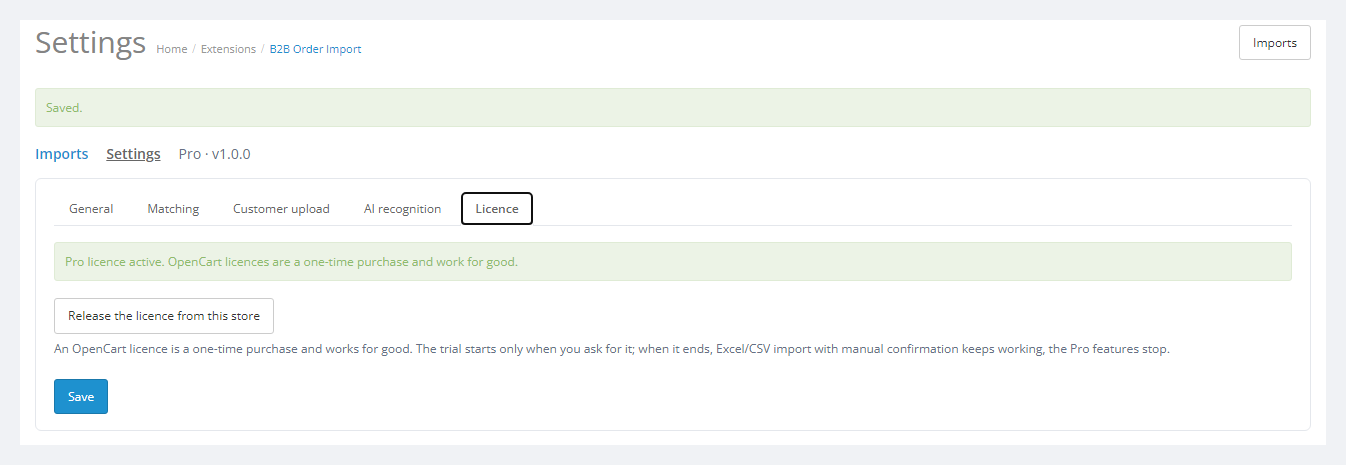
No. For OpenCart it is one payment, a lifetime licence, one for all three builds: 4.x, 3.x and 2.3. The Pro trial starts only when you click its button. After the trial, Excel/CSV import with manual confirmation keeps working; only the Pro features switch off.
No. No core edits and no OCMOD patches; the menu item is added by an event. Core tables are not changed, the order is written by the standard order logic of the store. The module's own tables keep only the imports and the matching memory.
No reviews yet. Be the first.
No questions yet. Ask one — we answer within 24 hours.
We build custom modules for WordPress, WooCommerce, OpenCart and Shopify. Tell us about the task and we'll prepare an estimate.
Order a custom module
—

CatCode assistant
Just now


CatCode assistant
Online

I’ll help with your website task
Describe your website task — I’ll find a ready-made module or pass it to a developer for an estimate. Modules, custom features, layout, integrations, speed, migration, technical SEO.
