OpenCart
AI Product Descriptions for OpenCart 2.3, 3.x and 4.x — description generator
Free + Pro
1 290 UAH
v1.2.3
 All Access4 990 ₴ / year
 Website auditA PDF report by email in 3 minutesCheck a website
Everyday tasks
Image compressorSize, quality and WebP in bulkQR generatorLink, Wi-Fi, payment to IBANVAT calculator20, 14, 7% and amount in wordsTransliterationOfficial Ukrainian standardWebsite checks
PHP and pluginsPHP version, WordPress, pluginsGoogle Merchant feedFields, prices, GTIN, imagesDomain emailSPF, DKIM, DMARC, blacklistsAI search readinessllms.txt, bots, markupAll 9 toolsEnter at least 2 characters
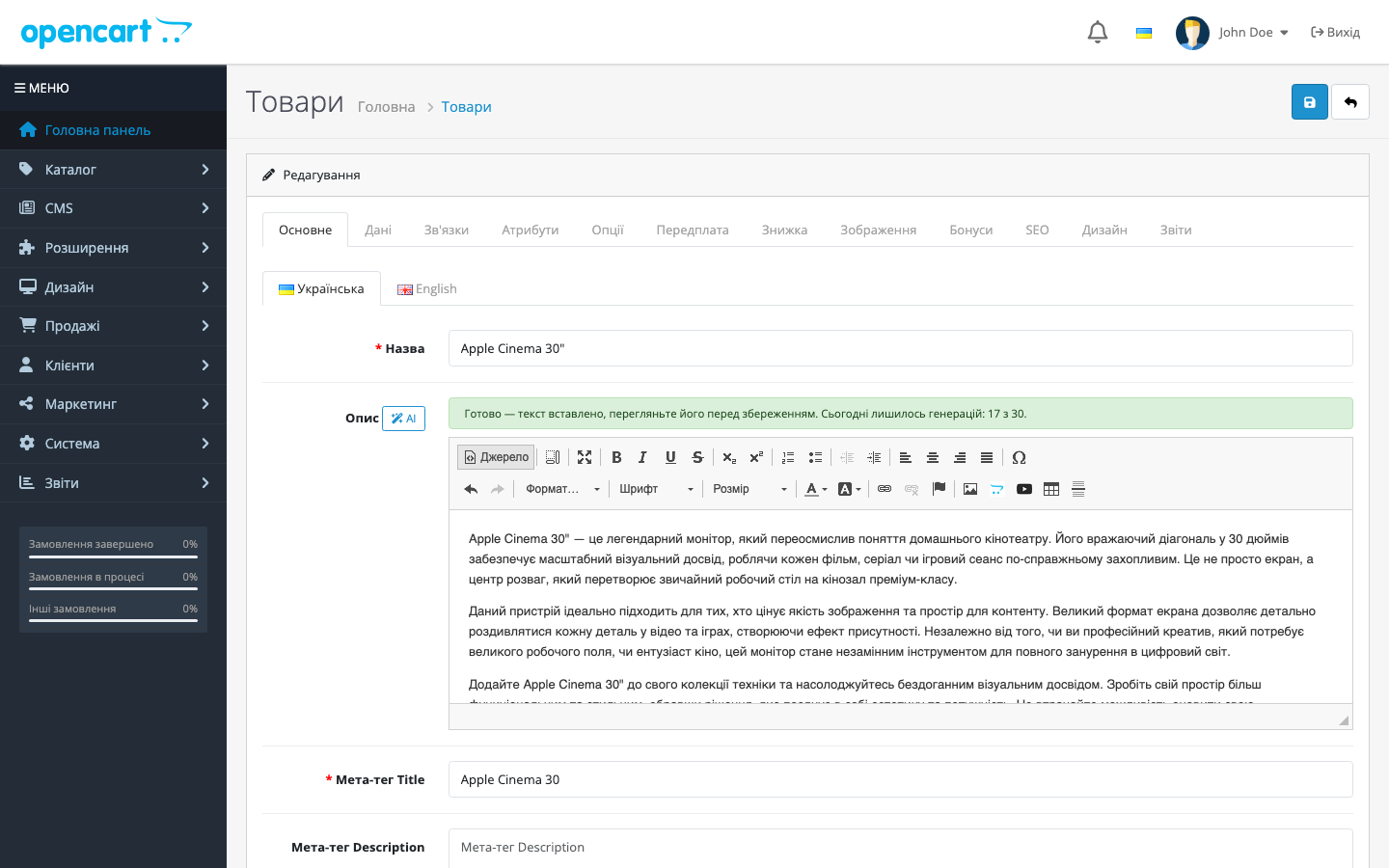
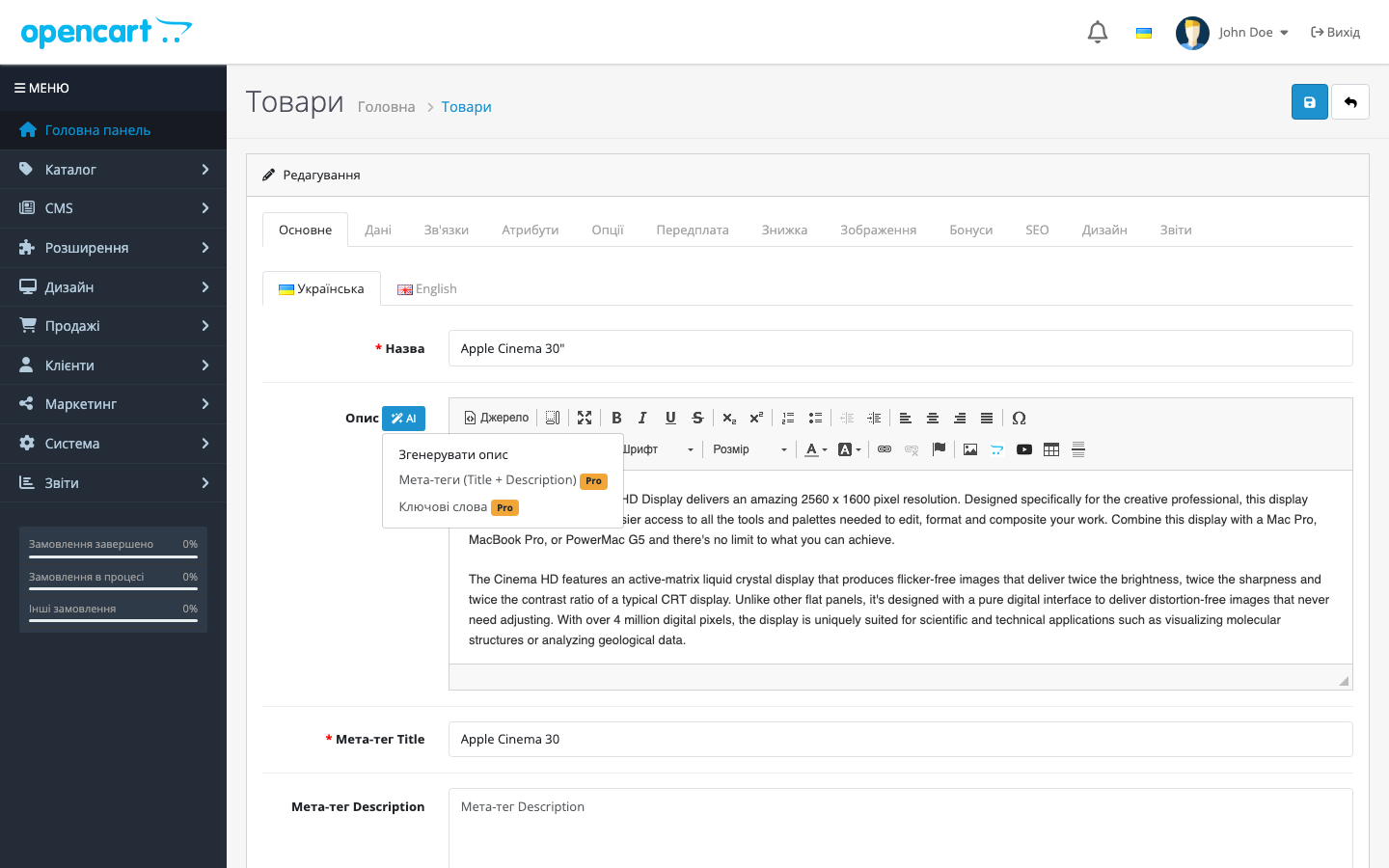
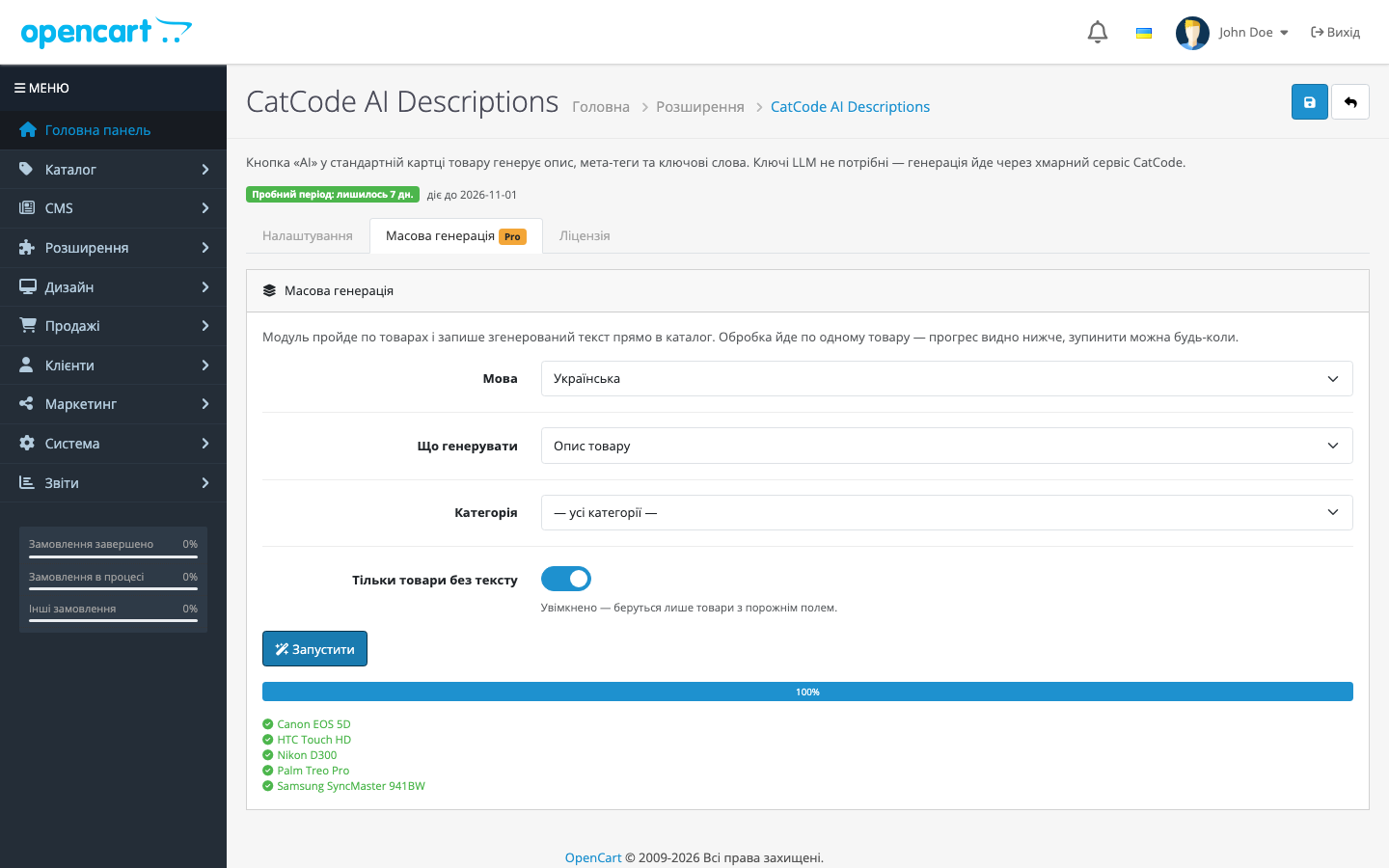
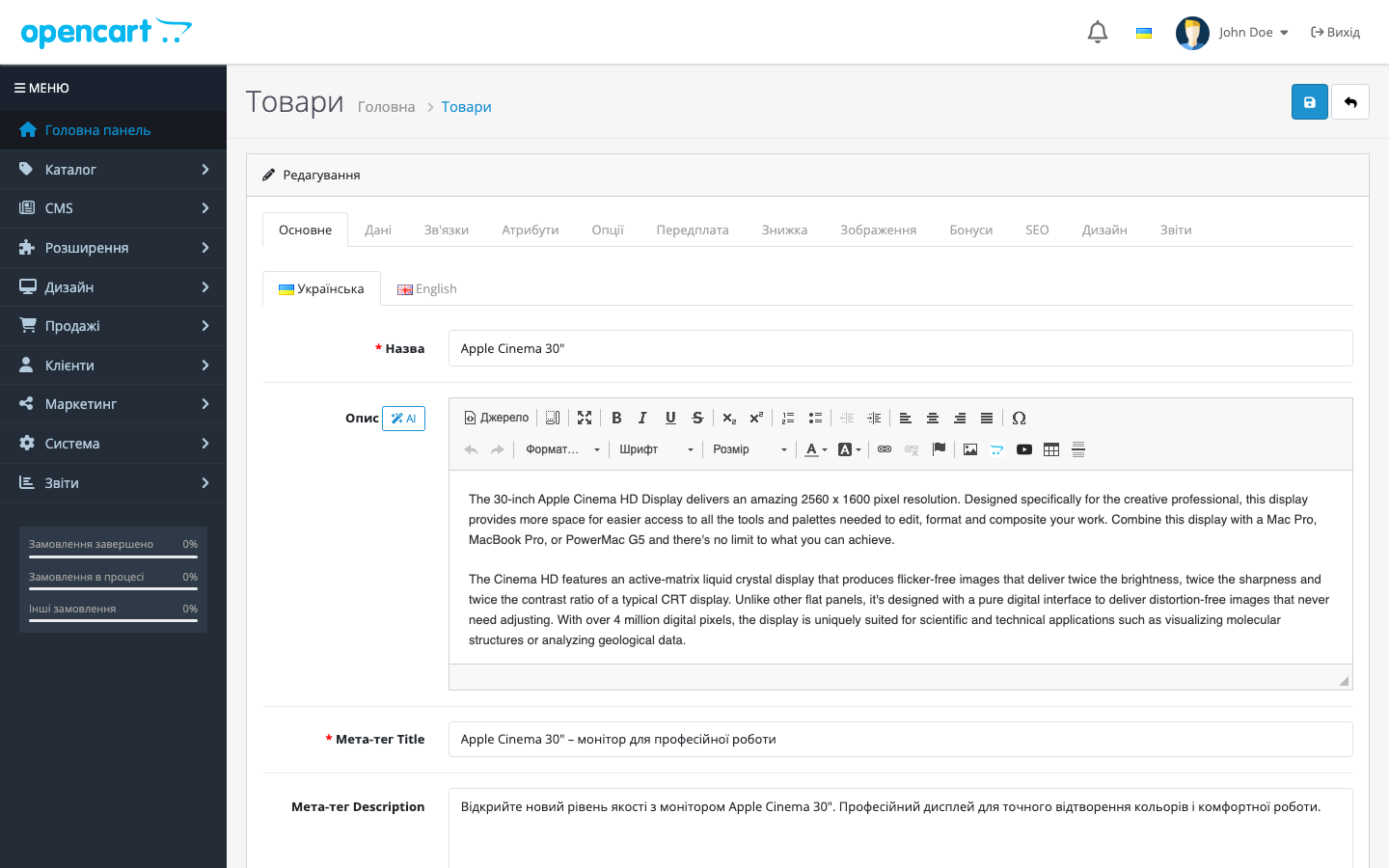
An AI product-description module for OpenCart: an "AI" button on the product page generates ready text with no OpenAI keys. Pro — bulk catalog generation, tone, language, SEO fields.
The free version works with no time limit. Pro adds the rest of the features in the table.



A fresh install is the free version, nothing switches on by itself. The “Try Pro for 7 days” button → e-mail → the key right in the window and by e-mail.

Moving the store? Unbind the licence on the old domain and activate it on the new one yourself. For studios — keys for 5 or 25 sites, or unlimited.
 OpenCart 4.0.2 – 4.1.x — PHP 8.0+ (the platform’s own requirement)OpenCart 3.0.2 – 3.0.5 — PHP 7.0–7.4OpenCart 2.3.0.0 – 2.3.0.2 — PHP 5.6 / 7.0 (2.3 relies on mcrypt, which is gone from 7.4)The cURL extension on any branchOutbound HTTPS access from the server to CatCode’s generation serviceYour own OpenAI / Mistral / other LLM-provider API keys are not needed
The licence hint in the module settings: one key covers two sites, your store and a staging copy.
Finishes 1.2.1: request addresses are now built from the page open in the browser.
The “AI” button, bulk generation and the Licence tab work even when the admin is opened over http:// while the shop is configured with https:// (the browser used to block those requests and…
Free generation no longer breaks once the trial is over.
Fixed the link to the module page in the admin.
The 3.x branch has finally caught up with the others.
Both context fixes from the 2.3 build were ported to the main branch.
A build for OpenCart 2.3: the “AI” button on a standard product page, bulk generation, tone and length, a server-side licence with a one-click trial.
Rebuilt the Free/Pro model: a fresh install is the free version, the trial only starts with a click, and the key is checked on the CatCode server.
First public release: an “AI” button on the OpenCart 4 product form, description generation via a cloud service with LLM-provider auto-fallback, output sanitised of markdown, freemium…
4 modules in one order — 40% cheaper than separately



AI Product Descriptions is an AI product-description generator module for OpenCart 2.3, 3.x and 4.x — three separate builds under one licence. An “AI” button appears on the product page: type in the name (and optionally attributes) and the module generates a ready description that’s inserted straight into the editor. No OpenAI or other LLM-provider keys are needed — generation runs through CatCode’s cloud service, and the store only sends the product name and gets back the text.
admin/view/catalog/product_form/after), not a template modification. That’s why it works on 4.0.x, where the OCMOD engine doesn’t exist, and on 4.1, and survives an admin theme update.catcode_ai_descriptions.ocmod.zip (OpenCart 4.x), catcode_ai_descriptions-oc3-1.2.2.ocmod.zip (3.x) or catcode_ai_descriptions-oc2-1.2.2.ocmod.zip (2.3).upload/ folder’s contents to the store root over SSH or the hosting’s file manager.Didn't find the answer? Message us on Telegram and we'll reply within a business day.
 @catcode_support
Setup, compatibility, activation
@catcode_support
Setup, compatibility, activation
No. Generation runs through CatCode's cloud service — the module asks for no API keys, and the cost of generation is already included in the licence.
No, there are three builds — for 2.3, for 3.x and for 4.x: the platforms differ too much, and 2.3 and 3.x have their own templates and their own description editor. There's one licence, and the key works with any build — just take the file matching your store's version.
No. The module only works in the admin — it adds a button to the standard product form. The storefront and checkout aren't touched.
The module shows an error message, and that's it. The product doesn't change, and previously generated descriptions stay in place.
Nothing. The generated text is just regular content in the product description field; it's stored in the OpenCart database and doesn't depend on the module.
Yes. Deactivate the licence on the old domain — the slot frees up, and the same key can be activated on the new one.
No. For OpenCart the licence is perpetual: one payment, and the Pro features stay with you. Only the 7-day trial ends — after it Pro switches off and the free version keeps working.
No reviews yet. Be the first.
No questions yet. Ask one — we answer within 24 hours.
We build custom modules for WordPress, WooCommerce, OpenCart and Shopify. Tell us about the task and we'll prepare an estimate.
Order a custom module
—

CatCode assistant
Just now


CatCode assistant
Online

I’ll help with your website task
Describe your website task — I’ll find a ready-made module or pass it to a developer for an estimate. Modules, custom features, layout, integrations, speed, migration, technical SEO.
