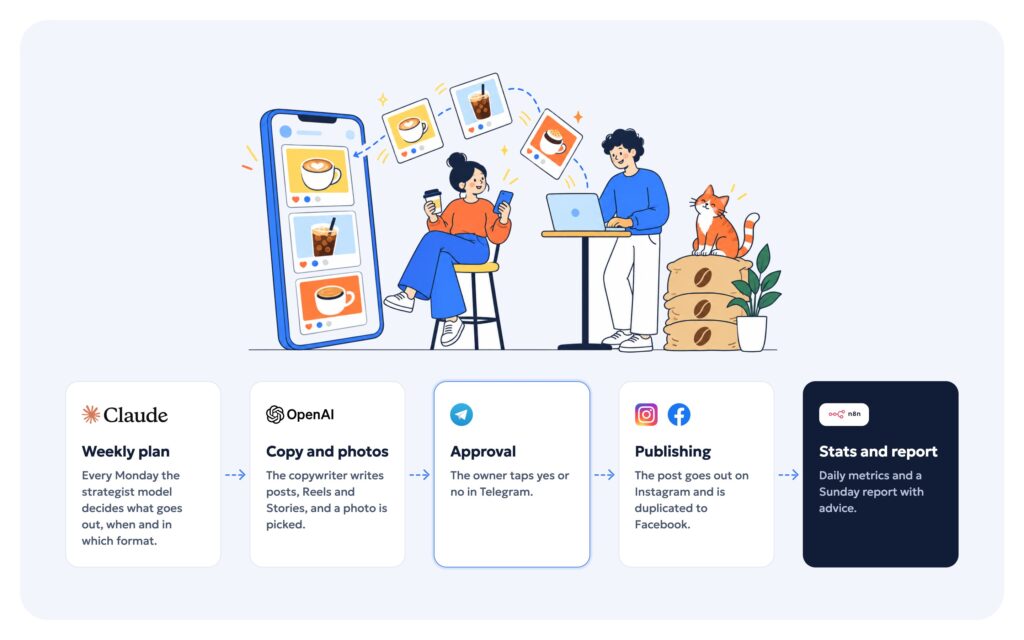
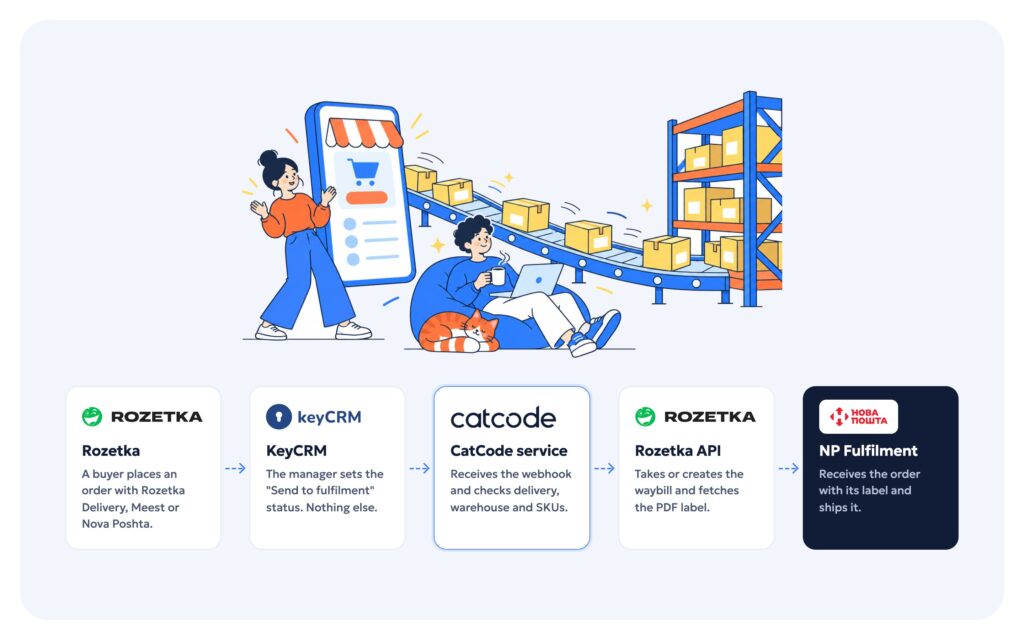
Pallium — an XS–9XL womenswear store moved from Weblium to WooCommerce
A womenswear brand moved from Weblium to WooCommerce: front end from Figma, a custom theme, 2,671 variations, an AI size advisor, loyalty coins, prepayment, instalments and CRM sync.
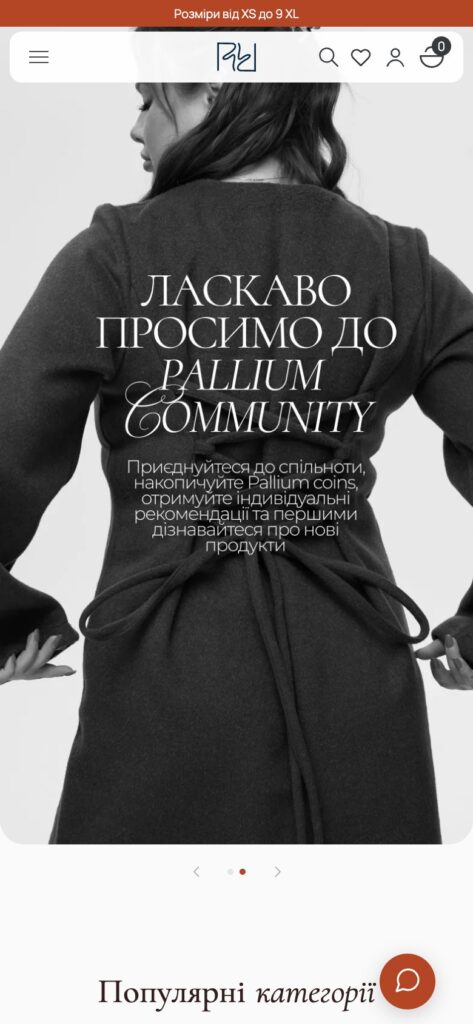
Pallium (pallium.shop) is a Ukrainian women’s clothing brand in sizes XS to 9XL: suits, dresses, corsets, outerwear and basics. The store used to run on Weblium. We moved it to WooCommerce: built the front end from the Figma design, wrote a custom theme, imported the whole catalogue, built a loyalty programme with bonus coins, an AI size advisor, prepayment and instalments, connected the CRM, analytics and notifications, and then launched the site on the client’s hosting.
Technology stack
WordPress + WooCommerce with a custom theme, no page builders and no ACF: page blocks are edited through our own fields engine. Card payments go through our WayForPay plugin with Apple Pay and Google Pay, and monobank and PrivatBank instalments through another of our plugins. Delivery is Nova Poshta via its API (branch, parcel locker, address). Orders and stock sync with the SITNIKS CRM. Analytics run on GA4 via GTM, plus Meta Pixel with server-side Conversions API events.
The home page
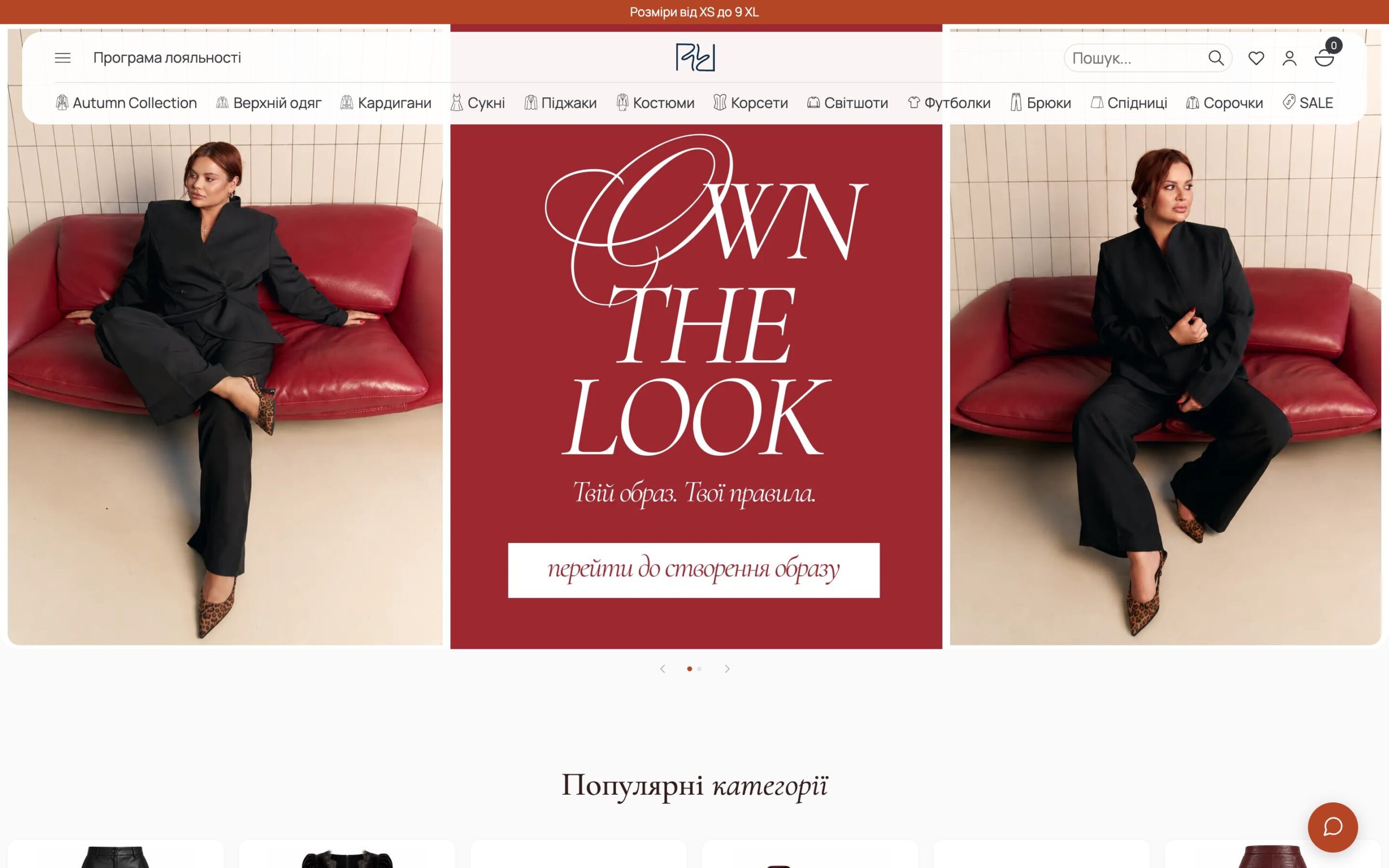
The home page is a shop window: popular categories, new arrivals, ready-made looks, a separate Plus size selection, the loyalty programme, Instagram and the brand’s strengths. Product cards show the fabric, colours and sizes up front, and the photo switches with the chosen colour.
Ready-made looks
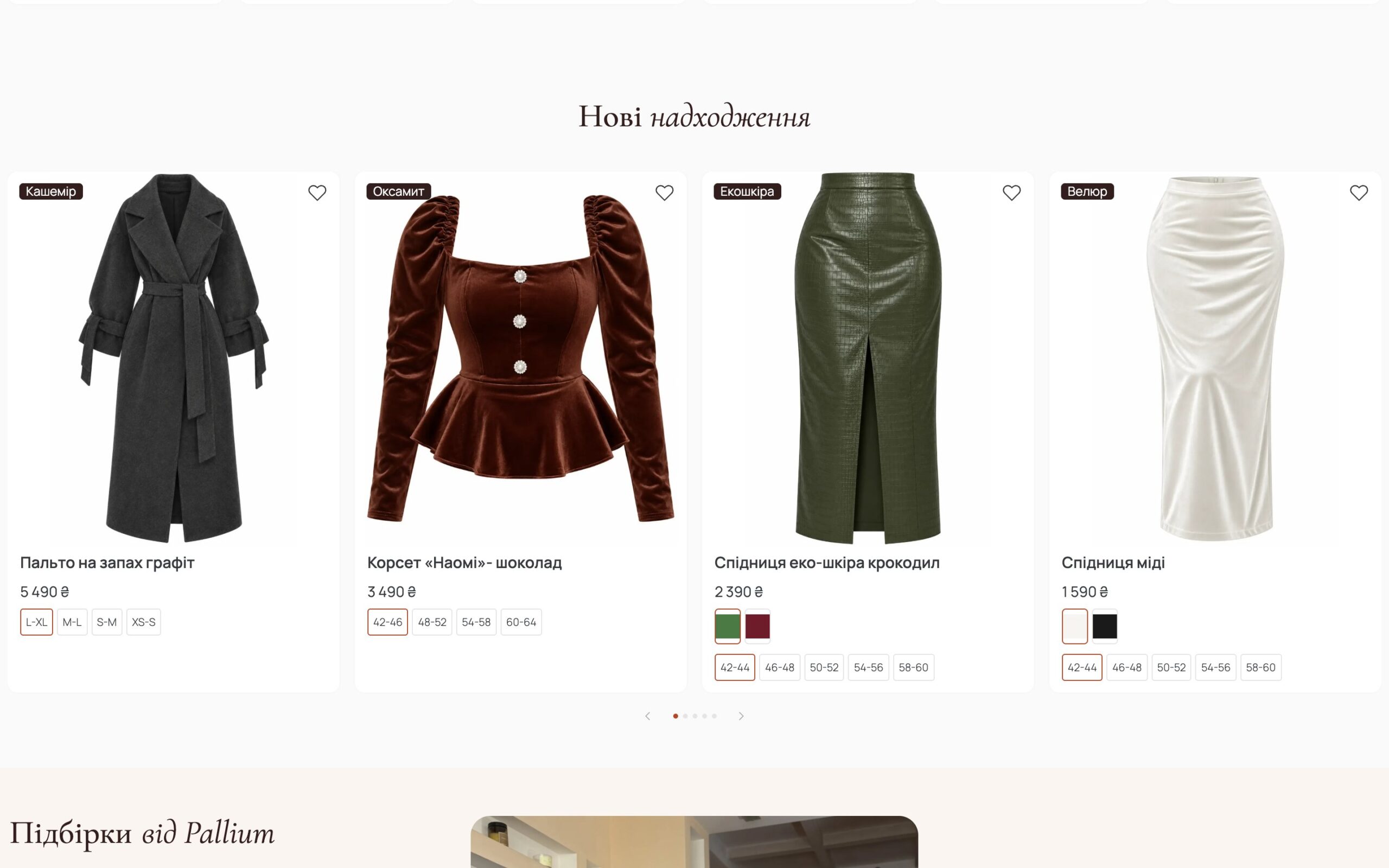
In the “Pallium selections” block, a look photo carries hotspots: tap one to see that exact item, and add the whole look to the cart with one button.
Catalogue and the move off Weblium
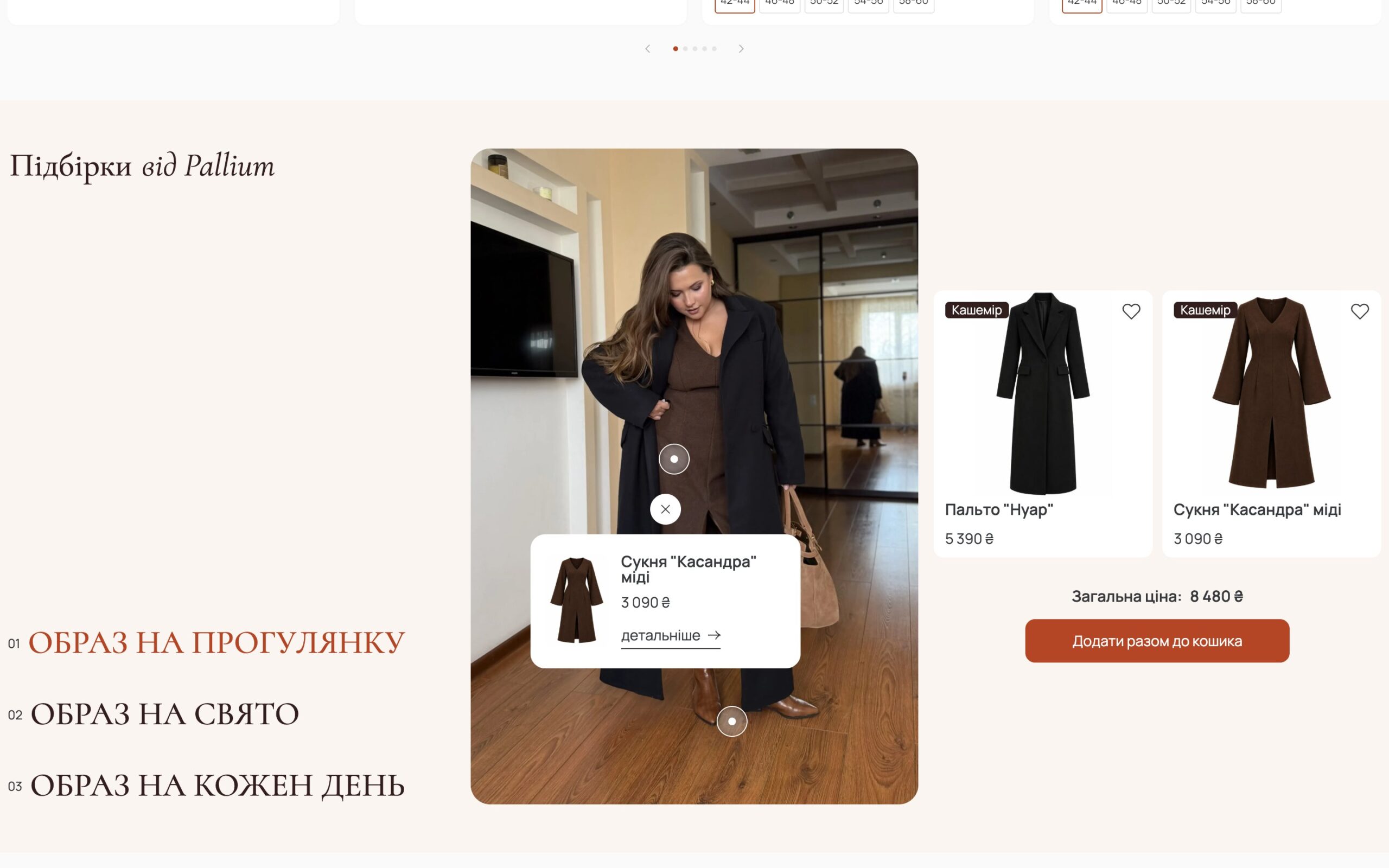
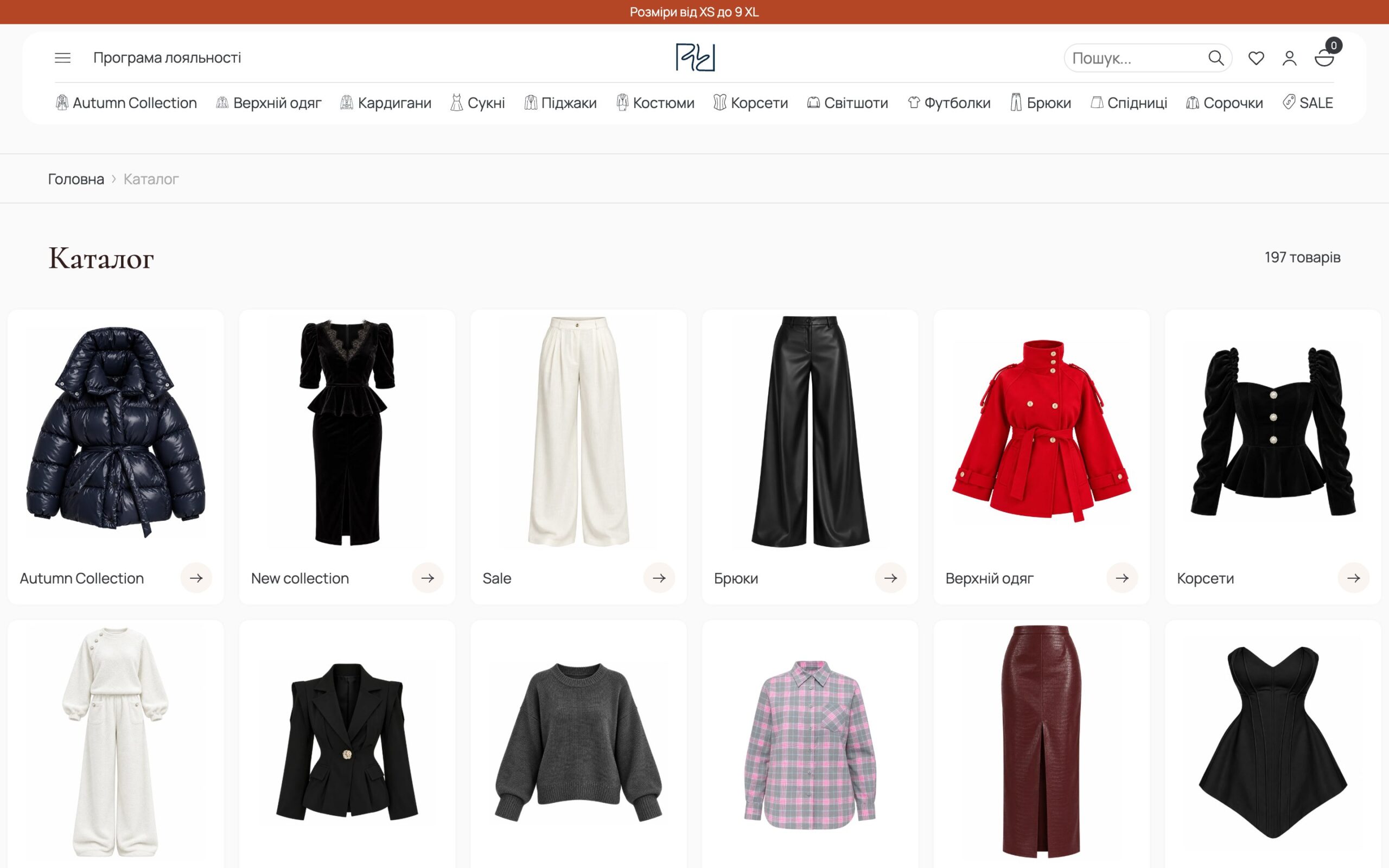
We imported the catalogue from a Weblium export with our own script: 255 products and 2,671 variations with colours, sizes, regular and sale prices, fabric pulled from descriptions and a photo for each colour. The script can be re-run without duplicating products. The catalogue has filters with chips for the selected values and a search that finds products even with typos.
The product page and AI size advisor
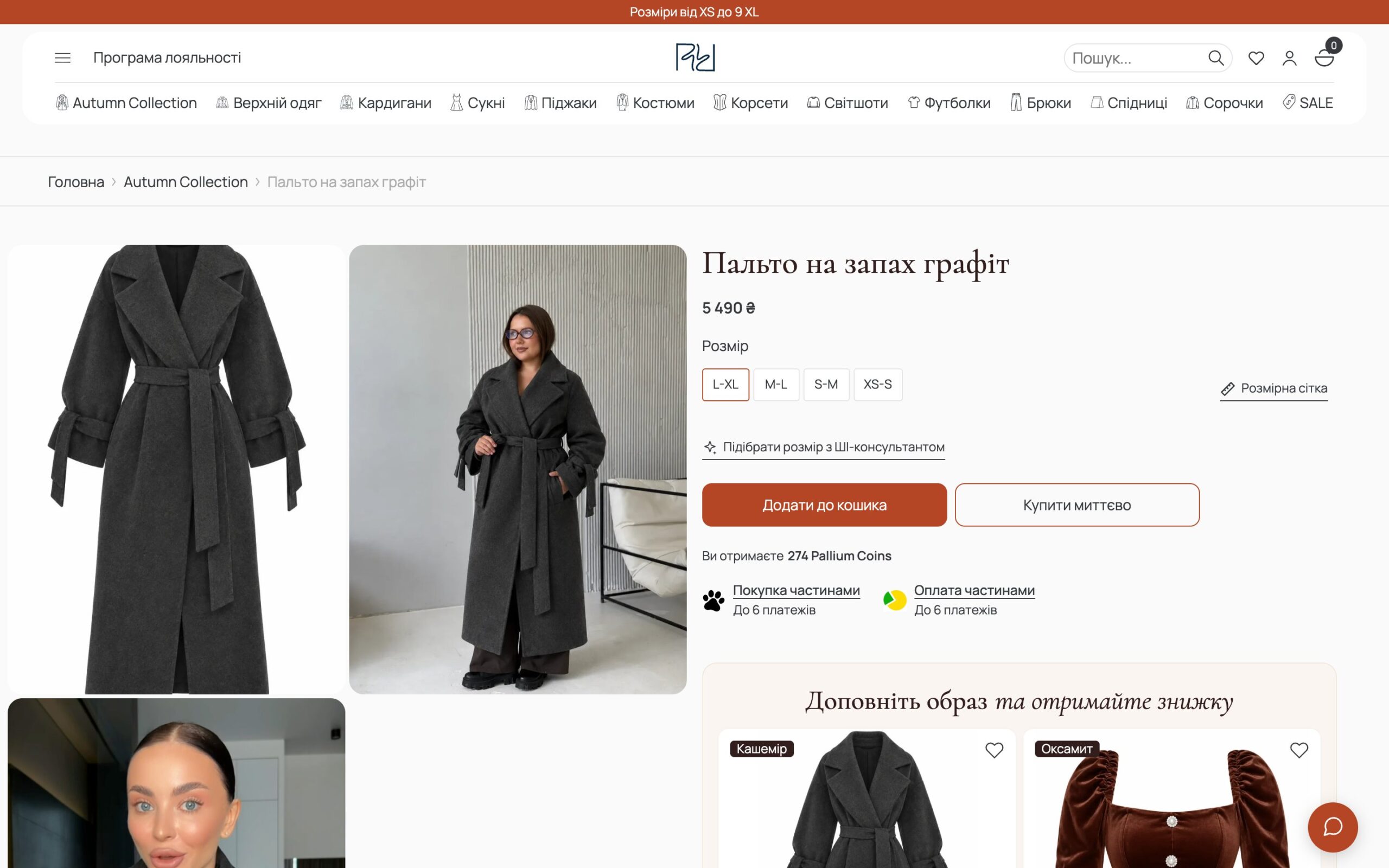
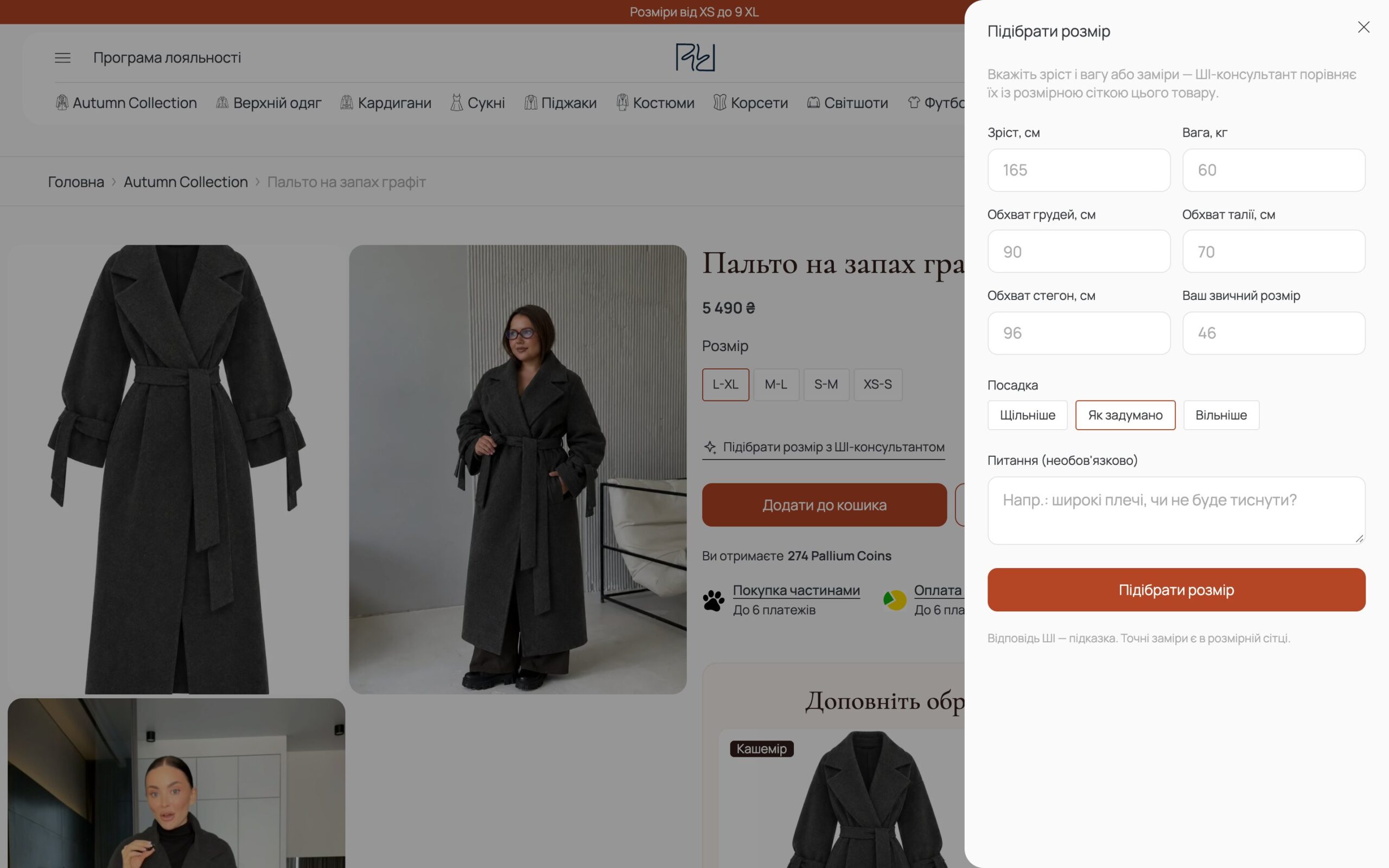
For a brand that goes up to 9XL, the shopper’s main question is “will it fit?”. So the product page has a size chart table with a measuring diagram and an AI size advisor: the shopper enters height, weight or measurements and the fit she wants, and the advisor recommends a size from that product’s own chart. The server, not the model, matches the chart ranges, because the model kept confusing size boundaries. Next to it are instalments and a “Complete the look” block.
Cart and checkout
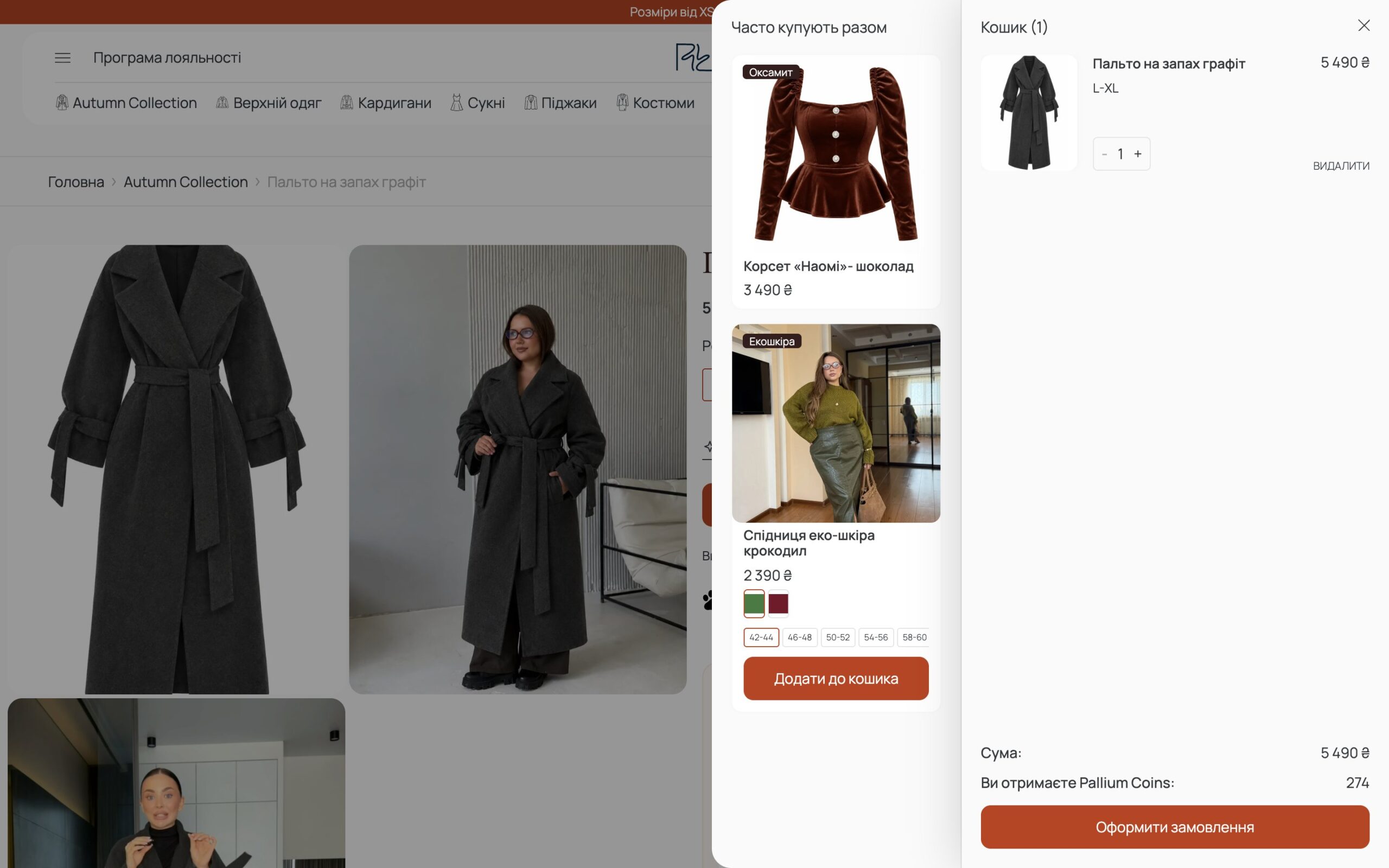
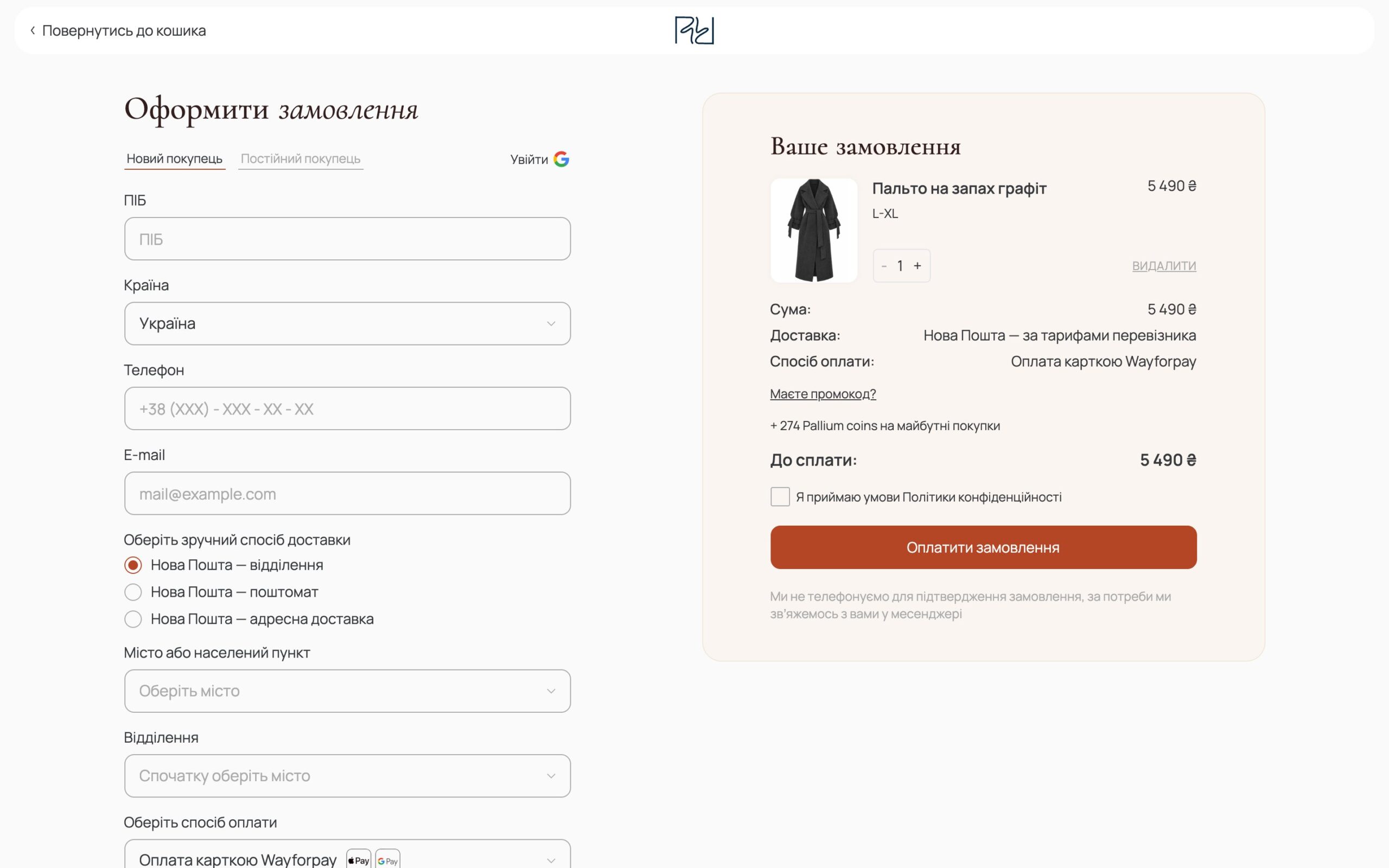
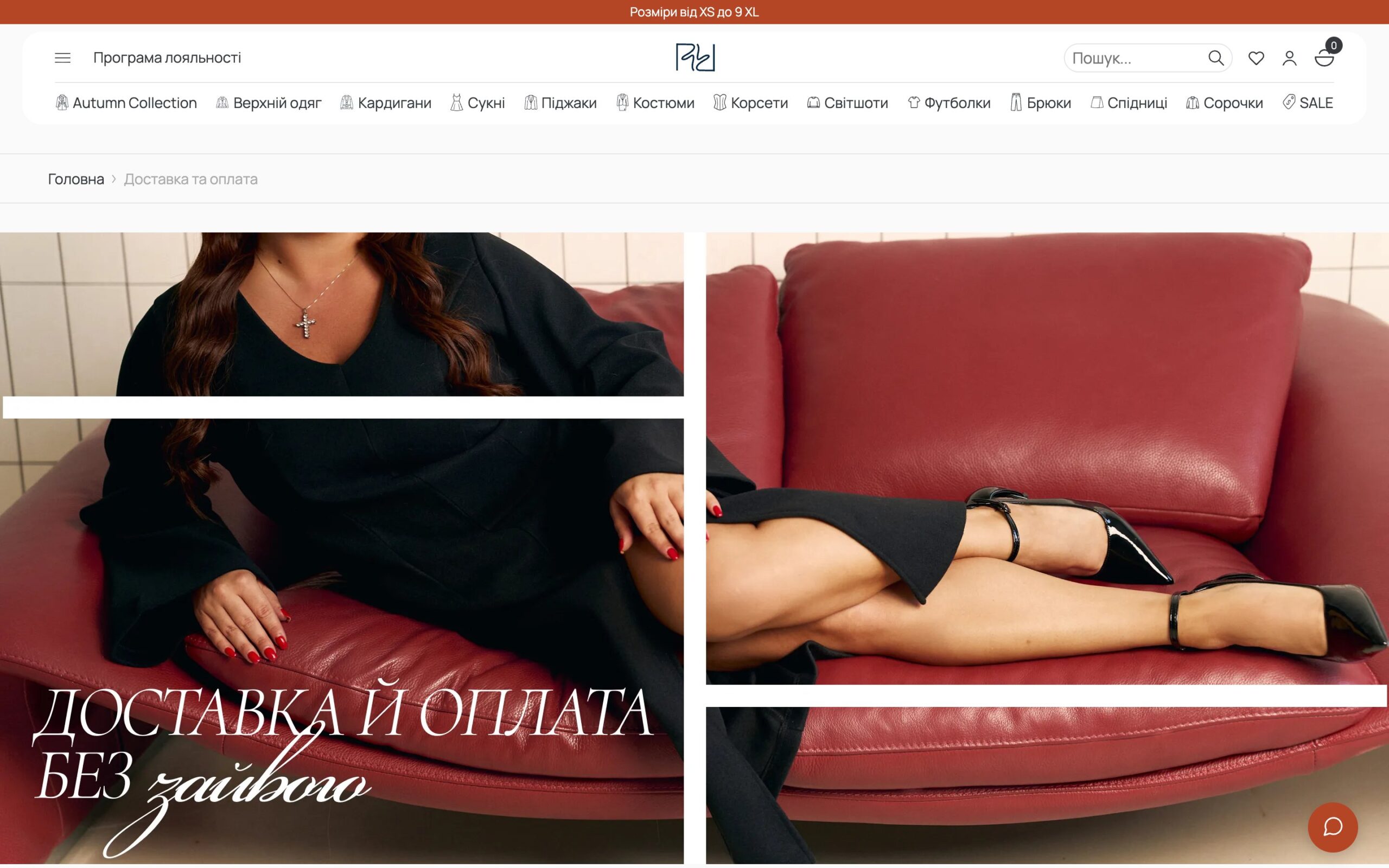
The cart opens as a side panel with a “Frequently bought together” selection and the coins the shopper will earn. Checkout is a single screen: contacts, Nova Poshta with city and branch search, and payment method. There is a prepayment option: the shopper pays part through WayForPay and the rest on delivery, and the prepayment reaches the CRM correctly rather than as a full payment.
Loyalty programme
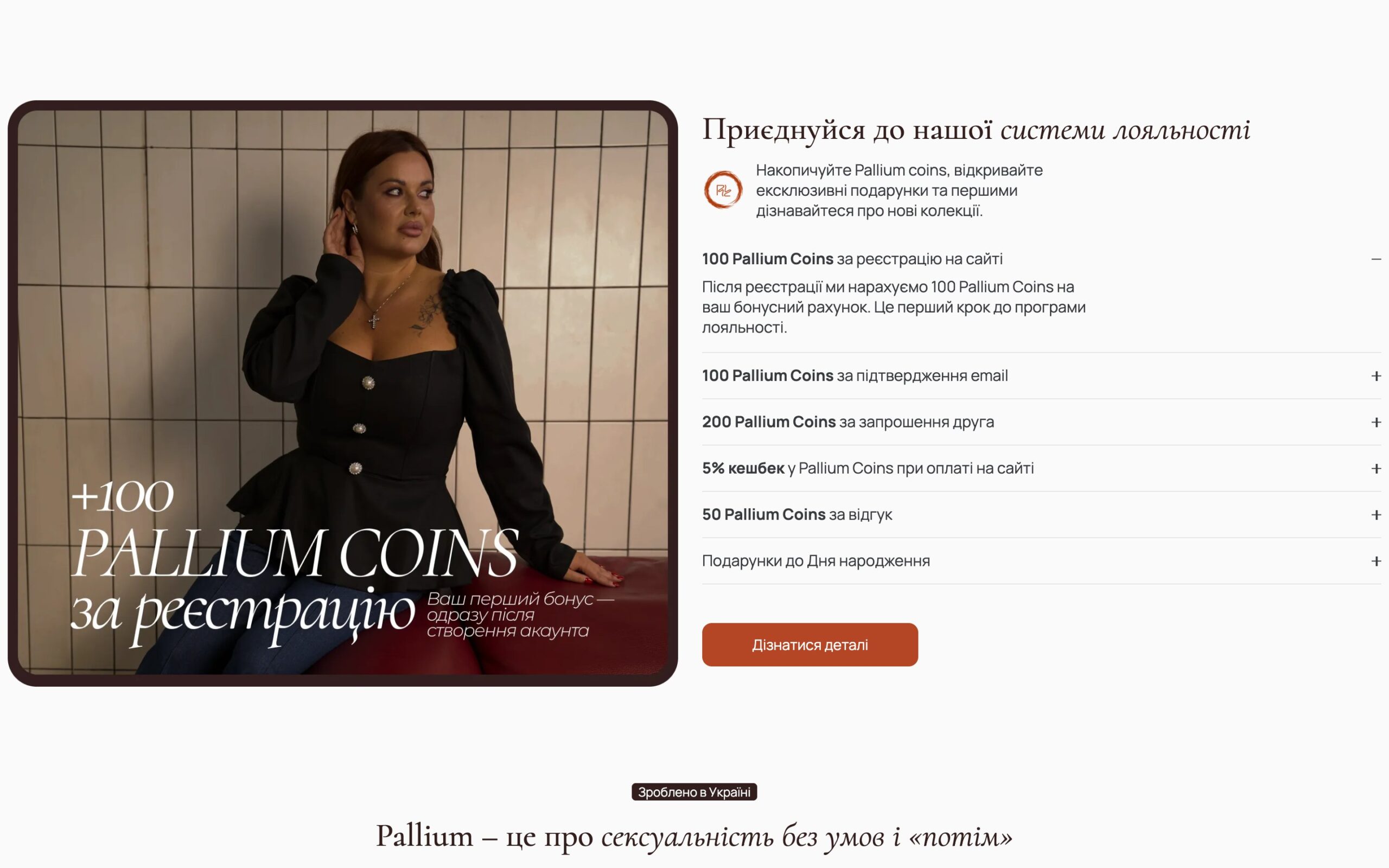
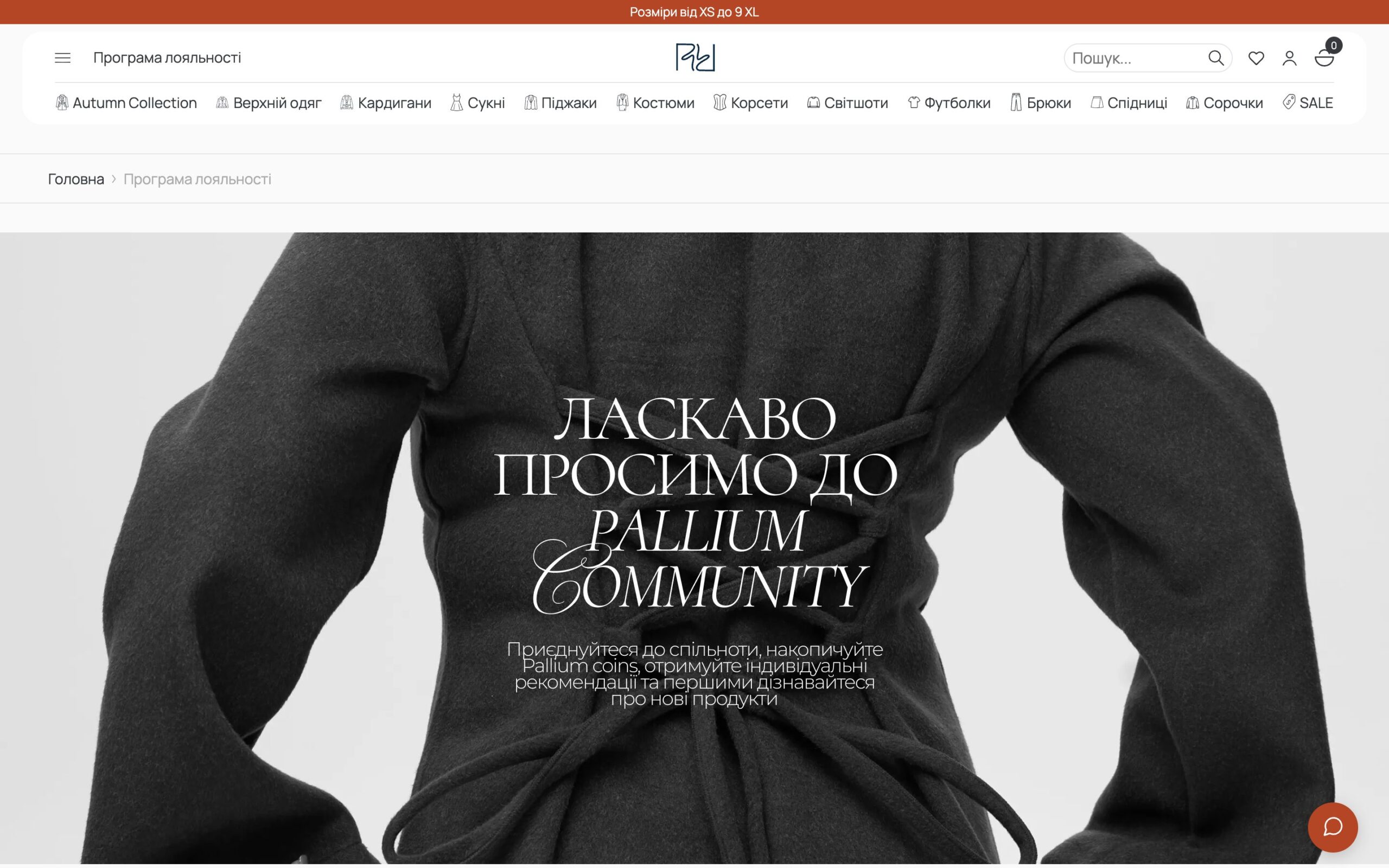
Pallium Coins are earned for signing up, confirming an email, inviting a friend, leaving a review, cashback on every payment and on birthdays. The tier depends on the coins earned over all time and sets how much of an order can be paid with them. The account holds orders, balance and tier, a referral link, reviews, addresses and a wishlist that can be shared by link.
Analytics, notifications and email
Funnel events (product view, add to cart, checkout start, purchase) go to GA4 and to Meta, and to Meta from the server as well, so ads see purchases even when browsers block trackers. A Telegram bot reports new orders. The site’s emails weren’t arriving at first because the hosting rejected the sender address, so we set up a mailbox on the store’s domain with SPF, DKIM and DMARC.
Mobile version and launch
The mobile version follows the design: a compact header with search, wishlist, account and cart, swipeable sliders, looks and cards adapted to narrow screens, and separate mobile photos for inner-page banners. We moved the site from our staging server to the client’s hosting and keep handling her change requests.
Summary
We built the whole store: the front end from Figma, a custom WooCommerce theme, the Weblium catalogue import, filters and search, the AI size advisor, the loyalty programme and account, prepayment, WayForPay and instalments, Nova Poshta, the SITNIKS CRM, analytics and Conversions API, Telegram notifications, email and the launch on hosting.