

KeepinCRM Sync — CRM for WooCommerce
Free WooCommerce integration plugin for KeepinCRM: a new order becomes a deal with a lead, items and comment. Token stored encrypted, GPLv2.
- Compatibility
- WordPress 6.2+, WooCommerce 6.0+
- PHP
- 7.4 or newer
- Updated
- August 2026
What the module does

What it looks like
Technical requirements
 WordPress 6.2+ (tested up to 7.0)
- WooCommerce 6.0 or newer, including HPOS (custom order tables)
- PHP 7.4+
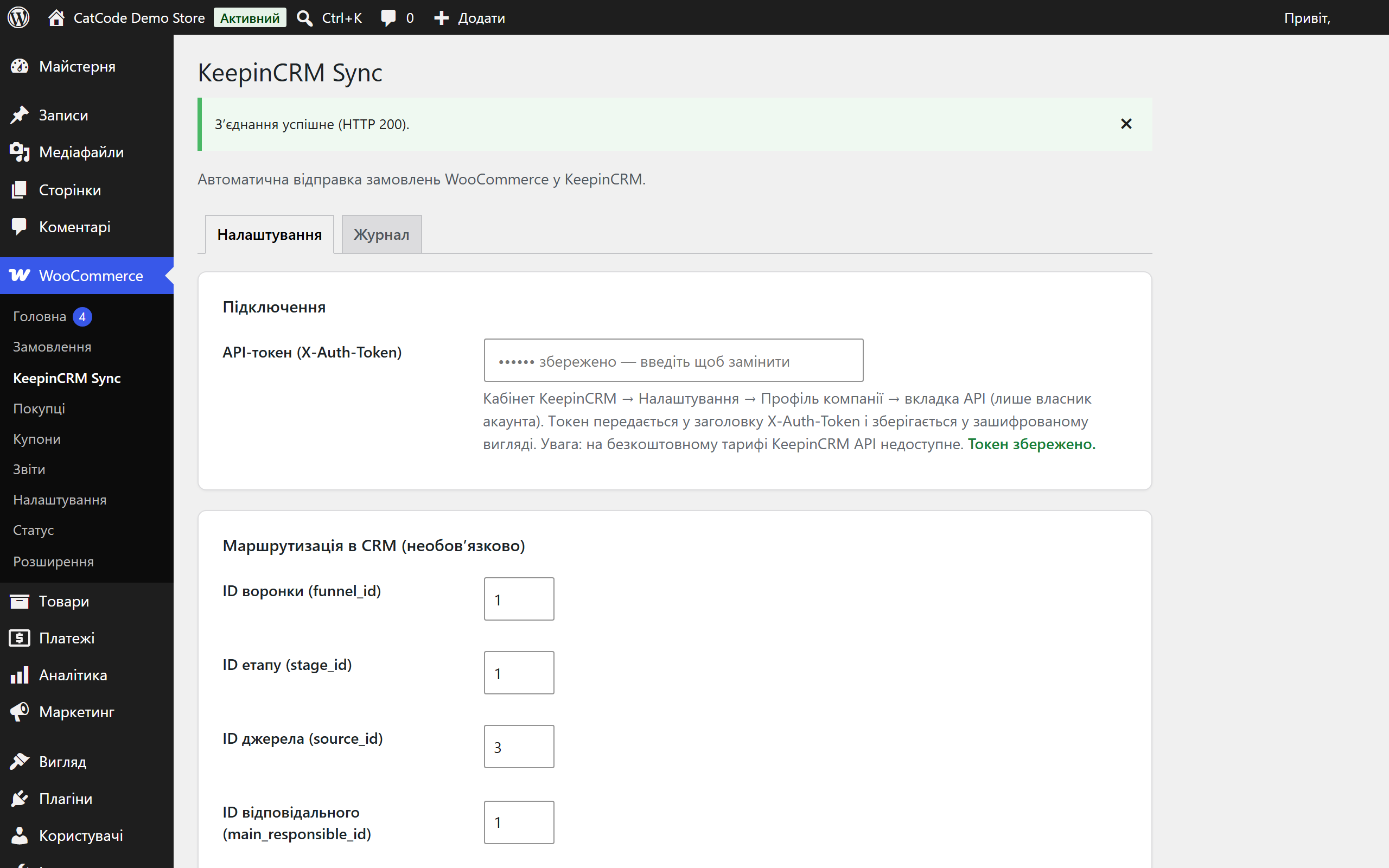
- KeepinCRM API token — created in the account: Settings → Company profile → API tab (account owner only). Note: KeepinCRM only exposes the API on a paid plan — on the free plan any request returns “Not available on the free plan” (HTTP 402).
Version history
Protection against double-sending moved to a database-level lock.
First public release: creating deals in KeepinCRM (POST /agreements) after checkout or by status trigger, a client lead with item lines, routing by pipeline/stage/source/assignee, retries…
Full module description
KeepinCRM Sync for WooCommerce is a plugin that automatically creates a deal in KeepinCRM for every new WooCommerce order. The customer is added as a lead with full name, email and phone, items become deal lines, and the buyer’s comment reaches the CRM — the manager immediately works the request instead of retyping it from the site admin. Works with both the classic checkout and Checkout Blocks.
The plugin is completely free, and the code is open. Download it from GitHub: github.com/catcodestudio/wp-keepincrm-sync. GPLv2 licence — no keys, subscriptions or order limits.
How it works, step by step
- The customer places an order — the plugin reacts right after checkout or when the order moves into one of the chosen statuses.
- A deal is assembled: a client lead (full name, email, phone in +380 format), items as deal lines (jobs) with price and quantity, the total, a comment. For orders paid online, an optional “Paid online” note is added.
- The data is sent to KeepinCRM via the REST API — POST /agreements with an X-Auth-Token header.
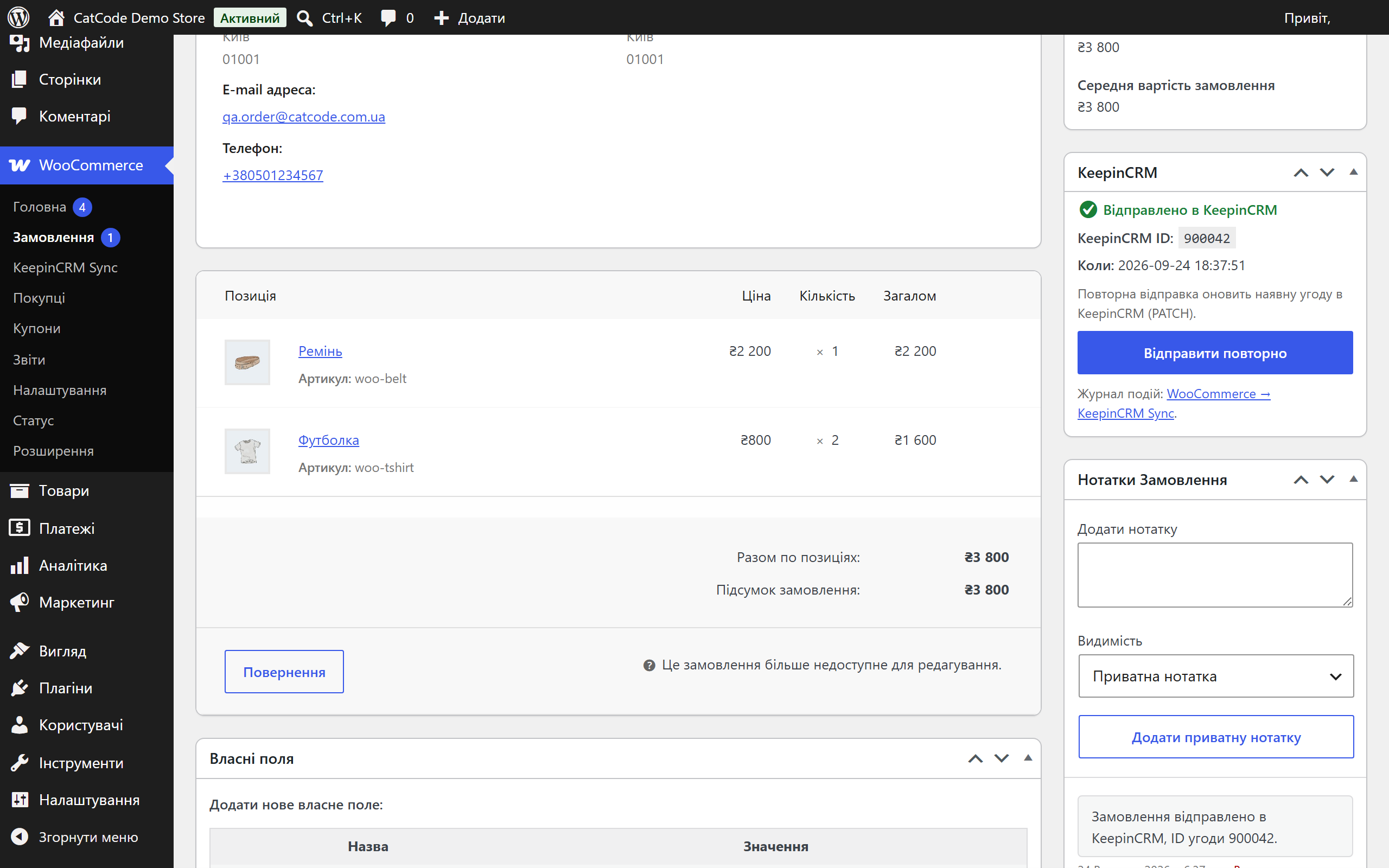
- The CRM returns a deal ID — it is stored in the order meta (_cc_keepincrm_agreement_id). A repeated event won’t create a second deal.
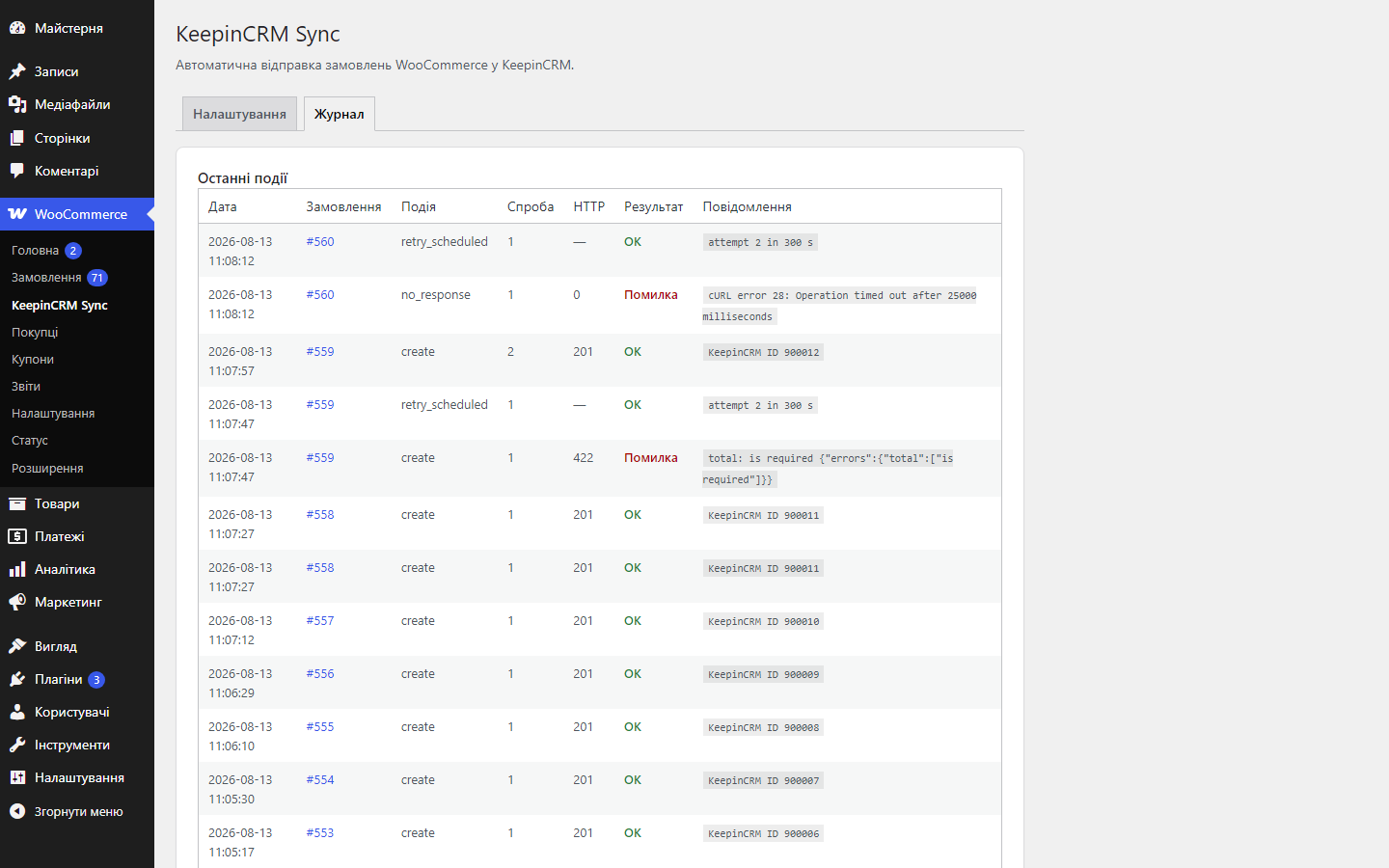
- On a CRM failure, the plugin retries the send itself: 3 attempts with 5 min / 30 min / 2 h delays via WP-Cron.
- The manager sees the result in the order metabox and in the “Log” tab on the settings page.
How much it costs
Free, open source. Repository on GitHub: catcodestudio/wp-keepincrm-sync — GPLv2 licence, use it without restrictions.
Under the hood
- API token encrypted in the database — libsodium with an HMAC fallback for hosts without the sodium extension.
- Protection against double-sending — besides the order meta, the plugin takes a database-level lock, so checkout, a status change and a payment callback arriving at once won’t create two deals.
- Deduplication via the stored deal ID: before creating one, the plugin checks the order meta — resending updates the existing deal (PATCH /agreements/{id}) instead of creating a new one.
- HPOS compatibility — orders are handled only through WC_Order CRUD, with no direct SQL on posts.
- Phone normalisation to E.164 (+380…) before sending to the CRM.
- Developer hooks: the cc_keepincrm_order_payload filter (change the deal body) and the cc_keepincrm_order_sent action (react to a successful send).
How to install
- Download
catcode-order-sync-with-keepincrm-for-woocommerce-0.2.0.zipand install via Plugins → Add New → Upload Plugin. - Activate it in the “Plugins” menu.
- Open WooCommerce → KeepinCRM Sync and paste the API token from your KeepinCRM account (Settings → Company profile → API tab).
- Click “Test connection” — make sure the CRM responds.
- Optionally fill in the routing (pipeline, stage, source, assignee) and choose the send moment. Save — done.
Questions
about the module
Didn't find the answer? Message us on Telegram and we'll reply within a business day.
 @catcode_support
Setup, compatibility, activation
@catcode_support
Setup, compatibility, activation
Does the plugin touch the checkout or the theme?
No. It only listens to WooCommerce order events and sends data to the CRM in the background. The checkout markup and theme templates are not changed.
Where do I get a KeepinCRM API token?
KeepinCRM account → Settings → Company profile → API tab (account owner only). The token is sent in the X-Auth-Token header and stored encrypted in the database.
An order passed through several statuses — will there be several deals?
No. The deal ID is stored in the order meta, and the plugin takes a database-level lock before sending: a repeated event will update the existing deal rather than creating a duplicate.
What does the "Resend" button in the metabox do?
If the order isn't in the CRM yet — it creates a deal (POST /agreements). If it was already sent — it updates it with current data via PATCH /agreements/{id}.
Can deals be routed into a specific pipeline?
Yes. The settings have optional fields: pipeline, stage, source and assignee IDs — deals will be created with that link straight away.
What happens after the plugin is deleted?
Deletion (not deactivation) removes the settings with the encrypted token and the log table. Deal IDs on orders are deliberately kept — they're exactly what stops a reinstall from creating a second copy of an old order in the CRM.
The CRM says "Not available on the free plan" — what do I do?
That's KeepinCRM's own response (HTTP 402), not a plugin error: the API is only available on a paid plan. Subscribe to a plan or trial in the account and repeat the connection test.
What if the CRM doesn't respond at all (timeout)?
KeepinCRM has no external ID on deals, so the plugin can't ask whether the request got through. Such an attempt is marked in the log as no_response and shows a warning in the order metabox — it's worth checking the CRM before resending.
No reviews yet. Be the first.
No questions yet. Ask one — we answer within 24 hours.
Not quite what you are looking for?
We build custom modules for WordPress, WooCommerce, OpenCart and Shopify. Tell us about the task and we'll prepare an estimate.
Order a custom module
Buying the module
—



