
OpenCart
iPay.ua for OpenCart — card, Apple Pay and Google Pay payments
Free + Pro
990 UAH
v1.0.3
 All Access4 990 ₴ / year
 Website auditA PDF report by email in 3 minutesCheck a website
Everyday tasks
Image compressorSize, quality and WebP in bulkQR generatorLink, Wi-Fi, payment to IBANVAT calculator20, 14, 7% and amount in wordsTransliterationOfficial Ukrainian standardWebsite checks
PHP and pluginsPHP version, WordPress, pluginsGoogle Merchant feedFields, prices, GTIN, imagesDomain emailSPF, DKIM, DMARC, blacklistsAI search readinessllms.txt, bots, markupAll 9 toolsEnter at least 2 characters

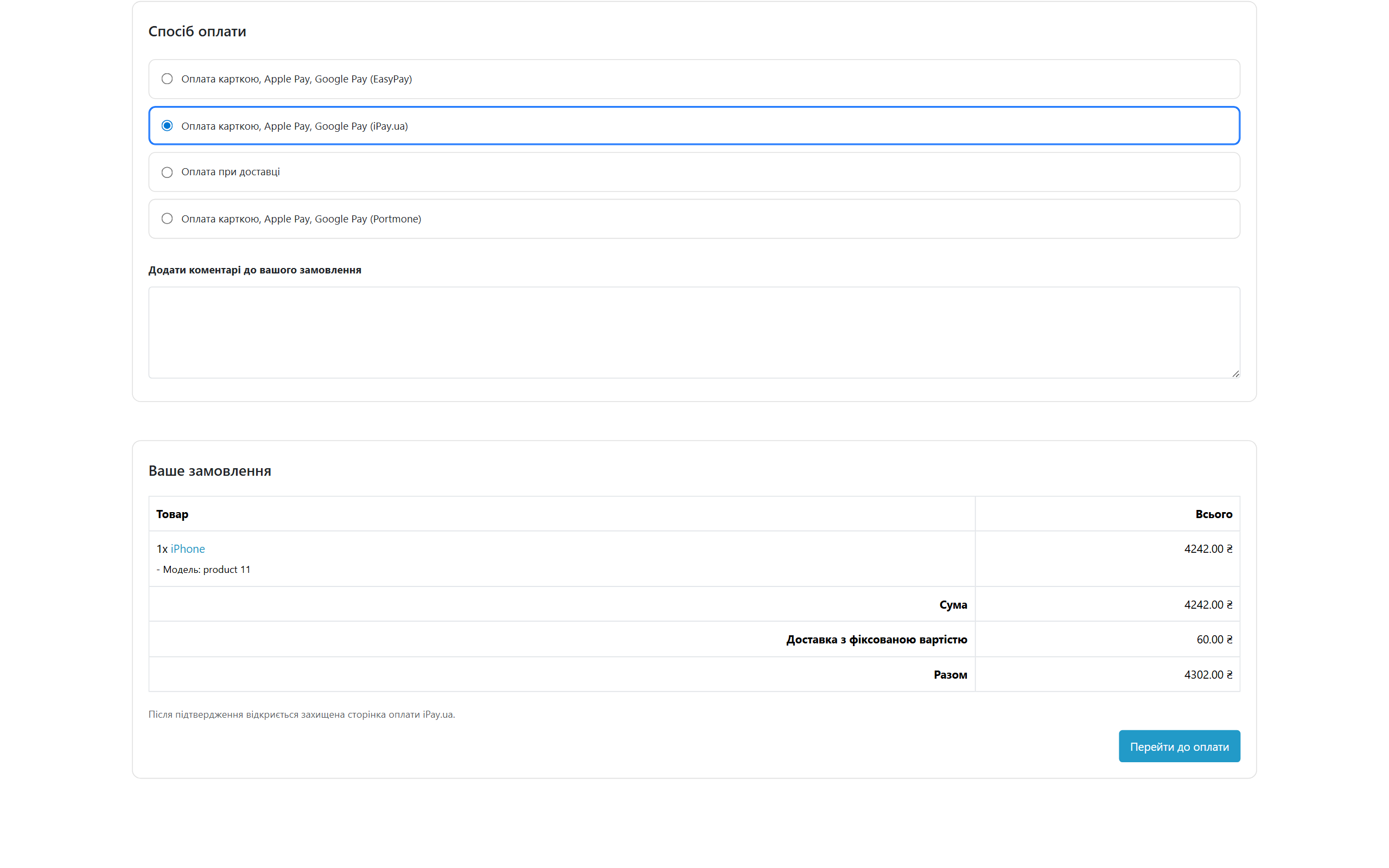
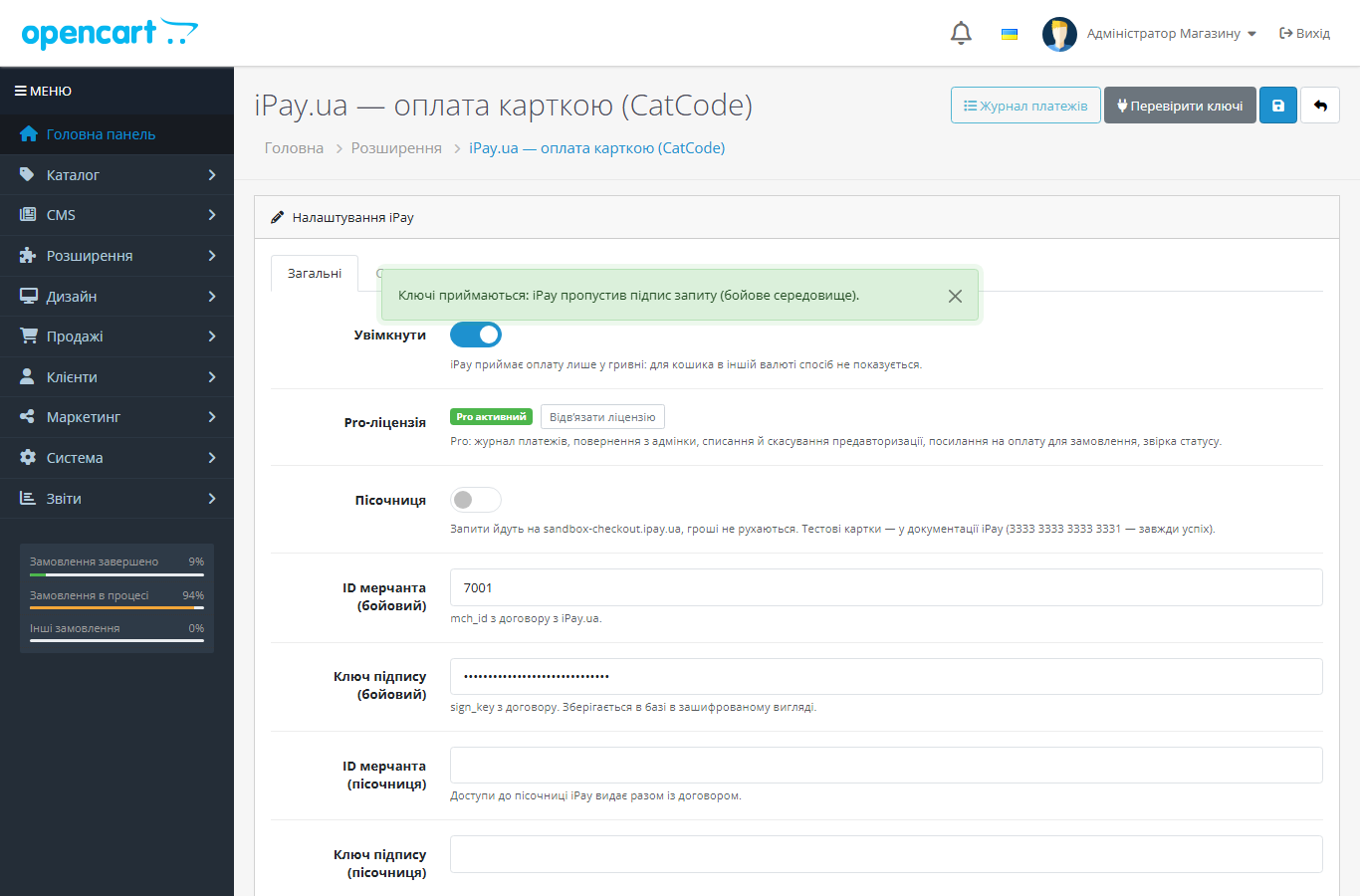
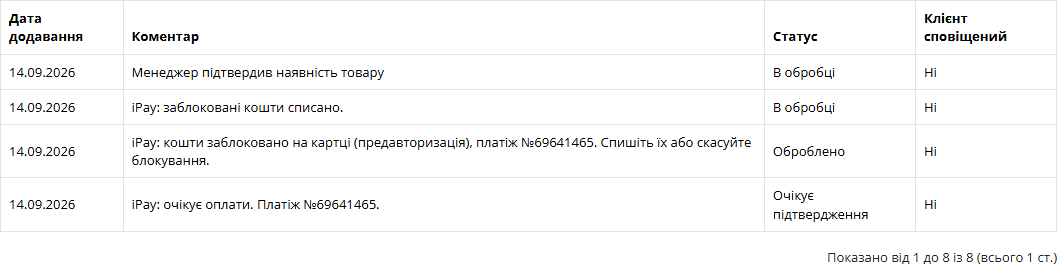
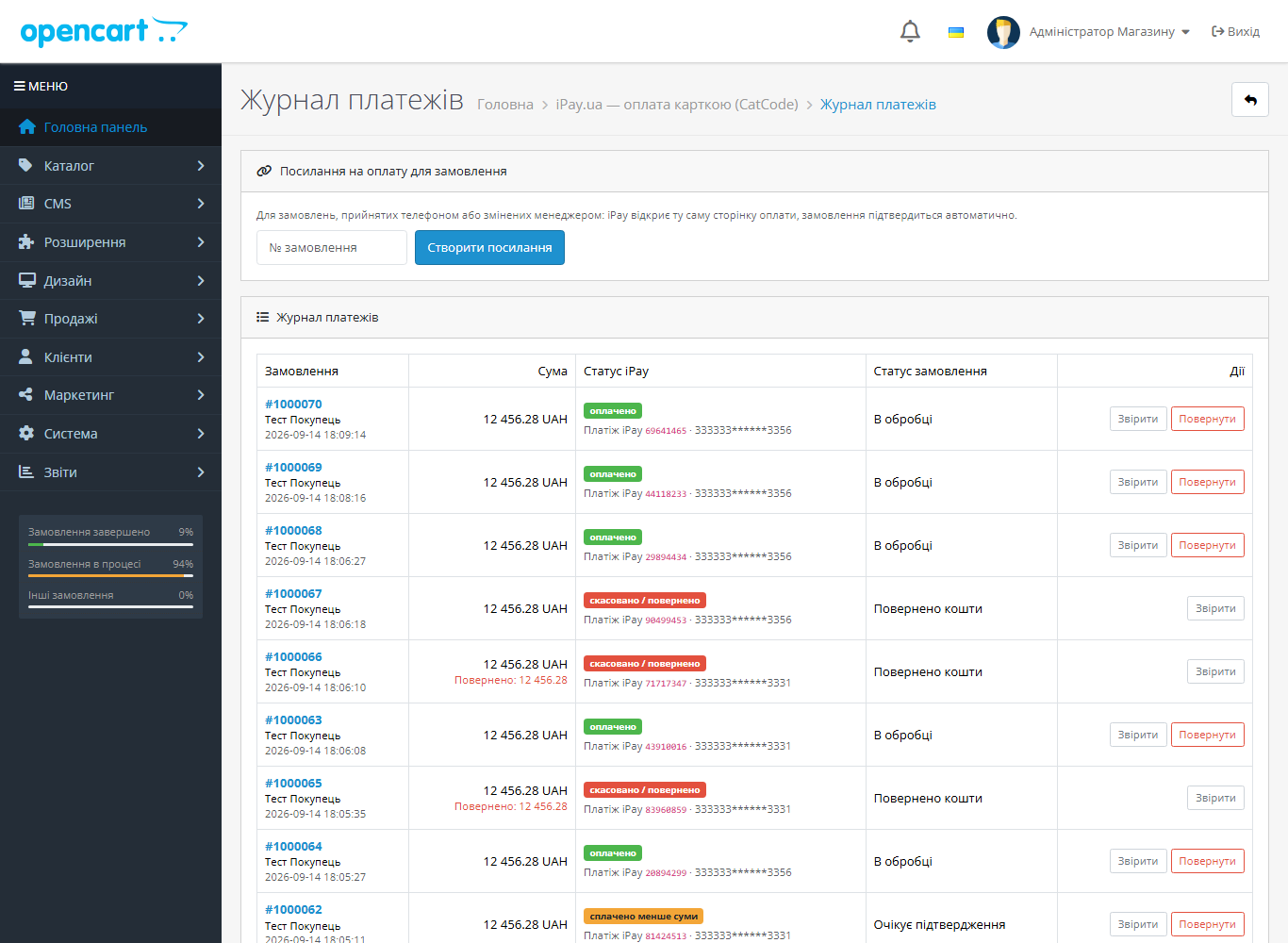
iPay.ua module for OpenCart 2.3, 3.x and 4.x: card, Apple Pay and Google Pay payments, order status reconciled through the iPay API, underpayment protection. Pro — payment log, refunds, pre-authorisation, payment links.
The free version works with no time limit. Pro adds the rest of the features in the table.



A fresh install is the free version, nothing switches on by itself. The “Try Pro for 7 days” button → e-mail → the key right in the window and by e-mail.

Moving the store? Unbind the licence on the old domain and activate it on the new one yourself. For studios — keys for 5 or 25 sites, or unlimited.
 OpenCart 2.3.0.x, 3.0.x or 4.0.2 – 4.1.x; PHP 7.0+ for 2.3, and for 3.x and 4.x whatever version your OpenCart requires.PHP cURL and SimpleXML extensions, outbound HTTPS requests from the server.A contract with iPay.ua: merchant ID (mch_id) and signing key (sign_key). iPay issues sandbox test credentials together with the contract.Cart currency — Ukrainian hryvnia (UAH).iPay configures the notification address on its side: the module shows a ready URL that you send to iPay support once. The address must be reachable from outside, without basic-auth.
A purchased licence for OpenCart now works without expiry.
23 September 2026.
Stored access keys are now encrypted with AES-256-CBC and HMAC instead of the old XOR obfuscation, which some hosting antivirus scanners flagged and deleted.
For OpenCart 2.3, 3.x and 4.x.
4 modules in one order — 40% cheaper than separately



CatCode iPay is a payment module for iPay.ua for OpenCart 2.3, 3.x and 4.x. The customer pays by card, Apple Pay or Google Pay on the secure iPay page, and the order in your store moves to “Paid” by itself. The module takes the status not from what a notification claims, but from the iPay API’s answer to your own keys, so nobody can fake a payment with a request to your site.
At checkout it’s a regular payment method, “Card, Apple Pay, Google Pay (iPay.ua)”. The customer confirms the order, the module creates a payment in iPay and takes them to the payment page showing the amount in hryvnias and your store name. The page opens in the store language: Ukrainian, Russian or English.
After paying, iPay returns the customer to the store. If the payment went through, they land on the “Order placed” page. If not, the items stay in the cart with a hint on top to try again or choose another method. The cart neither disappears nor gets duplicated.
The method is shown only for carts in hryvnias. If the customer switches the store currency to dollars or euros, the payment method hides: iPay would charge the same figure in hryvnias.
iPay signs requests and notifications like this: a salt plus an HMAC-SHA512 of the salt with the merchant key. That signature doesn’t cover the message body. So the module takes nobody at their word: the notification signature is checked, but the order is changed only by the answer to a Status request that the module itself sends to iPay with your keys. A forged or intercepted notification can at most make the module check the status one more time.
Then come the safeguards we usually find missing in other payment modules. A late notification won’t roll a paid order back. Pressing “Back” after paying won’t create a second payment. An order that has already moved past status 0 won’t go to the bank with the old amount. Underpayment won’t become a payment. A full refund on the payment day goes as a reversal, later as a refund. Partial refunds are counted cumulatively, and you can’t go over the remaining balance.
The signing key is stored encrypted in the database. The OpenCart core isn’t patched: in 4.x and 3.x everything works through standard events, and in 2.3 also without ocmod edits. The payment table and settings stay when the module is uninstalled, so you won’t lose the history.
cc_ipay.ocmod.zip and click “Install”. Then Extensions → Payments → “iPay.ua — оплата карткою (CatCode)” → “Install” → “Edit”.cc-ipay-oc3-1.0.1.ocmod.zip, then Extensions → Payments → iPay → “Install”.upload/ folder from cc-ipay-oc2-1.0.1.ocmod.zip into the store root. Then Extensions → Payments → iPay → “Install”.3333 3333 3333 3331.Didn't find the answer? Message us on Telegram and we'll reply within a business day.
 @catcode_support
Setup, compatibility, activation
@catcode_support
Setup, compatibility, activation
No. Payments, notifications, the amount check and the sandbox work in the free version without limits.
Most often the notification doesn't get through: the address isn't set up in iPay, or it's blocked by a firewall, Cloudflare or basic-auth. A customer who returns to the store closes the order themselves, and in Pro you just click "Reconcile" in the log.
Yes, on the iPay payment page, if they are enabled in your contract. The iPay sandbox doesn't have them — cards only.
In Pro, yes, from the payment log. iPay enables partial refunds for a merchant on request; if they aren't enabled, the module shows iPay's response and doesn't change the order.
Funds are first only blocked on the card and captured after the order is confirmed. iPay switches the mode on at its side; the module sets a separate status, and in Pro captures the funds automatically or with a button.
No. For OpenCart the license is perpetual: one payment.
No reviews yet. Be the first.
No questions yet. Ask one — we answer within 24 hours.
We build custom modules for WordPress, WooCommerce, OpenCart and Shopify. Tell us about the task and we'll prepare an estimate.
Order a custom module
—

CatCode assistant
Just now


CatCode assistant
Online

I’ll help with your website task
Describe your website task — I’ll find a ready-made module or pass it to a developer for an estimate. Modules, custom features, layout, integrations, speed, migration, technical SEO.
