GLS CEE Shipping for WooCommerce is an independent GLS shipping plugin by the CatCode studio for stores in Croatia, Czechia, Hungary, Romania, Slovenia and Slovakia. The buyer chooses a GLS courier to the address or a GLS ParcelShop or ParcelLocker right at the WooCommerce checkout — classic or block — and the manager creates the label, prints it and sees the parcel status in the order screen through the MyGLS API, without opening the GLS account.
What you need. A contract with GLS in your country and access to MyGLS: login (e-mail), password and client number.
Honestly about testing: tested against a MyGLS mock. We do not have test access to MyGLS — GLS gives it only to customers with a contract, so we have not created real labels at GLS. The plugin is written to the official MyGLS API documentation (version 25.12.11) and tested against a MyGLS mock — a test server that answers like MyGLS per that documentation and checks requests the same way (required fields, house number in digits only, point code, cash on delivery to a locker, GLS error codes). The plugin reaches it at its usual api.mygls.* addresses over HTTPS. Before going live, create a few labels in your own MyGLS during the 7-day Pro trial — if GLS answers differently from the documentation, we will fix it promptly.
About the trademark. GLS and MyGLS are trademarks of GLS. GLS CEE Shipping is an independent CatCode plugin, not an official GLS product: GLS neither releases nor supports it. The plugin works with your own MyGLS account through the MyGLS API, following the GLS documentation.
There is a separate module for OpenCart — GLS CEE Shipping for OpenCart.
How we tested it
A full run in clean WordPress 7.1 + WooCommerce 11.2 stores on nginx + php-fpm with HTTPS, in four configurations: PHP 8.3 + MariaDB 11 (HPOS), PHP 8.3 + MySQL 8 (classic order storage), PHP 7.4 + MariaDB 11 (HPOS) and PHP 7.4 + MySQL 8 (classic storage) — 2,738 automated checks in total, all passed, buyer scenarios repeated two or three times in a row. The plugin was installed the standard way, through “Plugins → Add New → Upload”. We checked in a real browser on desktop and on a phone (375 and 320 px), with the orders checked in the database:
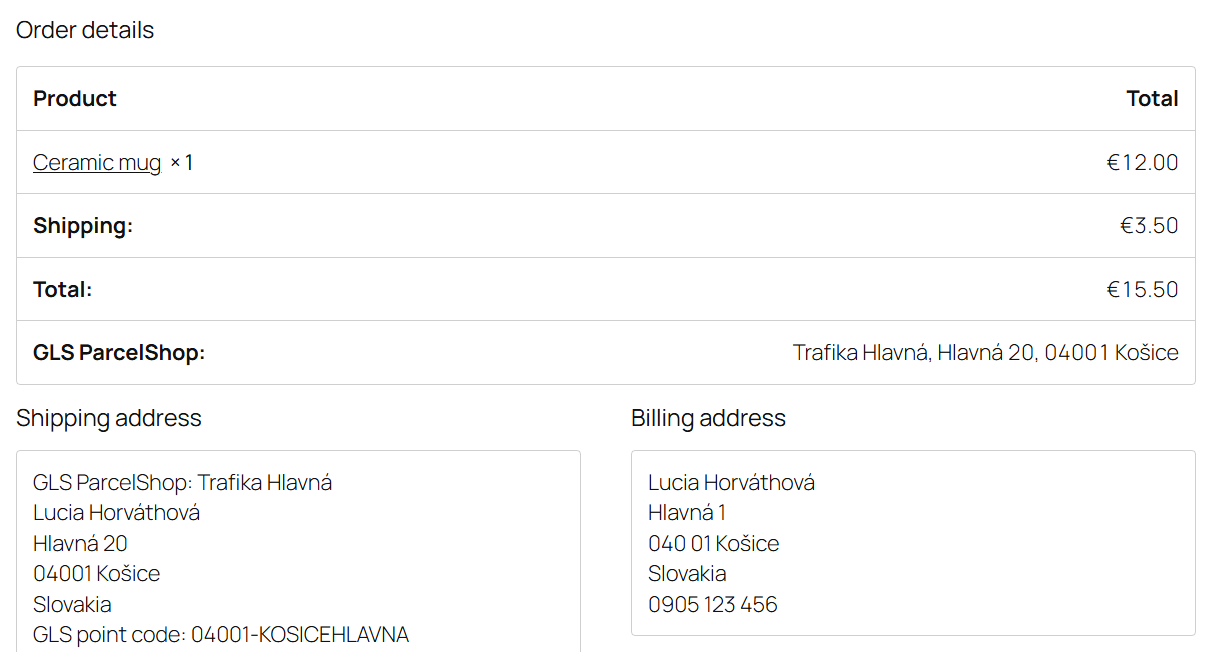
- The buyer in all six countries — at the classic and block checkout, each country in its own currency (EUR, CZK, HUF, RON): the point list from the buyer’s post code, search without diacritics (“Kosice” finds Košice, “Gyor” finds Győr), choosing a point, placing the order with cash on delivery, the order shipping address = the point, the point line on the “Thank you” page and in the buyer’s e-mail.
- Unusual scenarios: placing an order without a point — refused; a point of another country after the address changes — refused with a hint; a locker without cash on delivery when paying cash on delivery — refused, with a bank transfer — goes through; switching point → courier → another carrier → back (the buyer’s address does not change, the point does not leak into another order); shipping to another address in another country; a buyer with an account (the saved address stays their own); an account created on the confirmation page; a point on holiday; lockers only; a country without points; a forged point request; free from an amount, a free-shipping coupon, a weight limit.
- The admin: settings and the connection check (right and wrong password, HTTP 500, a non-JSON answer, MyGLS silent for more than 30 s), downloading 4,800 points of six countries and the daily update of changes only, labels to a point and to an address, the content of the PrintLabels request (point code, buyer contacts, sender, cash on delivery and currency), PDF, reprint without calling GLS, tracking, status, deleting and a new label, changing the point by code, a double click, GLS refusals with their code in the order note.
- Pro and the licence: trial, a purchased key, prices by weight, two parcels, bulk labels and printing as one PDF (and a ZIP when GLS refuses a reprint), an automatic label from a real checkout, the hourly sync with the switch to “Completed”, the end of the trial, the update 1.0.0 → 1.0.1 from catcode.com.ua.
- Languages hrvatski, čeština, slovenčina, magyar, română, slovenščina — at the checkout, in the e-mail and in the admin; the free build on its own after deleting Pro, and Pro next to the free one.
The screenshots below are from these test stores. You can try Pro on your own store before buying in the 7-day trial: the “Try Pro free for 7 days” button in the plugin settings, no card needed.
What the buyer sees
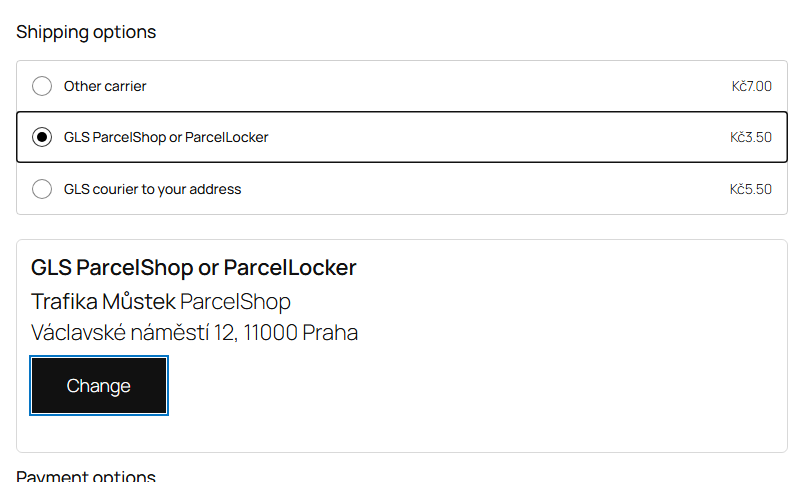
- Two GLS methods in WooCommerce shipping zones: courier to the address and ParcelShop / ParcelLocker. The point method is shown only for countries where you turned points on and downloaded them.
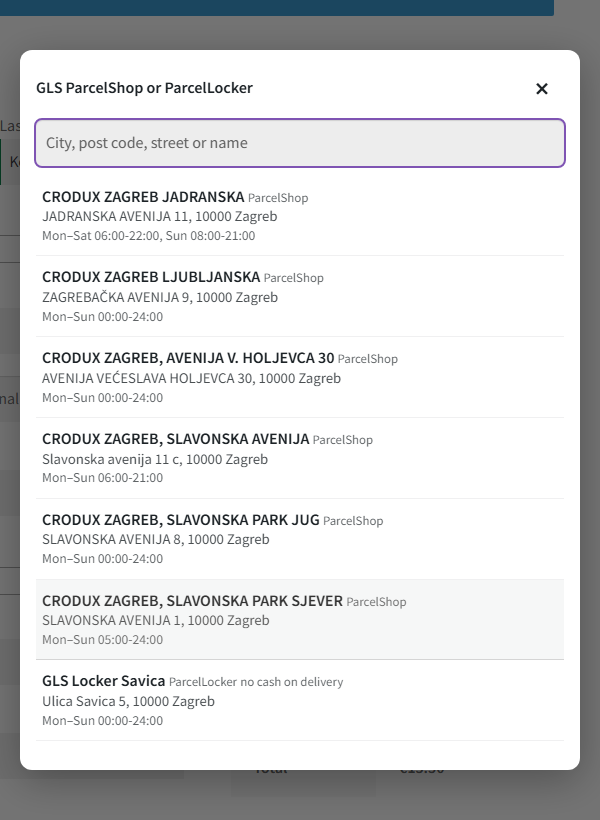
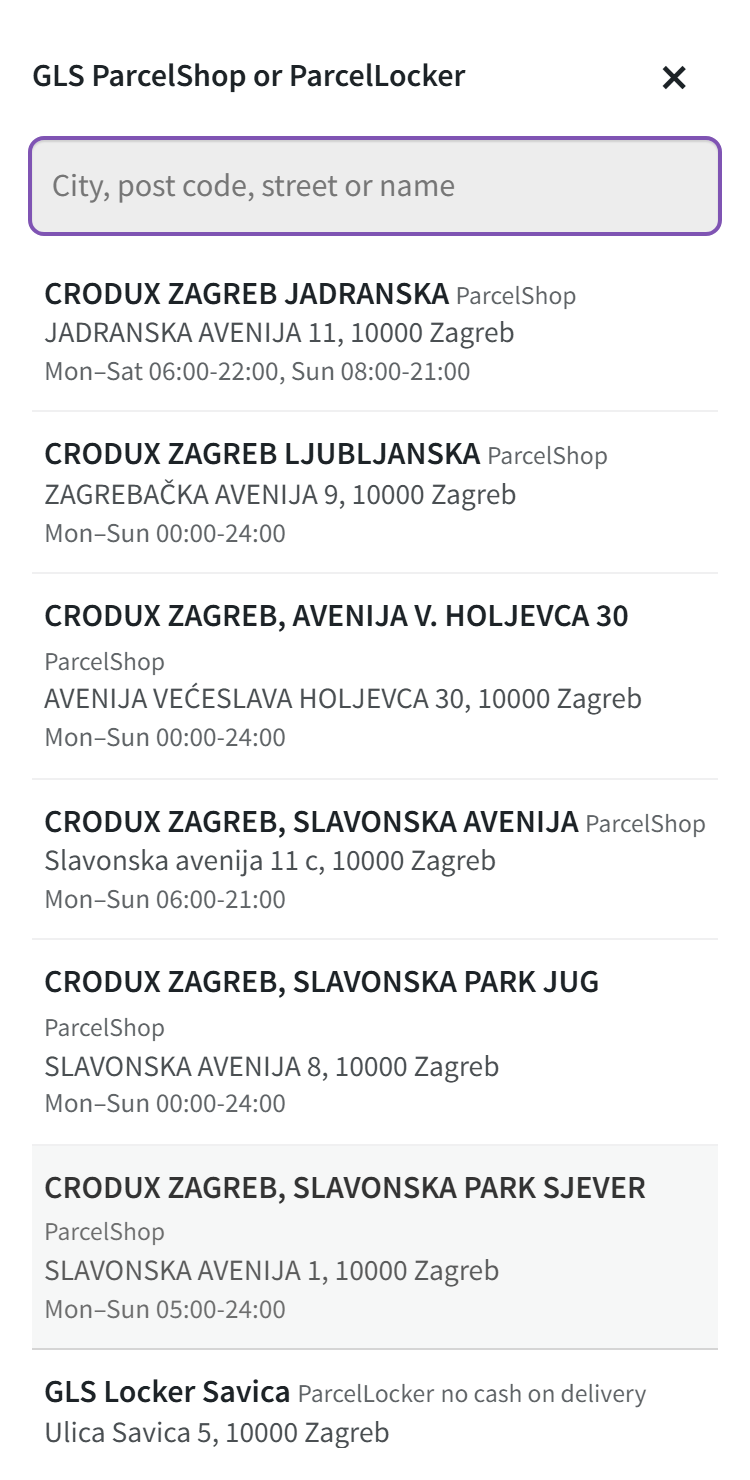
- Point search by post code, city, street or name, without diacritics. Points at the buyer’s post code and city are shown first.
- In the list — point type, address, opening hours and a “no cash on delivery” mark. Points on holiday and inactive points are not shown.
- No order without a point — at both the classic and the block checkout the server checks it, not only the browser.
What the admin gets
- Settings in the WooCommerce → GLS CEE Shipping menu: the account country decides which MyGLS (api.mygls.hr, .cz, .hu, .ro, .si, .sk) the plugin calls; the MyGLS test system is available; connection check; sender data; point countries and the “Update now” button.
- GLS box in the order screen (HPOS and classic storage): the chosen point with its code, street / house number / address addition, weight, cash on delivery, “Create GLS label”, PDF, delete before the parcel is handed over, “Refresh status”, change the point by code.
- Declared value for Croatia, post codes 20xxx. For these post codes the MyGLS documentation requires the DPV service (declared parcel value) — the plugin adds it to the label on its own, with the order total in the order currency. Tested against the MyGLS mock.
- Labels for orders with another shipping method too — to the shipping address.
- GLS tracking in the order screen, on the “Thank you” page and in the buyer’s e-mails.
- GLS errors — in their own words and with their code, plus a note in the order.
How it works — step by step
- You enter the MyGLS data, check the connection and download the points of the countries you need — they go into the plugin’s table and are updated daily (MyGLS sends only the changes).
- You add the “GLS ParcelShop or ParcelLocker” and “GLS courier to your address” methods to the shipping zones and set prices.
- The buyer chooses the point method and a point in the panel under it. The point goes into the session on the server; the buyer’s address fields do not change.
- At checkout the server checks the point; the order shipping address becomes the point address, while the buyer’s own address stays in the billing address and in the account.
- The manager presses “Create GLS label” in the order screen: the plugin sends the data to MyGLS (PrintLabels; for a point — the PSD service with the point code), stores the PDF and the parcel number.
- The buyer sees tracking in the e-mail and on the order page; the status is refreshed with a button, and in Pro every hour, and a delivered order becomes “Completed”.
Under the hood
- MyGLS REST API per the documentation version 25.12.11: PrintLabels, GetPrintedLabels, DeleteLabels, GetParcelListStatuses, GetParcelList, GetDeliveryPoints (points as compressed JSON, only changed ones updated).
- The point lives on the server only. The panel’s JavaScript neither reads nor writes the buyer’s address fields. Only the country and the point code go into the session, the data comes from the plugin’s table, and the point gets into the order only for the point method and only in its own country.
- Block checkout — checked through the Store API (an order without a point is refused with a message), the panel sits under the shipping options.
- The buyer’s account never gets the point address — neither at checkout nor when the account is created on the confirmation page.
- The MyGLS password — AES-256-CBC with HMAC, never written to the debug log.
- One label at a time: a lock in the database keeps a double click or the automatic label from creating two parcels.
- Deleting the plugin removes the settings, the point table, the methods in zones and the cron jobs; orders keep the point, parcel numbers and labels.
Installation
- “Plugins → Add New → Upload Plugin” → zip → “Activate”.
- WooCommerce → GLS CEE Shipping: choose the account country, enter the MyGLS login, password and client number, the sender data, save and press “Check the connection”.
- Tick the point countries, save and press “Update now”.
- WooCommerce → Settings → Shipping → zone → “Add shipping method”: “GLS ParcelShop or ParcelLocker” and “GLS courier to your address”, set the prices.
- Place a test order to a point and create a label from the order screen.
- For Pro: paste the licence key from the e-mail after payment, or turn on the trial in the same settings.