
OpenCart
GLS CEE Shipping — a shipping module for GLS in OpenCart: home delivery and ParcelShop / ParcelLocker (MyGLS)
Free + Pro
1 290 UAH
v1.0.1
 All Access4 990 ₴ / year
 Website auditA PDF report by email in 3 minutesCheck a website
Everyday tasks
Image compressorSize, quality and WebP in bulkQR generatorLink, Wi-Fi, payment to IBANVAT calculator20, 14, 7% and amount in wordsTransliterationOfficial Ukrainian standardWebsite checks
PHP and pluginsPHP version, WordPress, pluginsGoogle Merchant feedFields, prices, GTIN, imagesDomain emailSPF, DKIM, DMARC, blacklistsAI search readinessllms.txt, bots, markupAll 9 toolsEnter at least 2 characters

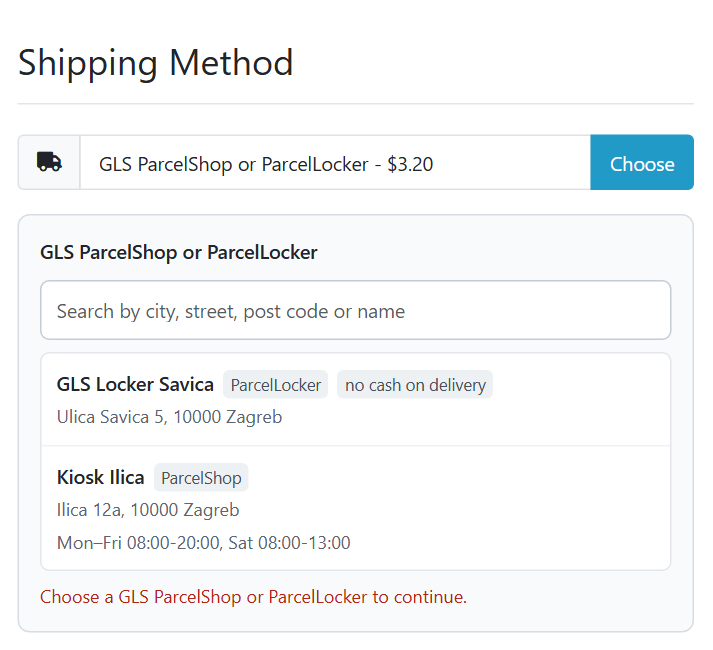
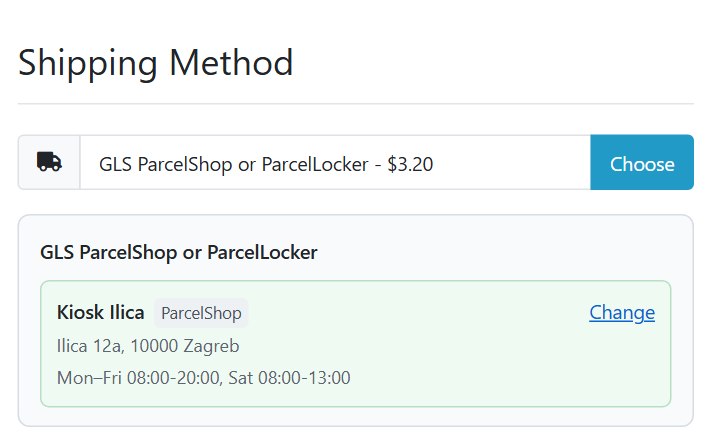
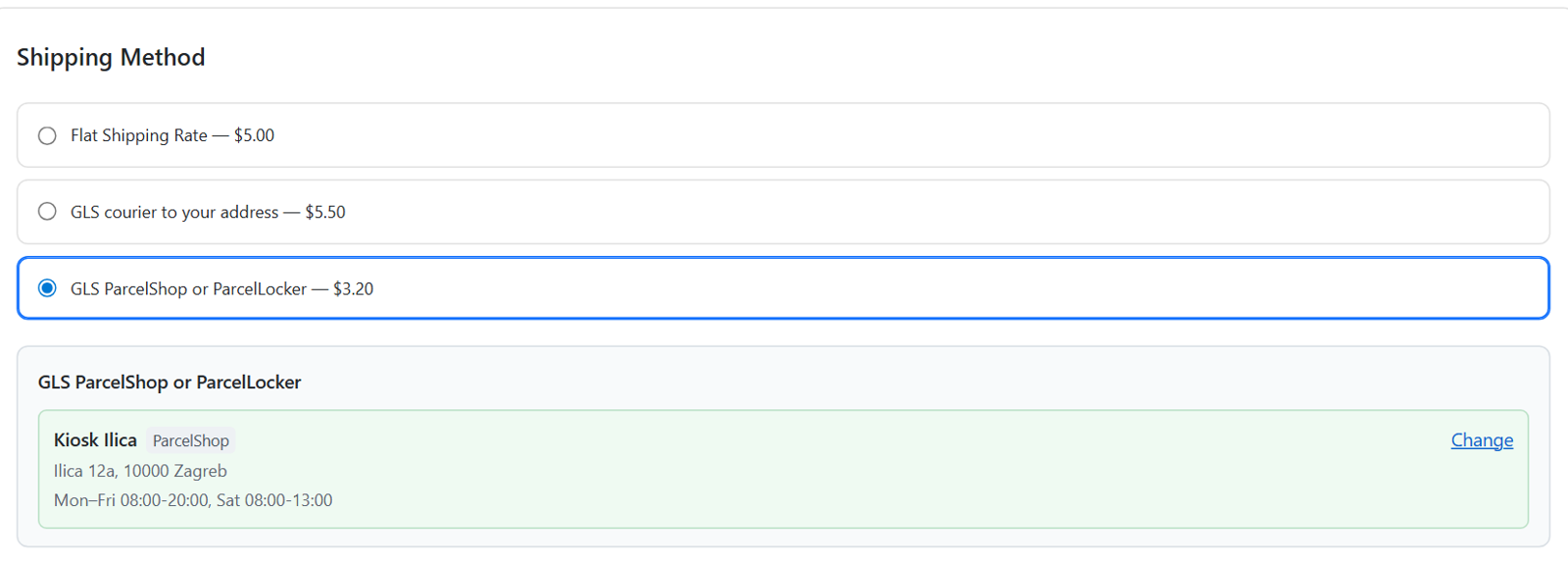
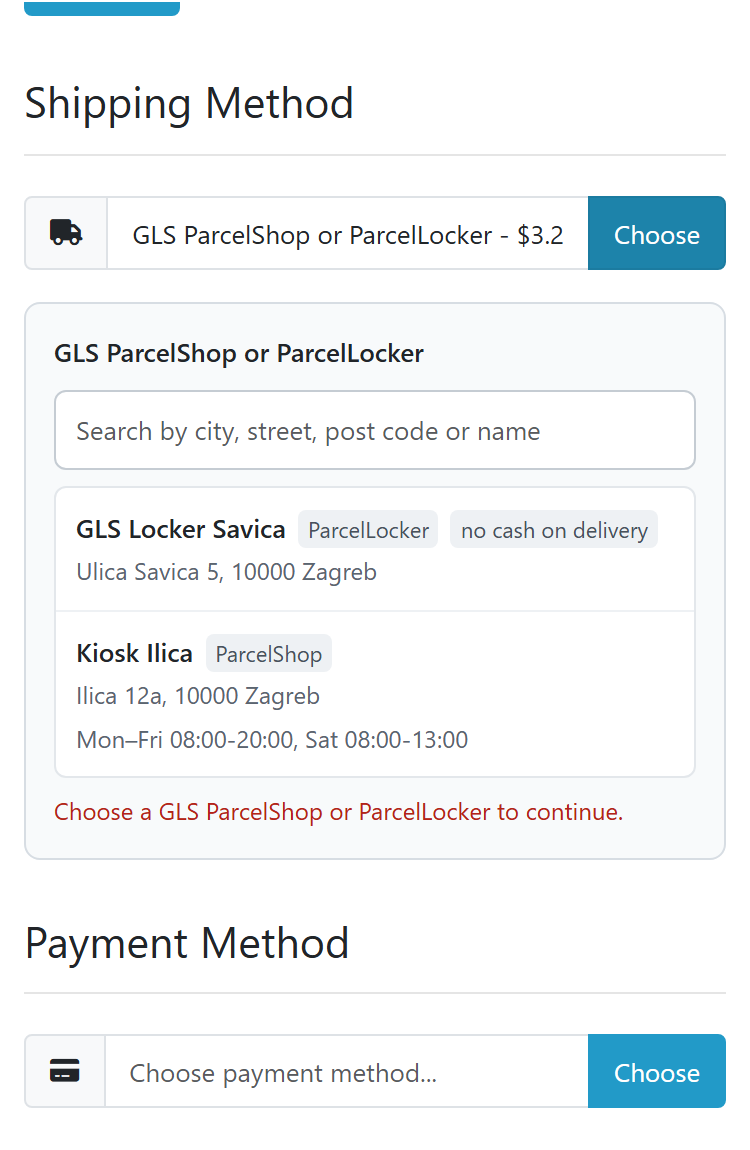
GLS shipping for OpenCart 4, 3 and 2.3 stores in Croatia, Czechia, Hungary, Romania, Slovenia and Slovakia via the MyGLS API: courier to the address and a ParcelShop or ParcelLocker picked right at checkout, labels from the order page, tracking and statuses. Pro — weight-based prices, several parcels, bulk labels, an automatic label on an order status and hourly statuses. Lifetime licence.
The free version works with no time limit. Pro adds the rest of the features in the table.



A fresh install is the free version, nothing switches on by itself. The “Try Pro for 7 days” button → e-mail → the key right in the window and by e-mail.

Moving the store? Unbind the licence on the old domain and activate it on the new one yourself. For studios — keys for 5 or 25 sites, or unlimited.
 OpenCart 4.0.2.0+ and 4.1.x (tested on 4.1.0.3 and 4.0.2.3), 3.x (tested on 3.0.5.0) or 2.3.0.2.PHP 7.0+ — whatever your OpenCart version needs (tested on 7.0, 8.1 and 8.3). The cURL, OpenSSL and zlib extensions.A MyGLS account in Croatia, Czechia, Hungary, Romania, Slovenia or Slovakia: login, password, client number.The buyer’s phone at checkout — GLS requires it; in OpenCart 4 the module turns it on with one click.The destination country currency (EUR, CZK, HUF, RON) in the store with an up-to-date rate — for cash on delivery; otherwise the order currency is used.Cron: in OpenCart 4 — the built-in scheduler (System → Maintenance → Cron Jobs); in OpenCart 3 and 2.3 — the cron URL from the settings once an hour. Without cron the points are updated with a button.Product weight — for products without weight the default weight from the settings is used.Module languages: English, hrvatski, čeština, slovenčina, magyar, română, slovenščina.
DPV service (declared parcel value) for Croatian post codes 20xxx, Dubrovnik-Neretva, which the MyGLS API documentation requires there.
GLS delivery to the address and to ParcelShop / ParcelLocker in Croatia, Czechia, Hungary, Romania, Slovenia and Slovakia via the MyGLS API, point selection on the default checkout of…
4 modules in one order — 40% cheaper than separately



GLS CEE Shipping is an independent shipping module for GLS by the CatCode studio for stores in Croatia, Czechia, Hungary, Romania, Slovenia and Slovakia on OpenCart 4, 3 and 2.3. The buyer chooses GLS courier delivery to the address or to a GLS ParcelShop or ParcelLocker right at checkout, and the manager creates the label, prints it and sees the parcel status on the order page through the MyGLS API, without opening the GLS portal.
What you need. A contract with GLS in your country and MyGLS access: login (email), password and client number. Honest note about testing: we have no MyGLS test access — GLS gives it only to customers with a contract. The module is written from the official MyGLS API documentation (version 25.12.11) and tested against a test server that answers like MyGLS per this documentation. We have not created real labels at GLS. Try it on your own account in the 7-day Pro trial — if GLS answers differently from the documentation, we will fix it quickly.
About the trademark. GLS and MyGLS are trademarks of GLS. GLS CEE Shipping is an independent CatCode module, not an official GLS product: GLS does not publish or support it. The module works with your own MyGLS account through the MyGLS API following the GLS documentation.
Running WooCommerce? There is a separate GLS CEE Shipping for WooCommerce plugin: the same two GLS methods and the ParcelShop / ParcelLocker picker at the classic and block checkout, MyGLS labels from the order screen, tracking and cash on delivery.
cc_glscee.ocmod.zip (do not rename the archive) and click “Install”. OpenCart 3: Extensions → Installer → cc_glscee-oc3.ocmod.zip, then Extensions → Modifications → “Refresh”. OpenCart 2.3: upload the contents of the upload/ folder from cc_glscee-oc23.ocmod.zip to the store root (FTP or the hosting file manager).Didn't find the answer? Message us on Telegram and we'll reply within a business day.
 @catcode_support
Setup, compatibility, activation
@catcode_support
Setup, compatibility, activation
A contract with GLS in your country and MyGLS access: login (email), password and client number. The module works with MyGLS of Croatia, Czechia, Hungary, Romania, Slovenia and Slovakia; the account country decides which MyGLS it talks to.
We have no MyGLS test access — GLS gives it only to customers with a contract. The module is written from the official MyGLS API documentation (version 25.12.11) and tested against a test server that answers like MyGLS per this documentation. The module shows GLS errors with their own text and code, so you see right away what is wrong. Try it on your own account in the 7-day Pro trial — if GLS answers differently, we will fix it quickly.
It appears when the points of the country are downloaded ("Download now" on the "ParcelShops & Lockers" tab), the country is ticked in the settings and the buyer's address is in that country. Check the method weight limit and geo zone too.
GLS needs the buyer's phone, and OpenCart 4 does not ask for it by default. The settings page has a button that turns on "Telephone display" and "Telephone required".
In the currency of the destination country (EUR for Croatia, Slovenia, Slovakia; CZK; HUF; RON) if your store has it — at the rate from the store currency table. If the store does not have it, the order currency is used; the settings page tells you which currencies are missing. You can correct the amount in the panel before creating the label.
Several parcels in one shipment (Pro) are only for delivery to the address. For ParcelShop / ParcelLocker it is one parcel per label.
Tested on the default checkout of OpenCart 4, 3 and 2.3 and on CatCode One Page Checkout. Other checkout modules (Journal, Quick Checkout and so on) were not tested.
No. For OpenCart it is one payment, a lifetime licence, and one licence covers all three builds: 4.x, 3.x and 2.3. Shipping methods, point selection, labels, tracking and cash on delivery stay free with no time limit.
No reviews yet. Be the first.
No questions yet. Ask one — we answer within 24 hours.
We build custom modules for WordPress, WooCommerce, OpenCart and Shopify. Tell us about the task and we'll prepare an estimate.
Order a custom module
—

CatCode assistant
Just now


CatCode assistant
Online

I’ll help with your website task
Describe your website task — I’ll find a ready-made module or pass it to a developer for an estimate. Modules, custom features, layout, integrations, speed, migration, technical SEO.
