Feed Bridge — Epicentr feed from YML and variants for Google Merchant
Free + Pro
1 290 UAH/year
v1.0.0
 All Access4 990 ₴ / year
 Website auditA PDF report by email in 3 minutesCheck a website
Everyday tasks
Image compressorSize, quality and WebP in bulkQR generatorLink, Wi-Fi, payment to IBANVAT calculator20, 14, 7% and amount in wordsTransliterationOfficial Ukrainian standardWebsite checks
PHP and pluginsPHP version, WordPress, pluginsGoogle Merchant feedFields, prices, GTIN, imagesDomain emailSPF, DKIM, DMARC, blacklistsAI search readinessllms.txt, bots, markupAll 9 toolsEnter at least 2 characters
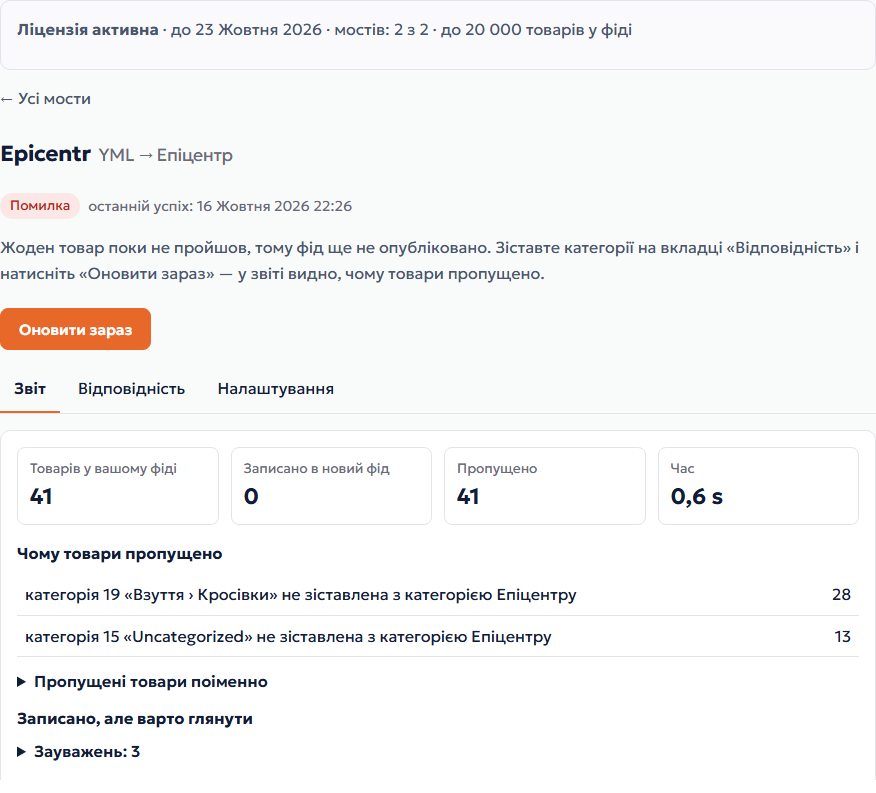
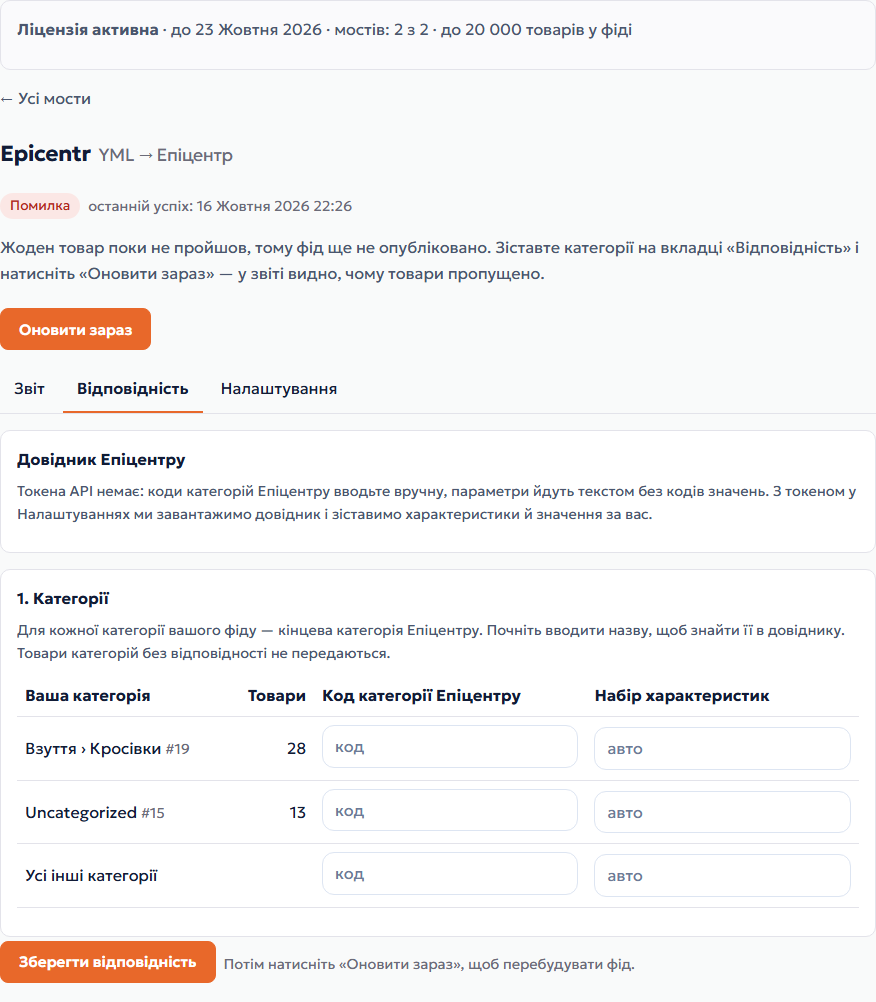
Your shop's feed → Epicentr XML or a Google Merchant feed with variants. Nothing to install, at a permanent URL.
The free version works with no time limit. Pro adds the rest of the features in the table.



Without a licence you can create one test bridge: a report on the whole feed and a test file with 20 products. «Try 7 days» → e-mail → a permanent feed URL right after the conversion.

Moving the store? Unbind the licence on the old domain and activate it on the new one yourself.
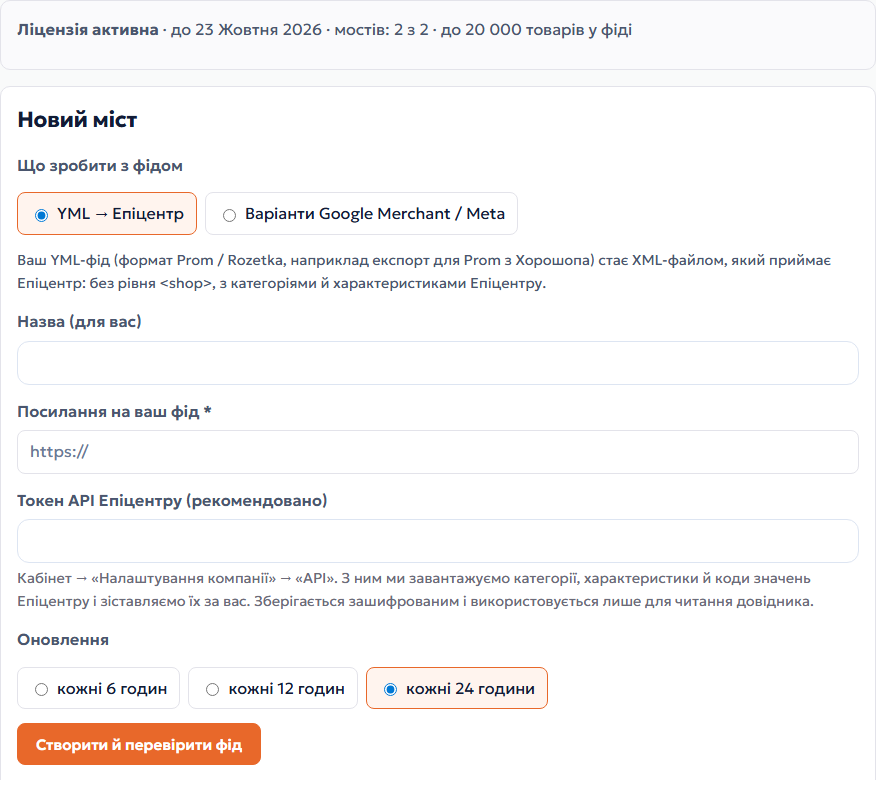
 Your feed opens at a public http(s) URL without logging in.Format: YML (yml_catalog, Prom / Rozetka format) for Epicentr; RSS 2.0 or Atom with g: attributes for Google / Meta. Gzip-compressed works too.Feed file — up to 50 MB, products in the finished feed — up to 20,000.For the Epicentr directory — an API token from the Epicentr seller account (optional).
«YML → Epicentr» and «Google Merchant / Meta with variants» modes, an account section in My Account, a report on every update, protection against broken feeds, scheduled updates, a 7-day trial.
4 modules in one order — 40% cheaper than separately



Feed Bridge is a CatCode service that takes your shop’s feed by URL and serves a converted one at a permanent URL. Nothing to install: it is made for shops on Horoshop, Prom and other platforms where you cannot add your own module but do have a feed.
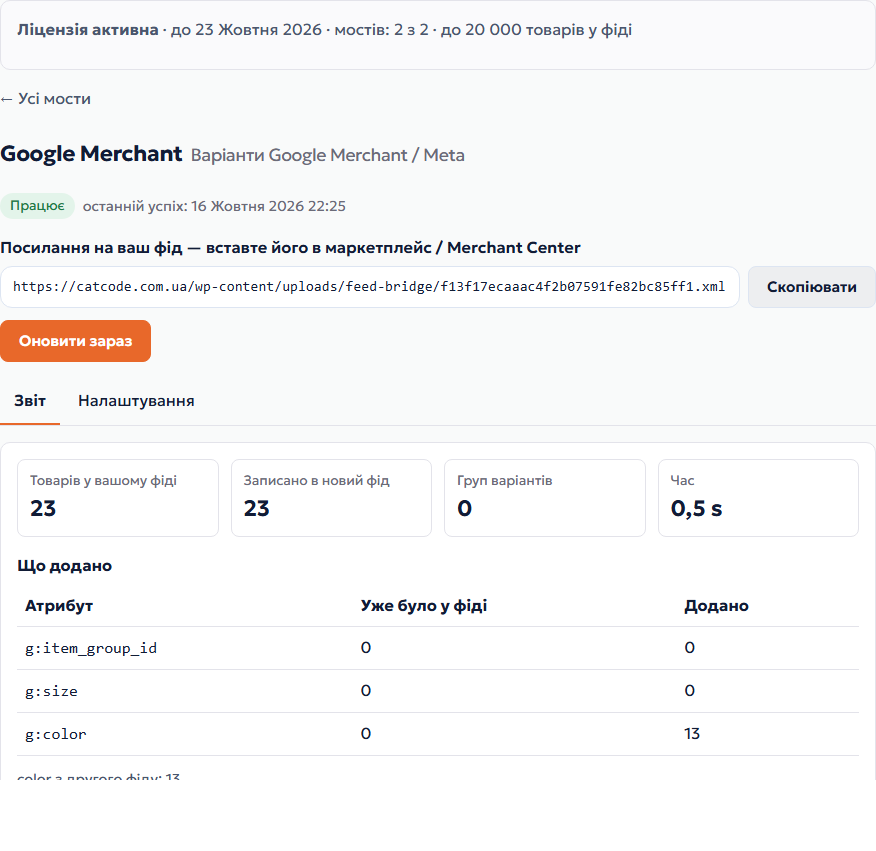
Two modes: YML → Epicentr XML (no shop level, with category and characteristic codes) and Google Merchant / Meta feed with variants — we add g:item_group_id, g:size and g:color so sizes and colors of one product are glued into one listing instead of duplicates.
You can check it for free. Without a licence you create one test bridge: a report on the whole feed and a test file with the first 20 products. A permanent URL, scheduled updates and up to 2 bridges come with a licence or the 7-day trial.
Didn't find the answer? Message us on Telegram and we'll reply within a business day.
 @catcode_support
Setup, compatibility, activation
@catcode_support
Setup, compatibility, activation
A link to your shop's feed that opens without logging in. For Epicentr — YML in Prom / Rozetka format, for Google — your Merchant Center or Meta feed. Nothing to install.
Yes, if the platform serves a feed by URL. Horoshop can build a YML feed for Prom — that is what you use in the Epicentr mode. For Google you need your platform's Merchant Center feed.
The file follows Epicentr's XML import instruction: no shop level, category codes, characteristic sets and codes. We have not yet run an import into a real Epicentr seller account — if you connect first, write to us and we will check it together.
Every 6, 12 or 24 hours — your choice. The «Refresh now» button rebuilds it within a minute, at most once every 2 minutes.
If the feed is cut off, returns an error, comes out empty or the number of products drops sharply, the previous version of the finished file stays in place and the account shows the error. Retries are automatic.
Updates stop, the finished file stays available at the same URL for 7 more days, then it is deleted. Renew — the bridge resumes with the same URL.
On the CatCode server, encrypted (AES-256-GCM). We use it only to read the category and characteristic directory.
No reviews yet. Be the first.
No questions yet. Ask one — we answer within 24 hours.
We build custom modules for WordPress, WooCommerce, OpenCart and Shopify. Tell us about the task and we'll prepare an estimate.
Order a custom module
—

CatCode assistant
Just now


CatCode assistant
Online

I’ll help with your website task
Describe your website task — I’ll find a ready-made module or pass it to a developer for an estimate. Modules, custom features, layout, integrations, speed, migration, technical SEO.
