
OpenCart
Verified Delivery Reviews for OpenCart — reviews only after the parcel is received
Free + Pro
1 290 UAH
v1.0.1
Enter at least 2 characters

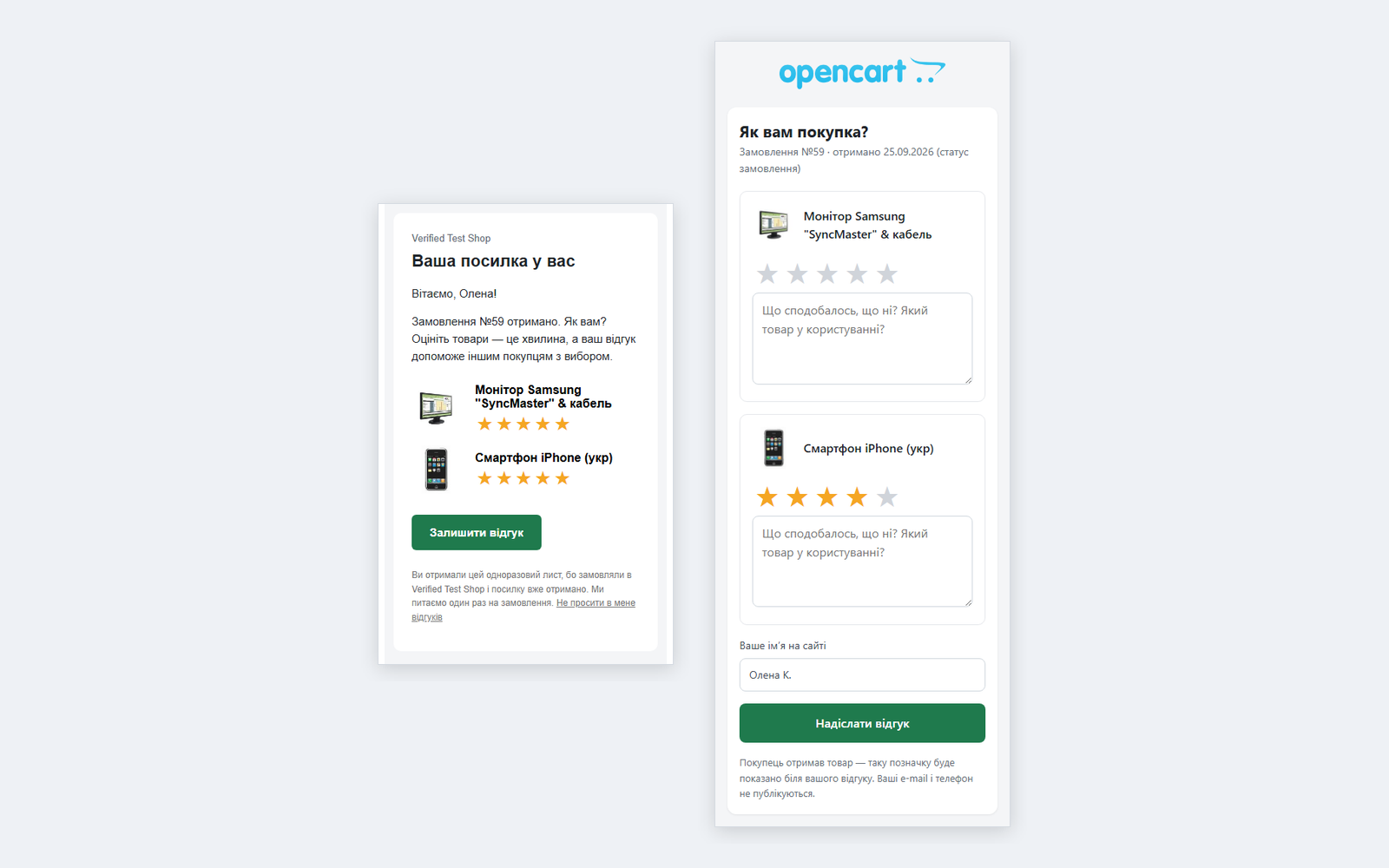
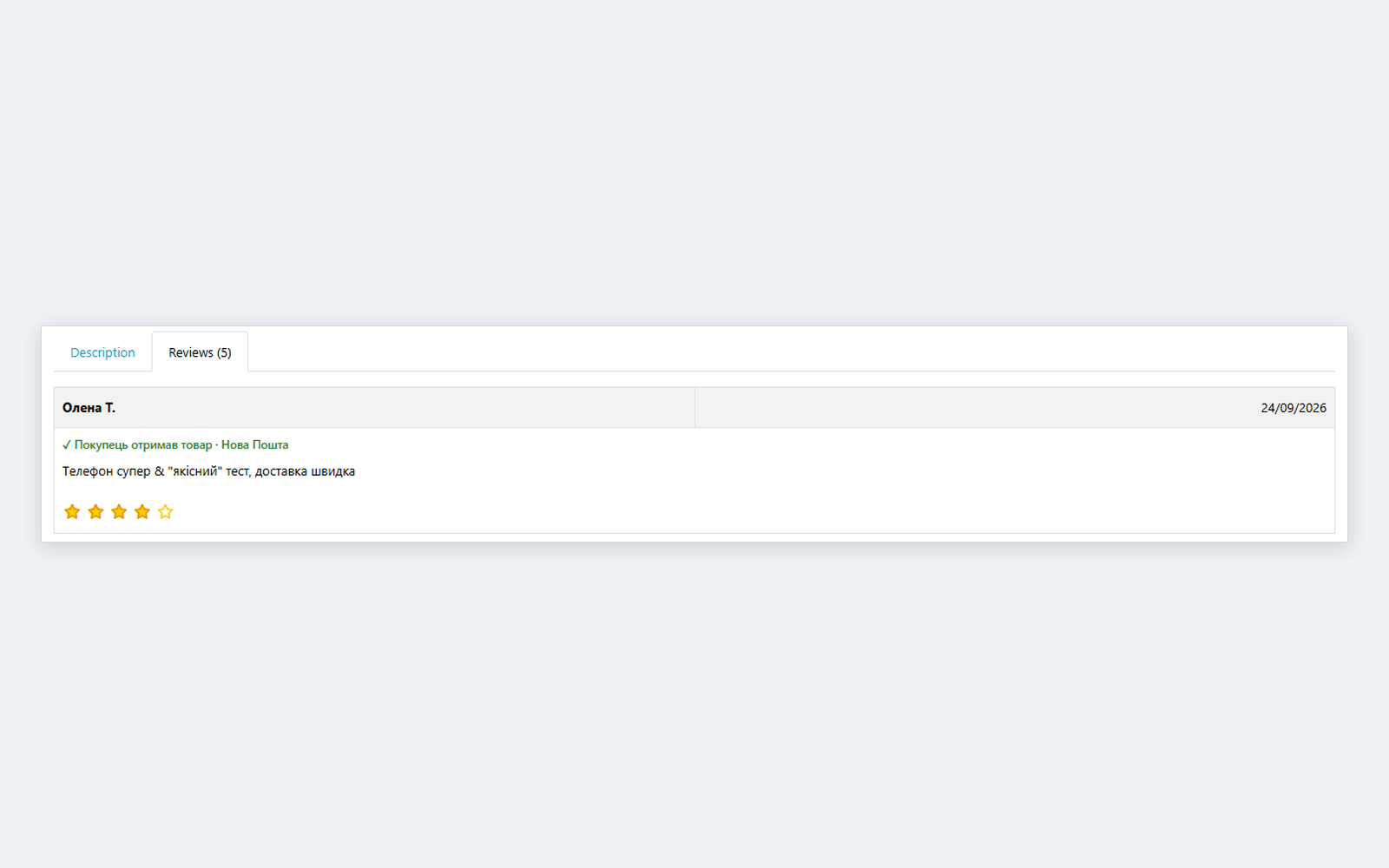
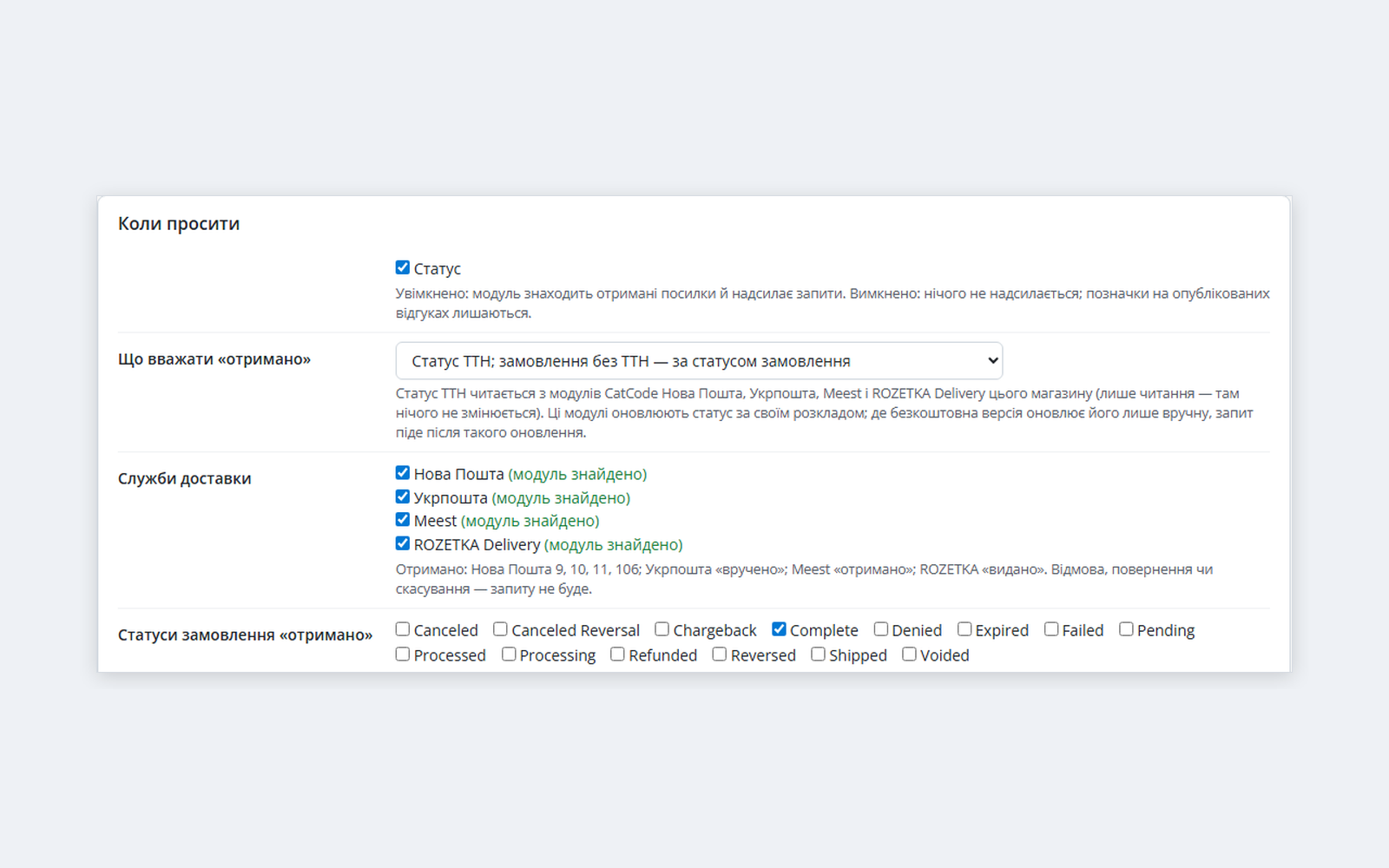
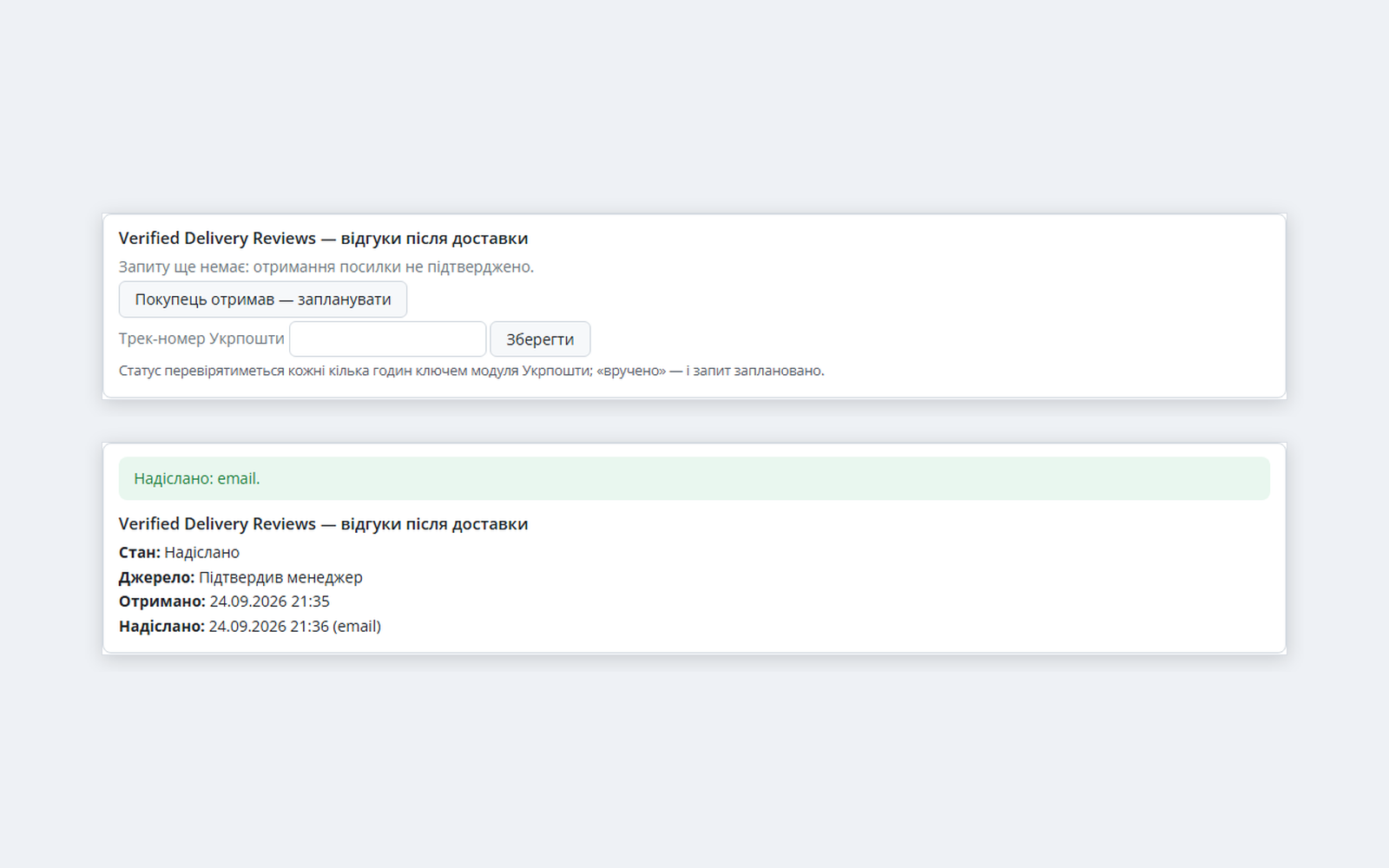
The review request goes to the buyer not right after checkout but once the parcel has actually been picked up: by the waybill status of Nova Poshta, Ukrposhta, Meest or ROZETKA Delivery from our shipping modules for OpenCart, and for pickup or courier orders — by the “Complete” order status. One e-mail per order in the buyer’s language, five stars under every item, a form without an account, the mark “The buyer received the item · Nova Poshta” next to the review, unsubscribe and a report. OpenCart 4.x, 3.x and 2.3. The base version is free, Pro adds Viber/SMS via TurboSMS, a Telegram bot, photos in reviews, your own texts and CSV. Perpetual licence.
The free version works with no time limit. Pro adds the rest of the features in the table.



A fresh install is the free version, nothing switches on by itself. The “Try Pro for 7 days” button → e-mail → the key right in the window and by e-mail.

Moving the store? Unbind the licence on the old domain and activate it on the new one yourself. If our server is unreachable, Pro keeps working for 14 more days. For studios — keys for 5 or 25 sites, or unlimited.
 OpenCart 4.0.2 – 4.1.x (tested on 4.1.0.3 and 4.0.2.3), 3.0.x (tested on 3.0.5.0) or 2.3.0.2. OpenCart 4.0.0/4.0.1 and 3.0.3.x were not tested separately.PHP 7.0+: the 2.3 build ran on PHP 7.0, the others on PHP 8.3. MySQL / MariaDB, mysqli and pdo drivers.Waybill statuses come from our shipping modules for OpenCart: Nova Poshta, Ukrposhta, Meest, ROZETKA Delivery. Other developers’ modules are not read — use the order status trigger for them.Status updates. If the carrier module does not update the waybill status (for example, its cron is off), the request goes out after the next update or after the “The buyer received it” button. Ukrposhta is polled by the module itself with the key of your Ukrposhta module.Runs. OpenCart 4 — a job in Extensions → Cron Jobs (hourly, when the hosting crontab calls the store’s cron); all versions — a cron URL with a key for the hosting crontab; without a crontab — when the admin is opened, up to 10 requests at a time.Mail uses the store’s mail settings (System → Settings → Mail). There is no List-Unsubscribe header: OpenCart’s mail class does not allow custom headers, so unsubscribing is a link in the e-mail text.OpenCart 2.3: the stock installer needs FTP, so the contents of the upload/ folder are uploaded by hand.
Review form: the product name and photo now sit inside the card instead of on its top border.
For OpenCart 4.x, 3.x and 2.3: review request after confirmed delivery (Nova Poshta, Ukrposhta, Meest, ROZETKA Delivery, “Complete” status), one request per order, pause per buyer, quiet…
4 modules in one order — 40% cheaper than separately



Verified Delivery Reviews for OpenCart is a module that asks for a review when the buyer already has the item in hand. On marketplaces a seller review can be left right after checkout, before anything arrives — and sellers spend months disputing ratings for cancelled orders. On your own store you can do better: ask only those who picked up the parcel, and show it next to the review.
The module watches the waybill status that our shipping modules for OpenCart already keep — Nova Poshta, Ukrposhta, Meest and ROZETKA Delivery — and a few days after the parcel is received it sends one e-mail per order with five stars under every item. A click on a star opens a short form without an account, the review lands in the standard Catalog → Reviews, and on the product page it carries the mark “The buyer received the item · Nova Poshta”. Orders without a waybill — pickup, courier — go by the “Complete” status.
Running WordPress? The same logic exists for WooCommerce — Verified Delivery Reviews for WooCommerce.
The review is a regular OpenCart review: it appears in Catalog → Reviews, where you approve it as usual. The module adds the green mark “The buyer received the item” and, if you like, the delivery service. OpenCart 4 recalculates the product rating right after approval. If review notifications are on in your store, you get an e-mail.
Extensions → Extensions → Modules → Verified Delivery Reviews. Seven tabs: “Report”, “When to ask”, “Messages”, “Form and mark”, “Requests”, “Schedule”, “Licence”.
Panel on the order page. Where the request is now (scheduled, sent, reviewed, skipped and why), the “The buyer received it — schedule” and “Send now” buttons, and a tracking number field for Ukrposhta. The “Requests” tab lists all requests with a search by order number.
Report. Parcels received, requests sent, form opened, review left, average rating — by source (Nova Poshta, Meest, ROZETKA Delivery, Ukrposhta, order status, confirmed by a manager) and with the reasons a request did not go out: the buyer unsubscribed, the parcel was not received, the buyer was asked recently, the order was cancelled.
{customer_name}, {store_name}, {order_number}, {carrier}, {ttn}, {review_link}. An empty field means the built-in text in the language of the order.cc_shipment_delivered event (order_id, carrier, ttn, delivered_at).cc_vdreviews.ocmod.zip (do not rename the archive) and press “Install”. OpenCart 3: Extensions → Installer → cc_vdreviews-oc3.ocmod.zip. OpenCart 2.3: upload the contents of the upload/ folder from cc_vdreviews-oc2.ocmod.zip to the store root (FTP or the hosting file manager).Didn't find the answer? Message us on Telegram and we'll reply within a business day.
 @catcode_support
Setup, compatibility, activation
@catcode_support
Setup, compatibility, activation
For the “waybill status” trigger — yes: the module reads the statuses that our Nova Poshta, Ukrposhta, Meest and ROZETKA Delivery modules for OpenCart already store, and changes nothing there. Without them the “order status” mode works: the request goes out when the order gets the “Complete” status.
In a stock OpenCart the store’s “complete” statuses include both “Complete” and “Shipped”. A shipped parcel has not been received yet, so the module takes only “Complete”. Add “Shipped” only if waybills are tracked by our carrier modules — then the module waits for the “received” status anyway.
The status is read with the key saved in our Ukrposhta module — at most once every 6 hours per parcel. The module takes the tracking number from the Ukrposhta module, and if it is not there, a manager enters it in the order panel. Handed over — request; returned to the sender — none.
No. Orders placed before installation are skipped; if you want, you can deliberately cover the last N days.
No. One request per order and a pause per buyer (30 days by default, e-mail and phone are compared). Items they have already reviewed are left out of the request.
Yes. The link in the e-mail is personal and valid for 60 days: the buyer sees their items, sets the stars, writes a few words and a display name. No account needed.
The module runs by itself when any manager opens the admin (at most every 15 minutes, up to 10 requests at a time). For exact timing, add the cron URL from the “Schedule” tab; OpenCart 4 also has the job in Extensions → Cron Jobs.
Viber/SMS, Telegram, photos and your own texts turn off, the report goes back to 30 days. E-mails, the form, the mark and unsubscribe keep working.
The base version is free. Pro is 1,290 UAH, one payment, perpetual licence, for all three builds (OpenCart 4.x, 3.x and 2.3). Viber/SMS messages are paid to TurboSMS at its rates.
No reviews yet. Be the first.
No questions yet. Ask one — we answer within 24 hours.
We build custom modules for WordPress, WooCommerce, OpenCart and Shopify. Tell us about the task and we'll prepare an estimate.
Order a custom module
—

CatCode assistant
Just now


CatCode assistant
Online

I’ll help with your website task
Describe your website task — I’ll find a ready-made module or pass it to a developer for an estimate. Modules, custom features, layout, integrations, speed, migration, technical SEO.
