OpenCart
Meest Poshta Shipping for OpenCart 2.3, 3.x and 4.x
Free + Pro
890 UAH
v1.0.3
Enter at least 2 characters

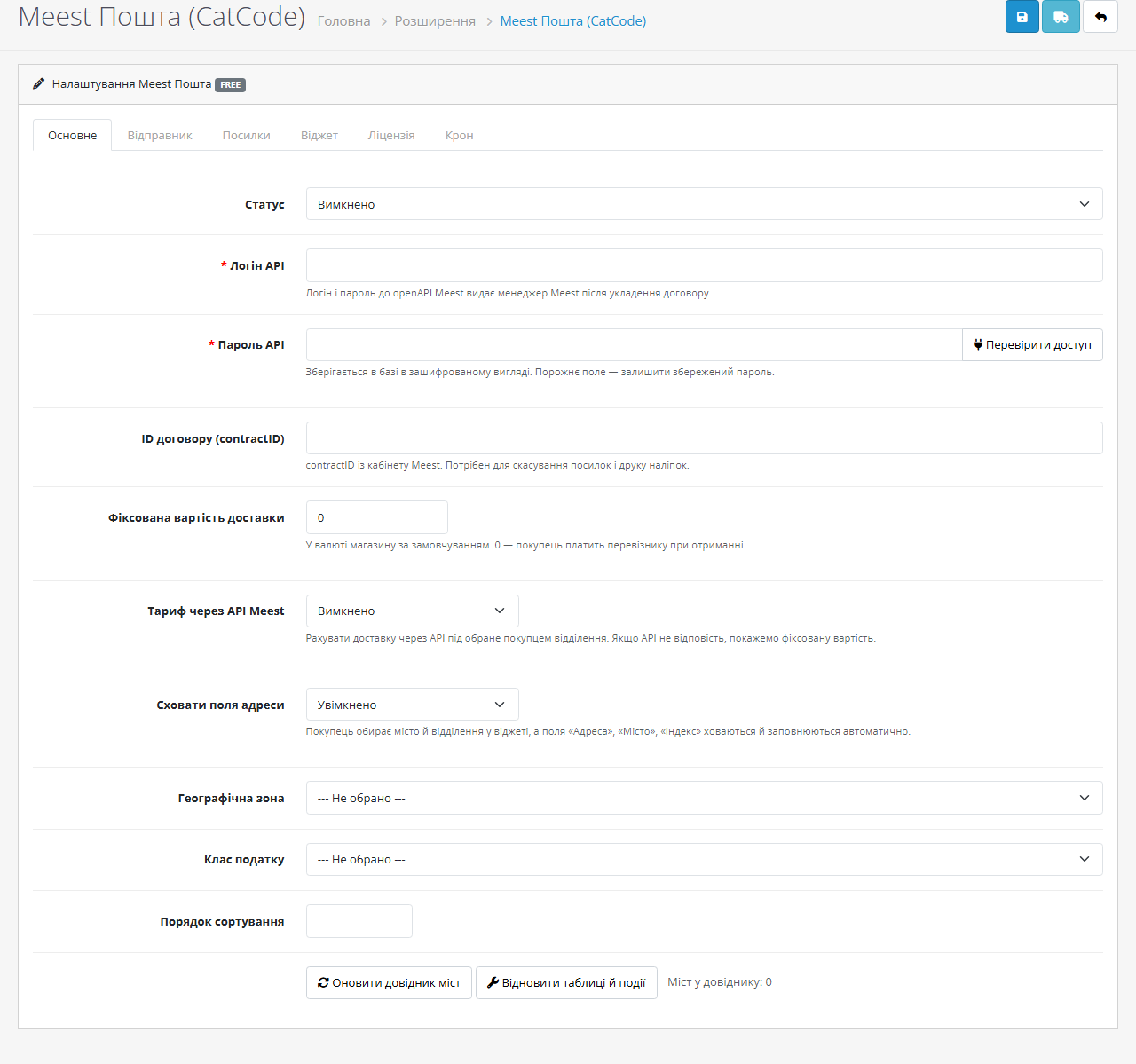
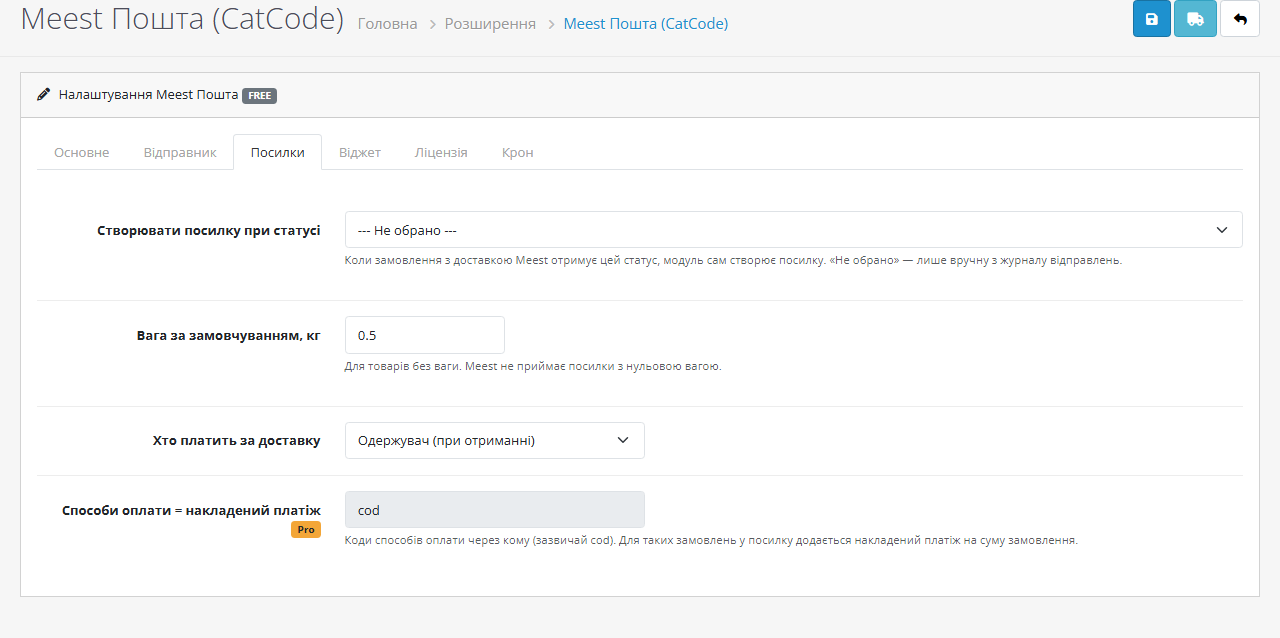
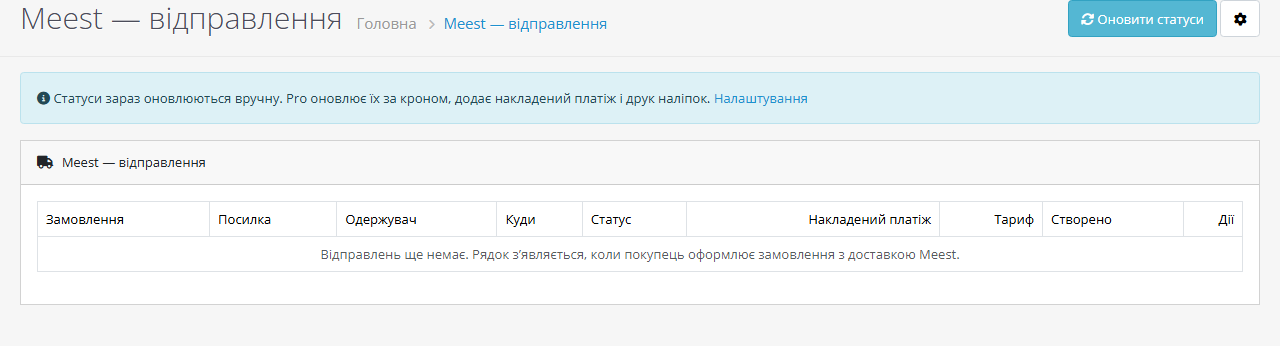
Meest Poshta delivery for OpenCart 2.3, 3.x and 4.x: branch and parcel-locker picker at checkout, carrier rates, parcel creation and a shipment journal in the admin.
The free version works with no time limit. Pro adds the rest of the features in the table.


The module works with your own Meest contract: the openAPI login, password and contractID come from your Meest manager.

At checkout the buyer picks Meest delivery and, instead of “street, house, flat”, gets two fields: city and branch.

Everything sits on one extension page, split into tabs: API access and checkout behaviour, sender, parcels, widget look, licence and the cron URL.

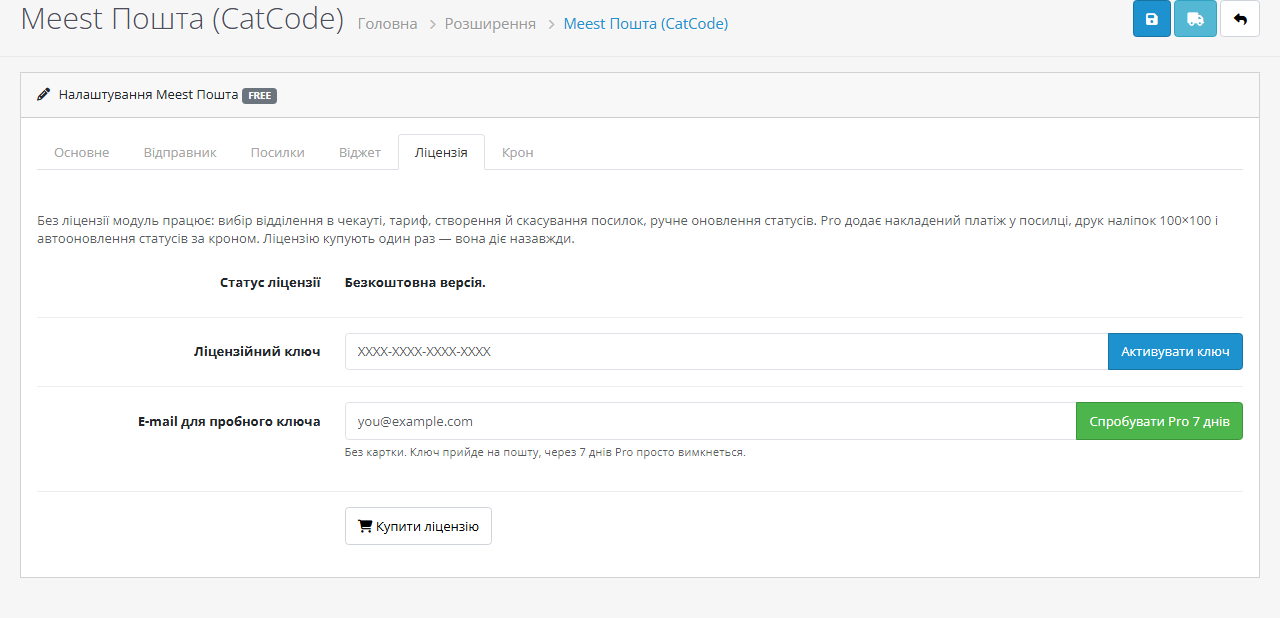
A fresh install is the free version, nothing switches on by itself. The “Try Pro for 7 days” button → e-mail → the key right in the window and by e-mail.

Moving the store? Unbind the licence on the old domain and activate it on the new one yourself. If our server is unreachable, Pro keeps working for 14 more days. For studios — keys for 5 or 25 sites, or unlimited.
 OpenCart 2.3.0.x, 3.0.x and 4.0.2+/4.1.x — a separate build for each branch. PHP 7.0+ for 2.3, PHP 7.4+ for 3.x and 4.x. cURL and JSON (present on any hosting) and a Meest contract with openAPI access. MySQLi and PDO shops are supported equally.
OpenCart 4 on the PDO database driver.
23 September 2026.
The city / branch picker works on CatCode One Page Checkout.
A shared library for OpenCart 2.3, 3.x and 4.x.
4 modules in one order — 40% cheaper than separately



The module works with your own Meest contract: the openAPI login, password and contractID come from your Meest manager. The free part works without limits right after installation. Pro comes with a 7-day trial, no card: the key is issued from the admin in one click.
At checkout the buyer picks Meest delivery and, instead of “street, house, flat”, gets two fields: city and branch. The city is searched from the first letters against the Meest directory, the branch list shows addresses, and parcel lockers sit in the same list as branches.
As soon as a branch is chosen, the module fills the order address with it and hides the now pointless “Address”, “City” and “Postcode” fields. Without a branch the shipping-method step refuses to continue and shows a clear error, so no order ends up with a placeholder address.
The shipping cost is visible immediately: either the flat rate you set or the live Meest rate for the chosen branch. Rates are calculated in hryvnia and converted into the shop currency, so multi-currency storefronts show the correct amount.
Everything sits on one extension page, split into tabs: API access and checkout behaviour, sender, parcels, widget look, licence and the cron URL.
The API password is stored encrypted, not in plain text. “Test access” logs into Meest and tells you straight away whether the carrier accepts your credentials; “Update city directory” pulls the directory into a local cache so the checkout does not depend on how the carrier API feels right now.
The shipment journal lives under Sales: order, parcel number, recipient, destination, status, cash on delivery, rate and date. Parcels are created, cancelled and refreshed from the same table.
1. You enter the login, password and contractID from the Meest contract and press “Test access”. The module logs in, gets a token and refreshes it by itself before it expires.
2. You choose the sender city and branch — parcels leave from there, and the sender name and phone are printed by Meest on the sticker.
3. The buyer picks a city and a branch at checkout. The module fills the order address and shows the cost — flat or calculated through /calculate.
4. After the order a row appears in the shipment journal. You create the parcel with a button, or switch on automatic creation on the order status you use — “Processing”, “Shipped”, whichever fits.
5. Meest returns the parcel number and barcode. While the parcel has not moved it can be cancelled from the same table; statuses are refreshed with a button, and in Pro by cron.
One shared library for all three OpenCart branches: an openAPI client that refreshes its token, a city and branch directory cache in its own tables, password encryption, licensing, the parcel builder and the checkout widget. That is why the behaviour on 2.3, 3.x and 4.x is the same instead of “whatever came out on each version”.
No core files are patched: on 4.x and 3.x the module runs on OpenCart events, on 2.3 through ocmod, because checkout controller events do not fire there. The widget is embedded into the native address form and writes into the core hidden fields, so third-party shipping and payment extensions stay as they are.
Amounts sent to Meest — declared value, parcel contents and cash on delivery — are converted into hryvnia even if the storefront runs in dollars or euro. Addresses and product names are escaped, so a branch with tags in its name does not break the page.
OpenCart 4.x: Extensions → Installer → Upload → pick cc_meest.ocmod.zip → press “+” in the list. Then Extensions → Extensions → Shipping → “Meest Poshta (CatCode)” → Install → Edit.
OpenCart 3.x: the same through Extensions → Installer with cc_meest-oc3.ocmod.zip, then Extensions → Extensions → Shipping → Install → Edit.
OpenCart 2.3: the stock 2.3 installer only works over FTP, so upload the contents of upload/ from cc_meest-oc2.ocmod.zip to the shop root manually. Then run Extensions → Modifications → Refresh, otherwise the checkout widget will not appear.
After installing, add the URL from the “Cron” tab to your hosting scheduler once an hour: it refreshes the city directory and re-checks the licence, and in Pro the parcel statuses too. On OpenCart 4 the built-in Cron Jobs does the same.
Didn't find the answer? Message us on Telegram and we'll reply within a business day.
 @catcode_support
Setup, compatibility, activation
@catcode_support
Setup, compatibility, activation
Yes. The openAPI login, password and contractID are issued by your Meest manager.
Yes, they are in the same list as branches.
The checkout keeps working: cities and branches come from the local cache and the flat rate replaces the live one.
No. The widget only appears when the buyer picked Meest and writes into core hidden fields.
Yes, OpenCart modules are a one-off payment with no yearly fees.
Yes, 7 days without a card — the key is issued from the admin to your e-mail.
No reviews yet. Be the first.
No questions yet. Ask one — we answer within 24 hours.
We build custom modules for WordPress, WooCommerce, OpenCart and Shopify. Tell us about the task and we'll prepare an estimate.
Order a custom module
—

CatCode assistant
Just now


CatCode assistant
Online

I’ll help with your website task
Describe your website task — I’ll find a ready-made module or pass it to a developer for an estimate. Modules, custom features, layout, integrations, speed, migration, technical SEO.
