
OpenCart
Smart Search for OpenCart — product search with typos, codes and live suggestions
Free + Pro
990 UAH
v1.0.0
Enter at least 2 characters

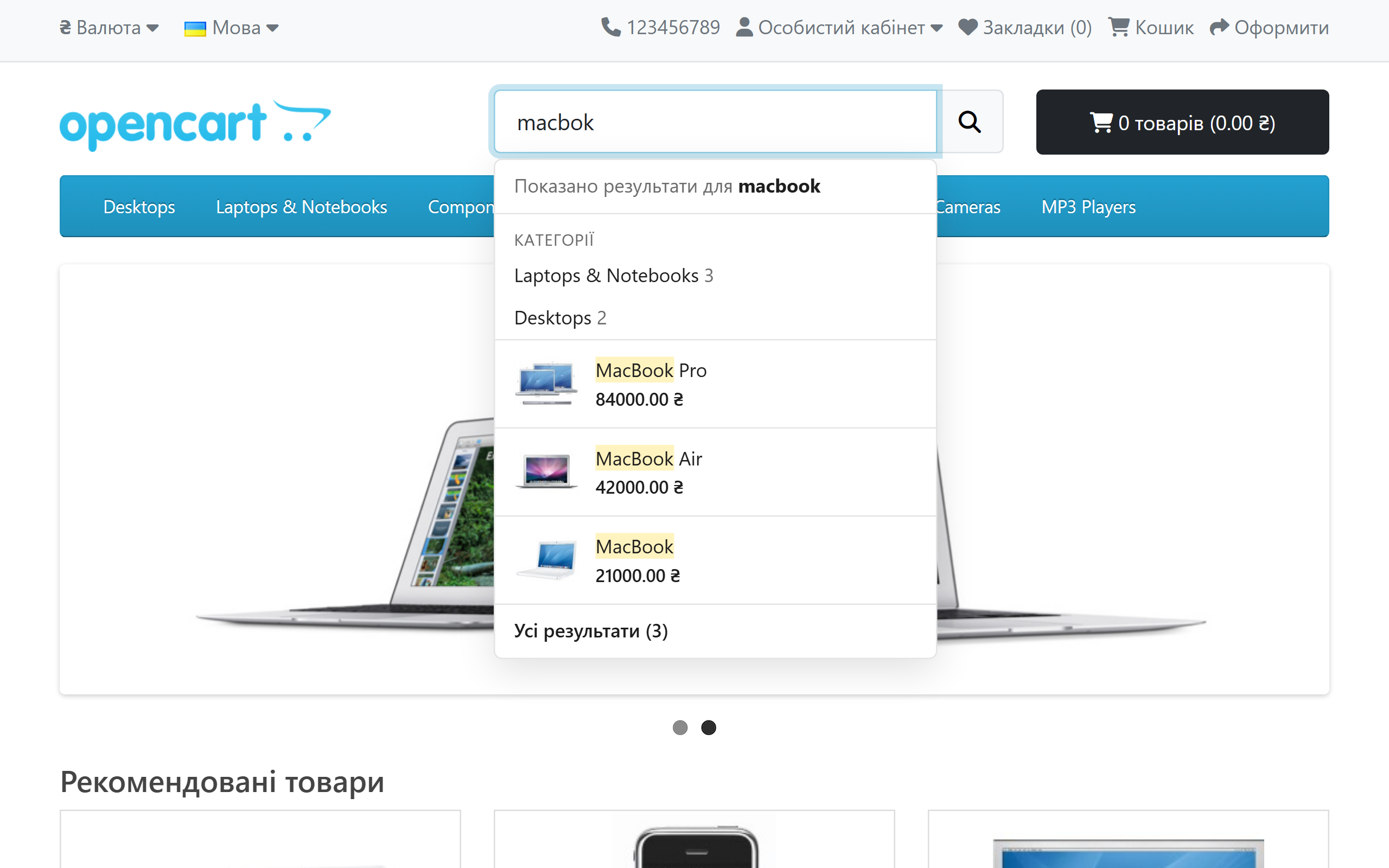
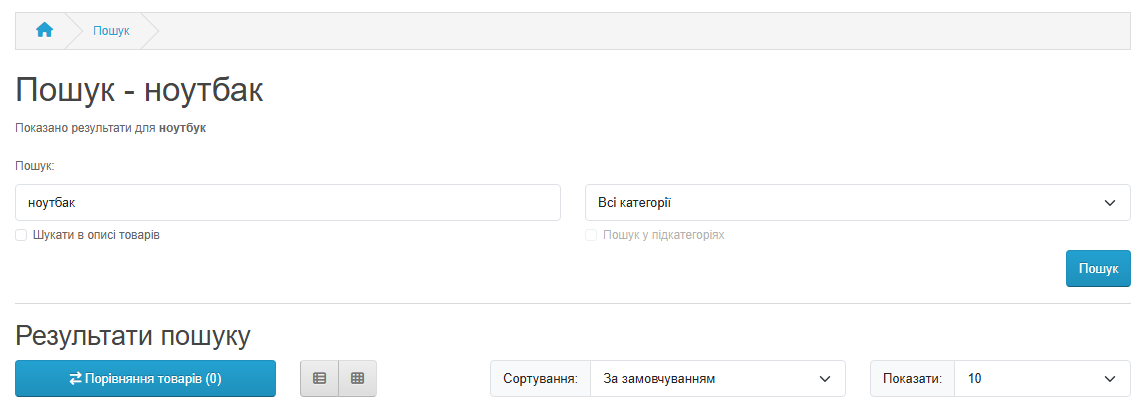
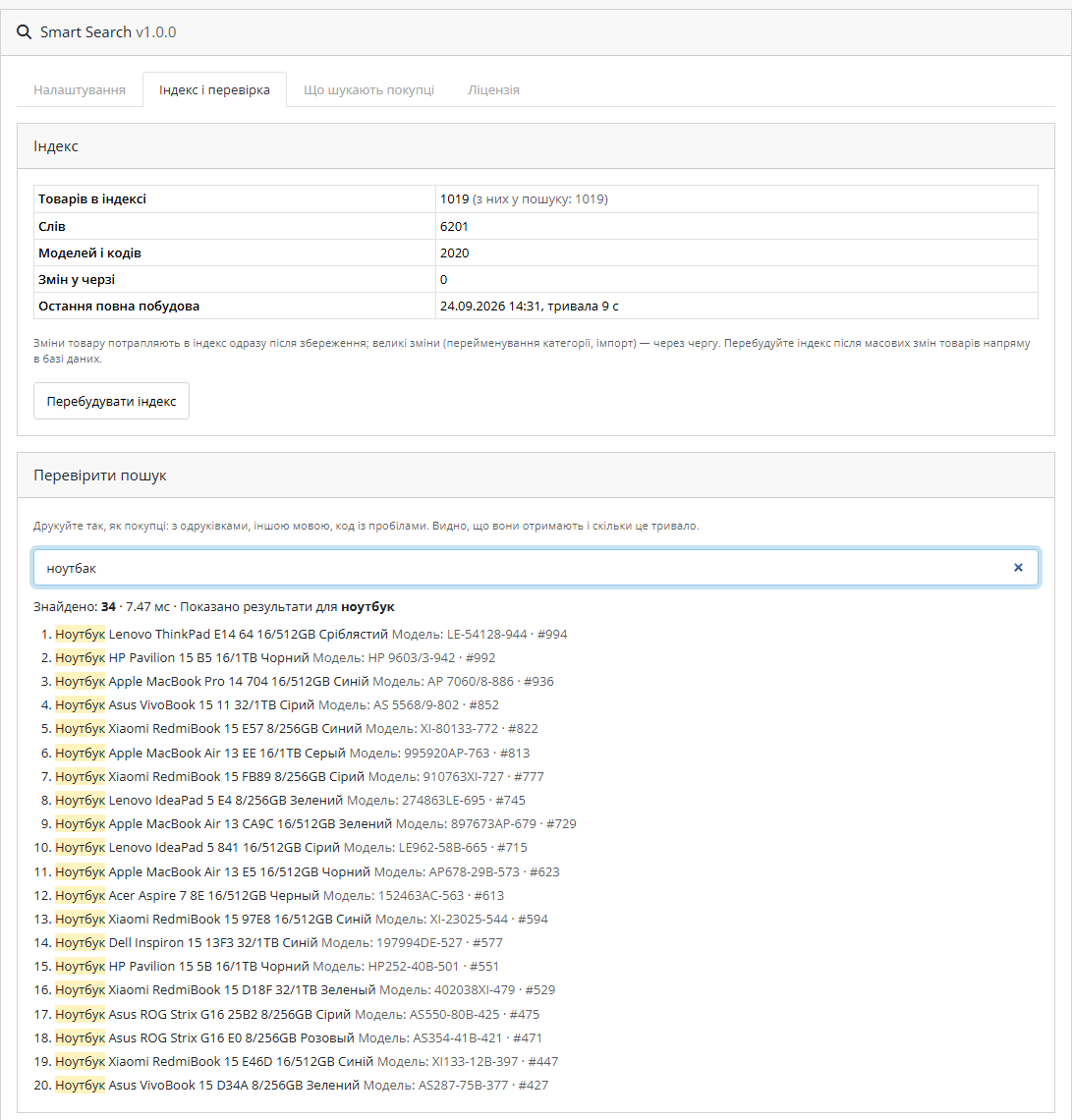
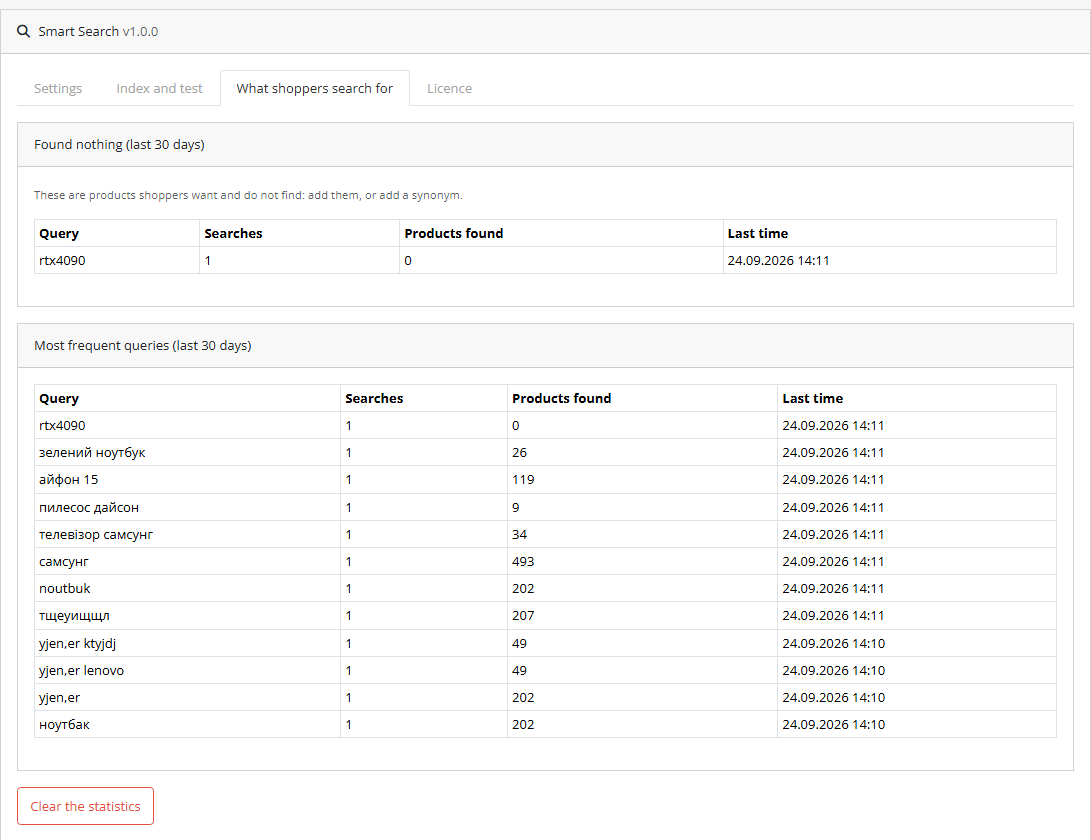
Search for OpenCart 4, 3 and 2.3 that finds "ноутбак" (a typo for "notebook"), "телевизор samsung" (Russian and English mixed) and "PH 9845/4-10" just like "ноутбук" and "PH98454-10". Ukrainian and Russian spellings as one word, models and codes with or without spaces and dashes, live suggestions with photo and price under the theme's search field, and the core results page ranked by relevance. Its own index in the shop database, no external service. The base version is free; Pro adds keyboard layout, transliteration, synonyms, attributes and statistics, with a lifetime licence.
The free version works with no time limit. Pro adds the rest of the features in the table.


Extensions → Modules → Smart Search, four tabs: “Settings”, “Index and test”, “What shoppers search for” and “Licence”.

The base version is free, with no time limit and no product cap: typos, Ukrainian/Russian spellings, word endings, codes, categories, manufacturers, live suggestions, the ranked results page, the tester.

A fresh install is the free version, nothing switches on by itself. The “Try Pro for 7 days” button → e-mail → the key right in the window and by e-mail.

Moving the store? Unbind the licence on the old domain and activate it on the new one yourself. If our server is unreachable, Pro keeps working for 14 more days. For studios — keys for 5 or 25 sites, or unlimited.
 OpenCart 4.0.2 – 4.1.x (tested on 4.1.0.3 and 4.0.2.3), 3.0.x (tested on 3.0.5.0) or 2.3.0.2.PHP 7.0+ — whatever your OpenCart version needs: the 2.3 build was tested on PHP 7.0, the 3.x build on 8.2, the 4.x build on 8.1 and 8.3.Database: MySQL/MariaDB with the mysqli or PDO driver (both tested). The index lives in a few tables of its own, cc_srch_*.Theme. The suggestions work with the theme’s standard search field (input[name="search"]) — tested on the default OpenCart 4.x, 3.x and 2.3 themes. Third-party themes with their own AJAX search (Journal, UniShop and the like) have not been tested: if your theme replaces the field with its own, set another CSS selector in the settings or check it during the trial.Multistore is supported by the index (a product shows only in its own stores), but there has been no live run with a second store.Cron is optional. On OpenCart 4 the module registers its own hourly task; on 3.x and 2.3 the storefront itself runs the hourly check. Add the cron URL to your hosting cron if an import often changes products directly in the database.
First public release for OpenCart 4.x, 3.x and 2.3.
4 modules in one order — 40% cheaper than separately



Smart Search for OpenCart makes a shop’s search work the way shoppers actually use it. They type with typos (“ноутбак” instead of “ноутбук”), mix Ukrainian and Russian (“телевизор samsung”), enter a model the way it is printed on the box — with spaces and dashes (“PH 9845/4-10”) — or type in the wrong keyboard layout altogether. The standard OpenCart search looks for an exact piece of text in the name, so all of these queries end on an empty page, and the shopper leaves for a competitor.
Smart Search builds its own index in the shop database — no external service, no monthly fee — and finds products by the name in every shop language, by model and codes, categories and manufacturers, allowing for typos, word endings and different spellings. Under your theme’s standard search field live suggestions appear with photo and price, and the core OpenCart results page shows the best matches first. No core files are changed. One licence, three builds: OpenCart 4.x, 3.x and 2.3.
The results page is the core OpenCart search page of your theme: the same design, sorting by price or name, the category filter, pagination. Only order and completeness change: exact matches in the name first, then by code, category and manufacturer, and out-of-stock products at the end (or hidden, if you choose).
Extensions → Modules → Smart Search, four tabs: “Settings”, “Index and test”, “What shoppers search for” and “Licence”.
Pro costs UAH 990, a single payment, lifetime licence. No yearly payments. One licence for one domain covers all three builds — OpenCart 4.x, 3.x and 2.3. Moving the shop to another domain? Click “Release licence” on the “Licence” tab of the old shop and activate the key on the new one.
Trial first, then pay. The free 7-day Pro trial starts with a button on the “Licence” tab, one trial per shop. After the trial the index rebuilds itself without the Pro fields and the base search keeps working.
cc_srch_* tables: documents, words, postings, trigrams, codes, a change queue. A full build rewrites the index in place, so search keeps working during a rebuild.cc_search.ocmod.zip (keep the file name) and click “Install”. OpenCart 3: Extensions → Installer → cc_search-oc3.ocmod.zip. OpenCart 2.3: the 2.3 installer does not copy files without FTP configured, so upload the contents of the upload/ folder from cc_search-oc2.ocmod.zip to the shop root with your hosting file manager — no FTP setup in OpenCart needed.Didn't find the answer? Message us on Telegram and we'll reply within a business day.
 @catcode_support
Setup, compatibility, activation
@catcode_support
Setup, compatibility, activation
The suggestions attach to the theme's standard search field — the field with name="search" found in the default OpenCart 4, 3 and 2.3 themes and in most third-party themes. The results page is the core OpenCart search page, so your theme styles it. Third-party themes with their own AJAX search (Journal, UniShop and the like) have not been tested: if your theme replaces the field with its own search, change the CSS selector in the settings or check it during the 7-day trial and write to us.
No. It works through OpenCart events and its own index tables. The core, the product model and OCMOD are untouched; disable the module and the shop searches with the standard search.
Right after you save it in the admin: added, renamed, disabled, deleted — the index updates at that moment. Renaming a category or manufacturer with hundreds of products goes through a queue and finishes within seconds. If an import changes products directly in the database, the module notices within an hour, or sooner with the hosting cron (the URL is on the "Index and test" tab).
On a test catalogue of 20,000 products a full index build took about 10 seconds, and a lookup in the index itself a few milliseconds per query. These are local test-bench numbers; on a busy host they are higher but of the same order. Catalogues above 20,000 products have not been tested.
No, and we say so plainly: the module merges different spellings of the same letters (і/и, є/е, ї, ґ, apostrophe), but not words that really differ between Ukrainian and Russian. For those there are synonyms in Pro: a line "пилосос, пылесос" and each finds the other.
Our Smart Filter for OpenCart has been tested together with Smart Search: a selected filter narrows the search results and the counts match the database. A module that reads the search text itself before products are selected may see "%" instead — we have not seen such a conflict, but if you find one, let us know.
The Pro features switch off, the index rebuilds itself without them, and typo-tolerant search by name and codes, the suggestions and the ranked results page keep working. Buy a licence and Pro switches back on.
The index remembers which stores a product belongs to, and each storefront shows only its own products. We have not run a live test with a second store_id, though — check it during the trial.
The base version is free. Pro costs UAH 990 once; the OpenCart licence is lifetime, with no yearly payments. One licence for one domain covers all three builds.
No reviews yet. Be the first.
No questions yet. Ask one — we answer within 24 hours.
We build custom modules for WordPress, WooCommerce, OpenCart and Shopify. Tell us about the task and we'll prepare an estimate.
Order a custom module
—

CatCode assistant
Just now


CatCode assistant
Online

I’ll help with your website task
Describe your website task — I’ll find a ready-made module or pass it to a developer for an estimate. Modules, custom features, layout, integrations, speed, migration, technical SEO.
