
WordPress
Smart Search for WooCommerce — product search with typos, SKUs and live suggestions
Free + Pro
990 UAH/year
v1.0.0
Enter at least 2 characters

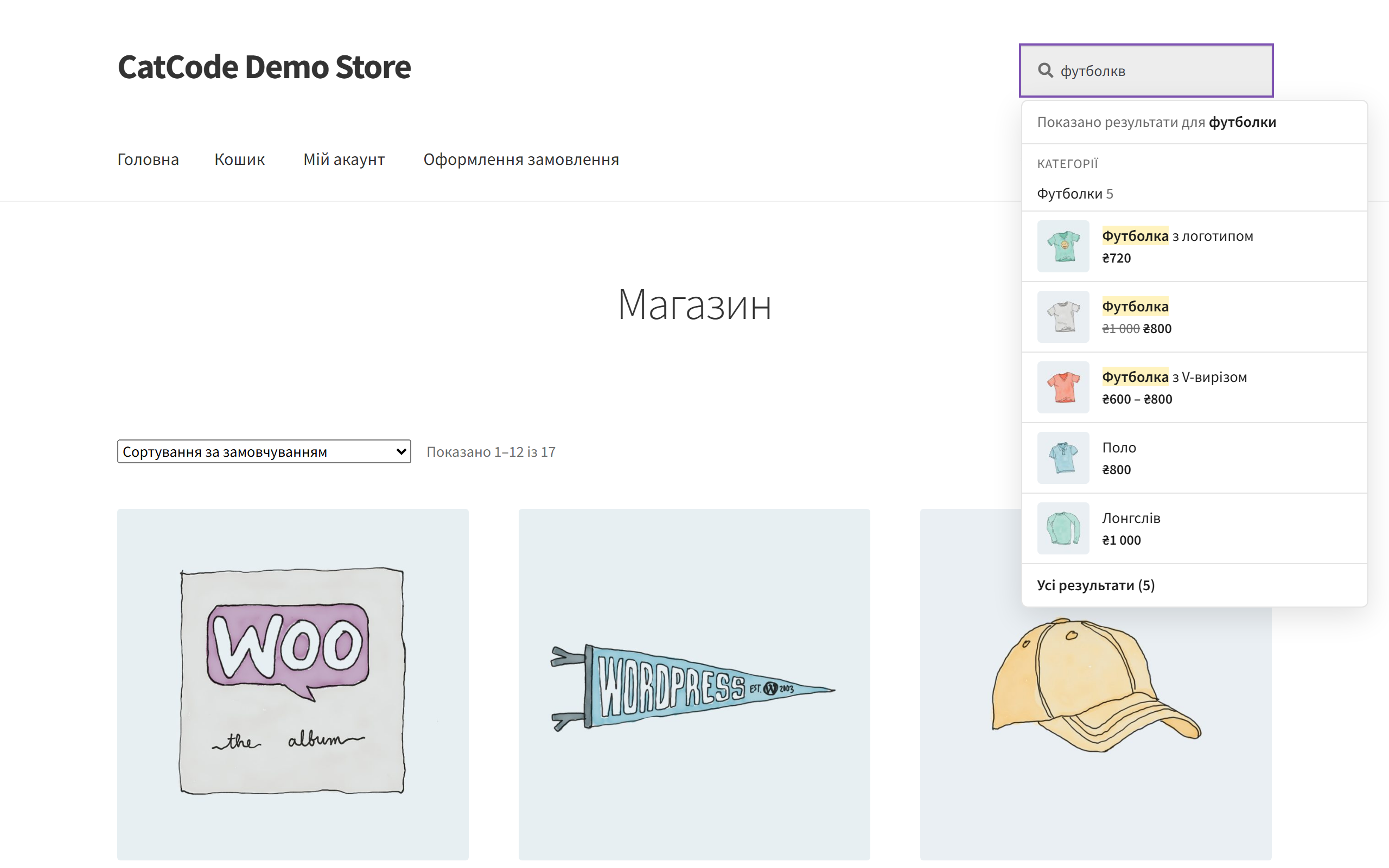
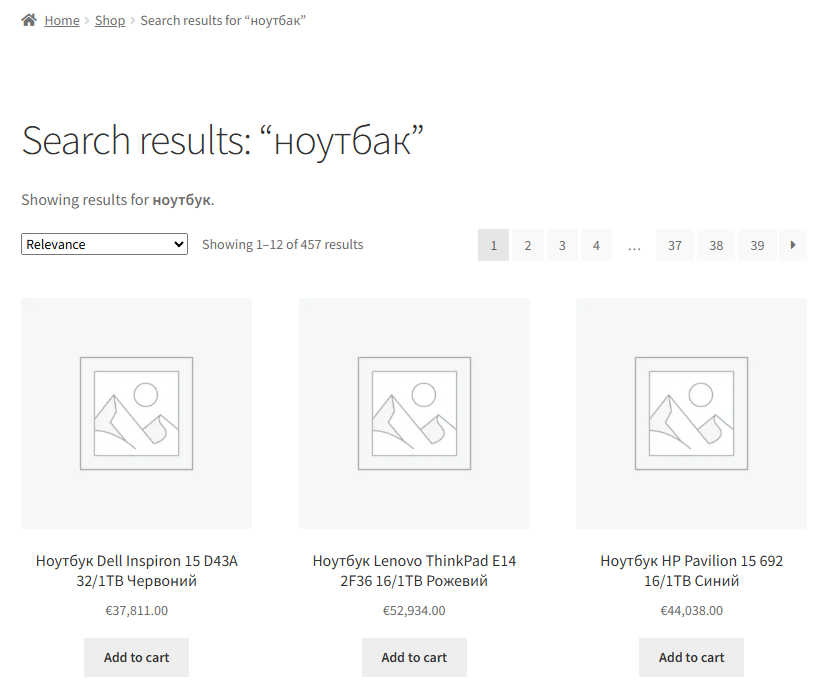
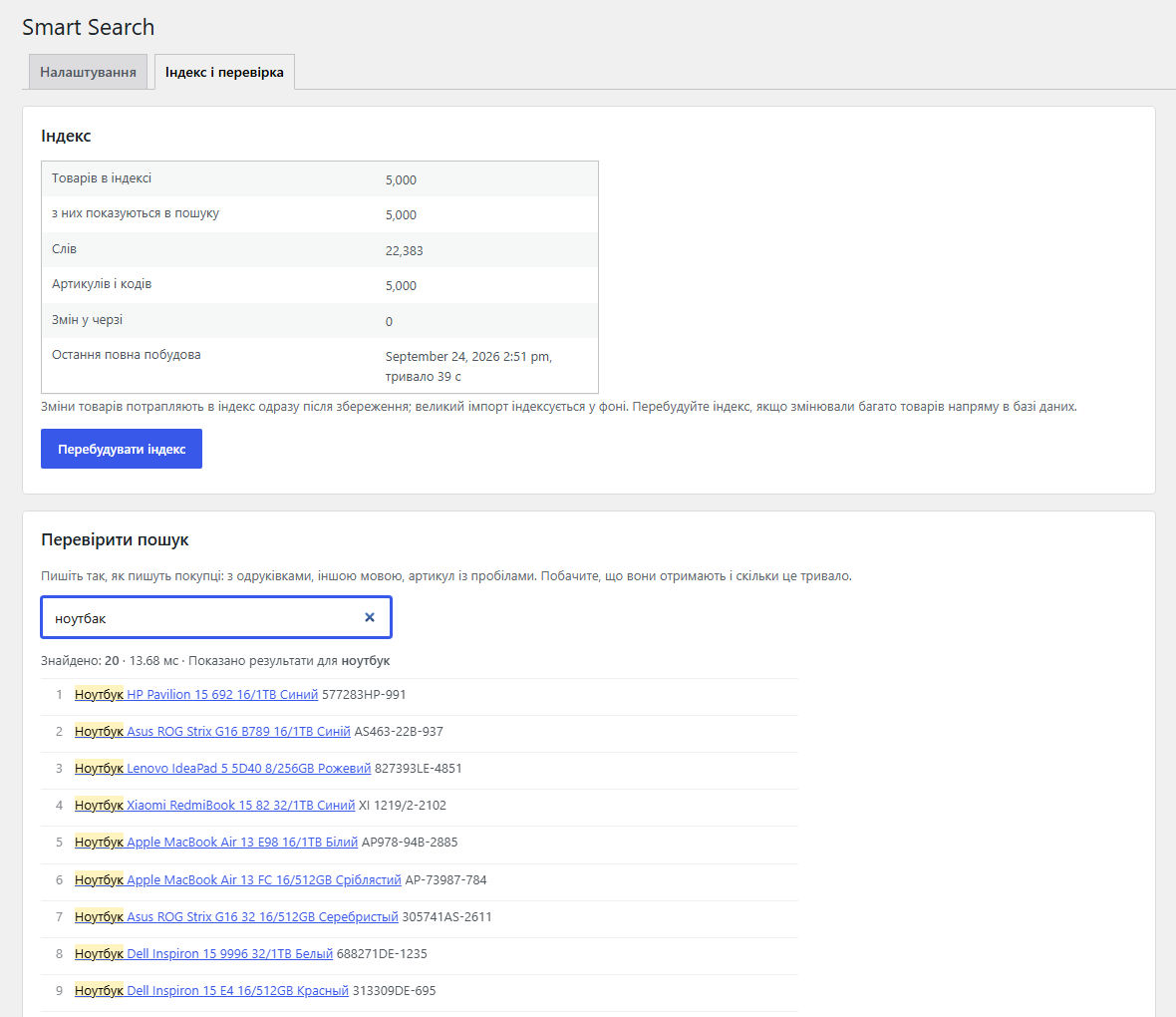
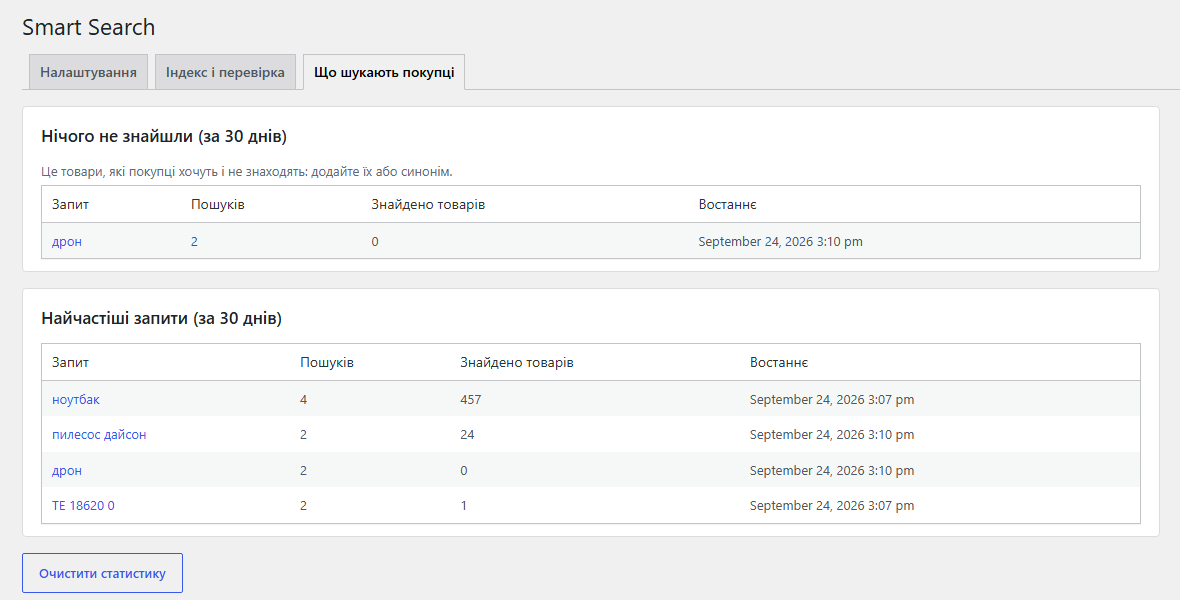
WooCommerce search that finds "ноутбак", "телевизор samsung" and "LG 6769/2-2" the same way it finds "ноутбук" (laptop) and "LG67692-2". Ukrainian and Russian spellings as one word, word endings, SKUs with spaces and dashes, live suggestions with image and price under your theme's search field, a results page ranked by relevance. Its own index in your site's database, no external service. The base version is free; Pro adds wrong-keyboard-layout fixes, transliteration, synonyms, attributes, descriptions, GTIN and search statistics.
The free version works with no time limit. Pro adds the rest of the features in the table.



A fresh install is the free version, nothing switches on by itself. The “Try Pro for 7 days” button → e-mail → the key right in the window and by e-mail.

Moving the store? Unbind the licence on the old domain and activate it on the new one yourself. If our server is unreachable, Pro keeps working for 14 more days. For studios — keys for 5 or 25 sites, or unlimited.
 WordPress 6.2+ and WooCommerce 7.0+. Live run on WordPress 7.1 and WooCommerce 11.1; HPOS compatibility is declared.PHP 7.4+. Live run on PHP 8.3; on PHP 7.4 only the code syntax was checked.Database: MySQL/MariaDB. The index uses a few tables of its own, wp_catcode_srch_* — about 35 MB for 10,000 products with all Pro fields.Theme. Search fields with name="s" — the standard WordPress, WooCommerce and most theme fields; tested on Storefront and Twenty Twenty-Five. Themes and plugins with their own AJAX search were not tested: if a theme replaces the field, set its CSS selector in the settings.Multilingual sites. Polylang and WPML were not tested: the index does not know a product’s language, so suggestions may include products in another language.Caching. The suggestions response is cached in the browser for 60 seconds; caching plugins or Cloudflare in front of /wp-json/ were not tested.Background jobs run through WooCommerce’s Action Scheduler and WP-Cron. If WP-Cron is disabled on your hosting without a system cron, start the first build with the “Rebuild the index” button or wp smart-search reindex.
First public release: its own index, typo-tolerant search, Ukrainian/Russian spellings as one word, word endings, SKUs with spaces and dashes, categories and brands, live suggestions with…
4 modules in one order — 40% cheaper than separately



Smart Search for WooCommerce is a plugin that makes your store search work the way shoppers actually use it. They make typos (“ноутбак” instead of “ноутбук”), mix Ukrainian and Russian (“телевизор samsung”), type a SKU the way it is printed on the box — with spaces and dashes (“LG 6769/2-2”) — or type in the wrong keyboard layout altogether. The standard WordPress search looks for the exact piece of text, so all of these end with “No products were found”, and the shopper leaves for a competitor.
Smart Search builds its own index in your site’s database — no external service, no monthly fee — and finds products by name, SKU, categories and brands, allowing for typos, word endings and different spellings. Under your theme’s search field live suggestions appear with image and price, and the results page shows the best matches first. Theme templates are not changed. There is also an OpenCart version with the same search rules.
[catcode_srch_search] shortcode.The results page is your theme’s regular WooCommerce search page: the same design, sorting by price or popularity, pagination. Only the order and the completeness change: name and SKU matches first, then category and brand matches, and out-of-stock products at the end.
WooCommerce → Smart Search: the “Settings” and “Index and test” tabs, plus “What shoppers search for” in Pro.
wp smart-search reindex, wp smart-search search "query", wp smart-search stats — for big catalogues and import scripts.What shoppers search for. Top searches of the last 30 days and searches that found nothing: products people want to buy from you, or synonyms that are missing. No personal data; searches by store staff are not counted, and neither is re-sorting the results page.
wp_catcode_srch_* tables: documents, words, postings, trigrams, SKUs. A search reads the vocabulary and the entries of a few words, never the products table with LIKE./wp-json/catcode-srch/v1/suggest, filters for synonyms and word variants, WP-CLI commands.catcode-smart-search-for-woocommerce-free-1.0.0.zip with the button at the top of the page (or the Pro archive from your account after payment) and install it: Plugins → Add New → Upload Plugin.[catcode_srch_search] shortcode.Didn't find the answer? Message us on Telegram and we'll reply within a business day.
 @catcode_support
Setup, compatibility, activation
@catcode_support
Setup, compatibility, activation
Suggestions attach to search fields named "s" — the WordPress, WooCommerce and most theme search forms. We tested Storefront (classic theme) and Twenty Twenty-Five with the Product Search block, including fields that appear later on the page (mobile menu). If your theme's field has another name, set its CSS selector in the settings. Themes and plugins with their own AJAX search were not tested — try it in the 7-day trial.
No. The index is built from your products and stays in your site's database; suggestions are served by your own site through the WordPress REST API. No external requests, no monthly fee for a search service.
Right after it is saved: a new product, a new name, SKU, stock status, visibility, trash — the index is updated at the same moment. Renaming a category or brand with hundreds of products and CSV imports go through a background queue. If an import writes to the database directly, the plugin picks that up in its hourly check; you can also press "Rebuild the index" straight away.
Locally, a full index build of 20,000 products took 10–14 seconds, and a search in the index itself a few milliseconds. On our busy single-core VPS, 10,000 products took about a minute to build and a search in the index took 7–21 ms (median). A suggestion arrives in roughly the same time as any request to your WordPress. Catalogues above 20,000 products were not measured.
No, and we say so plainly: the plugin treats different spellings of the same letters (і/и, є/е, ї, ґ, apostrophe) as one and drops word endings, but words that really differ between Ukrainian and Russian stay different. Pro synonyms cover them: the line "пилосос, пылесос" makes each find the other.
Not tested. The index does not know a product's language: the results page is filtered by your language plugin, but suggestions may show products in another language. Check it in the trial before buying.
The Pro features switch off, the index rebuilds itself without the Pro fields, and search with typos, SKUs, suggestions and a ranked results page keeps working.
Deleting it in the admin removes the index tables, settings and background jobs — the site goes back to the standard WordPress search.
The base version is free. Pro is 990 UAH per year, and a longer term is cheaper: 2 years — 1,880 UAH, 5 years — 3,710 UAH. No automatic charges. A purchased licence keeps the Pro features for good; the term covers updates and support.
No reviews yet. Be the first.
No questions yet. Ask one — we answer within 24 hours.
We build custom modules for WordPress, WooCommerce, OpenCart and Shopify. Tell us about the task and we'll prepare an estimate.
Order a custom module
—

CatCode assistant
Just now


CatCode assistant
Online

I’ll help with your website task
Describe your website task — I’ll find a ready-made module or pass it to a developer for an estimate. Modules, custom features, layout, integrations, speed, migration, technical SEO.
