
















WooCommerce
Payments with Viva.com for WooCommerce — Smart Checkout that does not lose paid orders
Free + Pro
990 UAH/year≈ €20
v1.0.0
 Website auditA PDF report by email in 3 minutesCheck a website
Everyday tasks
Image compressorSize, quality and WebP in bulkQR generatorLink, Wi-Fi, payment to IBANVAT calculator20, 14, 7% and amount in wordsTransliterationOfficial Ukrainian standardWebsite checks
PHP and pluginsPHP version, WordPress, pluginsGoogle Merchant feedFields, prices, GTIN, imagesDomain emailSPF, DKIM, DMARC, blacklistsAI search readinessllms.txt, bots, markupAll 9 toolsEnter at least 2 characters

A Facturae 3.2.2 invoice from a WooCommerce order on your own server; Pro signs it with your certificate and sends it to FACe.
The free version works with no time limit. Pro adds the rest of the features in the table.


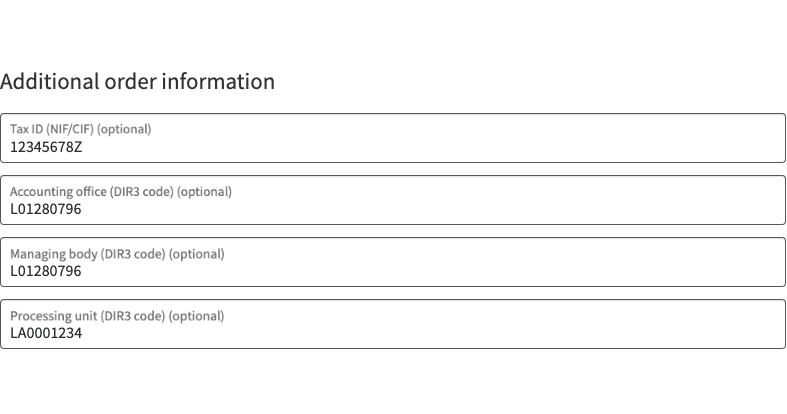
The classic and block checkout get optional fields: the buyer’s NIF/CIF and three DIR3 codes — accounting office (oficina contable), managing body (órgano gestor) and processing unit (unidad tramitadora).

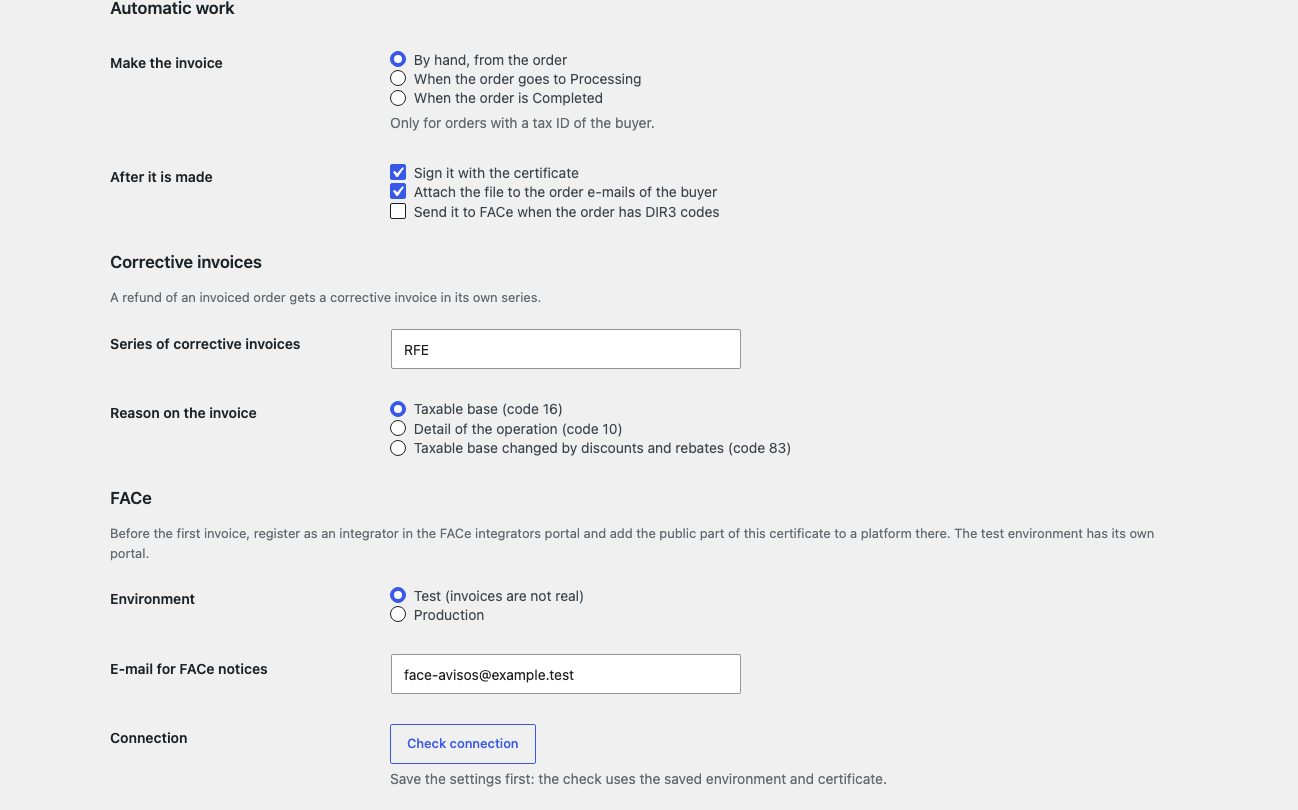
The certificate of your business (.p12/.pfx or PEM) signs the invoice with a XAdES signature following the Facturae signature policy; the private key is stored encrypted, the password of the file is not stored, and the signature is verified right after signing.

The base version is free. Pro costs 1290 UAH for a one-year licence. A year of updates, technical support and all Pro features.

A fresh install is the free version, nothing switches on by itself. The “Try Pro for 7 days” button → e-mail → the key right in the window and by e-mail.

Moving the site? Unlink the licence on the old domain and activate it on the new one yourself. A staging copy (staging., dev.) works with the same key and does not take a site slot. For studios — keys for 5 or 25 sites, or unlimited.
 WordPress 6.4+, WooCommerce 8.0+, PHP 7.4+.A shop in Spain with IVA, IGIC or IPSI taxes.For Pro signing: a qualified certificate (for example from FNMT); for FACe: an integrator registration.
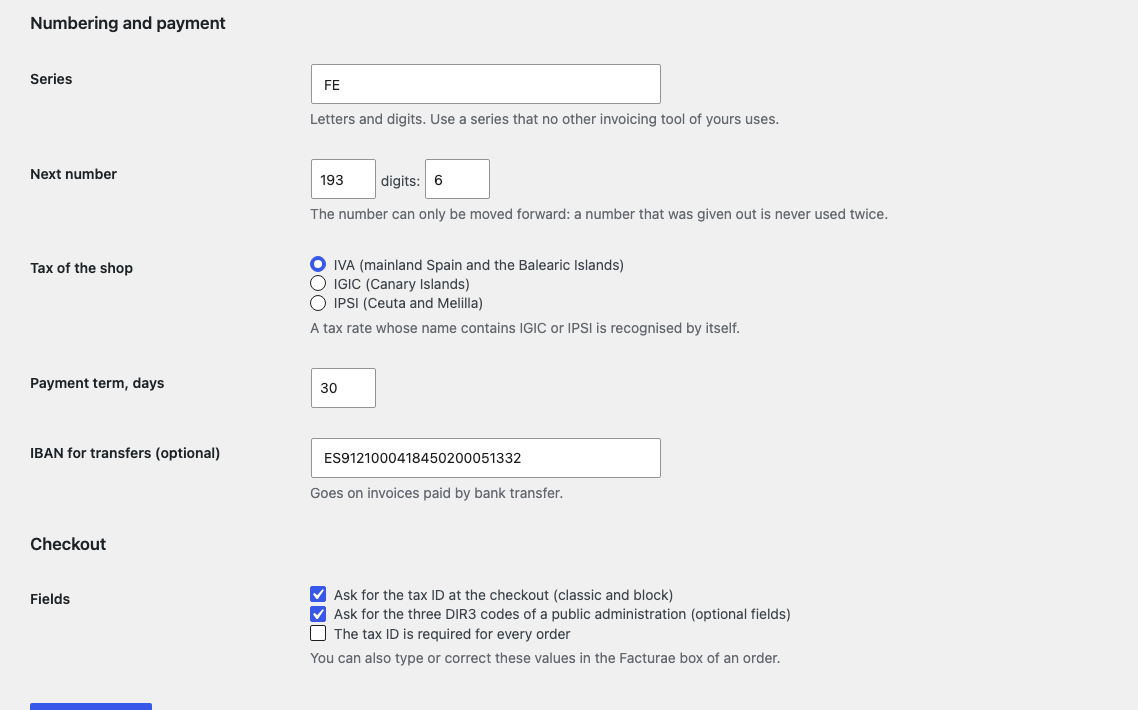
Facturae 3.2.2 from the order, NIF and DIR3 codes at the checkout, XSD check, numbering of its own, XML download.



Facturae for WooCommerce turns a shop order into a Facturae 3.2.2 file, the format Spanish public administrations take. It all happens on your own server, with no third-party invoicing service. At the checkout the buyer types the NIF/CIF and the three DIR3 codes of the administration, and the order gets a “Facturae” box with buttons. Pro signs the file with your business certificate and sends it to FACe, the general entry point for e-invoices of the Spanish State administration.
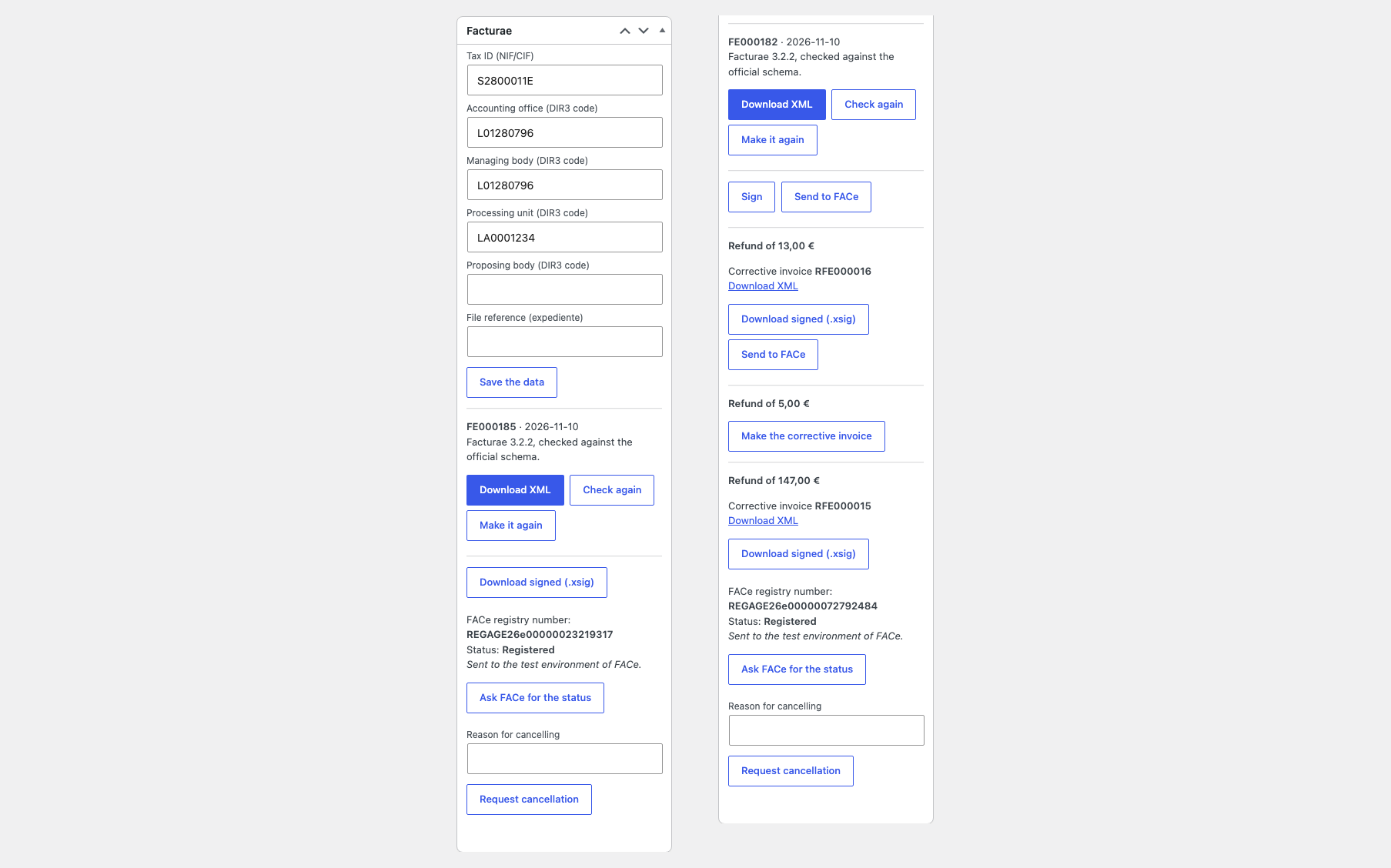
The classic and block checkout get optional fields: the buyer’s NIF/CIF and three DIR3 codes — accounting office (oficina contable), managing body (órgano gestor) and processing unit (unidad tramitadora). The control letter of a Spanish NIF is checked. The Facturae box on the order makes the invoice: issuer and buyer, lines with quantity and unit price, coupons as line discounts, shipping and fees, taxes grouped by rate, payment term and IBAN. IVA, IGIC (Canary Islands) and IPSI (Ceuta and Melilla) are supported. Every file is validated against the Facturae 3.2.2 XSD bundled with the plugin before it is saved: a file that does not pass is not saved, and you see why. A series and a counter of your own never give the same number twice and never leave a gap because of a refused invoice. The NIF, the DIR3 codes, the proposing body and the file reference (expediente) can be corrected in the order box and the invoice made again with the same number. The XML is downloaded from the order screen.
The certificate of your business (.p12/.pfx or PEM) signs the invoice with a XAdES signature following the Facturae signature policy; the private key is stored encrypted, the password of the file is not stored, and the signature is verified right after signing. A refund of an invoiced order gets its corrective invoice (factura rectificativa) in a separate series, pointing at the invoice it corrects. Invoices can be made automatically — when the order is Processing or Completed — signed and attached to the e-mails sent to the buyer. The signed invoice is sent to FACe (the supplier REST API): the registry number and status are kept on the order and refreshed every hour, and a cancellation request, with or without a reason, can be made from the order. This needs a qualified certificate and an integrator registration in the FACe portal. There is a zip export of the files of chosen orders or of a period, and a journal of what was signed, sent and answered.
The module is not on wordpress.org yet: the free version and Pro are one archive from this page. Without a key it works as the free version.
Didn't find the answer? Message us on Telegram and we'll reply within a business day.
 @catcode_support
Setup, compatibility, activation
No. It is an independent tool made by us; Facturae and FACe belong to the Spanish administration and we are not affiliated with it.
No. The XAdES signature with your certificate is a Pro feature. The file of the free version can be signed with your own tool.
No, sending to FACe is in Pro. The free version makes and checks the file that you download.
A qualified certificate of your business and a registration as an integrator in the FACe integrators portal with the certificate added.
In Pro a refund by lines gets a corrective invoice in a separate series; a refund of a bare amount goes to the journal with an explanation.
Pro switches off, the free part keeps working.
No reviews yet. Be the first.
No questions yet. Ask one — we answer within 24 hours.
We build custom modules for WordPress, WooCommerce, OpenCart and Shopify. Tell us about the task and we'll prepare an estimate.
Order a custom module
—
Charged in UAH; your bank converts it to your currency. EUR price is approximate.

CatCode assistant
Just now


CatCode assistant
Online

I’ll help with your website task
Describe your website task — I’ll find a ready-made module or pass it to a developer for an estimate. Modules, custom features, layout, integrations, speed, migration, technical SEO.
