
WordPress
Verifactu for WooCommerce — AEAT invoicing records and the tax QR
Free + Pro
890 UAH/year
v1.0.0
Enter at least 2 characters

VERI*FACTU records with a SHA-256 chain, submission to the AEAT and the tax QR in e-mails. Pro — full invoices with a NIF, corrective invoices, voiding, PDF, export.
The free version works with no time limit. Pro adds the rest of the features in the table.



A fresh install is the free version, nothing switches on by itself. The “Try Pro for 7 days” button → e-mail → the key right in the window and by e-mail.

Moving the store? Unbind the licence on the old domain and activate it on the new one yourself. If our server is unreachable, Pro keeps working for 14 more days. For studios — keys for 5 or 25 sites, or unlimited.
 WooCommerce 7.0+ with the classic or block checkout, HPOS compatibleWordPress 6.2+ · PHP 7.4+ with the openssl and curl extensionsAn electronic certificate of the issuer, of an authorised representative, or an electronic seal (sello) certificate in .p12 / .pfx format. The same certificate works with the AEAT test portal.A shop taxed in Spain: VAT rates configured in WooCommerce, currency in euro.Software producer. RD 1007/2023 requires every record to identify the producer of the software, and the producer to hold a “declaración responsable”. In this build the production environment unlocks once the producer identification is set through constants in wp-config.php; until then the plugin stays on the AEAT test portal and says so in the settings. Write to us and we will help you set this up for your case.
RegistroAlta records for every paid order, simplified F2 invoices with their own series, the SHA-256 chain per the AEAT specification, SOAP submission with an electronic certificate, a…
4 modules in one order — 40% cheaper than separately



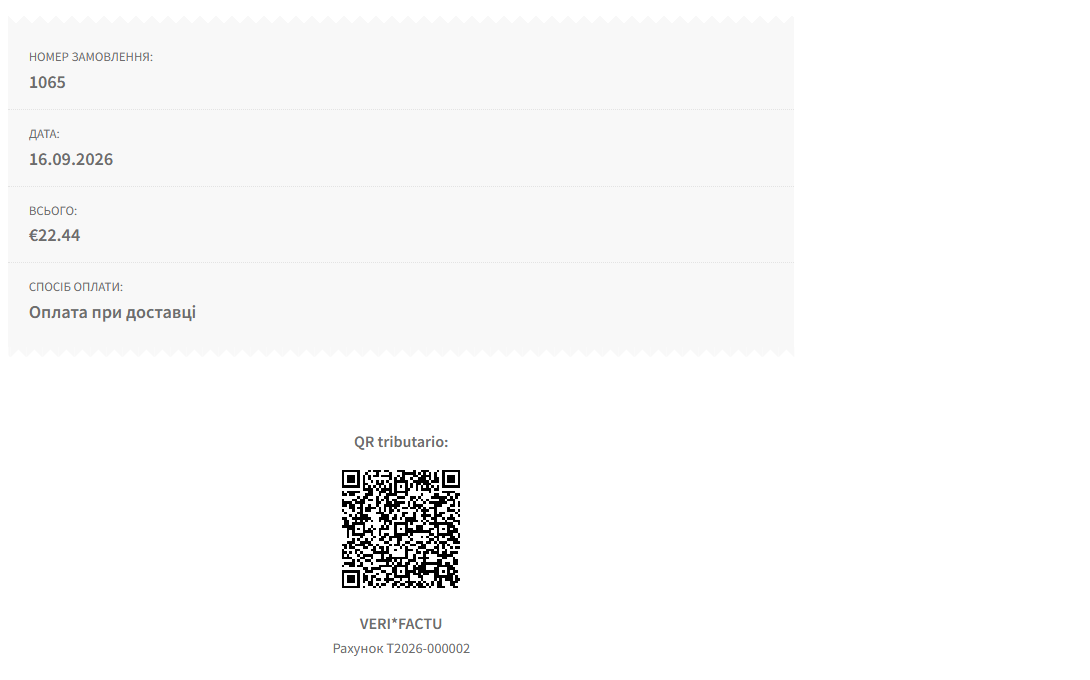
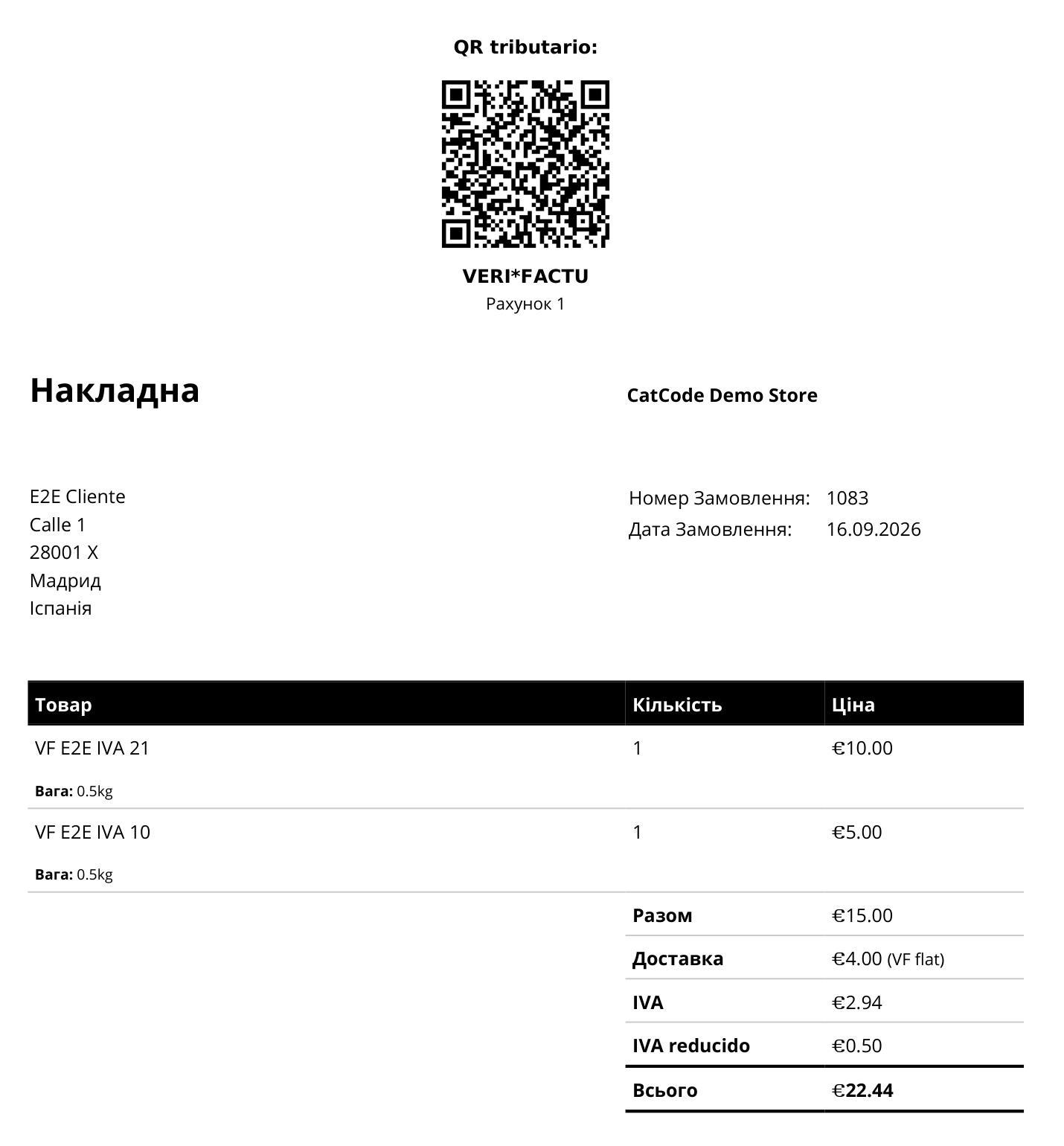
Verifactu for WooCommerce turns a WooCommerce shop into a VERI*FACTU invoicing system under the Spanish anti-fraud rules. For every paid order the plugin creates an invoicing record (registro de alta), chains it to the previous one with a SHA-256 hash, submits it to the web service of the Spanish Tax Agency (AEAT) with your electronic certificate, and puts the tax QR code with the “VERI*FACTU” legend into the customer e-mail, the thank-you page and the account area.
Spain’s anti-fraud invoicing rules (Real Decreto 1007/2023, Orden HAC/1177/2024) require invoicing software to create a tamper-evident record for every invoice. In VERI*FACTU mode each record goes to the AEAT right away, and the customer can check the invoice from the QR code on the AEAT site. The obligation applies from 1 January 2027 to companies and from 1 July 2027 to everyone else (Real Decreto-ley 15/2025).
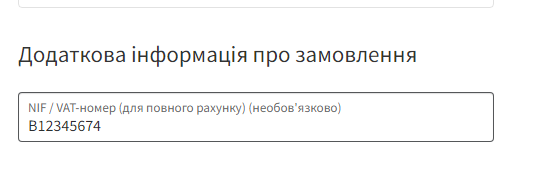
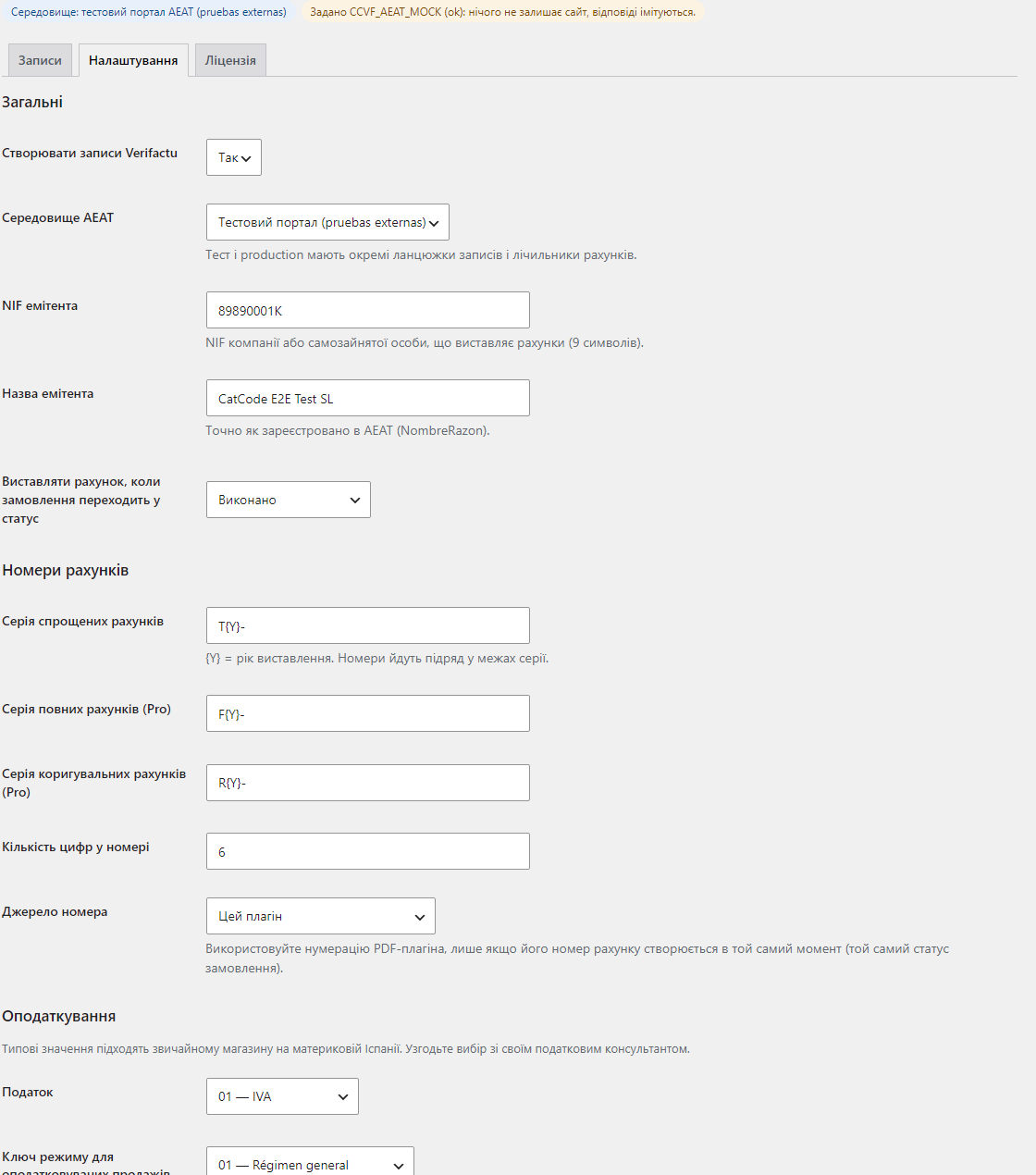
T2027-000001) and builds a RegistroAlta record — simplified (F2) or, with Pro, full (F1) with the customer’s NIF.Subsanacion and RechazoPrevio flags set the way the AEAT expects. Records are never edited after the fact — a correction is always a new record.wp-config.php with files outside the web root; the plugin supports both.CCVF_AEAT_MOCK constant returns answers that follow the AEAT schema and nothing leaves the site. It is ignored in production.CCVF_DELETE_DATA.catcode-verifactu-for-woocommerce-1.0.0.zip and activate it.CCVF_CERT_FILE, CCVF_KEY_FILE and CCVF_CERT_PASSWORD in wp-config.php.Didn't find the answer? Message us on Telegram and we'll reply within a business day.
 @catcode_support
Setup, compatibility, activation
@catcode_support
Setup, compatibility, activation
An electronic certificate of the issuer (company or self-employed person), of an authorised representative, or an electronic seal (sello) certificate. The same certificate works for the AEAT test portal.
Yes, on a staging site: define CCVF_AEAT_MOCK in wp-config.php. Nothing leaves the site and the answers follow the AEAT response schema. It is ignored in production.
Records stay in the queue and are retried automatically with increasing delays. The invoice and its QR code are valid from the moment the record is created, not from the moment the tax agency answers.
Open WooCommerce → Verifactu, read the AEAT error, fix the order data or the settings and press “Correct & resend”. A new record with the same invoice number is chained and sent.
No. It creates and submits the invoicing records of your web shop. The tax defaults fit a typical shop in mainland Spain; confirm the settings with your tax adviser.
The private key is re-encrypted and stored in a randomly named folder under uploads. On nginx add a rule that denies wp-content/uploads/ccvf-*, or keep the files outside the web root with the wp-config.php constants.
Simplified F2 invoices, the chain, submission to the AEAT, correction of rejected records and the QR code stay free with no time limit.
No reviews yet. Be the first.
No questions yet. Ask one — we answer within 24 hours.
We build custom modules for WordPress, WooCommerce, OpenCart and Shopify. Tell us about the task and we'll prepare an estimate.
Order a custom module
—

CatCode assistant
Just now


CatCode assistant
Online

I’ll help with your website task
Describe your website task — I’ll find a ready-made module or pass it to a developer for an estimate. Modules, custom features, layout, integrations, speed, migration, technical SEO.
