WordPress
eMAG Marketplace Connector for WooCommerce — eMAG prices, stock and orders in your store
Free + Pro
990 UAH/year
v1.0.0
Enter at least 2 characters
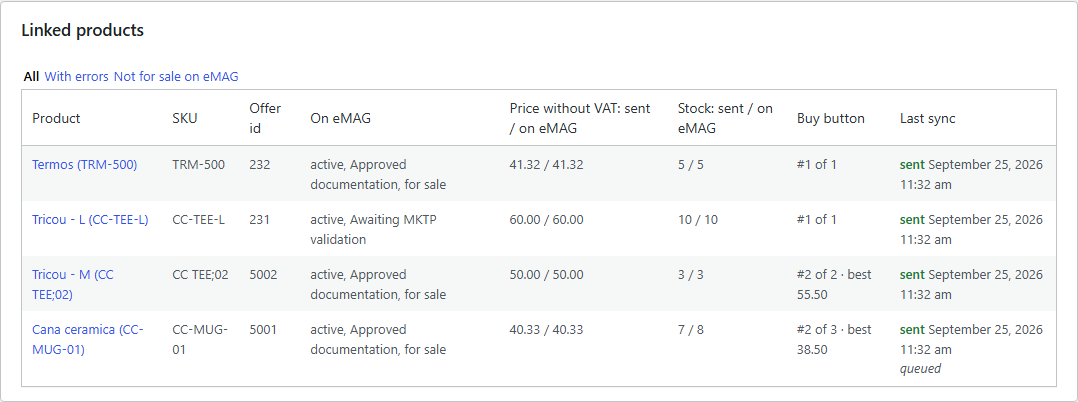
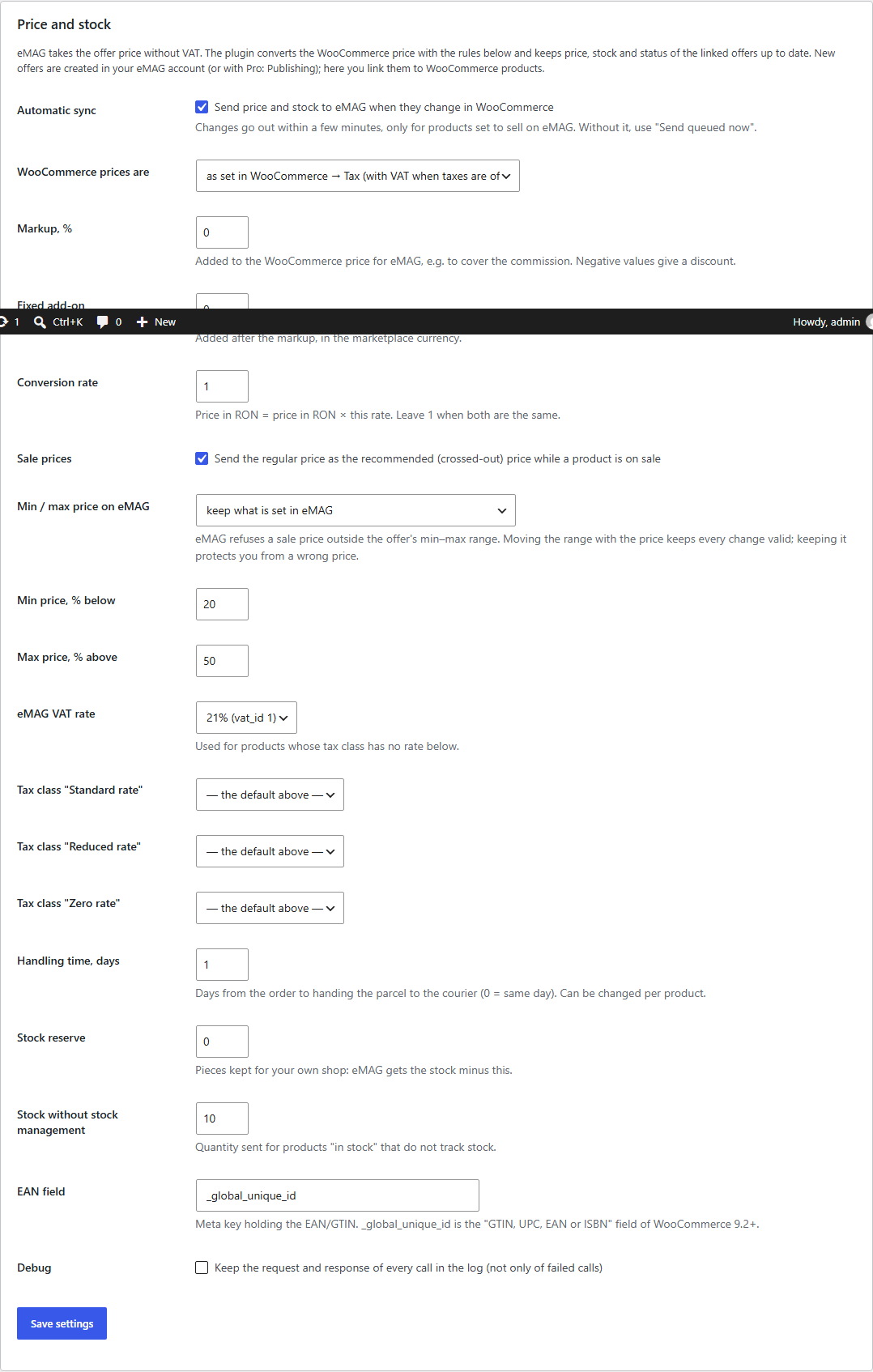
WooCommerce integration with eMAG Marketplace (Romania, Bulgaria, Hungary, Fashion Days): import and link your offers by SKU or EAN, automatic price and stock sync through the official eMAG API. Pro — eMAG orders in WooCommerce, status back to eMAG, AWBs, invoices, product publishing and a Buy button monitor.
The free version works with no time limit. Pro adds the rest of the features in the table.



A fresh install is the free version, nothing switches on by itself. The “Try Pro for 7 days” button → e-mail → the key right in the window and by e-mail.

Moving the store? Unbind the licence on the old domain and activate it on the new one yourself. If our server is unreachable, Pro keeps working for 14 more days. For studios — keys for 5 or 25 sites, or unlimited.
 WooCommerce 7.0+ with the classic or the block checkout, compatible with HPOS and the classic order storageWordPress 6.2+ · PHP 7.4+ (tested on 7.4 and 8.3)An eMAG Marketplace seller account with an API user and the server IP on the eMAG API whitelistWP-Cron or a system cron — for the sync queue and the order checkPlugin languages: English, Romanian, Bulgarian, Hungarian.
EMAG RO/BG/HU and Fashion Days; offer import and linking by SKU, EAN or ID; price and stock sync with VAT, markup and currency rules; offer status; API log; English, Romanian, Bulgarian, Hungarian.
4 modules in one order — 40% cheaper than separately



eMAG Marketplace Connector for WooCommerce connects your store to eMAG Marketplace, the largest marketplace in Romania, Bulgaria and Hungary (together with Fashion Days). You sell both in your own store and on eMAG — the plugin keeps the eMAG price and stock in line with WooCommerce, and with Pro it brings eMAG orders into your store and ships them through eMAG’s couriers. Everything goes through the official eMAG Marketplace API: no scraping and no manual exports. Running OpenCart? See eMAG Marketplace Connector for OpenCart.
What you need. An eMAG Marketplace seller account with an API user, and your server’s IP address on the API whitelist in the eMAG account. Honestly about testing: eMAG gives no public sandbox — the API only answers whitelisted sellers. The plugin is built on the official eMAG Marketplace API reference v4.5.2 and tested end to end against a simulation of that API (offers, prices, stock, orders, cancellations, AWBs, invoices, publishing); from our server the live eMAG API answers the plugin’s request with its own error text. It has not yet run on a live seller account — try it on yours in the 7-day Pro trial. The log shows every request and eMAG’s answer, and if eMAG answers differently from its documentation, we fix it promptly.
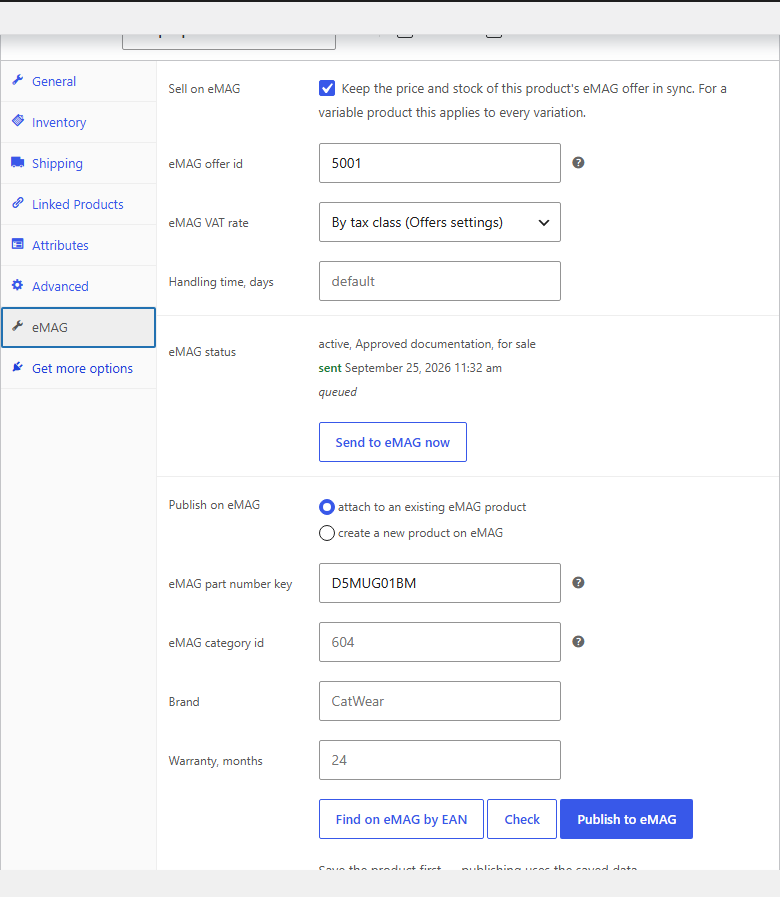
Every product and variation has an eMAG tab: sell or not, the offer ID, its own VAT rate and handling time, the state on eMAG and a “Send to eMAG now” button. The product list gets an eMAG column and the bulk actions “Sell on eMAG” / “Stop selling on eMAG”.
data, reads with top-level filters; for an unusual gateway the encoding can be switched with a filter or a constant.emag-marketplace-connector-for-woocommerce-1.0.0.zip and activate it.Didn't find the answer? Message us on Telegram and we'll reply within a business day.
 @catcode_support
Setup, compatibility, activation
@catcode_support
Setup, compatibility, activation
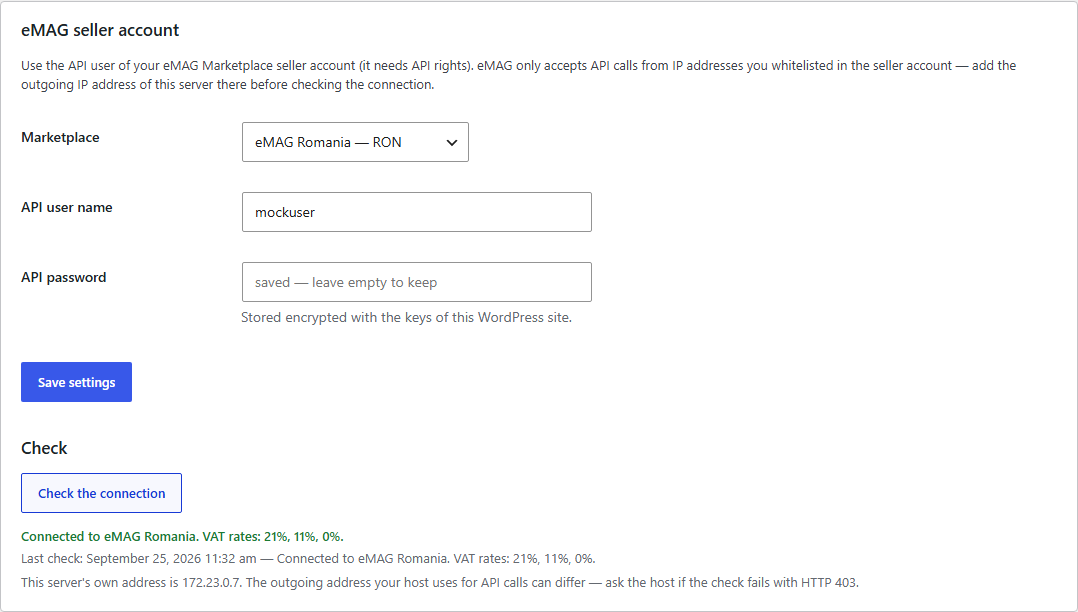
An eMAG Marketplace seller account with an API user (eMAG grants API rights in the seller account) and your server's IP address on the API whitelist in the eMAG account — eMAG refuses other addresses.
eMAG offers no public sandbox: the API only answers seller accounts from whitelisted IPs. The plugin is built on the official eMAG Marketplace API reference (v4.5.2) and tested against a simulation of that API; from our server the live eMAG API answers the plugin's request with its own error text, so it accepts the request format. It has not yet run on a live seller account — try it on yours in the 7-day Pro trial; eMAG's answer is visible in the log.
Not in Free: eMAG's light offer API only updates offers that already exist. New offers are created in the eMAG seller account and linked here; with Pro they are published from the product editor.
eMAG only accepts calls from whitelisted IP addresses. Add your server's outgoing IP in the eMAG seller account — your host can tell you which one it is.
eMAG sends a hash instead of the e-mail, so the order is imported without it and WooCommerce sends the buyer no e-mails — eMAG informs the buyer itself.
Offer linking, price and stock sync, VAT rules and the log stay free with no time limit.
No reviews yet. Be the first.
No questions yet. Ask one — we answer within 24 hours.
We build custom modules for WordPress, WooCommerce, OpenCart and Shopify. Tell us about the task and we'll prepare an estimate.
Order a custom module
—

CatCode assistant
Just now


CatCode assistant
Online

I’ll help with your website task
Describe your website task — I’ll find a ready-made module or pass it to a developer for an estimate. Modules, custom features, layout, integrations, speed, migration, technical SEO.
