
















WooCommerce
1 490 UAH969 UAH/year≈ €20
Black November: −35% on all modules until 30 November Black November: −35% until 30 November Choose a module
 Website auditA PDF report by email in 3 minutesCheck a website
Everyday tasks
Image compressorSize, quality and WebP in bulkQR generatorLink, Wi-Fi, payment to IBANVAT calculator20, 14, 7% and amount in wordsTransliterationOfficial Ukrainian standardWebsite checks
PHP and pluginsPHP version, WordPress, pluginsGoogle Merchant feedFields, prices, GTIN, imagesDomain emailSPF, DKIM, DMARC, blacklistsAI search readinessllms.txt, bots, markupAll 9 toolsEnter at least 2 characters

A button on the order creates the invoice in BuchhaltungsButler: the debtor, VAT on every line, the number and the order reference.
The free version works with no time limit. Pro adds the rest of the features in the table.


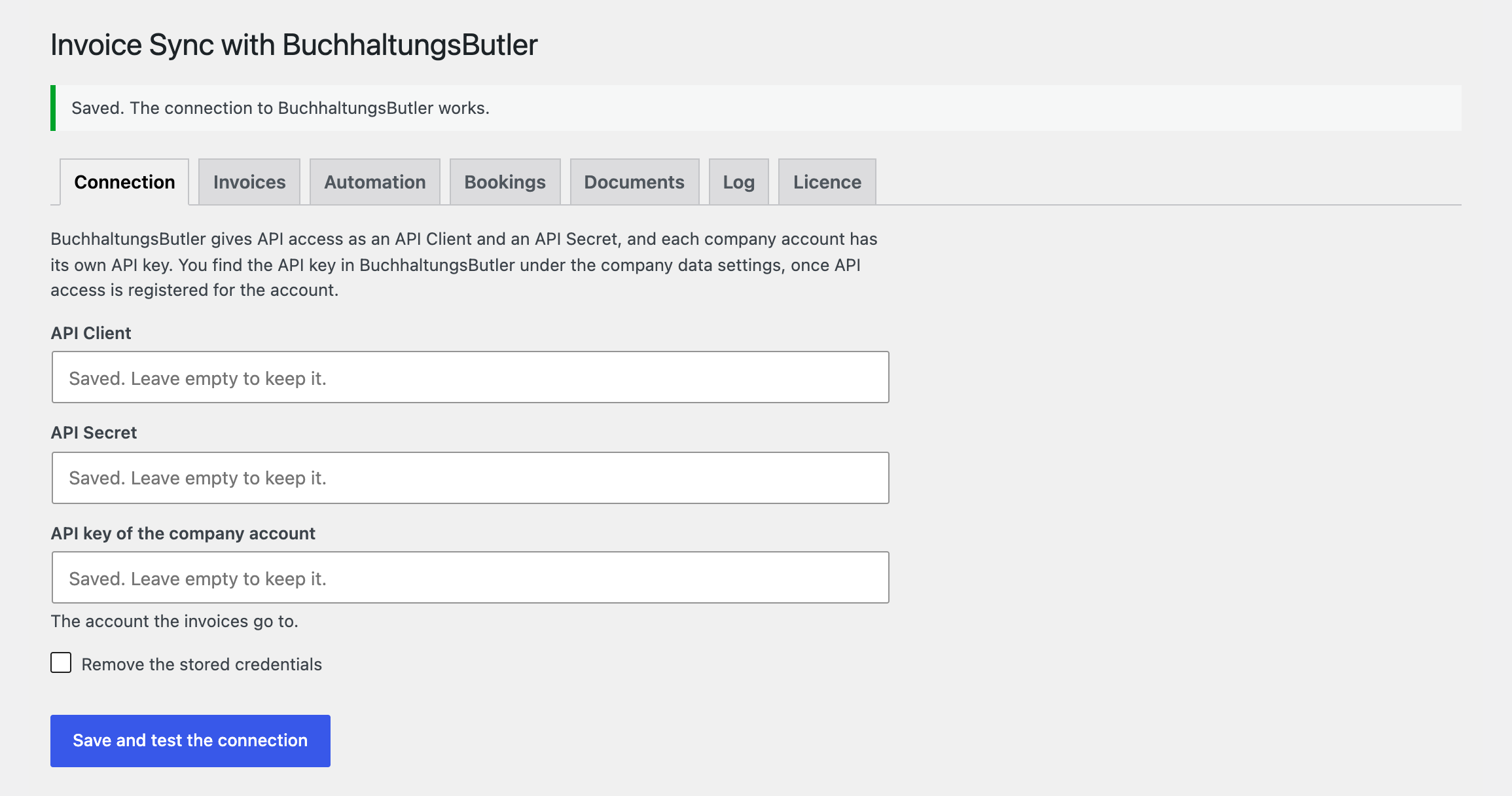
The settings live in one place: WooCommerce → BuchhaltungsButler.

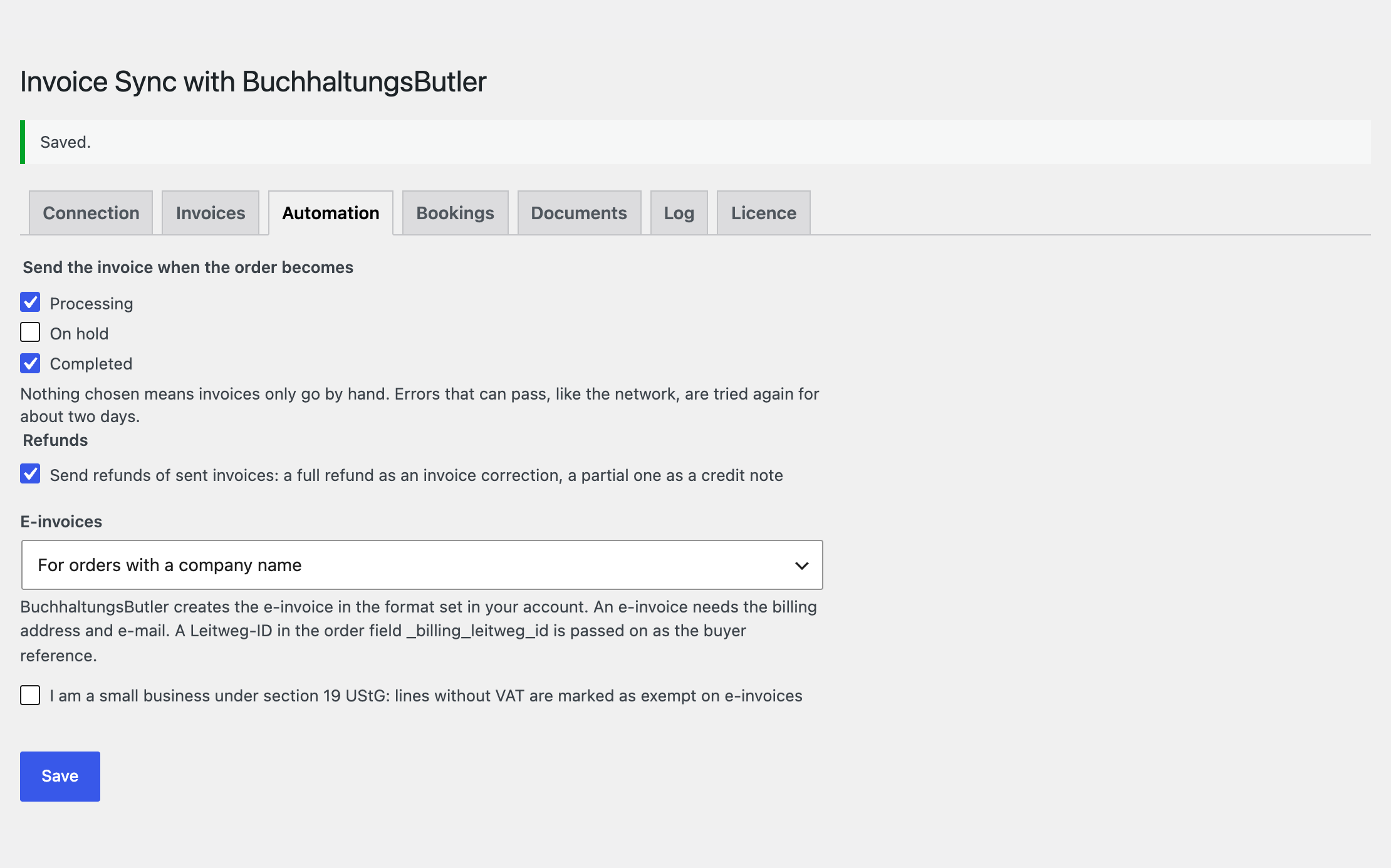
Automatic sending when an order reaches the statuses you choose, through Action Scheduler: network and server errors are tried again for about two days, and the limit of 100 requests per minute is respected (on a 429 the whole queue waits).

The base version is free. Pro costs 1290 UAH for a one-year licence. A year of updates, technical support and all Pro features.

A fresh install is the free version, nothing switches on by itself. The “Try Pro for 7 days” button → e-mail → the key right in the window and by e-mail.

Moving the site? Unlink the licence on the old domain and activate it on the new one yourself. A staging copy (staging., dev.) works with the same key and does not take a site slot. For studios — keys for 5 or 25 sites, or unlimited.
 WordPress 6.2+, WooCommerce 8.0+, PHP 7.4+.A BuchhaltungsButler account with API access: the API Client, the API Secret and the API key of the company account.Shop currency EUR.
The log of sent invoices (Pro) is kept only with an active licence or during the trial.
A send button on the order, the debtor, an invoice with VAT per line, numbering, duplicate protection, English and German.


BuchhaltungsButler Invoice Sync for WooCommerce passes the orders of your shop to your bookkeeping in BuchhaltungsButler: the order gets a box with a “Send to BuchhaltungsButler” button, and the invoice is created at once, with the products, shipping, fees and the VAT rate on every line. The customer becomes a debtor, and the invoice number and the order reference reach the bookkeeping without retyping. The module works with your own BuchhaltungsButler account through its API, on the classic and the block checkout, and is compatible with HPOS; the interface is in English and German (de_DE, de_AT, de_CH).
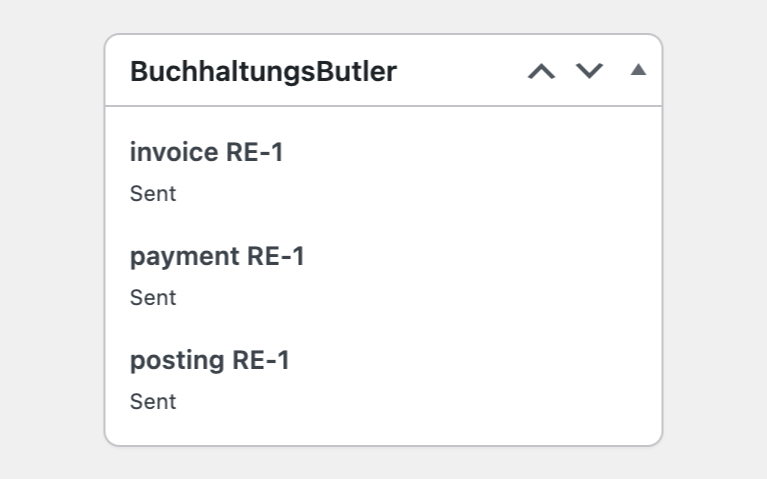
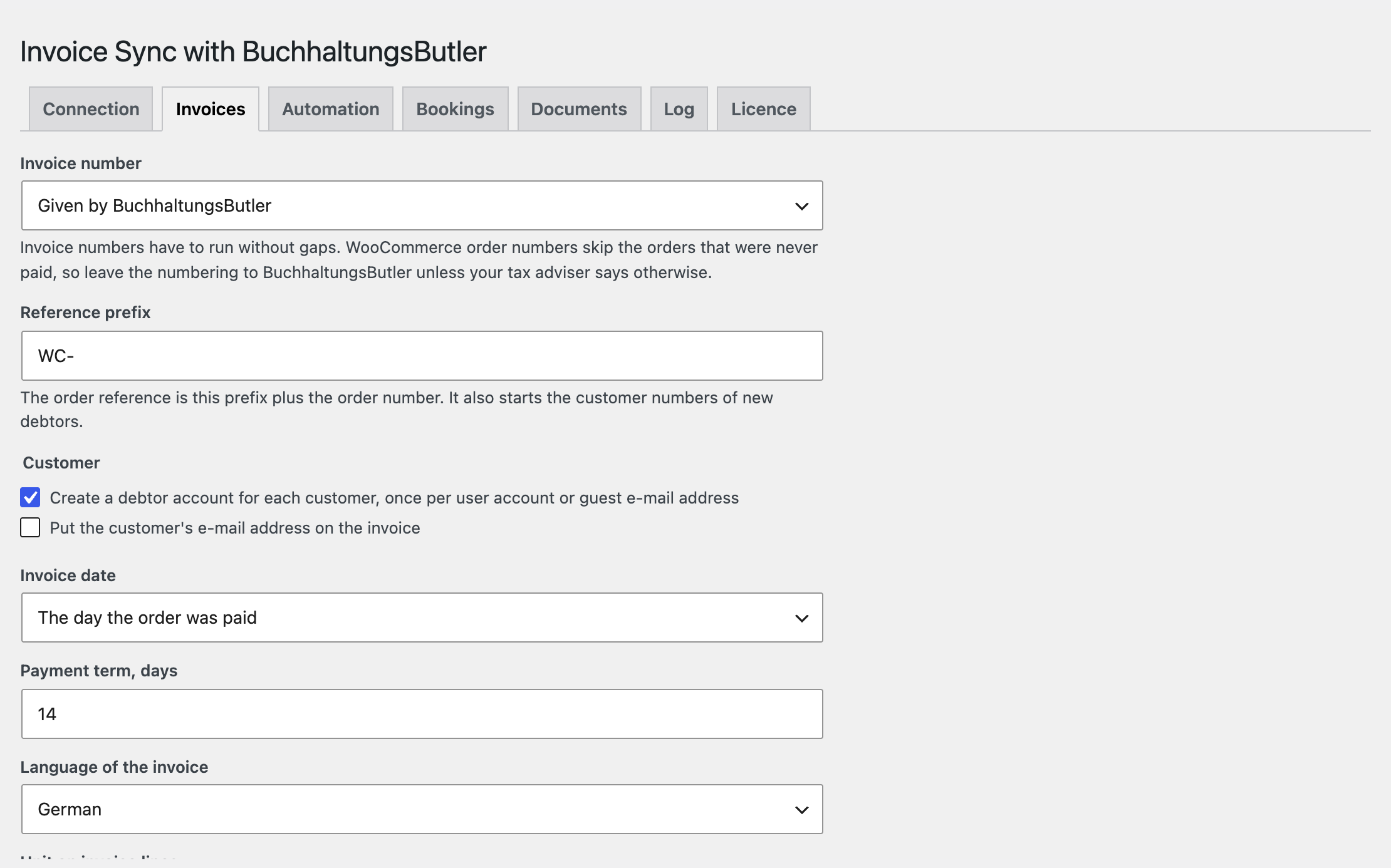
The settings live in one place: WooCommerce → BuchhaltungsButler. Enter the API Client, the API Secret and the API key of the company account and press “Save and test the connection”: the module calls BuchhaltungsButler and shows whether the access is accepted. The values are never printed back into the form. Every order gets a box with a send button: it creates the debtor and the invoice and shows the number, the state, or the reason BuchhaltungsButler gave with its code; an invoice that was sent is never sent again, and two clicks at once give one invoice. The debtor is created once per user account or guest e-mail address, with address, e-mail and VAT number; you can switch this off. The invoice carries the products, shipping and fees at the prices the customer paid, with the VAT rate the order charged on each line (19 %, 7 %, 0 % or any other); BuchhaltungsButler works out the VAT, so a cent can differ from the WooCommerce VAT breakdown, while the invoice total always equals the order total. Numbering: the numbers come from BuchhaltungsButler, or are a prefix plus the order number; the invoice date (paid or placed), the payment term, the language of the labels (German or English), the unit, the texts above and below the lines with {ref}, and bank and contact details on the PDF. The transaction id of PayPal, Stripe or Amazon goes along as the payment reference, so BuchhaltungsButler can match the invoice with the payment it imports. No duplicates: with order numbers as invoice numbers the module looks the number up in BuchhaltungsButler first, and when a request got no answer (no reply, 500, 504), the next attempt looks for the invoice by recipient, date and amount. The shop currency is EUR.
Automatic sending when an order reaches the statuses you choose, through Action Scheduler: network and server errors are tried again for about two days, and the limit of 100 requests per minute is respected (on a 429 the whole queue waits). A bulk action “Send to BuchhaltungsButler” on the orders list. Refunds: a full refund becomes an invoice correction, a partial one a credit note with the refunded lines. E-invoices through BuchhaltungsButler for orders with a company name or for every order, with the tax type per line and a Leitweg-ID as the buyer reference. Payments of the payment methods you choose as a transaction on a payment account, assigned to the invoice. Revenue postings per VAT rate on SKR03, SKR04 or your own accounts, with the debtor account. A Documents tab with every document, its state, “Send again” for one or all stopped documents, a 90-day log and a notice in WooCommerce when something stopped. A German translation of the interface, a licence with a 7-day trial and updates from the admin.
The module is not on wordpress.org yet: the free version and Pro are one archive from this page. Without a key it works as the free version.
Didn't find the answer? Message us on Telegram and we'll reply within a business day.
 @catcode_support
Setup, compatibility, activation
No. It is an independent integration made by us; BuchhaltungsButler is a product of BuchhaltungsButler GmbH.
One that gives API access to your account. Ask BuchhaltungsButler which plans include it.
No, invoices go out in euro only. An order in another currency stops with a message.
Nothing, until you send them from the order screen.
The module only fills in the address when you tick that option. What BuchhaltungsButler then does with it depends on your account.
In Pro: a full refund creates an invoice correction, a partial one a credit note with the refunded lines.
Pro switches off, the free part keeps working.
No reviews yet. Be the first.
No questions yet. Ask one — we answer within 24 hours.
We build custom modules for WordPress, WooCommerce, OpenCart and Shopify. Tell us about the task and we'll prepare an estimate.
Order a custom module
—
Charged in UAH; your bank converts it to your currency. EUR price is approximate.

CatCode assistant
Just now


CatCode assistant
Online

I’ll help with your website task
Describe your website task — I’ll find a ready-made module or pass it to a developer for an estimate. Modules, custom features, layout, integrations, speed, migration, technical SEO.