
















WooCommerce
Abandoned Cart Recovery for WooCommerce
Free + Pro
990 UAH/year≈ €20
v1.3.1
 Website auditA PDF report by email in 3 minutesCheck a website
Everyday tasks
Image compressorSize, quality and WebP in bulkQR generatorLink, Wi-Fi, payment to IBANVAT calculator20, 14, 7% and amount in wordsTransliterationOfficial Ukrainian standardWebsite checks
PHP and pluginsPHP version, WordPress, pluginsGoogle Merchant feedFields, prices, GTIN, imagesDomain emailSPF, DKIM, DMARC, blacklistsAI search readinessllms.txt, bots, markupAll 9 toolsEnter at least 2 characters

WooCommerce orders as TallyPrime sales vouchers with GST by place of supply, and customer ledgers with GSTIN; Pro adds credit notes and direct sending to TallyPrime.
The free version works with no time limit. Pro adds the rest of the features in the table.


Nothing changes for the buyer: the order is placed as usual.

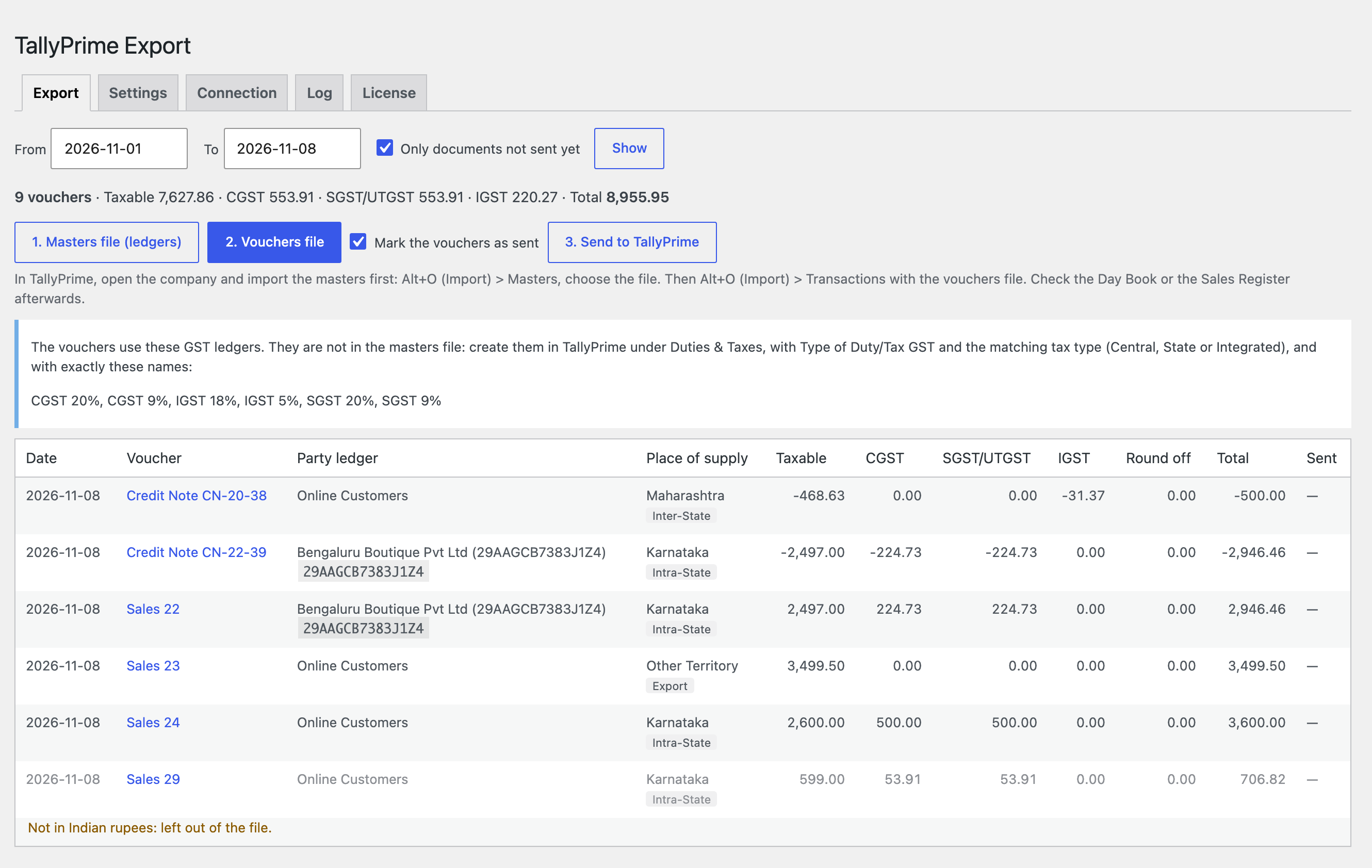
WooCommerce → TallyPrime Export → Export: pick the dates and see every voucher of the range — date, number, party ledger, place of supply, taxable value, CGST, SGST/UTGST, IGST, round off and total, with the totals on top.

The base version is free. Pro costs 990 UAH for a one-year licence. A year of updates, technical support and all Pro features.

A fresh install is the free version, nothing switches on by itself. The “Try Pro for 7 days” button → e-mail → the key right in the window and by e-mail.

Moving the site? Unlink the licence on the old domain and activate it on the new one yourself. A staging copy (staging., dev.) works with the same key and does not take a site slot. For studios — keys for 5 or 25 sites, or unlimited.
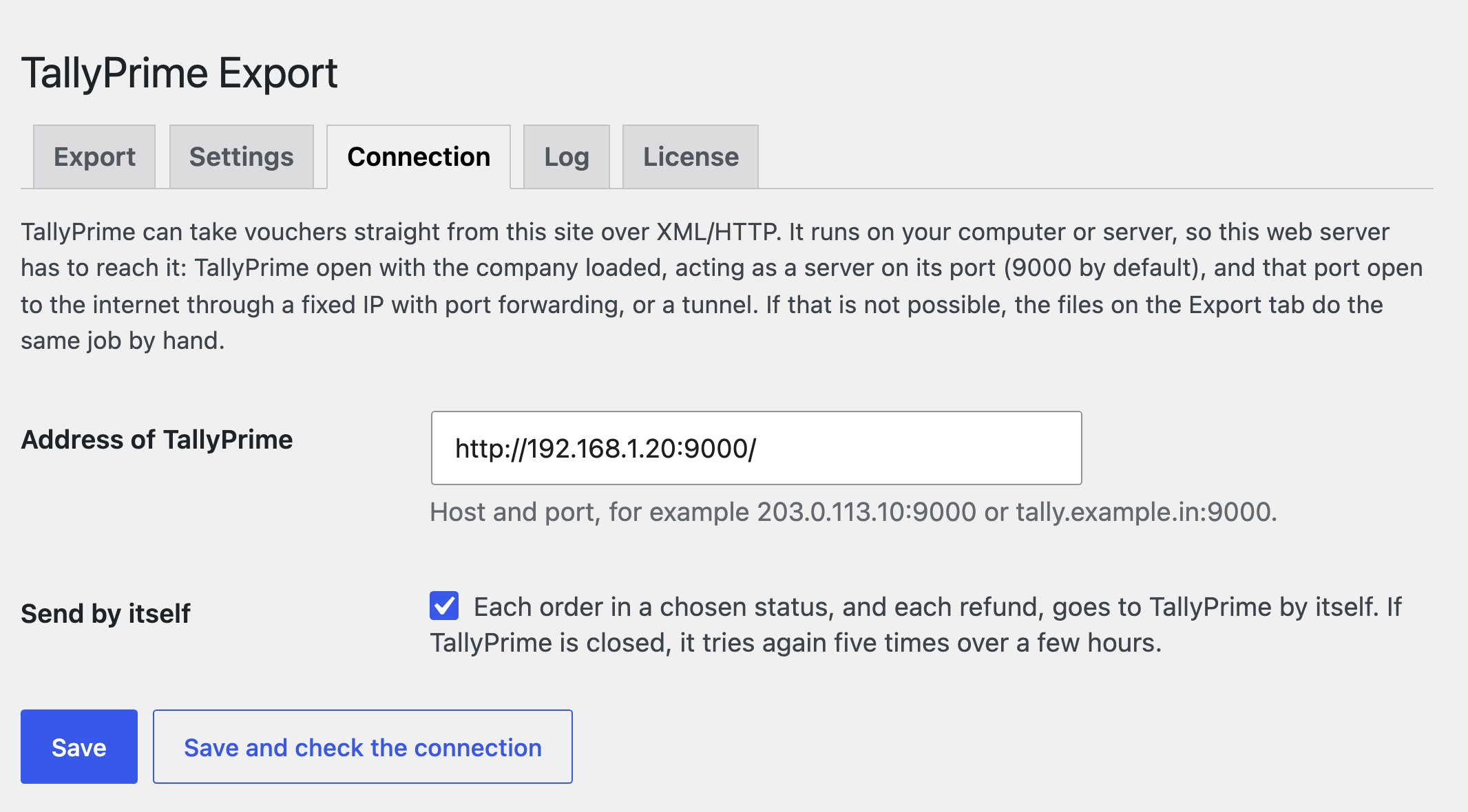
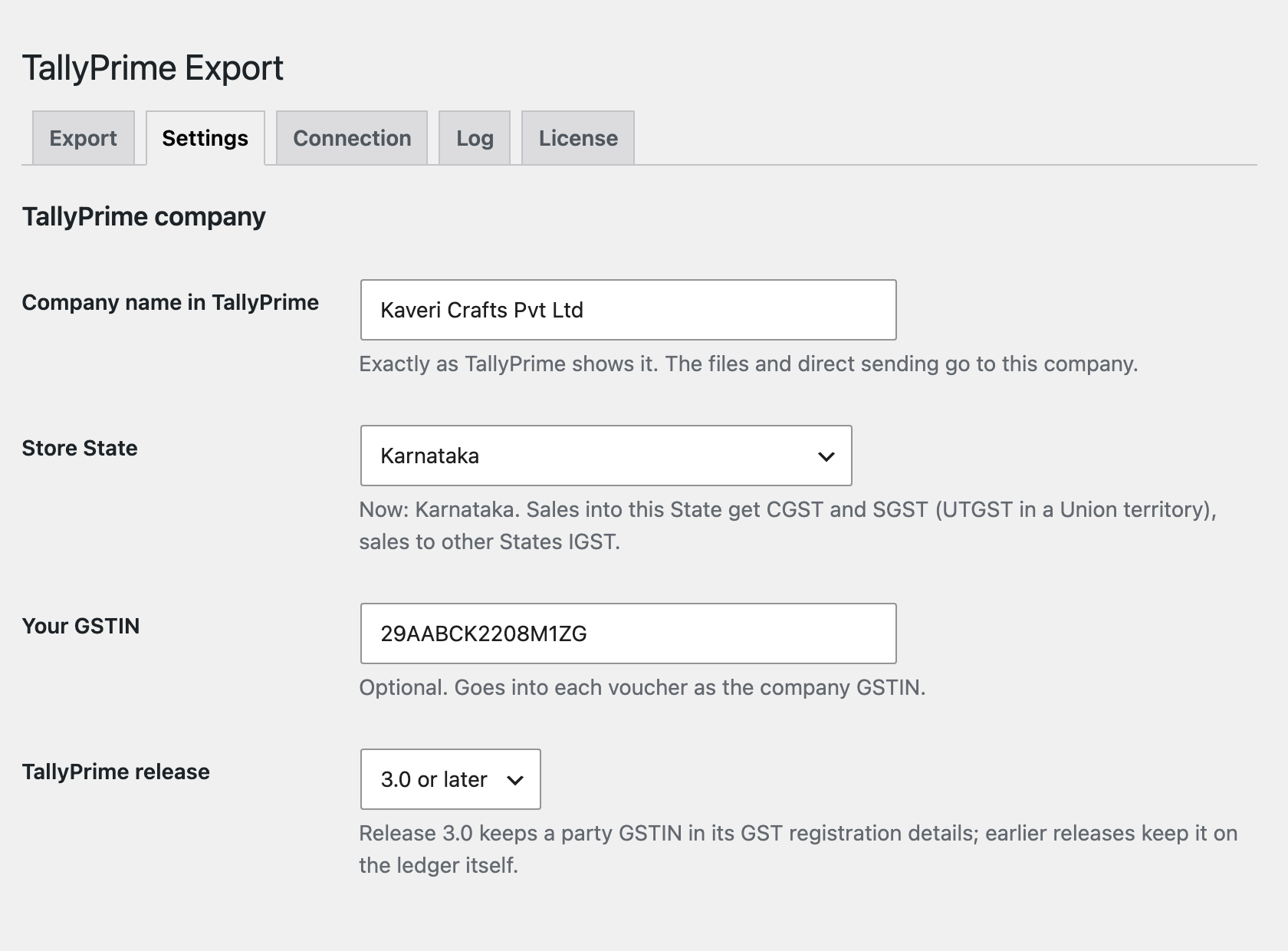
 WordPress 6.2+, WooCommerce 8.9+, PHP 7.4+.TallyPrime with GST enabled for the company; release 3.0+ or 2.1 and earlier (chosen in the settings).A store in rupees (INR) with GST tax rates in WooCommerce.For direct sending (Pro): TallyPrime as a server on port 9000 that your web server can reach (a fixed IP with port forwarding, or a tunnel). Without it, the files do the job.
Sales vouchers with CGST, SGST, UTGST, IGST and Cess, customer ledgers with GSTIN, masters file, date ranges, marks of what was sent, order box.



TallyPrime Export for WooCommerce moves the orders of an Indian WooCommerce store into TallyPrime as sales vouchers with GST. Pick a date range, see the amounts and taxes of every order on screen, download two XML files and import them in TallyPrime: the masters (ledgers) first, then the vouchers. No retyping of online orders, and no outside service: the files are made on your site.
Nothing changes for the buyer: the order is placed as usual. When a business buyer gives a GSTIN (our GST Invoice & GSTR-1 plugin, the usual billing_gstin field or a field you name), they get a ledger of their own in TallyPrime with address, State and GSTIN, and the voucher goes as B2B. A GSTIN with a wrong check digit is not taken, and that buyer is treated as unregistered.
WooCommerce → TallyPrime Export → Export: pick the dates and see every voucher of the range — date, number, party ledger, place of supply, taxable value, CGST, SGST/UTGST, IGST, round off and total, with the totals on top. A voucher that needs a look gets a line under it: no State in the address, a kind of GST that does not fit the place of supply, more than one rupee of rounding. Orders not in rupees are shown and left out of the file.
The “1. Masters file” button gives the ledgers the vouchers name: buyers, sales, shipping, fees and round off, under the groups you choose (Sundry Debtors, Sales Accounts, Indirect Expenses). GST ledgers stay out of the file on purpose, because their duty head is set in TallyPrime: the screen lists the exact names to create under Duties & Taxes. “2. Vouchers file” gives the sales vouchers as accounting invoices with a bill reference (New Ref) and a unique remote ID. Sent vouchers are marked, so the next file can hold only the new ones.
The place of supply: for goods, the State the order is shipped to; with nothing to ship, the State in the buyer GSTIN or the billing State; outside India, an export to its own ledger. The same State as the store gives CGST and SGST (UTGST in a Union territory without a legislature), another State gives IGST. WooCommerce rates named CGST, SGST, UTGST, IGST and Cess are taken as named, a rate named just “GST” is split by place of supply. The tax is what WooCommerce charged as rounded on the order, and the paise between the lines and the order total go to the Round Off ledger, so every voucher balances.
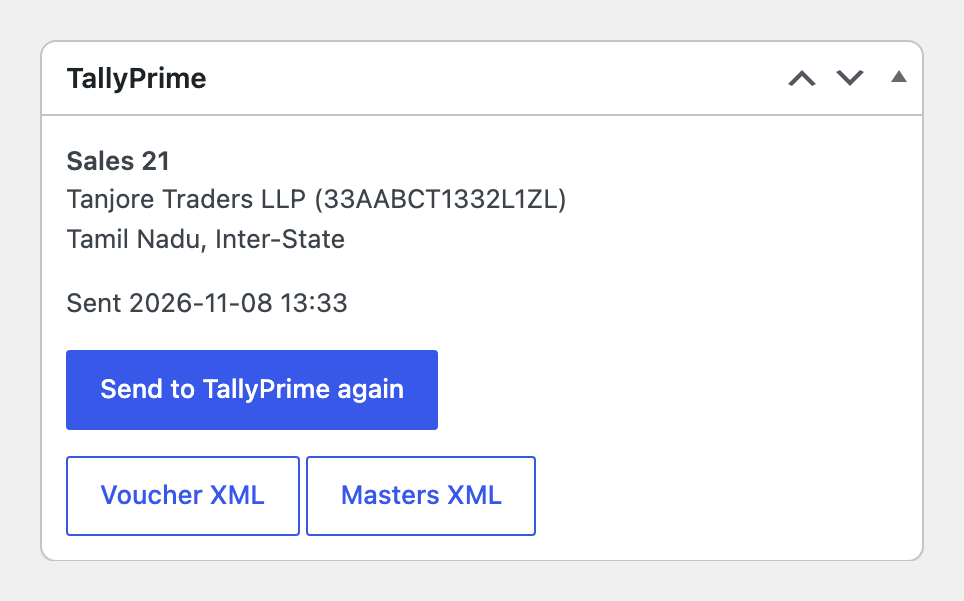
In Pro every refund becomes a Credit Note against the sale (Agst Ref) with the GST reversed line by line; a refund of a plain amount is spread over the order lines in proportion. Item invoices carry stock items with quantity, rate and godown, and put the unit and stock items into the masters file. Direct sending: TallyPrime acts as a server (port 9000 by default), the plugin reads the ledger list of the company, creates missing party and sales ledgers first, and names missing GST ledgers and stops. Every order in a chosen status and every refund goes to TallyPrime in the background; when TallyPrime is closed it tries again five times over a few hours, and stopped ones can be sent again with one button.
Didn't find the answer? Message us on Telegram and we'll reply within a business day.
 @catcode_support
Setup, compatibility, activation
No. TallyPrime is a product of Tally Solutions Pvt. Ltd.; the plugin is independent and writes the XML import format that TallyHelp describes.
No, on purpose: the duty head of a GST ledger is set in TallyPrime. Create CGST, SGST (or UTGST) and IGST under Duties & Taxes with Type of Duty/Tax GST — the Export screen lists the exact names.
Each voucher carries a unique remote ID, and the plugin marks what was sent, so the next file holds only new vouchers. TallyPrime has its own import option for vouchers that already exist (Alt+O → Configuration).
The files always work: download and import. Direct sending needs the store web server to reach TallyPrime (a fixed IP with port forwarding, or a tunnel); Pro also adds credit notes and item invoices.
No. The plugin moves what WooCommerce charged into TallyPrime. Check the figures with your accountant.
Pro switches off, the free part keeps working.
Yes, a separate module, GST Sales Export for TallyPrime, for OpenCart 2.3, 3.x and 4.x.
No reviews yet. Be the first.
No questions yet. Ask one — we answer within 24 hours.
We build custom modules for WordPress, WooCommerce, OpenCart and Shopify. Tell us about the task and we'll prepare an estimate.
Order a custom module
—
Charged in UAH; your bank converts it to your currency. EUR price is approximate.

CatCode assistant
Just now


CatCode assistant
Online

I’ll help with your website task
Describe your website task — I’ll find a ready-made module or pass it to a developer for an estimate. Modules, custom features, layout, integrations, speed, migration, technical SEO.
