
















WooCommerce
1 290 UAH839 UAH/year≈ €17
Black November: −35% on all modules until 30 November Black November: −35% until 30 November Choose a module
 Website auditA PDF report by email in 3 minutesCheck a website
Everyday tasks
Image compressorSize, quality and WebP in bulkQR generatorLink, Wi-Fi, payment to IBANVAT calculator20, 14, 7% and amount in wordsTransliterationOfficial Ukrainian standardWebsite checks
PHP and pluginsPHP version, WordPress, pluginsGoogle Merchant feedFields, prices, GTIN, imagesDomain emailSPF, DKIM, DMARC, blacklistsAI search readinessllms.txt, bots, markupAll 9 toolsEnter at least 2 characters


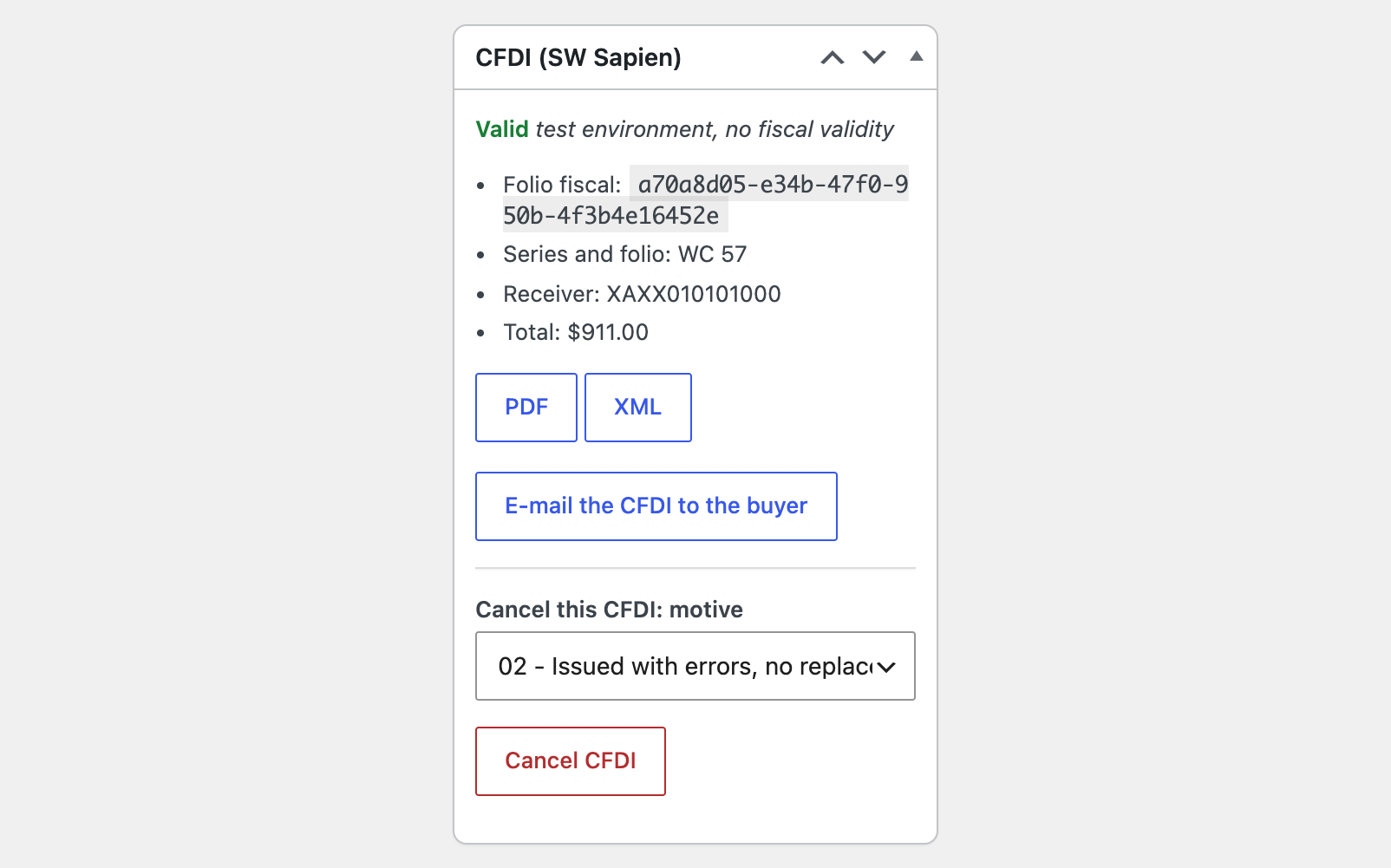
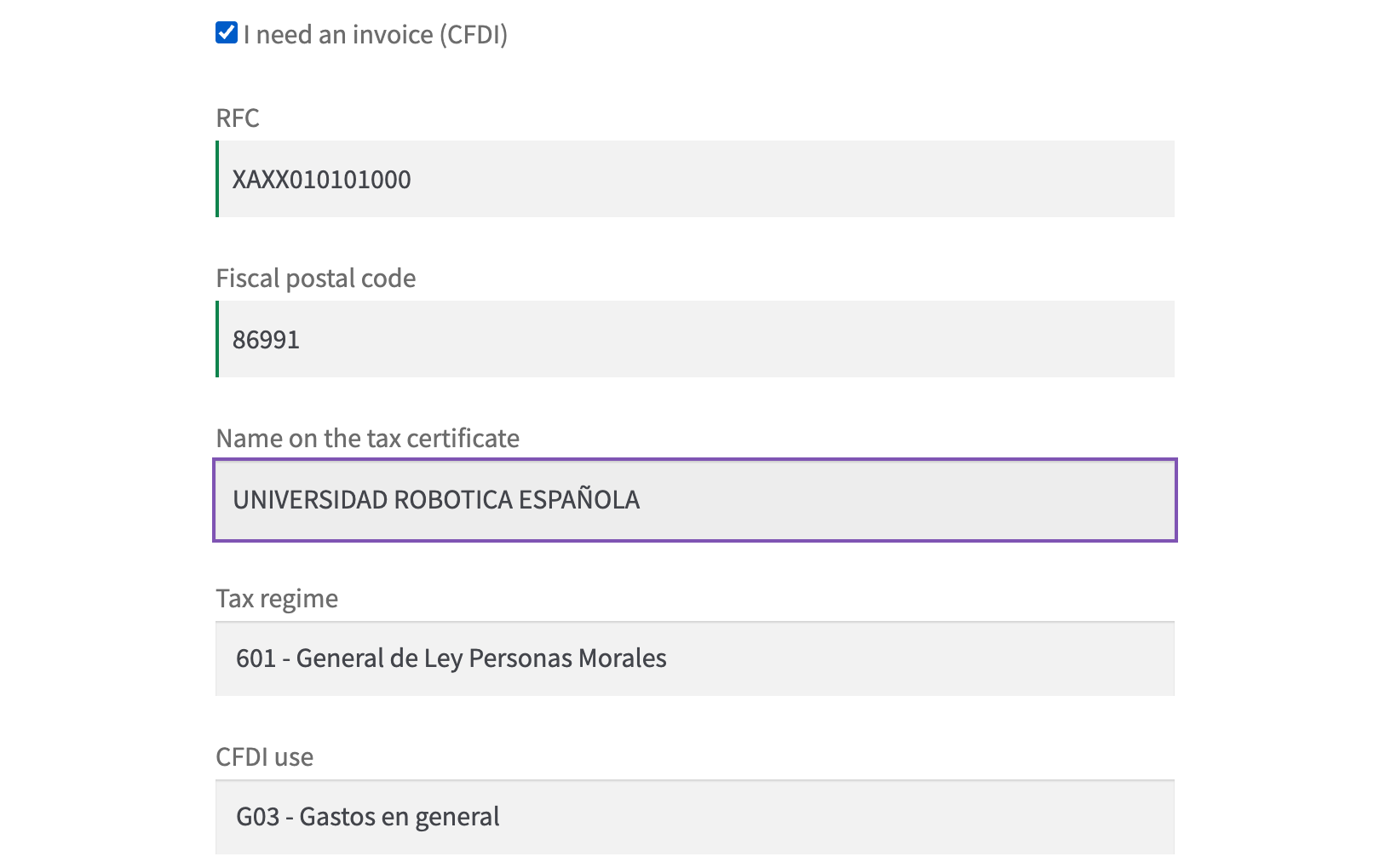
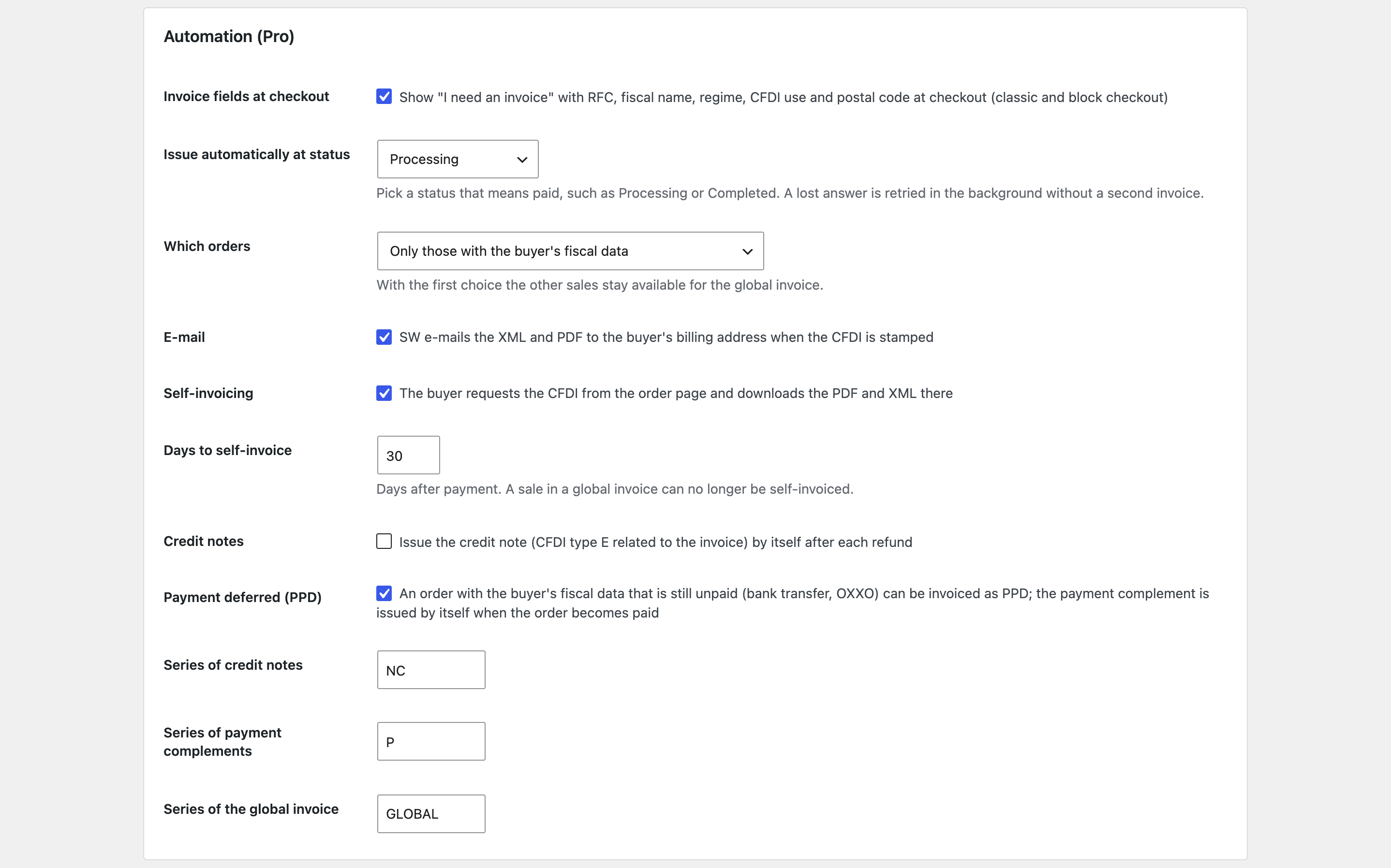
A button in the order issues a CFDI 4.0 through your SW Sapien account and keeps the UUID, XML and PDF; what still stops the order is listed before you press it.
The free version works with no time limit. Pro adds the rest of the features in the table.


The settings are in WooCommerce → CFDI SW Sapien.

“I need an invoice” fields at checkout, classic and block: RFC, fiscal name, regime, CFDI use and postal code, checked before the order is placed.

The base version is free. Pro costs 1290 UAH for a one-year licence. A year of updates, technical support and all Pro features.

A fresh install is the free version, nothing switches on by itself. The “Try Pro for 7 days” button → e-mail → the key right in the window and by e-mail.

Moving the site? Unlink the licence on the old domain and activate it on the new one yourself. A staging copy (staging., dev.) works with the same key and does not take a site slot. For studios — keys for 5 or 25 sites, or unlimited.
 WordPress 6.2+, WooCommerce 8.0+, PHP 7.4+.An SW Sapien account with stamps and the CSD of your RFC.Shop currency MXN; other currencies are issued with the FIX rate the administrator enters.
CFDI 4.0 from an order through SW Sapien, connection test with stamps and CSD, CSD upload, SAT codes by product and category, a list of what stops the invoice, UUID, PDF and XML, English…


CFDI 4.0 with SW Sapien for WooCommerce builds a Mexican e-invoice (CFDI 4.0) from the order and stamps it through your SW Sapien account, a PAC authorised by the SAT. SW seals the document with the CSD of your RFC, and the order keeps the folio fiscal (UUID), the XML and the PDF. You work with your own SW account, in the test or the production environment. The administrator types the buyer’s RFC, name, regime, CFDI use and postal code, or invoices the general public; the order box says in plain words what is still missing. The module works with HPOS; the interface is in English and Spanish (Mexico).
The settings are in WooCommerce → CFDI SW Sapien. Choose the environment, paste the infinite token of the SW stamp manager (ADT) or enter a user and password (the module then gets a 2-hour token and renews it by itself) and press “Test the connection”: it shows the stamps left and whether a valid CSD of the seller’s RFC is loaded. The CSD (.cer, .key and password) can be loaded into your SW account straight from the settings; the files are not kept on the site. Then the seller data (RFC, name, regime, postal code of the place of issue), the series, default SAT codes, codes on the product and on the category, the SAT payment form of each payment method, IVA 16, 8 and 0 %, IEPS when the tax rate is named so, and your choice for lines without tax (rate 0, exempt or no object of tax). Coupons go as the line’s discount, shipping and fees as their own lines. The order gets a “CFDI (SW Sapien)” box: the buyer fields, a list of what stops the invoice, and one “Issue CFDI” button for a paid order. Against duplicates, the folio, the date and an idempotency key (the customid header) are fixed before the first call and kept on every retry, so a lost answer never makes a second invoice. Another currency is issued with the FIX rate you enter in the order.
“I need an invoice” fields at checkout, classic and block: RFC, fiscal name, regime, CFDI use and postal code, checked before the order is placed. Automatic issuing at the order status you choose, for orders with the buyer’s data or for all; a lost answer is retried in the background with the same key. Self-invoicing: the buyer requests the CFDI from the order page, a guest through the order link, and downloads the PDF and XML there. SW e-mails the XML and PDF to the buyer when the CFDI is stamped, and a button sends it again. Cancellation with the SAT motive (01 with the replacement folio, 02, 03, 04), with the status at the SAT followed every hour while the receiver has to accept. Credit notes (CFDI type E, related to the invoice) for WooCommerce refunds, by line or for an amount, by hand or automatically. Payment deferred (PPD): an unpaid order (bank transfer, OXXO) is invoiced as PPD, and the payment complement (Pagos 2.0) is issued by itself when the order is paid. The global invoice of a period for sales without a CFDI of their own, one line per sale. Bulk issuing from the orders list, in the background. A report of a period on screen and as a CSV for your accountant. A licence with a 7-day trial and updates from the admin.
The module is not on wordpress.org yet: the free version and Pro are one archive from this page; without a key it works as the free version. A separate archive with the free version only is also available.
Didn't find the answer? Message us on Telegram and we'll reply within a business day.
 @catcode_support
Setup, compatibility, activation
No. It is an independent integration by CatCode; SW Sapien is a product of SW Smarter Web.
Yes, the module works with your own SW account: in the test environment for trial documents without fiscal validity, and in production for real CFDI.
The infinite token of the SW stamp manager does not expire until you regenerate it. With a user and password the module gets a two-hour token and renews it by itself.
Into your SW account, once: from the module settings or in the SW stamp manager. The files and the password are not kept on the site.
In your SW account, always. From the order, with a SAT motive and status tracking, in Pro.
Nothing until you issue a CFDI for them from the order screen.
Pro switches off, the free part keeps working.
No reviews yet. Be the first.
No questions yet. Ask one — we answer within 24 hours.
We build custom modules for WordPress, WooCommerce, OpenCart and Shopify. Tell us about the task and we'll prepare an estimate.
Order a custom module
—
Charged in UAH; your bank converts it to your currency. EUR price is approximate.

CatCode assistant
Just now


CatCode assistant
Online

I’ll help with your website task
Describe your website task — I’ll find a ready-made module or pass it to a developer for an estimate. Modules, custom features, layout, integrations, speed, migration, technical SEO.