















WooCommerce
India Couriers for WooCommerce — Shiprocket and Delhivery: PIN rates, AWB, labels, NDR
Free + Pro
890 UAH/year≈ €18
v1.0.0
 Website auditA PDF report by email in 3 minutesCheck a website
Everyday tasks
Image compressorSize, quality and WebP in bulkQR generatorLink, Wi-Fi, payment to IBANVAT calculator20, 14, 7% and amount in wordsTransliterationOfficial Ukrainian standardWebsite checks
PHP and pluginsPHP version, WordPress, pluginsGoogle Merchant feedFields, prices, GTIN, imagesDomain emailSPF, DKIM, DMARC, blacklistsAI search readinessllms.txt, bots, markupAll 9 toolsEnter at least 2 characters
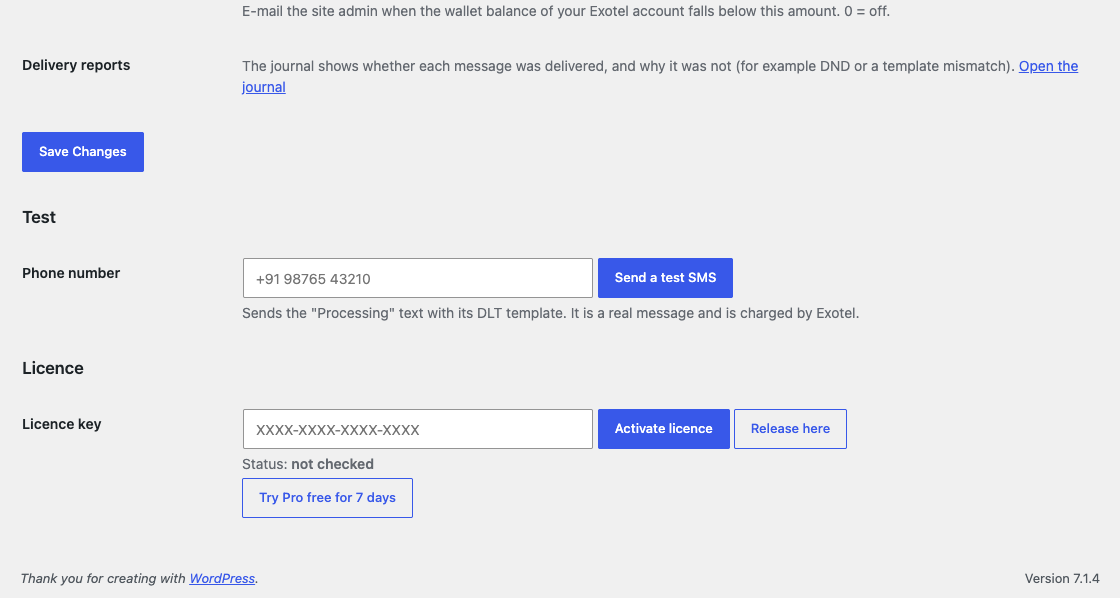
WooCommerce order SMS through Exotel with DLT and COD confirmation.
The free version works with no time limit. Pro adds the rest of the features in the table.


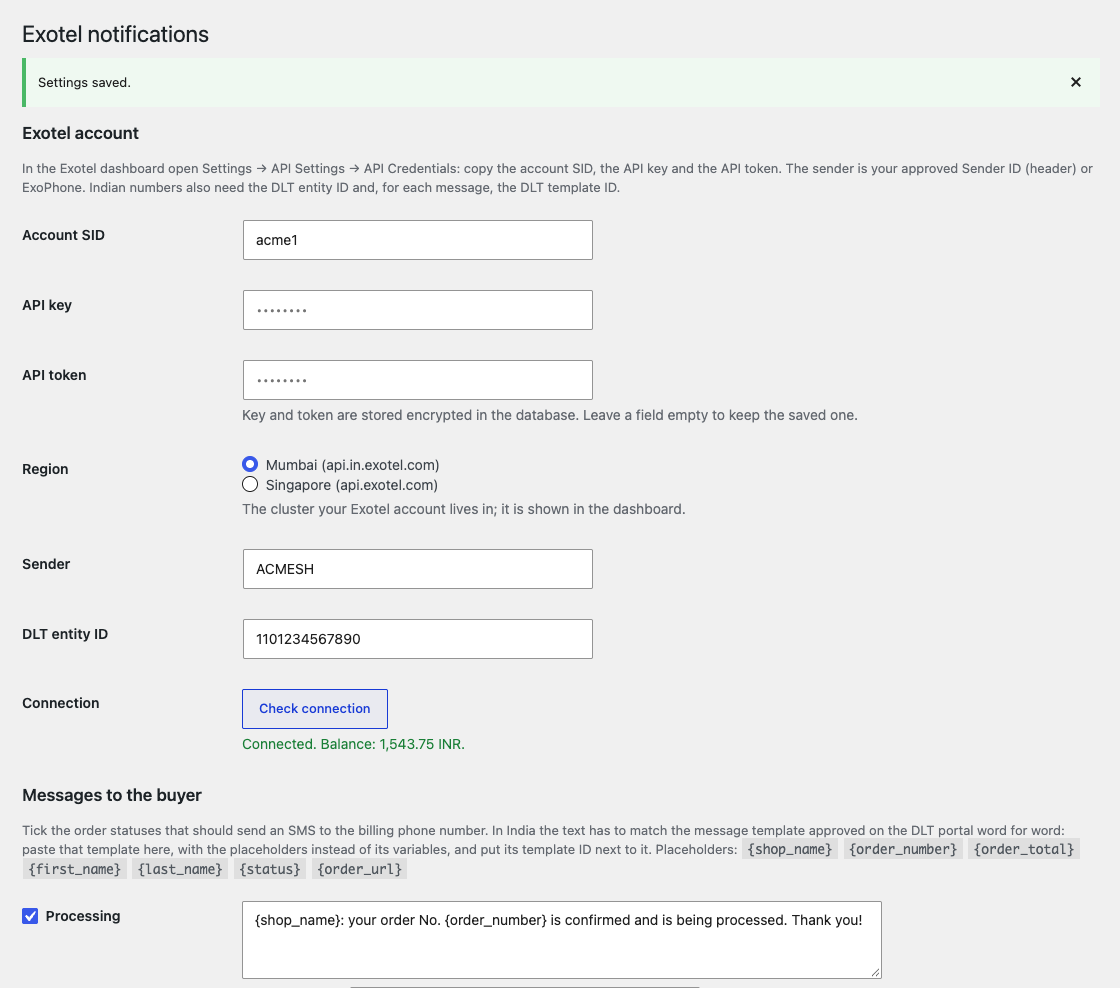
You enter the Account SID, API key and API token from Exotel, choose the region (Mumbai or Singapore), the sender and the DLT entity ID; “Check connection” reads the wallet balance.

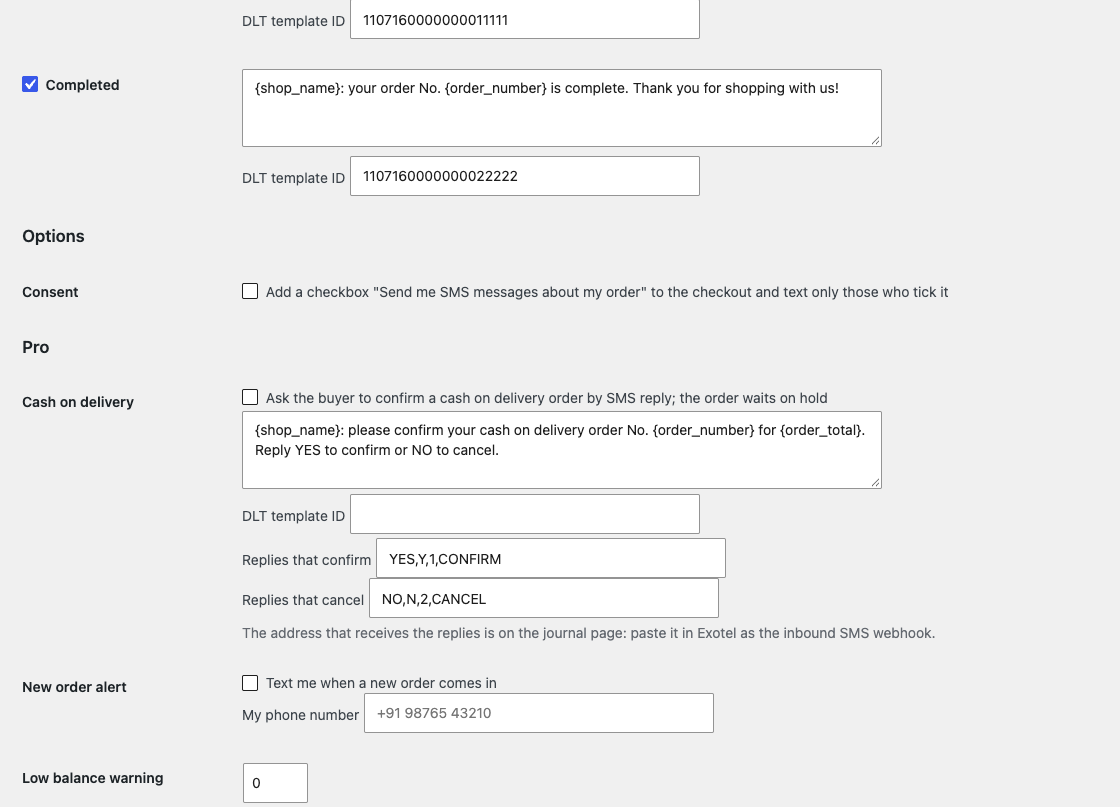
Cash on delivery confirmation by SMS reply: a COD order gets an SMS “Reply YES to confirm or NO to cancel” and waits on hold; the reply, which arrives at the address of the Exotel inbound SMS webhook, moves the order to Processing or Cancelled.

The base version is free. Pro costs 990 UAH for a one-year licence. A year of updates, technical support and all Pro features.

A fresh install is the free version, nothing switches on by itself. The “Try Pro for 7 days” button → e-mail → the key right in the window and by e-mail.

Moving the site? Unlink the licence on the old domain and activate it on the new one yourself. A staging copy (staging., dev.) works with the same key and does not take a site slot. For studios — keys for 5 or 25 sites, or unlimited.
 WordPress 6.2+, WooCommerce 7.0+, PHP 7.4+.An Exotel account with API access; for Indian numbers your own DLT registration (entity, sender, templates).
Status SMS with the DLT fields.

Exotel Notifications for WooCommerce sends the buyer an SMS through your Exotel account when the status of a WooCommerce order changes. Every message carries the DLT entity ID and the template ID that Exotel asks for on Indian numbers. We found no official Exotel plugin for WooCommerce (there is only a guide for Shopify).
This module has never run against the real Exotel. We had no Exotel account (SMS in India need a DLT registration and we did not invent registration details), so not a single message went through the real Exotel.
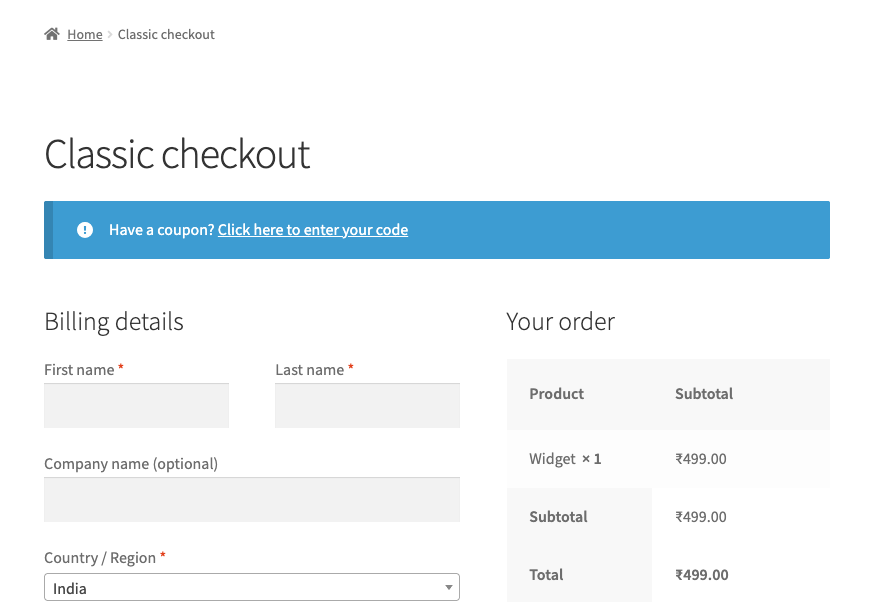
You enter the Account SID, API key and API token from Exotel, choose the region (Mumbai or Singapore), the sender and the DLT entity ID; “Check connection” reads the wallet balance. The “Processing” and “Completed” statuses each have their own text and their own DLT template ID: in India the text has to match the approved template, so you paste the template with placeholders instead of its variables. The number is turned into the international form by the billing country (+91 for Indian numbers). Each status is sent once per order; a network failure, a 429 or a 5xx is retried once after five minutes, while a refusal by Exotel (number, DLT, balance) is not repeated and the reason goes into the order notes. An Indian number without the DLT entity ID is not sent and the note says why. There is a test SMS, an optional buyer consent (a checkbox at the checkout) and the key and token are stored encrypted.
Cash on delivery confirmation by SMS reply: a COD order gets an SMS “Reply YES to confirm or NO to cancel” and waits on hold; the reply, which arrives at the address of the Exotel inbound SMS webhook, moves the order to Processing or Cancelled. Every order status (with its own text and template), delivery reports (each message carries a callback address and the journal and notes show “delivered” or the reason, for example FAILED_DND), an SMS journal, an SMS to the owner about a new order, an e-mail to the admin when the wallet balance falls below a limit, and a free-text SMS to the buyer from the order page.
The module is not on wordpress.org yet: the free version and Pro are one archive from this page. Without a key it works as the free version.
Didn't find the answer? Message us on Telegram and we'll reply within a business day.
 @catcode_support
Setup, compatibility, activation
No. Exotel has a guide only for Shopify; we made the module, and the Exotel trademark belongs to its owner.
For Indian numbers yes: Exotel asks for the DLT entity ID and the text has to match an approved template. The module registers nothing, it passes on what you enter.
Pro switches off, the free part keeps working.
No reviews yet. Be the first.
No questions yet. Ask one — we answer within 24 hours.
We build custom modules for WordPress, WooCommerce, OpenCart and Shopify. Tell us about the task and we'll prepare an estimate.
Order a custom module
—
Charged in UAH; your bank converts it to your currency. EUR price is approximate.

CatCode assistant
Just now


CatCode assistant
Online

I’ll help with your website task
Describe your website task — I’ll find a ready-made module or pass it to a developer for an estimate. Modules, custom features, layout, integrations, speed, migration, technical SEO.
