
















WooCommerce
1 290 UAH839 UAH/year≈ €17
Black November: −35% on all modules until 30 November Black November: −35% until 30 November Choose a module
 Website auditA PDF report by email in 3 minutesCheck a website
Everyday tasks
Image compressorSize, quality and WebP in bulkQR generatorLink, Wi-Fi, payment to IBANVAT calculator20, 14, 7% and amount in wordsTransliterationOfficial Ukrainian standardWebsite checks
PHP and pluginsPHP version, WordPress, pluginsGoogle Merchant feedFields, prices, GTIN, imagesDomain emailSPF, DKIM, DMARC, blacklistsAI search readinessllms.txt, bots, markupAll 9 toolsEnter at least 2 characters

ThePay for WooCommerce (Czech Republic): card and bank transfer payments on the ThePay page; Pro adds all methods, all currencies, partial refunds, a background check and a log.
The free version works with no time limit. Pro adds the rest of the features in the table.


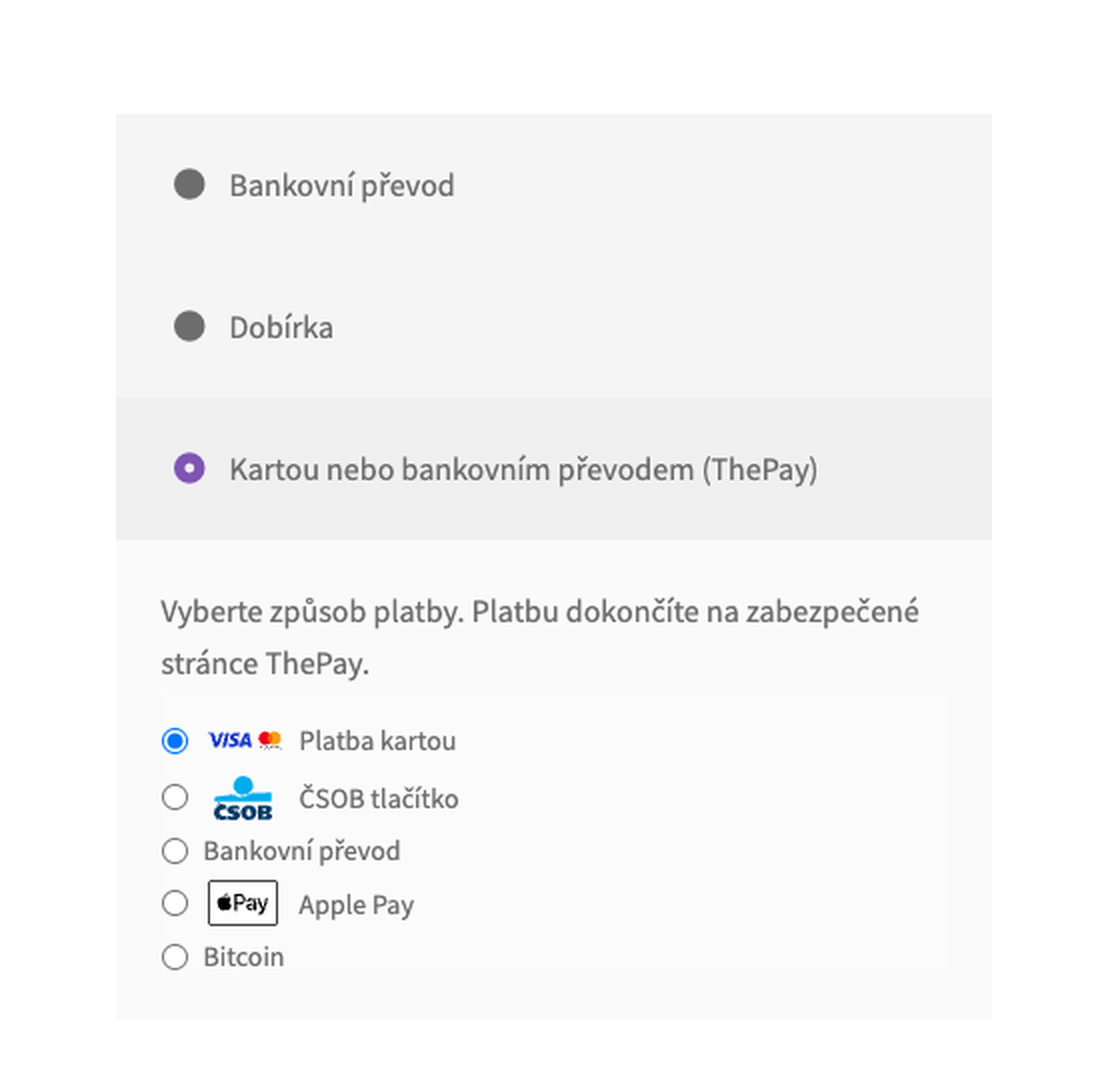
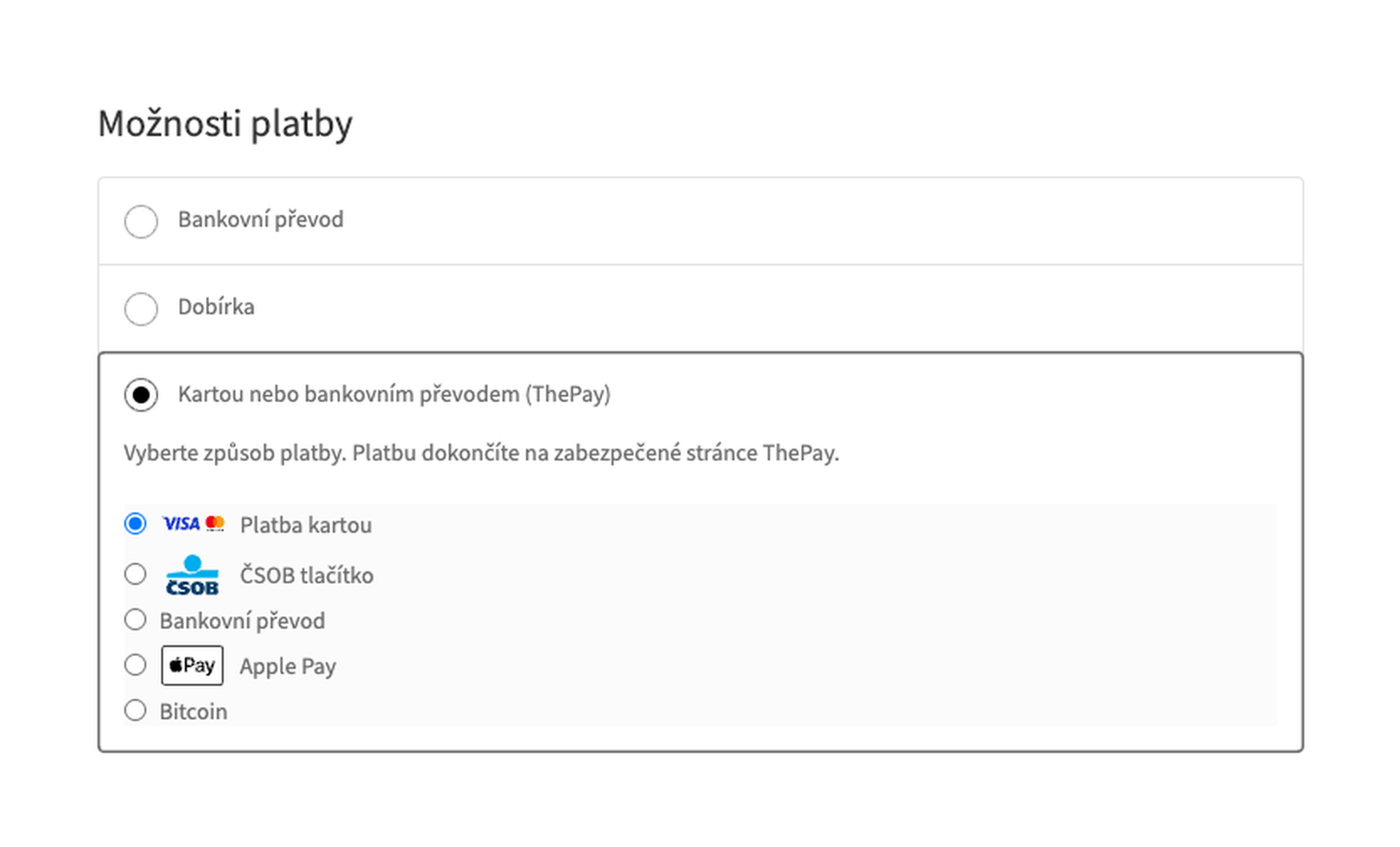
At the checkout the buyer sees the method “Kartou nebo bankovním převodem (ThePay)” with your title and description and the list of the methods of your ThePay project for the cart currency and the buyer’s language (Czech, German or English), with logos.

All methods of the project. Apple Pay, Google Pay, Bitcoin, deferred payments and every method active in your ThePay project are listed at the checkout with their logos.

A fresh install is the free version, nothing switches on by itself. The “Try Pro for 7 days” button → e-mail → the key right in the window and by e-mail.

Moving the site? Unlink the licence on the old domain and activate it on the new one yourself. A staging copy (staging., dev.) works with the same key and does not take a site slot. For studios — keys for 5 or 25 sites, or unlimited.
 WordPress 6.4+, WooCommerce 8.6+ (HPOS and the block checkout are supported), PHP 7.4+.A ThePay merchant contract: Merchant ID, Project ID and API password; the server IP address added to the allowed ones.Currencies: CZK and EUR in the free version, all currencies of the project in Pro.
Card and bank transfer payments on the ThePay page, the payment read back before the order changes, paying again without duplicates, classic and block checkout, HPOS, demo and live…


CatCode Payments with ThePay for WooCommerce adds card and bank transfer payments to WooCommerce through ThePay, a Czech payment gateway. The buyer picks a method at the checkout and finishes the payment on the secure ThePay page: card details never reach your shop. The module works with your own ThePay merchant contract. An order counts as paid only after the shop has read the payment back from ThePay.
What you need from ThePay. A merchant contract: the Merchant ID, the Project ID and the API password are in the ThePay administration under “Implementation”. The demo administration and the live one have different credentials. ThePay answers only requests from the IP addresses allowed in that section; the “Check connection” button shows the server address.
At the checkout the buyer sees the method “Kartou nebo bankovním převodem (ThePay)” with your title and description and the list of the methods of your ThePay project for the cart currency and the buyer’s language (Czech, German or English), with logos. The picked method opens directly on the ThePay page, with no second choice.
The same on the block checkout: the method is available without extra setup, HPOS is supported.
The ThePay notification is only a signal “look at this payment”: the shop reads the payment from ThePay with its own credentials and marks the order paid when the amount paid equals the order total in the order’s currency and the payment belongs to this order. A different amount or another project puts the order on hold. A payment waiting for the bank keeps the order on hold until ThePay confirms it; a failed one gives a failed order; a buyer who cancels on the ThePay page comes back to the payment page of the order with a clear message, and the cart stays.
Notifications that come twice or late do not change the order a second time, and a paid order is never set back. Paying again for the same order reuses the open ThePay payment; if the cart or the method changed, the old payment is closed at ThePay before a new one starts. A second payment (two open tabs) is written on the order as a note. The requests to ThePay made for a buyer have a limit of 7.5 seconds: if ThePay does not answer, the buyer sees a message and the cart stays.
All methods of the project. Apple Pay, Google Pay, Bitcoin, deferred payments and every method active in your ThePay project are listed at the checkout with their logos.
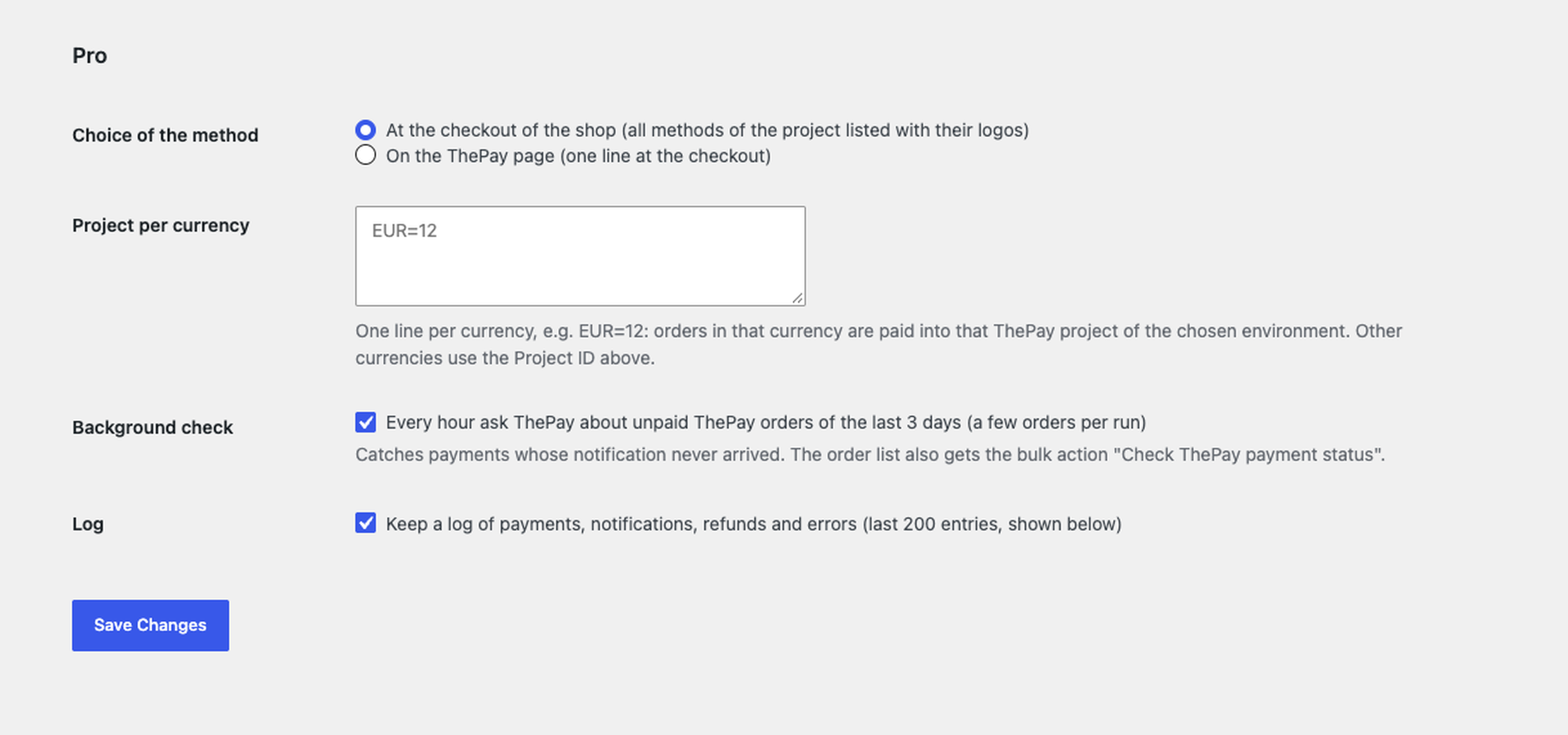
Where the buyer picks the method. At the checkout of the shop (all methods as a list) or on the ThePay page (one line at the checkout).
All ThePay currencies and a project per currency. PLN, HUF, GBP, USD, RON, BGN, CHF, SEK, NOK and DKK in the currency of the order; in the settings you can set a separate ThePay project for each currency (a line like EUR=12).
Refunds. A partial refund of any amount, several times. Refunds made in the ThePay administration are recorded on the WooCommerce order without paying out again.
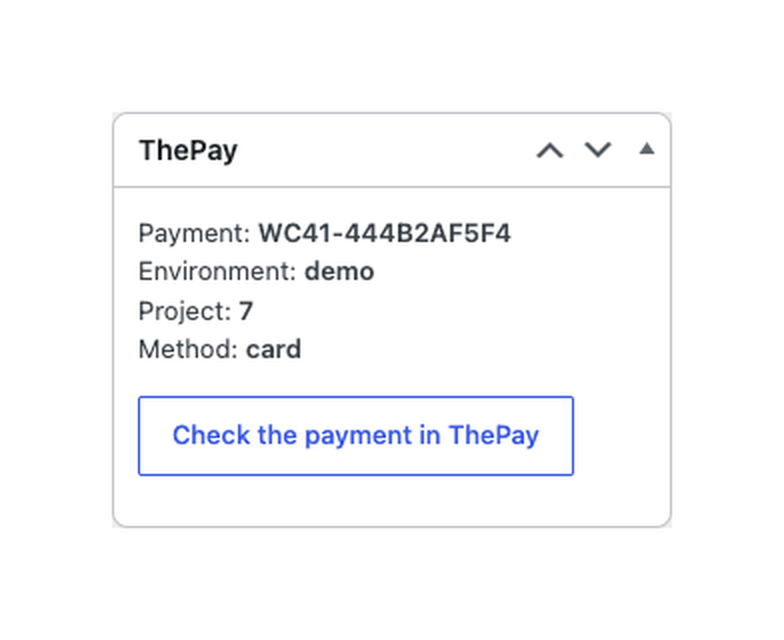
Payment check. The “Check the payment in ThePay” button in the order reads the payment again. Every hour the module asks ThePay about the unpaid orders of the last 3 days (10 per run) and settles those whose notification never arrived; the order list gets the bulk action “Check ThePay payment status”.
Log. The last 200 payments, notifications, refunds and errors in the module settings.
Didn't find the answer? Message us on Telegram and we'll reply within a business day.
 @catcode_support
Setup, compatibility, activation
No, it is an independent integration made by CatCode. ThePay is a trademark of its owner; the plugin is not affiliated with or endorsed by ThePay.
In the ThePay administration after you sign the merchant contract. Without a contract the module cannot work.
ThePay accepts requests only from IP addresses added to the allowed ones in your ThePay administration (otherwise 403) and only with the right API password (otherwise 401). Add the server address that "Check connection" shows.
No. The buyer pays on the secure ThePay page; only the result comes back to the shop.
After the shop has read the payment from ThePay, the amount matches the order total and the payment belongs to this order. A buyer coming back without ThePay confirming does not pay the order.
The methods of your project tagged card and bank transfer. Apple Pay, Google Pay, Bitcoin and others are in Pro.
Yes: a full refund of the remaining amount of a payment from the order screen is in the free version, partial refunds are in Pro.
The free version takes CZK and EUR, Pro takes every currency your ThePay project accepts.
One key works on two sites: the shop and its development copy.
No reviews yet. Be the first.
No questions yet. Ask one — we answer within 24 hours.
We build custom modules for WordPress, WooCommerce, OpenCart and Shopify. Tell us about the task and we'll prepare an estimate.
Order a custom module
—
Charged in UAH; your bank converts it to your currency. EUR price is approximate.

CatCode assistant
Just now


CatCode assistant
Online

I’ll help with your website task
Describe your website task — I’ll find a ready-made module or pass it to a developer for an estimate. Modules, custom features, layout, integrations, speed, migration, technical SEO.