
















WooCommerce
1 290 UAH839 UAH/year≈ €17
Black November: −35% on all modules until 30 November Black November: −35% until 30 November Choose a module
 Website auditA PDF report by email in 3 minutesCheck a website
Everyday tasks
Image compressorSize, quality and WebP in bulkQR generatorLink, Wi-Fi, payment to IBANVAT calculator20, 14, 7% and amount in wordsTransliterationOfficial Ukrainian standardWebsite checks
PHP and pluginsPHP version, WordPress, pluginsGoogle Merchant feedFields, prices, GTIN, imagesDomain emailSPF, DKIM, DMARC, blacklistsAI search readinessllms.txt, bots, markupAll 9 toolsEnter at least 2 characters

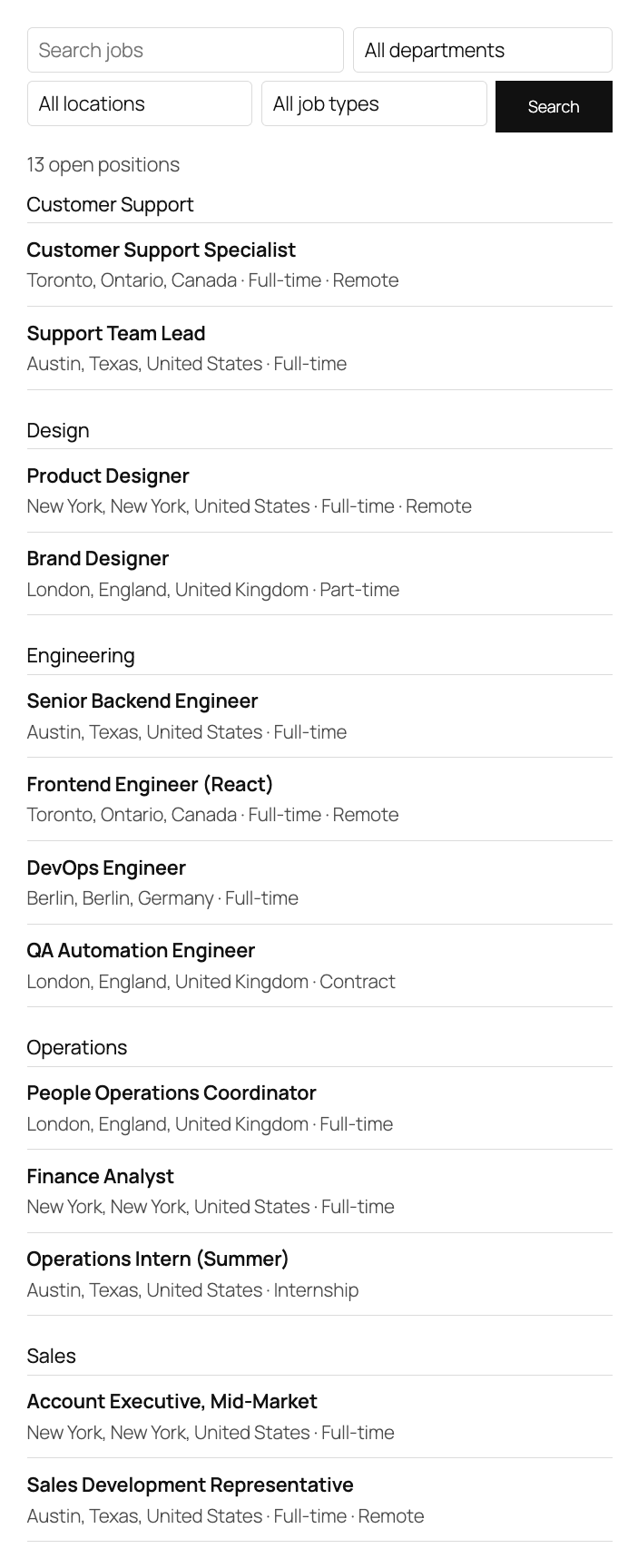
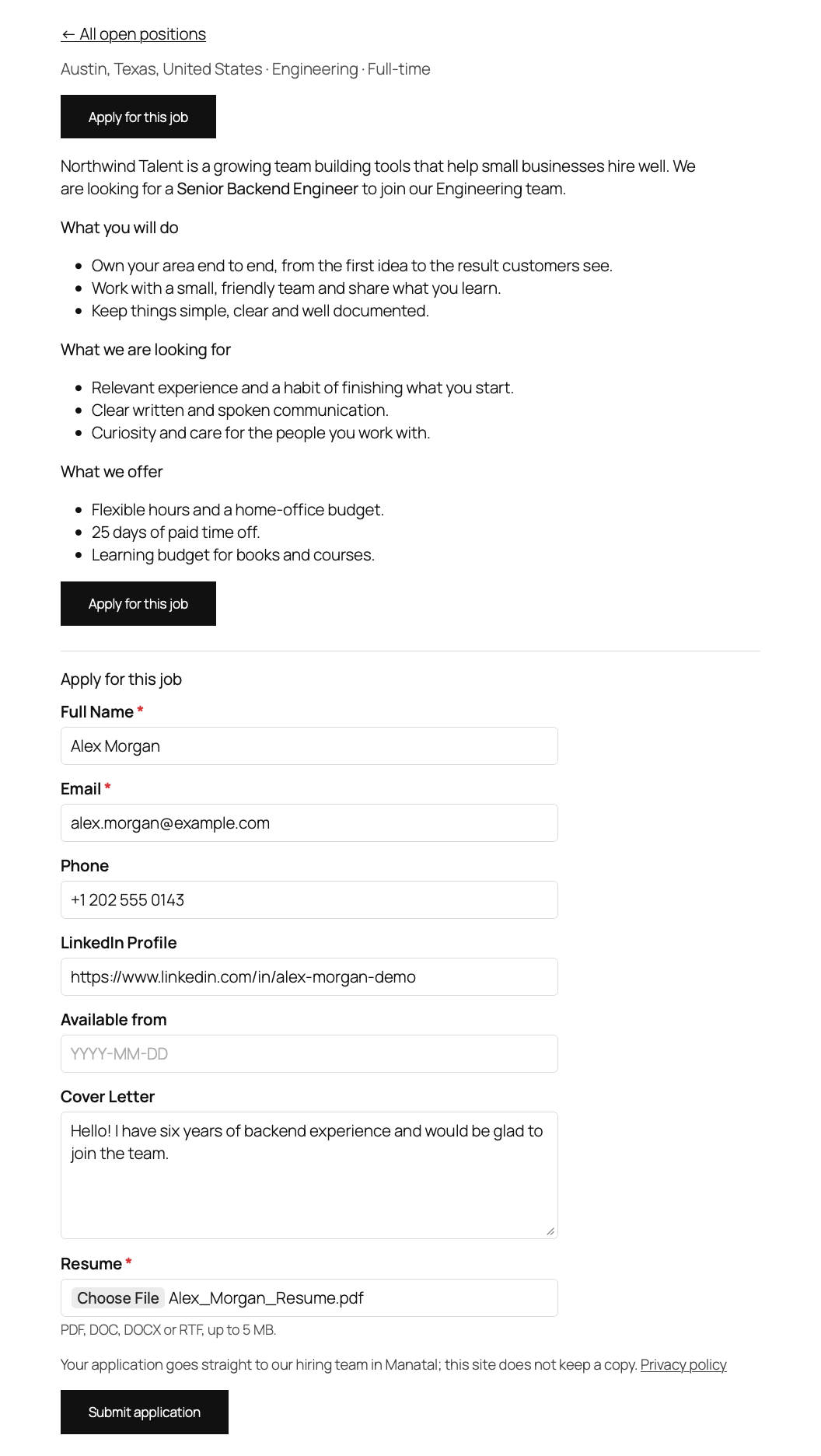
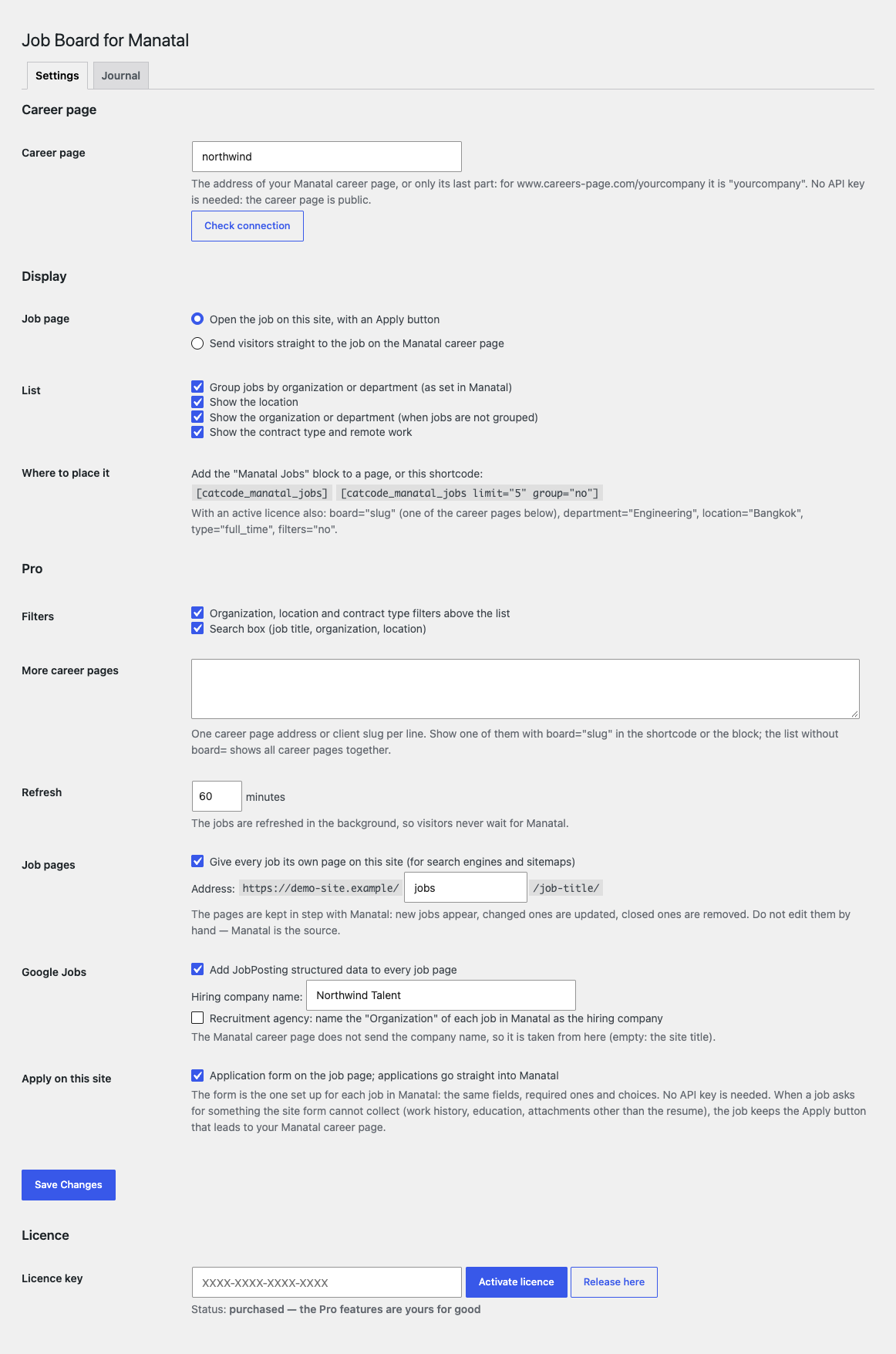
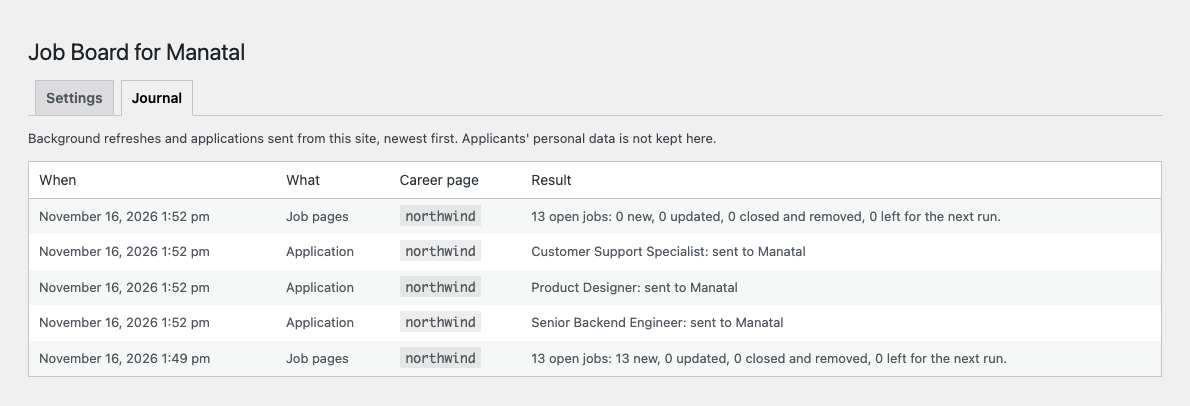
Jobs from your Manatal career page on WordPress: a job list, a job page and an Apply button for free; Pro adds filters, the application form on your site and markup for Google.
The free version works with no time limit. Pro adds the rest of the features in the table.


Paste the address of your Manatal career page (or only its last part, the client slug), press “Check connection” and add the “Manatal Jobs” block or the shortcode to a page.

Filters and search. A visitor chooses a department, a location and a job type (remote included) and searches by title.

A fresh install is the free version, nothing switches on by itself. The “Try Pro for 7 days” button → e-mail → the key right in the window and by e-mail.

Moving the site? Unlink the licence on the old domain and activate it on the new one yourself. A staging copy (staging., dev.) works with the same key and does not take a site slot. For studios — keys for 5 or 25 sites, or unlimited.
 WordPress 6.4+, PHP 7.4+. WooCommerce is not needed.A Manatal account and a public career page with published jobs.The site talks to api.manatal.com; candidates go to www.careers-page.com when they use the button to your Manatal page.For the application form (Pro): the hosting accepts a resume file up to 5 MB (upload_max_filesize, post_max_size).
The “Manatal Jobs” block and shortcode with the job list, grouping by department, location, contract type and remote work, a job page with the “Apply for this job” button, a 15-minute cache…


Job Board for Manatal shows the open jobs of your Manatal career page (ATS and recruiting CRM) on your WordPress site: a job list, a page for each job and an “Apply” button. The jobs page stays on your own site and in your own design, while the jobs keep living in Manatal: publish a job in Manatal and it appears on the site; close it and it is gone.
You need a Manatal account and a published public career page (its address looks like careers-page.com/your-company). No API key is needed: the plugin reads the public Career Page API, which means the same jobs every visitor of your Manatal career page sees.
Paste the address of your Manatal career page (or only its last part, the client slug), press “Check connection” and add the “Manatal Jobs” block or the shortcode to a page. The jobs are grouped by department or organization, each with its location, contract type (full-time, part-time, contract, internship) and a remote mark. Pinned jobs come first, as on your Manatal career page. Fonts and colours come from your theme.
A job opens on the same page: the title, location, contract type, the full description and an “Apply for this job” button that leads to the job on your Manatal career page. If you prefer, the links in the list can lead straight to Manatal. The shortcode takes limit (how many jobs to show) and group (group or not), for example [catcode_manatal_jobs limit="5" group="no"]. Answers from Manatal are kept for 15 minutes, the wait is never longer than 8 seconds, and when Manatal is down a visitor sees the last saved list.
Filters and search. A visitor chooses a department, a location and a job type (remote included) and searches by title. One page can gather the jobs of up to 10 Manatal career pages (for example, several clients of a recruiting agency), and the shortcode options board, department, location, type and filters give a ready-made cut. The application form on your site. A candidate fills in the Manatal form on your page: name, e-mail, phone, a cover letter, the resume (PDF, DOC, DOCX or RTF up to 5 MB), dates, choice lists, checkboxes, numbers and links, depending on what your form in Manatal is set up with. The application arrives in Manatal as a candidate for that job. Spam is held back by a hidden field, a minimum time to fill the form and no more than 5 tries per hour from one address.
A page for every job. The plugin creates a job page on your site at /jobs/job-title/ and adds it to the sitemap. The page carries JobPosting markup for Google (contract type, an address from the city, state and country, the date posted, the company), and a closed job redirects to the list. You enter the company name for the markup in the settings; in the agency mode the company is the organization of the job. Background refresh. WP-Cron refreshes the jobs every 5–1440 minutes of your choice, so a visitor never waits for Manatal.
Journal. Every refresh and every application is written in plain words: how many jobs are open, new, changed and closed, whether Manatal accepted an application, and if not, why. The settings page shows the state of the connection and the licence.
Didn't find the answer? Message us on Telegram and we'll reply within a business day.
 @catcode_support
Setup, compatibility, activation
No, it is an independent integration made by CatCode. Manatal is a trademark of its owner; the plugin is not affiliated with Manatal and is not endorsed by them.
No. The plugin works with the public Manatal career page: the same jobs anyone sees who opens its address.
A Manatal account and a published public career page. The address looks like careers-page.com/your-company, and its last part is the client slug; letter case matters.
The "Apply for this job" button opens the job on your Manatal career page, where your Manatal form works with all its questions and the upload. The form on the site itself is in Pro.
A visitor sees the last saved list of jobs, and a job page shows the title, the location and the "Apply" link. A site administrator sees the reason.
The list is refreshed at least every 15 minutes. In Pro the jobs and the job pages are refreshed by a background run on a schedule from 5 minutes to a day.
Pro switches off: the background refresh stops with a line in the journal, and the Pro job pages redirect to the job in the list. The free part keeps working.
One key covers two sites: the live site and its development copy.
No reviews yet. Be the first.
No questions yet. Ask one — we answer within 24 hours.
We build custom modules for WordPress, WooCommerce, OpenCart and Shopify. Tell us about the task and we'll prepare an estimate.
Order a custom module
—
Charged in UAH; your bank converts it to your currency. EUR price is approximate.

CatCode assistant
Just now


CatCode assistant
Online

I’ll help with your website task
Describe your website task — I’ll find a ready-made module or pass it to a developer for an estimate. Modules, custom features, layout, integrations, speed, migration, technical SEO.